
 简体中文
简体中文 English
Website review
This review may include AI-generated content and is not individually verified. Domain, certificate and other facts come from the observed data on this page.
What is Joonbot?
Joonbot is a no-code chatbot builder for websites, aimed at marketing, sales and support teams that want to engage visitors without writing code. You assemble a chatbot as a visual flow chart, choose or adapt a pre-built template, and paste a snippet into your site to publish it. Typical jobs it covers are lead capture, qualifying and scoring leads, answering recurring questions, booking appointments, collecting data into tools such as Google Sheets, and running quizzes or surveys.
What it does well
- Speed and simplicity: The flow-chart approach and templates mean a first bot can be live quickly; no developer is required for standard lead-capture or FAQ flows.
- Targeting and timing: Rules based on traffic origin or visitor behaviour let the bot appear with the right message at the right moment rather than interrupting everyone.
- Routing and optimisation: Smart routing sends different visitors down different paths, and A/B tests plus drop-off tracking let you improve conversion over time.
- Integrations: Zapier, webhooks and native connections (for example Google Sheets) push collected data into your existing stack; conversions can be sent to Google or Facebook Ads and behaviour tracked in Segment or Google Analytics.
- Pricing model: The page states pricing is fixed regardless of audience size, with unlimited usage on everything — useful if your traffic fluctuates or grows.
Who it suits, and the trade-offs
It fits small and mid-sized teams that need a functional bot fast and value fixed costs over per-conversation billing. If you need deep custom logic, complex backend workflows or heavy natural-language processing, a no-code flow builder can become limiting, and you may outgrow it. The main trade-off is control versus speed: templates and visual rules get you live quickly, but unusual requirements may need workarounds.
A practical next step
Pick your single highest-value use case — for example, qualifying inbound demo requests — and build that one flow first using the lead-capture template. Connect it to your CRM or Google Sheets, run it for two weeks, then check drop-off rates and A/B test the welcome message before expanding to FAQ or support flows. For comparison, established alternatives include ManyChat for messaging-first automation and Intercom for a broader support and sales platform.
How do I create a chatbot with Joonbot without coding?
Joonbot is built around a visual, flow-chart style editor: you drag and connect steps rather than write code. According to the page, the process is template-driven, so the fastest route is to start from a pre-built template and adapt it.
Typical build sequence
- Pick a starting point. The builder offers pre-built templates for lead capture, customer support, FAQ, feedback forms and order forms, so you can copy one instead of designing from scratch.
- Map the conversation as a flow. Each message, question and answer becomes a node you connect. Branching handles different visitor replies.
- Configure targeting and timing. The page describes rules based on traffic origin or behaviour, plus control over when and where the chatbot appears and what it says first.
- Add data handling. Chatbots can collect and qualify data, book appointments, and insert records into your data management tool, and can answer recurring questions automatically.
- Connect your stack. Integrations run through Zapier, webhooks, native connections such as Google Sheets, and analytics destinations including Google Analytics, Segment and Google/Facebook Ads conversion tracking.
- Install the widget. The page frames this as copy-and-paste.
- Test and refine. The page mentions A/B tests and drop-off tracking as ways to improve conversion.
Choosing between template and blank build
| Situation | Better starting point |
|---|---|
| Standard lead capture or FAQ | Pre-built template, edited |
| Unusual qualification logic | Blank flow with custom branches |
| Quick validation of an idea | Template, then trim steps |
| Multiple audiences or languages | Separate flows with targeting rules |
Practical scenario
A small B2B team wants to qualify inbound demo requests. They would start from the lead-capture template, replace the questions with their own qualification criteria, set a rule so the chatbot only appears on pricing and product pages, route high-scoring replies to a calendar booking step, and push the rest into a Google Sheet or CRM via Zapier. The analytics connection then shows which question causes most drop-offs, which is the step worth rewriting first.
A useful next step: sign up for the free trial, load one template, and rebuild only the first three steps to see whether the flow-chart editor matches how you think before committing to a full build. The page lists a 14-day free trial with no credit card required, and states pricing is fixed regardless of audience size, so it is worth checking the pricing page for plan limits on features such as integrations or analytics.
Which pre-built chatbot templates does Joonbot offer for lead capture and support?
Joonbot lists several pre-built templates you can download directly inside its chatbot builder. For lead capture and support, the named examples are:
- Lead capture — a general template for collecting contact details.
- Complete lead generation — a fuller flow aimed at turning visitors into leads.
- FAQ chatbot — handles recurring questions automatically.
- Complete customer support chatbot — a broader support flow.
- Customer feedback form — collects feedback rather than leads.
- T-shirt order form — an order-capture template, useful as a pattern for product orders.
The site says more templates are available beyond these examples.
How to choose between them
Match the template to the job, not the label. If your goal is list growth, start with Lead capture; if you need to qualify before a sales conversation, the Complete lead generation flow is the closer starting point. For support, pick FAQ if most queries repeat, and the Complete customer support template if you need multi-step handling such as order status or escalation. The Customer feedback form suits post-purchase research rather than acquisition.
A practical next step: open the builder, load one template, and walk through it as a visitor would. Check where it asks for contact details, how it routes different answers, and whether the welcome message fires at a sensible moment. Templates are starting points — Joonbot's targeting and smart routing are what let you adapt them to traffic source or visitor behaviour.
If you want to see how the templates sit alongside the wider flow-building approach, the product overview is at Joonbot.
How does Joonbot integrate with tools like Zapier, Google Sheets, and Google Analytics?
Joonbot connects to outside tools in three main ways: native integrations, Zapier, and webhooks. Google Sheets is named as a native integration, so data collected by a bot — form answers, lead details, survey responses — can be written straight into a spreadsheet. Zapier acts as the bridge to apps Joonbot doesn't connect to natively. Webhooks are the flexible option: Joonbot sends the conversation data to a URL you control, and your own script or automation platform handles the rest.
For analytics, the page describes sending conversions to Google Ads and Facebook Ads, and tracking user behaviour through Segment, Google Sheets or Google Analytics. In practice this means a completed bot flow can be reported as a conversion in your ad platforms, while the step-by-step journey is visible in an analytics tool. The distinction matters: ad-platform conversion tracking tells you which campaign produced a lead, whereas Google Analytics-style event tracking shows where people dropped off inside the bot.
Matching the method to the job
| Goal | Sensible connection |
|---|---|
| Store every lead in a spreadsheet | Native Google Sheets integration |
| Push leads into a CRM, email tool or Slack | Zapier |
| Trigger custom logic or an internal system | Webhooks |
| Attribute leads to ad campaigns | Google Ads / Facebook Ads conversion sending |
| See drop-off and behaviour inside flows | Google Analytics or Segment |
A practical example
A B2B team runs a qualification bot. When a visitor answers the scoring questions, the bot writes the raw answers to Google Sheets, sends the qualified lead to the CRM through Zapier, and fires a conversion to Google Ads. The marketer then checks Google Analytics to see which question causes the most abandonments and rewrites it.
How to decide
Start with the destination that already holds your data. If it's a spreadsheet, the native Google Sheets route is the least work. If it's a CRM or helpdesk, check Zapier first, since it usually covers common SaaS tools without engineering time. Choose webhooks only when you need logic Zapier can't express or when data must reach an internal system — that route assumes someone can maintain an endpoint. For measurement, set up conversion sending early; retrofitting attribution after a campaign has run is far harder than configuring it beforehand.
The pricing page at Joonbot is the place to confirm which integrations and analytics options are included at each tier before committing, since integration depth often varies by plan.
How can I use Joonbot to qualify and score leads automatically?
Joonbot is designed to do this with a conversational flow rather than a scoring engine you configure separately. You build a chatbot that asks qualifying questions, then use rules to route or grade the answers. The site describes this directly: “Use our conversational design to qualify leads. With simple rules you can easily score your leads or candidates,” and it lists “qualification” and “data insertion into your data management tool” among the repetitive tasks you can delegate to a chatbot.
A practical flow
- Trigger the chat at the right moment. Use the widget format and a welcome message to engage visitors proactively, as Joonbot's lead-generation use case describes.
- Ask 3–5 qualifying questions. Keep them closed or multiple-choice where possible: budget range, timeline, company size, role, use case. Each answer becomes a variable.
- Assign points per answer. High-intent answers (for example, “this quarter” or “I have budget approved”) get more points than low-intent ones.
- Route by score. Above your threshold, hand off to sales or book a meeting; below it, send a nurture message or add the contact to a list.
- Push the result out. Send the scored lead to your CRM or a sheet via Zapier, webhooks, or a native integration such as Google Sheets, then track conversions in Google Analytics, Segment, or the ad platforms.
Where it fits best
This approach suits teams with a clear definition of a good lead and a handful of questions that separate them from poor fits. It is less suitable if qualification depends on nuanced judgment, long free-text answers, or data you already hold in your CRM.
What to weigh
- Fixed pricing regardless of audience size matters if your traffic is high and unpredictable; per-contact pricing would penalize you there.
- Rule-based scoring is transparent and easy to audit, but it does not learn from outcomes the way predictive lead scoring does. Review your thresholds periodically against closed deals.
- Chat-based qualification only captures visitors who engage. Pair it with a form or exit intent if a large share of your traffic ignores the widget.
- Keep the question count low. Every extra question lowers completion; two or three well-chosen ones often beat a long survey.
A sensible next step is to write down your current sales team's top three disqualifying questions, turn them into chatbot answers with point values, and test the flow on a small traffic segment before rolling it out. If you want to see how the flow builder and templates work first, start at Joonbot.
What does Joonbot's pricing include and how does the 14-day free trial work?
Joonbot's pricing is based on a fixed plan rather than usage tiers: the page states "UNLIMITED ON EVERYTHING," meaning your cost stays the same regardless of audience size. Current plan levels and any feature limits are listed on Joonbot's pricing page, so check there before committing.
The 14-day free trial is a no-risk way to test the builder: no credit card is required, and you can start free. In practice, use the trial to build one real chatbot — for example, a lead-capture flow with a welcome message and a handoff to Google Sheets — then measure whether it captures qualified leads before paying.
A sensible decision criterion: if you expect steady or unpredictable traffic growth, a fixed price with unlimited usage is easier to budget than per-conversation billing. If you only need a small, occasional bot, compare the paid tier against your expected usage anyway.
 DigitalOcean
 Google Workspace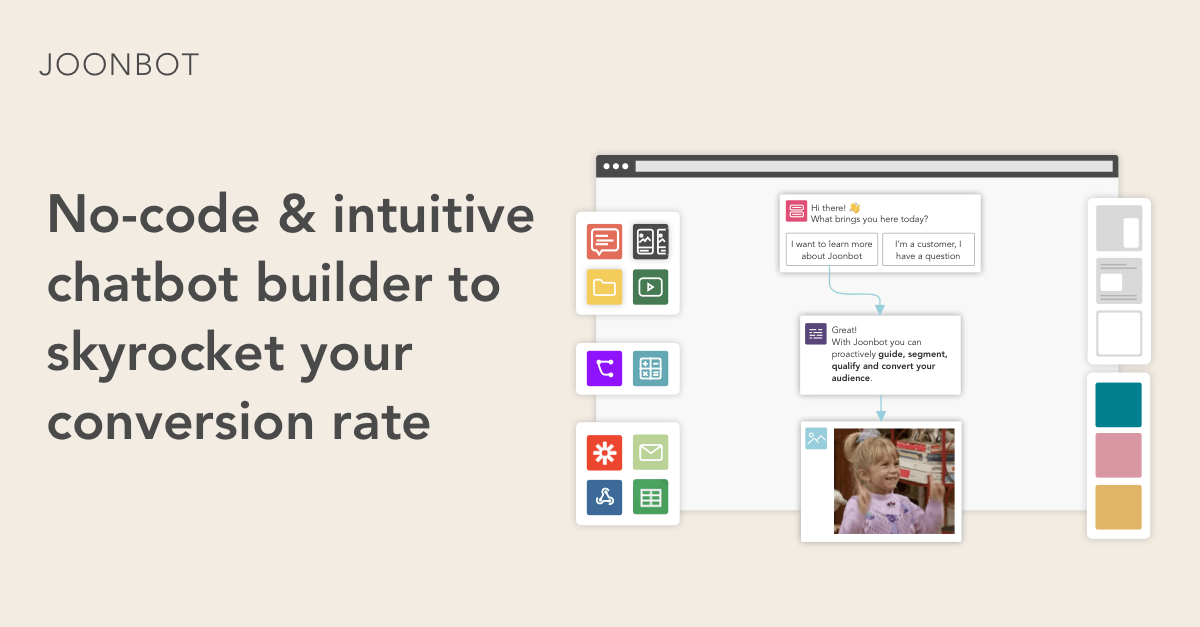
User reviews (0)