
 简体中文
简体中文
kaleidoscope.app
Spot the differences, merge in seconds.
At a glance
- Category
- Development
- Language
- English
- Paid-content signal
- No paid content foundObserved
- Registered
- 2018
- Hosting
- Amazon.com, Inc.Inferred
- HTTPS certificate trusted
- PassedObserved
- Last updated
Related questions
More questions →Does Kaleidoscope Offer a Free Trial and How Can I Get It?
Yes. Kaleidoscope offers a free trial, and you can get it directly from the official website. The site's navigation includes both a Download link and a Free Trial call-to-action, and the homepage repeats "Download Free Trial" as the primary button. After the trial, the product is sold as a subscription — the navigation also includes a Pricing link, and the site's own signals reference "subscribe" and "pricing."
How to get the free trial
- Go to kaleidoscope.app.
- Use the Download link in the navigation, or click the Download Free Trial button on the homepage.
- Install the app and run it to start evaluating it.
The site does not state a trial length, feature limits, or whether a payment method is required up front, so treat those as unknown until you see them during signup or on the Pricing page.
What you can evaluate during the trial
The trial is meant to let you judge the diff and merge features before subscribing. Based on the product's own descriptions, the areas worth testing are:
| Feature | What it does | Good test case |
|---|---|---|
| 3-Way Merge | Shows the Git commits leading to a conflict, with commit messages visible and changes between Base and each side | Trigger a real merge conflict in a branch and resolve it |
| Code Review in one clear Changeset | All changes between two commits in one place, with live updates for your working copy; filter by modification, file type, and file name | Review a multi-commit branch before opening a pull request |
| Text Compare | Character-level diffs, collapsed unchanged areas, quick navigation between changes | Compare two versions of a config or source file with small edits |
| Image Compare | Pixel-perfect diffing with split, blink, drag, and diff modes; pixel comparison shows formats and color profiles | Compare a design export against the implemented screenshot |
| Compare directories | Compare entire folder trees, with inline diffs and Quick Look; copy items from one folder to the other | Diff a build output folder or two project directories |
The site also mentions File History, which lets you browse and compare all revisions of a file, and Live Working Copy Changes, which keeps a changeset current as your project changes. Both are worth exercising during the trial since they affect day-to-day Git work.
Deciding whether to subscribe
Use the trial to answer a few concrete questions:
- Does the 3-Way Merge view make your typical conflicts faster to resolve than your current tool?
- Does the Changeset view replace the way you currently review changes between commits?
- Do Image Compare and directory compare cover work your current setup handles poorly?
If most answers are yes, move to the Pricing page to pick a subscription. If your work is mostly text diffs already handled well by your editor or Git client, the trial will tell you that too.
Practical notes
- The trial is a download, not a web demo, so you need to install it locally.
- The site lists Pricing and Download in the main navigation, so both the trial and the paid options are reachable from the homepage.
- No trial duration, price, or platform requirements are specified in the available page content — check the Pricing page and the download page for current details before committing.
What Is Kaleidoscope and What Does It Do?
Kaleidoscope is a file comparison and merge app for macOS that finds differences in text files, images, and entire folders. It's built for developers and designers who need to review changes and resolve conflicts quickly, and it integrates deeply with Git. If you work with version-controlled code or need to spot visual changes between design files, it's aimed at you.
What Kaleidoscope actually does
At its core, Kaleidoscope answers one question: what changed? It shows you two or more versions of something side by side and highlights the differences. The site describes it as "the world's most powerful file comparison and merge app," with a focus on spotting differences and merging in seconds.
The main capabilities, based on the product's own feature list:
- Text Compare — character-level diffs that catch even subtle edits. Unchanged areas collapse so you can focus on what matters, and you can jump between changes quickly.
- Image Compare — pixel-perfect diffing with split, blink, drag, and diff modes. Pixel Comparison also surfaces formats, color profiles, and more.
- Compare directories — compare entire folder trees at a glance, with inline diffs, Quick Look, and the ability to copy items from one folder to the other.
- 3-Way Merge — see the Git commits leading to a conflict, with commit messages available, and view changes between Base and each side.
- Code Review in one clear Changeset — all changes between two commits in one place, including live updates for your working copy. You can filter by modification, file type, and file name.
How it fits into a Git workflow
Kaleidoscope isn't a full Git client — it's a diff and merge tool that plugs into one. The site notes it "deeply integrates with Git," and a File History feature lets you browse and compare all revisions of a file, with commit details to give context.
This distinction matters. A community review quoted on the site puts it well: the user runs Kaleidoscope alongside Tower (a Git client) for certain tasks, noting that "Kaleidoscope doesn't even attempt to do most of what Tower does, but there are times when it's quicker or better to open up a comparison or file history in Kaleidoscope." So the practical picture is: keep your existing Git client, and reach for Kaleidoscope when you need a focused comparison or conflict resolution.
The same reviewer highlights that the main window keeps a history of recent comparisons, both globally and per-repository — useful when you're bouncing between several files or branches.
Who it's for
Two groups get the most out of it:
- Developers resolving merge conflicts, reviewing what changed between commits, or tracing a file's history.
- Designers and developers comparing image assets where a text diff won't help — checking color profiles, formats, or pixel-level shifts.
If your work is mostly plain text and simple diffs, a built-in editor or command-line tool may be enough. Kaleidoscope's value shows up when comparisons get complex: three-way merges, image assets, or whole directory trees.
Trying it
The site offers a free trial and a download, with pricing and subscription options listed separately. Kaleidoscope 7 is the current version highlighted. Since pricing details aren't specified here, check the Pricing page directly for current terms before committing.
A reasonable way to evaluate it: install the trial, point it at a real merge conflict or a folder of image revisions you've been putting off reviewing, and see whether the comparison view saves you time over your current setup.
Can Kaleidoscope Compare Images and Directories?
Yes. Kaleidoscope is a file comparison and merge app for macOS that handles more than text: it does pixel-level image comparison and compares entire folder trees. The image and directory features are separate from its Git-oriented tools (3-Way Merge, Changeset code review, File History), so you can use them for design assets or project folders even when no repository is involved.
Image comparison
Kaleidoscope's Image Compare is built for spotting visual changes between two versions of an image. According to the site, it offers:
- Pixel-perfect diffing — differences are detected at the pixel level rather than by eye.
- Split, blink, drag, or diff modes — four ways to view the two images, so you can choose the one that makes a change most obvious. Blink and drag are useful for spotting small shifts; diff highlights changed pixels directly.
- Pixel Comparison metadata — the comparison view shows formats, color profiles, and more, so you can tell whether a difference comes from the image content or from how the file was exported.
This is aimed at both designers and developers — for example, checking that an exported asset still matches the source, or confirming that a UI screenshot changed only where you intended.
Directory comparison
Compare directories works on whole folder trees rather than single files:
- Compare entire folder trees at a glance — you see the overall difference between two directories before drilling in.
- Inline diffs and Quick Look — open a file's diff without leaving the comparison, or preview it with Quick Look.
- Copy items from one folder to the other side — move files across as part of reconciling the two trees.
A practical use: comparing a build output folder against a previous build, or two versions of an asset library, to see exactly which files were added, changed, or removed.
How this fits with the rest of the app
The same window handles text comparison (character-level diffs, collapsed unchanged areas, quick navigation between changes) and the Git features. The site describes Kaleidoscope as "a diff and merge tool that deeply integrates with Git," with File History for browsing and comparing all revisions of a file, and a Changeset view that collects all changes between two commits in one place with live updates for your working copy.
One user quoted on the site (Michael Tsai, mjtsai.com) notes that they use Kaleidoscope alongside Tower for certain tasks, and specifically likes that the main window keeps a history of recent comparisons, both globally and per-repository. That recent-comparisons history is worth knowing about if you switch often between image, folder, and Git comparisons.
What to check before deciding
- Platform: Kaleidoscope is a Mac app, so image and directory comparison assume macOS.
- Trial and pricing: the site references a free trial and a pricing page, so you can evaluate the image and folder features before subscribing. Exact plan details and limits are on the pricing page rather than in the product description.
- Scope: if your main need is comparing images or folders outside of version control, those features stand on their own; the Git integration is additional, not a prerequisite.
How Kaleidoscope's 3-Way Merge Helps Resolve Git Conflicts
Kaleidoscope's 3-Way Merge is a visual conflict-resolution view that shows the Git commits leading to a conflict, puts commit messages next to the changes, and displays what changed between the Base and each side. That combination lets you understand why a conflict happened before deciding how to resolve it, instead of guessing from raw conflict markers. It's most useful when a merge or rebase produces conflicts across multiple files or when the conflicting edits come from commits you didn't write.
What the 3-Way Merge view actually shows
A standard Git conflict gives you two versions of a file plus markers. Kaleidoscope's 3-Way Merge adds context around that:
- The commits leading to the conflict — you can see which commits produced each side, so the conflict is tied to real history rather than appearing out of nowhere.
- Commit messages at hand — the message for each relevant commit is shown alongside the changes, which is often the fastest way to understand intent.
- Base vs. each side — changes between the common Base and each branch are shown separately, so you can tell what your side changed and what their side changed relative to where they diverged.
That last point is the core of a 3-way merge: Base is the common ancestor, and the two sides are the divergent edits. Seeing all three makes it clear whether a conflict is a genuine semantic clash or just two edits that happen to touch nearby lines.
Why this helps more than reading conflict markers
Conflict markers tell you where two edits collide. They don't tell you why. With the 3-Way Merge view you can:
- Trace a conflicting hunk back to the commit that introduced it and read that commit's message.
- Compare each side against Base to see the actual intent of each change.
- Decide whether to keep one side, combine both, or rewrite — with the reasoning visible rather than inferred.
For a conflict where one side renamed a function and the other side edited its body, for example, the Base-vs-side comparison makes the rename and the edit visibly separate concerns, which points toward a merge that keeps both.
How it fits into a Git workflow
Kaleidoscope is described as a diff and merge tool that deeply integrates with Git, and the 3-Way Merge sits inside that integration rather than beside it. Related features reinforce the same workflow:
- File History lets you browse and compare all revisions of a file, with details about each commit to understand context and take action.
- Code Review in one clear Changeset shows all changes between two commits in one place, with live updates for your working copy, and lets you filter by modification, file type, and file name.
- Text Compare provides character-level diffs that catch subtle edits, collapses unchanged areas, and lets you navigate quickly between changes.
So the typical flow is: a merge or rebase conflicts → open the 3-Way Merge to see Base and both sides with their commits → resolve with full context → use the Changeset and File History views to verify the result and review related changes.
When to reach for it (and when not to)
Good fit:
- Multi-file merge or rebase conflicts where you need to understand intent, not just location.
- Conflicts from commits you didn't author, where commit messages carry the missing context.
- Reviewing a resolution afterward against the Base and both sides.
Less necessary:
- Trivial conflicts you can resolve by inspection in the editor.
- Cases where you only need a quick text diff of two files — Text Compare covers that without the three-pane context.
Practical notes
- Kaleidoscope is a macOS app (the site references Quick Look and a "Download Free Trial"), and the page lists both a Free Trial and Pricing, so you can evaluate the 3-Way Merge before subscribing.
- The community feedback on the page highlights the Git features and the per-repository comparison history as the parts people use most, which lines up with the 3-Way Merge being a workflow tool rather than a one-off viewer.
If your conflicts are frequent and come from shared branches, the 3-Way Merge view is the feature that turns "which side wins?" into "what did each side actually intend?" — and that's the question worth answering before you commit a resolution.
How Kaleidoscope's Changeset View Works for Code Review
Kaleidoscope's Changeset view collects all changes between two commits into a single review surface, then keeps that surface current as your working copy changes. It's built for the moment when you need to see everything that happened across a range of commits — not just one file at a time — and it assumes you're working in a Git repository that Kaleidoscope can read.
What the Changeset view actually shows
The core idea is aggregation. Instead of opening files one by one, you point Kaleidoscope at two commits and it presents every change between them in one place. According to the site, this includes:
- All changes between 2 commits, in one place
- Live updates for your working copy
- Filtering by modification, file type, and file name
- Inline diffs and jump-to-File-History actions
So the Changeset is both a summary layer (what changed overall) and an entry point (drill into any single file's diff or history).
The live working copy detail
"Live Working Copy Changes" is the feature that distinguishes a static diff from a review workspace. As your project changes — files saved, edits staged, branches switched — the changeset stays up to date rather than freezing at the moment you opened it. For code review this matters because you can keep the review open while you fix things and watch the set of changes shrink or shift in real time.
Filtering: how you narrow a large changeset
A changeset spanning many commits can contain hundreds of files. The filters let you cut that down along three axes:
| Filter | Use it when |
|---|---|
| Modification type | You only care about added, deleted, or modified files |
| File type | You want to ignore assets, lockfiles, or generated output |
| File name | You're hunting a specific file or path pattern |
The practical workflow is: open the full changeset, apply a filter to reduce noise, then work through what remains.
Drilling into a single file
Once the changeset is narrowed, two actions do the deep work:
- Inline diffs — see the character-level changes inside a file without leaving the changeset context. Kaleidoscope's text compare collapses unchanged areas and highlights what matters, so you're not scrolling past untouched code.
- Jump to File History — move from "what changed in this commit range" to "every revision of this file," with commit details available for context.
That pairing is the point: the changeset tells you where to look, and File History tells you why the file looks the way it does.
Where this fits in a review workflow
A reasonable sequence:
- Identify the two commits that bound the work you're reviewing (e.g., the branch point and the current head).
- Open the changeset and scan the aggregate view.
- Filter by file type or modification to remove noise.
- For each remaining file, read the inline diff.
- When a change looks surprising, jump to File History to see prior revisions and commit messages.
What to check before relying on it
- Git integration is the assumption. The Changeset view is described as part of a diff and merge tool that "deeply integrates with Git," so it's aimed at Git repositories rather than arbitrary folder comparisons.
- Pricing and trial terms aren't specified here. The site references a free trial, pricing, and a subscribe option, but the exact terms aren't in the available material — check the pricing page directly if cost matters to your decision.
- It complements, not replaces, your Git client. One quoted community member notes using Kaleidoscope alongside Tower, opening a comparison or file history in Kaleidoscope "when it's quicker or better" — a fair description of where a dedicated comparison app earns its place.
Website Overview
An established domain and managed infrastructure suggest continuity of operations and may support dependable delivery, although neither guarantees service quality. Page metadata, canonical configuration and social previews work together to provide more consistent search and sharing presentation.
Domain and Registration
Registered in 2018, this domain has about 8 years of history. That suggests continuity, although ownership and purpose may have changed. Transfer-protection status is present, helping reduce the risk of unauthorized domain transfers. The registrar is Porkbun LLC, a widely used domain service provider. The domain uses the common .app extension, which is not an independent safety signal.
DNS and Email
Nameservers are provided by porkbun.com, indicating managed DNS hosting. MX records point to the Microsoft 365 email service. No CNAME was found; the observed records resolve directly to addresses. SPF and DMARC are configured. DKIM status is unknown. TXT records include verification markers for Google, Apple, Microsoft. Such markers may also remain after a service stops being used.
TLS and Certificates
The public key uses EC with 256 bits. The server supplied a complete certificate chain. No organization name is present in the certificate; the available fields are consistent with domain validation. The certificate was issued within the Google Trust Services cloud or CDN ecosystem. The certificate's total validity is about 89 days, consistent with a short renewal cycle.
HTTP and Browser Security
The response lacks these common security headers: CSP, Referrer-Policy, Permissions-Policy, clickjacking protection. No X-Powered-By header was found, reducing one common source of backend fingerprinting information. No obvious internal addresses or debug information were found in the headers. The Server header contains the custom value Framer/26fa766. No explicit CDN or WAF marker was found in the response headers.
Technology Stack Analysis
The public page identifies Framer 0116799, Google Tag Manager without precise versions, leaving fewer clues for version-specific scanning.
Search and Social Sharing
The Generator tag identifies Framer 0116799, making the publishing system easier to fingerprint. Twitter Card metadata is configured. The title has 38 characters, within a common display range. A meta description is present, with 39 characters. A viewport declaration is present, providing a basis for mobile layout.
Hosting and Email
 Amazon.com, Inc.
 Microsoft 365
 United States
Inferred
35.71.142.77
United States
Inferred
35.71.142.77
Registration details
| Registrar | Porkbun LLC |
|---|---|
| Registered | 2018-05-08 |
| Expires | 2027-05-08 |
| Domain status | client delete prohibited、client transfer prohibited |
| Nameservers | curitiba.ns.porkbun.com、fortaleza.ns.porkbun.com、maceio.ns.porkbun.com、salvador.ns.porkbun.com |
| DNSSEC | unsigned |
DNS records
| Type | Name | Value | TTL | Priority |
|---|---|---|---|---|
| A | kaleidoscope.app | 35.71.142.77 | 600 | — |
| A | kaleidoscope.app | 52.223.52.2 | 600 | — |
| MX | kaleidoscope.app | kaleidoscope-app.mail.protection.outlook.com | 300 | 0 |
| NS | kaleidoscope.app | curitiba.ns.porkbun.com | 86400 | — |
| NS | kaleidoscope.app | fortaleza.ns.porkbun.com | 86400 | — |
| NS | kaleidoscope.app | maceio.ns.porkbun.com | 86400 | — |
| NS | kaleidoscope.app | salvador.ns.porkbun.com | 86400 | — |
| TXT | kaleidoscope.app | MS=ms93799478 | 300 | — |
| TXT | kaleidoscope.app | apple-domain-verification=TdZKP7cunIi50hgaFo3KkftlUyzGDQUJmCErlYBRL60 | 300 | — |
| TXT | kaleidoscope.app | google-site-verification=ZCOuKoHHPBTQdYrn8-OSHsJdswPxhbUp9Aeg2941ZSU | 300 | — |
| TXT | kaleidoscope.app | paddle-verification=44e2d24c | 300 | — |
| TXT | kaleidoscope.app | v=spf1 include:spf.protection.outlook.com include:_spf.createsend.com -all | 300 | — |
| DMARC | _dmarc.kaleidoscope.app | v=DMARC1; p=quarantine; rua=mailto:[email protected]; ruf=mailto:[email protected] | 600 | — |
TLS and certificates
HTTP response headers
| Header | Value |
|---|---|
| content-type | text/html |
| cache-control | public, max-age=0, must-revalidate |
| server | Framer/26fa766 |
| strict-transport-security | max-age=31536000 |
| x-content-type-options | nosniff |
Identified technologies
Pages, Search and Sharing
| Meta description | Spot the differences, merge in seconds. |
|---|---|
| Canonical URL | https://kaleidoscope.app/ |
| Language | English (default) |
| Twitter Card | summary_large_image |
Social Sharing Preview
9 fields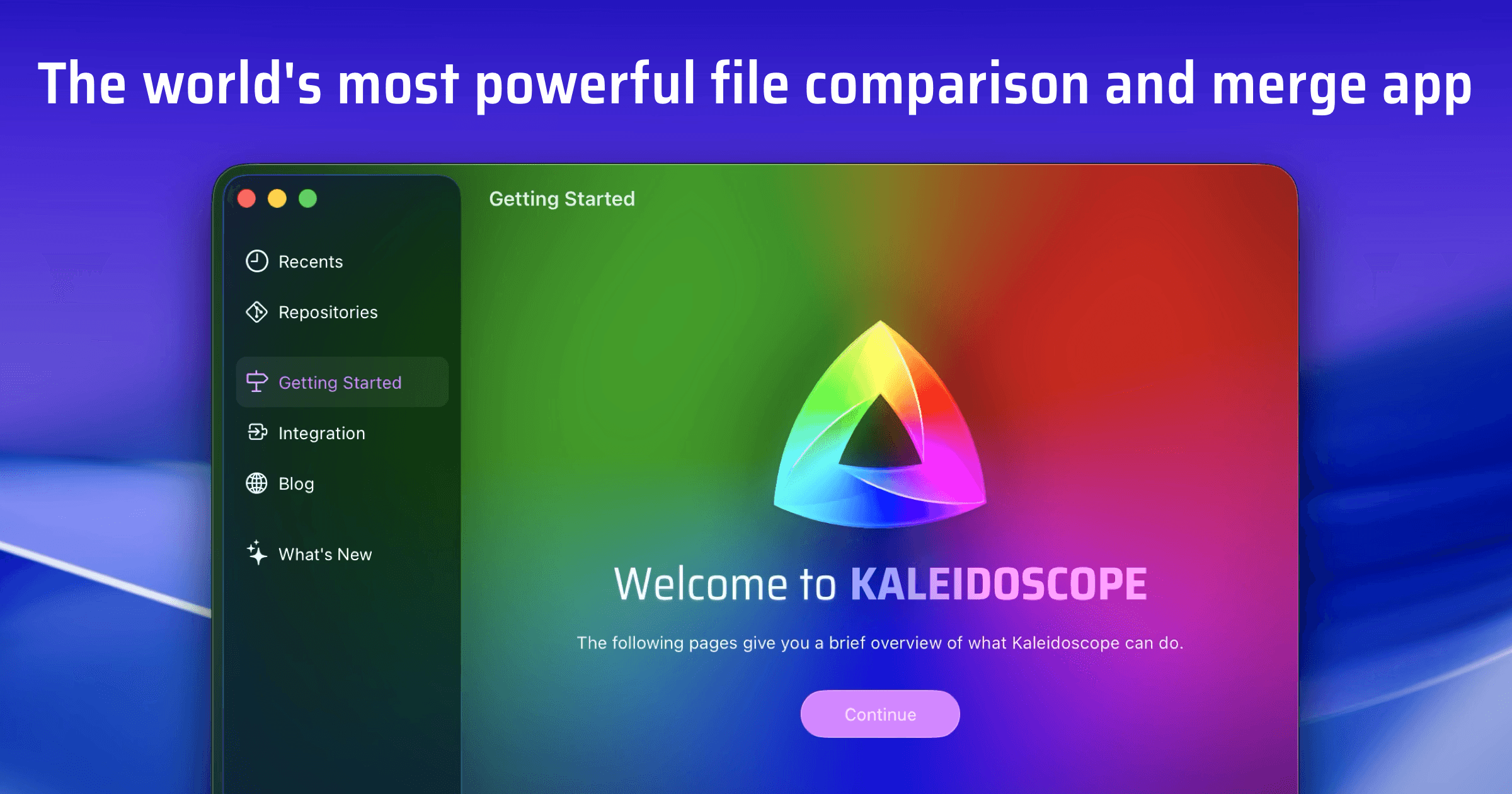

robots.txt (opens in a new tab)
1 rulesAll bots 1 allowed · 0 disallowed
- Allow
/
No matching rules.
Sitemaps
1Recent Updates
- Website images
- Screenshots
- Network details
- Website Technologies
- Pages and Search Information
- HTTP Response Information
- TLS and certificates
- DNS Information
- Domain Registration
- Website profile
- Website Description
- Website Name
- Website profile
- Website Description
- Website Name
User reviews (0)