
 简体中文
简体中文 English
logrocket.com
LogRocket helps you understand problems affecting your users, so that you can get back to building great software.
At a glance
- Category
- Development
- Language
- English
- Paid-content signal
- Paid contentObserved
- Registered
- 2014
- Hosting
- CloudflareInferred
- HTTPS certificate trusted
- PassedObserved
- Last updated
Related questions
More questions →What kinds of teams and use cases is LogRocket suited for?
LogRocket fits product, engineering, UX, and support teams that need to connect what users did with why they struggled. Its own site names retail & eCommerce, software product, and UX as target areas, and says 3,000+ customers use it. If your team already has traffic but lacks the context to explain friction, conversion drops, or hard-to-reproduce bugs, it is a reasonable fit. If you only need basic pageview analytics, it is likely more than you need.
Teams that get the most from LogRocket
Product and UX teams
These teams use Product Analytics and UX Analytics to build conversion funnels, path analysis, and timeseries, then drill into individual session replays. The combination matters: aggregate charts show where behavior changes, and replays show why. LogRocket describes this as combining qualitative and quantitative insights to make data-driven decisions.
Engineering teams
Engineering uses Session Replay, Error Tracking, and Frontend Performance Monitoring. Replay captures DOM playback, console and network logs, errors, and performance data, so an engineer can see the exact state that produced a bug instead of guessing from a stack trace. Error Tracking surfaces frequent errors, network failures, and crashes, and Galileo AI is positioned to cut through noisy issues and prioritize what needs immediate attention.
Teams that need proactive issue detection
Galileo AI is the piece aimed at teams without the bandwidth to watch sessions manually. Per the site, it "watches every session," surfaces issues impacting users, analyzes severity across real sessions, and delivers reproduction steps. That is most useful when you have enough traffic that issues are statistically visible but too much to review by hand.
Use cases named on the site
| Use case | What the team does | Relevant capability |
|---|---|---|
| Optimize conversion & adoption | Find where users drop off or fail to adopt a feature | Product Analytics, UX Analytics, Session Replay |
| Surface user struggle | Identify friction, confusion, or failed interactions | Session Replay, Issues, Galileo AI |
| Debug errors and crashes | Prioritize frequent errors and network failures | Error Tracking |
| Investigate performance impact | Correlate frontend speed with user experience | Frontend Performance Monitoring |
Reference customers
The site lists 7-Eleven and Appfire among its customers. 7-Eleven is cited for optimizing conversion efficiency in self-checkout, and Appfire is grouped under software product & UX. Both examples point to the same pattern: a team with real user volume uses replay plus analytics to find and fix friction rather than relying on surveys or support tickets alone.
When LogRocket is a weaker fit
- You only need pageviews, traffic sources, or marketing attribution.
- You have very low traffic, so session-level patterns and AI issue detection have little to work with.
- You need backend or infrastructure observability as the primary goal; LogRocket's stated focus is frontend experience, replay, errors, and performance.
How to decide
Start with the question you cannot currently answer. If it is "what did this user actually see and do before they gave up?", LogRocket is built for that. If it is "which campaign drove traffic?", a simpler analytics tool covers it. The site offers a free start and a demo path, so the practical test is to instrument one high-value flow — checkout, onboarding, or a core feature — and check whether replay and Galileo surface issues your existing tools missed.
How to Get Started with LogRocket and Evaluate It for Your Team
LogRocket offers two entry points: a free start option and a demo request, both reachable from its homepage. If you want to test session replay and analytics on your own before committing, start for free. If you need a guided walkthrough or want to evaluate it against your team's specific stack, request a demo. A pricing page is also linked from the site, so you can review plan information before or after either step.
What LogRocket Covers
LogRocket is positioned as an AI session replay and product analytics platform. Its homepage describes it as helping teams "understand problems affecting your users" so they can "get back to building great software." The product suite spans six areas:
| Module | What it does |
|---|---|
| Product Analytics | Build conversion funnels, path analysis, and timeseries to understand user behavior |
| Issues | AI proactively identifies technical and UX issues impacting the business |
| Session Replay | Capture every event and activity automatically; view DOM playback, console and network logs, errors, and performance data |
| UX Analytics | Visualize user experience at individual and aggregate levels |
| Error Tracking | See frequent errors, network failures, and crashes; prioritize with Galileo AI |
| Frontend Performance Monitoring | Correlate frontend performance with user experience impact |
The site states that 3,000+ customers use LogRocket, and it is "rated #1 for session replay and analytics" according to the homepage.
Starting Free vs. Requesting a Demo
The homepage presents both paths side by side: Start for free and Get a demo. The choice depends on what you need from the evaluation:
- Start for free if you want to install the SDK, capture real sessions, and see replay and analytics output with your own data. The site says you can "get started in minutes."
- Get a demo if you want a walkthrough of Galileo AI, the Issues module, or the analytics suite before investing setup time — useful when multiple stakeholders need to see the product.
Neither path requires you to decide on a paid plan upfront based on the homepage content. The pricing page is available separately for plan details.
What Galileo AI Adds
Galileo AI is the layer that watches sessions automatically. Per the homepage, it "surfaces the issues impacting your users, analyzes severity across real sessions, and delivers reproduction steps so your team can act immediately." In practice, this means you don't have to manually scrub through replays to find problems — Galileo flags them and hands your team the context to reproduce and fix.
This matters most during evaluation if your goal is reducing time-to-detection for frontend bugs, rather than just recording sessions for occasional review.
How to Decide If It Fits Your Team
The homepage groups use cases by team type, which gives a practical filter:
- Retail & eCommerce engineering — surface user struggle, optimize conversion and adoption. The site cites 7-Eleven using LogRocket to optimize conversion efficiency in self-checkout.
- Software product & UX — optimize conversion and adoption, surface user struggle. Appfire is cited as a customer.
Use these as a starting checklist. If your team's primary need is one of the six modules above — say, error tracking with AI prioritization, or funnel analysis tied to session replay — map that need to the module list and test it during the free trial rather than evaluating the whole suite at once.
Practical Evaluation Steps
- Go to logrocket.com and choose Start for free (self-serve) or Get a demo (guided).
- Install the SDK in a staging or low-traffic environment first, so you can verify what gets captured — the site says every event and activity is captured automatically, including DOM playback, console and network logs, errors, and performance data.
- Generate a few real user sessions, then check whether Session Replay, Error Tracking, and Issues surface anything useful without manual configuration.
- If Galileo AI is central to your interest, confirm during the demo or trial how it prioritizes severity across sessions and what reproduction steps it produces.
- Review the pricing page to match modules and usage against your team size before deciding.
The main evaluation question isn't whether LogRocket does session replay — it's whether the AI layer (Galileo) and the analytics modules reduce the manual work your team currently does. Test that specifically during the free period.
What Is Galileo AI in LogRocket and How Does It Work?
Galileo AI is LogRocket's built-in AI layer that watches every session for you. Instead of waiting for users to report problems, it proactively identifies what's causing friction, analyzes how severe each issue is across real sessions, and delivers reproduction steps so your team can act immediately. It's most useful if you already collect session data and want to cut through noise to find the issues actually affecting users.
What Galileo AI does
According to LogRocket, Galileo is "the AI that watches every session for you." Its job is to surface the issues impacting your users rather than leaving you to hunt through raw session replays manually. Specifically, it:
- Proactively identifies technical and UX issues causing friction
- Analyzes severity across real sessions, so you can tell which problems matter most
- Delivers reproduction steps so engineers can act without re-investigating from scratch
The stated goal is to reduce manual triage and focus your team on the areas of your app most relevant to the business.
How it fits into the LogRocket platform
Galileo isn't a standalone tool — it sits on top of LogRocket's existing capabilities and feeds into them. The platform's core surfaces are:
| Capability | What it covers |
|---|---|
| Product Analytics | Conversion funnels, path analysis, timeseries; Galileo surfaces insights |
| Issues | AI proactively identifies technical and UX issues; pinpoints changes to make |
| Session Replay | DOM playback, console and network logs, errors, performance data |
| UX Analytics | Individual and aggregate views of user experience |
| Error Tracking | Frequent errors, network failures, crashes; Galileo cuts through noisy issues |
| Frontend Performance Monitoring | Correlate frontend performance with user experience impact |
The practical flow: Galileo flags an issue → you drill into the affected sessions via replay → you use the reproduction steps and telemetry to fix it. Session replay is the drill-down layer that gives individual context behind an aggregate insight.
How to get value from it
- Confirm you're capturing sessions. Galileo analyzes real sessions, so it depends on LogRocket already recording activity in your app.
- Start with the Issues view. This is where AI-identified technical and UX problems surface, ranked by severity across sessions.
- Use the reproduction steps. Rather than reconstructing a bug from logs, take the steps Galileo provides and verify the problem directly.
- Drill into replay for context. When an issue needs more detail, open the session replay to see DOM playback, console and network logs, errors, and performance data.
- Prioritize by business relevance. LogRocket notes you can focus on the areas of your app most relevant to you, so tune attention toward issues tied to conversion or adoption.
Expected result: fewer hours spent manually scanning replays, and a shorter path from "something is wrong" to "here's the fix."
Common sticking points
- It's not a replacement for instrumentation. Galileo works on the sessions LogRocket captures; if events aren't recorded, there's nothing to analyze.
- AI output still needs judgment. Severity ranking helps you prioritize, but you decide what's worth fixing given your roadmap.
- Replay is where the detail lives. Treat Galileo's summaries as the entry point, not the full picture — the console, network, and performance data in replay is what confirms root cause.
Who it's for
LogRocket says 3,000+ customers use it, spanning retail/eCommerce engineering (for example, optimizing conversion in self-checkout) and software product/UX teams (for example, surfacing user struggle to improve adoption). If your team already runs session replay and wants AI to do the first pass of triage, Galileo is the feature aimed at that job.
To evaluate it for your own stack, the practical next step is to check current plans and trial terms on LogRocket's pricing page, since availability and limits are set there rather than assumed.
What is LogRocket and what does it do?
LogRocket is a session replay and product analytics platform for web and mobile apps. It records what users actually did and saw, then uses an AI layer called Galileo to surface the technical and UX issues causing friction. It's built for product, engineering, and UX teams that need to find and fix user-impacting problems without manually digging through sessions.
What LogRocket does
The platform combines several capabilities that are usually separate tools:
- Session Replay — Captures every event and activity automatically. You get DOM playback alongside console logs, network logs, errors, and performance data, so you can see exactly what a user experienced.
- Galileo AI — Watches sessions proactively, surfaces issues impacting users, analyzes severity across real sessions, and delivers reproduction steps so a team can act immediately.
- Product Analytics — Build conversion funnels, path analysis, and timeseries to understand behavior, then drill into individual sessions to see why.
- Issues — Proactively identifies technical and UX issues, lets you focus on the parts of your app most relevant to you, and points to the exact changes needed.
- UX Analytics — Combines qualitative and quantitative views of the experience at both individual and aggregate levels.
- Error Tracking — Shows the most frequent errors, network failures, and crashes, with Galileo AI filtering noise so you can prioritize.
- Frontend Performance Monitoring — Correlates frontend performance with user experience impact, with telemetry, charts, and dashboards for debugging.
How the pieces fit together
The value is in the connection between them. Analytics tells you where users drop off or struggle; session replay tells you what happened in those specific sessions; error tracking and performance monitoring tell you why at the technical level. Galileo AI sits across this data to flag problems before users report them, rather than waiting for a support ticket.
A concrete example: a checkout funnel shows a drop-off at the payment step. You filter to those sessions, replay one, and see a network request failing silently while the UI stays unresponsive. The error tracking view confirms the failure frequency, and performance telemetry shows whether it's a timing or payload issue. That chain — from aggregate metric to individual session to root cause — is the workflow LogRocket is designed around.
Who it's for
LogRocket targets teams building and improving apps:
- Engineering — surface user struggle, debug with full session context, and cut through noisy errors.
- Product & UX — optimize conversion and adoption, and understand what separates a good experience from a bad one.
The site states it's used by 3,000+ customers, with case studies including 7-Eleven (optimizing conversion efficiency in self-checkout) and Appfire.
Getting started
The site offers a free start and a demo option, with onboarding described as taking minutes. Pricing details are available on the LogRocket pricing page — check there for current plans and limits rather than assuming what the free tier includes.
If your team is choosing between session replay tools, the practical comparison dimensions are: whether replay is tied to analytics and error data in one place, how much setup the SDK requires, and whether the AI layer actually reduces the manual triage work or just adds another dashboard.
How LogRocket's Session Replay, Product Analytics, and Error Tracking Differ
LogRocket bundles several distinct capabilities under one platform, and they answer different questions. Session Replay shows you what a specific user experienced — DOM playback plus console, network, error, and performance data. Product Analytics shows you what users do in aggregate — conversion funnels, path analysis, and timeseries. Error Tracking shows you what is breaking — the most frequent errors, network failures, and crashes, prioritized so you know what to fix first. They are designed to be used together: aggregate data points you to a problem, and session replay lets you drill into an individual session to see it happen.
The three modules side by side
| Module | Question it answers | What you get | Best first use |
|---|---|---|---|
| Session Replay | "What did this user actually see and do?" | DOM playback, console and network logs, errors, performance data, captured automatically | Debugging a reported bug or a confusing support ticket |
| Product Analytics | "How do users behave across the funnel?" | Conversion funnels, path analysis, timeseries, drill-down into replays | Finding where users drop off or take unexpected paths |
| Error Tracking | "What is breaking, and how badly?" | Frequent errors, network failures, crashes, AI-assisted prioritization | Triaging noisy error streams down to what needs immediate attention |
Two adjacent modules round out the picture. UX Analytics visualizes experience at both the individual and aggregate level, combining qualitative and quantitative signals. Frontend Performance Monitoring correlates frontend performance with its impact on user experience, with telemetry, charts, and dashboards to track changes over time.
How they connect in practice
The value is in the path between them, not in picking one. A typical loop:
- Product Analytics surfaces a drop-off in a conversion funnel or an unusual path through your app.
- You drill down with session replays to watch individual users at that exact point and see what they encountered.
- Error Tracking tells you whether a technical failure — an error, network failure, or crash — explains what you saw, and how widespread it is.
- Frontend Performance Monitoring confirms whether slow rendering or load times contributed.
LogRocket's AI layer, Galileo, sits across this workflow: it proactively identifies technical and UX issues impacting your business, analyzes severity across real sessions, and delivers reproduction steps so your team can act. That is the mechanism that connects the modules — instead of you hunting for the session that explains a metric, the AI surfaces candidate issues and hands you the context.
Which module fits your situation
- You have a specific bug report or a user complaint you can't reproduce. Start with Session Replay — the automatic capture of DOM, console, network, and errors is what makes an unreproducible report reproducible.
- You know something is wrong with conversion or adoption but not where. Start with Product Analytics to locate the funnel step or path, then drop into replays.
- Your error stream is too noisy to act on. Start with Error Tracking and let prioritization cut it down to the problems needing immediate attention.
- You suspect speed is the problem. Start with Frontend Performance Monitoring and correlate it against experience data.
- You want the platform to point at problems for you. Galileo is the entry point — it watches sessions and surfaces issues with severity and reproduction steps.
What to verify before committing
LogRocket states it is used by 3,000+ customers and rated #1 for session replay and analytics, and it offers a free start and a demo path. Pricing details are published on its pricing page, so check current plan limits and which modules are included at each tier before deciding — module coverage and session volume are the two things most likely to change what you actually pay. If your priority is purely aggregate behavior analytics, confirm how Product Analytics is bundled; if your priority is debugging, confirm replay capture and retention limits.
Website Overview
An established domain and managed infrastructure suggest continuity of operations and may support dependable delivery, although neither guarantees service quality. Page metadata, canonical configuration and social previews work together to provide more consistent search and sharing presentation.
Domain and Registration
Registered in 2014, this domain has about 12 years of history. That suggests continuity, although ownership and purpose may have changed. Transfer-protection status is present, helping reduce the risk of unauthorized domain transfers. The registrar is GoDaddy.com, LLC, a widely used domain service provider. The domain uses the common .com extension, which is not an independent safety signal.
DNS and Email
Nameservers are provided by Cloudflare, indicating managed DNS hosting. MX records point to the Google Workspace email service. No CNAME was found; the observed records resolve directly to addresses. SPF and DMARC are configured. DKIM status is unknown. TXT records include verification markers for Google, Apple. Such markers may also remain after a service stops being used.
TLS and Certificates
The public key uses EC with 256 bits. The server supplied a complete certificate chain. No organization name is present in the certificate; the available fields are consistent with domain validation. The certificate was issued within the Google Trust Services cloud or CDN ecosystem. The certificate's total validity is about 90 days, consistent with a short renewal cycle.
HTTP and Browser Security
The response lacks these common security headers: CSP, Permissions-Policy. CORS permits any origin to read this response. This is common for public resources; sensitive responses need narrower handling. No X-Powered-By header was found, reducing one common source of backend fingerprinting information. The cf-ray response header indicates a CDN or caching proxy in the delivery path. No obvious internal addresses or debug information were found in the headers.
Technology Stack Analysis
The public page identifies WordPress, Next.js, Cloudflare without precise versions, leaving fewer clues for version-specific scanning.
Search and Social Sharing
Open Graph is partially configured; og:type is missing. Twitter Card metadata is configured. The title has 63 characters, within a common display range. A meta description is present, with 114 characters. The observed directives allow indexing and link following.
Hosting and Email
 Cloudflare
 Google Workspace
Registration details
| Registrar | GoDaddy.com, LLC |
|---|---|
| Registered | 2014-10-13 |
| Expires | 2028-10-13 |
| Domain status | client delete prohibited、client renew prohibited、client transfer prohibited、client update prohibited |
| Nameservers | dan.ns.cloudflare.com、rita.ns.cloudflare.com |
| DNSSEC | unsigned |
DNS records
| Type | Name | Value | TTL | Priority |
|---|---|---|---|---|
| A | logrocket.com | 104.20.23.168 | 300 | — |
| A | logrocket.com | 172.66.147.58 | 300 | — |
| AAAA | logrocket.com | 2606:4700:10::6814:17a8 | 300 | — |
| AAAA | logrocket.com | 2606:4700:10::ac42:933a | 300 | — |
| MX | logrocket.com | aspmx.l.google.com | 300 | 1 |
| MX | logrocket.com | alt1.aspmx.l.google.com | 300 | 5 |
| MX | logrocket.com | alt2.aspmx.l.google.com | 300 | 5 |
| MX | logrocket.com | aspmx2.googlemail.com | 300 | 10 |
| MX | logrocket.com | aspmx3.googlemail.com | 300 | 10 |
| NS | logrocket.com | dan.ns.cloudflare.com | 86400 | — |
| NS | logrocket.com | rita.ns.cloudflare.com | 86400 | — |
| TXT | logrocket.com | anthropic-domain-verification-f61me4=wyD1DZBRcsogRO28fVOCU1zYO | 300 | — |
| TXT | logrocket.com | apple-domain-verification=f50KqfHac0MhnjzA | 300 | — |
| TXT | logrocket.com | firebase=logrocket-com | 300 | — |
| TXT | logrocket.com | globalsign-domain-verification=vVNUJEiPJniKDdoWicJuKMf9V52-vb9KovoAIiiida | 300 | — |
| TXT | logrocket.com | google-site-verification=3Odil-UagJj9z843rVM95l8KjtrFpc7jqv34e8Mh9lQ | 300 | — |
| TXT | logrocket.com | google-site-verification=B3lovAvhCw8MPrllQv_aAFjfEWzdgQA0NjCPK6TFdk4 | 300 | — |
| TXT | logrocket.com | google-site-verification=DCbXuiTg_sTAcTW6RdvI0cm8BGoy1xKVbFKj8MkOMt0 | 300 | — |
| TXT | logrocket.com | google-site-verification=E_11lNCwXks7IglOwN1DvinQwRVC4mWCdfqw0mEDG-Y | 300 | — |
| TXT | logrocket.com | google-site-verification=LKqb__4Z5hd4DvOIyBRIUapLh5Z52lyN6MoadBBrfQ0 | 300 | — |
| TXT | logrocket.com | google-site-verification=LV9k-s9vnkTbhCqB_r3234oIXMU0DNs6Z-ObDCFDw9I | 300 | — |
| TXT | logrocket.com | google-site-verification=WD1fW6fWPwbDB_T1Tq51sNHPDYJLMqecAMiBv0iZ8E0 | 300 | — |
| TXT | logrocket.com | google-site-verification=WukLMI-GOdrLxaiZ9Y4X0C32C7rtF_il_UHkfh3kgLE | 300 | — |
| TXT | logrocket.com | google-site-verification=e6Jvrt-rmKUast6_XNBnbjwT3HPvf6yMxCwfzLnKvDo | 300 | — |
| TXT | logrocket.com | status-page-domain-verification=dykb2269fxdb | 300 | — |
| TXT | logrocket.com | v=spf1 include:stspg-customer.com include:mktomail.com include:servers.mcsv.net include:_spf.google.com include:customeriomail.com ~all | 300 | — |
| DMARC | _dmarc.logrocket.com | v=DMARC1; p=reject; pct=100; rua=mailto:[email protected],mailto:[email protected] | 300 | — |
TLS and certificates
HTTP response headers
| Header | Value |
|---|---|
| content-type | text/html; charset=utf-8 |
| cache-control | public, max-age=0, must-revalidate |
| server | cloudflare |
| strict-transport-security | max-age=2592000 |
| x-frame-options | SAMEORIGIN, SAMEORIGIN |
| x-content-type-options | nosniff |
| referrer-policy | strict-origin-when-cross-origin |
| access-control-allow-origin | * |
Identified technologies
Pages, Search and Sharing
| Meta description | LogRocket helps you understand problems affecting your users, so that you can get back to building great software. |
|---|---|
| Canonical URL | https://logrocket.com/ |
| Language | English (default) |
| Twitter Card | summary_large_image |
Social Sharing Preview
5 fields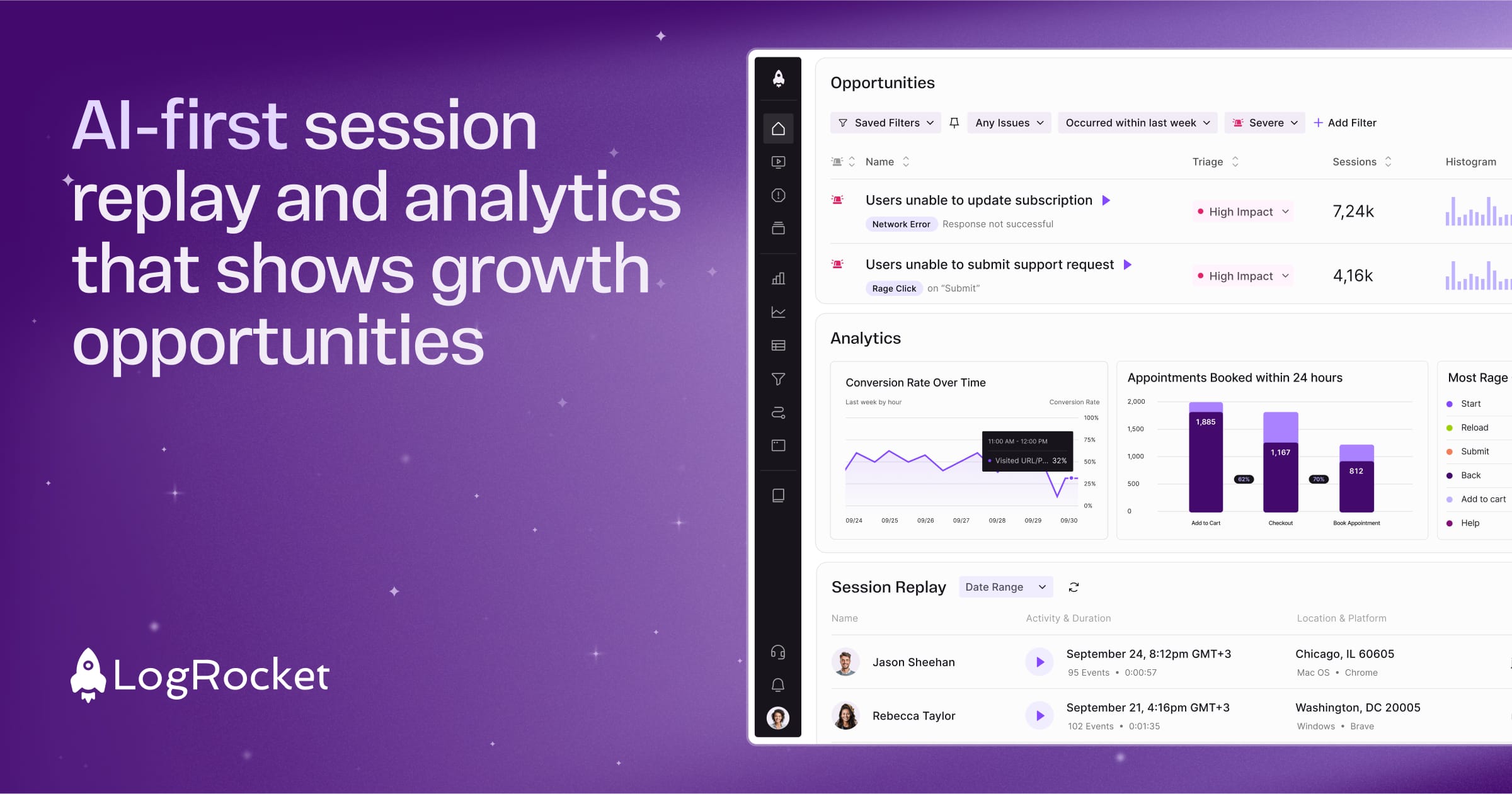
robots.txt (opens in a new tab)
HTTP 404No robots.txt found
Sitemaps
0No sitemaps found
Recent Updates
- Website images
- Screenshots
- Network details
- Website Technologies
- Pages and Search Information
- HTTP Response Information
- TLS and certificates
- DNS Information
- Domain Registration
- Website profile
- Website Description
- Website Name
- Website profile
- Website Description
- Website Name
User reviews (0)