
 简体中文
简体中文 English
Website review
This review may include AI-generated content and is not individually verified. Domain, certificate and other facts come from the observed data on this page.
What is Mac of All Trades?
Mac of All Trades is an online store focused on used and refurbished Apple computers and devices. Its catalog centers on Mac laptops and desktops—MacBook Pro, MacBook Air, iMac, Mac mini, Mac Pro, and Mac Studio—alongside iPads, iPhones, Apple Watches, accessories, and replacement parts. The site also lets you sell your Apple device for cash, positioning itself as a buy-and-sell marketplace rather than a general electronics retailer.
What you can browse
- Laptops: MacBook Pro (13-, 14-, 15-, and 16-inch), MacBook Air (11-, 13-, and 15-inch), and the 12-inch MacBook.
- Desktops: iMac (21.5-, 24-, and 27-inch), iMac Pro, Mac mini, Mac Studio, and Mac Pro.
- Portables and wearables: iPad Pro, iPad Air, iPad, iPad mini; iPhones across several generations; Apple Watch models from early Series up to newer ones.
- Accessories and parts: AirPods, Apple TV, cases, displays, cables and adapters, keyboards and mice, plus batteries, LCD assemblies, logic boards, power supplies, video cards, and other upgrades.
The navigation is organized around these categories and also lets you shop by price, which suits buyers working to a fixed budget.
Who it fits
If you want a Mac without paying new retail prices, or you need an older model for a specific reason—running legacy software, keeping a spare machine, or sourcing parts for a repair—this kind of catalog is more useful than a mainstream retailer that only stocks current models. The sell option adds appeal if you are upgrading and want to offset the cost rather than keep a retired device.
What to weigh
Buying refurbished means condition, warranty terms, and return windows matter as much as the model itself. Check the specific listing for the machine's cosmetic grade, battery health where relevant, and what coverage comes with it before committing. Because inventory is secondhand, the exact configuration you want may not be in stock at a given moment, so it helps to know which specs are essential and which you can flex on.
As a next step, decide on a budget and a minimum spec—say, a 13-inch MacBook Air with a certain amount of memory—then compare the listed condition and warranty against what a new or manufacturer-refurbished unit would cost. For official refurbished options direct from Apple, see Apple. If you are weighing a Windows alternative at a similar price, Dell and Lenovo both sell refurbished business machines.
How does Mac of All Trades ensure the quality and reliability of its refurbished Apple devices?
Mac of All Trades leans on a catalog structure and a sell/trade-in program to signal reliability, but the page evidence does not detail a specific inspection or warranty process. What it does show is how the site organizes refurbished stock so buyers can judge quality by category, generation and condition tier rather than by a single blanket promise.
What the site actually indicates
- The homepage is built around refurbished categories: MacBook Pro, MacBook Air, MacBook, iMac, Mac mini, Mac Pro, iPad Pro, iPad Air, iPad, iPad mini, iPhones and Apple Watch, plus parts and accessories.
- It separates "Top Deals" and "Clearance" from standard listings, which suggests condition or prior-use differences are reflected in how items are grouped.
- It runs a trade-in channel ("Swap your Apple for cash. We pay more than the competition."), which is a common sourcing route for refurbishers and can mean devices are inspected and graded before resale.
- The page markets refurbished units as "Better Than New," a positioning claim rather than a documented quality-control procedure.
What that means in practice
If you are considering a purchase, treat the listing itself as the quality document. A refurbished Mac's reliability usually comes down to battery cycle count, cosmetic grade, whether the logic board or display has been replaced, and whether the seller offers a return window and warranty. The site's category-and-generation navigation helps you narrow to a specific model, but you still need to confirm those details per item.
A concrete scenario: a student comparing a 13-inch MacBook Air against a 14-inch MacBook Pro for coursework. The Air is lighter and cheaper to replace; the Pro handles heavier creative software. On a refurbished marketplace, the deciding factor is often the specific unit's battery health and return policy, not the model name.
Next step
Open the product page for the exact model you want and look for the condition grade, battery information, warranty length and return terms. If those are not stated, ask before buying. For comparison, Apple's own refurbished store is at Apple, and general resale pricing context is available at Swappa.
What is the process for selling my used Mac or Apple device to Mac of All Trades?
Mac of All Trades invites you to "sell now" or "swap your Apple for cash," and its site claims it pays more than the competition. The published page evidence stops there, so the exact step-by-step trade-in flow is not documented here.
What the site shows
- A Sell option in the main navigation, alongside Top Deals and Clearance.
- A call to action: "Swap your Apple for cash. We pay more than the competition. Sell now."
- The same company buys and resells Apple gear, so it is a reseller, not just a listing marketplace.
What to expect from a typical buyback process Most resellers in this space work in roughly the same way; treat this as general advice, not a confirmed description of this company's steps:
- Identify your model, configuration and condition.
- Get a quoted price, usually valid for a limited window.
- Ship the device, often with a prepaid label.
- Inspection confirms or revises the offer.
- Payment arrives once accepted.
How to decide
- Selling to a reseller suits people who want speed and a fixed price with no haggling. Expect less than a private sale would fetch.
- Private sale (marketplace, classifieds) usually nets more, but you handle photos, messages, shipping and returns.
- Trade-in credit makes sense if you plan to buy your next machine from the same seller.
Next step Start at the Sell page at Mac of All Trades and compare the quote against a private-sale estimate. A quick check: if the gap is small and you value your time, take the buyback; if it is large, sell privately. Before shipping, erase the device, sign out of iCloud, and note the serial number.
Which older Mac models still receive macOS updates and are good for basic tasks?
The models that stay useful for basic tasks are the ones still inside Apple's macOS support window. On Used Macs - Buy Cheap Refurbished Apple Computers & Laptops, the refurbished catalog is organized by model family (MacBook Pro, MacBook Air, iMac, Mac mini, Mac Pro), with sub-listings by screen size and generation. That structure is handy for this question: you can filter to a family, then check each machine's year against Apple's current macOS compatibility list.
What tends to still work for basic tasks
- MacBook Air (2018 and later, plus the M1/M2/M3 era): light, silent, fine for browsing, email, documents, video calls, streaming.
- MacBook Pro 13-inch (2016–2022): still capable for office work and light photo editing; the Intel versions run warmer and have shorter battery life than the Apple silicon ones.
- iMac 21.5-inch and 27-inch (2017 and later): good desk machines for family or student use, with a large screen that makes basic work comfortable.
- Mac mini (2018 and later, especially M1/M2): often the best value for a basic desktop if you already own a monitor, keyboard and mouse.
- Mac Pro (2013 "trash can" and 2019): powerful but overkill for basic tasks, and the 2013 model is far behind on macOS support.
A practical way to decide
| Priority | Better fit | Trade-off |
|---|---|---|
| Lowest cost, basic browsing and documents | Older MacBook Air or Mac mini | May be near the end of macOS updates; check the exact year |
| Longest useful life | Any Apple silicon Mac (M1 or later) | Higher upfront price than Intel-era machines |
| Largest screen for the money | Refurbished iMac | Not portable; older Intel models run hotter |
| Portability plus performance | MacBook Pro 13-inch or Air, M-series | Pricier than equivalent Intel models |
Next step
Pick two or three candidate models from the laptop or desktop sections, then check each one's model year against Apple's official macOS compatibility page before buying. As a rule of thumb, aim for a machine released within roughly the last five to seven years—it will likely keep receiving security updates for several more years, which matters more than raw speed for basic tasks. If you are unsure between two similar listings, choose the newer model year, since macOS support is the main factor that decides how long the machine stays practical.
How do prices for used Macs on Mac of All Trades compare to buying new from Apple?
Used Macs on Mac of All Trades are generally priced below Apple's new-equivalent models, and the gap tends to widen the older the machine gets. The site is built around refurbished and used stock across MacBook Pro, MacBook Air, MacBook, iMac, Mac mini, Mac Studio, Mac Pro, iPad, iPhone, Apple Watch, plus accessories and replacement parts, so the comparison is not one product against one product but a whole secondary-market catalog against Apple's current lineup.
Where the price difference comes from
- Age and generation. A used Mac several years behind the current Apple silicon generation is where the savings are largest. A recent-model used Mac sits much closer to new pricing.
- Condition and configuration. Memory, storage, and cosmetic grade move the price within the same model line, so two listings of the same MacBook Pro can differ noticeably.
- Warranty and return terms. Apple new purchases include a full manufacturer warranty and AppleCare eligibility. Used and refurbished units may carry shorter coverage, so part of the lower price is you absorbing more risk.
- Availability. Apple sells only current configurations. Mac of All Trades carries older sizes and specs Apple no longer offers, which can matter more than the discount if you need a specific port layout or Intel compatibility.
Quick comparison
| Factor | New from Apple | Used/refurbished from Mac of All Trades |
|---|---|---|
| Upfront price | Highest | Lower, with the biggest drops on older models |
| Warranty | Full manufacturer warranty | Varies by listing; check before buying |
| Configuration choice | Current lineup only | Broad, including discontinued models |
| Longevity | Longest remaining useful life | Shorter, especially on older machines |
| Trade-in | Apple trade-in credit | The site also buys or accepts trade-ins for cash |
A practical way to decide
If you need maximum remaining lifespan, current-generation performance, and AppleCare, buying new is the safer spend even at a higher price. If your workload is light — browsing, writing, video calls, schoolwork — or you specifically need an older Intel Mac for legacy software, a used model from this catalog can cut the cost substantially. For anyone comparing, price the exact configuration you want on both sides, then add the cost of an extended warranty or a battery replacement to the used figure before deciding the discount is real.
As a next step, check the specific listing's condition grade, warranty length, and return window, then compare that total against the closest new Apple configuration. A resale-value check on Swappa or Back Market can tell you whether the asking price is competitive for that model and year.
What warranty and return options does Mac of All Trades offer on refurbished products?
Mac of All Trades' site does not state its warranty or return terms on the page you've supplied. What it does show is a catalog organized for buyers who want older or refurbished Apple hardware at lower prices: MacBook Pro, MacBook Air, iMac, Mac mini, Mac Studio, Mac Pro, iPad, iPhone and Apple Watch categories, plus accessories and parts such as batteries, displays, logic boards and power supplies. It also advertises free shipping.
Because the warranty and return policy is the deciding factor on refurbished gear, treat the product page and the site's policy pages as the source of truth rather than the category page.
What to check before buying
- Warranty length and who services it. Confirm whether coverage is provided by Mac of All Trades or a third party, how long it runs, and whether it starts on delivery or purchase.
- Return window and condition rules. Look for the number of days allowed, whether you need original packaging, and whether opened items are accepted.
- Restocking fees. A short return window with a fee changes the real cost of trying a machine.
- Condition grade. "Refurbished" can mean anything from cosmetic wear to near-new; the grade determines what you can reasonably expect.
- Battery health on laptops and iPads. Ask for the reported cycle count or capacity, since batteries are a common failure point on older Apple portables.
- Shipping both ways. Free outbound shipping doesn't always mean free returns.
A practical scenario
If you're buying a used MacBook Air for a student, the return window matters more than a few dollars of savings: you want enough time to run a full battery test, check the display for dead pixels, and verify the SSD and ports. If the terms are short, plan to test everything in the first day or two.
For comparison, Apple's own refurbished store publishes a standard one-year limited warranty and a 14-day return window, and it's worth checking Apple to see how a third-party seller's terms stack up. For general buying guidance, the Federal Trade Commission explains warranty rights and what "refurbished" claims should mean.
 Cloudflare
 Google Workspace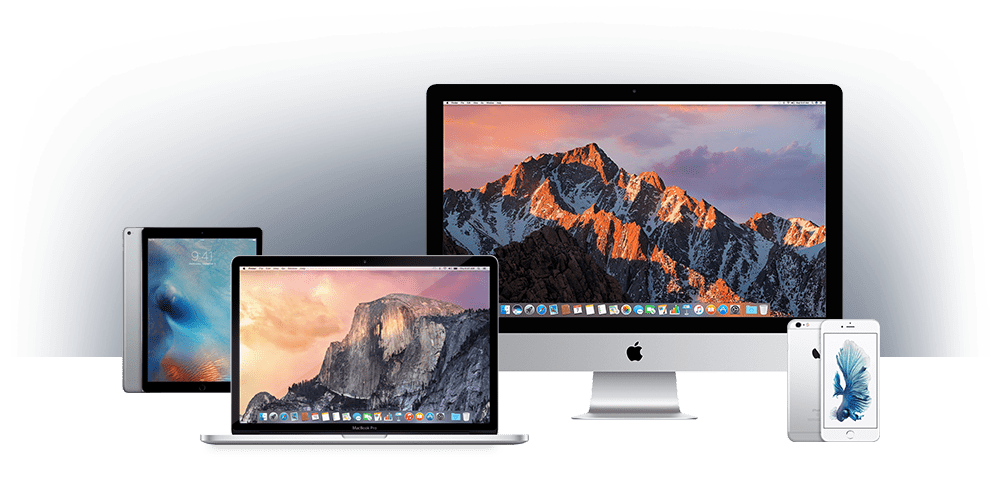
User reviews (0)