
 swappa.com
 Paid content
 Multilingual
Categories: Shopping Games & Board Games
Buy and sell used and refurbished tech on the world's safest marketplace. Shop and save with Swappa!
 Visit website
 Updated: 2026-10-01 17:05
Language: English (default)
Updated: 2026-10-01 17:05
Language: English (default)
 Access: Normal
 Profile views 1
 Outbound visits 0
Related questions
More questions →What Is Nintendo? Consoles, Games, and Characters Explained
Nintendo is a Japanese video game company that both makes game hardware and publishes the games that run on it. If you are trying to make sense of Nintendo terms — Switch, eShop, Mii, Mario — the short version is: Nintendo is the company behind the console in your hands and most of the games you play on it. This explainer covers what Nintendo makes, how its hardware lines differ, which characters and franchises matter, and how accounts, the eShop, and online services fit together.
Nintendo as a company and brand
Nintendo is based in Japan and operates as both a hardware manufacturer and a software publisher. That combination shapes almost everything about the brand:
- As a console maker, Nintendo designs and sells the machines people play on.
- As a publisher, Nintendo develops and releases its own games, usually starring characters it owns.
- As a brand, Nintendo is known for family-friendly, character-driven games rather than raw technical power.
Because Nintendo controls both sides, its biggest games are typically only available on Nintendo hardware. That is why "Nintendo" often means the whole ecosystem — the console, the games, and the characters together — rather than just one product.
Nintendo's hardware lines
Nintendo's consoles fall into a few broad categories. Each exists for a different kind of play.
| Line | What it is for | Examples |
|---|---|---|
| Home consoles | Playing on a TV at home | Nintendo Entertainment System, Super Nintendo, Nintendo 64, GameCube, Wii, Wii U |
| Handhelds | Playing on the go | Game Boy, Game Boy Advance, Nintendo DS, Nintendo 3DS |
| Hybrid | Home and portable play in one device | Nintendo Switch |
| Classic/mini consoles | Replaying a curated set of older games | NES Classic Edition, Super NES Classic Edition |
The Nintendo Switch is the current flagship line and the clearest example of Nintendo's hybrid approach: the same device can be docked to a TV or played as a handheld. Older lines are mostly of interest now for retro gaming, collecting, or revisiting specific titles.
The franchises and characters people recognize
Nintendo's characters are a big part of why the brand is familiar even to people who don't play games. The best-known franchises include:
- Super Mario — Nintendo's mascot and its most widely recognized series, spanning platformers, kart racing, sports, and more.
- The Legend of Zelda — an adventure series built around exploration and puzzle-solving.
- Pokémon — a creature-collecting and battling franchise with games, trading cards, and animation.
- Animal Crossing — a slower-paced life-simulation series where you build and decorate a town or island.
- Other recurring series — Splatoon, Kirby, Metroid, Fire Emblem, and Pikmin, among others.
These franchises matter because they are usually system-sellers: many people choose a Nintendo console specifically to play them, and they are rarely available on non-Nintendo platforms.
Accounts, eShop, and online services
Buying and playing modern Nintendo games usually involves three connected pieces:
- A Nintendo Account — the profile that ties your purchases, friends, and save data together across devices.
- The eShop — Nintendo's digital storefront, where you buy and download games and add-ons.
- Online services — the subscription that enables online play and additional features on current hardware.
The practical takeaway: to buy digital games or play online with a modern Nintendo system, you generally need an account and, for online play, an active subscription. Older systems used different, now-retired store and account systems, which is why retro purchases don't carry forward the way you might expect.
Where Mii characters and fan communities fit
A Mii is a customizable avatar that Nintendo introduced with the Wii and carried into later systems. You create a Mii by adjusting facial features, hair, and body proportions, then use it in games that support it.
Some games built entire experiences around Miis — Tomodachi Life is the clearest example, a life-simulation game where your Miis live on an island and interact with each other. That game's popularity is why fan communities exist around creating and sharing Mii designs.
Sites like TomodachiShare are fan-run: they help players discover and share Mii residents for a Tomodachi Life island. It's worth being clear about the distinction:
- Official Nintendo products — the consoles, the games, the eShop, and Nintendo's own online services.
- Fan communities and sharing sites — independent projects built by players around Nintendo games, not operated or endorsed by Nintendo.
If you're looking for a specific Mii or want to share one you made, a fan site is the right place. If you want to buy a game or manage your account, you need Nintendo's own services.
Where to start
- If you want to play current Nintendo games, start with the Nintendo Switch line and a Nintendo Account.
- If you're curious about Nintendo history, the classic/mini consoles and older handhelds are the entry points.
- If you came here from a Mii or Tomodachi Life interest, the games themselves are official Nintendo titles, while Mii-sharing communities like TomodachiShare are fan-run resources that sit alongside them.
How to Research a Phone: Specs, Networks, and What to Compare
To research a phone properly, work through five layers in order: core hardware specs, network band compatibility, side-by-side comparison in a spec database, real-world review evidence, and purchase-condition checks (warranty, unlock status, return policy). The order matters — a phone that looks ideal on specs but lacks your carrier's bands or ships locked to another network is not a viable purchase, no matter how good the camera numbers look.
Start With the Core Specs
Every handset reduces to a handful of components. Compare these across models before you look at anything else:
| Component | What to check | Why it matters |
|---|---|---|
| Display | Size, resolution, panel type, refresh rate | Determines readability, media quality, and smoothness |
| Chipset | Model name and tier | Sets performance ceiling and software-support lifespan |
| RAM / storage | Capacity, plus whether storage is expandable | Affects multitasking and how long the phone stays usable |
| Battery | Capacity (mAh) and charging speed | Capacity is only a proxy — real endurance depends on the chipset and display |
| Cameras | Sensor specs, lens types, video modes | Specs indicate capability, not final image quality |
A useful habit: compare the same row across two or three candidate phones rather than reading one phone's spec sheet top to bottom. Differences jump out faster.
Check Network Compatibility Before Anything Else
A phone must support the bands your carrier uses in your region. This is the single most common reason a technically excellent handset turns out to be the wrong buy.
- GSM is the 2G standard — relevant mainly for legacy coverage and for understanding older spec sheets. Modern buying decisions hinge on LTE and 5G bands.
- LTE and 5G bands are listed per model in spec databases. Match them against your carrier's published band list.
- Regional variants of the same model often carry different band sets. Two phones with identical names can behave differently on the same network.
If a band your carrier relies on is missing, expect degraded coverage, dropped calls in some areas, or no 5G at all — even though the phone shows signal.
Use a Spec Database to Compare Side by Side
GSMArena is a dedicated handset specification resource covering major brands including Nokia, Sony, Apple, Motorola, Alcatel, and Xiaomi. Its practical value is the comparison view: you place multiple models next to each other and read the differences row by row.
A workable process:
- Identify two to four candidate models in your budget and size range.
- Add them to a side-by-side comparison.
- Read down each spec row and note where the models actually diverge — ignore rows where they match.
- Flag any missing band, smaller battery, or lower storage tier as a decision point.
- Shortlist one or two models, then move to reviews.
Specs tell you what a phone has. They do not tell you how it performs.
Read Reviews for What Specs Can't Show
Spec sheets are silent on the things you notice daily. Reviews fill that gap:
- Real-world battery life — screen-on time under actual use, not the rated capacity.
- Camera quality — low-light results, color consistency, video stabilization.
- Software updates — how long the manufacturer commits to updates and how quickly they arrive.
- Build and ergonomics — weight, grip, heat under load.
When reading a review, note the reviewer's testing conditions. Battery and camera results vary with settings, ambient light, and network conditions, so treat a single review as one data point rather than a verdict.
Verify Purchase Conditions Last
Before committing, confirm the terms that are easy to overlook:
- Warranty — duration and whether it is honored in your region.
- Unlock status — whether the phone is carrier-locked and, if so, the conditions for unlocking.
- Return policy — the window and any restocking conditions.
These conditions are set by the seller and vary by region and retailer, so check them on the specific listing rather than assuming they match another market.
A Practical Research Sequence
- Set a budget and a size preference.
- Pull two to four candidates from a spec database and compare them side by side.
- Eliminate any model missing your carrier's bands.
- Read at least two reviews per surviving model, focusing on battery, camera, and update policy.
- Confirm warranty, unlock status, and return terms on the exact listing you intend to buy from.
Following this order means you spend review-reading time only on phones that can actually work on your network and meet your budget — and you catch the purchase conditions that are hardest to reverse after the fact.
What Is PlayStation and Which Console Generations Exist?
PlayStation is Sony's video game console brand, launched with the original PlayStation in 1994. That first machine is now usually called the PS1 (or PSX), and it began a line of generations that runs through the PS5. If you want to place a specific console, game, or term like "PSX" in context, the generations below are the main map.
PlayStation vs. PS1 vs. PSX
The naming trips people up because the same hardware has several labels:
- PlayStation — the brand name for all Sony consoles, and also the original 1994 console's official name.
- PS1 — the common retroactive name for that original console, used to separate it from later generations.
- PSX — originally a shorthand for "PlayStation" (from "PlayStation Experimental," the console's pre-release codename). It now often refers to the same original console and its game library, which is why retro sites advertise "PSX games."
So when a site says it hosts PS1 or PSX games, it generally means titles from the original PlayStation era.
The main console generations
| Generation | Console | Rough era | What defined it |
|---|---|---|---|
| 1st | PlayStation (PS1/PSX) | 1994 onward | Disc-based games, 3D graphics, huge third-party library |
| 2nd | PlayStation 2 (PS2) | 2000 onward | DVD playback, backward compatibility with PS1 discs, best-selling console |
| 3rd | PlayStation 3 (PS3) | 2006 onward | Blu-ray, online network, early models played PS1 and PS2 discs |
| 4th | PlayStation 4 (PS4) | 2013 onward | No disc-based backward compatibility; digital re-releases instead |
| 5th | PlayStation 5 (PS5) | 2020 onward | Plays most PS4 discs and downloads; PS1 titles mainly via digital catalog |
The key differences across generations are the media format, the graphics capability, and how far back each console can play older games.
Backward compatibility, by model
Backward compatibility is the ability of a newer console to run older games, and it is not consistent across the line:
- PS2 plays most original PlayStation discs.
- Early PS3 models play both PS1 and PS2 discs; later slim models dropped PS2 support.
- PS4 does not play PS1 or PS2 discs. Older titles return only as digital re-releases.
- PS5 plays most PS4 discs and downloads, but PS1-era games come through digital offerings rather than original discs.
Because support varies by model, check the specific console revision before assuming an old disc will work.
Where you can still play PS1 and PSX games
Original discs and hardware still work if you have them, but there are lighter options. Browser-based retro sites host PS1 and PSX libraries that run directly in a web page, with no console or disc required — for example, PS1FUN describes a large retro PlayStation 1 library playable in your browser, covering genres such as action, adventure, puzzle, RPG, and fighting. These collections are a practical way to revisit the PS1 era or try titles you never owned, though availability of individual games varies by site.
What Is Kenney and How Can Its Free Game Assets Help You Build a Game?
Kenney is a game asset and tool provider that offers thousands of completely free game assets, plus open source Starter Kits for learning game development. You can download individual free assets, buy an all-in-one package that bundles everything with free updates, or use Kenney's tools to create 3D models without deep knowledge of complex software or frameworks. It fits best if you need ready-made art and quick-start project templates for common game engines, and you want to spend your time on game logic rather than asset creation.
What Kenney actually provides
Kenney's site organizes its offering into a few clear categories:
- Games – finished or experimental game projects.
- Tools – software for creating assets, including 3D model creation aimed at people without complex software or framework knowledge.
- Assets – the core offering: thousands of completely free game assets you can use in your projects.
- Starter Kits – free and open source project templates covering various game genres, designed to help you kickstart your next game.
The site also mentions a Knowledge Base and Support section, which is where you'd look for troubleshooting and usage guidance.
Free assets vs. the all-in-one package
The most important distinction for a new user is between the free downloads and the paid bundle.
| Option | What you get | Best for |
|---|---|---|
| Free assets | Download assets individually at no cost | Trying specific asset packs or filling a single gap in your project |
| All-in-1 package | Everything at once, plus free updates | Building multiple games or wanting a complete library without picking files one by one |
| Kenney Club | Early access to new creations, goodies, and club channel entry, while supporting asset creation | People who want new assets first and want to support ongoing creation |
The site states plainly that there are "thousands of completely free game assets for you to use," and separately offers the all-in-one package for downloading everything at once with free updates. If you only need a handful of sprites or models, start with the free downloads. If you expect to work on several projects, the all-in-one route saves repeated searching and downloading.
Using a Starter Kit to begin a project
Learning game development can be a daunting task, which is the problem the Starter Kits are built to solve. They are free and open source, and they cover various game genres.
A practical workflow looks like this:
- Pick a genre close to your idea – the Starter Kits are organized by genre, so choose the one that matches the game you want to build.
- Download the kit – it's free and open source, so you can inspect and modify it.
- Open it in your engine – the assets are intended to work with most game engines, so you can bring the kit into the engine you already use.
- Replace or extend the assets – swap in other Kenney assets or your own art as your project grows.
- Verify – run the kit as-is first to confirm your engine and project setup work before changing anything.
The expected result is a running project skeleton in your chosen genre, so you spend your early time on mechanics and level design instead of building a project structure from scratch.
Compatibility and tools
Kenney states that its tools let you create 3D models without knowledge of complex software or frameworks, and that results "can be used in most game engines." That phrasing matters: the assets and tool output are positioned as engine-agnostic rather than tied to one platform. Before committing to a large asset set, confirm the file formats your engine accepts and test one asset end to end.
The tools are described as available "at a very affordable price," which indicates they are a paid product separate from the free assets. The site does not list specific prices in the material available here, so check the Tools page directly for current pricing.
Where to get help
If something doesn't work as expected, the site points to two resources:
- Knowledge Base – for documented answers and guidance.
- Support – for direct help.
There is also a newsletter you can subscribe to for updates on new assets and releases.
How to decide if Kenney fits your project
Choose Kenney's free assets if you need a broad, no-cost art library and want to prototype quickly across genres. Choose the all-in-one package if you'd rather download once and receive updates. Choose the Starter Kits if your main obstacle is not art but not knowing how to structure a game project. Look at the Tools if you specifically need to produce 3D models and want a simpler path than full 3D software. In every case, start with one small download or one Starter Kit, get it running in your engine, and expand from there.
What Is Kontalk and How Does Its Decentralized Encrypted Messaging Work?
Kontalk is a community-run instant messaging network that uses your phone number as your identity, encrypts messages end-to-end, and runs on volunteer-operated servers instead of a single company's infrastructure. It's a good fit if you want a phone-number-based messenger where no central operator can read your messages, and you're comfortable with a project maintained by volunteers rather than a commercial vendor. It is not a good fit if you need a large, actively developed app with guaranteed uptime, or if you want to avoid tying your identity to a phone number.
What Kontalk actually is
Kontalk describes itself as "a new way of communicating" and a "community-driven instant messaging network." Three properties define it:
- Encrypted everywhere. Both client-to-server and server-to-server channels are fully encrypted, and users get end-to-end encryption that servers cannot decrypt.
- Distributed. It is "run by the community for the community" — a community of volunteers offers servers and splits the costs among them.
- Open source. Every bit of software in the network, both server and client, is completely open source, hosted on GitHub.
The project positions itself as "free. Forever." because it relies on a network of volunteer-run servers rather than a paid central service.
How phone-number identity works
Kontalk uses your phone number to identify you among your contacts. There are no usernames or user IDs to remember — your number is the handle. This lowers the friction of adding contacts, since the people you already have in your address book are the people you can message.
The trade-off is inherent to the design: your phone number becomes your network identity, so the privacy of your account is tied to the privacy of your number.
How the encryption layers fit together
Kontalk's encryption works at more than one level, and the distinction matters:
| Layer | What it protects | Who can read |
|---|---|---|
| Client-to-server | The link between your device and the server | Your device and the server |
| Server-to-server | Traffic between servers in the network | The servers involved |
| End-to-end | The message content itself | Only the sender and recipient |
The key claim is the last row: servers cannot decrypt end-to-end encrypted messages. That means even the volunteers running the infrastructure don't get access to message contents. The client-to-server and server-to-server encryption protect the transport, while end-to-end encryption protects the content.
What "decentralized" and "open source" mean for you
Decentralized here means the network is a set of servers run by different volunteers rather than one company's data centers. The practical implications:
- No single operator controls the whole network or can unilaterally shut it down.
- Availability depends on volunteers keeping servers running — there is no corporate SLA behind it.
- Costs are shared among the community rather than funded by ads or subscriptions.
Open source means both server and client code can be inspected, so the encryption and identity claims are verifiable rather than taken on trust. It also means the software can be forked or continued by others if the original project stalls.
The XMPP foundation
Kontalk is based on XMPP, described as "rock-solid Internet standards," which ensures interoperability with other services. Building on an established protocol rather than a proprietary one means Kontalk isn't inventing its own messaging standard from scratch, and the underlying protocol has a long history and a wider ecosystem.
When Kontalk fits — and when it doesn't
Choose Kontalk if you:
- Want a messenger keyed to your phone number with no usernames to manage.
- Care that no central server can read your messages, and want that enforced by end-to-end encryption.
- Prefer open-source software you can inspect and that isn't tied to one company.
- Are comfortable with a volunteer-run network and its community forum as the support channel.
Look elsewhere if you:
- Need guaranteed uptime or commercial support.
- Don't want your phone number used as your identity.
- Need a messenger with a large, rapidly evolving feature set backed by a company.
The project's own framing is the clearest summary of the trade: it will "always remain free" precisely because it depends on volunteers offering servers — the same structure that keeps costs down is the one that puts availability in the community's hands rather than a vendor's.
Website Overview
An established domain and managed infrastructure suggest continuity of operations and may support dependable delivery, although neither guarantees service quality. Page metadata, canonical configuration and social previews work together to provide more consistent search and sharing presentation.
Domain and Registration
Registered in 2006, this domain has about 20 years of history. That suggests continuity, although ownership and purpose may have changed. Transfer-protection status is present, helping reduce the risk of unauthorized domain transfers. The registrar is Cloudflare, Inc., a widely used domain service provider. The domain uses the common .com extension, which is not an independent safety signal.
DNS and Email
The lowest TTL is 20 seconds, supporting rapid record changes at the cost of more frequent lookups. Nameservers are provided by Cloudflare, indicating managed DNS hosting. MX records point to the Google Workspace email service. No CNAME was found; the observed records resolve directly to addresses. SPF and DMARC are configured. DKIM status is unknown.
TLS and Certificates
The public key uses EC with 256 bits. The server supplied a complete certificate chain. No organization name is present in the certificate; the available fields are consistent with domain validation. The certificate was issued within the Google Trust Services cloud or CDN ecosystem. The certificate's total validity is about 90 days, consistent with a short renewal cycle.
HTTP and Browser Security
The response lacks these common security headers: CSP, X-Content-Type-Options, Referrer-Policy, Permissions-Policy. No X-Powered-By header was found, reducing one common source of backend fingerprinting information. The cf-ray response header indicates a CDN or caching proxy in the delivery path. No obvious internal addresses or debug information were found in the headers. The Server header identifies cloudflare without an exact version.
Technology Stack Analysis
The public page identifies jQuery, Bootstrap, Google Tag Manager, Google Analytics, Stripe, Cloudflare without precise versions, leaving fewer clues for version-specific scanning.
Search and Social Sharing
Twitter Card metadata is configured. JSON-LD includes Organization data, helping describe the organization as an entity. The page declares 2 language or regional alternatives using hreflang. The title has 58 characters, within a common display range. A meta description is present, with 100 characters.
 Hosting and Email
 Cloudflare
 Hosting
 Google Workspace
 Location
 United States
 Pages, Search and Sharing
| Meta description | Buy and sell used and refurbished tech on the world's safest marketplace. Shop and save with Swappa! |
|---|---|
| Canonical URL | https://swappa.com/ |
| Language | English (default) · Multilingual |
| Twitter Card | summary_large_image |
Social Sharing Preview
12 fields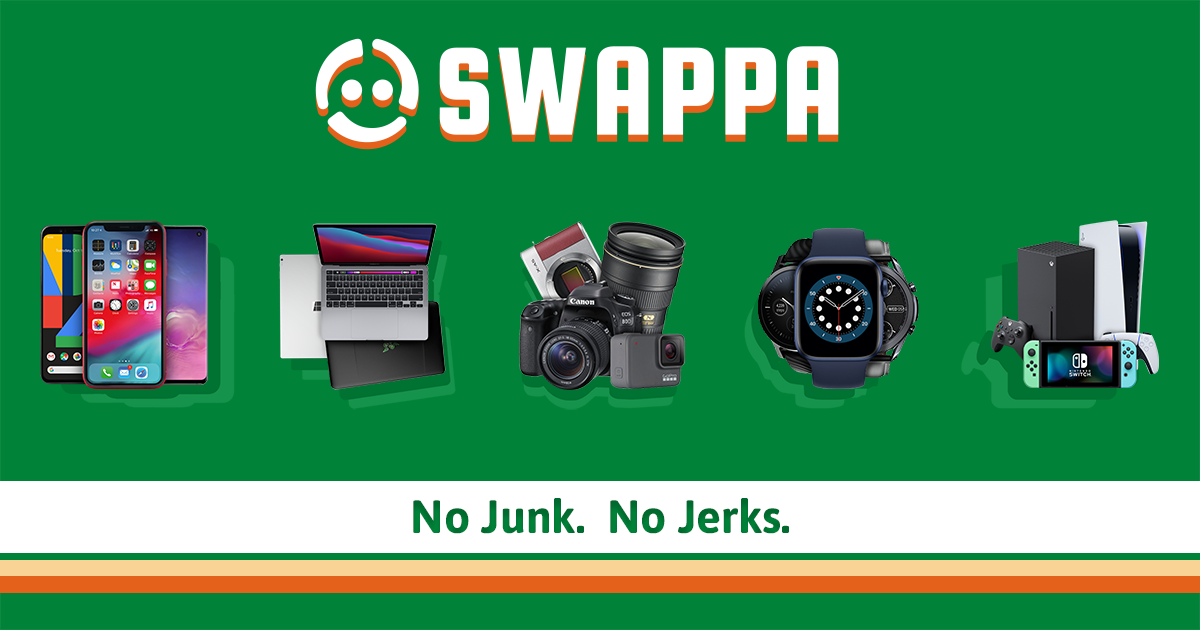

Sharing metadata
| og:url | https://swappa.com/ |
|---|---|
| og:type | website |
| og:image | https://static.swappa.com/static/images/social/Facebook_Share.png |
| og:title | Swappa - Cheap Tech, Verified Listings, Fair Fees |
| og:site_name | Swappa.com |
| og:description | Buy and sell used and refurbished tech on the world's safest marketplace. Shop and save with Swappa! |
| twitter:card | summary_large_image |
| twitter:site | @swappa |
| twitter:image | https://static.swappa.com/static/images/social/Twitter_Share.png |
| twitter:title | Swappa - Cheap Tech, Verified Listings, Fair Fees |
| twitter:creator | @swappa |
| twitter:description | Buy and sell used and refurbished tech on the world's safest marketplace. Shop and save with Swappa! |
robots.txt (opens in a new tab)
HTTP 200Unknown
Sitemaps
1 Registration details RDAP / WHOIS
| Registrar | Cloudflare, Inc. |
|---|---|
| Registered | 2006-03-24 |
| Expires | 2027-03-24 |
| Domain status | client transfer prohibited |
| Nameservers | boyd.ns.cloudflare.com、dorthy.ns.cloudflare.com |
| DNSSEC | unsigned |
 DNS records
| Type | Name | Value | TTL | Priority |
|---|---|---|---|---|
| A | swappa.com | 104.18.10.121 | 297 | — |
| A | swappa.com | 104.18.11.121 | 297 | — |
| AAAA | swappa.com | 2606:4700::6812:a79 | 20 | — |
| AAAA | swappa.com | 2606:4700::6812:b79 | 20 | — |
| MX | swappa.com | aspmx.l.google.com | 300 | 10 |
| MX | swappa.com | alt1.aspmx.l.google.com | 300 | 20 |
| MX | swappa.com | alt2.aspmx.l.google.com | 300 | 30 |
| MX | swappa.com | aspmx2.googlemail.com | 300 | 40 |
| MX | swappa.com | aspmx3.googlemail.com | 300 | 50 |
| NS | swappa.com | boyd.ns.cloudflare.com | 86400 | — |
| NS | swappa.com | dorthy.ns.cloudflare.com | 86400 | — |
| TXT | swappa.com | MS=ms36074280 | 300 | — |
| TXT | swappa.com | facebook-domain-verification=4yc8mcw7fl2dovtbbuj5u76htokkie | 300 | — |
| TXT | swappa.com | google-site-verification=Qa4PQcKVoYhCHC3eF-KOdku2HugMprBErApZ46edzNM | 300 | — |
| TXT | swappa.com | v=spf1 ip4:149.72.39.22 ip4:168.245.46.84 include:amazonses.com include:_spf.google.com include:fdspfus.freshemail.io ~all | 300 | — |
| DMARC | _dmarc.swappa.com | v=DMARC1; p=quarantine; rua=mailto:[email protected],mailto:[email protected] | 900 | — |
 TLS and certificates
| Assessment | Normal configuration |
|---|---|
| Supported protocols | TLSv1.2、TLSv1.3 |
| Negotiated protocol | TLSv1.3 |
| Certificate subject | swappa.com |
| Issuer | Google Trust Services |
| Valid until | 2026-12-17T00:18 · Remaining when checked: 76 days |
| Verification details | Certificate trust: Passed · Hostname match: Passed |
 HTTP response headers
| Header | Value |
|---|---|
| content-type | text/html; charset=utf-8 |
| content-language | en-us |
| server | cloudflare |
| strict-transport-security | max-age=31536000; includeSubDomains; preload |
| x-frame-options | DENY, SAMEORIGIN |
| set-cookie | Redacted |
 Identified technologies
Recent Updates
- Website images
- Screenshots
- Network details
- Website Technologies
- Pages and Search Information
- HTTP Response Information
- TLS and certificates
- DNS Information
- Domain Registration
- Website profile
- Website Description
- Website Name
- Website profile
- Website Description
- Website Name
User reviews (0)