Website profiles · Technology insights · Alternatives

messagetothefutu.re

Send a message to 'Future You'

No paid content found
Visit website
Profile views 7 Outbound visits 1 Normal
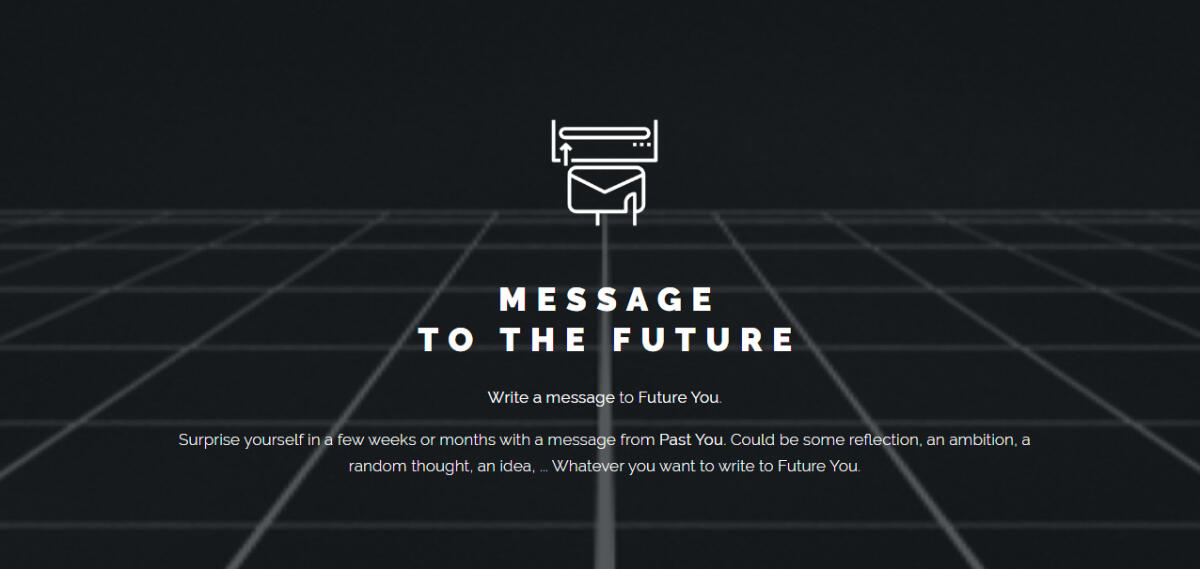
Message to the future Full homepage screenshot

At a glance

Category
Resources & Utilities
Language
English
Paid-content signal
No paid content foundObserved
Registered
2020
Hosting
CloudflareInferred
HTTPS certificate trusted
PassedObserved
Last updated

Website review

This review may include AI-generated content and is not individually verified. Domain, certificate and other facts come from the observed data on this page.

What is Message to the future?

Message to the future is a free, single-purpose web tool for writing a note to your future self and having it emailed back to you later. You type a message, choose when it should arrive — the options run from one week to ten years — and the service stores it until that date, then sends it and deletes it.

What you actually do

The whole interaction is one short form: a text box, a delivery delay, and a send button. There is no account to create and no dashboard to manage; you supply an email address so the message can be delivered, and the site says addresses are kept confidential and used only for this service. After sending, you get a confirmation email, and the message itself is removed once it has been delivered.

Who it suits

  • Journalers and self-reflecters. A note written today becomes a check-in on your mood, plans or worries months later. Several of the quoted user comments describe exactly this: writing the message prompted reflection in the moment, before the future delivery even happened.
  • People marking a decision or a rough patch. Recording what you were thinking when you chose a job, moved city or started treatment gives you a dated snapshot you cannot rewrite later.
  • Anyone setting a low-stakes intention. A short ambition — "have finished the draft by March" — arriving as a nudge is more personal than a calendar reminder.

Trade-offs to weigh

The appeal is minimalism, and the limits come from the same design. There is no editing or cancelling a message after it is sent, no way to browse past messages, and no visible reminder system beyond the delivery email itself. Delivery depends on the same address still working years later, so a long delay is a small gamble on your future inbox. The site also reserves the right to remove messages containing ads, profanity or hate speech, which means the content is not entirely private to you.

For a shorter horizon, a one-week or one-month delay works well as a test of whether the format appeals to you at all. If you want something you can revisit, edit and keep, a plain notes app or a scheduled email in your own client gives you that control — Remember The Milk handles recurring reminders, though it is a task manager rather than a letter to yourself.

A concrete way to use it

Write as if the recipient genuinely does not remember this week. Name the specific thing you are worried about, what you have decided, and one question you want answered later. Then pick a date far enough out that the answer will have changed — three months for a project, a year for a habit. When it lands, you get both the content and the evidence of how you were thinking, which is the part a to-do list never captures.

How does the service deliver my message to my future self?

The service holds your message on its servers and emails it to you after the delay you choose at the time of writing. You pick the interval from a fixed list — 1 week, 2 weeks, 1 month, 2 months, 6 months, 1 year, 1.5 years, 3 years, 5 years or 10 years — and the message is sent to the email address you provide. A confirmation email follows shortly after you submit, so you have a record that the message was accepted. Once the scheduled delivery happens, the message is automatically deleted from the service's servers.

What happens at each stage

Stage What you experience
Writing You type your message and choose a delivery interval
Submission The message is stored on the service's servers
Confirmation A short confirmation email arrives the same day
Waiting Nothing further happens until the chosen date
Delivery The message arrives in your inbox
Cleanup The message is removed from the servers after sending

Practical implications

The delivery channel is email only, so the address you enter matters more than anything else in the process. If you write to a work address and change jobs before the delivery date, the message may never reach you — a personal address you expect to keep is the safer choice. Long intervals make this more likely: a 5- or 10-year message will outlast most email accounts, employers and possibly the service itself.

The service describes itself as free and run on no-code tools, with email addresses kept confidential and used only in connection with the service. It also reserves the right to remove messages containing advertising, profanity or hate speech, which is worth knowing if you plan to write something provocative for your future self.

A concrete scenario

Suppose you are starting a new job and want a check-in with yourself in a year. You write a short note about what you hope to have learned, choose the 1-year option, and submit it using a personal address. The confirmation email arrives that day; the actual message arrives twelve months later, by which point the original context may read very differently. That gap is the point — but it also means the message is only as reliable as the inbox it lands in.

Decision criterion

Use this service when the message is a personal reflection you want delivered on a schedule and you are comfortable with email as the only delivery method. If the message is time-critical, contains information you may need to retrieve or edit, or must survive an email address change, keep your own copy elsewhere as well — nothing in the process lets you read, edit or resend the message after submission.

What time delay options can I choose for receiving my message?

You can schedule your message to arrive after any of these delays: 1 week, 2 weeks, 1 month, 2 months, 6 months, 1 year, 1.5 years, 3 years, 5 years, or 10 years. The choice is made when you write the message, before you send it.

How to pick a delay

  • 1–2 weeks: Best for a quick check-in — a decision you're about to make, a habit you're starting, or a mood you want to compare later.
  • 1–6 months: Useful for project milestones, a semester, or a goal with a natural review point.
  • 1–1.5 years: Fits annual reflections and "same time next year" notes.
  • 3–10 years: Suits long-horizon intentions — career direction, where you hope to live, or a note to a future version of yourself you can't quite imagine yet.

A practical next step: write the message first, then choose the shortest delay that still lets something meaningful change. If you're unsure, 6 months or 1 year tends to give enough distance to feel like a genuine surprise without the note going stale.

Can I edit or cancel a scheduled message after submitting it?

No. Once you submit a message on Message to the future, the site offers no visible edit or cancel control. The page states that after sending, the service automatically removes your message, and the confirmation flow tells you the message is "ready to be sent" in a few weeks or months, with a confirmation email arriving later that day. That framing points to a one-shot submission: you choose the delivery window (from 1 week up to 10 years) and send, and the message is then held until delivery.

What to do instead

  • Treat the send button as final. Read your message aloud once before submitting, and check the delivery interval in the dropdown.
  • If you spot a mistake immediately after sending, use the confirmation email as your contact route. The site publishes no support address on the page, but the confirmation mail is the natural channel to ask whether a correction is possible.
  • For anything you may want to revise later, keep your own copy. Since the service deletes the message after sending, your outbox is the only durable record.
  • If your message is time-sensitive or high-stakes, a calendar reminder you control gives you the same nudge with full editing rights.

Choosing between the two

Approach Editing after scheduling Best for
Message to the future Not offered Low-stakes reflections, ambitions, notes you want to be surprised by
Your own calendar or notes app Fully editable until the reminder fires Plans, deadlines, anything likely to change

The trade-off is deliberate: a message you cannot touch carries more weight as a snapshot of past-you, which is exactly what the site's feedback quotes describe — people writing to reflect, not to manage tasks. If reflection is the goal, the lack of an edit button is a feature. If accuracy is the goal, schedule the reminder yourself.

How does Message to the future protect my email address and message privacy?

Message to the future keeps the privacy model simple: you write a message to your future self, the service stores it on its servers until the chosen delivery date, then it sends the message to your email address and automatically removes the message afterward. Email addresses are described as strictly confidential and used only in the context of the service.

What that means in practice

  • Storage until delivery: Your message is not public and is not shown to other users. It waits on the service's servers for the period you select (from one week up to ten years).
  • Deletion after sending: Once the message has been sent, Message to the future automatically removes it. That limits how long your text remains on the service after its purpose is fulfilled.
  • Email use: Your address is used to confirm the submission and to deliver the future message. The page states it is kept confidential and used only within MessageToTheFuture.
  • Content moderation: The service reserves the right to remove messages containing advertisements, profanity, or hate speech. That is a content rule rather than a privacy guarantee, but it indicates messages are not completely outside human review.

Practical limits to keep in mind

The page does not describe end-to-end encryption, so you are trusting the service and its no-code tooling (Airtable, Carrd, Zapier, Integromat) with the message and email address while the message is stored. For a highly sensitive confession, legal document, password, or anything you would not want a third-party tool to process, a local encrypted note or a password manager's secure note may be a better fit. For ordinary reflection, goals, or a note to your future self, the automatic deletion after delivery is a reasonable privacy feature.

A useful decision rule: write the message as if a support person could read it while it waits. If that feels acceptable, the service's deletion-after-send policy gives you a clean end point. If it does not, keep the message vague enough to be harmless, or use a tool you control.

Is Message to the future free, and how can I support it?

Yes. Message to the future is a free service, and the site says it stays free partly because it is built with no-code tools. There is no paid tier described on the page; the only support route mentioned is an optional "Buy me a coffee" contribution, framed as appreciation rather than a requirement.

What free actually includes

You write a message to "Future You," choose a delivery window (from 1 week up to 10 years), and submit it. The site says your message is stored on its servers until it is sent, then automatically removed after sending. You also get a confirmation email later the same day. Email addresses are described as strictly confidential and used only in connection with the service.

How to support it

The practical option is the "Buy me a coffee" link on the site: a one-off tip, not a subscription or paywall. If you would rather not pay, the service still works the same way. The site also notes it reserves the right to remove messages containing advertisements, profanity, or hate speech.

A quick way to decide

Use it if you want a low-effort, long-delay note to yourself and are comfortable with a small independent service storing it temporarily. If you want guaranteed long-term archiving or a formal paid product with an SLA, this is not that; a calendar reminder plus a private note in your own storage would be a better fit.

A simple next step: write one concrete sentence about what you want to be true in six months, set the delivery for six months, and tip only if the service proves useful to you.

Related questions

More questions →
What tools does Message to the Future use to run the service?

Message to the Future is built with no-code tools — specifically Airtable, Carrd, Zapier, and Integromat. The site states this directly, and says the choice of no-code tools is what makes the service free-of-charge and easy to use. Messages are stored on the service's servers until they are sent, then automatically removed.

The four tools named on the site

The site lists its toolset in a short "Tools we use" section:

Tool Typical role in a no-code stack
Airtable Database for storing submitted messages and email addresses
Carrd Building the single-page website and its form
Zapier Automating the send — triggering the scheduled email
Integromat Automation platform, used alongside Zapier

The site does not break down which tool does exactly what. What it does say is that these no-code tools are the reason the service can run free-of-charge and stay easy to use. So the table above describes the usual job each tool performs in this kind of setup, not a confirmed assignment from the site.

What this means for your message

Understanding the stack answers the practical question behind it: where does your message actually live?

  • Storage: Your message is "safely stored on our servers" until the scheduled send date. In a no-code build like this, that storage is backed by the database tool (Airtable) rather than a custom-built system.
  • Deletion: After the message is sent, Message to the Future automatically removes it. The site states this explicitly.
  • Email handling: Email addresses submitted through the site are kept strictly confidential and used only in the context of MessageToTheFuture, per the site's own statement.

If your concern is privacy rather than tooling, the site's commitment is about use — the address is only used for this service — and about deletion after sending. It does not describe encryption or a specific retention period for addresses.

Why the tool choice matters to you as a user

A no-code stack has two visible consequences:

  1. It keeps the service free. The site says the tools let it run free-of-charge. It also notes that it appreciates a coffee donation "every now and then" to keep the service running — framed as optional support, not a requirement.
  2. It shapes what the service can do. The available send delays are a fixed list rather than a custom date: 1 week, 2 weeks, 1 month, 2 months, 6 months, 1 year, 1.5 years, 3 years, 5 years, and 10 years. That menu-style choice is characteristic of an automation-driven build.

Quick answers to related questions

  • Is it free? Yes — the site calls MessageToTheFuture "a free service," with optional coffee support.
  • Is my message private? The site says email addresses are kept strictly confidential and used only in the context of the service, and that messages are automatically removed after sending.
  • How do I send one? Write your message, pick a delivery delay from the list, and submit; the site confirms the message is ready to be sent and says a confirmation email follows later the same day.

The service is built in Aalter, Belgium, using these no-code tools.

How to Send a Message to Future You on Message to the Future

Message to the Future (messagetothefutu.re) is a free service that stores a message you write to yourself and emails it back after a delay you choose — anywhere from 1 week to 10 years. You write the message, pick a delivery window, and submit it; the site says your message is stored on its servers until it's sent, then automatically removed. This guide covers the exact steps, what to expect afterward, and the practical snags to plan around.

What you need before you start

  • A working email address you'll still have access to when the message is due. The site uses it both to confirm your submission and to deliver the message later.
  • Something to write. The site suggests a reflection, an ambition, a random thought, or an idea — anything you want your future self to read.
  • A realistic sense of timing. If you're writing about a goal, pick a delivery date far enough out that the outcome will actually be known.

Step-by-step: sending your message

1. Write your message

Go to the site and enter your message in the text field. There's no stated character limit, but keep it focused — this is a note to yourself, not a journal entry.

2. Choose when to receive it

Select a delivery interval from the available options:

Option Good for
1 week Quick check-ins, testing the service
2 weeks Short-term habit or decision follow-ups
1 month Monthly reflections
2 months Short projects
6 months Half-year goals
1 year Annual reviews, birthday notes
1.5 years Medium-term plans
3 years Life-stage changes
5 years Long-range goals
10 years Decade-scale reflection

3. Submit and confirm

Send the message. The site confirms it's "ready to be sent in a few weeks/months" and says it will also send a quick confirmation email later that day. If that confirmation doesn't arrive, check your spam folder before assuming the submission failed.

4. Wait for delivery

Your message arrives at the email address you provided, at the interval you chose. After sending, the site states it automatically removes your message from its servers.

What happens to your data

  • Storage: Your message is kept on the site's servers until the delivery date.
  • Deletion: After the message is sent, it is automatically removed.
  • Email use: The site states email addresses submitted are kept strictly confidential and used only in the context of MessageToTheFuture.
  • Content rules: The site reserves the right to remove messages containing advertisements, profanity, or hate speech.

Practical things to plan for

  • Email longevity matters more than the message. A 5- or 10-year delay only works if you still control that inbox. If you might change providers, consider an address you expect to keep, or a forwarding setup.
  • The confirmation email is your receipt. Save it. It's the only proof the message was accepted.
  • Don't rely on it for anything critical. This is a personal reflection tool, not a reminder system for deadlines, bills, or legal matters.
  • The service runs on no-code tools (Airtable, Carrd, Zapier, Integromat) and is free, supported by optional coffee donations. Free, small-team services can change or disappear — so don't put anything in a message you'd be upset to lose.

Common questions

Is it really free? Yes — the site describes MessageToTheFuture as a free service and asks for optional donations to keep it running. No pricing or payment requirement is mentioned for sending a message.

Can I send more than one message? The site doesn't state a limit, so you can submit multiple messages with different delivery dates.

What if I want to cancel or edit a message? The site doesn't describe an edit or cancel option. Treat each submission as final.

Will the message include anything besides my text? Based on the site's description, you receive the message you wrote at the interval you selected. No additional formatting options are mentioned.

Is My Message and Email Address Private on Message to the Future?

Yes, with two caveats worth knowing before you write. According to the site, your email address is kept strictly confidential and used only in connection with MessageToTheFuture, and your message is stored on their servers until it is sent to you — after which the service automatically removes it. The limits: the site reserves the right to remove messages containing advertisements, profanity, or hate speech, and it states that views expressed in messages are not its own.

What the site says about your email address

The published terms are short and specific:

  • Email addresses submitted through MessageToTheFuture "will be kept strictly confidential."
  • They "will only be used in the context of MessageToTheFuture."

In practice, that means the address is used to deliver your message at the time you chose and to send you a confirmation email shortly after you submit. The site also says a quick confirmation mail arrives later the same day you write your message.

What happens to the message itself

The flow described on the page is:

  1. You write a message to "Future You."
  2. It is "safely stored on our servers" until the delivery date.
  3. You pick when to receive it — 1 week, 2 weeks, 1 month, 2 months, 6 months, 1 year, 1.5 years, 3 years, 5 years, or 10 years.
  4. After sending, "Message To The Future automatically removes your message."

So the message is not kept indefinitely after delivery — deletion is part of the described process, not something you have to request.

The limits on privacy

Two things are explicitly carved out of the confidentiality picture:

Point What the site states
Content moderation MessageToTheFuture "reserves the right to remove messages that include advertisements, profanity, or hate speech."
Liability The site says it is not liable for damages resulting from use of the site, and that views expressed in messages do not reflect its own.

The moderation clause means a message is not absolutely private from the operator's perspective — it can be reviewed and removed if it falls into those categories. If your message is a personal reflection, an ambition, or a random thought, that clause is unlikely to matter. If you were planning to write something you would not want anyone else to read, treat the service as a place where a human could look at it under those conditions.

Practical implications before you write

  • Use an address you actually monitor. Delivery depends on that inbox, and the confirmation email goes there too.
  • Don't put anything in the message you'd regret being seen. The confidentiality commitment covers your email address; the message itself is subject to the moderation clause above.
  • Long horizons mean long storage. Choosing 10 years means the message sits on their servers for a decade before the automatic deletion step. If that matters to you, pick a shorter interval.
  • The service is free but supported by donations. The page notes it is a free service and that the operator appreciates "a good coffee" to keep it running — this is a voluntary contribution, not a payment for privacy or delivery.

What is not stated

The page does not describe encryption of stored messages, a data retention period for the email address itself, or a formal deletion-request process. If those details matter for your use case, they are not addressed in the material available on the site, so plan accordingly rather than assuming protections that aren't described.

What Is Message to the Future?

Message to the Future (messagetothefutu.re) is a free service that lets you write a message to your future self and have it delivered by email after a delay you choose. You write whatever you want — a reflection, an ambition, a random thought, an idea — and the site stores it until the delivery date, then sends it to you and automatically removes it from its servers. It suits anyone who wants a deliberate check-in with their past thinking: a snapshot of goals, a mood, or a decision you want to revisit later.

How it works

The flow is short and has no account requirement mentioned anywhere on the site:

  1. Write your message. There is no format or length guidance — the site lists "some reflection, an ambition, a random thought, an idea" as examples.
  2. Choose when to receive it. The available delays are fixed options rather than a custom date:
Option Delay
1 week 7 days
2 weeks 14 days
1 month ~30 days
2 months ~60 days
6 months ~180 days
1 year 12 months
1.5 years 18 months
3 years 36 months
5 years 60 months
10 years 120 months
  1. Send it. After sending, the site states it automatically removes your message. You should also receive a quick confirmation email later the same day.

The practical consequence of step 3: once the message is sent, you cannot go back and read or edit it. If you want a copy for yourself, save it somewhere else before submitting.

What happens to your message and email

  • Storage: Your message is stored on the service's servers until the delivery date.
  • Deletion: After the message is sent, it is automatically removed.
  • Email address: Addresses submitted through the site are described as kept strictly confidential and used only in the context of MessageToTheFuture.
  • Content rules: The site reserves the right to remove messages containing advertisements, profanity, or hate speech. Views expressed in messages are not those of the service.

Cost and how it stays running

MessageToTheFuture describes itself as a free service. It says it appreciates occasional "coffee" contributions to keep running, and that it is built with no-code tools (Airtable, Carrd, Zapier, Integromat) to stay free of charge and easy to use. No pricing page, paid tier, or payment platform is indicated — the free description comes directly from the site, and the coffee link is presented as optional support rather than a requirement.

When this is a good fit — and when it isn't

Good fit:

  • You want a low-effort, one-off note to yourself at a fixed future point (a week, a year, several years).
  • You want the message to disappear after delivery rather than live in your inbox indefinitely as a draft.
  • You don't want to create an account or manage a recurring reminder.

Weaker fit:

  • You need a precise custom date or a recurring reminder — the delays are fixed choices only.
  • You want to edit or cancel the message after sending — the site's described behavior is send-then-delete.
  • You need to attach files, images, or structured content — nothing on the site suggests that's supported.

Practical tips before you send

  • Write it somewhere else first. Since the message is deleted after sending, compose in a notes app and paste it in, so you keep your own copy.
  • Pick the delay to match the purpose. A 1–2 week option works for near-term intentions; 1 year or more suits goals and reflections you want distance from.
  • Check your spam folder around the delivery date, since the message arrives as an email.
  • Watch the confirmation email. The site says a quick confirmation mail goes out later the same day — if it doesn't arrive, that's your earliest signal something went wrong with the address.

The site is built in Aalter, Belgium, and user feedback quoted on the page centers on reflection and the novelty of hearing from a past version of yourself — one commenter noted it "helped me reflect on some things while writing to my future self."

Is Message to the Future free to use?

Yes. Message to the Future is a free service. The site states this directly: "MessageToTheFuture is a free service, but every now and then, we appreciate a good coffee to keep the service running." There are no paid tiers, subscriptions, or premium features mentioned anywhere on the site. The only money-related element is an optional "Buy me a coffee" tip link, which supports running costs rather than unlocking anything.

What "free" covers

Everything the service does is available without payment:

  • Writing a message to your future self
  • Choosing a delivery delay (from 1 week up to 10 years)
  • Having the message stored on the site's servers until the delivery date
  • Receiving the message by email when the chosen time arrives
  • Automatic deletion of your message after it is sent

There is no indication of a message limit, character limit tied to payment, or any feature held back behind a paywall.

The optional tip

The "Buy me a coffee" link is a voluntary donation, not a purchase. Nothing on the site suggests that tipping changes how the service works for you — it does not appear to affect delivery timing, storage, or priority. If you never click it, you still get the full service.

Why it can stay free

The site explains its own economics: it is built with no-code tools — Airtable, Carrd, Zapier, and Integromat — which keeps operating costs low and the service "free-of-charge and easy-to-use." That is the stated reason the service can be offered at no cost, with occasional coffee donations covering what remains.

What is not stated

The site does not mention any future plan to introduce paid tiers, nor does it promise the service will remain free forever. It also does not describe what happens to stored messages if the service ever shuts down. If long-term delivery matters to you — say, a 5- or 10-year message — those are open questions the site does not answer.

Practical takeaway

If you want to send a message to your future self, you can do it at no cost and without entering payment details. The coffee link is there if you want to contribute, and skipping it has no downside described on the site.

Website Overview

An established domain and managed infrastructure suggest continuity of operations and may support dependable delivery, although neither guarantees service quality. Page metadata, canonical configuration and social previews work together to provide more consistent search and sharing presentation.

Domain and Registration

Registered in 2020, this domain has about 6 years of history. That suggests continuity, although ownership and purpose may have changed. Registration contact information is publicly available through RDAP. The domain uses the common .re extension, which is not an independent safety signal.

DNS and Email

Nameservers are provided by transip.net, indicating managed DNS hosting. MX records point to the messagetothefutu.re email service. DNSSEC is enabled, allowing validating resolvers to authenticate signed DNS data. No CNAME was found; the observed records resolve directly to addresses. SPF and DMARC are configured. DKIM status is unknown.

TLS and Certificates

The public key uses EC with 256 bits. The server supplied a complete certificate chain. No organization name is present in the certificate; the available fields are consistent with domain validation. The certificate was issued by Let's Encrypt, commonly associated with automated certificate services. The certificate's total validity is about 89 days, consistent with a short renewal cycle.

HTTP and Browser Security

The response lacks these common security headers: HSTS, X-Content-Type-Options, Referrer-Policy, Permissions-Policy. No X-Powered-By header was found, reducing one common source of backend fingerprinting information. The cf-ray response header indicates a CDN or caching proxy in the delivery path. No obvious internal addresses or debug information were found in the headers. The Server header identifies cloudflare without an exact version.

Technology Stack Analysis

The public page identifies Google Analytics, Cloudflare without precise versions, leaving fewer clues for version-specific scanning.

Search and Social Sharing

Twitter Card metadata is configured. The title has 21 characters, within a common display range. A meta description is present, with 30 characters. The observed directives allow indexing and link following. No Generator meta tag is publicly exposed.

Hosting and Email

DNStransip.net
HostingCloudflare
Emailmessagetothefutu.re
Approximate IP geolocation (inferred; a CDN or proxy may differ from the origin server) United States flagUnited States Inferred 172.66.0.70

Registration details

RDAP / WHOIS

RegistrarKEY-SYSTEMS GmbH
Registered2020-05-22
Expires2027-05-22
Domain statusactive
Nameserversns0.transip.net、ns1.transip.nl、ns2.transip.eu
DNSSECsigned

DNS records

DNS

TypeNameValueTTLPriority
Amessagetothefutu.re172.66.0.70300—
MXmessagetothefutu.remessagetothefutu.re8640010
NSmessagetothefutu.rens0.transip.net86400—
NSmessagetothefutu.rens1.transip.nl86400—
NSmessagetothefutu.rens2.transip.eu86400—
TXTmessagetothefutu.rev=spf1 ~all300—
DSmessagetothefutu.re42395 13 1 7a7461be0f783deb65e89956f2350f9c4c4db86a3600—
DMARC_dmarc.messagetothefutu.rev=DMARC1; p=none;86400—

TLS and certificates

TLS / SSL

AssessmentNormal configuration
Supported protocolsTLSv1.2、TLSv1.3
Negotiated protocolTLSv1.3
Certificate subjectmessagetothefutu.re
IssuerLet's Encrypt
Valid until2026-12-03T05:48 · Remaining when checked: 57 days
Verification detailsCertificate trust: Passed · Hostname match: Passed

HTTP response headers

HTTP

HeaderValue
content-typetext/html
cache-controlmax-age=0
servercloudflare
content-security-policyframe-ancestors https://carrd.com;
x-frame-optionsdeny

Identified technologies

Google AnalyticsCloudflare

Pages, Search and Sharing

Meta descriptionSend a message to 'Future You'
Canonical URLhttps://messagetothefutu.re
LanguageEnglish (default)
Twitter Cardsummary_large_image
All bots 1 allowed · 0 disallowed
  • Allow/

User reviews (0)

  • No reviews yet.