Website profiles · Technology insights · Alternatives

myndset.cards

A tool designed to support the ideation phase of a business idea or product by using gamification aspects. Everybody can be a creator.

No paid content found
Visit website
Profile views 9 Outbound visits 1 Normal
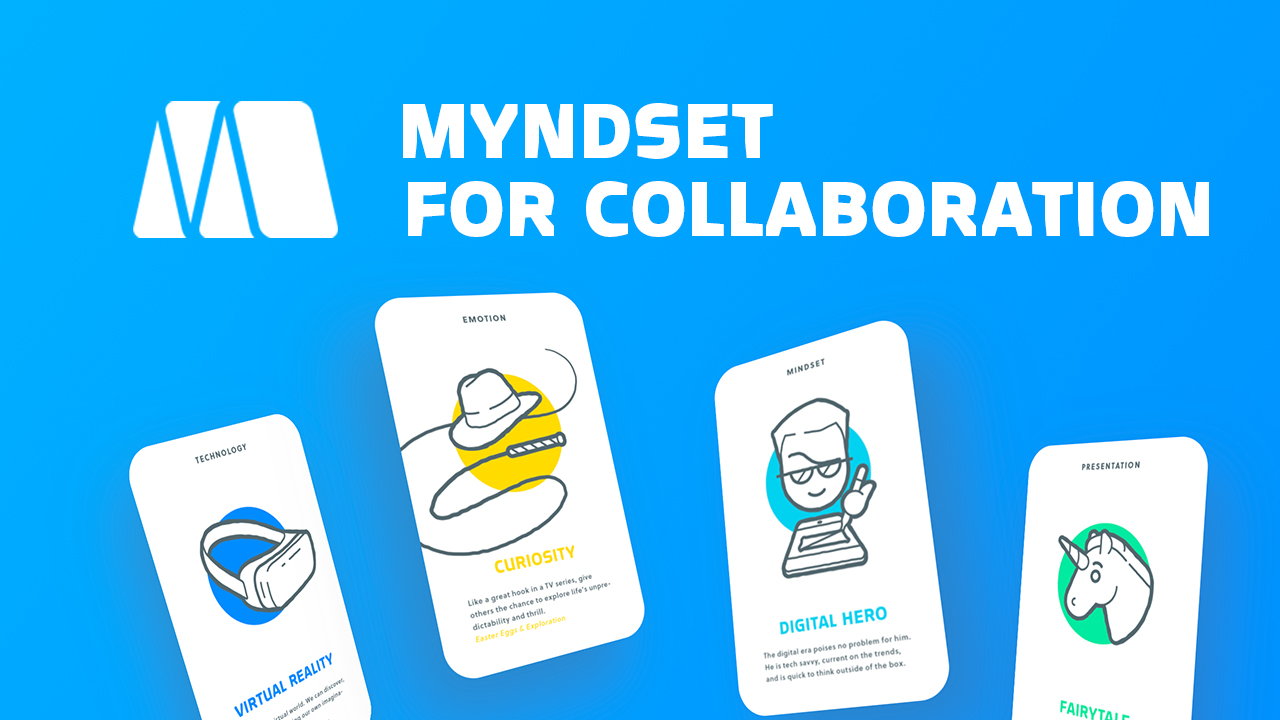
Myndset Full homepage screenshot

At a glance

Category
Productivity
Language
English
Paid-content signal
No paid content foundObserved
Registered
2018
Hosting
Hetzner Online GmbHInferred
HTTPS certificate trusted
PassedObserved
Last updated

Website review

This review may include AI-generated content and is not individually verified. Domain, certificate and other facts come from the observed data on this page.

What is Myndset?

Myndset is a web tool for the early, messy part of coming up with a business or product idea. It structures ideation as a short, gamified session — the site frames it as creating value-based ideas in 30 minutes or less — so that a solo founder or a small team can move from a blank page to a set of candidate directions without a lengthy workshop.

What it actually does

  • Runs the ideation phase as a guided, time-boxed exercise rather than an open brainstorm.
  • Uses game-like elements (the site's own framing) to keep participants producing instead of drifting.
  • Emphasises collaboration: its headings cover team progress through cooperation, building stronger bonds, enhancing dialogues, and aligning shared visions.
  • Treats idea generation as something anyone can do — "everybody can be a creator" — not a specialist design-thinking skill.

Who it suits

A two- or three-person founding team that keeps rehashing the same concept, or a product manager who needs raw directions before a proper discovery sprint. If you already have a validated problem and need prioritisation, roadmapping or user research, this is the wrong stage of the process.

How it compares to the alternatives

Approach Best for Trade-off
Myndset Fast, structured, collaborative idea generation Stays at the ideation stage; you still need validation
Whiteboard or doc brainstorm Total freedom, zero setup Easy to stall, hard to compare outputs
Full design-thinking workshop Deep problem framing with stakeholders Needs hours and facilitation

The recurring caution in its own messaging — "Don't go solo" — is worth taking seriously: the value shows up most when several people contribute and then converge on a shared direction.

Next step: before your next session, write down the one assumption you most need new ideas about, then run a 30-minute Myndset session aimed only at that. Compare the output against a plain 30-minute brainstorm you run afterwards; if the structured version produces more distinct directions, keep it in your routine.

How does Myndset use gamification to help me generate business ideas?

Myndset applies gamification to the front end of idea generation: instead of asking you to sit alone with a blank page, it turns the ideation phase into a short, structured, card-driven exercise that is meant to be completed in about 30 minutes. The gamified elements are the constraints and the shared format — a time limit, a set of prompts, and a group dynamic — which reduce the paralysis that usually stalls early business thinking.

According to the page's own section headings, the mechanics lean on collaboration rather than solo brainstorming. The themes it highlights — "Team Progress via Cooperation," "Building Stronger Bonds," "Enhancing Dialogues," "Aligning Shared Visions," and the direct instruction "Don't go solo" — suggest the tool is designed for a small group working through prompts together, with visible progress as the reward loop.

What that means in practice

  • A time-boxed session. The 30-minute framing forces quantity over polish, which is exactly what the ideation phase needs. You generate many rough concepts before judging any of them.
  • Prompt cards as the game pieces. Cards give each round a rule and a target, so the conversation has direction instead of drifting.
  • Cooperation as the scoring mechanism. Progress is tied to the group moving forward together, not to one person winning, which keeps quieter participants contributing.
  • A shared vocabulary. Because everyone works from the same prompts, a team leaves with a common list of candidate ideas rather than five private ones.

Concrete scenario

Say you and two co-founders have 30 minutes before your next meeting. You open a Myndset session, work through the prompts as a group, and finish with a written set of candidate directions and a rough sense of which ones the team gravitates toward. That output is not a validated business — it is raw material for the next step, such as customer interviews or a lightweight landing-page test.

Trade-off to weigh

Gamified, collaborative ideation is strong for volume, energy, and buy-in, and weaker for depth. A 30-minute card session will not replace market research, and if you are ideating alone, the "don't go solo" emphasis means you may get less from it than a small team would.

Next step

Decide based on your bottleneck: if your problem is a team that talks in circles or a founder staring at a blank page, a structured 30-minute group session is a good fit. If your problem is that you already have ten ideas and no evidence, skip ideation tools and go test one. For a complementary, non-gamified approach to the same phase, IDEO U publishes design-thinking methods you can pair with a session like this.

Can I use Myndset to develop a product idea with my team in under 30 minutes?

Yes. Myndset is built around exactly that scenario: it supports the ideation phase of a business or product idea using gamification, and its own framing is "create value-based ideas in 30 minutes or less." Its page material points at team use rather than solo brainstorming — headings such as "Team Progress via Cooperation," "Building Stronger Bonds," "Enhancing Dialogues," "Aligning Shared Visions" and "Don't go solo" all describe a group working through ideas together.

What a 30-minute team session realistically looks like

  • Framing (a few minutes): agree on the product area or problem you are exploring, so the group is not solving different questions.
  • Idea generation (the bulk of the time): the gamified format pushes people to contribute rather than wait for the loudest voice.
  • Convergence (the last stretch): the "aligning shared visions" angle suggests the tool helps the team land on a shared direction, not just a pile of sticky notes.

When it fits, and when it doesn't

Use it when Look elsewhere when
You need a fast, structured kickoff with a cross-functional group You need deep user research or market validation
The team is stuck, quiet, or dominated by one person You need detailed roadmaps, specs or backlog tooling
You want shared language and buy-in early You are a solo founder who prefers free-form notes

The main trade-off is speed versus depth: 30 minutes gets you a direction and momentum, not a validated product. Treat the output as a starting point for customer conversations.

A useful next step: before the session, write one sentence naming the product idea and the audience it serves. If the team cannot agree on that sentence in the first five minutes, the constraint is alignment, not creativity — and that is worth resolving before you start the clock.

What design thinking principles does Myndset apply during ideation?

Myndset applies design thinking mainly by turning the early ideation phase into a short, structured, game-like session. Its page evidence points to collaboration, dialogue and shared vision rather than lone brainstorming, so the principles in play are closer to human-centred discovery and team alignment than to detailed prototyping or testing.

Principles visible in the product

  • Collaboration over solo work — the heading “Don't go solo” and “Team Progress via Cooperation” show that idea generation is treated as a group activity, which is a core design thinking stance: diverse perspectives improve the problem framing.
  • Dialogue as a thinking tool — “Enhancing Dialogues” suggests conversation is not just social chat but part of how ideas get sharpened and reframed.
  • Shared vision and alignment — “Aligning Shared Visions” points to convergence, the stage where a team agrees on which idea is worth pursuing.
  • Gamification to lower the barrier — the description frames the tool around gamification and says “Everybody can be a creator,” which supports the design thinking value of making creative confidence accessible to non-designers.
  • Time-boxing — the source title promises ideas “in 30 minutes or less,” a constraint that matches the divergent-then-convergent rhythm of a design sprint.

What this means in practice A small startup team stuck on a vague product concept could use Myndset to run a short, facilitated session: one person frames the challenge, the group generates ideas through the gamified prompts, dialogue refines them, and the team leaves with a shared shortlist. The trade-off is that this covers the front end of design thinking well — empathy, ideation and alignment — but the page evidence does not show support for prototyping, user testing or iteration loops, so you would still need separate tools for those later stages.

If your goal is faster team alignment at the fuzzy front end, Myndset fits. If you need to validate an idea with real users, treat it as a starting point and plan the testing step elsewhere. For a broader design thinking workflow, compare it with IDEO U or IDEO Design Thinking.

How does Myndset help a startup team align on a shared vision?

Myndset is built around the ideation phase of a business or product, and it uses game-like mechanics to get a team generating value-based ideas quickly. Its page frames the outcome in team terms: cooperation, stronger bonds, better dialogue and aligning shared visions. So alignment here comes less from a strategy document and more from a short, structured session in which everyone contributes ideas and the group converges on what matters.

That matters for a startup because alignment problems usually start before the plan exists. If two founders privately define "value" differently, the roadmap will drift. A facilitated card or game format gives everyone the same prompts and the same time box, which surfaces those differences early and cheaply. The page's "Don't go solo" message points in the same direction: the tool is designed for a group, not a lone founder.

A concrete scenario

A four-person team is deciding what to build next. Instead of one founder presenting a deck, they run a Myndset session: each person proposes ideas tied to the values they think the company stands for, the group clusters them, and disagreements become visible. The output is a shared shortlist plus a clearer sense of which values the team actually holds in common — useful input for a later vision statement or roadmap discussion.

Trade-offs to weigh

  • Speed and participation: a 30-minute format lowers the barrier to joining, but depth depends on how well the group discusses what the cards reveal.
  • Alignment vs. decision-making: the tool supports the ideation phase, so treat it as a way to reach a common starting point, not as a substitute for choosing priorities and assigning owners.
  • Group size and facilitation: game mechanics work best with a small, engaged team; a very large or disengaged group may produce noise rather than alignment.

Next step

Run one session with the whole founding team, then immediately write down the three values or ideas everyone agreed on and the one or two open disagreements. That written record is what turns a fun exercise into actual alignment — and it gives you something concrete to revisit when the next hard trade-off appears. If you want a broader set of ideation and design-thinking methods to compare, look at IDEO and IDEO Design Kit.

Do I need to subscribe to Myndset to collaborate with others?

Yes, collaboration on Myndset is tied to having a subscription. The site's own emphasis is on group activity — its headings include "Team Progress via Cooperation," "Building Stronger Bonds," "Enhancing Dialogues," "Aligning Shared Visions," and "Don't go solo" — which points to shared sessions rather than solo use. The only pricing signal on the page is the word "subscribe," so treat paid access as the route to the collaborative features.

What that means in practice

  • If your goal is simply to generate value-based ideas on your own, a subscription may be more than you need.
  • If your goal is to run a session where several people contribute, compare, and align on ideas together, plan on subscribing.
  • Before committing, confirm the current terms on Myndset, since seat limits, guest access, and trial options are not spelled out in the material available.

A useful next step

Pick one real decision your team is stuck on — a new product direction, a positioning choice, a service tweak. Try running it through Myndset with the people who would actually be affected. If the group output is noticeably better than what you'd get from a solo brainstorm or a shared document, the subscription is justified; if not, a plain workshop format will do.

Related questions

More questions →
What Is Design Thinking and How Can You Use It to Generate Ideas Faster?

Design thinking is a structured way to solve problems by starting with the people affected and working toward ideas you can test. You can use it to generate value-based ideas faster by compressing the ideation phase into a short, time-boxed routine — often 30 minutes or less — and using gamification to keep a team engaged and cooperative. This approach fits best when you have a vague problem, a small team, and no appetite for a long research cycle. It fits poorly when the problem is already well-defined and you just need to execute.

The Core Stages in Plain Terms

Design thinking is usually described in five stages. They are not a rigid sequence — you loop back as you learn.

Stage What you actually do Output
Empathize Talk to or observe the people who have the problem Notes on what they feel, say, and struggle with
Define Turn those notes into one clear problem statement A sentence describing whose problem and why it matters
Ideate Generate many possible solutions without judging them yet A long list of candidate ideas
Prototype Build the cheapest version that lets someone react A sketch, mockup, or rough script
Test Put it in front of real people and watch what happens Evidence for what to keep, change, or drop

The stage most teams rush is define. If your problem statement is vague, every idea afterward will be vague too. A useful test: can two people read your problem statement and agree on what would count as a good solution?

Why Gamification Speeds Up Ideation

The ideation stage fails for predictable reasons: people self-censor, one voice dominates, and the group converges on the first decent idea. Gamification addresses each of these by changing the rules rather than the people.

  • Time pressure forces quantity over polish. A short round produces more raw material than an open-ended discussion.
  • Turn-taking rules stop the loudest person from filling the room.
  • Scoring or constraints make unusual ideas feel like winning rather than risk-taking.
  • Visible progress keeps energy up when the problem is hard.

Myndset, a tool built for the ideation phase of a business idea or product, applies gamification specifically so that "everybody can be a creator" — the point is to lower the barrier to contributing, not to make ideation feel like a competition you can lose.

A 30-Minute Ideation Routine

This routine turns a vague problem into value-based ideas you can act on. It assumes a small group (3–6 people) and a problem you have at least some direct knowledge of.

Before you start (5 minutes, one person): Write the problem as a single sentence in the form "How might we help [who] do [what] so that [why it matters]?" Bring it to the session. If you cannot fill in the "who," spend the first minutes of the session on that instead.

Minutes 0–5 — Frame. Read the problem statement aloud. Ask each person to say one thing they know about the people affected. Write these where everyone can see them. This is the empathize-and-define step compressed.

Minutes 5–15 — Diverge. Run two or three short rounds. Each round has a constraint, for example: ideas that cost nothing, ideas that take under a day, ideas that would embarrass you to propose. Everyone writes in silence, then reads one idea each in turn. No criticism during this block.

Minutes 15–25 — Converge. Group the ideas by theme. For each theme, ask: who benefits, and what would have to be true for this to work? Keep the ideas where you can name a specific beneficiary. Those are your value-based candidates.

Minutes 25–30 — Pick and commit. Choose one or two ideas to prototype. Assign one person and one deadline. The prototype should be something a real person can react to within a few days.

How to verify it worked: you should end with a written problem statement, a list of ideas grouped by theme, at least one named beneficiary per surviving idea, and one assigned prototype. If you have ideas but no named beneficiary, you are not done.

Common Sticking Points

  • The problem statement keeps changing. That usually means you skipped real empathy work. Go talk to two people before the next session.
  • One person generates everything. Add a silent-writing round before any discussion. It is the single most effective fix.
  • Ideas all sound the same. Change the constraint. "Ideas that cost nothing" and "ideas that take under a day" produce different thinking than "ideas that scale."
  • The group picks the safest idea. Ask what the idea would look like if it had to be ten times bolder, then ask what part of that is actually feasible this week.
  • Nobody wants to prototype. Shrink the prototype until it feels trivial. A sketch or a two-line script counts.

Team Dynamics Matter More Than the Method

The stages are easy to learn; the cooperation is what determines whether you get useful ideas. The evidence around team ideation points to a few things worth building deliberately:

  • Cooperation over solo work. Groups that build on each other's contributions produce more original combinations than individuals working alone — but only if contributions are visible to everyone.
  • Stronger bonds. Shared creative work builds trust faster than status updates, which makes later disagreement easier to handle.
  • Better dialogue. Structured turn-taking turns conversation into something where quieter members actually speak.
  • Aligned vision. When everyone helps shape the problem statement, they stop arguing about goals later.

The practical takeaway: do not go solo on the ideation step if you have a team available. Even one other person changes the quality of what you produce.

Start Today

Pick one real problem you are facing. Write it as a "How might we" sentence. Set a 15-minute timer and generate ten ideas under a single constraint. Circle the ones where you can name who benefits. That is the whole loop — the five stages and the gamification are just ways of making it repeatable and keeping a team in it.

How Can Gamification and Design Thinking Help You Generate Startup Ideas Faster?

Gamification and design thinking speed up startup ideation by replacing open-ended brainstorming with short, structured activities that have rules, turns, and a visible finish line. Myndset, a tool built for the ideation phase of a business or product idea, applies gamification to this process and states that anyone can be a creator and that ideas can be produced in 30 minutes or less. The approach fits early-stage founders, small teams, and solo entrepreneurs who want a discussable concept quickly rather than a polished business plan.

Why the two methods work together

Design thinking supplies the structure: understand a problem, generate options, and converge on something testable. Gamification supplies the motivation and pace: rules, constraints, and a time box turn vague "let's brainstorm" sessions into activities people actually finish.

The combination matters most at the fuzzy front end of a startup, where the failure mode is not a lack of ideas but too many unstructured ones and no shared direction.

What a 30-minute ideation session looks like

Myndset's stated promise is creating value-based ideas in 30 minutes or less. A practical session built on that premise:

  1. Set the frame (2–3 min). Write one sentence naming the user and the problem. Everything generated must connect to it.
  2. Generate under constraints (10–12 min). Use a card or prompt format with a rule such as "one idea per turn" or "build on the previous card." Constraints reduce blank-page paralysis.
  3. Build on each other (8–10 min). Instead of defending your own idea, add to someone else's. This is where cooperation, not competition, produces stronger concepts.
  4. Converge (5 min). Pick the one or two ideas the group can describe in a single sentence.
  5. Name the next check (2 min). Decide what evidence would make the idea worth pursuing.

The output is not a plan. It is a small set of ideas specific enough to discuss with a co-founder, mentor, or potential user.

The collaboration element is not optional

Myndset's page headings point in one direction: Team Progress via Cooperation, Building Stronger Bonds, Enhancing Dialogues, Aligning Shared Visions, and a blunt closing line, Don't go solo.

That last point is the practical takeaway. Solo ideation tends to loop: you generate, judge, and discard inside your own head, and the same assumptions survive every round. A second person forces ideas into language, exposes gaps, and surfaces directions you would not have reached alone. Even one collaborator changes the quality of the output.

How to tell if an idea is worth continuing

You do not need a full validation framework at this stage. Use a short filter:

  • Specific user: Can you name who has this problem, not just a demographic?
  • Real pain: Is the problem frequent or expensive enough that someone would change behavior?
  • One-sentence clarity: Can you explain the idea without jargon?
  • A cheap next test: Is there a low-cost way to check one assumption — a conversation, a landing page, a manual version?

If an idea fails the first two, return to generation rather than investing in refinement.

Limits to keep in mind

Gamified ideation produces candidates, not validation. A session that feels productive can still yield ideas nobody wants. Treat the 30-minute output as input to customer conversations, not as evidence.

Also note what the source does not specify: Myndset's page mentions "subscribe" among its keywords but lists no pricing links or payment platforms, so cost and access terms are not established here. Check the site directly before assuming it is free.

The method itself, however, is portable. You can run a structured, time-boxed, collaborative ideation session with cards, prompts, or a whiteboard — the tool accelerates it, but the rules are what make it work.

Creativity: What It Is and How to Start Creating Online

Creativity is the practice of turning an idea into something that exists outside your head — a drawing, a song, a 3D model, a short program, an edited photo. It is a learnable habit rather than a fixed talent, and you can start today with nothing more than a browser and an internet connection. This guide is for beginners who want to understand what creativity actually involves and pick a first medium to work in.

What creativity really is

Most people treat creativity as a personality trait: you either have it or you don't. A more useful definition is that creativity is a loop you repeat:

  1. Notice something — a problem, a mood, an image you can't shake.
  2. Make a rough version of it, badly at first.
  3. Look at what you made and decide what to change.
  4. Revise and repeat.

The loop matters more than the output. A first attempt that looks wrong is not a failure; it is the raw material for the next pass. This is why creative skills improve with regular short sessions rather than rare long ones.

Common creative outlets and what each one asks of you

Different media suit different temperaments. The table below maps each outlet to the kind of thinking it rewards, so you can pick a starting point that fits how you already like to work.

Outlet What you make Rewards people who like…
Digital painting Drawings, illustrations, image edits Visual detail, color, hands-on experimentation
Music production Songs, loops, remixes Rhythm, layering, tinkering with sound
3D modeling Printable or renderable 3D objects Structure, spatial thinking, precision
Coding Apps, games, small tools Logic, problem-solving, iteration
Photo editing Adjusted, filtered, composed images Quick feedback, before-and-after results
Audio editing Trimmed, cleaned, mixed audio Finishing touches, technical polish
Video editing Combined clips, sound, text, effects Sequencing, storytelling, pacing
Pixel art Sprites and GIF animations Constraints, retro aesthetics, precision

If you feel stuck choosing, pick the one where you already consume the most work. People who watch a lot of video tend to take to video editing faster; people who draw in margins tend to take to painting.

Starting with browser-based tools

The main barrier to starting used to be software: expensive licenses, large downloads, and hardware requirements. Browser-based creative apps remove most of that. Sumo, for example, offers a suite of web apps covering painting, music, 3D, coding, photo, audio, video, and pixel art, all accessible from a modern device — mobile, tablet, or computer — with internet access.

A few practical notes on this approach:

  • No install step. You open the app and start. That shortens the gap between deciding to create and actually creating.
  • Cross-device. Work started on a laptop can often be continued on a tablet, which helps when you want to sketch on the couch and refine at a desk.
  • Learning curve varies by app. Painting and photo editing are usually the gentlest entry points; 3D modeling and coding ask for more patience before results look satisfying.

The suite is described as gamified and easy to learn, with the stated goal of making creative tools accessible to everyone. Treat that as a design intention rather than a guarantee — your own experience will depend on the medium you choose.

A simple first-week plan

You do not need a curriculum. You need a small, repeatable loop.

  1. Pick one medium from the table above. Commit to it for a week.
  2. Set a 20-minute session. Short enough that you won't skip it, long enough to make something.
  3. Make something small and finish it. A single sprite, an eight-bar loop, a one-clip video edit. Finished beats perfect.
  4. Save or export your work. Most of these apps support saving or exporting (for example, MP3 export for music, WAV or MP3 for audio, video file export for video). Having a file at the end makes the session feel real.
  5. Note one thing to change next time. This is the revision step of the loop, written down so you don't lose it.

After a week, you will know two things: whether the medium holds your interest, and whether the tool fits your device and workflow. If either answer is no, switch — that is not quitting, it is narrowing down.

Common sticking points

  • "My work looks bad." Early work looks bad for everyone. The comparison that matters is your work today against your work last week.
  • "I don't know what to make." Copy something. Remixing existing work is a standard way to learn; Sumocode, for instance, explicitly offers sample code you can remix, and Sumotunes lets you remix other users' songs.
  • "I don't have the right equipment." A browser and a modern device are enough to begin. Upgrading hardware is a later decision, not a prerequisite.
  • "I keep starting over." Finish the small thing even if you dislike it. The revision loop only works if there is a version one to revise.

Choosing your starting point

If you want the fastest visible progress, start with photo editing or pixel art — both give quick before-and-after feedback. If you want a skill that compounds over months, painting or coding rewards sustained practice. If you are drawn to physical output, 3D modeling connects to printing. Whichever you choose, the mechanism is the same: pick a medium, make something small, look at it, change one thing, repeat.

What Is Gamification and How Can You Use It to Make Tasks More Engaging?

Gamification means applying game mechanics — points, levels, challenges, feedback loops — to non-game contexts like work, learning, or brainstorming. It works when the underlying task has real value and the mechanics make progress visible or social. It backfires when you bolt rewards onto meaningless work, or when rewards crowd out the intrinsic motivation people already had. The sections below cover the core motivational levers, how to apply them to a real task, and how to choose mechanics that match your goal.

The core mechanics, and what each one actually does

Gamification is not "adding badges." Badges are one output; the mechanism behind them is what changes behavior. Four levers do most of the work:

Lever Mechanism Best for Watch out for
Progress Visible advancement toward a goal (levels, streaks, completion bars) Solo work, habit-building, long tasks Fake progress that doesn't map to real output
Cooperation Shared goals, mutual dependency, team-level status Team bonding, collaboration, alignment Free-riders when individual contribution is invisible
Competition Ranking, head-to-head challenges, leaderboards Short sprints, skill-building, energy spikes Demotivating the middle and bottom of the board
Feedback Immediate, specific signals on performance Learning, skill practice, iteration Vague or delayed feedback, which kills the loop

The key insight: progress and feedback are informational — they tell you where you stand. Cooperation and competition are social — they change how you relate to others. Most failed gamification projects pick a social lever (leaderboards) when the actual problem was informational (people didn't know if they were improving).

Applying it to a real task: a team brainstorming session

Take a concrete case: a team that needs to generate and select business or product ideas, and tends to either stall or let one loud voice dominate. Here's how the levers map onto that task.

1. Define the win condition before adding anything

Decide what "done" looks like. For ideation, that's usually a set of candidate ideas that the team agrees are worth pursuing — not a pile of sticky notes. If you can't state the win condition in one sentence, no mechanic will fix the session.

2. Use cooperation to surface everyone's input

A cooperative structure means the team's score depends on collective contribution, not individual brilliance. Practical moves:

  • Shared progress: Track how many distinct ideas the group has generated against a target, visible to everyone.
  • Mutual dependency: Require each idea to be built on or combined with someone else's before it counts toward the group total. This forces dialogue rather than parallel monologues.
  • Team-level status: Recognize the group's progress, not individual winners, during the session.

This is the lever Myndset leans on: its stated approach centers on team progress through cooperation, building stronger bonds, enhancing dialogues, and aligning shared visions — with an explicit "don't go solo" framing. That's a cooperation-first design, which fits ideation where the goal is alignment, not a single winner.

3. Add feedback, not just scoring

Feedback is what makes the loop work. In a brainstorming session, that means reacting to ideas in the moment — building on them, asking a clarifying question, or noting why one is stronger — rather than collecting everything and judging at the end. Immediate, specific reactions keep people generating; a silent room followed by a verdict does the opposite.

4. Reserve competition for the selection phase

Competition is useful when you need to narrow options, not when you need to generate them. Early competition suppresses risk-taking; late competition sharpens choices. So: generate cooperatively, then let ideas compete (a vote, a scoring rubric, a head-to-head comparison) once there's a pool worth choosing from.

Choosing the right mechanic for your goal

Match the lever to the outcome you actually want:

  • Solo habit or skill-building → progress tracking plus immediate feedback. Streaks and levels work here because the loop is fast and personal.
  • Team bonding or alignment → cooperation. Shared goals and mutual dependency, as in the brainstorming example above.
  • Short-term energy or skill comparison → competition. Keep it time-boxed so the leaderboard resets and doesn't calcify.
  • Learning or practice → feedback first, everything else second. Without a tight feedback loop, points are just decoration.

If two goals conflict — say you want both bonding and ranking — run them in sequence, not simultaneously. Cooperation to generate, competition to select.

Common pitfalls

  • Gamifying work that has no intrinsic value. If the task is genuinely pointless, points make it feel manipulative rather than fun. Fix the task first.
  • Over-rewarding. Large or frequent extrinsic rewards can displace the internal motivation people already had. Small, informational feedback usually outperforms big prizes.
  • Confusing activity with progress. A streak that rewards opening an app is not the same as one that rewards real output. Make sure the metric maps to the outcome you care about.
  • Leaderboards as a default. They're the most visible mechanic and the most likely to demotivate the majority. Use them only when the goal is genuinely comparative and short-term.
  • No feedback loop. Points without meaning are noise. Every mechanic should tell the participant something true about how they're doing.

A quick way to start

Pick one task you or your team avoids. State the win condition in one sentence. Choose one lever — progress if it's solo, cooperation if it's a team, competition if you need to narrow options. Add immediate feedback so people know where they stand. Run it once, then check whether the mechanic changed behavior or just added decoration. If it didn't change behavior, the mechanic was wrong for the goal, not the other way around.

What Is IDEO and How Does It Shape Design Thinking and Idea Generation?

IDEO is a global design and innovation firm known for popularizing human-centered design and for turning design thinking into a repeatable process that product teams, startups, and entrepreneurs can borrow. Its influence shows up most clearly in three practices: framing problems around real user needs, generating many ideas through structured brainstorming, and testing rough prototypes early. If you want faster, more user-grounded idea generation, IDEO's methods are a useful reference — but they work best when you actually talk to users and iterate, not when you treat them as a checklist.

What IDEO is

IDEO is a design consultancy that works across product design, service design, digital experiences, and organizational innovation. Its reputation rests on a human-centered approach: instead of starting from technology or a business model, teams start by observing how people actually behave, what they struggle with, and what they need but can't articulate.

That orientation is why IDEO is so often mentioned alongside design thinking. The firm didn't invent every element of the method, but it did a great deal to make it accessible to non-designers — through project work, teaching, and widely read material on the topic.

How IDEO shaped design thinking

Design thinking, as IDEO practices and teaches it, is usually described as a loop rather than a straight line. The common stages are:

  • Empathize — observe and interview the people you're designing for.
  • Define — turn raw observations into a clear problem statement.
  • Ideate — generate a wide range of possible solutions.
  • Prototype — build quick, low-fidelity versions of the most promising ideas.
  • Test — put prototypes in front of users and learn what fails.

Two things distinguish the IDEO-style version from a generic five-step diagram. First, the stages are iterative: testing often sends you back to redefine the problem. Second, the process is explicitly collaborative — it assumes a mix of disciplines in the room, because a single perspective tends to produce a single kind of idea.

IDEO's idea-generation methods

Brainstorming with rules

IDEO-style brainstorming isn't a free-for-all. It typically enforces a few constraints that raise output quality:

  • Defer judgment — no criticism while ideas are being generated.
  • Encourage wild ideas — extremes often contain the seed of a workable concept.
  • Build on others' ideas — "yes, and" rather than "no, but."
  • Stay focused on the question — one clear prompt per session.
  • Go for quantity — more ideas increase the odds of a strong one.

Rapid prototyping

The point of a prototype is to answer a question, not to look finished. A paper sketch, a role-play, or a clickable mockup can all serve. The faster you can put something in front of a user, the faster you find out whether your assumption holds.

Cross-disciplinary teams

IDEO projects typically combine designers with engineers, researchers, and sometimes psychologists or business specialists. The friction between different ways of thinking is treated as productive rather than a problem to smooth over.

Applying IDEO's approach to your own project

You don't need a consultancy to use the core logic. A practical sequence for a small team or solo founder:

  1. Pick a real user and watch them. Spend time with people who'd actually use your product. Note workarounds, frustrations, and things they take for granted.
  2. Write a problem statement in one sentence. Frame it around the user, not your solution. "New parents can't tell whether a baby's cry means hunger or discomfort" is more useful than "build a cry-analysis app."
  3. Run a timed ideation session. Set a prompt, apply the brainstorming rules above, and aim for volume before filtering.
  4. Choose two or three ideas and prototype them cheaply. Match the fidelity to the question you're asking.
  5. Test with the same kind of user you observed. Record what surprised you, then decide whether to refine, pivot, or redefine the problem.

The verification step is simple: if your prototype changes what you believe about the user, the loop is working. If it only confirms what you already thought, you probably tested too late or asked leading questions.

Common sticking points

  • Skipping empathy. Teams often jump to ideation because it feels more productive. Ideas generated without user contact tend to solve imagined problems.
  • Treating design thinking as a fixed pipeline. The value is in looping back, not in completing five stages in order.
  • Prototyping too polished. A high-fidelity prototype invites feedback on appearance instead of on the underlying concept.
  • Ideating alone. As the Myndset material on team progress puts it, "Don't go solo" — cooperation, stronger bonds, and aligned shared visions are part of what makes group ideation work. Diverse input is a feature, not overhead.

Why this matters for entrepreneurs and product teams

IDEO's lasting contribution isn't a proprietary tool — it's a stance: start with people, generate broadly, test cheaply, and expect to revise your framing. That stance scales down to a two-person startup and up to a large organization. If your goal is to generate ideas faster, the speed comes less from rushing the ideation step and more from shortening the loop between observing a user, building something rough, and learning whether you were right.

Website Overview

Identifiable technologies and additional version or configuration signals make the service easier to fingerprint, which may help targeted scanners narrow their checks. An established domain and managed infrastructure suggest continuity of operations and may support dependable delivery, although neither guarantees service quality.

Domain and Registration

Registered in 2018, this domain has about 8 years of history. That suggests continuity, although ownership and purpose may have changed. Transfer-protection status is present, helping reduce the risk of unauthorized domain transfers. The domain uses the common .cards extension, which is not an independent safety signal.

DNS and Email

The observed email authentication setup is incomplete: DMARC is missing. Nameservers are provided by udag.de, indicating managed DNS hosting. MX records point to the udag.de email service. No CNAME was found; the observed records resolve directly to addresses. DNSSEC signatures were not detected, so this additional DNS authenticity protection is not confirmed.

TLS and Certificates

The certificate uses an RSA 4096-bit public key, offering broad client compatibility. The server supplied a complete certificate chain. No organization name is present in the certificate; the available fields are consistent with domain validation. The certificate was issued by Let's Encrypt, commonly associated with automated certificate services. The certificate's total validity is about 89 days, consistent with a short renewal cycle.

HTTP and Browser Security

The Server header exposes the software version: nginx/1.29.6. This makes version-targeted checks easier, but is not proof of an exploitable vulnerability. The checked browser-security headers were not detected, leaving fewer explicit browser-side safeguards. No X-Powered-By header was found, reducing one common source of backend fingerprinting information. No obvious internal addresses or debug information were found in the headers. No explicit CDN or WAF marker was found in the response headers.

Technology Stack Analysis

The public page identifies Google Analytics, nginx 1.29.6, with exact versions exposed for 1 technologies. These details can narrow vulnerability checks, although exposure alone is not a vulnerability.

Search and Social Sharing

No homepage canonical URL was detected. If duplicate URLs exist, consolidation may be less explicit. Open Graph is partially configured; og:title, og:description, og:type is missing. Twitter Card metadata is configured. The title has 56 characters, within a common display range. A meta description is present, with 134 characters.

Hosting and Email

DNSudag.de
HostingHetzner Online GmbH
Emailudag.de
Approximate IP geolocation (inferred; a CDN or proxy may differ from the origin server) Germany flagFalkenstein, Saxony, Germany Inferred 157.90.153.101

Registration details

RDAP / WHOIS

Registrarunited-domains GmbH
Registered2018-02-04
Expires2027-02-04
Domain statusclient transfer prohibited
Nameserversns.udag.de、ns.udag.net、ns.udag.org
DNSSECunsigned

DNS records

DNS

TypeNameValueTTLPriority
Awww.myndset.cards157.90.153.101600—
MXmyndset.cardssmx00.udag.de360010
MXmyndset.cardssmx01.udag.de360010
NSmyndset.cardsns.udag.de86400—
NSmyndset.cardsns.udag.net86400—
NSmyndset.cardsns.udag.org86400—
TXTmyndset.cardsv=spf1 include:spf.mandrillapp.com ?all600—

TLS and certificates

TLS / SSL

AssessmentNormal configuration
Supported protocolsTLSv1.2、TLSv1.3
Negotiated protocolTLSv1.3
Certificate subjectwww.myndset.cards
IssuerLet's Encrypt
Valid until2026-11-15T12:13 · Remaining when checked: 41 days
Verification detailsCertificate trust: Passed · Hostname match: Passed

HTTP response headers

HTTP

HeaderValue
content-typetext/html
servernginx/1.29.6

Identified technologies

Google Analyticsnginx 1.29.6

Pages, Search and Sharing

Meta descriptionA tool designed to support the ideation phase of a business idea or product by using gamification aspects. Everybody can be a creator.
Canonical URLNot detected
LanguageEnglish (default)
Twitter Cardsummary_large_image

No robots.txt found

No sitemaps found

User reviews (0)

  • No reviews yet.