

 Paid content
 Multilingual
 Visit website
 Updated: 2026-09-23 09:52
 Access: Normal
 Profile views 2
  Outbound visits 0
 Website Review
What is Nextcloud?
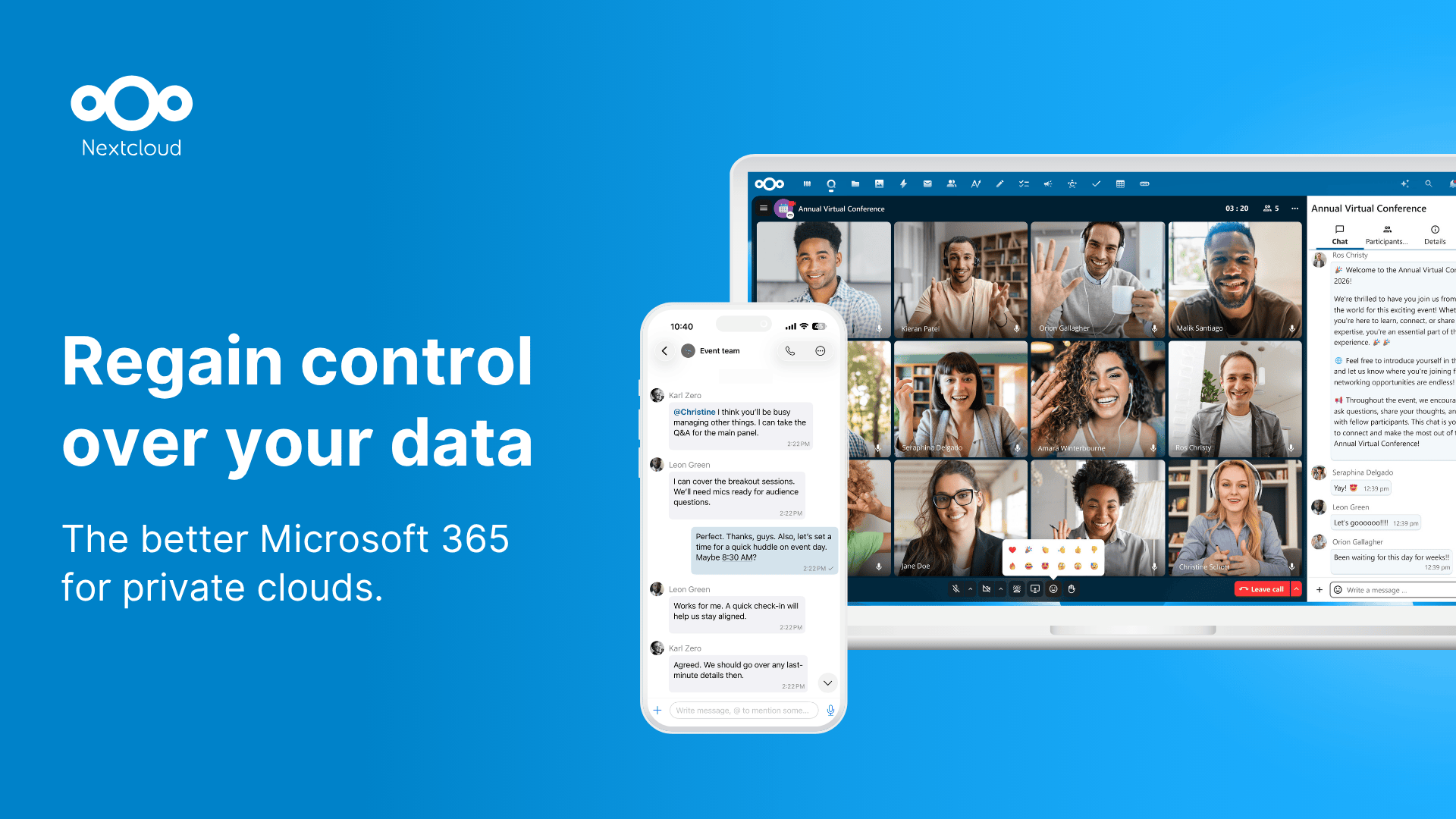
Nextcloud is an open-source content collaboration platform that organizations and individuals can host themselves. Its central promise, as the site puts it, is to "regain control over your data" — instead of renting space on someone else's cloud, you run the software on your own server (or pay a provider to run it for you) and keep the files, calendars, contacts and chat history under your own administration.
What it actually covers
Nextcloud Hub bundles several tools that are usually separate products:
- Files — sync and share, the Dropbox-like core.
- Talk — calls, chat and video conferencing.
- Groupware — calendar, contacts and mail.
- Office — real-time document editing, with options including Collabora Online and Thinkfree Office.
- Assistant — a private, locally run AI assistant.
- Flow — automation for routing and triggering tasks.
- Roundcube — on-premise webmail.
There are also Microsoft integrations for Outlook, SharePoint and Teams, so it can sit alongside an existing Microsoft estate rather than replacing it outright.
Who it suits
The site positions Nextcloud as "the better Microsoft 365 for private clouds," and its solution pages split audiences by need: enterprises, public sector, service providers, education, and a home tier for families and students. The dividing line is essentially whether you need someone accountable for uptime and compliance.
| Situation | Sensible starting point |
|---|---|
| You want files on your own hardware and can run a server | Self-hosted server download |
| You want the software without the server maintenance | A hosted provider account |
| You need support, SLAs and compliance paperwork | Nextcloud Enterprise plans |
| A university, agency or regulated team | The public sector or education solutions |
The trade-off to weigh
Self-hosting buys control and avoids per-seat lock-in, but you own patching, backups, storage and availability. That is a real operational cost, and it is the main reason the hosted-provider and Enterprise routes exist. If your team has no one to maintain a server, the control argument weakens considerably.
A reasonable next step: list the three things your current collaboration tool does that you could not live without — likely file sharing, calendar invites and document co-editing — then check those against the feature list and app store before deciding between self-hosting and a provider. For a fuller comparison against mainstream suites, the site's own comparison page and the Nextcloud documentation are the places to start.
How does Nextcloud compare to Microsoft 365 for private cloud deployments?
Nextcloud positions itself as a self-hosted alternative to Microsoft 365, with the tagline "Regain control over your data" and the claim of being "the better Microsoft 365 for private clouds." The core difference is deployment model: Nextcloud is designed to run on infrastructure you or your provider control, while Microsoft 365 is a Microsoft-operated cloud service. That distinction drives most of the practical trade-offs.
What Nextcloud actually covers
From the product lineup, Nextcloud Hub bundles several components that map onto common Microsoft 365 workloads:
- Files — file sync and share (comparable to OneDrive/SharePoint document storage)
- Talk — calls, chat and video conferencing (comparable to Teams)
- Groupware — calendar, contacts and mail (comparable to Outlook/Exchange)
- Office — real-time document collaboration, offered via Euro-Office, Collabora Online or Thinkfree Office rather than a Microsoft-authored suite
- Assistant — described as a private and local AI assistant
- Flow — automation for digital processes
It also lists Microsoft integrations for Outlook, SharePoint and Teams, so coexistence is part of the pitch rather than pure replacement.
Where the two diverge in practice
| Consideration | Nextcloud | Microsoft 365 |
|---|---|---|
| Where data lives | Your servers or a chosen provider | Microsoft cloud |
| Control over upgrades and configuration | High — you set the schedule | Low — Microsoft sets the schedule |
| Office document fidelity | Depends on the chosen office backend | Native Microsoft formats |
| Ecosystem breadth | Open-source app store, hundreds of apps | Large commercial ecosystem |
| Operational burden | Yours (or your provider's) | Microsoft's |
The trade-off is straightforward: you gain control and lose convenience. Someone has to run the servers, patch them, back them up and handle scaling.
Who tends to benefit
A concrete scenario: a mid-sized organization with regulatory or data-residency obligations, or one that already runs private infrastructure, may find self-hosting attractive because data never leaves its own environment. Public sector, education and service-provider segments are explicitly addressed in Nextcloud's solutions pages, which suggests these are the intended audiences. A small team without IT staff, by contrast, may find the operational overhead hard to justify.
Next step
Before deciding, list the three Microsoft 365 features your team uses most, then check whether Nextcloud's equivalent covers them at the fidelity you need — document collaboration format compatibility is usually the sticking point. Nextcloud offers a free account at a provider, an instant trial, and a comparison page, which are sensible ways to test the experience before committing to self-hosting. Pricing for enterprise plans is published separately at Nextcloud.
How can I self-host Nextcloud on my own server?
Self-hosting Nextcloud means running the Nextcloud server software on hardware or a virtual server you control, then connecting to it through desktop and mobile apps or a browser. The official project positions this as a way to "regain control over your data," and it offers a server download specifically for self-hosting on your own server, alongside apps for Windows, macOS, Linux, Android and iOS.
What you actually need
- A machine that stays online: a home server, NAS, mini PC, or a VPS from a hosting provider.
- A domain or subdomain pointing at that machine, so apps and browsers can reach it reliably.
- HTTPS, normally via a reverse proxy with a free certificate.
- A database and PHP runtime, or a container setup that bundles them.
- Storage sized for your files plus room for versions, trash and database growth.
- A backup routine that covers both the database and the data directory.
Two common routes
| Route | Best for | Trade-off |
|---|---|---|
| Manual install on a Linux server | People who want to learn the stack and tune it | You handle PHP, database, web server, updates and security patches yourself |
| Container or appliance-style deployment | Home users and small teams who want it running quickly | Less control over individual components; you depend on the image maintainers |
A practical first setup
- Pick the host and install a supported Linux distribution.
- Install the web server, database and PHP, or deploy the container stack.
- Point your domain at the host and enable HTTPS through a reverse proxy.
- Run the installer, create the admin account, and set the data directory on your largest disk.
- Install the desktop and mobile clients and confirm sync works both ways.
- Configure automatic backups and test a restore before you trust it with important files.
Decisions worth making early
- Scale: A single home user with a few hundred gigabytes has very different needs from a team of fifty sharing calendars, chat and documents.
- Support: If this is for an organisation, the project offers an Enterprise edition aimed at mission-critical use, with plans and pricing listed separately. That is a support and compliance decision, not a requirement for running the software.
- Features beyond files: Sync and share is the core, but the platform also covers calls and chat, calendar, contacts and mail, real-time document editing, and automation, so decide which of those you want before sizing the server.
- Migration: If you are moving off another platform, the project publishes migration guidance, and it also documents integrations with Outlook, SharePoint and Teams for mixed environments.
If you are unsure where to start, the server download page and the administration documentation are the two most useful references, and the community forums are a reasonable place to ask about your specific hardware before you commit.
What are the pricing options and differences between Nextcloud Enterprise plans?
Nextcloud Enterprise is sold through a small set of plan tiers rather than one flat product, and the practical differences come down to scale, support level and which add-on components are included. The official plan and pricing page is Nextcloud Enterprise pricing.
What the plans are for
- Small teams and departments: the entry tier is aimed at organizations that want Nextcloud Hub features with vendor support but few users and limited compliance obligations.
- Larger enterprises: mid and upper tiers add higher user counts, more support contacts and faster response commitments, plus enterprise-only capabilities.
- Public sector and regulated organizations: a dedicated tier exists for government, healthcare and education buyers who need stricter compliance and procurement documentation.
- Service providers: a separate path covers hosting providers who resell Nextcloud to their own customers.
How the editions actually differ
| Dimension | Typical entry tier | Typical enterprise tier |
|---|---|---|
| User scale | Small, per-user licensing | Large, volume licensing |
| Support | Business-hours, limited contacts | 24/7 or extended hours, named contacts |
| Response time | Standard | Contractual SLA |
| Add-ons | Core Hub apps | Enterprise apps, automation, advanced auth |
| Compliance | Basic documentation | Audits, certifications, DPAs |
Exact figures and inclusions are set by Nextcloud and change between releases, so treat the table as a structure, not a quote.
A practical next step
Write down three numbers before you contact sales: your current user count, your expected count in three years, and the response time your organization genuinely needs. Those three answers usually decide the tier on their own. If you are a school or public body, ask specifically about the public sector and education editions rather than assuming the standard enterprise tier applies — the licensing and compliance terms differ.
For organizations that mainly want the software without a contract, the self-hosted server download and the free provider accounts are separate from Enterprise licensing, so compare those first if support is not a requirement.
How do I migrate from Microsoft 365 or other platforms to Nextcloud?
Nextcloud treats migration as a staged move, not a single cutover. The platform's own materials point to a dedicated migration path and to Microsoft integrations for Outlook, SharePoint and Teams, which is the practical starting point: you can keep parts of Microsoft 365 running while you move files, calendars, contacts and mail into Nextcloud, then retire the old service once the new one holds up.
What actually has to move
Think in four buckets rather than "everything at once":
- Files and shared drives — usually the largest and most disruptive item. Move a pilot group first so you can test permissions and sharing behaviour before touching the whole organisation.
- Mail, calendars and contacts — Nextcloud Groupware covers these, and Roundcube is offered for on-premise webmail. Mail migration tends to be the fiddliest part, so schedule it separately from file moves.
- Chat and meetings — Nextcloud Talk replaces the messaging and video layer. This is usually the easiest to switch because it is a behaviour change rather than a data migration.
- Documents and real-time editing — Nextcloud Office provides collaborative editing, with Euro-Office, Collabora Online and Thinkfree Office named as options. Test your most complex spreadsheets and macros here; that is where office-suite swaps most often stumble.
A workable sequence
- Decide where Nextcloud will run — your own server, or an account with a provider. Nextcloud's download page covers self-hosting; the sign-up route suits smaller teams that do not want to run infrastructure.
- Set up accounts and groups to mirror your existing structure, so permissions map cleanly.
- Migrate a single department's files, mail and calendars. Run both systems in parallel for a few weeks.
- Move remaining groups in waves, keeping the old platform read-only for a period rather than deleting it immediately.
- Only then switch off Microsoft 365 licences.
Trade-offs to weigh honestly
Self-hosting gives you control over where data lives, which is the appeal for regulated or privacy-sensitive organisations. The cost is that you — or a partner — own updates, backups, storage capacity and availability. A hosted Nextcloud account removes that operational load but hands some control back to the provider, so check where the data physically sits.
The other real trade-off is familiarity. Staff who live in Outlook and Teams will notice the change, particularly around deep Microsoft-specific workflows. Nextcloud's stated Microsoft integrations soften this, but they are a bridge, not a guarantee that every add-in and macro survives.
Who this suits
Nextcloud's own positioning — public sector, enterprises, service providers, education, plus a home tier for families and students — suggests the fit depends less on size than on whether data sovereignty or cost predictability matters more than staying inside the Microsoft ecosystem. A school or public body with a compliance mandate is a natural fit. A small business whose entire workflow is built on Microsoft-specific tooling should pilot carefully before committing.
Next step
Start with one team and one workload — files are the usual choice — and run it in parallel for a month. If sharing, permissions and document editing hold up under real use, expand. If they do not, you have learned it cheaply.
For comparison purposes, Microsoft 365 is the incumbent you are measuring against, and Collabora Online is one of the document-editing components Nextcloud lists. Nextcloud's own migration and pricing pages, linked from Nextcloud, are the place to confirm current options and enterprise plan details.
Which Nextcloud apps and integrations are available for file sync, chat, groupware, and office collaboration?
Nextcloud bundles four core apps that cover those four jobs, plus an integration layer for Microsoft tools. From the product's own navigation, the lineup is: Nextcloud Files (file sync and share), Nextcloud Talk (calls, chat, video conferencing), Nextcloud Groupware (calendar, contacts and mail), and Nextcloud Office (real-time document collaboration, offered via Collabora Online, Euro-Office and Thinkfree Office). Roundcube is listed as its on-premise webmail option, and Nextcloud Assistant as a private, local AI assistant.
What each app actually does for you
- Nextcloud Files — the sync-and-share base: desktop and mobile clients for Windows, macOS, Linux, Android and iOS, with the server self-hosted or supplied by a provider. This is the piece that replaces a consumer cloud drive.
- Nextcloud Talk — meetings, calls and persistent chat inside the same account, so a discussion about a file stays next to the file rather than in a separate tool.
- Nextcloud Groupware — calendar, contacts and mail, aimed at replacing an Exchange-style personal information manager for a team.
- Nextcloud Office — collaborative editing in the browser. Because it is powered by third-party engines (Collabora Online, Euro-Office, Thinkfree Office), document fidelity and feature depth depend on which engine you deploy.
- Nextcloud Flow — automation across the other apps, e.g. triggering actions when files land in a folder.
Integrations
The Microsoft integrations listed are Outlook, SharePoint and Teams, which matters if you are migrating gradually: Outlook users can keep their client while calendar and files move to Nextcloud. The App Store adds hundreds of third-party apps, so anything missing from the core four is likely to exist as an add-on rather than a built-in.
Trade-offs to weigh
| Need | Native fit | Watch out for |
|---|---|---|
| File sync across many OSes | Strong — first-party clients everywhere | Client rollout and storage planning are on you |
| Chat and video | Good, integrated with files | Evaluate meeting scale and recording needs against a dedicated conferencing tool |
| Mail, calendar, contacts | Covered by Groupware | Migration from Exchange or Google Workspace is the real work |
| Office editing | Available, engine-dependent | Formatting edge cases in complex documents |
| Microsoft coexistence | Outlook, SharePoint, Teams integrations | Integration is not the same as full feature parity |
Practical next step: pick your single most painful current workflow — say, a shared spreadsheet edited by five people — and pilot only the apps that touch it (Files + Office), rather than switching all four at once. For organizational deployments, Nextcloud documents Enterprise plans, migration guidance and public-sector, education and service-provider variants, which is where you would confirm support terms. If your team lives in Microsoft 365 today, test the Outlook and Teams integrations before committing, since that determines whether you run a hybrid or a clean cutover.
 Hosting and Email
 Hosting
 Hetzner Online GmbH
 Location
 Helsinki, Uusimaa, Finland
 Pages, Search and Sharing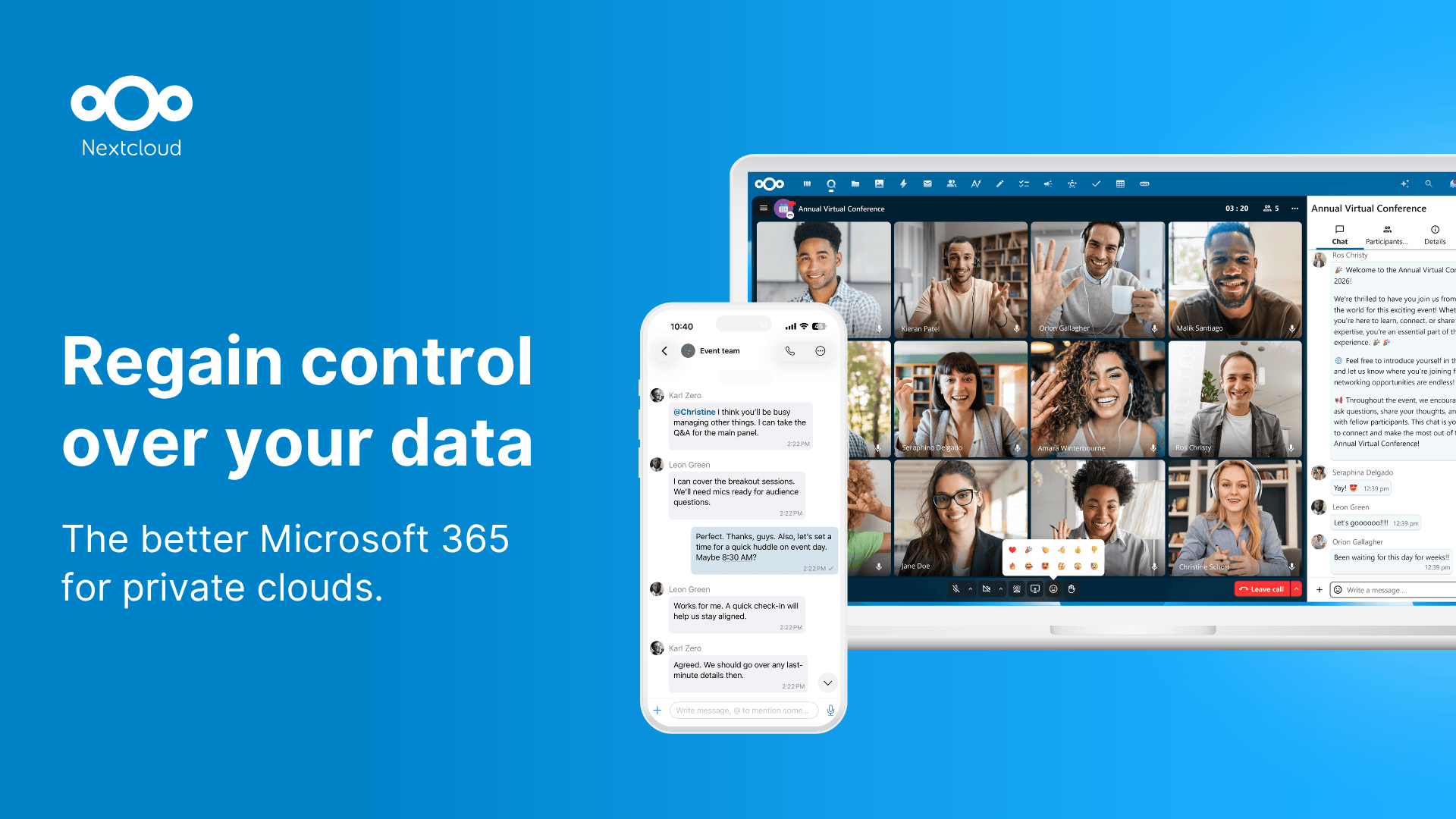



 All bots
 Registration details

 Identified technologies
User reviews (0)