Website profiles · Technology insights · Alternatives

nomic.ai

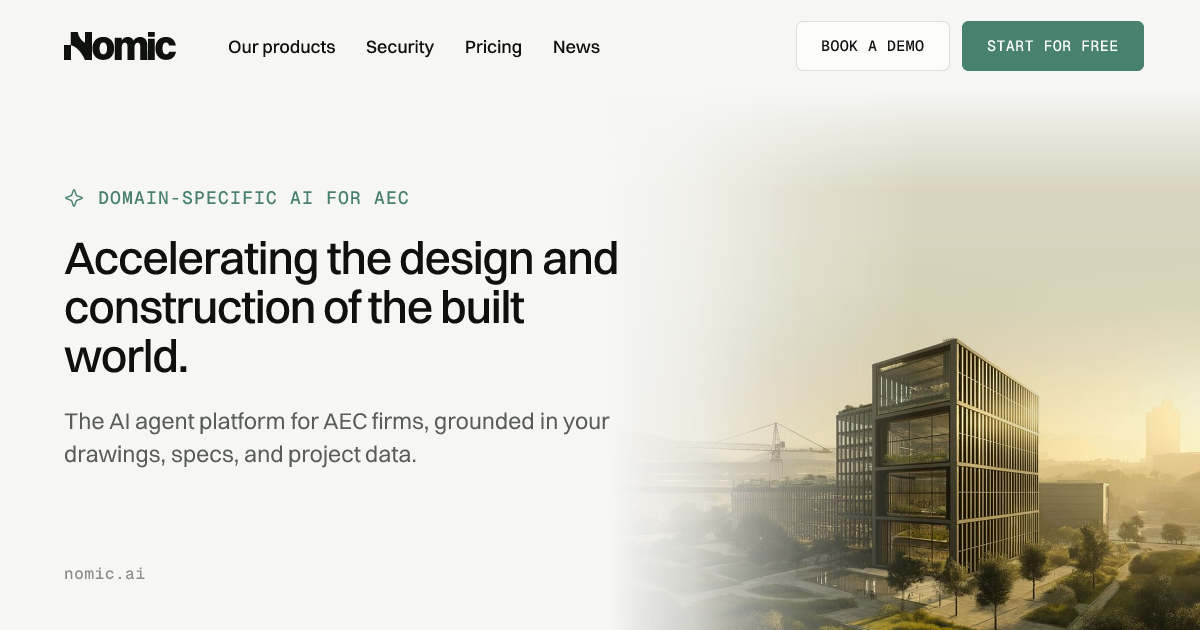
Accelerating the design and construction of the built world. Nomic is the AI agent platform for AEC firms, grounded in your drawings, specs, and project data.

Paid content
Visit website
Profile views 0 Outbound visits 0 Normal
Nomic Full homepage screenshot

At a glance

Category
Artificial Intelligence
Language
English
Paid-content signal
Paid contentObserved
Registered
2021
Hosting
VercelInferred
HTTPS certificate trusted
PassedObserved
Last updated

Website review

This review may include AI-generated content and is not individually verified. Domain, certificate and other facts come from the observed data on this page.

What is Nomic?

Nomic is a domain-specific AI platform for architecture, engineering and construction (AEC) firms. Rather than a general-purpose chatbot, it is positioned as an agent platform grounded in a firm's own drawings, specifications, RFIs, submittals and project systems, so its answers can be traced back to source documents.

What it actually does

The platform targets work where generic AI struggles: 400-sheet drawing sets, scanned PDFs, tables, title blocks and markups. Its parsing layer reads and structures these multimodal files, then connects them so agents can reason across them. The out-of-the-box agents cover drawing review, submittal review, RFI research, code checks and project knowledge search. An Agent API serves internal AI teams that want to build custom agents over the same data—parsing drawings, extracting structured fields and orchestrating workflows.

Who it suits

Reader Fit
AEC firm wanting off-the-shelf review and research agents Strong: prebuilt agents map to common coordination tasks
Internal engineering/AI team building custom agents Strong: Agent API and models for complex AEC data
Firm whose knowledge sits in Autodesk, SharePoint, Box, Egnyte, email and local drives Relevant: it integrates with existing systems rather than requiring migration
Someone needing a general writing or coding assistant Poor fit: the value is domain grounding, not breadth

The trade-off to weigh

The core promise is trust through citations and source grounding, which matters when a wrong answer on a spec or code check carries real cost. The counterweight is integration and data-access effort: agents are only as good as the drawings, specs and systems you connect. A firm with fragmented, inconsistently named files will see less immediate value than one with reasonably organized project data.

A practical next step: pick one high-volume, low-ambiguity workflow—submittal review is a common starting point—and test whether the agent's citations hold up against your own reviewers' conclusions before expanding. For a general-purpose comparison point on document AI, see OpenAI.

How does Nomic improve accuracy on large AEC documents like drawings and specs?

Nomic improves accuracy on large AEC documents by parsing and structuring them before any AI reasoning happens. According to the site, its domain-specific models and Agent API are designed to read, structure, and index complex AEC data such as 200-page drawing sets and 800-page specifications, extracting details that general foundation models miss. Nomic frames this as turning visual files into reliable, searchable knowledge rather than relying on generic AI that fails on 400-sheet drawing sets, scanned PDFs, and project-specific context.

The second accuracy mechanism is source grounding. Nomic's platform emphasizes citations and source grounding so answers can be traced back to the drawings, specs, and project systems they came from, instead of requiring every answer to be rechecked manually. Out-of-the-box agents for drawing review, submittal review, RFI research, code checks, and project knowledge search are all grounded in a firm's own drawings, specs, and systems.

The third is multimodal handling. AEC data is fragmented across drawings, tables, markups, title blocks, and specifications, and Nomic's approach is to parse, connect, and reason over these together rather than treating each file type in isolation. It also integrates with systems like Autodesk, SharePoint, and Box so agents work with institutional knowledge where it already lives.

What this means in practice

For an architect or engineer searching an 800-page specification for a fire-rating requirement, the difference is between an answer that cites the exact section and one that cannot be verified. A practical test when evaluating any AEC AI tool: ask it to locate a detail buried in a scanned drawing set and show its source. If it cannot cite the sheet or section, the accuracy claim does not hold up on real project data.

Nomic offers a free start and a demo option, and publishes pricing at Nomic.

Can Nomic integrate with existing systems like Autodesk, SharePoint, and Box without moving data?

Nomic is designed to connect to those systems rather than require you to migrate everything first. Its page states that it integrates with existing systems including Autodesk, SharePoint, Box, and more, so agents can work with institutional knowledge where it already lives.

What that means in practice

  • Autodesk — useful if your drawings, models or project files sit in Autodesk construction or design environments; the agent can reference that project context instead of relying on a separate copy.
  • SharePoint — relevant for firms whose standards, specs, RFIs and lessons learned live in Microsoft document libraries.
  • Box — relevant when external teams or consultants share documents through Box folders.

The intended benefit is avoiding a full document migration before you get value: you keep source systems as the record, while Nomic parses, structures and indexes complex AEC data — drawings, specs, scanned PDFs, tables and markups — so agents can search and reason over it.

Where to check before committing

"Without moving data" is the promise, but integration depth varies by system. Ask these questions in a demo:

  1. Does the connector read files in place, or sync a copy into Nomic's index?
  2. How are permissions and access controls inherited from SharePoint, Box or Autodesk?
  3. What happens when a drawing is revised — is the index refreshed automatically?
  4. Which file types and sheet counts are supported for parse and extraction?

Nomic's page positions this for AEC firms with large drawing sets and specifications, and notes Autodesk, SharePoint and Box specifically. For a concrete test, pick one live project with a 200-plus-sheet drawing set and an active RFI log, then ask Nomic to answer a project-specific question with citations back to the source file in its original system. That single test will tell you more about integration fit than a feature list.

What out-of-the-box AI agents does Nomic offer for AEC workflows such as drawing review and RFI research?

Nomic offers a set of prebuilt agents aimed at common architecture, engineering, and construction workflows, including drawing review, submittal review, RFI research, code checks, and project knowledge search. These agents are grounded in a firm's own drawings, specifications, and connected project systems, so answers can be traced back to source documents rather than generated from general knowledge alone.

What each agent is for

  • Drawing review: Reads and structures large drawing sets—Nomic says it handles sets from roughly 200-page drawings up to 800-page specifications—then supports comparison and verification tasks across sheets.
  • Submittal review: Helps check submittals against project requirements and prior decisions, reducing manual cross-referencing.
  • RFI research: Searches project knowledge to surface relevant past RFIs, responses, and context, so teams can answer new questions consistently.
  • Code checks: Supports checking designs or documentation against code-related criteria, using the project's own documents as grounding.
  • Project knowledge search: Connects information trapped in SharePoint, Autodesk Construction Cloud, Egnyte, email, PDFs, and local drives, so it can be queried in one place.

Who this fits

These out-of-the-box agents suit AEC firms that want immediate value without building custom AI from scratch—particularly teams drowning in RFIs, submittals, and drawing sets. Firms with internal AI teams that need more control can use the Agent API to parse drawings, extract structured data, embed multimodal files, and orchestrate custom workflows.

A practical next step

If you are evaluating Nomic, pick one high-friction workflow—such as submittal review on a current project—and test whether the agent cites the exact drawing, spec section, or prior RFI it used. That citation check is the fastest way to judge whether it will reduce rechecking, which is the main trade-off with generic AI tools. Nomic's page also notes integration with Autodesk, SharePoint, and Box, so confirm your document sources are supported before committing.

How can in-house AI teams use Nomic's Agent API to build custom agents over AEC data?

In-house AI teams use Nomic's Agent API as a build layer rather than a finished app. Instead of adopting an out-of-the-box agent for drawing review or RFI search, they get programmatic access to AEC-specific parsing and retrieval capabilities, then wire those into their own orchestration, interfaces and governance.

What the API exposes

According to the site, the Agent API provides APIs and models for internal teams building custom agents over complex AEC data. The stated capabilities are:

  • Parsing drawings
  • Extracting structured data
  • Embedding multimodal files
  • Orchestrating trusted workflows

The emphasis on "multimodal" matters in AEC. A single project package mixes vector drawings, scanned PDFs, tables, title blocks, markups and written specifications. A general-purpose model asked to read a 400-sheet set tends to lose precision or invent detail. Nomic's positioning is that its domain-specific models extract details foundation models miss, turning visual files into searchable, structured knowledge, with citations and source grounding.

A realistic build pattern

A typical internal team would treat the API as the ingestion and reasoning substrate, and keep the agent logic, permissions and UI in-house:

  1. Connect source systems so files flow in without relocation — the platform cites integrations with Autodesk, SharePoint, Box and others, so agents work against institutional knowledge where it already lives.
  2. Parse and index drawings, specs and submittals into structured, embedded representations.
  3. Layer your own retrieval and rules on top — code checks, firm standards, project-specific conventions.
  4. Expose results through your existing tools, with citations back to the source sheet or clause so reviewers can verify rather than re-check everything.

Where it fits versus out-of-the-box agents

Approach Best for Trade-off
Nomic Platform agents Fast coverage of common workflows: drawing review, submittal review, RFI research, code checks, project knowledge search Less control over behaviour and interface
Agent API Teams with existing AI engineering capacity and firm-specific workflows You own orchestration, evaluation and maintenance

Choose the API when your differentiator is proprietary — your standards, your QA process, your project taxonomy — and off-the-shelf agents would force you into someone else's assumptions. Choose the platform agents when speed to value matters more than customisation.

Practical next step

Pick one narrow, high-volume task with a measurable baseline — say, first-pass submittal review against a spec section. Build a small evaluation set of real project documents, run the API against it, and measure extraction accuracy and citation quality before scaling. The site cites roughly 20,000 engineering hours saved per year through faster information gathering, which is the kind of outcome worth testing against your own baseline rather than assuming.

For teams weighing the broader AEC AI landscape, Autodesk and Procore cover project delivery and construction management, while Nomic targets the document-and-drawing reasoning layer that sits underneath those systems.

What pricing plans does Nomic offer for AEC firms?

Nomic does not publish specific plan tiers or prices on the page content supplied here; it points to a pricing page at Nomic and offers a "Start for free" option alongside "Book a Demo." That combination usually signals a free entry point for evaluation and a sales-led path for firm-wide deployment, but the actual plan names, seat rules and costs are not stated in the evidence available.

What to check on the pricing page

  • Whether pricing is per seat, per project, or based on document/processing volume — AEC usage often scales with drawing sets and spec pages rather than headcount.
  • What the free tier includes: number of users, storage or connected systems, and whether out-of-the-box agents like drawing review or submittal review are available without a paid plan.
  • Whether the Agent API is billed separately from the platform agents, since internal AI teams building custom agents may need different terms.
  • Integration limits — the platform connects to systems such as Autodesk, SharePoint and Box, and connectors are sometimes gated by tier.
  • Security, data residency and admin controls, which enterprise AEC buyers typically need before rolling out across project teams.

A practical next step

If you are evaluating for a mid-size architecture or engineering firm, request a demo using one real project — a large drawing set, a spec package and a few RFIs — and ask for a written quote covering a pilot team plus a path to firm-wide rollout. That gives you comparable numbers instead of list-price guesses, and it tests whether Nomic's grounding and citation behaviour holds up on your own documents.

Related questions

More questions →
How Is AI Used in Architecture? Practical Applications for Drawings, Specs, and Project Data

AI is used in architecture today mainly to read, connect, and reason over project documents that general-purpose tools cannot handle reliably: multi-hundred-sheet drawing sets, scanned PDFs, specifications, RFIs, submittals, and the project systems where those files live. Domain-specific platforms such as Nomic are built for this, grounding answers in your drawings, specs, and project data so results can be traced back to a source. This matters most for firms doing drawing review, submittal review, RFI research, code checks, and project knowledge search at scale — and less so for one-off questions a general chatbot can answer from public knowledge.

What AI actually does in an architecture workflow

The practical applications cluster around document-heavy coordination work, not design generation.

  • Drawing review and comparison — reading large drawing sets, comparing revisions, and flagging changes or inconsistencies across sheets.
  • Submittal review — checking submittals against specs and project requirements.
  • RFI research — finding prior decisions, standards, and project context buried across past correspondence and files.
  • Code checks — verifying project data against applicable requirements.
  • Project knowledge search — retrieving answers from decades of decisions, standards, and lessons learned.

Nomic describes these as out-of-the-box agents for high-value AEC workflows, grounded in your drawings, specs, and systems. The common thread is that each task depends on project-specific context, not general knowledge.

Why generic AI struggles with AEC data

The failure modes are specific and worth understanding before you evaluate any tool.

Scale. A 400-sheet drawing set or an 800-page specification exceeds what general tools handle reliably. Nomic states its Parse capability reads, structures, and indexes complex AEC data from 200-page drawings to 800-page specs.

Format. AEC data is multimodal and fragmented — drawings, tables, markups, title blocks, and specifications. These need to be parsed, connected, and reasoned over together, not treated as plain text.

Trust. Without citations and source grounding, every answer has to be rechecked manually, which erases the time savings. Nomic frames this as generic AI giving "answers you can't trust" on scanned PDFs and project-specific context.

Fragmentation. Knowledge is spread across SharePoint, Autodesk Construction Cloud (ACC), Egnyte, email, PDFs, and local drives. An AI that only sees one of those sources gives an incomplete answer.

How domain-specific models handle drawings and specs

The mechanism, as Nomic describes it, has three parts:

  1. Parse — read and structure complex AEC data, including visual files, with precision.
  2. Extract and embed — pull structured data out and embed multimodal files so they become searchable knowledge.
  3. Orchestrate — run trusted workflows over that indexed data, from review and comparison to research, drafting, markups, and verification.

The Agent API is aimed at in-house AI teams building custom agents over complex AEC data, rather than firms using only prebuilt agents.

Source grounding: the difference between useful and unusable

For design and coordination decisions, an answer without a citation is a liability. Grounding means the agent points back to the drawing, spec section, or project file it drew from, so a reviewer can verify rather than re-research. When evaluating tools, treat citation and source-grounding behavior as a primary requirement, not a feature.

Integration without moving your data

Nomic states it integrates with existing systems — including Autodesk, SharePoint, and Box — so agents work with institutional knowledge where it already lives. For firms with established document control and security practices, "operationalize knowledge without moving it" is the relevant claim to test: ask any vendor exactly which systems are supported, what permissions are respected, and what is copied versus read in place.

What to look for when evaluating AI for an architecture firm

Dimension What to check
Document scale Handles your largest drawing sets and spec volumes, not just demos
Format coverage Scanned PDFs, tables, markups, title blocks, specifications
Grounding Citations back to source files on every answer
Workflow fit Prebuilt agents for drawing review, submittal review, RFI research, code checks, knowledge search
Integration Works with your existing systems (Autodesk, SharePoint, Box, etc.) without moving data
Extensibility APIs/models if you have an internal AI team building custom agents
Proof Named production references and measurable outcomes

On outcomes, Nomic cites roughly 20,000 hours saved per year from faster information gathering by engineers, and names Arcadis as a customer. Treat vendor-reported figures as claims to validate against your own pilot.

Getting started

Nomic offers a free start and a demo booking path, with pricing listed separately at nomic.ai/pricing. A sensible evaluation sequence: pick one high-volume workflow (drawing review or submittal review), run it against a real project's documents, and check whether answers are correctly grounded and verifiable before expanding.

What Is AI for Construction? How Domain-Specific AI Handles Drawings, Specs, and Project Data

AI for construction is a domain-specific platform that turns drawings, specifications, RFIs, submittals, and project systems into trusted agents that do real coordination work — drawing review, submittal review, RFI research, code checks, and project knowledge search. It differs from generic AI in three ways that matter: it parses multimodal AEC data (drawings, tables, markups, title blocks, specs) together rather than treating them as plain text; it grounds every answer in citations back to source documents; and it works with institutional knowledge where it already lives (Autodesk, SharePoint, Box, and similar systems) instead of requiring a migration. This matters most for firms whose knowledge is trapped in 200-page drawing sets and 800-page specs that general tools cannot reliably read.

Why Generic AI Fails on Construction Documents

Generic AI tools fail on AEC work for reasons that are structural, not incidental:

  • Scale. A 400-sheet drawing set or an 800-page specification exceeds what general-purpose models handle reliably. Nomic states its Parse capability reads, structures, and indexes complex AEC data "from 200-page drawings to 800-page specs."
  • Format. Scanned PDFs, drawings, tables, markups, and title blocks are visual and multimodal. Foundation models miss details in these formats because they were not built to reason over them.
  • Context. AEC data is fragmented and highly contextual. A single answer may depend on a title block, a spec section, a markup, and a prior RFI — connected across systems.
  • Trust. Without citations and source grounding, every answer has to be rechecked manually, which erases the time savings.

The practical consequence: expertise gets lost. Decades of decisions, standards, lessons learned, and project context sit buried across SharePoint, ACC, Egnyte, email, PDFs, and local drives, and generic tools cannot reach it in a usable form.

How Domain-Specific AI Handles Drawings, Specs, and Project Data

The mechanism is a pipeline: parse, connect, reason, and cite.

  1. Parse. Domain-specific models read visual files — drawings, scanned PDFs, tables, markups, title blocks, specifications — and convert them into structured, searchable knowledge. Nomic describes this as turning visual files into reliable, searchable knowledge that foundation models miss.
  2. Connect. Parsed elements are linked so that a drawing detail, its spec section, and related project context can be reasoned over together rather than in isolation.
  3. Reason. Agents operate over the connected data to perform coordination work: review and comparison, research, drafting, markups, and verification.
  4. Ground. Answers carry citations back to source documents, so a reviewer can verify rather than re-derive.

The result is agents that do real coordination work instead of producing plausible text that still needs full manual checking.

High-Value Workflows AI Agents Support

Nomic lists out-of-the-box agents for these AEC workflows:

Workflow What the agent does
Drawing review Reads and reviews drawing sets grounded in project documents
Submittal review Reviews submittals against specs and project context
RFI research Researches prior RFIs and project knowledge to answer new ones
Code checks Checks against code requirements using project data
Project knowledge search Searches institutional knowledge across connected systems

For firms with internal AI teams, the Agent API supports custom agents over complex AEC data: parsing drawings, extracting structured data, embedding multimodal files, and orchestrating trusted workflows.

Integrating Without Moving Institutional Knowledge

A common blocker for AEC AI adoption is the assumption that data must be migrated into a new system first. Nomic's approach is the opposite: it integrates with existing systems — including Autodesk, SharePoint, and Box — so agents work with institutional knowledge where it already lives. That shortens the path to value and avoids duplicating or destabilizing existing document control.

What to Look For When Evaluating Construction AI

Use these as evaluation criteria, and ask vendors to demonstrate each on your own documents:

  • Accuracy on large documents. Test on a real 200-page drawing set and an 800-page spec, not a demo PDF. Nomic cites ~20,000 hours saved per year from faster information gathering by engineers as a reported outcome.
  • Citation-backed answers. Every answer should trace to a source location you can open and verify.
  • Multimodal parsing. Confirm the tool handles scanned PDFs, tables, markups, and title blocks — not just clean text.
  • Integration with your stack. Check support for the systems you actually use (Autodesk, SharePoint, Box, and others).
  • Workflow coverage. Match out-of-the-box agents to your highest-volume workflows (drawing review, submittal review, RFI research, code checks, knowledge search).
  • Extensibility. If you have an internal AI team, verify API access for parsing, structured extraction, multimodal embedding, and workflow orchestration.

Nomic offers a free start and a demo booking; pricing details are available on its pricing page.

What Is AI for Engineering? How Domain-Specific AI Handles Drawings, Specs, and Project Data

AI for engineering, in the AEC context, is a domain-specific agent platform that reads, structures, and reasons over your drawings, specs, RFIs, submittals, and project systems to produce cited, source-grounded answers. It is not a general chatbot with an engineering prompt. The distinction matters because generic AI fails on the actual shape of engineering data: 400-sheet drawing sets, scanned PDFs, tables, markups, title blocks, and specifications that only make sense when connected together. If your goal is faster drawing review, submittal review, RFI research, or code checks grounded in your own project record, this category applies. If you need a general writing assistant, it does not.

Why generic AI breaks on engineering data

Engineering knowledge is trapped in formats general models cannot reliably use. Three failure modes show up repeatedly:

  • Answers you can't trust. Without citations and source grounding, every answer has to be rechecked, which erases the time saved. On a 400-sheet set, an unverified answer is worse than no answer.
  • Data it can't read. Drawings, scanned PDFs, specs, tables, markups, and title blocks are multimodal and fragmented. A foundation model that treats a drawing as an image misses the structured detail inside it.
  • Context it doesn't have. Decades of decisions, standards, lessons learned, and project context sit across SharePoint, Autodesk Construction Cloud (ACC), Egnyte, email, PDFs, and local drives. A model without access to that context answers generically.

The practical consequence: engineers spend their time re-finding information instead of using it. Nomic cites roughly 20,000 hours saved per year across engineers due to faster information gathering — a useful benchmark for what "grounded retrieval" is worth at firm scale.

How domain-specific AI handles drawings and specs

The mechanism is a pipeline, not a single model call. Understanding it tells you what to expect and where things can go wrong.

  1. Parse. The system reads complex AEC documents — from 200-page drawing sets to 800-page specifications — and extracts structure: sheets, tables, title blocks, markups, and text. Scanned PDFs are handled as a first-class case, not an exception.
  2. Structure and index. Extracted content is organized so it can be searched and reasoned over, turning visual files into reliable, searchable knowledge rather than a pile of pixels.
  3. Ground and cite. Answers are tied back to the source document, so a reviewer can verify the claim against the drawing or spec it came from.
  4. Orchestrate. Agents run multi-step workflows — review, comparison, research, drafting, markups, verification — over the indexed data.

The key difference from generic AI is step 1 and step 3 together: domain-specific models extract details foundation models miss, and citations make the output checkable. One without the other doesn't hold up in production.

What engineering workflows this actually supports

Out-of-the-box agents target high-value AEC workflows rather than open-ended chat:

Workflow What the agent does
Drawing review Reads and checks drawing sets against project context
Submittal review Processes submittals and compares against specs
RFI research Searches project knowledge to answer or draft RFIs
Code checks Verifies against referenced standards and specs
Project knowledge search Retrieves answers from drawings, specs, and systems

For firms with internal AI teams, the Agent API exposes the underlying capabilities: parse drawings, extract structured data, embed multimodal files, and orchestrate custom workflows over complex AEC data. That is the path when out-of-the-box agents don't match your process.

Where your data lives — and why that matters

A recurring objection to AI in engineering is "we can't move our institutional knowledge." Nomic integrates with existing systems — including Autodesk, SharePoint, and Box — so agents work with knowledge where it already lives rather than requiring a migration first. This is the condition that makes adoption realistic for firms with years of project data spread across platforms.

How to decide if this fits

Choose a domain-specific AEC AI platform when:

  • Your bottleneck is finding and verifying information across drawings, specs, and project systems.
  • You need cited answers because unverified output creates rework.
  • Your documents are large, scanned, or multimodal enough that generic tools fail.
  • You want agents that do coordination work (review, comparison, research, drafting, verification), not just conversation.

Stay with general AI tools when your task is drafting prose, summarizing a short document, or brainstorming — cases where grounding in a 400-sheet set isn't the point.

For pricing and access terms, check the vendor's pricing page directly; the source material does not specify plan details or login requirements. Nomic offers a free start and a demo booking path, which is the practical way to test whether its parsing and citation behavior holds up on your own drawing sets before committing.

What Is Document AI? How It Parses, Structures, and Extracts Data from Complex Documents

Document AI is the set of models and pipelines that turn unstructured documents—PDFs, scans, drawings, specs, forms—into structured, searchable, and machine-reasonable data. It matters most when documents are long, visual, or fragmented enough that general-purpose AI can't reliably read them. If your documents are short, clean, and text-only, a general LLM may be sufficient; if they run to hundreds of pages, mix tables and drawings, or arrive as scans, you need document AI built for that structure.

The Core Idea: From Files to Structured Knowledge

A document is not a single stream of text. It has layout, hierarchy, tables, figures, headers, and cross-references. Document AI treats these as first-class signals rather than noise.

The goal is a representation you can query, extract from, and reason over—not just a text dump. That usually means:

  • Parsing the page into regions (text blocks, tables, figures, title blocks)
  • Structuring those regions into a hierarchy (section → subsection → table → row)
  • Extracting specific fields or entities (dates, part numbers, spec values, revision marks)
  • Indexing and linking so related content across documents can be retrieved together

How Document AI Processes a Complex Document

The pipeline below is the general shape. Specific products vary, but the stages are consistent.

1. Ingestion and layout parsing

The system reads the file and identifies what is where. For a scanned PDF, this includes OCR. For a drawing set, it means detecting sheets, title blocks, and annotation regions rather than treating the page as prose.

Input: a raw file (PDF, scan, drawing set). Action: segment the page into meaningful regions. Expected result: a layout map that preserves position and reading order.

2. Table and figure recognition

Tables are where most extraction value lives—and where naive text extraction fails. Document AI reconstructs rows, columns, and merged cells so a table becomes a queryable object, not a jumble of characters.

3. Field and entity extraction

Here the system pulls the specific values you care about: a spec section number, a submittal status, a revision date, a quantity. Extraction can be rule-based, model-based, or a mix.

4. Indexing and cross-document linking

Extracted content is embedded and indexed so that a query can retrieve the right passage across many documents—and, importantly, cite where it came from.

5. Reasoning and verification

The final layer answers questions or performs comparisons, grounded in the retrieved source. Citations and source grounding are what make the output checkable rather than something you have to re-verify from scratch.

Why General LLMs Struggle Here

The difference is not intelligence—it's grounding and structure. General models tend to fail on:

Challenge Why general AI struggles What document AI does differently
Long documents (hundreds of pages) Context limits and loss of detail Parses and indexes the full document, retrieves relevant sections
Scanned PDFs No reliable text layer OCR plus layout reconstruction
Drawings and visual sets Text-only assumptions Detects sheets, title blocks, annotations
Tables Flattened into unusable text Reconstructs rows, columns, cells
Traceability Answers without sources Citations tied to the source passage

As Nomic puts it, generic AI tools "fail on 400-sheet drawing sets, scanned PDFs, specs, and project-specific context," and "without citations and source grounding, every answer needs to be rechecked." That rechecking cost is the real problem document AI is meant to remove.

Typical Applications

  • Document review — checking drawings, submittals, or specs against requirements
  • Information retrieval — finding the right clause or detail across a project archive
  • Field extraction — pulling structured values from forms, tables, and title blocks
  • Cross-document comparison — spotting differences between revisions or between spec and drawing

In AEC specifically, Nomic describes out-of-the-box agents for drawing review, submittal review, RFI research, code checks, and project knowledge search, grounded in drawings, specs, and project systems. It also reports roughly 20,000 hours saved per year from faster information gathering by engineers—a useful signal of where the value concentrates: retrieval and review, not generation.

What to Evaluate Before Adopting

Accuracy claims are easy; verification is the hard part. When assessing any document AI, check:

  1. Source grounding — does every answer cite the passage it came from?
  2. Large-document performance — does it hold up on 200-page drawings or 800-page specs, not just a demo PDF?
  3. Multimodal handling — can it reason over tables, drawings, and text together?
  4. Integration — does it work with where your documents already live (e.g., Autodesk, SharePoint, Box)?
  5. Extraction precision — test on your own worst-case document, not the vendor's sample.

Nomic's own framing is that AEC data is "multimodal, fragmented, and highly contextual," and that drawings, tables, markups, title blocks, and specifications "need to be parsed, connected, and reasoned over together." That is a fair description of the general bar for document AI in any document-heavy field.

The Short Version

Document AI converts complex documents into structured, searchable, citable knowledge. Use it when your documents are long, visual, scanned, or table-heavy—and when you need to trust the output without re-reading the source every time. For short, clean, text-only files, a general model is usually enough.

What Is AI for AEC? How Domain-Specific AI Agents Handle Drawings, Specs, and Project Data

AI for AEC is the use of AI agents built specifically for architecture, engineering, and construction firms to work over project data — drawings, specs, RFIs, submittals, and project systems — rather than general-purpose text. It applies when your firm's knowledge is spread across large, multimodal documents and disconnected platforms, and you need answers that are grounded in sources you can verify. Nomic, for example, describes itself as a domain-specific AI agent platform for AEC firms, grounded in your drawings, specs, and project data.

Why generic AI fails on AEC data

AEC data is multimodal, fragmented, and highly contextual. Nomic's site lays out three failure modes that explain why general AI tools don't reliably work here:

  • Expertise is lost. Decades of decisions, standards, lessons learned, and project context are buried across SharePoint, ACC, Egnyte, email, PDFs, and local drives.
  • Answers can't be trusted. Generic tools fail on 400-sheet drawing sets, scanned PDFs, specs, and project-specific context. Without citations and source grounding, every answer has to be rechecked.
  • The data isn't understood. Drawings, tables, markups, title blocks, and specifications need to be parsed, connected, and reasoned over together — not treated as plain text.

The practical consequence: a general model can summarize a document, but it can't reliably tell you which sheet, spec section, or RFI a conclusion came from.

What AEC AI agents actually do

Nomic frames its agents around high-value AEC workflows rather than open-ended chat. Out-of-the-box agents cover:

  • Drawing review
  • Submittal review
  • RFI research
  • Code checks
  • Project knowledge search

Each is grounded in the firm's drawings, specs, and systems. The work described is coordination work — review, comparison, research, drafting, markups, and verification — not just retrieval.

How domain-specific parsing turns documents into usable knowledge

The mechanism that makes this possible is parsing and indexing at AEC scale. Nomic says its Parse capability reads, structures, and indexes complex AEC data from 200-page drawings to 800-page specs, and that its domain-specific models and Agent API extract details foundation models miss, turning visual files into searchable knowledge.

A useful way to think about the difference: a generic model reads a spec section as a wall of text, while a domain-specific pipeline treats a title block, a table, and a markup as distinct structured objects that can be connected to the rest of the project. That structure is what allows an answer to carry a citation back to its source.

One reported outcome on the site: roughly 20,000 hours saved per year due to faster information gathering by engineers.

Where it fits in your existing systems

Adoption usually hinges on whether the AI works where your data already lives. Nomic states that it integrates with existing systems including Autodesk, SharePoint, and Box, so agents can work with institutional knowledge without moving it. If your firm's constraint is "we can't migrate everything," this is the condition to check first.

Out-of-the-box agents vs. the Agent API

Nomic presents two paths, and the choice depends on who is doing the building:

Out-of-the-box agents Agent API
Built for Firms that want value from existing AEC workflows Internal AI teams building custom agents
Covers Drawing review, submittal review, RFI research, code checks, project knowledge search Parsing drawings, extracting structured data, embedding multimodal files, orchestrating trusted workflows
Effort Configure and use Build and integrate

If your team has no in-house AI engineers, the out-of-the-box agents are the realistic starting point. If you already have an internal AI team and need custom workflows over complex AEC data, the Agent API is the relevant layer.

How to decide if this applies to you

AI for AEC is worth evaluating when all three of these are true:

  1. Your project knowledge is trapped in drawings, specs, RFIs, submittals, and project systems that general AI can't reliably use.
  2. You need answers with citations and source grounding, because rechecking every output defeats the purpose.
  3. You want agents to work inside systems like Autodesk, SharePoint, or Box rather than after a data migration.

If your documents are small, text-only, and already well-structured, a general tool may be sufficient. The case for domain-specific AI strengthens as drawing sets and spec volumes grow and as the cost of an unverified answer rises.

Nomic offers a free start and a demo booking on its site; pricing details are not specified in the available material, so confirm current terms directly before committing.

Website Overview

The available information shows a mix of normal operation and configuration gaps. Depending on how the website is used, these gaps may affect secure access or the consistency of its public presentation.

Domain and Registration

Transfer-protection status is present, helping reduce the risk of unauthorized domain transfers. The domain has about 4 years of registration history; its current configuration provides more context than age alone. The registrar is NameCheap, Inc., a widely used domain service provider. Registration contact information is publicly available through RDAP. The domain uses the common .ai extension, which is not an independent safety signal.

DNS and Email

The lowest TTL is 60 seconds, supporting rapid record changes at the cost of more frequent lookups. Nameservers are provided by Namecheap, indicating managed DNS hosting. MX records point to the Google Workspace email service. SPF and DMARC are configured. DKIM status is unknown. TXT records include verification markers for Google, Microsoft. Such markers may also remain after a service stops being used.

TLS and Certificates

The certificate uses an RSA 2048-bit public key, offering broad client compatibility. The server supplied a complete certificate chain. No organization name is present in the certificate; the available fields are consistent with domain validation. The certificate was issued by Let's Encrypt, commonly associated with automated certificate services. The certificate's total validity is about 89 days, consistent with a short renewal cycle.

HTTP and Browser Security

X-Powered-By exposes backend information: Next.js. The response lacks these common security headers: CSP, X-Content-Type-Options, Referrer-Policy, Permissions-Policy, clickjacking protection. No obvious internal addresses or debug information were found in the headers. The Server header contains the custom value Vercel. Cookie security attributes are unknown.

Technology Stack Analysis

The public page identifies Next.js, HubSpot CMS, Google Tag Manager, Google Analytics, Vercel without precise versions, leaving fewer clues for version-specific scanning.

Search and Social Sharing

The title has 71 characters and may be truncated in search results. Twitter Card metadata is configured. JSON-LD includes Organization data, helping describe the organization as an entity. A meta description is present, with 158 characters. The observed directives allow indexing and link following.

Hosting and Email

DNSNamecheap
HostingVercel
EmailGoogle Workspace
Approximate IP geolocation (inferred; a CDN or proxy may differ from the origin server) United States flagUnited States Inferred 216.150.1.193

Registration details

RDAP / WHOIS

RegistrarNameCheap, Inc.
Registered2021-10-22
Expires2029-10-22
Domain statusclient transfer prohibited
Nameserversdns1.registrar-servers.com、dns2.registrar-servers.com
DNSSECunsigned

DNS records

DNS

TypeNameValueTTLPriority
A2a046abaa89d99b6.vercel-dns-016.com216.150.1.193300—
A2a046abaa89d99b6.vercel-dns-016.com216.150.16.193300—
MXnomic.aiaspmx.l.google.com601
MXnomic.aialt1.aspmx.l.google.com605
MXnomic.aialt2.aspmx.l.google.com605
MXnomic.aialt3.aspmx.l.google.com6010
MXnomic.aialt4.aspmx.l.google.com6010
NSnomic.aidns1.registrar-servers.com1800—
NSnomic.aidns2.registrar-servers.com1800—
TXTnomic.aiMS=ms647471831799—
TXTnomic.aicursor-domain-verification-21ayy1=GLHLpOPwj1h3KU9ZxRDu6eDKO1799—
TXTnomic.aigoogle-site-verification=8uIsR49C4xVYhpVF9g8EkRWgBOqsNtXXMXUKtu8ptzM1799—
TXTnomic.ailinkedin-site-verification=439cc2e8-00d0-4f8e-9495-4954972e39821799—
TXTnomic.aiv=spf1 ip4:159.183.151.65 include:_spf.google.com include:47909521.spf04.hubspotemail.net ~all1799—
CNAMEwww.nomic.ai2a046abaa89d99b6.vercel-dns-016.com1799—
DMARC_dmarc.nomic.aiv=DMARC1;p=none;sp=none;pct=100;rua=mailto:[email protected];ruf=mailto:[email protected];ri=86400;aspf=s;adkim=s;fo=13600—

TLS and certificates

TLS / SSL

AssessmentNormal configuration
Supported protocolsTLSv1.2、TLSv1.3
Negotiated protocolTLSv1.3
Certificate subjectwww.nomic.ai
IssuerLet's Encrypt
Valid until2026-12-15T09:27 · Remaining when checked: 60 days
Verification detailsCertificate trust: Passed · Hostname match: Passed

HTTP response headers

HTTP

HeaderValue
content-typetext/html; charset=utf-8
cache-controlprivate, no-cache, no-store, max-age=0, must-revalidate
serverVercel
strict-transport-securitymax-age=63072000
set-cookieRedacted

Identified technologies

Next.jsHubSpot CMSGoogle Tag ManagerGoogle AnalyticsVercel

Pages, Search and Sharing

Meta descriptionAccelerating the design and construction of the built world. Nomic is the AI agent platform for AEC firms, grounded in your drawings, specs, and project data.
Canonical URLhttps://www.nomic.ai
LanguageEnglish (default)
Twitter Cardsummary_large_image
All bots 1 allowed · 10 disallowed
  • Allow/
  • Disallow/api/
  • Disallow/_next/
  • Disallow/private/
  • Disallow/admin/
  • Disallow/assets/
  • Disallow/roadmap/
  • Disallow/internal/
  • Disallow/book-a-demo/thank-you
  • Disallow/thank-you
  • Disallow/gpt4all
googlebot 1 allowed · 9 disallowed
  • Allow/
  • Disallow/api/
  • Disallow/_next/
  • Disallow/private/
  • Disallow/assets/
  • Disallow/roadmap/
  • Disallow/internal/
  • Disallow/book-a-demo/thank-you
  • Disallow/thank-you
  • Disallow/gpt4all
bingbot 1 allowed · 9 disallowed
  • Allow/
  • Disallow/api/
  • Disallow/_next/
  • Disallow/private/
  • Disallow/assets/
  • Disallow/roadmap/
  • Disallow/internal/
  • Disallow/book-a-demo/thank-you
  • Disallow/thank-you
  • Disallow/gpt4all
gptbot 4 allowed · 7 disallowed
  • Allow/
  • Allow/llms.txt
  • Allow/llms-full.txt
  • Allow/ai.txt
  • Disallow/api/
  • Disallow/_next/
  • Disallow/private/
  • Disallow/assets/
  • Disallow/roadmap/
  • Disallow/internal/
  • Disallow/gpt4all
chatgpt-user 4 allowed · 7 disallowed
  • Allow/
  • Allow/llms.txt
  • Allow/llms-full.txt
  • Allow/ai.txt
  • Disallow/api/
  • Disallow/_next/
  • Disallow/private/
  • Disallow/assets/
  • Disallow/roadmap/
  • Disallow/internal/
  • Disallow/gpt4all
anthropic-ai 4 allowed · 7 disallowed
  • Allow/
  • Allow/llms.txt
  • Allow/llms-full.txt
  • Allow/ai.txt
  • Disallow/api/
  • Disallow/_next/
  • Disallow/private/
  • Disallow/assets/
  • Disallow/roadmap/
  • Disallow/internal/
  • Disallow/gpt4all
claude-web 4 allowed · 7 disallowed
  • Allow/
  • Allow/llms.txt
  • Allow/llms-full.txt
  • Allow/ai.txt
  • Disallow/api/
  • Disallow/_next/
  • Disallow/private/
  • Disallow/assets/
  • Disallow/roadmap/
  • Disallow/internal/
  • Disallow/gpt4all
google-extended 4 allowed · 7 disallowed
  • Allow/
  • Allow/llms.txt
  • Allow/llms-full.txt
  • Allow/ai.txt
  • Disallow/api/
  • Disallow/_next/
  • Disallow/private/
  • Disallow/assets/
  • Disallow/roadmap/
  • Disallow/internal/
  • Disallow/gpt4all
perplexitybot 4 allowed · 7 disallowed
  • Allow/
  • Allow/llms.txt
  • Allow/llms-full.txt
  • Allow/ai.txt
  • Disallow/api/
  • Disallow/_next/
  • Disallow/private/
  • Disallow/assets/
  • Disallow/roadmap/
  • Disallow/internal/
  • Disallow/gpt4all
cohere-ai 4 allowed · 7 disallowed
  • Allow/
  • Allow/llms.txt
  • Allow/llms-full.txt
  • Allow/ai.txt
  • Disallow/api/
  • Disallow/_next/
  • Disallow/private/
  • Disallow/assets/
  • Disallow/roadmap/
  • Disallow/internal/
  • Disallow/gpt4all
facebookbot 4 allowed · 7 disallowed
  • Allow/
  • Allow/llms.txt
  • Allow/llms-full.txt
  • Allow/ai.txt
  • Disallow/api/
  • Disallow/_next/
  • Disallow/private/
  • Disallow/assets/
  • Disallow/roadmap/
  • Disallow/internal/
  • Disallow/gpt4all
meta-externalagent 4 allowed · 7 disallowed
  • Allow/
  • Allow/llms.txt
  • Allow/llms-full.txt
  • Allow/ai.txt
  • Disallow/api/
  • Disallow/_next/
  • Disallow/private/
  • Disallow/assets/
  • Disallow/roadmap/
  • Disallow/internal/
  • Disallow/gpt4all
applebot-extended 4 allowed · 7 disallowed
  • Allow/
  • Allow/llms.txt
  • Allow/llms-full.txt
  • Allow/ai.txt
  • Disallow/api/
  • Disallow/_next/
  • Disallow/private/
  • Disallow/assets/
  • Disallow/roadmap/
  • Disallow/internal/
  • Disallow/gpt4all
youbot 4 allowed · 7 disallowed
  • Allow/
  • Allow/llms.txt
  • Allow/llms-full.txt
  • Allow/ai.txt
  • Disallow/api/
  • Disallow/_next/
  • Disallow/private/
  • Disallow/assets/
  • Disallow/roadmap/
  • Disallow/internal/
  • Disallow/gpt4all
ahrefsbot 0 allowed · 1 disallowed
  • Disallow/
semrushbot 0 allowed · 1 disallowed
  • Disallow/
mj12bot 0 allowed · 1 disallowed
  • Disallow/
dotbot 0 allowed · 1 disallowed
  • Disallow/
blexbot 0 allowed · 1 disallowed
  • Disallow/
megaindex 0 allowed · 1 disallowed
  • Disallow/
rogerbot 0 allowed · 1 disallowed
  • Disallow/
dataforseobot 0 allowed · 1 disallowed
  • Disallow/
ccbot 0 allowed · 1 disallowed
  • Disallow/

User reviews (0)

  • No reviews yet.