Website profiles · Technology insights · Alternatives

nomicnetworks.com

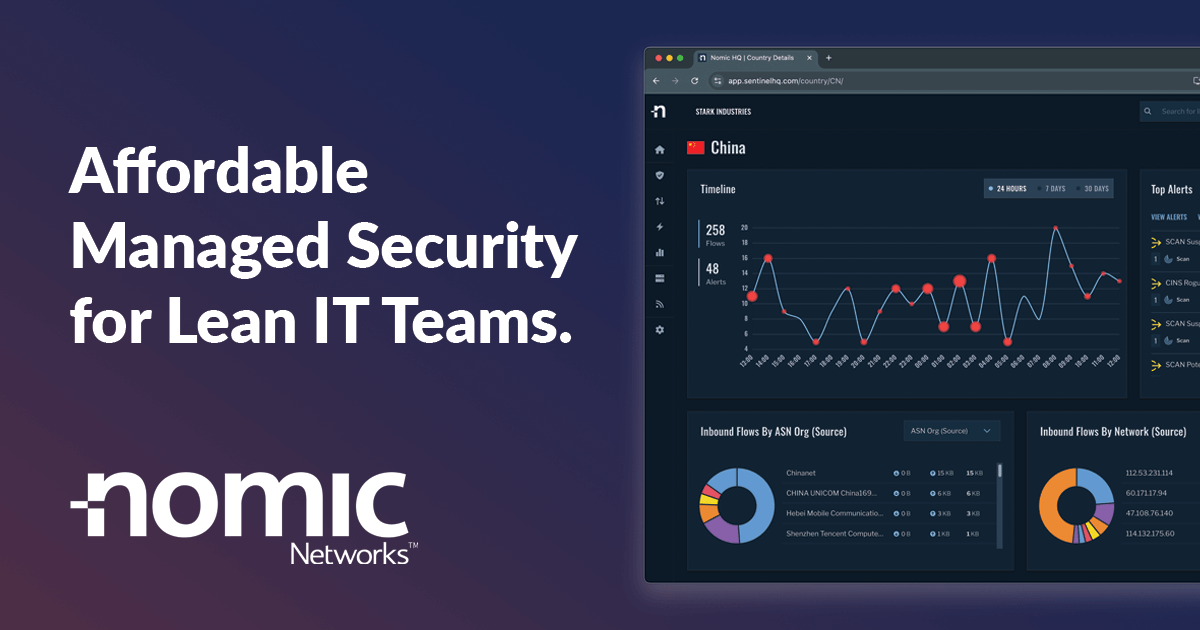
Nomic's affordable and managed NDR tools hide your network from threat actors, provide unparalleled visibility, and back you up with a 24/7 security team.

No paid content found
Visit website
Profile views 6 Outbound visits 1 Normal
Nomic Networks Full homepage screenshot

At a glance

Category
Security & Privacy
Language
English
Paid-content signal
No paid content foundObserved
Registered
2022
Hosting
CloudflareInferred
HTTPS certificate trusted
PassedObserved
Last updated

Website review

This review may include AI-generated content and is not individually verified. Domain, certificate and other facts come from the observed data on this page.

What is Nomic Networks?

Nomic Networks is a managed network security provider built for organizations with small or stretched IT teams. Its core offering is Managed Network Detection and Response (MNDR): a service that combines monitoring and threat-detection tools with an expert security operations center (SOC) that operates around the clock. The stated goal is to make network security affordable and practical for lean teams, and to reduce a network's exposure to attackers by hiding it from threat actors while giving defenders visibility into what is happening between the firewall and the endpoints.

What the product set covers

The page describes several managed solutions and supporting tools:

  • Managed Network Detection and Response (MNDR) — blocks known exploits and watches for the malicious patterns that tend to precede them.
  • Managed Security Operations — an expert-driven SOC backed by autonomous threat defense and proactive 24/7 support.
  • Outpost — dynamically identifies and blocks inbound and outbound threats that other security tools may miss.
  • Insight — provides visibility into traffic between the firewall and endpoints, including known-bad activity.
  • HQ — a single place to manage Nomic devices, events, support tickets and users.

Nomic also offers a free threat intelligence feed, the CINS Army, which is distributed globally and used to protect thousands of networks. The company publishes case studies from sectors including local government, water authorities, healthcare and higher education, and its resource library covers topics such as SIEM-less architecture, Zero Trust monitoring and NDR vendor evaluation.

Who it is for

The intended audience is "lean IT teams" — organizations that need serious network security but lack the staff to run a traditional SOC or a full SIEM stack. Public-sector bodies, utilities, hospitals and colleges appear repeatedly in the case studies, which suggests Nomic positions itself for mid-sized organizations in regulated or resource-constrained environments. If you have a dedicated security team and an established SIEM, the value proposition is different from a team of one or two generalist IT staff.

How to evaluate it

Start by deciding whether you want a fully managed service or a tool you operate yourself. Nomic's emphasis is on the managed side: the SOC and 24/7 support are central, not optional extras. From there, compare Nomic's MNDR against other managed detection and response providers on three practical points: how much of the monitoring and response is genuinely handled for you, how the platform integrates with your existing firewall and endpoint tools, and what visibility you get into your own network traffic. A useful next step is to read the company's own comparison material and case studies, then ask for a demo and a reference call with an organization of similar size and sector.

How does Nomic Networks' managed NDR compare to traditional SIEM solutions?

Nomic Networks positions its managed network detection and response (NDR) service as an alternative to running a traditional SIEM, especially for organizations without a dedicated security operations team. The core difference is architectural: a SIEM typically aggregates and correlates logs from many sources, while Nomic's tools focus on network traffic and behavior, with the company describing its approach as "SIEM-less" and its defense as independent.

Where they differ

Dimension Traditional SIEM Nomic Networks managed NDR
Primary data source Logs and events from endpoints, servers, applications and network devices Network traffic and flows between the firewall and endpoints
Who operates it Usually an in-house security team, or a managed SIEM provider Nomic's 24/7 security operations center, backed by automated threat defense
Detection focus Correlating known events and rules across log sources Spotting malicious network patterns and known-bad activity that other tools may miss
Staffing burden High: tuning rules, maintaining collectors, triaging alerts Lower: presented as managed support for lean IT teams
Cost profile Often license plus infrastructure plus analyst time Described as affordable and fully managed, reducing the need for in-house analysts

What this means in practice

A small IT team at a hospital, water authority or local government—audiences named in Nomic's case studies—often lacks the headcount to run a SIEM well. A SIEM that is installed but not tuned produces alerts nobody investigates. Nomic's pitch is that its service watches network behavior continuously and escalates to a human team, so the organization gets detection without hiring analysts.

The trade-off is scope. Network visibility is strong for threats that traverse the network, but a SIEM can correlate identity, endpoint and application logs that network tools may not see. Nomic's own materials acknowledge this by offering tools that "stand alone" while inviting comparison with other MNDR solutions, and by publishing guidance on building a SIEM-less architecture—an approach that suits some environments better than others.

How to decide

Choose managed NDR when your team is small, your main concern is adversary movement across the network, and you want detection without operating a log pipeline. Keep a SIEM—or a hybrid—when you need deep log correlation across many systems, have regulatory log-retention requirements, or already employ analysts who use those logs. A practical next step is to map your current detection sources: if most of your visibility is network-based and your team is stretched, a managed NDR service is worth evaluating; if your incidents are usually found in endpoint or identity logs, a SIEM remains the stronger fit.

For broader vendor comparisons, see Gartner peer insights and MITRE ATT&CK for mapping coverage to real adversary techniques.

What types of organizations does Nomic Networks help?

Nomic Networks is aimed at organizations with small or stretched IT and security teams that still need to defend a real network. Its own framing is "managed network security for lean IT teams," and its case studies point to public-sector and mid-sized organizations rather than large enterprises with dedicated security operations centers.

Who the site names directly

The "Who We Help" section and featured case studies give the clearest signals:

  • Municipal and city government — City of Newton, Kansas is featured, alongside a resource on network visibility for municipal cybersecurity.
  • Water and utility authorities — Gulf Coast Water Authority is featured.
  • Healthcare providers — South Peninsula Hospital is featured.
  • Higher education — SUNY Delhi College is featured.
  • Manufacturing and financial services — both appear as podcast/resource topics, suggesting those verticals are part of the target audience.

The common thread

These are organizations that hold sensitive data or run critical infrastructure but rarely have a 24/7 in-house security team. That is the trade-off Nomic is selling against: instead of buying and staffing a full detection-and-response stack, a lean team outsources monitoring and response. The site describes an independent, SIEM-less approach with managed network detection and response, a 24/7 security operations capability, and tools such as Outpost, Insight and HQ for blocking threats, gaining visibility between firewall and endpoints, and managing devices and tickets in one place.

How to decide if you fit

If your IT team is small, you run an on-premises or hybrid network, and you have compliance or uptime obligations but no overnight security coverage, you are in the profile the site targets. If you already run a mature internal SOC with your own SIEM, the value proposition is weaker. A useful next step is to check whether your sector appears among the featured case studies, then compare Nomic's managed model with alternatives such as Arctic Wolf or a general MDR provider before committing.

How does Nomic Networks support compliance requirements?

Nomic Networks frames compliance as a byproduct of network visibility and managed detection rather than a checklist product. Its page lists compliance among its main themes and points to a dedicated section explaining how its solutions "contribute to compliance requirements across several verticals." In practice, that means the platform generates the kind of evidence auditors and regulators ask for: continuous insight into what crosses the network between the firewall and the endpoints, alerts on known-bad traffic, and records of how incidents were handled.

Where it fits in a compliance program

  • Visibility for control frameworks. Tools like Insight are described as showing what really happens between the firewall and endpoints, which maps to monitoring and logging controls in frameworks such as CIS Controls—Nomic's blog even publishes a "Top 5 Steps To Guarantee CIS Controls Success."
  • Threat detection and response evidence. Outpost is said to identify and block inbound and outbound threats other tools miss, supporting detection, response and boundary-defense requirements.
  • Managed operations and documentation. The 24/7 SOC and the HQ console, which centralizes devices, events, support tickets and users, give lean teams a single place to show who did what and when.
  • Vertical-specific obligations. The referenced compliance section covers several verticals, and the case studies—a city, a water authority, a hospital and a college—suggest public-sector, utilities, healthcare and higher-education requirements are the intended fit.

Practical next step

Compliance is rarely satisfied by one tool, so treat Nomic as the network-layer evidence source in a broader program. Start by listing the specific controls your auditor or regulator cites for network monitoring, incident response and data-in-motion, then ask Nomic which of those its reporting and logs directly address. If you work in a regulated vertical, the fastest route is to request the vertical-specific compliance material and a sample report from the HQ console. For general context on how network detection fits alongside other monitoring, see Center for Internet Security.

What is the CINS Army Threat Intel feed and how can it protect my network?

The CINS Army Threat Intel feed is a free threat-intelligence feed that Nomic Networks distributes for network defense, per the company's own description on Nomic Networks. Its stated purpose is to help protect networks by sharing threat intelligence broadly, and Nomic says it already protects thousands of networks worldwide.

What it does

Threat-intel feeds like this typically work as a blocklist or detection source: they list IP addresses, domains or other indicators associated with malicious activity, and your firewall, router or monitoring tool uses that list to block or flag traffic. Nomic positions the feed alongside its commercial products: Outpost blocks inbound and outbound threats, and Insight gives visibility into traffic between your firewall and endpoints. The CINS feed is the free, community-facing piece rather than a paid managed service.

How it could protect your network

  • Blocking known-bad traffic: If your perimeter device can import the feed, you can drop connections to or from listed indicators before they reach internal systems.
  • Adding detection context: Even without blocking, matching feed entries against your logs can surface compromised hosts or suspicious outbound connections.
  • Covering lean teams: For small IT teams without a full security operations center, a maintained feed substitutes for some manual threat research.

Practical next step

Check whether your firewall, router or SIEM supports importing external threat feeds, then test the CINS list in alert-only mode for a few weeks before enabling blocking. Alert-only lets you see how many legitimate connections the feed would have cut, which matters in environments with shared or dynamic IP addresses. If you want the feed combined with monitoring and response rather than just a list, Nomic's managed detection and response and its 24/7 security team are the paid alternatives described on the same site.

How does Nomic Networks' 24/7 security team work with lean IT teams?

Nomic Networks pairs a 24/7 security operations center with managed network detection and response tools, so a small IT staff does not have to staff overnight monitoring itself. The company markets this specifically to "lean IT teams," and its model divides the work in two: the customer's IT team keeps control of its own network and devices, while Nomic's analysts watch for threats and handle detection and response tasks.

What the division of labor looks like

  • Nomic side: a 24/7/365 team of security professionals, an expert-driven SOC, and autonomous threat defense technology, per the site's description. Its MNDR solution blocks known exploits and flags malicious patterns; Outpost identifies and blocks inbound and outbound threats; Insight provides visibility between the firewall and endpoints; HQ centralizes management of devices, events, support tickets, and users.
  • Your side: routine IT work such as endpoints, user support, and internal systems. The pitch is that you gain around-the-clock coverage without hiring night-shift analysts or building a SIEM practice.

Why this fits a lean team

A two- or three-person IT department typically cannot monitor alerts after hours, and alert fatigue is a real risk when the same people also handle help desk tickets. Nomic's approach is "SIEM-less" — the site frames it as an independent defense and visibility layer rather than another log platform to tune and maintain. For a small municipality, water authority, hospital, or college, that can mean coverage during nights and weekends without adding headcount. The published case studies — City of Newton, Kansas; Gulf Coast Water Authority; South Peninsula Hospital; SUNY Delhi College — are all organizations with limited security staff, which is a useful signal about the intended audience.

Trade-offs to weigh

Handing detection and response to a managed provider means less direct control over tuning and investigation, and you still need someone internal who can act on escalations and approve changes. Ask how alerts reach your team, what response actions Nomic takes on its own, and what happens when a device is blocked. Also confirm how the tools fit your existing firewall and endpoint stack, since the value depends on what they can see.

Next step

Before a demo, write down your current coverage gaps — for example, "no one watches alerts between 6 p.m. and 8 a.m." — and ask Nomic to walk through exactly who responds during those hours and how your on-call person is notified. That single scenario will tell you quickly whether the 24/7 team actually reduces your workload or just adds another console to check.

Related questions

More questions →
What Is Nomic Networks and What Does It Offer?

Nomic Networks is a managed network security provider aimed at organizations with lean IT teams — places that need enterprise-grade threat detection but don't have the staff to run a security operations center themselves. Its core offering is a fully managed Network Detection and Response (MNDR) service paired with a 24/7 security operations team, delivered through a small set of tools (Outpost, Insight, and HQ) that sit alongside your existing firewall and endpoints rather than replacing them.

What Nomic Networks actually does

The company positions itself around one idea, stated on its homepage: "Hackers need something to work with. Don't give it to them." In practice that means hiding your network from threat actors, giving you visibility into what's happening between your firewall and your endpoints, and backing that up with human analysts around the clock.

Two things distinguish the approach as described on the site:

  • It's managed, not just software. You're buying an outcome — monitoring, detection, and response — not a dashboard you have to staff yourself.
  • It's SIEM-less by design. Nomic markets an "independent, SIEM-less defense and visibility tools" architecture, meaning it doesn't require you to run a traditional SIEM to get network visibility. The site even publishes guidance on building a SIEM-less architecture for small businesses.

The service lines

Nomic organizes its offerings into two managed services plus a set of supporting tools.

Offering What it is
Managed Network Detection and Response (MNDR) Blocks known exploits and spots the malicious patterns that precede them
Managed Security Operations (SOC) Expert-driven SOC supported by autonomous threat defense technology and a proactive 24/7 support team
Outpost Dynamically identifies and blocks inbound and outbound threats that other security solutions leave behind
Insight Shows what really goes on between your firewall and your endpoints, with visibility on known-bad activity
HQ Single place to manage Nomic devices, events, support tickets, and users

The distinction worth noting: MNDR and the SOC are the services (people plus process plus technology), while Outpost, Insight, and HQ are the tools that make those services work. You're not assembling these yourself — that's the point of the managed model.

Who it's built for

Nomic explicitly targets "lean IT teams" — organizations where the same person handling help desk tickets is also expected to handle security. The case studies and verticals named on the site point to a specific profile:

  • Municipal government — e.g., City of Newton, Kansas
  • Water and utilities — e.g., Gulf Coast Water Authority
  • Healthcare — e.g., South Peninsula Hospital
  • Higher education — e.g., SUNY Delhi College

These are sectors with real threat exposure, compliance obligations, and chronically understaffed IT. If that describes your organization, the fit is direct. If you already run a mature in-house SOC with dedicated analysts, the value proposition is weaker — you'd be paying for capability you already have.

Beyond the core service

A few extras are worth knowing about because they affect the decision:

  • CINS Army Threat Intel feed — a free threat intelligence feed Nomic distributes globally, which it says protects thousands of networks. Useful even if you don't buy anything.
  • Compliance support — the site documents how Nomic's solutions contribute to compliance requirements across several verticals. If you're answering to a regulator or auditor, this is the page to check against your specific framework.
  • Vendor comparison — Nomic publishes a comparison of its solutions against other MNDR vendors, and notes its tools can also stand alone.

How to decide if it's relevant to you

Work through these questions:

  1. Do you have a dedicated security team? If no, and security is a side responsibility for your IT staff, managed MNDR is the category you're shopping in.
  2. Do you already run a SIEM? If you don't — and don't want to build and staff one — Nomic's SIEM-less positioning removes a major cost and skills barrier.
  3. Are you in a regulated or high-consequence sector? Municipalities, water authorities, hospitals, and colleges are exactly the profile Nomic builds for and publishes case studies about.
  4. Do you need detection only, or detection plus response? Nomic sells the full loop, including the 24/7 team. If you only want tooling, that's a different purchase.

The site offers an instant demo and a support contact if you want to test the fit directly. Pricing isn't published on the pages reviewed here, so treat cost as something to confirm with the vendor rather than assume.

How Do Enterprise Teams Adopt Specialist AI Agents Without Disrupting Existing Workflows?

Enterprise teams can adopt specialist AI agents without disruption by starting with one narrow, high-volume workflow, running it as a bounded pilot with human review, measuring against a baseline, and only then expanding. The key is to treat agents as new team members with defined scopes rather than as a replacement for existing tools or a sweeping platform migration. This article explains what specialist agents are, where they fit across common team functions, and a phased approach you can follow.

What Makes an Agent "Specialist" Rather Than General-Purpose

A general-purpose assistant responds to open-ended prompts across many topics. A specialist agent is scoped to one job: it has a defined goal, a limited set of tools and data sources, and a clear definition of "done."

That scoping matters for enterprise teams for three practical reasons:

  • Predictability. A narrow agent produces more consistent outputs, which makes it easier to review and trust.
  • Permission control. You can grant access only to the systems that specific task needs, rather than broad data access.
  • Measurable value. When an agent owns one workflow, you can compare its output against a manual baseline.

A useful rule of thumb: if you cannot describe the agent's job in one sentence with a clear input and output, it is still too broad to deploy safely.

Mapping Team Functions to Agent Use Cases

Most enterprise teams have a handful of repetitive, rules-plus-judgment tasks that are good first candidates. The table below shows typical starting points.

Team Candidate agent task Why it fits
Sales Research and enrich inbound leads before handoff High volume, structured output, easy to verify
Customer success Draft responses to common account questions Repetitive, benefits from consistency
Marketing Repurpose long-form content into channel variants Clear brief, reviewable drafts
HR Screen and summarize applications against criteria High volume, needs audit trail
Operations Triage and route incoming requests Rule-based with clear routing logic

Notice that none of these replace a person's judgment. They compress the repetitive portion so the human spends time on exceptions and decisions.

A Phased Adoption Approach: Pilot, Measure, Expand

Phase 1: Pick one workflow and define success

Choose a task that is high-volume, low-risk, and currently a bottleneck. Write down:

  • The current process, step by step
  • The baseline metric (time per task, volume per week, error rate)
  • What "good output" looks like, with two or three examples
  • Who reviews the agent's work

Phase 2: Run a bounded pilot

Keep the agent inside the existing workflow rather than beside it. For example, the agent drafts; the human sends. Set a review gate so nothing leaves the team unreviewed. Run for a fixed period, such as four to six weeks, with a small group.

Phase 3: Measure against the baseline

Compare the same metrics you recorded in Phase 1. Look for time saved, consistency gained, and — importantly — where the agent failed. Failures tell you whether the scope was right.

Phase 4: Expand deliberately

Only widen scope after the pilot shows a clear, repeatable gain. Expand in one of two directions: more volume of the same task, or an adjacent task with the same data and review pattern. Avoid expanding into a new function and a new data source at the same time.

Handling Workflow Integration Concerns

Data access

Give each agent the minimum access its task requires. Prefer read access plus a single write action over broad permissions. Document which systems it touches so security and IT can review.

Handoffs

Define exactly where the agent stops and a human begins. A simple handoff rule works well: the agent completes the task and flags anything outside its defined scope for a person. Ambiguous handoffs are the most common source of friction.

Human oversight

Decide the review level up front:

  • Full review for anything customer-facing or high-stakes
  • Spot check for internal, low-risk outputs
  • Exception-only review once the agent has a track record

Start stricter than you think you need, then relax as evidence accumulates.

How Roles and Responsibilities Shift

Adopting agents rarely removes roles; it redistributes effort. Expect these shifts:

  • Reviewers become editors. People spend less time producing first drafts and more time improving and approving them.
  • Process owners become agent owners. Someone needs to maintain the agent's instructions, examples, and scope as the business changes.
  • New quality checks appear. Teams need a lightweight way to catch drift — for example, a weekly sample review.

Be explicit about who owns the agent after launch. An unowned agent degrades quietly.

Practical Criteria for Choosing Where to Start

Score candidate workflows against these questions:

  1. Volume: Does it happen often enough to matter?
  2. Risk: What is the cost of a wrong output, and can a human catch it?
  3. Structure: Is the input and output reasonably consistent?
  4. Baseline: Can you measure the current state today?
  5. Ownership: Is there a person who will own the agent after launch?

A workflow that scores well on all five is a strong first pilot. A high-volume task with no clear owner is a poor start, no matter how repetitive it is.

A Simple Pilot Template

You can copy this structure to scope your first agent:

  • Task: [one sentence]
  • Current baseline: [time/volume/error rate]
  • Agent scope: [what it does, what it does not do]
  • Data access: [systems, read/write]
  • Handoff rule: [when it escalates to a human]
  • Review level: [full / spot / exception]
  • Owner: [name]
  • Pilot length: [weeks]
  • Success metric: [target]

Bottom Line

Disruption comes from adopting too much at once, not from agents themselves. Start with one scoped task, keep humans in the loop, measure against a real baseline, and expand only when the evidence supports it. Platforms built around specialist agents — such as Relevance AI, which offers agents for sales, customer success, marketing, and HR — are designed for exactly this kind of task-by-task rollout, so you can add capability without rebuilding your team's existing processes.

Cybersecurity Basics: What It Protects and How to Apply It to Your Website

Cybersecurity is the practice of keeping your data, accounts, and services from being accessed, stolen, altered, or knocked offline by someone who shouldn't have them. For a personal site or small online presence, that reduces to a short list of concrete jobs: protect your login credentials, keep your software current, serve traffic over HTTPS, and lock down the domain and DNS layer that everything else depends on. You don't need an enterprise security team to cover the basics — but you do need to treat your registrar account and your hosting account as the two most valuable things you own, because whoever controls those controls the site.

What cybersecurity actually protects

It helps to separate the assets from the threats, because most small-site incidents come from a handful of causes.

Asset What can go wrong Primary protection
Accounts (registrar, hosting, email, CMS admin) Credential theft, password reuse, session hijacking Unique passwords + multi-factor authentication (MFA)
Data in transit Eavesdropping, tampering, browser warnings HTTPS/TLS certificate
Software (CMS, plugins, themes) Malware, backdoors, defacement Timely updates, minimal plugins
Domain and DNS records Unauthorized transfer, DNS hijacking, spoofed email Registrar account protection, registrar lock, DNSSEC
Availability DDoS, resource exhaustion Hosting/CDN/WAF layer

The pattern: each asset has one or two controls that remove most of the risk. You don't need all of them on day one, but skipping the account and domain layers is the mistake that's hardest to undo.

The threat categories a small site actually faces

  • Credential theft — reused or weak passwords, or credentials leaked from another breached service. This is the most common way small sites fall.
  • Phishing — fake login pages or "your domain is expiring" emails designed to capture your registrar or hosting password.
  • Malware and backdoors — usually arriving through an outdated CMS, plugin, or theme.
  • DDoS — flooding a site until it's unreachable; often handled by your host or a CDN rather than by you.
  • Misconfiguration — an open admin panel, directory listing, or default credentials left in place.

Notice that four of the five are about access, not exotic exploits. That's why the basics work.

Core protections to apply first

Use strong, unique passwords and a password manager

Every account tied to your site — registrar, host, CMS, email — should have a different password. A password manager makes this practical. The goal is that one leaked password can't be replayed anywhere else.

Turn on multi-factor authentication

MFA is the single highest-value control for your registrar and hosting accounts. Even if a password is stolen, an attacker without the second factor can't log in. Prefer an authenticator app or hardware key over SMS where the service supports it.

Serve everything over HTTPS

An HTTPS/TLS certificate encrypts traffic between visitors and your site and prevents browser "not secure" warnings. Most hosts and registrars offer a free certificate; the important part is that it's installed and that HTTP redirects to HTTPS.

Update promptly and keep the surface small

Apply CMS, plugin, and theme updates as they're released, and delete anything you're not using. Fewer components means fewer places for a known vulnerability to sit unpatched.

Apply least privilege

Give each person (and each integration) only the access they need. Don't run your site day-to-day from an administrator account, and don't hand out admin rights for tasks that don't require them.

Secure the domain and DNS layer

This layer is easy to overlook and expensive to lose, because a hijacked domain can point anywhere.

  • Protect the registrar account with a unique password and MFA. Your registrar account is the root of control over the domain.
  • Enable the registrar lock (often called a transfer lock or clientTransferProhibited) so the domain can't be moved without your action.
  • Keep registrant contact email secure — that inbox is often the recovery path for the domain.
  • Enable DNSSEC where your registrar and DNS provider support it, so responses can be cryptographically validated and spoofing is harder.
  • Watch for unauthorized DNS changes — if records you didn't touch appear, treat it as a compromise.

Porkbun is an ICANN-accredited domain registrar, which means it operates under ICANN's registrar rules — relevant here because those rules govern transfers, locks, and registrant contact requirements. Its site lists Stripe among its payment platforms. Beyond that, check your specific registrar's and DNS provider's current feature set for lock and DNSSEC support, since availability varies.

Warning signs and first steps if something looks wrong

Watch for: unexpected DNS records, visitors reporting malware warnings, unexplained admin accounts, a sudden traffic drop, or emails about transfers you didn't request.

If you suspect a compromise:

  1. Change passwords on registrar, hosting, and CMS accounts, starting with the registrar.
  2. Revoke active sessions and reset MFA where possible.
  3. Check DNS records against what you expect and revert unauthorized changes.
  4. Restore from a known-good backup if files were altered.
  5. Re-scan and update the software before reopening the site.

Containment first, then recovery — don't try to clean a live, still-compromised site.

What to outsource vs. manage yourself

Decide based on Manage yourself Outsource
Site size Small static or low-traffic site Growing or high-traffic site
Risk tolerance Low-stakes personal project Anything handling user data or payments
Time You can patch and monitor regularly You can't commit to ongoing upkeep
Threats Basic credential and update hygiene DDoS, WAF, and 24/7 monitoring needs

Hosting-level security, CDN, and WAF are usually worth outsourcing because they require scale and constant attention. Account hygiene, MFA, updates, and domain/DNS protection are things you should keep in your own hands regardless of size — they're cheap to do and costly to skip.

Which Compliance Requirements and Industries Does Nomic Networks Support?

Nomic Networks states that its solutions "contribute to compliance requirements across several verticals," but the site does not publish a specific list of frameworks (such as PCI DSS, HIPAA, or NIST) that its tools map to. What it does show is a set of named customer case studies across municipal government, water utilities, healthcare, and higher education — the industries where it demonstrates real deployments. If you need a formal compliance mapping document, that is something you would have to request directly; the public site only points you to a "Compliance" resource page.

What the site actually says about compliance

The only compliance-specific claim on the homepage is a link titled Compliance, described as: "See how Nomic's solutions contribute to compliance requirements across several verticals."

That is the full extent of the public claim. It tells you:

  • Nomic positions its products as contributing to compliance, not as certified or audited against a named standard.
  • The contribution is framed as cross-industry ("several verticals"), not tied to one regulation.
  • The detail lives behind a dedicated resource, not on the homepage.

So the honest answer to "which compliance requirements?" is: the site asserts multi-vertical compliance support but does not enumerate the frameworks in the material available. Treat any specific framework claim as unverified until you see Nomic's own compliance documentation.

Industries with named case studies

The clearest evidence of which industries Nomic serves is its featured case studies. These are real, named organizations:

Industry Named customer
Municipal government City of Newton, Kansas
Water utility Gulf Coast Water Authority
Healthcare South Peninsula Hospital
Higher education SUNY Delhi College

These four map onto the "Who We Help" section and align with the resource topics the site promotes — municipal cybersecurity, city government collaboration, manufacturing, and financial services appear as podcast/resource episodes.

Why these industries cluster together

The pattern is not random. Municipalities, water authorities, hospitals, and colleges tend to share three traits that match Nomic's stated positioning:

  • Lean IT teams — the homepage tagline is "Managed Network Security for Lean IT Teams," meaning small security staff relative to the attack surface.
  • Compliance pressure without large budgets — public sector, healthcare, and education all face regulatory or contractual security requirements but rarely have enterprise-scale SOC budgets.
  • High-value, low-defensibility targets — water utilities and hospitals are frequently cited as critical infrastructure.

If your organization fits that profile, Nomic's case studies are the most relevant evidence you have.

How to verify compliance fit for your own requirement

Because the site does not list frameworks, work backward from your own obligation:

  1. Identify the specific requirement you must meet (a regulation, a cyber-insurance questionnaire, a grant condition, or a vendor security standard).
  2. Request the compliance mapping from Nomic directly — the site's Compliance resource is the entry point, and a demo request is offered on the homepage.
  3. Ask for a reference in your vertical — the case studies above show they have customers in government, water, healthcare, and education, so a peer reference is a reasonable ask.
  4. Confirm what "contributes to" means in practice — whether it is logging, visibility, detection evidence, or reporting that satisfies an auditor.

The key gap to close before deciding: the public site gives you industries and a compliance claim, but not a framework-by-framework mapping. That mapping is the document you need in hand before treating Nomic as a compliance solution rather than just a security tool.

How Nomic Networks Compares to Other MNDR Solutions

Nomic Networks is a managed network detection and response (MNDR) provider built for lean IT teams. Its main differentiators are a SIEM-less architecture, tools that can stand alone or coexist with existing security stacks, and a 24/7/365 team of security professionals backing the technology. If your organization has limited security staff and wants network visibility without building a full SIEM practice, Nomic is positioned for that scenario. If you already run a mature SIEM and want deep integration with it, that is the condition under which you should evaluate alternatives carefully.

What Nomic Networks offers

Nomic describes its stack as "affordable Managed Network Detection and Response tools" that hide the network from threat actors and provide visibility, backed by a round-the-clock security team. The product set includes:

  • Managed Network Detection and Response (MNDR) — blocks known exploits and spots the malicious patterns that precede them.
  • Managed Security Operations — an expert-driven SOC supported by autonomous threat defense technology and a proactive 24/7 support team.
  • Outpost — dynamically identifies and blocks inbound and outbound threats that other security solutions leave behind.
  • Insight — shows what happens between your firewall and your endpoints, giving visibility on known-bad activity.
  • HQ — a single place to manage Nomic devices, events, support tickets, and users.

The company also maintains the CINS Army Threat Intel feed, distributed freely and used to protect thousands of networks.

How it differs from typical MNDR vendors

Dimension Nomic Networks Typical MNDR vendor
Architecture SIEM-less defense and visibility tools Often assumes or integrates with a SIEM
Deployment Solutions can stand alone or coexist with other tools Frequently sold as part of a broader platform
Staffing model Backed by a 24/7/365 team of security pros Support hours and managed services vary
Target buyer Lean IT teams Often enterprises with dedicated security staff
Threat intel Free CINS Army feed shared globally Usually proprietary, closed feeds

Nomic explicitly frames itself against "the rest" of the MNDR market, stating its solutions can stand alone while inviting direct comparison to other MNDR options. The company also publishes guidance on evaluating NDR vendors and on building a SIEM-less architecture for small businesses, which signals where it sees its fit.

When Nomic is the better fit

  • Your IT team is small and cannot staff a SIEM around the clock.
  • You want network visibility and threat blocking without adding another platform to manage.
  • You need a managed SOC function rather than just a tool.
  • You value a free, community-shared threat intelligence feed as part of your defense.

When to look elsewhere

  • You have an established SIEM and want an MNDR product that plugs deeply into it rather than replacing that layer.
  • You need a single vendor for endpoint, identity, and network security rather than a network-focused stack.
  • You require published pricing before a sales conversation — Nomic's site does not list pricing, so you would need to request a demo or quote.

A practical way to decide

  1. List what your team can actually operate: if nobody can tune a SIEM, a SIEM-less MNDR removes a burden.
  2. Check whether you need standalone tools or tight integration with existing platforms — Nomic supports the former and claims coexistence with the latter.
  3. Confirm your coverage requirements against Outpost (blocking), Insight (visibility), and HQ (management).
  4. Ask about the 24/7/365 team's scope and the CINS Army feed during a demo, since these are the parts that distinguish a managed service from a software license.

Nomic's published case studies — including the City of Newton, Kansas, Gulf Coast Water Authority, South Peninsula Hospital, and SUNY Delhi College — show the verticals it serves, which is a useful starting point if your organization resembles any of them.

Website Overview

Page metadata, canonical configuration and social previews work together to provide more consistent search and sharing presentation.

Domain and Registration

Transfer-protection status is present, helping reduce the risk of unauthorized domain transfers. The domain has about 4 years of registration history; its current configuration provides more context than age alone. The registrar is Cloudflare, Inc., a widely used domain service provider. The domain uses the common .com extension, which is not an independent safety signal.

DNS and Email

Nameservers are provided by Cloudflare, indicating managed DNS hosting. MX records point to the Google Workspace email service. No CNAME was found; the observed records resolve directly to addresses. SPF and DMARC are configured. DKIM status is unknown. TXT records include verification markers for Google, Microsoft. Such markers may also remain after a service stops being used.

TLS and Certificates

The public key uses EC with 256 bits. The server supplied a complete certificate chain. No organization name is present in the certificate; the available fields are consistent with domain validation. The certificate was issued within the Google Trust Services cloud or CDN ecosystem. The certificate's total validity is about 90 days, consistent with a short renewal cycle.

HTTP and Browser Security

The response lacks these common security headers: X-Content-Type-Options, Referrer-Policy, Permissions-Policy. No X-Powered-By header was found, reducing one common source of backend fingerprinting information. The cf-ray response header indicates a CDN or caching proxy in the delivery path. No obvious internal addresses or debug information were found in the headers. The Server header identifies cloudflare without an exact version.

Technology Stack Analysis

The public page identifies Webflow, Google Analytics, Cloudflare without precise versions, leaving fewer clues for version-specific scanning.

Search and Social Sharing

Twitter Card metadata is configured. JSON-LD includes Organization data, helping describe the organization as an entity. The title has 59 characters, within a common display range. A meta description is present, with 154 characters. The observed directives allow indexing and link following.

Hosting and Email

DNSCloudflare
HostingCloudflare
EmailGoogle Workspace
Approximate IP geolocation (inferred; a CDN or proxy may differ from the origin server) United States flagUnited States Inferred 198.202.211.1

Registration details

RDAP / WHOIS

RegistrarCloudflare, Inc.
Registered2022-01-31
Expires2027-01-31
Domain statusclient transfer prohibited
Nameserversfiona.ns.cloudflare.com、matt.ns.cloudflare.com
DNSSECunsigned

DNS records

DNS

TypeNameValueTTLPriority
Anomicnetworks.com198.202.211.1300—
AAAAnomicnetworks.com2620:cb:2000::1300—
MXnomicnetworks.comaspmx.l.google.com36001
MXnomicnetworks.comalt1.aspmx.l.google.com36005
MXnomicnetworks.comalt2.aspmx.l.google.com36005
MXnomicnetworks.comalt3.aspmx.l.google.com360010
MXnomicnetworks.comalt4.aspmx.l.google.com360010
NSnomicnetworks.comfiona.ns.cloudflare.com86400—
NSnomicnetworks.commatt.ns.cloudflare.com86400—
TXTnomicnetworks.com1password-site-verification=ZLH7KCWINBDAHIF3M3QXU7CRZI300—
TXTnomicnetworks.comMS=ms65946458300—
TXTnomicnetworks.comTAILSCALE-dnXPEN3GqPq5YTWokUtE300—
TXTnomicnetworks.comanthropic-domain-verification-pg3qq0=8NNRWnFYFfI9YG0P8M3nijAVn300—
TXTnomicnetworks.comgoogle-site-verification=5ZEzqJXy_8V5N-OZ30fXaW59BdvTv8TGxU5AUB-RfN4300—
TXTnomicnetworks.comgoogle-site-verification=lHEeVudDRNgskH1U4g8HcDipX8QuLMSs_6-lz8Ep4AA300—
TXTnomicnetworks.comslack-domain-verification=0N1iQDhaqjcfhAPBirl4JceO7TeLqGNTPd5amno2300—
TXTnomicnetworks.comv=spf1 ip4:208.93.52.132 ip4:208.93.52.68 include:_spf.google.com include:mail.zendesk.com ~all300—
DMARC_dmarc.nomicnetworks.comv=DMARC1; p=none; rua=mailto:[email protected]300—

TLS and certificates

TLS / SSL

AssessmentNormal configuration
Supported protocolsTLSv1.2、TLSv1.3
Negotiated protocolTLSv1.3
Certificate subjectnomicnetworks.com
IssuerGoogle Trust Services
Valid until2026-11-28T21:18 · Remaining when checked: 45 days
Verification detailsCertificate trust: Passed · Hostname match: Passed

HTTP response headers

HTTP

HeaderValue
content-typetext/html; charset=utf-8
servercloudflare
strict-transport-securitymax-age=31536000
content-security-policyframe-ancestors 'self'
x-frame-optionsSAMEORIGIN

Identified technologies

WebflowGoogle AnalyticsCloudflare

Pages, Search and Sharing

Meta descriptionNomic's affordable and managed NDR tools hide your network from threat actors, provide unparalleled visibility, and back you up with a 24/7 security team.
Canonical URLhttps://nomicnetworks.com
LanguageEnglish (default)
Twitter Cardsummary_large_image
All bots 0 allowed · 0 disallowed

User reviews (0)

  • No reviews yet.