
 nx.dev
 Paid content
Categories: Development
Nx is the monorepo build system for developers and AI coding agents, with intelligent caching, scalable CI, and tools that help teams build and ship faster.
 Visit website
 Updated: 2026-09-21 15:28
 Language: English (default)
 Access: Normal
 Profile views 7
 Outbound visits 5
Related questions
More questions →What Can You Actually Do With a Free Hosted REST API Like ReqRes?
A free hosted REST API like ReqRes gives you a real HTTP endpoint you can call immediately—no signup, no local server, no database setup. You get predictable JSON responses for users, resources, login, and registration, which makes it useful for front-end demos, integration tests, learning HTTP clients, and prototyping. What it is not is a production backend for your app: the data is shared, resets periodically, and you don't control the schema. If you need persistent, private data with auth and logs, that's where an account-based backend or a commercial licence comes in.
What "free REST API for testing and prototyping" actually means
The phrase sounds vague, so it helps to separate two things people often conflate:
- A mock/sample API — a public, hosted service with fixed or semi-fixed endpoints that return realistic-looking JSON. You don't own the data. It exists so you can point code at a URL and get a response.
- A real backend you configure — a service where you define collections, schemas, authentication, and logging, and where your data persists and belongs to you.
ReqRes's landing page describes both: a free REST API for testing and prototyping with real responses and no signup, plus an option to build your own backend with collections, auth, and logs at app.reqres.in. Those are different products with different trade-offs. The free public endpoints are the "point and go" part; the account-based backend is the "own your data" part.
What you can do with the no-signup public endpoints
1. Front-end demos without a backend
If you're building a UI and need data to render, you can fetch from a public endpoint instead of hardcoding arrays. This keeps your demo code closer to real fetch logic:
async function loadUsers(page = 1) {
  const res = await fetch(`https://reqres.in/api/users?page=${page}`);
  if (!res.ok) throw new Error(`HTTP ${res.status}`);
  const { data, total, page: current } = await res.json();
  return { users: data, total, page: current };
}
You get pagination fields, a data array, and support metadata—enough to build list views, loading states, and empty states.
2. Integration and contract tests
You can assert that your HTTP layer handles status codes, headers, and JSON shapes correctly. Typical checks:
GET /api/users/2returns200with adataobject.GET /api/users/23returns404(a non-existent user).POST /api/loginwith valid credentials returns a token; with missing fields returns400.
This is useful for testing your client wrapper, retry logic, error handling, and serialization—without spinning up your own server.
3. Learning HTTP clients and tooling
If you're new to fetch, Axios, curl, Postman, or HTTPie, a hosted API is a low-friction target. You can practice:
- Sending query parameters (
?page=2,?delay=3). - Setting headers and reading response headers.
- Handling
POST,PUT,PATCH,DELETE. - Observing status codes for success and failure.
4. Deliberate failure and latency testing
Endpoints that return 404 on purpose, or that accept a delay parameter, let you test how your app behaves when things go wrong or slow down. That's hard to do reliably against a happy-path local mock.
What the public endpoints are not good for
| Use case | Public sample endpoints | Account-based backend |
|---|---|---|
| Persistent, private data | No — shared and reset | Yes |
| Custom schema/collections | No | Yes |
| Authentication you control | Limited (demo login) | Yes |
| Request logs and debugging | No | Yes |
| Production traffic | Not intended | Depends on plan/licence |
| Team collaboration | No | Yes |
The key limitation: you don't own the data, and other people are hitting the same endpoints. Treat responses as illustrative, not authoritative.
When you'd move to an account-based backend
Consider app.reqres.in (collections, auth, logs) when any of these are true:
- You need your own collections and fields, not the fixed demo schema.
- You need data to persist between sessions and belong only to you.
- You need real authentication flows you can rely on in a demo or internal tool.
- You need request logs to debug what your client actually sent.
- You're working with a team and need shared, stable endpoints.
The trade-off is setup and, eventually, cost. The public endpoints require none; the backend requires an account and configuration.
Where pricing and licensing become relevant
The site signals a commercial licence and an upgrade path (with Stripe as the payment platform), but specific prices, plan tiers, and limits aren't stated here—so don't assume numbers. What you can reason about:
- Prototyping and learning → free public endpoints are usually enough.
- Internal tools, demos for clients, or anything you don't want reset → an account-based backend is the natural next step.
- Production or commercial use → check the licence terms and any paid plan, because "free for testing" and "free for commercial production" are not the same thing.
Before committing, read the current terms on the site rather than relying on secondhand summaries, since pricing and licence scope change.
A quick decision checklist
- Do you need data that persists and is private? If yes → account-based backend.
- Do you need a custom schema? If yes → account-based backend.
- Are you only testing HTTP behavior, UI rendering, or learning a client? If yes → free public endpoints.
- Will this touch real users or revenue? If yes → review the licence and any paid plan first.
- Do you need logs and team access? If yes → account-based backend.
If you answer "no" to 1, 2, 4, and 5, the free hosted API is likely all you need. If you answer "yes" to any of them, plan for the account-based path.
What Is AI Programming and How Are Developers Actually Using It?
AI programming is the practice of using machine-learning models to generate, complete, review, or test code inside a developer's existing workflow. It covers everything from a single-line autocomplete suggestion in an IDE to a chat assistant that explains an unfamiliar function to an autonomous agent that opens a pull request on its own. The practical dividing line is not the model but the level of human oversight: the more a tool acts without review, the narrower the tasks it should be trusted with.
The four things AI actually does in a codebase
Most day-to-day use falls into a few recognizable activities:
- Completion — predicts the next line or block as you type, based on the file and surrounding context.
- Generation — produces a function, class, config file, or migration script from a natural-language description.
- Explanation and review — summarizes what a piece of code does, flags suspicious patterns, or suggests a refactor.
- Testing and debugging — writes unit tests for existing code, proposes fixes for a failing test, or traces a stack trace back to a likely cause.
These are not separate products so much as separate modes. The same assistant that autocompletes a loop can also be asked to write the test for it.
Tool categories and where each fits
| Category | Typical form | Best for | Main trade-off |
|---|---|---|---|
| IDE copilot | Inline suggestions in the editor | Boilerplate, repetitive patterns, unfamiliar syntax | Suggestions arrive without context about your architecture |
| Chat-based assistant | Side panel or separate window | Explaining code, drafting a design, debugging a stack trace | You must paste or describe context manually |
| Autonomous agent | Runs commands, edits files, opens PRs | Multi-file changes, dependency upgrades, test scaffolding | Highest blast radius; needs the tightest review |
The categories overlap, and many tools now span more than one. The useful question is not which category is best but how much of the change you are willing to accept without reading it line by line.
What a realistic workflow looks like
A common pattern, for example when adding a new API endpoint:
- Describe the endpoint in a comment or chat prompt — method, path, expected input and output.
- Let the assistant draft the handler and the data model.
- Read the draft and correct the parts that assume an API or library version you don't use.
- Ask the assistant to generate tests for the happy path and at least one failure case.
- Run the tests, then review the diff as you would any teammate's pull request.
The assistant compresses the first draft; it does not remove steps 3 and 5. Teams that skip the review step are the ones that report the worst outcomes.
Where it breaks down
The limitations are consistent enough to plan around:
- Hallucinated APIs. Models invent function names, parameters, and library methods that look plausible and compile-fail or, worse, silently do the wrong thing.
- Insecure suggestions. Generated code may interpolate user input into queries, disable certificate checks, or hardcode credentials because the training data contained those patterns.
- Licensing and provenance. Suggestions may closely resemble licensed source; teams need a policy on what is acceptable to commit.
- Data privacy. Pasting proprietary code into a hosted assistant may send it to a third party. Check whether your tool runs locally, offers an enterprise tier with data controls, or is approved for your codebase.
- Stale knowledge. Models have a training cutoff and will confidently describe an older version of a framework.
None of these make the tools unusable. They make verification mandatory.
How to verify AI-generated code
Treat every suggestion as an untrusted contribution:
- Compile and run it. A suggestion that doesn't build is a cheap failure; catch it before review.
- Check every external call. Confirm the function exists, the signature matches, and the version is the one you depend on.
- Read for security. Look specifically at input handling, authentication, secrets, and anything touching the network or filesystem.
- Test the edges. Ask for failure cases, not just the happy path, and add the ones the model missed.
- Keep the diff small. A 20-line suggestion is reviewable; a 400-line agent-generated refactor is not, at least not in one pass.
How teams adopt it gradually
The lowest-risk entry point is tasks where a mistake is cheap and visible: writing tests for existing code, generating documentation comments, scaffolding a config file, or translating a snippet between languages. From there, teams typically move to in-editor completion for routine code, then to chat-based assistance for debugging and design questions. Autonomous agents that modify multiple files tend to come last, and usually behind a branch-and-review gate rather than direct commits.
The pattern that holds up: start where you would notice an error immediately, expand only after the review habit is established, and keep a human accountable for anything that reaches production.
Website Overview
An established domain and managed infrastructure suggest continuity of operations and may support dependable delivery, although neither guarantees service quality. Page metadata, canonical configuration and social previews work together to provide more consistent search and sharing presentation.
Domain and Registration
Registered in 2019, this domain has about 7 years of history. That suggests continuity, although ownership and purpose may have changed. Transfer-protection status is present, helping reduce the risk of unauthorized domain transfers. The registrar is Squarespace Domains II LLC., a widely used domain service provider. The domain uses the common .dev extension, which is not an independent safety signal.
DNS and Email
Nameservers are provided by Google Cloud DNS, indicating managed DNS hosting. MX records point to the Google Workspace email service. DNSSEC is enabled, allowing validating resolvers to authenticate signed DNS data. No CNAME was found; the observed records resolve directly to addresses. SPF and DMARC are configured. DKIM status is unknown.
TLS and Certificates
The public key uses EC with 256 bits. The server supplied a complete certificate chain. No organization name is present in the certificate; the available fields are consistent with domain validation. The certificate was issued by Let's Encrypt, commonly associated with automated certificate services. The certificate's total validity is about 89 days, consistent with a short renewal cycle.
HTTP and Browser Security
The response lacks these common security headers: Referrer-Policy, Permissions-Policy. No X-Powered-By header was found, reducing one common source of backend fingerprinting information. No obvious internal addresses or debug information were found in the headers. The Server header contains the custom value Netlify. No explicit CDN or WAF marker was found in the response headers.
Technology Stack Analysis
The public page identifies Framer ddc5e5f, Google Tag Manager, Netlify without precise versions, leaving fewer clues for version-specific scanning.
Search and Social Sharing
The Generator tag identifies Framer ddc5e5f, making the publishing system easier to fingerprint. Twitter Card metadata is configured. JSON-LD includes Organization data, helping describe the organization as an entity. The title has 30 characters, within a common display range. A meta description is present, with 156 characters.
 Hosting and Email
 Google Cloud DNS
 Hosting
 Netlify
 Google Workspace
 Location
 United States
 Pages, Search and Sharing
| Meta description | Nx is the monorepo build system for developers and AI coding agents, with intelligent caching, scalable CI, and tools that help teams build and ship faster. |
|---|---|
| Canonical URL | https://nx.dev/ |
| Language | English (default) |
| Twitter Card | summary_large_image |
Social Sharing Preview
9 fields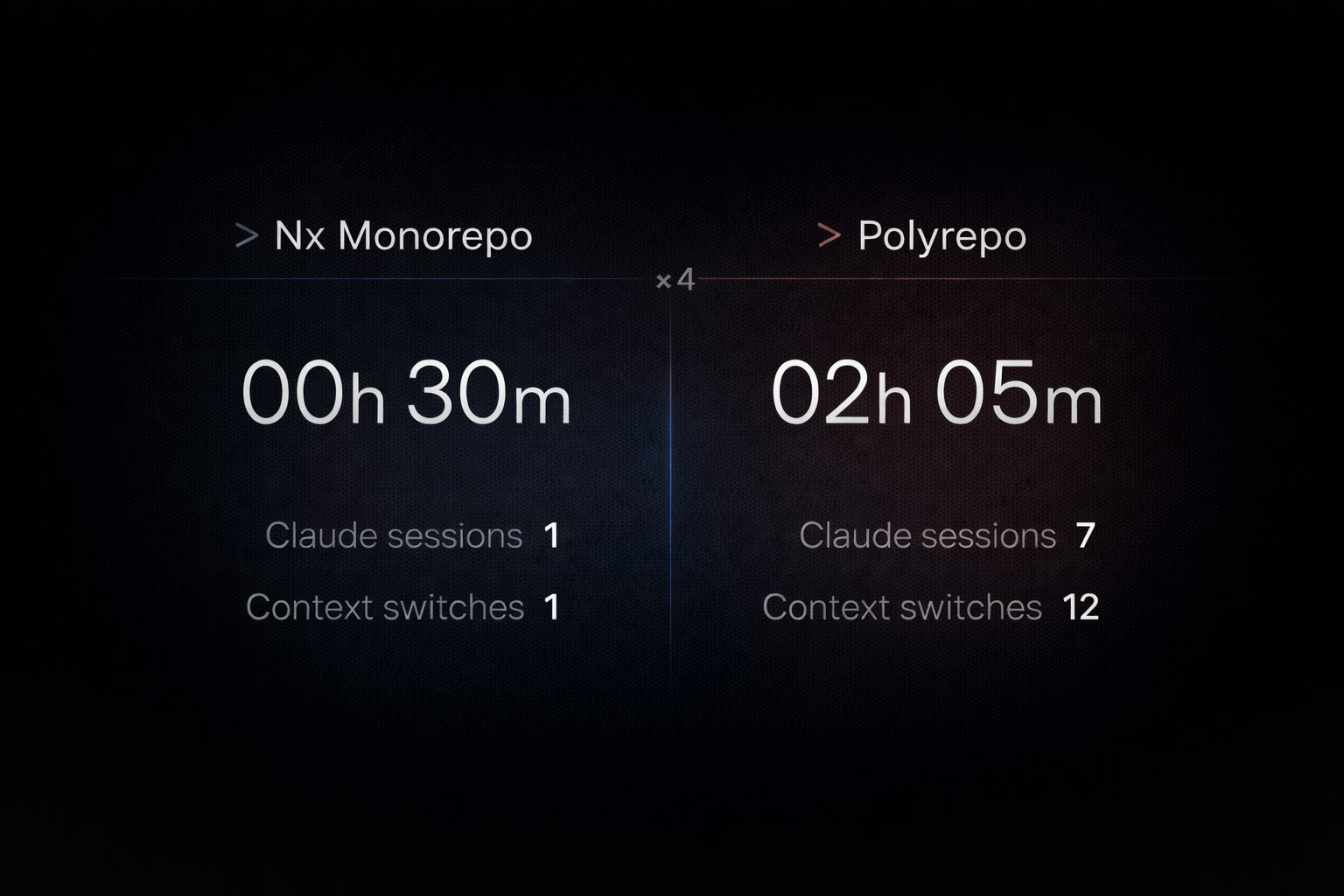

Sharing metadata
| og:url | https://nx.dev/ |
|---|---|
| og:type | website |
| og:image | https://framerusercontent.com/assets/95Tzg9qJliBvMuUynPsOHaSSIQY.png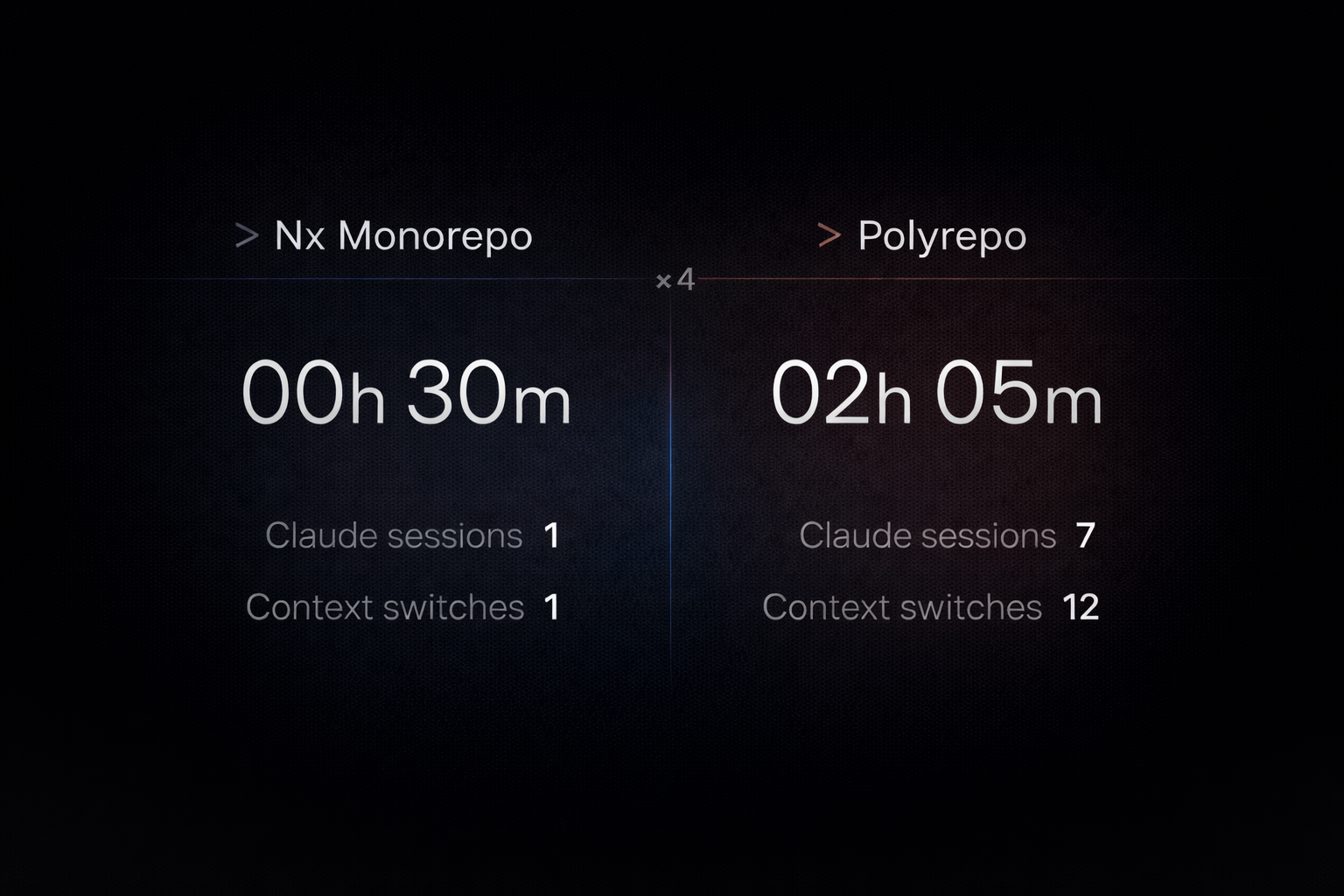 |
| og:title | Smart Monorepos · Fast CI | Nx |
| og:description | Nx is the monorepo build system for developers and AI coding agents, with intelligent caching, scalable CI, and tools that help teams build and ship faster. |
| twitter:card | summary_large_image |
| twitter:image | https://framerusercontent.com/assets/95Tzg9qJliBvMuUynPsOHaSSIQY.png |
| twitter:title | Smart Monorepos · Fast CI | Nx |
| twitter:description | Nx is the monorepo build system for developers and AI coding agents, with intelligent caching, scalable CI, and tools that help teams build and ship faster. |
robots.txt (opens in a new tab)
1 rulesAll bots 1 allowed · 0 disallowed

 All bots

/
No matching rules.
Sitemaps
1 Registration details RDAP / WHOIS
| Registrar | Squarespace Domains II LLC. |
|---|---|
| Registered | 2019-02-20 |
| Expires | 2027-02-20 |
| Domain status | client delete prohibited、client transfer prohibited |
| Nameservers | ns-cloud-b1.googledomains.com、ns-cloud-b2.googledomains.com、ns-cloud-b3.googledomains.com、ns-cloud-b4.googledomains.com |
| DNSSEC | signed |
 DNS records
| Type | Name | Value | TTL | Priority |
|---|---|---|---|---|
| A | nx.dev | 75.2.60.5 | 10901 | — |
| MX | nx.dev | aspmx.l.google.com | 14400 | 1 |
| MX | nx.dev | alt1.aspmx.l.google.com | 14400 | 5 |
| MX | nx.dev | alt2.aspmx.l.google.com | 14400 | 5 |
| MX | nx.dev | alt3.aspmx.l.google.com | 14400 | 10 |
| MX | nx.dev | alt4.aspmx.l.google.com | 14400 | 10 |
| NS | nx.dev | ns-cloud-b1.googledomains.com | 21600 | — |
| NS | nx.dev | ns-cloud-b2.googledomains.com | 21600 | — |
| NS | nx.dev | ns-cloud-b3.googledomains.com | 21600 | — |
| NS | nx.dev | ns-cloud-b4.googledomains.com | 21600 | — |
| TXT | nx.dev | google-site-verification=icq2Fwk7BfNV-mOSAPUxYpYMsMQH4V-TURARIR6yV6w | 14400 | — |
| TXT | nx.dev | gradle-verification=19U4LBN4QNRVQJQMOBGNM2NQ4EU61 | 14400 | — |
| TXT | nx.dev | v=spf1 -all | 14400 | — |
| DS | nx.dev | 5896 8 2 04c7876de7eb9818aa9eede0c65dd8ab6e643c094fd8d245a44763efc180c64c | 1800 | — |
| DMARC | _dmarc.nx.dev | v=DMARC1; p=reject; rua=mailto:[email protected]; pct=100; adkim=r; aspf=r | 14400 | — |
 TLS and certificates
| Assessment | Normal configuration |
|---|---|
| Supported protocols | TLSv1.2、TLSv1.3 |
| Negotiated protocol | TLSv1.3 |
| Certificate subject | nx.dev |
| Issuer | Let's Encrypt |
| Valid until | 2026-11-20T10:34 · Remaining when checked: 59 days |
| Verification details | Certificate trust: Passed · Hostname match: Passed |
 HTTP response headers
| Header | Value |
|---|---|
| content-type | text/html |
| cache-control | public, max-age=3600, must-revalidate |
| server | Netlify |
| strict-transport-security | max-age=31536000 |
| content-security-policy | frame-ancestors 'none' |
| x-frame-options | DENY |
| x-content-type-options | nosniff |
 Identified technologies
Recent Updates
- Website images
- Screenshots
- Network details
- Website Technologies
- Pages and Search Information
- HTTP Response Information
- TLS and certificates
- DNS Information
- Domain Registration
- Website profile
- Website Description
- Website Name
- Website profile
- Website Description
- Website Name
User reviews (0)