
 简体中文
简体中文
octopus.com
Deploy software to multi-cloud, hybrid, and on-premises environments with Octopus Deploy, the continuous deployment software. Save 2000 hours per rollout, ensure reliable deployments, and automate routine tasks.
At a glance
- Category
- Development
- Language
- English
- Paid-content signal
- Paid contentObserved
- Registered
- 1986
- Hosting
- Microsoft CorporationInferred
- HTTPS certificate trusted
- PassedObserved
- Last updated
Related questions
More questions →How Octopus Deploy Integrates With Your Existing CI Tools
Octopus Deploy is designed to sit alongside your current CI tool rather than replace it. Your CI system (GitHub Actions, Azure DevOps, Jenkins, GitLab CI, or TeamCity) keeps building and testing code and producing artifacts; Octopus takes over from that point to handle release orchestration, deployment, and operations across multi-cloud, hybrid, and on-premises environments. This fits teams whose CI pipelines work well but whose deployment logic has grown into thousands of lines of custom scripts.
The division of labor: CI builds, Octopus deploys
Octopus's own framing is that "CI is not CD." Most all-in-one CI/CD tools handle the basics at first, but as applications and teams multiply, deployment becomes a box of parts you have to assemble yourself — what Octopus calls "CI with DIY shadow CD." The integration model is:
- CI tool: compiles, tests, and produces a build artifact or package.
- Octopus: consumes that artifact, creates a release, and runs the deployment process across environments and targets.
Because the deployment process lives in Octopus rather than in pipeline scripts, the same process can be reused consistently across environments and scaled to many hosts or customers without duplicating effort.
How the handoff works in practice
The general pattern for connecting a CI tool to Octopus looks like this:
- Build in CI — your existing pipeline produces a versioned artifact (for example, a package pushed to a feed or a container image).
- Trigger Octopus — the CI pipeline calls Octopus at the end of a successful build, typically via the Octopus CLI or the built-in integration for your CI system, to create a release from that artifact.
- Deploy in Octopus — Octopus runs the release through your defined deployment process, promoting it across environments and showing progress on real-time dashboards.
Expected result: a build in CI automatically becomes a deployable release in Octopus, with deployment history and approvals tracked in one place rather than scattered across pipeline logs.
Common sticking points to plan for:
- Artifact access — Octopus needs to reach the package feed or registry your CI publishes to; confirm credentials and network paths before wiring the trigger.
- Versioning — decide how build numbers map to Octopus release versions so releases are traceable back to a specific CI run.
- Permissions — the CI service account needs an API key with rights to create releases in the target Octopus space.
What the integration gives you beyond the handoff
Once Octopus owns deployment, the features that motivated the split become available without rebuilding them in CI:
- Tenanted deployments — one deployment process reused for thousands of customers or locations. KinderSystems, cited by Octopus, completes 100+ customer-specific deployments in 2 hours.
- Scaling across hosts — deploy faster and more frequently to thousands of application hosts using one consistent process.
- Governance and auditability — knowing who deployed what, where, and when, with advanced encryption and access controls for secure deployments.
- Kubernetes and AI application deployment — deploy, monitor, and troubleshoot these in one place.
Where Octopus fits in the wider DevOps stack
Octopus is positioned as integrating with your existing DevOps tool stack rather than as a standalone island — CI tools on one side, and deployment targets (multi-cloud, hybrid, on-premises) on the other. Octopus reports being trusted by over 4,000 organizations.
Choosing between "all-in-one" and CI-plus-Octopus
| Dimension | All-in-one CI/CD tool | CI tool + Octopus Deploy |
|---|---|---|
| Basic pipelines | Handles them well | CI handles build/test as before |
| Complex, scaled CD | Deployment logic becomes custom scripts to maintain | Deployment process managed in Octopus |
| Many teams/applications | Complexity grows inside pipeline code | Process reused across environments and tenants |
| Multi-target deployment | Limited to calling a deployment script | Built for multi-cloud, hybrid, and on-premises |
Choose the combined approach when your CI is solid but deployment complexity is outpacing your scripts, or when you need tenant-based deployments at scale. If your deployments are simple and few, an all-in-one tool may be sufficient.
Next step
Octopus offers a free starting point ("Start deploying for free") and publishes pricing and upgrade information at octopus.com/pricing/overview and octopus.com/upgrade — check those pages for current plan details before committing, since terms are not specified here.
What Can You Deploy with Octopus Deploy?
Octopus Deploy is a continuous deployment (CD) platform that takes over from your CI tool and handles the release, deployment, and operation of software across multi-cloud, hybrid, and on-premises environments. According to Octopus, you can use it to deploy Kubernetes and AI applications, push releases to thousands of application hosts and locations, and run customer-specific deployments through tenants. It is aimed at teams that already have CI but need CD at enterprise scale.
Application Types You Can Deploy
Octopus positions itself as the CD layer rather than a CI tool. Its site highlights these deployment targets:
- Kubernetes applications — deploy, monitor, and troubleshoot Kubernetes workloads in one place.
- AI applications — the same page groups AI applications with Kubernetes as workloads Octopus can deploy and operate.
- General software releases — the platform's core function is deploying software to multi-cloud, hybrid, and on-premises environments.
The site's framing is that CI tools like GitHub Actions, Azure DevOps, Jenkins, GitLab CI, and TeamCity handle building and testing, while Octopus handles the release and deployment stage that follows.
Environments and Scale
Octopus is built for deployments that go beyond a single environment:
| Capability | What the site says |
|---|---|
| Multi-cloud, hybrid, on-premises | Deploy software to all three environment types |
| Thousands of hosts | Deploy faster and more frequently to thousands of application hosts |
| Thousands of locations or customers | Use one deployment process for thousands of customers via tenants |
| Single dashboard | See all deployments at a glance |
A concrete example from the site: KinderSystems completes 100+ customer-specific deployments in 2 hours using Octopus. That illustrates the tenant model — one deployment process reused across many customers rather than a separate pipeline per customer.
Customer-Specific Deployments with Tenants
If you ship the same application to many customers with different configurations, tenants are the relevant feature. The site describes tenants as the mechanism that lets you "use one deployment process for thousands of customers." This matters when your deployment count scales with customers rather than with environments — the pattern where per-customer scripts become unmanageable.
What Octopus Does Not Replace
The site is explicit that Octopus is not a CI tool. It integrates with your existing CI rather than replacing it: "Easily integrate with your favorite CI tool with Octopus." If your need is building, testing, and running pipelines, that stays with your CI provider. Octopus picks up from the release stage and adds deployment orchestration, real-time dashboards, encryption, and access controls.
How to Decide If It Fits
Octopus is a reasonable fit if:
- You already have CI and your deployment scripts have grown into thousands of lines you maintain yourself.
- You deploy to a mix of cloud, hybrid, and on-premises targets.
- You need per-customer deployments at scale and want one process instead of many.
It is likely not the right starting point if you have a single application, a single environment, and no separate CD needs — the site itself frames the product around complexity that appears "as you add more teams and applications."
Pricing and plan details are listed on the site's pricing page; check that page for current terms before committing.
What Is Octopus Deploy?
Octopus Deploy is continuous deployment (CD) software for DevOps teams. It takes over after your CI tool finishes building and handles the release, deployment, and operation of software across multi-cloud, hybrid, and on-premises environments. It is the right fit if you already have a CI pipeline (GitHub Actions, Azure DevOps, Jenkins, GitLab CI, or TeamCity) and your deployment process has outgrown scripts and manual steps. It is not a replacement for CI — it does not build or test your code.
What Octopus Deploy actually does
The site draws a clear line: CI is not CD. Most all-in-one CI/CD tools handle the basics at first, but as applications and teams multiply, deployment logic turns into thousands of lines of scripts you have to maintain. Octopus positions itself as the dedicated layer that handles:
- Releases and deployments — one deployment process reused consistently across environments and hosts.
- Operations — monitoring and troubleshooting deployments, including Kubernetes and AI applications, in one place.
- Governance — knowing who deployed what, where, and when, with advanced encryption and access controls.
- Scale — deploying to thousands of locations or customers through tenants, with all deployments visible on a single dashboard.
How it fits with your existing tool stack
Octopus integrates with your current CI tool rather than replacing it. The typical flow:
- Your CI tool builds and tests the code.
- Octopus takes the resulting package and runs the release and deployment process.
- Deployments are promoted across environments automatically, with real-time dashboards showing progress.
The site states Octopus integrates with existing DevOps tool stacks, so the practical check before adopting is whether your CI tool and target environments (cloud, hybrid, on-premises) are among the supported integrations.
Who it is built for
Octopus describes itself as a CD platform built for enterprise scale and cites over 4,000 organizations using it. The features map to specific pain points:
| Need | What Octopus provides |
|---|---|
| Many customers or locations | Tenants — one process for thousands of customers |
| Frequent releases | Faster, more frequent deploys with one consistent process |
| Lower risk | Controlled promotion between environments |
| Security and audit | Encryption, access controls, deployment traceability |
| Developer experience | Deployments treated as routine, not events |
A cited example: KinderSystems completes 100+ customer-specific deployments in 2 hours using Octopus.
When Octopus is the right choice — and when it isn't
Choose Octopus if you have a working CI pipeline, deploy to multiple environments or customers, and your deployment scripts have become a maintenance burden. The value grows with the number of teams, applications, and targets.
Look elsewhere if you need an all-in-one tool to build, test, and deploy in a single system, or your deployments are simple enough that your CI tool's basic deployment step is sufficient.
Getting started
The site offers a free start ("Start deploying for free") and a pricing overview at octopus.com/pricing, plus an upgrade path for existing users. Before committing, confirm two things against your own setup: that your CI tool is a supported integration, and that your deployment targets match the environments Octopus supports.
Why Do You Need Octopus Deploy If You Already Have a CI/CD Tool?
Octopus Deploy is worth adding when your existing CI tool handles builds well but your deployments have turned into custom scripts, manual steps, and per-team workarounds. It takes over release, deployment, and operations across environments, so you get one consistent process instead of a "CI plus DIY shadow CD" setup. If you deploy a single simple app to one target and your pipeline already covers it comfortably, the added layer may not be justified.
The core distinction: CI is not CD
Most all-in-one CI/CD tools — GitHub Actions, Azure DevOps, Jenkins, GitLab CI, TeamCity — are strong at continuous integration: building, testing, and producing artifacts. According to Octopus, CD functionality in these tools often amounts to "a basic ability to call a deployment script."
That works at the start. As applications and teams multiply, those deployment scripts grow into thousands of lines you have to maintain, and the all-in-one experience becomes CI with a homegrown deployment layer behind it.
Octopus positions itself as the layer that takes over from your CI tool and handles release, deployment, and operations. Your CI tool keeps building; Octopus handles what happens after the artifact exists.
What changes when Octopus handles deployment
| Concern | Typical CI-only approach | With Octopus |
|---|---|---|
| Deployment logic | Scripts you write and maintain per app | One reusable deployment process across environments |
| Many customers/environments | Duplicated effort per target | Tenants: one process for thousands of customers |
| Visibility | Pipeline logs per run | Single dashboard of all deployments |
| Security | Whatever your CI provides | Advanced encryption and access controls |
| Scaling releases | Manual promotion steps | Automatic promotion between environments |
The vendor cites KinderSystems completing 100+ customer-specific deployments in 2 hours using Octopus — an example of the tenant model applied to many customers at once.
When the added layer pays off
Consider Octopus if most of these are true:
- You deploy to many targets. Multiple environments, clouds, hybrid or on-premises infrastructure, or many customer-specific instances.
- Deployment scripts have become a maintenance burden. Your team spends real time editing and debugging deployment code rather than shipping.
- Multiple teams deploy independently. You need consistent process, permissions, and an audit trail of who deployed what, where, and when.
- You need governance as release speed increases. The site frames this directly: when change accelerates, knowing who deployed what is not optional.
- You want deployments to be routine. The stated goal is production deploys as a non-event — "even on Fridays."
When you can skip it
- One application, one or two environments, and a pipeline that already deploys reliably.
- A small team with no separate release or operations function.
- Deployment needs fully met by your CI platform's native deployment features and you have no scaling pressure.
How it fits your existing stack
Octopus integrates with your current CI tool rather than replacing it: CI builds and tests, Octopus takes the artifact and runs release and deployment. The site also covers deploying, monitoring, and troubleshooting Kubernetes and AI applications in one place, and states the platform is trusted by over 4,000 organizations.
Practical next step
Before deciding, list your current deployment targets, the scripts your team maintains, and how many teams deploy independently. If that list is long and growing, evaluate Octopus against your CI tool's native deployment features on the same dimensions above. Pricing and plan details are on the vendor's pricing page; confirm limits for your scale there rather than assuming a free tier covers production use.
What Enterprise CD Features Does Octopus Deploy Provide?
Octopus Deploy is a continuous deployment (CD) platform built for enterprise scale, and its enterprise features center on four areas: multi-tenant deployment (Tenants), real-time deployment dashboards, advanced encryption and access controls, and automation that scales across environments. It is designed to sit alongside your existing CI tool rather than replace it, so it fits teams whose CI is already working but whose CD has become a patchwork of scripts. The site reports it is trusted by over 4,000 organizations.
Multi-tenant deployment: one process for thousands of customers
The Tenants feature lets you use a single deployment process to serve thousands of customers or locations. Instead of maintaining a separate pipeline per customer, you define the process once and scope it to tenants.
The site cites KinderSystems as an example: it completes 100+ customer-specific deployments in 2 hours using Octopus. That is the practical value of Tenants — customer-specific releases stop being a manual, per-customer effort.
This matters most when your deployment target count grows faster than your team. If you deploy to a handful of environments, the benefit is modest; if you deploy the same application to many customer-specific instances, it is the core reason to use the platform.
Real-time dashboards for deployment visibility
Octopus provides real-time dashboards so you can see deployment progress and status across your estate in one place. The site frames this around a governance question: when change accelerates, knowing who deployed what, where, and when is not optional.
For enterprise teams, the dashboard serves two purposes:
- Operational: see in-flight and completed deployments without stitching together logs from multiple tools.
- Audit and governance: answer "who deployed what, where, and when" from a single view.
The site also describes monitoring and troubleshooting Kubernetes and AI applications in one place, so the visibility extends to those workloads rather than stopping at traditional hosts.
Secure deployments: encryption and access controls
Octopus describes advanced encryption and access controls as part of its enterprise-ready feature set. In practice, this means deployment credentials and sensitive variables are handled by the platform rather than scattered across scripts and CI configuration, and access to deployment actions is governed by controls rather than open to anyone with repository access.
This is the feature area to scrutinize hardest during evaluation. Ask specifically how secrets are stored and scoped, how permissions map to your team structure, and what audit trail exists for deployment actions — the site states these capabilities exist but does not publish the detailed permission model, so confirm the specifics against your own requirements.
Automation and scaling across environments
Octopus automates repetitive deployment tasks and scales deployments across environments using one consistent deployment process. The site's framing is that CI is not CD: all-in-one CI/CD tools handle the basics, but as applications grow, deployment logic turns into thousands of lines of scripts you have to maintain. Octopus takes over release, deployment, and operations from the CI tool.
The site lists the enterprise benefits as:
| Benefit | What it means in practice |
|---|---|
| Effortless scaling | Deploy consistently to thousands of locations or customers without duplicating effort |
| More releases | Deploy faster and more frequently across many hosts using one process |
| Reduce risk | Consistent, repeatable deployments instead of hand-maintained scripts |
| Improve DevEx | Teams spend less time on deployment mechanics |
| Increase security | Encryption and access controls applied to deployments |
How it fits with your existing CI tools
Octopus integrates with existing CI tools rather than requiring you to replace them. The site names GitHub Actions, Azure DevOps, Jenkins, GitLab CI, and TeamCity as CI tools it works alongside. The pattern is: your CI builds and tests, Octopus handles release, deployment, and operations.
This is the answer to "why do I need this if I already have a CI/CD tool?" — the site's position is that most all-in-one tools provide only a basic ability to call a deployment script, and CD at scale becomes "CI with DIY shadow CD." If your deployment complexity is low, that gap may not justify a separate platform; if you are managing many teams, applications, and targets, it is the gap Octopus is built to fill.
What to verify before deciding
The site supports the feature claims above but does not publish pricing details, the full permission model, or integration depth per CI tool. Before committing:
- Check pricing on the official pricing page — the site links to it but does not state figures here.
- Map Tenants to your customer model — confirm one process can genuinely cover your variation in customer configuration.
- Test the CI integration with your actual CI tool, not a generic one.
- Review access controls against your governance requirements, since the site states the capability without detailing the model.
If your main pain is customer-specific deployments at volume or deployment visibility across many teams, the features above map directly to that problem. If your deployments are few and simple, the case is weaker.
Website Overview
An established domain and managed infrastructure suggest continuity of operations and may support dependable delivery, although neither guarantees service quality. Several search or sharing settings need attention. Together they may make snippets, preview images or preferred URLs less consistent across platforms.
Domain and Registration
Registered in 1986, this domain has about 39 years of history. That suggests continuity, although ownership and purpose may have changed. Transfer-protection status is present, helping reduce the risk of unauthorized domain transfers. The domain uses the common .com extension, which is not an independent safety signal.
DNS and Email
Nameservers are provided by dnsimple-edge.com, indicating managed DNS hosting. MX records point to the Google Workspace email service. No CNAME was found; the observed records resolve directly to addresses. SPF and DMARC are configured. DKIM status is unknown. TXT records include verification markers for Google, Apple, Atlassian, Microsoft. Such markers may also remain after a service stops being used.
TLS and Certificates
The certificate issuer is Sectigo Limited, a commercial certificate authority. The certificate uses an RSA 2048-bit public key, offering broad client compatibility. The server supplied a complete certificate chain. No organization name is present in the certificate; the available fields are consistent with domain validation. The certificate is valid for about 396 days in total, with 45 days remaining.
HTTP and Browser Security
X-Powered-By exposes backend information: ASP.NET. The response lacks these common security headers: CSP, X-Content-Type-Options, Referrer-Policy, Permissions-Policy, clickjacking protection. The x-cache response header indicates a CDN or caching proxy in the delivery path. No obvious internal addresses or debug information were found in the headers. No CORS permission header was found, so browsers normally restrict cross-origin script access.
Technology Stack Analysis
The public page identifies Google Tag Manager, Microsoft IIS without precise versions, leaving fewer clues for version-specific scanning.
Search and Social Sharing
The title has 92 characters and may be truncated in search results. The meta description has 211 characters and may be shortened in search results. Twitter Card metadata is configured. JSON-LD includes Organization data, helping describe the organization as an entity. No Generator meta tag is publicly exposed.
Hosting and Email
 Microsoft Corporation
 Google Workspace
 United States
Inferred
150.171.109.66
United States
Inferred
150.171.109.66
Registration details
| Registrar | 1API GmbH |
|---|---|
| Registered | 1986-11-17 |
| Expires | 2032-10-15 |
| Domain status | client transfer prohibited |
| Nameservers | ns1.dnsimple-edge.com、ns2.dnsimple-edge.net、ns3.dnsimple-edge.io、ns4.dnsimple-edge.org |
| DNSSEC | unsigned |
DNS records
| Type | Name | Value | TTL | Priority |
|---|---|---|---|---|
| A | octopus.com | 150.171.109.66 | 3600 | — |
| AAAA | octopus.com | 2603:1061:14:41::1 | 3600 | — |
| MX | octopus.com | aspmx.l.google.com | 3600 | 1 |
| MX | octopus.com | alt1.aspmx.l.google.com | 3600 | 5 |
| MX | octopus.com | alt2.aspmx.l.google.com | 3600 | 5 |
| MX | octopus.com | aspmx2.googlemail.com | 3600 | 10 |
| MX | octopus.com | aspmx3.googlemail.com | 3600 | 10 |
| NS | octopus.com | ns1.dnsimple-edge.com | 3600 | — |
| NS | octopus.com | ns2.dnsimple-edge.net | 3600 | — |
| NS | octopus.com | ns3.dnsimple-edge.io | 3600 | — |
| NS | octopus.com | ns4.dnsimple-edge.org | 3600 | — |
| TXT | octopus.com | 1password-site-verification=IFTMJKN35ZGWJMP5T5GHGTV7BU | 3600 | — |
| TXT | octopus.com | F37E94BCA1 | 3600 | — |
| TXT | octopus.com | MS=ms61150237 | 3600 | — |
| TXT | octopus.com | _xwawrnrrp0df8xoy0pgbi0m8ii2nm4m | 3600 | — |
| TXT | octopus.com | anthropic-domain-verification-ddpazq=Roh5MKjSDz7IOydHlCAzGTHDK | 3600 | — |
| TXT | octopus.com | apple-domain-verification=HAeVwG4lqd_H_vhy5R0qO-48Krq3BtBf3jQ6HxyKQiE | 3600 | — |
| TXT | octopus.com | apple-domain-verification=y93Xuvh12dBMwgF0 | 3600 | — |
| TXT | octopus.com | atlassian-domain-verification=fdTudDbP7jSq4+NtWDU/VnkcZNLZ3X6aFH85IK15J+fQGRgNUbPzYuhm4xSOQtWH | 86400 | — |
| TXT | octopus.com | atlassian-sending-domain-verification=34cd778b-8a37-4648-973e-0349219fd8c4 | 3600 | — |
| TXT | octopus.com | box-domain-verification=c99e5318794e20b4f92d23fd11892b39399b195c647a617058459fcea9db3b1d | 3600 | — |
| TXT | octopus.com | cloudflare_dashboard_sso=c1c3142f175e1483bacb0f73fdd15ffe | 3600 | — |
| TXT | octopus.com | cursor-domain-verification-1avb6e=tQjt3TqwEIYe7xXma9BlHFFfe | 3600 | — |
| TXT | octopus.com | detectify-verification=72271ddc3db3c7e3385f073b3656e656 | 3600 | — |
| TXT | octopus.com | docker-verification=8356444b-ce7b-4465-8138-b915fb5a1514 | 3600 | — |
| TXT | octopus.com | docusign=85bbc996-26d7-4d67-b649-ae6ae60c88c9 | 3600 | — |
| TXT | octopus.com | dropbox-domain-verification=93uf5do9y11a | 3600 | — |
| TXT | octopus.com | f5EgUvIlOYGdM93FLqrBbnS-YZo | 3600 | — |
| TXT | octopus.com | figma-domain-verification=8727d0e08a830c1bc24e5d503e931c868fb9ebaf6afece17b4045054d538f30e-1771806951 | 3600 | — |
| TXT | octopus.com | google-site-verification=B3mLmqSdP53jayKc_9XLXOBCB7iDFhfEbXBB30lHCWs | 3600 | — |
| TXT | octopus.com | google-site-verification=eFiX0LHWfBKj_xMSdjQVFlzZ_xK7wU2BVgZQbhXDyvE | 3600 | — |
| TXT | octopus.com | linear-domain-verification=suugp5gt7vqv | 3600 | — |
| TXT | octopus.com | miro-verification=b4d32db1c10f82071c35d64297d213da41ab2b0f | 3600 | — |
| TXT | octopus.com | mongodb-site-verification=zjO7Tj5MJVqESOh1rwosJrYoGNxamvqI | 3600 | — |
| TXT | octopus.com | ms-domain-verification=e0ad2d23-4c54-4235-bf23-a53e3a2b0b1a | 3600 | — |
| TXT | octopus.com | octofront-prod-public-webapp-a.azurewebsites.net | 3600 | — |
| TXT | octopus.com | octofront-prod-public-webapp-b.azurewebsites.net | 3600 | — |
| TXT | octopus.com | octofront-prod-public-webapp-c.azurewebsites.net | 3600 | — |
| TXT | octopus.com | octofront-prod-public-webapp-d.azurewebsites.net | 3600 | — |
| TXT | octopus.com | onetrust-domain-verification=a56b316bd9934b7bb14279fb2d5a0337 | 3600 | — |
| TXT | octopus.com | openai-domain-verification=dv-7aXypT1d26929arFkyAxFVKw | 3600 | — |
| TXT | octopus.com | remote-domain-verification=bcd5d312-42cd-480e-9c42-942dcaaab188 | 3600 | — |
| TXT | octopus.com | rippling-domain-verification=517bde867841aaec | 3600 | — |
| TXT | octopus.com | stripe-verification=b4d0e1fc502dcd537bc6b6185dc32c80243c87cc0aa1311149fc62e101b3d524 | 3600 | — |
| TXT | octopus.com | stripe-verification=cef34ee75fafecc271b635833b7751793c35525d98e2563f91afca7d81bc8e7d | 3600 | — |
| TXT | octopus.com | tailscale=OkrGYqt6BIcwasmS1LYx | 3600 | — |
| TXT | octopus.com | v=spf1 ip4:50.31.205.0/24 ip4:173.193.210.32/27 ip4:50.23.218.192/27 ip4:174.37.226.64/27 ip4:208.43.239.136/30 ip4:184.173.105.0/24 ip4:184.173.153.0/24 ip4:50.31.156.96/27 ip4:104.245.209.192/26 include:_spf.google.com include:sendgrid.net include:mail.zendesk.com include:_spf.salesforce.com include:spf.protection.outlook.com include:149189378.spf03.hubspotemail.net -all | 3600 | — |
| TXT | octopus.com | whimsical=bf0098c04cc537f0646a13a6bd67202f378f60dd | 3600 | — |
| TXT | octopus.com | zapier-domain-verification-challenge=45b4ea56-ec49-4078-a8ec-46dceb348d0d | 86400 | — |
| DMARC | _dmarc.octopus.com | v=DMARC1; p=quarantine; rua=mailto:[email protected]; ruf=mailto:[email protected]; pct=100; fo=1; | 3600 | — |
TLS and certificates
HTTP response headers
| Header | Value |
|---|---|
| content-type | text/html; charset=utf-8 |
| cache-control | public, max-age=60, s-maxage=300, stale-while-revalidate=300 |
| strict-transport-security | max-age=2592000 |
Identified technologies
Pages, Search and Sharing
| Meta description | Deploy software to multi-cloud, hybrid, and on-premises environments with Octopus Deploy, the continuous deployment software. Save 2000 hours per rollout, ensure reliable deployments, and automate routine tasks. |
|---|---|
| Canonical URL | https://octopus.com |
| Language | English (default) |
| Twitter Card | summary_large_image |
Social Sharing Preview
9 fields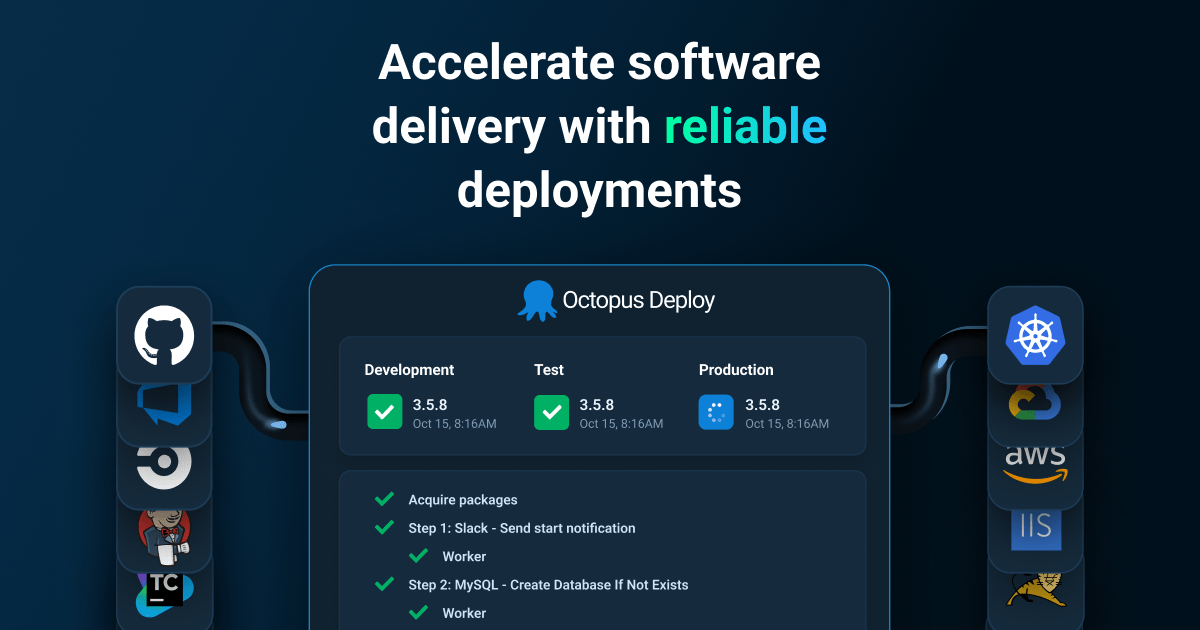
robots.txt (opens in a new tab)
2 rulesgooglebot 0 allowed · 1 disallowed
- Disallow
/downloads/OctopusServer/thanks
All bots 0 allowed · 1 disallowed
- Disallow
/downloads/OctopusServer/thanks
No matching rules.
Sitemaps
1Recent Updates
- Website images
- Screenshots
- Network details
- Website Technologies
- Pages and Search Information
- HTTP Response Information
- TLS and certificates
- DNS Information
- Domain Registration
- Website profile
- Website Description
- Website Name
- Website profile
- Website Description
- Website Name
User reviews (0)