Website profiles · Technology insights · Alternatives

onemotion.com

Creative and educational apps for all ages. Runs in your browser on computers, tablets and phones.

No paid content found
Visit website
Profile views 8 Outbound visits 12 Normal
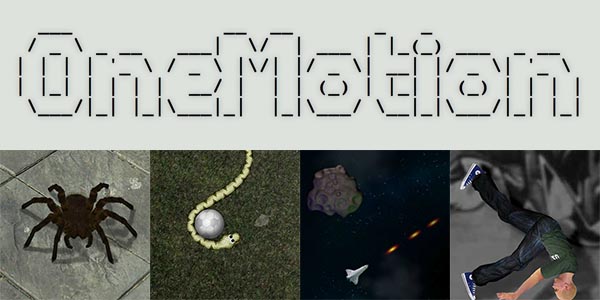
OneMotion.com Full homepage screenshot

At a glance

Category
Games & Board Games
Language
English
Paid-content signal
No paid content foundObserved
Registered
2002
Hosting
team.blue Denmark A/SInferred
HTTPS certificate trusted
PassedObserved
Last updated

Website review

This review may include AI-generated content and is not individually verified. Domain, certificate and other facts come from the observed data on this page.

What is OneMotion.com?

OneMotion.com is a collection of free browser-based creative and gaming apps by Tomas Eriksson. The site's own description says the apps run in your browser on computers, tablets and phones, so there is nothing to install and no account requirement is mentioned. The page groups its tools under "Creative web apps" and "Gaming web apps."

What you can actually do there

  • Chord Player — described as an app for experimenting with chords and styles for songwriting, aimed at making music theory easier to try out.
  • Drum Machine — for exploring rhythms and building drum beats, with 20+ kits, room effects and hit options such as buzz rolls.
  • Sketch Paint — brushes, colors and shapes for visual experimentation.
  • Fold & Cut Paper — a digital version of folded-paper cutting: drag foldings, draw cuts, then unfold to see the pattern.
  • Snake Game — a take on the classic snake game played on a 3D cube.

Who it suits

The mix points to casual, low-commitment use: a hobbyist sketching out a chord progression, a teacher demonstrating rhythm or symmetry, or someone wanting a quick creative break on a phone or tablet. Because everything is browser-based and free, it is easy to try without setup — but expect focused single-purpose toys rather than deep, professional-grade tools with project files or collaboration.

A practical next step: open the app that matches your immediate task — Chord Player if you are working on a song, Drum Machine if you need a beat, Fold & Cut Paper for a classroom or craft activity — and judge it on whether the output is something you can actually carry into your next step.

How can I use the Chord Player to experiment with chord progressions for songwriting?

Open OneMotion.com's Chord Player when you want to test chord ideas quickly without opening a full DAW. The page describes it as a chord progression app that makes music theory easier to experiment with, so its main use is sketching progressions and trying different chords or styles for a song idea.

A simple workflow

  1. Pick a starting chord that fits the mood you want.
  2. Add or change chords in the progression and listen to how the movement feels.
  3. Try a different style or voicing to hear the same chords in another context.
  4. Keep the progression you like and use it as a reference when you move to your main recording setup.

What it is good for

  • Songwriters who want to test a verse or chorus idea before committing to an instrument.
  • Beginners who find chord theory abstract and want to hear relationships instead of only reading them.
  • Anyone working on a phone, tablet or computer browser who wants a quick idea sketch.

Trade-offs

The app is a browser tool, so it is best for quick experiments rather than full production. It will not replace a DAW for arranging, mixing or recording. If you need detailed sound design or many tracks, use the Chord Player for the progression and move the idea elsewhere.

For a practical next step, take one progression you like and play it in two different styles inside the app. Note which version fits your song better, then use that as the harmonic base when you record.

What features does the Drum Machine offer for creating custom drum beats?

The Drum Machine on OneMotion.com is a browser-based rhythm tool for building beats without installing anything. According to the site's own description, it lets you "explore rhythms and create cool drum beats" and includes 20+ kits, room effects, and hit options such as buzz rolls.

H3 Practical breakdown

  • 20+ drum kits — enough variety to move between, say, an acoustic-style kit and an electronic one without leaving the page.
  • Room effects — adds a sense of space or ambience to the sound, useful for making patterns feel less dry.
  • Hit options including buzz rolls — lets you vary how individual hits are articulated, which is where a basic step sequencer often feels stiff.

H3 Who it suits A songwriter sketching a groove, a teacher demonstrating rhythm, or anyone curious about beat-making on a phone or tablet. Because it runs in the browser, it is a low-commitment way to try ideas before opening a full DAW.

H3 What to check yourself The description does not state pattern length, swing, tempo range, export or save options, so verify those in the app if they matter to you. For deeper production work, compare with a dedicated browser studio such as BandLab or a desktop-oriented option like Ableton.

Next step: open the Drum Machine, load two different kits with the same pattern, and toggle the room effect on and off — that quickly shows how much the ambience shapes the groove.

Can I create symmetric paper snowflakes or other designs with the Fold & Cut Paper app?

Yes. Fold & Cut Paper is built for exactly that kind of design: you drag and drop fold lines, draw your cuts, then unfold the result to see the finished pattern. Symmetric snowflakes are the classic use, since folding before cutting is what produces the mirrored repetition. The same workflow also covers stars, doilies, rosettes and abstract geometric patterns — anything where you want repeated shapes around a centre or along a fold line.

How to think about the tool

  • Fold first, cut second. The symmetry comes from the folding stage, so where you place folds determines how many repeats appear and how they line up.
  • Unfold to check. You do not have to guess the result; the app shows the final unfolded pattern, which makes it easy to iterate.
  • Browser-based. It runs in the browser on computers, tablets and phones, so it suits a quick session rather than a project you install.

Practical uses

  • A teacher demonstrating mirror symmetry or radial symmetry to a class.
  • A parent looking for a screen activity that ends in a tangible paper result.
  • Someone designing a decoration (window snowflakes, party garlands) who wants to test shapes before committing to scissors and paper.
  • A crafter prototyping a pattern digitally before cutting the real thing.

A useful next step

Start with a simple four-fold design: make one fold, cut a few shapes along the folded edge and the outer edge, then unfold. Once you see how the cuts multiply, add more folds and compare. If you want to explore the other creative tools on the same site, such as the chord progression app or the drum machine, they are listed alongside it on OneMotion.com — useful if you are evaluating the site as a whole for a classroom or family rather than for paper crafts alone.

Decision criterion

Choose this if you want to preview symmetry quickly and cheaply before using real paper. If your goal is a finished physical snowflake with crisp edges, the app is the planning step, not the product — the scissors still do the final work.

How does the 3D Snake Game differ from the classic snake game?

OneMotion's Snake Game moves the action from a flat grid onto a 3D cube, so movement wraps around the cube's faces instead of staying within a single rectangle. In the classic version, you watch the whole board at once and mostly worry about your own tail and the walls. On a cube, you also have to track which face you're on and how an edge connects to the next face, so spatial awareness becomes part of the challenge.

The practical differences:

  • Navigation: You steer a snake across a rotating 3D surface; turns near an edge can carry you onto another face.
  • Visibility: Parts of the cube may be hidden from view, so you can't always see every segment of your snake or the next target.
  • Failure states: Classic snake usually ends on a wall or tail collision; on a cube, boundary behavior depends on how edges are handled, which changes your risk calculations.
  • Difficulty curve: The cube layout is harder to read at first, but once you internalize the wrapping, the core loop of "eat, grow, avoid yourself" stays familiar.

If you want a concrete test: play a few rounds of the classic version to warm up, then switch to the cube and deliberately trace one edge at a time, noting where your snake reappears. That exercise shows whether the 3D layout feels like a fresh puzzle or just a disorienting one for you.

For context, OneMotion also offers other browser-based creative tools such as a Chord Player, Drum Machine, Sketch Paint and Fold & Cut Paper at OneMotion.com, so the Snake Game fits a broader set of small, no-install apps.

Is OneMotion.com free to use, and how can I support the developer?

Yes. OneMotion.com is described as offering free online apps that run in your browser on computers, tablets and phones, so you can try the creative and gaming tools without installing anything. The page also includes a Donate option, which is the direct way to support developer Tomas Eriksson if you find the apps useful.

H3 Practical ways to decide whether to donate

  • Try before giving: Use one or two apps that match your interests, such as Chord Player for experimenting with chord progressions or Drum Machine for building rhythms.
  • Match support to repeat use: If you return to an app regularly, a donation reflects ongoing value; if you only take a quick look, there is no obligation.
  • Consider the audience: The apps are presented as suitable for all ages, so they can be useful for casual creative practice, classroom exploration or a quick game break.

For a concrete scenario: a music student could use Chord Player to test chord ideas, then use Drum Machine to sketch a rhythm, and afterwards choose the Donate link if those tools become part of their routine.

If you want to explore similar free browser-based creative tools elsewhere, you can also look at AutoDraw for quick drawing or Musica for music-learning exercises.

Related questions

More questions →
Are the Apps on OneMotion.com Free to Use?

Yes. OneMotion.com describes its collection as "Free online apps," and every app runs directly in your browser on computers, tablets, and phones. There is no software to install — you open the site, pick an app, and start using it. The site does include a Donate link, but nothing in the available site information indicates a paid tier, subscription, or paywall.

What "free and browser-based" means in practice

The apps are built to run inside a web browser rather than as downloadable programs. That has a few practical consequences:

  • No installation step. You don't download an installer or add a browser extension. Loading the page is the setup.
  • Cross-device access. The same apps work on desktop, tablet, and phone, so you can start on one device and continue on another.
  • Nothing to manage locally. Because the apps live on the site, there are no local updates or version conflicts to deal with.

If you want to confirm this yourself, open any app page and look for a download or "install" prompt — the site's own description says the apps run in the browser, so you shouldn't find one.

The apps currently listed

The site groups its apps into two categories.

Creative web apps

App What it does
Chord Player Experiment with chords and styles for songwriting; the site notes music theory can be complex and this app makes experimenting easier
Drum Machine Explore rhythms and build drum beats, with 20+ kits, room effects, and hit options such as buzz rolls
Sketch Paint Play with brushes, colors, and shapes for visual creativity
Fold & Cut Paper Create patterns by folding and cutting paper: drag and drop foldings, draw cuts, then unfold to see the result

Gaming web apps

App What it does
Snake Game A new version of the classic snake game, set on a 3D cube

A reasonable way to check before relying on it

Because the site labels itself "Free online apps" and lists a Donate option rather than a pricing page, the most reliable check is simply to open the app you want and use it. If a paid tier or login requirement existed, you'd expect to hit it at that point — the available site information doesn't mention one.

One caveat worth stating plainly: the site information confirms the apps are free and browser-based, but it doesn't spell out terms like whether your work is saved between sessions or whether an account is ever needed. If persistence matters for what you're doing (for example, keeping a chord progression or a drum pattern), test that behavior in the app itself before investing time.

What gaming web apps does OneMotion.com offer?

OneMotion.com currently lists one gaming web app: Snake Game. It is a new version of the classic snake game, and the play area is a 3D cube rather than the usual flat grid. It runs in your browser, so there is nothing to install.

Snake Game at a glance

Item Detail
App name Snake Game
Category Gaming web apps
What it is A new version of the classical snake game
Distinctive feature Takes place on a 3D cube
Platform Browser (computers, tablets and phones)

What makes it different from the classic Snake

The core idea is familiar: you steer a snake, and the challenge comes from where you can move and how the space is laid out. The difference here is the setting — the game takes place on a 3D cube. That changes how you read the board, because movement wraps around the cube's faces instead of staying on a single flat plane.

If you have played Snake on a rectangular grid before, expect to spend the first minute or two re-learning how direction works once the snake crosses an edge onto another face.

How to start playing

  1. Open onemotion.com in your browser.
  2. Go to the Gaming web apps section.
  3. Select Snake Game.
  4. Use the on-screen or keyboard controls to steer the snake.

Expected result: the game loads directly in the browser with no download step. On a phone or tablet, you play with touch input; on a computer, with your keyboard or mouse.

Common snags

  • Direction confusion at cube edges. This is the main adjustment. When the snake moves off one face, your sense of "left" and "right" shifts with the new orientation. Pause and watch the first few turns before committing to a long run.
  • Small screens. The 3D cube needs enough room to read clearly. A tablet or computer gives you a better view than a narrow phone screen.
  • No account needed to reach the app. The site presents these as free online web apps; the page evidence does not describe any login requirement for the gaming section.

Where it fits on the site

OneMotion.com groups its browser apps into two headings: Creative web apps and Gaming web apps. Snake Game is the entry under gaming. The creative side covers tools like Chord Player, Drum Machine, Sketch Paint and Fold & Cut Paper, so if you came for a game specifically, the gaming section is the one to open.

Can OneMotion.com Apps Be Used for Educational or Creative Learning?

Yes. OneMotion.com describes its apps as "creative and educational apps for all ages," and the available tools map onto real learning activities: music theory and rhythm practice, visual art exploration, and pattern-making. They run in a browser on computers, tablets, and phones, so no installation is needed to try them in a classroom, homeschool, or self-study setting.

What makes the site suitable for learning contexts

The site's own framing is the strongest signal: it presents the collection as creative and educational, aimed at all ages, and browser-based. That combination matters for teaching because it lowers the setup barrier — a student can open a link on a shared device and start working without an account or download.

The apps are also open-ended rather than quiz-based. They give learners a space to experiment and observe results, which fits creative and exploratory learning better than drill-style tools.

Creative apps and their learning uses

App What it does Learning angle
Chord Player Lets you experiment with chords and styles for a song Music theory can be complex; this app makes chord progressions easier to try out hands-on
Drum Machine Explore rhythms and build drum beats, with 20+ kits, room effects, and hit options like buzz rolls Rhythm, timing, and how different kits and effects change a groove
Sketch Paint Play with brushes, colors, and shapes Visual creativity, color and form exploration
Fold & Cut Paper Drag and drop foldings, draw cuts, unfold to see the result Symmetry, geometry, and cause-and-effect in design

For music, the practical value is that a learner can hear a chord progression change as they adjust it, rather than only reading about it. For rhythm, the range of kits and effects lets a student compare how the same pattern sounds in different contexts. For visual work, Sketch Paint and Fold & Cut Paper both reward experimentation — the fold-and-cut app in particular shows the relationship between a cut and its unfolded pattern, which is a concrete way to explore symmetry.

Gaming apps

The site also lists gaming web apps, including a Snake Game described as a new version of the classic that takes place on a 3D cube. Games like this can support spatial reasoning and hand-eye coordination, though the site presents it as a game rather than a curriculum tool.

Practical considerations before using it in a lesson

  • Device fit: The apps run in browsers on computers, tablets, and phones, so check which device your learners will actually use and whether the controls work well on it.
  • Age and supervision: "All ages" is the site's description; for younger children, an adult should preview each app and decide how much guidance is needed.
  • Learning goal first: Pick the app that matches the objective — Chord Player for harmony, Drum Machine for rhythm, Sketch Paint for visual art, Fold & Cut Paper for pattern and symmetry.
  • No account required to explore: The site presents these as free online apps, and the listed tools are accessible directly in the browser.

Bottom line

OneMotion.com's apps are a reasonable fit for educational and creative learning, especially for music theory, rhythm, and visual pattern work. They work best as open experimentation tools that a teacher or parent frames with a specific goal, rather than as a structured course on their own.

What is OneMotion.com?

OneMotion.com is a free online apps site by Tomas Eriksson that runs entirely in your browser on computers, tablets, and phones. It hosts a small collection of creative and gaming web apps, so it's a good fit if you want a quick tool for music, drawing, or a casual game without installing anything. The apps are listed under two headings: "Creative web apps" and "Gaming web apps."

What you'll find on the site

Creative web apps

App What it does
Chord Player Lets you experiment with chords and styles for your next song, aimed at making music theory easier to work with.
Drum Machine Explore rhythms and build drum beats, with 20+ kits, room effects, and hit options like buzz rolls.
Sketch Paint Play with brushes, colors, and shapes to explore visual creativity.
Fold & Cut Paper Create patterns by folding and cutting paper: drag and drop your foldings, draw your cuts, and unfold to see the result.

Gaming web apps

App What it does
Snake Game A new version of the classic snake game that takes place on a 3D cube.

How it works

Everything runs in the browser, so there's no software to install. The site describes the apps as suitable for all ages and usable across desktop, tablet, and phone. Beyond the apps themselves, the site provides a few standard pages: Donate, Discuss, Contact, About, and Terms & Privacy.

Who it's for

  • Music tinkerers who want to try chord progressions or drum patterns without a full DAW.
  • Casual artists who want a lightweight paint tool or a paper-folding pattern generator.
  • Quick-break gamers looking for a short browser game like the 3D-cube Snake.

What to keep in mind

The site presents its apps as free online web apps. The available information doesn't list pricing tiers, accounts, or login requirements, so check the individual app or the site's own pages if you need to confirm current terms before relying on it.

What creative web apps are available on OneMotion.com?

OneMotion.com offers four creative web apps: Chord Player, Drum Machine, Sketch Paint, and Fold & Cut Paper. All run directly in your browser on computers, tablets, and phones, so there is nothing to install. They suit quick, low-commitment creative sessions — experimenting with a chord progression, sketching an idea, or making a paper-cut pattern — rather than full production work.

The four creative apps

App What it does Best for
Chord Player Lets you experiment with chords and styles for a song Testing chord progressions without music theory overhead
Drum Machine Explore rhythms and build drum beats, with 20+ kits, room effects, and hit options like buzz rolls Sketching beats and trying different kit sounds
Sketch Paint Play with brushes, colors, and shapes Visual sketching and freeform drawing
Fold & Cut Paper Drag and drop foldings, draw your cuts, then unfold to see the result Making symmetrical paper-cut patterns

Chord Player

Music theory can be complex, and this app is built to make chord experimentation easier. You pick chords and styles to hear how a progression sounds before committing it to a song. It is a low-friction way to test ideas if you do not read music fluently.

Drum Machine

This app is for exploring rhythms and creating drum beats. It includes more than 20 kits, room effects, and hit options such as buzz rolls, so you can shape both the sound and the feel of a pattern rather than just triggering a single default kit.

Sketch Paint

A drawing app for brushes, colors, and shapes. Use it when you want to explore visual ideas quickly without opening a heavier design tool.

Fold & Cut Paper

You create patterns by folding and cutting paper digitally: drag and drop your foldings, draw the cuts, then unfold to see the final result. It mirrors the physical fold-and-cut craft, with the unfold step showing the symmetry you produced.

What to know before you start

  • No install needed. These apps run in the browser across computers, tablets, and phones, so the same app works whether you are at a desk or on a phone.
  • Pick by output type. Choose Chord Player or Drum Machine for audio ideas, Sketch Paint for visuals, and Fold & Cut Paper for pattern design.
  • Expect experimentation, not a full studio. The descriptions frame these as tools for exploring and playing around, which fits short sessions and idea testing.

The site also lists gaming web apps separately, such as a Snake Game version set on a 3D cube, if you are looking for something to play rather than create with.

Website Overview

An established domain and managed infrastructure suggest continuity of operations and may support dependable delivery, although neither guarantees service quality. An active inbound-mail setup with incomplete authentication may leave the domain more open to impersonation. Provider hosting alone does not close that gap.

Domain and Registration

Registered in 2002, this domain has about 24 years of history. That suggests continuity, although ownership and purpose may have changed. The domain uses the common .com extension, which is not an independent safety signal.

DNS and Email

The observed email authentication setup is incomplete: DMARC is missing. Nameservers are provided by simply.com, indicating managed DNS hosting. MX records point to the simply.com email service. No CNAME was found; the observed records resolve directly to addresses. DNSSEC signatures were not detected, so this additional DNS authenticity protection is not confirmed.

TLS and Certificates

The certificate uses an RSA 2048-bit public key, offering broad client compatibility. The server supplied a complete certificate chain. No organization name is present in the certificate; the available fields are consistent with domain validation. The certificate was issued by Let's Encrypt, commonly associated with automated certificate services. The certificate's total validity is about 89 days, consistent with a short renewal cycle.

HTTP and Browser Security

The response lacks these common security headers: HSTS, CSP, Referrer-Policy, Permissions-Policy, clickjacking protection. No X-Powered-By header was found, reducing one common source of backend fingerprinting information. No obvious internal addresses or debug information were found in the headers. The Server header contains the custom value Simply.com. No explicit CDN or WAF marker was found in the response headers.

Technology Stack Analysis

The public page identifies Google Analytics, Apache without precise versions, leaving fewer clues for version-specific scanning.

Search and Social Sharing

Open Graph is partially configured; og:title, og:description, og:type is missing. The title has 32 characters, within a common display range. A meta description is present, with 98 characters. The observed directives allow indexing and link following. No Generator meta tag is publicly exposed.

Hosting and Email

DNSsimply.com
Hostingteam.blue Denmark A/S
Emailsimply.com
Approximate IP geolocation (inferred; a CDN or proxy may differ from the origin server) Denmark flagDenmark Inferred 94.231.103.63

Registration details

RDAP / WHOIS

RegistrarAscio Technologies, Inc. Danmark - Filial af Ascio technologies, Inc. USA
Registered2002-05-31
Expires2027-05-31
Domain statusactive
Nameserversns1.unoeuro.com、ns2.unoeuro.com、ns3.unoeuro.com、ns4.unoeuro.com
DNSSECunsigned

DNS records

DNS

TypeNameValueTTLPriority
Aonemotion.com94.231.103.633600—
MXonemotion.commx.simply.com360010
NSonemotion.comns1.simply.com3600—
NSonemotion.comns2.simply.com3600—
NSonemotion.comns3.simply.com3600—
NSonemotion.comns4.simply.com3600—
TXTonemotion.comv=spf1 include:spf.simply.com ?all3600—

TLS and certificates

TLS / SSL

AssessmentNormal configuration
Supported protocolsTLSv1.2、TLSv1.3
Negotiated protocolTLSv1.3
Certificate subjectonemotion.com
IssuerLet's Encrypt
Valid until2026-12-21T06:05 · Remaining when checked: 80 days
Verification detailsCertificate trust: Passed · Hostname match: Passed

HTTP response headers

HTTP

HeaderValue
content-typetext/html
serverSimply.com
x-content-type-optionsnosniff

Identified technologies

Google AnalyticsApache

Pages, Search and Sharing

Meta descriptionCreative and educational apps for all ages. Runs in your browser on computers, tablets and phones.
Canonical URLhttps://onemotion.com
LanguageEnglish (default)
Twitter CardNot detected
All bots 0 allowed · 6 disallowed
  • Disallow/tmp/
  • Disallow/cgi-bin/
  • Disallow/webalizer/
  • Disallow/modlogan/
  • Disallow/administrator/
  • Disallow/wp-admin/
  • IntervalCrawl delay 20 seconds
ahrefsbot 0 allowed · 1 disallowed
  • Disallow/
ezooms 0 allowed · 1 disallowed
  • Disallow/
mj12bot 0 allowed · 1 disallowed
  • Disallow/
xovibot 0 allowed · 1 disallowed
  • Disallow/
ia_archiver 0 allowed · 1 disallowed
  • Disallow/

User reviews (0)

  • No reviews yet.