Website profiles · Technology insights · Alternatives

passbolt.com Paid content

Categories: Security & Privacy

Manage and share passwords securely with Passbolt. Open source, audited and built for teams that need collaboration, compliance and control.

Visit website

Updated: 2026-09-28 01:51 Language: English (default) Access: Normal

Profile views 1 Outbound visits 0
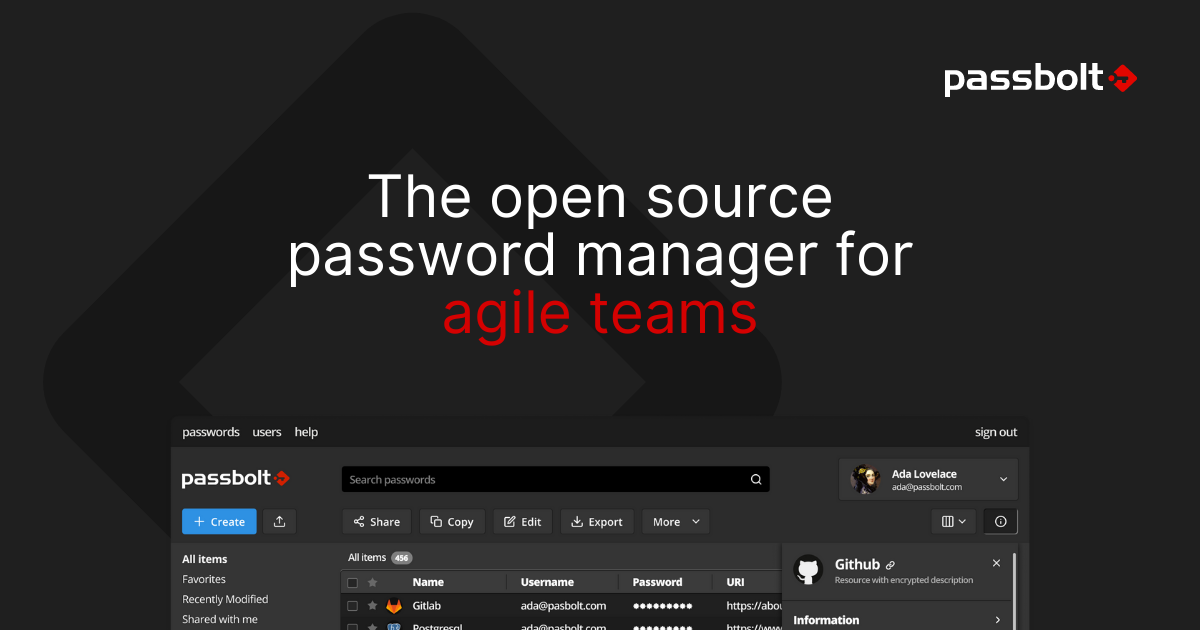
Passbolt Full homepage screenshot
Editorial Review

Website Review

What is Passbolt?

Passbolt is an open-source password and secret manager built primarily for teams. Rather than a personal vault, it is designed around sharing credentials across an organisation, so administrators can control who sees which passwords and keep an audit trail of that access.

Its stated positioning is "any business, any size," with the page noting it suits a team of 5 or an organisation of 5000. The audience it targets is security-conscious IT teams, but the product is presented as simple enough for company-wide rollout. It can be installed on-premises or used via a cloud option.

What it emphasises

  • Open source code, with an audited security posture (the page cites SOC 2 Type II and GDPR compliance, and notes it is made in Europe).
  • Collaboration: teams share credentials rather than passing them around informally.
  • Administrative control and compliance reporting for organisations that need oversight.
  • Adaptability to existing workflows ("modelled for your workflows").
  • Deployment choice: on-premises installation or a hosted cloud option.

Who tends to use it

The page lists 50,000+ organisations, with named examples spanning government, defence, IT services and universities — for instance Bosch, the French Ministère de l'Intérieur, GLS, Humboldt-Universität zu Berlin, TU Graz and CTIE in Luxembourg. That mix suggests the strongest fit is organisations with a compliance or sovereignty requirement, or IT departments managing shared infrastructure credentials.

How it compares conceptually

Approach Typical fit
Personal password manager One person's logins, minimal admin overhead
Team-oriented secret manager like Passbolt Shared credentials, role-based access, audit needs
Enterprise privileged access suite Large-scale privileged account governance, heavier setup

Practical next step

If you are evaluating it, decide two things first: whether you need on-premises control (which points to the self-hosted install) or would rather avoid running infrastructure (the cloud option), and how many people will share credentials. Then check the pricing page for the current tiers, since the site references subscription-based pricing without listing amounts here.

For a concrete scenario: a 30-person IT team that currently keeps shared admin passwords in a spreadsheet would use Passbolt to move those into a controlled vault with per-user permissions and an access log — a meaningful governance gain over a spreadsheet, though it requires an initial setup and user onboarding effort.

How does Passbolt differ from other team password managers?

Passbolt's main difference is that it is built as an open-source credential platform for teams, with a strong emphasis on self-hosting and IT control. According to its own page, it is "built-first for security-conscious IT teams" but intended to remain simple enough for organisation-wide adoption. It also states that it is open source, audited, SOC 2 Type II compliant, GDPR-aligned, made in Europe, and a member of the FIDO Alliance. Those claims matter most to organisations that need to inspect, host or govern the software themselves rather than rely entirely on a vendor's cloud.

In practical terms, that positions it differently from many mainstream team password managers, which are typically closed-source SaaS products. Passbolt's page explicitly offers both "Install on-prem" and "Try Passbolt Cloud", so it does not force a single deployment model. Its stated scale range is also unusually broad: a team of 5 or an organisation of 5000. The page cites 50,000+ organisations worldwide, including governments, defence agencies and IT companies, with named examples such as Bosch, the French Ministère de l'intérieur, GLS, Humboldt-Universität zu Berlin, TU Graz, ZIT-RLP, Hochschule Ruhr West, Information Services and CTIE. That is a useful signal for public-sector, university and regulated buyers who care about sovereignty and procurement fit.

A second difference is workflow modelling. Passbolt says it helps teams share credentials securely and describes itself as "modelled for your workflows", aligning productivity and security goals. That is a collaboration-focused pitch rather than a purely personal vault pitch. The trade-off is that self-hosting and open-source governance can demand more internal IT effort than a fully managed cloud service; teams without that capacity may prefer the cloud option or a simpler hosted competitor.

If you are deciding, start with two questions: must you control where secrets are hosted, and do you need to audit or extend the code? If yes, Passbolt is a strong candidate. If you mainly want the least administrative effort, compare it with hosted alternatives. For official details, see Passbolt.

Can Passbolt be self-hosted on-premises?

Yes. Passbolt is built to be installed on-premises, and that is one of the two main ways it is offered: self-hosted ("Install on-prem") or as a hosted cloud service. The on-premises route is aimed at security-conscious IT teams that want to keep credential data inside their own infrastructure rather than with a vendor.

What on-premises hosting gives you

  • Data stays in your environment. Credentials and the server they live on are under your control, which matters if policy, sovereignty or compliance rules restrict where secrets can be stored.
  • You manage the operational side. Installation, upgrades, backups, TLS certificates and availability become your team's responsibility. That is the main trade-off: more control, more maintenance.
  • Team-oriented sharing from the start. The product is designed around sharing credentials within teams rather than as a single-user vault, so it fits organisations where several people need the same accounts.
  • Scale is not the deciding factor. The site positions it for anything from a team of about 5 to an organisation of 5000, so a small IT department and a large public body use the same model.

Who tends to choose it

The customer examples on the page lean heavily toward the public sector, universities and larger IT organisations — government ministries, national IT services, research universities and industrial companies. If your organisation resembles those, on-premises deployment is likely to be the expected option rather than the cloud one. The page also notes audit and compliance signals such as SOC 2 Type II and GDPR alignment, which are the kinds of checks procurement teams ask about before approving a self-hosted rollout.

How to decide

Ask three questions before committing:

  1. Does policy require secrets to remain on infrastructure you control? If yes, on-premises is the natural fit.
  2. Do you have someone who can own patching, backups and certificate renewal? If not, the hosted option removes that burden.
  3. How many people need shared access, and do they sit inside one network boundary or across several? On-premises is simplest when the user base is fairly contained.

A practical next step is to run a small pilot: install it on a test server, add one team that shares a handful of credentials, and let your IT staff judge the setup and upgrade effort before rolling it out more widely. Official details are at Passbolt. For background on why teams often standardise on a shared vault instead of ad-hoc sharing, see OWASP guidance on credential and secret management.

How does Passbolt support compliance with SOC 2 and GDPR?

Passbolt supports SOC 2 and GDPR compliance in two different ways: one through an audited security report, and the other through where and how the software can be deployed.

SOC 2 Type II — Passbolt states it has an audited SOC 2 Type II report. A Type II report covers how controls operated over a period of time, not just a point-in-time snapshot. For a buyer, that matters because it gives your own auditors and security reviewers evidence to rely on when Passbolt sits inside a system that handles credentials. It is useful supporting evidence for your compliance program, not a substitute for your own controls and policies.

GDPR — Passbolt lists GDPR compliance and describes itself as made in Europe. Because it can be installed on-premises, your organisation can keep credential data inside its own infrastructure and choose the jurisdiction and processors involved. That reduces the number of third parties in scope and makes data-residency and transfer questions easier to answer. If you use the cloud option, the deployment model changes, so confirm hosting location, subprocessors and data-processing terms directly with Passbolt.

Practical decision criteria

  • If your auditors ask for independent assurance, ask for the SOC 2 Type II report and check the audit period and scope.
  • If data residency is the driver, on-premises installation gives you the most control; cloud shifts responsibility to the vendor.
  • If you handle government or defence-adjacent work, note the page mentions ANSSI CSPN certification is in process, which is progress, not a completed certification.
  • Compliance is a shared effort: Passbolt can supply evidence and deployment control, but access reviews, joiner/leaver processes and least-privilege sharing remain your responsibility.

As a next step, request the SOC 2 report and a data-processing agreement, then map Passbolt's controls against the specific SOC 2 trust criteria and GDPR obligations your organisation must evidence. You can start from Passbolt.

Is Passbolt suitable for small teams or only large enterprises?

Passbolt is designed for both: the page states it is "built-first for security-conscious IT teams, yet simple enough for company-wide adoption" and that it delivers "for a team of 5, or an organisation of 5000." So a small team is within its intended audience, not an edge case.

That said, "suitable" depends on what your small team actually needs.

Where a small team benefits

  • Shared credentials, not personal vaults. The page frames the core problem as teams that "can't stop sharing credentials" and positions Passbolt as a way to do that securely. If your team passes around a handful of shared logins, that's exactly the use case.
  • Self-hosting control. The page offers "Install on-prem" alongside a cloud option, so a small team with an existing server or a preference for keeping secrets in-house can run it themselves.
  • Compliance signals without an enterprise contract. Audited, SOC 2 Type II compliant, GDPR-aligned and made in Europe are all stated on the page. A small company selling to larger customers may value those labels even at low headcount.

Where a small team feels friction

  • It is admin-shaped. "Built-first for security-conscious IT teams" suggests setup and policy management assume someone owns that job. A five-person startup with no IT function should expect to spend real time on installation and key management.
  • Collaboration model matters. Team-oriented credential sharing is the point; if you mainly want a personal password manager with occasional sharing, a simpler consumer tool may be less overhead.
  • On-prem means you own uptime. Choosing the self-hosted route trades subscription simplicity for maintenance work.

Quick comparison

Situation Passbolt fits well?
5–50 people sharing service and infrastructure credentials Yes — matches the stated design range
Small team with an IT/security owner who wants on-prem Yes
Solo user wanting a personal vault Probably more than you need
Small team with no one to run a server Cloud option likely better than on-prem

Next step

Decide first between on-prem and cloud, since that choice drives your real cost and effort far more than team size does. Then pilot with your most sensitive shared credentials — a production database or cloud admin account — rather than a low-stakes login, so you learn how key management and recovery work before rolling it out. If you want to compare the wider category, official sites such as Bitwarden and 1Password cover the same team-sharing ground with different hosting models.

How does Passbolt handle password sharing and access control for teams?

Passbolt is built around sharing credentials within a team rather than treating passwords as personal items. Its core model is a shared, encrypted vault: secrets are stored server-side in encrypted form, and access is granted per user or per group, so a colleague can use a credential without ever seeing the underlying password in plain text. The page positions this as its main differentiator — teams that cannot stop sharing credentials can at least do it under controlled, auditable conditions.

What that means in practice

  • Sharing is a first-class action. Instead of pasting a password into chat, a user shares the credential itself. The recipient gets working access; the secret stays hidden.
  • Access control is role- and group-based. Administrators decide who belongs to which team or group, and membership determines what is visible. This suits organisations that need to onboard and offboard people quickly.
  • The target audience is security-conscious IT teams, with simpler day-to-day use for the wider company. The page explicitly frames it as fitting a team of 5 up to an organisation of 5000.
  • Governance signals matter here. The page cites SOC 2 Type II, GDPR alignment, European origin, FIDO Alliance membership, and a pending ANSSI CSPN certification, plus named users such as Bosch, the French Ministère de l'intérieur, GLS, several universities and public IT bodies. Those references are aimed at buyers who must justify the choice to auditors, procurement or regulators.

Where it fits and where it doesn't

Situation Passbolt's approach Trade-off
Small IT team sharing admin credentials Group-based sharing with hidden secrets Requires someone to set up and maintain groups
Regulated or public-sector buyer On-premises install, audit and compliance signals More operational overhead than a pure cloud tool
Company-wide rollout beyond IT Simple enough for non-technical staff Non-IT users still need onboarding and habits change
Teams wanting minimal administration Cloud option available Less control than self-hosting

A useful next step

List your current credential-sharing habits — chat messages, spreadsheets, shared notes — and mark which ones involve people who should use a secret but never see it. That list is your test case. If most of it involves groups rather than individuals, and if you need an on-premises or European-hosted deployment, Passbolt's model lines up well. If your main need is personal password storage with occasional sharing, a lighter tool may be enough.

For the underlying model and deployment choices, see Passbolt. For a broader comparison of team-oriented managers, official documentation from Bitwarden and 1Password is worth reading alongside it.

Related questions

More questions →
How Do Enterprise Teams Adopt Specialist AI Agents Without Disrupting Existing Workflows?

Enterprise teams can adopt specialist AI agents without disruption by starting with one narrow, high-volume workflow, running it as a bounded pilot with human review, measuring against a baseline, and only then expanding. The key is to treat agents as new team members with defined scopes rather than as a replacement for existing tools or a sweeping platform migration. This article explains what specialist agents are, where they fit across common team functions, and a phased approach you can follow.

What Makes an Agent "Specialist" Rather Than General-Purpose

A general-purpose assistant responds to open-ended prompts across many topics. A specialist agent is scoped to one job: it has a defined goal, a limited set of tools and data sources, and a clear definition of "done."

That scoping matters for enterprise teams for three practical reasons:

  • Predictability. A narrow agent produces more consistent outputs, which makes it easier to review and trust.
  • Permission control. You can grant access only to the systems that specific task needs, rather than broad data access.
  • Measurable value. When an agent owns one workflow, you can compare its output against a manual baseline.

A useful rule of thumb: if you cannot describe the agent's job in one sentence with a clear input and output, it is still too broad to deploy safely.

Mapping Team Functions to Agent Use Cases

Most enterprise teams have a handful of repetitive, rules-plus-judgment tasks that are good first candidates. The table below shows typical starting points.

Team Candidate agent task Why it fits
Sales Research and enrich inbound leads before handoff High volume, structured output, easy to verify
Customer success Draft responses to common account questions Repetitive, benefits from consistency
Marketing Repurpose long-form content into channel variants Clear brief, reviewable drafts
HR Screen and summarize applications against criteria High volume, needs audit trail
Operations Triage and route incoming requests Rule-based with clear routing logic

Notice that none of these replace a person's judgment. They compress the repetitive portion so the human spends time on exceptions and decisions.

A Phased Adoption Approach: Pilot, Measure, Expand

Phase 1: Pick one workflow and define success

Choose a task that is high-volume, low-risk, and currently a bottleneck. Write down:

  • The current process, step by step
  • The baseline metric (time per task, volume per week, error rate)
  • What "good output" looks like, with two or three examples
  • Who reviews the agent's work

Phase 2: Run a bounded pilot

Keep the agent inside the existing workflow rather than beside it. For example, the agent drafts; the human sends. Set a review gate so nothing leaves the team unreviewed. Run for a fixed period, such as four to six weeks, with a small group.

Phase 3: Measure against the baseline

Compare the same metrics you recorded in Phase 1. Look for time saved, consistency gained, and — importantly — where the agent failed. Failures tell you whether the scope was right.

Phase 4: Expand deliberately

Only widen scope after the pilot shows a clear, repeatable gain. Expand in one of two directions: more volume of the same task, or an adjacent task with the same data and review pattern. Avoid expanding into a new function and a new data source at the same time.

Handling Workflow Integration Concerns

Data access

Give each agent the minimum access its task requires. Prefer read access plus a single write action over broad permissions. Document which systems it touches so security and IT can review.

Handoffs

Define exactly where the agent stops and a human begins. A simple handoff rule works well: the agent completes the task and flags anything outside its defined scope for a person. Ambiguous handoffs are the most common source of friction.

Human oversight

Decide the review level up front:

  • Full review for anything customer-facing or high-stakes
  • Spot check for internal, low-risk outputs
  • Exception-only review once the agent has a track record

Start stricter than you think you need, then relax as evidence accumulates.

How Roles and Responsibilities Shift

Adopting agents rarely removes roles; it redistributes effort. Expect these shifts:

  • Reviewers become editors. People spend less time producing first drafts and more time improving and approving them.
  • Process owners become agent owners. Someone needs to maintain the agent's instructions, examples, and scope as the business changes.
  • New quality checks appear. Teams need a lightweight way to catch drift — for example, a weekly sample review.

Be explicit about who owns the agent after launch. An unowned agent degrades quietly.

Practical Criteria for Choosing Where to Start

Score candidate workflows against these questions:

  1. Volume: Does it happen often enough to matter?
  2. Risk: What is the cost of a wrong output, and can a human catch it?
  3. Structure: Is the input and output reasonably consistent?
  4. Baseline: Can you measure the current state today?
  5. Ownership: Is there a person who will own the agent after launch?

A workflow that scores well on all five is a strong first pilot. A high-volume task with no clear owner is a poor start, no matter how repetitive it is.

A Simple Pilot Template

You can copy this structure to scope your first agent:

  • Task: [one sentence]
  • Current baseline: [time/volume/error rate]
  • Agent scope: [what it does, what it does not do]
  • Data access: [systems, read/write]
  • Handoff rule: [when it escalates to a human]
  • Review level: [full / spot / exception]
  • Owner: [name]
  • Pilot length: [weeks]
  • Success metric: [target]

Bottom Line

Disruption comes from adopting too much at once, not from agents themselves. Start with one scoped task, keep humans in the loop, measure against a real baseline, and expand only when the evidence supports it. Platforms built around specialist agents — such as Relevance AI, which offers agents for sales, customer success, marketing, and HR — are designed for exactly this kind of task-by-task rollout, so you can add capability without rebuilding your team's existing processes.

What Are Open-Source UI Element Libraries and How Do They Differ From UI Frameworks?

An open-source UI element library is a collection of individual, ready-made interface pieces—buttons, cards, inputs, toggles, loaders—that you copy into your own project and adapt. A UI framework, by contrast, is a structured system of components, conventions, and often a theming layer that governs how your whole interface is built. The practical difference: an element library gives you a snippet; a framework gives you a way of working. If you need a polished button in ten minutes, reach for the element library. If you're building a 40-screen product with a team, you probably want the framework.

What "open-source UI element library" actually means

The term gets used loosely, so it helps to separate the parts:

  • Open-source: the code is publicly available, and the license tells you what you may do with it—copy, modify, redistribute, or use commercially.
  • UI element: a single, self-contained piece of interface, usually small enough to read in one sitting. A button with hover states, a pricing card, a search field.
  • Library: a browsable, searchable collection of those elements, typically contributed by many different people.

On a site like Uiverse, elements are shared by a community and written in plain CSS or Tailwind. You find one you like, copy the markup and styles, paste them into your project, and adjust colors, spacing, and text to fit. There's no package to install and no build step required—which is exactly the appeal, and also the source of most of the confusion.

Element library vs. UI framework: the core differences

Dimension Open-source UI element library UI framework / design system
Unit of reuse A single snippet you copy A component you import or call
Installation None; paste into your code Package install, config, sometimes a provider
Consistency Depends on you; each element may look different Enforced by shared tokens and APIs
Theming Manual edits per element Central theme/config file
Updates You own the copy; no upstream updates Version bumps bring fixes and changes
Accessibility Varies per contributor; must be checked Usually tested and documented
Best for Prototypes, landing pages, small sites, one-off needs Multi-page apps, teams, long-lived products
Learning curve Low—read the CSS Higher—learn the API and conventions

The table isn't a verdict. It's a map of trade-offs. Element libraries win on speed and freedom; frameworks win on consistency and maintenance.

Licensing and attribution: what to check before you paste

This is where people get into trouble, and it's worth slowing down for.

  1. Find the license. Every element or collection should state one. Common open-source licenses include MIT, Apache-2.0, and BSD. Some projects use copyleft licenses like GPL, which can impose obligations if you redistribute your code.
  2. Understand what the license permits. MIT and Apache-2.0 are permissive: you can typically use the code in commercial and closed-source projects. Copyleft licenses may require you to release derivative source under the same terms.
  3. Check attribution requirements. Permissive licenses usually require you to keep the copyright notice and license text somewhere in your project. That's a real obligation, not a formality.
  4. Look for per-element terms. On community sites, the site's overall terms and the individual contributor's stated wishes may differ. If a contributor asks for credit, honor it.
  5. When in doubt, ask or avoid. If a snippet has no license at all, you don't have clear permission to reuse it. Treat "no license" as "not open source," even if the code is publicly visible.

This article is general information, not legal advice. For commercial products with real exposure, have someone qualified review the licenses you're relying on.

How to use a community element in your project: a practical workflow

Here's a repeatable process that avoids most of the usual mess.

1. Start from a real need, not a browsing session

Decide what you need first—"a compact primary button with a loading state"—then search. Browsing aimlessly produces a pile of pretty snippets that don't fit together.

2. Copy the smallest version that works

Take the markup and the styles. Strip anything you don't need: demo wrappers, extra animations, decorative layers. Less code means fewer surprises.

3. Convert it to your conventions

If your project uses design tokens or CSS variables, replace hard-coded values:

/* Before: hard-coded */
.button { background: #4f46e5; border-radius: 8px; }

/* After: token-based */
.button { background: var(--color-primary); border-radius: var(--radius-md); }

This one step is what keeps a copied element from looking like a foreign object in your UI.

4. Check accessibility before you ship

Community elements vary widely here. Verify at minimum:

  • Keyboard focus is visible and the element is reachable by Tab.
  • Color contrast meets WCAG AA (4.5:1 for normal text).
  • Interactive elements use semantic HTML (<button>, not a clickable <div>).
  • Form inputs have associated labels.
  • Motion respects prefers-reduced-motion.

5. Test in context

Paste it into a real page with real content. Long labels, small screens, and dark mode break more copied elements than anything else.

6. Note where it came from

Keep a short comment or an internal credits file: source, license, date. Future you—and your legal reviewer—will be grateful.

Where element libraries genuinely shine

  • Prototypes and demos: you need something clickable today, not a design system.
  • Landing pages and marketing sites: a handful of distinctive elements, each custom.
  • Filling gaps: your framework lacks one specific component, and you don't want to build it from scratch.
  • Learning: reading well-made CSS is one of the fastest ways to improve.
  • Small projects: a personal site doesn't need a theming architecture.

Where they fall short

  • Consistency at scale: ten elements from ten contributors rarely look like one product.
  • Maintenance: you own every copy. When your design changes, you edit each one.
  • Accessibility debt: you inherit whatever the contributor did or didn't do.
  • No upstream fixes: a bug fixed in the original won't reach your copy.
  • Integration friction: different naming conventions, different units, different assumptions about resets.

When to choose which

Choose an element library when the scope is small, the timeline is short, or you need a few distinctive pieces rather than a whole system.

Choose a framework or design system when multiple people build multiple screens over months, when consistency is a product requirement, or when accessibility and theming need to be guaranteed rather than checked.

A hybrid works well for many teams: adopt a framework for the structural components—forms, navigation, layout—and borrow individual elements for the places where you want personality. Just route every borrowed element through the same token and accessibility checks, so it lands as part of your system rather than beside it.

The short version: open-source UI element libraries are a fast, flexible way to get good-looking interface pieces into a project. They are not a substitute for a design system, and the license and accessibility details are the part worth reading carefully.

Is Passbolt Suitable for Small Teams and Large Organizations?

Yes. Passbolt is explicitly positioned for "any business, any size" — the vendor states it delivers for a team of 5 or an organisation of 5000, and offers both on-premises installation and a cloud option so the deployment model can match the team. It is a reasonable fit if you are a security-conscious IT team that needs credential sharing with control and auditability; it is less obviously a fit if you want a purely consumer-style, zero-administration password app.

What Passbolt says about scale

The site's own framing is the clearest signal:

  • Positioning: "Open source password & secret management. Any business, any size."
  • Stated range: "A sovereign, adaptable solution that delivers for a team of 5, or an organisation of 5000."
  • Audience: "built-first for security-conscious IT teams, yet simple enough for company-wide adoption."
  • Adoption: "50,000+ organisations worldwide are using Passbolt, including governments, defence agencies, IT companies, and many more."

That combination — small-team usability plus enterprise-grade framing — is the core of the answer. The product is not split into a "small team edition" and a separate "enterprise edition" in the material provided; the same platform is described as serving both ends.

Two deployment paths, which is where size actually matters

The homepage offers two entry points: Install on-prem and Try Passbolt Cloud. This is the decision that usually tracks organisation size more than any feature list.

Consideration On-premises Cloud
Who it suits Organisations with existing infrastructure, sovereignty or compliance constraints Teams that want to start without running servers
Control You host and manage it Vendor-hosted
Effort to start Higher — you install and operate it Lower
Evidence in source Listed as "Install on-prem" Listed as "Try Passbolt Cloud"

The source does not state pricing, user minimums, or free-tier limits for either option, so treat cost and licensing as something to confirm directly rather than assume.

Signals that matter for larger organisations

If you are evaluating Passbolt at enterprise scale, the compliance and trust markers on the page are the relevant ones:

  • SOC 2 Type II Compliant — an audited controls report, which is typically what security review teams ask for.
  • GDPR — listed as a compliance attribute.
  • Made in Europe — relevant if data sovereignty is a requirement.
  • Member of FIDO Alliance — indicates engagement with authentication standards.
  • ANSSI CSPN certification process — the page notes Passbolt has entered this French certification process. Note the wording: it is in process, not completed.
  • "Audited" — the site describes the product as open source and audited.

Named users on the page span public sector, defence-adjacent, academic, and commercial contexts: Bosch, Ministère de l'intérieur (French Interior Ministry), GLS, Humboldt-Universität zu Berlin, TU Graz, ZIT-RLP, Hochschule Ruhr West, Information Services (Bulgaria), and CTIE (Luxembourg government IT). That mix is useful evidence if your organisation needs peer examples in government, education, or regulated industry.

Where the fit is weaker

The source material does not describe a lightweight personal or family plan, nor does it claim to be a general consumer password manager. The framing is consistently team- and organisation-oriented: "Your team can't stop sharing credentials," "Align your organisation's productivity and security goals," "Modelled for your workflows." If your need is individual password storage with no sharing or admin layer, the team-first design is more than you need.

How to decide

Ask three questions:

  1. Do you need shared credentials with control? If yes, Passbolt's stated purpose matches. If you only need personal vaults, look elsewhere.
  2. Do you have hosting constraints? If sovereignty or on-prem is required, the on-prem option is the relevant path; if not, cloud lowers the starting effort.
  3. Does your security review need third-party assurance? SOC 2 Type II and the GDPR listing are the checkable items here; confirm current report availability and the status of the ANSSI process directly, since certification in progress is not the same as certification granted.

For a 5-person team, the practical question is whether you want to run infrastructure at all — cloud removes that. For a 5000-person organisation, the practical questions are deployment control, compliance evidence, and directory/workflow integration, which the page gestures at with "Modelled for your workflows" but does not detail.

How to Start Using Passbolt for Your Team

Passbolt is an open source password and secret management platform built for teams. To start using it, you have two entry points: Install on-prem for self-hosted control, or Try Passbolt Cloud for a hosted trial. The right choice depends on whether your team needs to keep credential data on its own infrastructure or wants to evaluate the product with minimal setup.

What Passbolt Is

Passbolt is an open source credential platform built first for security-conscious IT teams, but designed to be simple enough for company-wide adoption. According to the site, it is used by 50,000+ organisations worldwide, including governments, defence agencies, and IT companies.

The platform positions itself around collaboration, compliance, and control — teams share credentials constantly, and Passbolt's goal is to let them do that securely rather than blocking the behaviour.

Two Ways to Get Started

Option What it means Best suited for
Install on-prem Self-hosted deployment on your own infrastructure Teams that need to control where credential data lives
Try Passbolt Cloud Hosted trial of the platform Teams evaluating the product before committing to a deployment

Both options are reachable from the Passbolt homepage. The on-prem path is linked directly from the pricing area of the site, and the Cloud trial is offered alongside it as the lower-friction starting point.

Choosing between them

  • Pick on-prem if your organisation has requirements about data sovereignty, internal network isolation, or infrastructure control. The site describes Passbolt as "sovereign" and "adaptable," and notes it scales from a team of 5 to an organisation of 5000.
  • Pick Cloud if you want to see how Passbolt works for your team before investing in a self-hosted setup. This is the faster path to a working environment.

What to Check Before You Commit

The site lists several signals worth verifying against your own requirements:

  • Audited: SOC 2 Type II compliant
  • Privacy: GDPR compliant
  • Origin: Made in Europe
  • Standards body: Member of the FIDO Alliance
  • Certification in progress: Passbolt has entered the ANSSI CSPN certification process

If your organisation requires specific certifications before adoption, confirm the current status of each directly with Passbolt, since certification processes change over time.

Who It's Built For

Passbolt's own framing is that it is built first for security-conscious IT teams while remaining simple enough for company-wide rollout. Named users on the site include Bosch, the French Ministère de l'intérieur, GLS, Humboldt-Universität zu Berlin, TU Graz, ZIT-RLP, Hochschule Ruhr West, Information Services (Bulgaria), and CTIE (Luxembourg).

That mix — large enterprises, government bodies, and universities — suggests the platform is intended to work across both regulated and general enterprise environments. If your team shares credentials regularly and needs an auditable, self-hostable option, Passbolt is worth evaluating through one of the two entry points above.

What Security and Compliance Certifications Does Passbolt Have?

Passbolt publicly lists four verifiable security and compliance credentials: a SOC 2 Type II audit report, GDPR compliance, European manufacturing, and membership in the FIDO Alliance. It is also in the ANSSI CSPN certification process, which means that certification is pending rather than completed. These claims matter most to IT and security teams evaluating a credential platform for regulated or sovereignty-sensitive environments.

The Credentials Passbolt States

Credential Status What it signals
SOC 2 Type II Audited, report available Independent verification that controls operated effectively over an audit period
GDPR Compliant Alignment with EU data protection requirements
Made in Europe Stated European development and hosting posture
FIDO Alliance Member Participation in the standards body behind phishing-resistant authentication
ANSSI CSPN In certification process French national security certification is being pursued, not yet granted

Why Each One Matters

SOC 2 Type II

A Type II report goes beyond a point-in-time snapshot: an independent auditor tests whether security controls actually functioned across a defined period. For buyers, this is often the single most useful document because it can be requested and reviewed directly rather than taken on trust. If your procurement or security review requires third-party assurance, this is the artifact to ask for.

GDPR Compliance

GDPR matters when personal data of EU residents is involved. For teams handling employee or customer credentials, a GDPR-compliant vendor simplifies the data protection assessment. Note that "compliant" is a vendor statement; the specifics of data processing, hosting location, and subprocessors should be confirmed in the vendor's documentation during your own review.

Made in Europe

European origin is relevant for organisations with data sovereignty requirements — particularly public sector, defence, and regulated industries that prefer infrastructure and development outside non-EU jurisdictions. Passbolt's customer list includes European government bodies and universities, which is consistent with this positioning.

FIDO Alliance Membership

FIDO Alliance membership indicates engagement with the standards community behind modern, phishing-resistant authentication. For teams planning to move beyond passwords toward hardware security keys or passkeys, this is a signal of direction rather than a guarantee of specific features — verify the exact authentication methods supported before committing.

ANSSI CSPN — In Progress

The ANSSI CSPN (Centre de Sécurité des Produits et Systèmes) certification is issued by the French national cybersecurity agency. Passbolt states it has entered the certification process. Treat this as pending: it is not yet a completed certification, and you should not represent it as one in your own compliance documentation. If French or EU government certification is a hard requirement, confirm the current status directly with the vendor before relying on it.

How to Verify These Claims Yourself

  1. Request the SOC 2 Type II report. Vendors typically provide it under NDA. Review the audit period, the trust services criteria covered, and any exceptions noted.
  2. Check the certification status directly. For ANSSI CSPN, ask for the current stage and expected timeline rather than assuming completion.
  3. Confirm GDPR specifics. Ask where data is hosted, who the subprocessors are, and whether a Data Processing Agreement is available.
  4. Match credentials to your own requirements. A SOC 2 Type II report satisfies many enterprise reviews; a government or defence buyer may additionally need ANSSI CSPN or equivalent national certification.

Choosing Based on Your Compliance Needs

  • If you need independent third-party assurance: SOC 2 Type II is the credential to prioritise, and the report is reviewable.
  • If you handle EU personal data: GDPR compliance plus European hosting reduces assessment friction.
  • If you have sovereignty or public-sector requirements: "Made in Europe" and the European customer references are relevant, but confirm hosting and jurisdiction details.
  • If French national certification is mandatory: ANSSI CSPN is still in process — verify status before treating it as satisfied.
  • If you are standardising on phishing-resistant authentication: FIDO Alliance membership signals alignment, but validate the specific supported methods.

The practical takeaway: Passbolt's compliance story rests on one completed independent audit (SOC 2 Type II), a GDPR compliance statement, a European origin claim, and FIDO Alliance membership — with ANSSI CSPN explicitly in progress. For most enterprise security reviews, the SOC 2 Type II report is the document that does the heavy lifting; the remaining credentials support sovereignty and standards-alignment arguments. Confirm anything your own compliance framework treats as mandatory directly with the vendor.

Website Overview

An established domain and managed infrastructure suggest continuity of operations and may support dependable delivery, although neither guarantees service quality.

Domain and Registration

Registered in 2011, this domain has about 15 years of history. That suggests continuity, although ownership and purpose may have changed. Transfer-protection status is present, helping reduce the risk of unauthorized domain transfers. The registrar is Gandi SAS, a widely used domain service provider. The domain uses the common .com extension, which is not an independent safety signal.

DNS and Email

Nameservers are provided by Cloudflare, indicating managed DNS hosting. MX records point to the Google Workspace email service. DNSSEC is enabled, allowing validating resolvers to authenticate signed DNS data. No CNAME was found; the observed records resolve directly to addresses. SPF and DMARC are configured. DKIM status is unknown.

TLS and Certificates

The public key uses EC with 256 bits. The server supplied a complete certificate chain. No organization name is present in the certificate; the available fields are consistent with domain validation. The certificate was issued within the Google Trust Services cloud or CDN ecosystem. The certificate's total validity is about 90 days, consistent with a short renewal cycle.

HTTP and Browser Security

No X-Powered-By header was found, reducing one common source of backend fingerprinting information. All six checked browser-security headers are present. Their effectiveness still depends on the policy values and application behavior. The cf-ray, via response header indicates a CDN or caching proxy in the delivery path. No obvious internal addresses or debug information were found in the headers. The Server header identifies cloudflare without an exact version.

Technology Stack Analysis

The public page identifies Next.js, Google Tag Manager, Cloudflare without precise versions, leaving fewer clues for version-specific scanning.

Search and Social Sharing

No homepage canonical URL was detected. If duplicate URLs exist, consolidation may be less explicit. Twitter Card metadata is configured. The title has 49 characters, within a common display range. A meta description is present, with 140 characters. The observed directives allow indexing and link following.

Hosting and Email

DNSCloudflare
HostingCloudflare
EmailGoogle Workspace
Location Location unknown 104.20.37.109

User reviews (0)

  • No reviews yet.

Pages, Search and Sharing

Meta descriptionManage and share passwords securely with Passbolt. Open source, audited and built for teams that need collaboration, compliance and control.
Canonical URLNot detected
LanguageEnglish (default)
Twitter Cardsummary_large_image
All bots 1 allowed · 1 disallowed
  • Allow/
  • Disallow/terms/cloud/customer/enterprise-backup-terms.pdf

Registration details RDAP / WHOIS

RegistrarGandi SAS
Registered2011-01-25
Expires2030-01-25
Domain statusclient transfer prohibited
Nameserversabby.ns.cloudflare.com、norm.ns.cloudflare.com
DNSSECsigned

DNS records

TypeNameValueTTLPriority
Awww.passbolt.com104.20.37.109300—
Awww.passbolt.com172.66.173.190300—
AAAAwww.passbolt.com2606:4700:10::6814:256d300—
AAAAwww.passbolt.com2606:4700:10::ac42:adbe300—
MXpassbolt.comaspmx.l.google.com36001
MXpassbolt.comalt1.aspmx.l.google.com36005
MXpassbolt.comalt2.aspmx.l.google.com36005
MXpassbolt.comalt3.aspmx.l.google.com360010
MXpassbolt.comalt4.aspmx.l.google.com360010
NSpassbolt.comabby.ns.cloudflare.com86400—
NSpassbolt.comnorm.ns.cloudflare.com86400—
TXTpassbolt.comapple-domain-verification=GzQb4SHfUFvzSk6t120—
TXTpassbolt.comgoogle-site-verification=56ZkZMbn02608QQvDe3c5HPTsXM7lD0HGW0C3cCqXoE120—
TXTpassbolt.comgoogle-site-verification=LUxHJnUO68HBxa_9nKWQjM-0FMt5KYBm8eJs8nT9iQw120—
TXTpassbolt.comgoogle-site-verification=ia4f4yO84oh1_Ik3RmeDgeLeSs9tWGh7YVvkYNl8_kA120—
TXTpassbolt.comv=spf1 include:_spf.google.com include:email-smtp.eu-west-1.amazonaws.com include:amazonses.com include:4602738.spf01.hubspotemail.net ~all120—
DSpassbolt.com2371 13 2 c4ef1f814b58b97f92a488cee9b0fe9766f895b8e50709c19caaacb24b9efdb486400—
DMARC_dmarc.passbolt.comv=DMARC1; p=reject; pct=100; rua=mailto:[email protected]; sp=reject; aspf=r;3600—

TLS and certificates

AssessmentNormal configuration
Supported protocolsTLSv1.2、TLSv1.3
Negotiated protocolTLSv1.3
Certificate subjectpassbolt.com
IssuerGoogle Trust Services
Valid until2026-12-09T05:08 · Remaining when checked: 72 days
Verification detailsCertificate trust: Passed · Hostname match: Passed

HTTP response headers

HeaderValue
content-typetext/html; charset=utf-8
cache-controlmax-age=600
servercloudflare
strict-transport-securitymax-age=31536000; includeSubDomains; preload
content-security-policydefault-src 'self'; script-src 'self' https://snap.licdn.com/ https://sjs.bizographics.com/ https://*.matomo.cloud/ https://cdn.matomo.cloud/passbolt.matomo.cloud/ https://*.cookiebot.com/ https://*.cookiebot.eu/ https://plausible.io/js/ https://js.usemessages.com/ https://js.hscollectedforms.net/ https://js.hs-analytics.net/analytics/ https://js.hs-scripts.com/ https://js.hs-scripts.com/ https://js.hsforms.net/forms/ https://forms.hsforms.com/ https://static.hsappstatic.net https://www.google.com/recaptcha/ https://www.gstatic.com/recaptcha/ https://js.chargebee.com/ https://www.googleadservices.com/pagead/conversion/ https://googleads.g.doubleclick.net/ https://www.googletagmanager.com/ 'sha256-mjAPvJKRBATPwtDkDe1t+tw2mbmVjgXVfYImJfeAdz8=' 'sha256-LHKsfrlB0pbutII03Ou2/ZzQhyBbud5KHNUQHG76ET8=' 'sha256-kbFzizjHJkcNX8x1QYM2M5k0Sh9zfVZWU40I0NJ1yOA=' 'sha256-wv/I/LPuXwB6r3l37sb3L829AfSkPQdHNNP39Xiigc4=' 'sha256-IlTQ5jnkoBSCPIVfHFgW0Pb+5bU0HJWsfXiebEFCQI4=' 'sha256-jAZ1ys2s59Xn9LeolSuiJ0ldaiKhC6a+rwYR7kNtEY4=' https://js.hs-banner.com/ https://js-na1.hs-scripts.com/ 'nonce-MzIyZDU4ZDItNzQ1NC00YmI1LWFkMzQtODRlNzJmZTQ0ODA5'; style-src 'self' 'unsafe-hashes' 'unsafe-inline'; style-src-elem 'self' 'unsafe-inline' https://*.matomo.cloud/ https://js.chargebee.com/ https://www.googletagmanager.com/ https://fonts.googleapis.com/; frame-src 'self' https://*.cookiebot.com/ https://*.cookiebot.eu/ https://app.hubspot.com/ https://meetings.hubspot.com/ https://www.youtube-nocookie.com https://www.google.com/ https://js.chargebee.com/ https://passbolt.chargebee.com/ https://td.doubleclick.net/ https://www.googletagmanager.com/; connect-src 'self' https://*.cookiebot.com/ https://*.cookiebot.eu/ https://plausible.io/api/ https://api.hubspot.com/livechat-public/v1/message/public https://forms.hubspot.com/collected-forms/v1/config/ https://passbolt.matomo.cloud/ https://www.google.com/ccm/ https://google.com/pagead/ https://www.google.com/pagead/ https://googleads.g.doubleclick.net/pagead/ https://www.googletagmanager.com/ https://google.com/ccm/ https://pagead2.googlesyndication.com/ https://px.ads.linkedin.com/ https://px4.ads.linkedin.com/ https://cdn.linkedin.oribi.io/ https://gw.linkedin.oribi.io/ https://dc.ads.linkedin.com/ https://sjs.bizographics.com/ https://*.google-analytics.com/ https://pagead2.googlesyndication.com/ https://www.google.com/recaptcha/ https://www.gstatic.com/recaptcha/ https://www.googleadservices.com/ https://www.google.lu/pagead/ https://www.google.com/rmkt/ https://forms.hscollectedforms.net/collected-forms/ https://ad.doubleclick.net/ccm/ https://www.google.com.au/pagead/ https://www.google.at/pagead/ https://www.google.be/pagead/ https://www.google.ca/pagead/ https://www.google.hr/pagead/ https://www.google.cz/pagead/ https://www.google.dk/pagead/ https://www.google.fi/pagead/ https://www.google.fr/pagead/ https://www.google.de/pagead/ https://www.google.ie/pagead/ https://www.google.it/pagead/ https://www.google.nl/pagead/ https://www.google.co.nz/pagead/ https://www.google.no/pagead/ https://www.google.pl/pagead/ https://www.google.pt/pagead/ https://www.google.es/pagead/ https://www.google.se/pagead/ https://www.google.ch/pagead/ https://www.google.co.uk/pagead/ https://region1.analytics.google.com/g/ https://ad.doubleclick.net/ccm/s/ https://www.google.com/g/ https://analytics.google.com/g/ https://stats.g.doubleclick.net/g/collect https://www.googleadservices.com/; img-src 'self' data: https://www.linkedin.com https://p.adsymptotic.com https://px.ads.linkedin.com https://px4.ads.linkedin.com https://*.matomo.cloud/ https://*.cookiebot.com/ https://*.cookiebot.eu/ https://*.usercentrics.eu https://s3.amazonaws.com/ https://forms.hsforms.com/embed/v3/ https://track.hubspot.com/ i.ytimg.com passbolt-blog-2.ghost.io https://ct.capterra.com/ https://googleads.g.doubleclick.net/pagead/ https://www.googletagmanager.com/ https://fonts.gstatic.com/ https://www.googleadservices.com/ccm/ https://www.google.co.in/ http
x-frame-optionsSAMEORIGIN
x-content-type-optionsnosniff
referrer-policystrict-origin-when-cross-origin
permissions-policycamera=(), microphone=(), geolocation=(), interest-cohort=(), autoplay=(self "https://www.youtube-nocookie.com")

Identified technologies

Next.jsGoogle Tag ManagerCloudflare