Website profiles · Technology insights · Alternatives

photoatm.com

A quick graphic generator for all your marketing needs.

No paid content found
Visit website
Profile views 2 Outbound visits 1 Normal
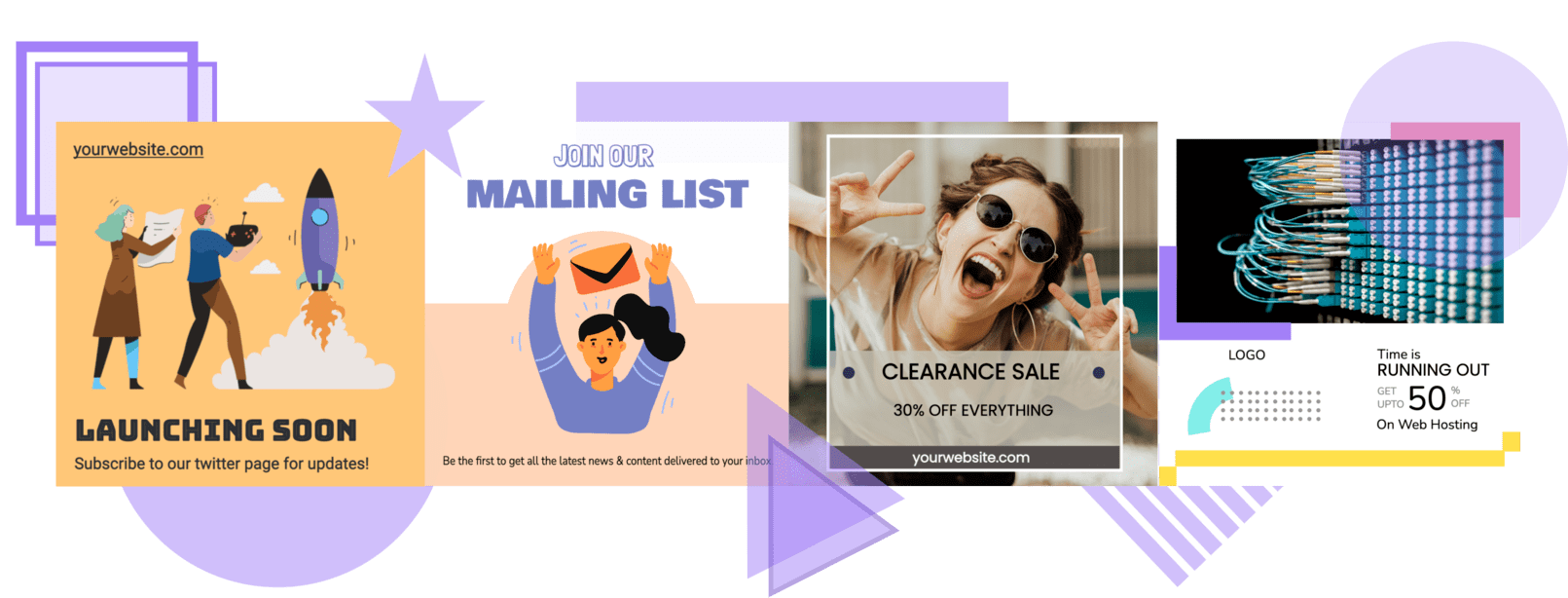
PhotoATM Full homepage screenshot

At a glance

Category
Social & Community
Language
English
Paid-content signal
No paid content foundObserved
Registered
2004
Hosting
NetlifyInferred
HTTPS certificate trusted
PassedObserved
Last updated

Website review

This review may include AI-generated content and is not individually verified. Domain, certificate and other facts come from the observed data on this page.

What is PhotoATM?

PhotoATM is a browser-based template library for creating social media graphics quickly. Its page presents it as a "No-Code No-Design No-Tech" tool: you browse professionally designed posts, download the ones you want, and publish them on your own accounts. It is aimed at small businesses, solo marketers and personal brands that need regular posts but do not have a designer on hand.

What it actually does

The core workflow is browse-and-download rather than build-from-scratch. Templates are described as ready to post as-is, with text editable "like Google Docs" if you need to swap in your own wording. Each element of a template is said to be editable in one click, so light customisation is possible without design software. There is no tutorial to follow and no design or code experience required.

The page also states that all photos, graphics and icons are royalty-free and licensed for commercial use, and that finished designs carry no PhotoATM watermark or logo. Attribution is not required. If you need something outside the library, custom design work is offered separately and may be chargeable depending on the request.

Licensing and usage terms

This is the part worth reading carefully before subscribing, because the terms are tied to an active subscription:

  • While subscribed: you are licensed to post and share downloaded designs across any number of projects you own, with no cap on usage volume.
  • After the subscription ends: designs you already published can stay live, but you cannot re-post or re-share them.

So the licence behaves more like a rental than a permanent asset. If you plan to reuse a graphic in a future campaign, or hand assets to a client who may keep using them, factor that into your decision. The "unlimited projects" and "unlimited use" claims apply within the subscription period, not indefinitely.

Who it suits, and who it doesn't

It fits a café owner, fitness coach or freelancer who needs a steady stream of clean posts and is happy to work from existing layouts. It suits people who want speed over originality, and who are comfortable with their visuals looking similar to other users' visuals.

It is a weaker fit if you need a distinctive brand system, precise control over typography and layout, or assets you can reuse freely after you stop paying. In those cases a general-purpose editor such as Canva gives more control over original composition, while Unsplash covers royalty-free photography if you would rather assemble your own. PhotoATM's advantage is that the layout work is already done.

A practical next step

Start with the free designs the page mentions, download two or three, and check three things against your real needs: whether the text editing handles your longest headline without breaking the layout, whether the downloadable file format and dimensions match the platforms you post on, and whether the licence terms still work for you if you pause the subscription for a few months. If all three hold up, the speed gain is real; if any one fails, the browse-and-download model will frustrate you quickly.

How do I download and use PhotoATM designs?

Downloading a PhotoATM design is meant to be a browse-and-take process rather than a design task. According to the site, you explore the ready-made social post templates, pick one, and download it to post on your own channels. There is no tutorial to follow and no designer or coding skill required. Text can be edited if needed, described as being similar to editing in Google Docs, and individual template elements are editable in one click.

What the process looks like in practice

  1. Browse the template library for a post that fits your campaign or product.
  2. Download the design you want.
  3. Edit text (and elements, if needed) to match your brand message.
  4. Post it on your social handles, ads, blog, or email.

The site positions this as a self-serve portal, so you are not waiting on a designer or submitting a request. For a small business owner who needs a week of posts without hiring anyone, that is the main appeal: the design decision is already made, and you are only swapping in your own words.

What you get with the download

The page lists several usage terms that matter more than the download button itself:

  • No watermark — PhotoATM's logos do not appear in your final design.
  • No attribution — you are not required to credit PhotoATM anywhere.
  • Unlimited projects — one subscription covers any number of projects you own.
  • Unlimited use — no cap on how many times you use downloaded designs.
  • Royalty-free assets — photos, graphics, and icons are licensed for commercial use with no extra fees.

The licensing trade-off to understand

The licence is tied to an active subscription. While it is active, you can post and share designs across any number of projects. If you cancel, designs you already posted can stay live, but you cannot re-post or re-share them. In practical terms, that means PhotoATM suits ongoing posting schedules better than one-off, stockpile-and-cancel use. If you plan to keep publishing from a fixed library of images for years, factor the subscription into that plan rather than treating it as a single purchase.

When to use it, and when not to

PhotoATM fits small businesses and personal brands that need conversion-oriented posts quickly and do not have in-house design. It is less suited to teams needing deep brand-system control or fully bespoke layouts. The site notes that custom design requests are possible and may be chargeable depending on the requirement, so treat that as a separate conversation rather than part of the standard download flow.

A useful next step: pick one template, download it, and edit the text before committing to a subscription. That single test tells you whether the editing experience is fast enough for your workflow.

Can I use PhotoATM designs for commercial purposes?

Yes. PhotoATM's own page states that all photos, graphics and icons in its library are royalty-free and licensed for commercial use, with no extra fees, no watermark and no attribution required. That makes it suitable for client work, paid ads, product promos and branded social accounts, not just personal posts.

What the licence actually covers

  • Commercial use: Explicitly granted for the included photos, graphics and icons.
  • White-label output: No PhotoATM watermark or logo appears in your final design.
  • No credit line: You are not required to mention PhotoATM anywhere.
  • Unlimited projects and volume: One active subscription covers any number of projects you own, with no cap on how often you use a downloaded design.
  • Editing: Text and individual template elements can be changed, so you can adapt a design to a specific brand.

The catch worth knowing before you commit

The licence is tied to an active subscription. While your plan is running, you can post and share designs freely. If you cancel, designs you have already published can stay live, but you cannot re-post or re-share them afterwards. For an agency or a business that reuses evergreen graphics across channels, that distinction matters more than the download limits.

A practical scenario

Suppose you run a small e-commerce brand and publish three promo posts a week. Under an active subscription you can download, edit the text, and publish each one commercially without crediting anyone. If you later pause the subscription, those already-published posts remain fine, but you would need to reactivate before reusing the same template for a new campaign.

How to decide

Choose PhotoATM if you want ready-made, conversion-oriented templates you can publish as-is and you are comfortable keeping a subscription active while you reuse them. If you need permanent rights to a design after a one-off purchase, or you need bespoke artwork rather than template edits, this licensing model will not fit — the page notes that custom design requests are handled separately and may carry a charge.

Next step: before publishing, check the licence terms on PhotoATM for the current wording, since subscription-based licences can be updated.

What are the licensing terms for PhotoATM designs?

PhotoATM licenses its designs on a subscription basis: while your subscription is active, you may post and share the downloaded designs across any number of projects you own. Once the subscription is deactivated, designs you already published can stay live, but you may not re-post or re-share them.

What the license covers

  • Unlimited projects and use: One subscription covers any number of projects you own, with no cap on how often you use downloaded designs.
  • Commercial use: Photos, graphics and icons in the templates are described as royalty-free and licensed for commercial use, with no extra fees.
  • No watermark or attribution: Final designs carry no PhotoATM watermark or logo, and you are not required to credit PhotoATM. The service describes itself as fully white-labelled.
  • Custom work is separate: Custom design requests are handled case by case and may carry a charge depending on the requirement, so they fall outside the standard template license.

The main trade-off

This is a use-while-subscribed license, not a perpetual one. If you stop paying, you keep the rights to what is already published but lose the right to reuse or redistribute the files. For a small business or personal brand running an ongoing content calendar, that is usually fine; for an agency that wants to archive assets for future clients, it is a real limitation.

A practical next step: before subscribing, list the channels and clients you plan to serve, then confirm in writing with PhotoATM that posting on a client's behalf counts as a project you own. If you need assets you can reuse indefinitely after cancelling, treat this as a subscription tool rather than a permanent asset library, and consider pairing it with a source that grants perpetual rights, such as Unsplash for photography or Canva for template-based editing.

How much does PhotoATM cost?

PhotoATM does not publish a price on the page supplied. The site describes the commercial model rather than a figure: it advertises a "No credit-card trial," says you can "cancel anytime," and refers to purchasing "one subscription" that covers unlimited projects. Because the evidence contains no pricing keywords, pricing links or payment platforms, any specific dollar amount would be a guess. If cost is your deciding factor, treat the free trial as the way to test whether the template library fits your output before you commit.

What the subscription appears to cover, based on the page:

  • Unlimited projects — one subscription is described as usable across any number of projects you own.
  • Unlimited use — no cap stated on how often downloaded designs are used.
  • No watermark and no attribution — the page calls it a "complete white-labelled service."
  • Royalty-free assets — photos, graphics and icons are described as licensed for commercial use with no extra fees.
  • Simple licensing while active — designs posted during an active subscription can stay live after it ends, but you cannot re-post or re-share them once it lapses.

The trade-off is between a flat subscription and per-asset or per-seat pricing elsewhere. A subscription suits someone producing social posts continuously across several brands or client accounts, since the licence is tied to time rather than to each download. It suits a one-off campaign less well, because the licence condition means you keep the rights to what you already published but lose the ability to reuse those designs later.

Custom design work is a separate matter: the page says custom requests are possible and "might be chargeable depending upon the requirement," so that is a quote-by-quote cost rather than part of the listed subscription.

To get the actual number, open PhotoATM's own pricing or signup page and check the plan terms before starting the trial — that is the only place the current figure will be authoritative. For comparison, if you want to weigh it against other template services, established alternatives include Canva and Adobe.

Can I customize PhotoATM templates?

Yes. PhotoATM is built around editing ready-made social posts rather than designing from scratch. The site says text can be edited like a Google Doc, and that individual template elements—photos, graphics and icons—are editable in one click. It also states the assets are royalty-free and licensed for commercial use while your subscription is active.

What "customization" covers

  • Text changes: swap headlines, captions and offer details for your own messaging.
  • Element edits: replace or adjust the photos, graphics and icons inside a template.
  • Format reuse: download a design and post it across social media, ads, blogs or email.
  • White-label output: no PhotoATM watermark or attribution is required in the final design.

Practical limits to plan around

This is template-level customization, not a full design tool. PhotoATM positions itself as no-code, no-design, no-tech, so it suits people who want a fast, on-brand post without learning layout or illustration software. If you need a completely bespoke layout, a custom illustration, or a brand system built from zero, expect to look beyond the template library.

The licence also matters for how you use edits. Designs can be posted and shared across unlimited projects while your subscription is active. After deactivation, previously posted designs can stay live, but you cannot re-post or re-share them.

A sensible first test

Pick one template closest to a post you already need—a product launch, a seasonal promotion, or a quote card. Change the headline, swap one image, and download it. If the result looks acceptable without touching a separate design app, PhotoATM fits your workflow. If you find yourself wanting to move layers, match exact brand fonts, or rebuild the grid, treat it as a starting point rather than a finished design system.

For custom work beyond the templates, PhotoATM says it can be reached for custom design requirements, which may be chargeable depending on the request.

Related questions

More questions →
Do You Need Design or Coding Skills to Use PhotoATM?

No. PhotoATM is built as a no-code, no-design, no-tech, self-serve portal. You browse ready-made social media post designs, download what you want, and publish it. The site states there is no tutorial to follow and no designer needed on your team.

That answer holds for the core workflow: picking a template and posting it as-is. The one place where some judgment helps is editing — but the editing model is closer to a document than to a design tool.

What the no-skill claim actually covers

PhotoATM describes itself in three layers, and each one removes a different kind of skill requirement:

Layer What it means Skill you don't need
No-Code No development work to produce or publish a post Programming
No-Design Templates are professionally designed and conversion-optimized Graphic design
No-Tech Self-serve portal, browse and download Technical setup or onboarding

The templates are described as "ready made to post as it is," so the intended default is download-and-publish, not customize-from-scratch.

The workflow, step by step

  1. Browse designs. The site offers a range of ready-to-use social media posts for social, ads, blogs, and emails.
  2. Download the one you want. The site says you can "just browse and download what you wish to use."
  3. Post it to your handles. PhotoATM is a self-serve portal — you download the design and post it yourself.
  4. Edit only if needed. If the template needs your own wording, you edit the text "like google docs."

Expected result: a finished post image with no watermark, no PhotoATM logo, and no attribution requirement.

If you do want to change something

Two levels of editing are described:

  • Text editing — described as similar to editing a Google Doc, so anyone comfortable with a word processor can do it.
  • Element-level editing — "each element of template is editable in 1-Click," which means you can swap or adjust individual pieces of a template without opening a design suite.

The site frames this as "full customization if required," not as a required step. If you never touch it, the template still works.

Who this fits, and who it doesn't

Fits well if you:

  • Run a small business or personal brand and need posts without hiring a designer
  • Want to spend less time making graphics and more time on the business itself
  • Are fine publishing a template largely as designed

Look elsewhere if you:

  • Need fully bespoke, from-scratch design work — PhotoATM notes custom design requests are handled separately and "might be chargeable depending upon the requirement"
  • Want a built-in publishing scheduler — the described flow is download, then post on your own handles

Two things worth knowing before you commit

Licensing is tied to an active subscription. While your subscription is active, you're licensed to post and share designs across any number of projects. After deactivation, designs you already posted can stay live, but you can't re-post or re-share them. So "no attribution required" and "unlimited use" apply within the subscription window, not forever.

Assets are cleared for commercial use. All photos, graphics, and icons in PhotoATM are described as 100% royalty-free and licensed for commercial use, with no extra fees.

The short version: if you can browse a gallery, download a file, and edit text in a document, you have every skill PhotoATM asks for.

Can I use PhotoATM designs for commercial purposes without attribution?

Yes. PhotoATM states that all photos, graphics, and icons in its library are 100% royalty-free and licensed for commercial use, that no PhotoATM watermark or logo appears in your final design, and that no attribution is required. The one condition that matters most: this license stays active only while your subscription is active.

What the license actually covers

According to PhotoATM's own product page, the commercial-use terms break down like this:

Question PhotoATM's stated answer
Can I use designs commercially? Yes — photos, graphics, and icons are described as 100% royalty-free and licensed for commercial use
Will there be a watermark? No — PhotoATM says its watermarks and logos will not exist in your final design
Do I have to credit PhotoATM? No — attribution is not required anywhere
Is there an extra fee for commercial use? No — the page states "no extra fees" for the included assets
How many projects can I use them in? Unlimited projects you own, with no limit on how many times you use a downloaded design
How long does the license last? As long as your subscription is active

The "white-labelled service" phrasing on the page is the key idea: the output is meant to look like your own work, not PhotoATM's.

The subscription condition is the part people miss

PhotoATM's licensing section is explicit about what happens after you stop paying:

  • While your subscription is active: you are licensed to post and share the designs across any number of projects.
  • After deactivation: designs you already posted can remain live, but you cannot re-post or re-share them.

So the practical rule is: anything published during an active subscription can stay up, but you lose the right to publish those same designs again once the subscription lapses. If you plan to reuse a template for a new campaign later, that reuse needs an active subscription.

What "no attribution" means in practice

Because no credit is required and no watermark is applied, you can:

  • Post designs to your own social accounts, ads, blogs, and emails without a "made with PhotoATM" line.
  • Hand the files to clients or use them across multiple brands you own.
  • Edit text and elements (PhotoATM says each element is editable in one click, and text can be edited "like Google Docs") and still treat the result as your own.

The page does say the team would like to see a blog post about how the product helped you, but frames that as a wish, not a requirement.

Where to check before you rely on it

The commercial-use and licensing statements above come from PhotoATM's own site copy, not from an independent legal review. Before using the designs in a high-stakes context — paid ad campaigns, client deliverables, or anything with contractual IP warranties — confirm the current terms on the site itself, since the page notes the product has "just launched" and terms can change.

Two things the page does not state, so don't assume them:

  • Whether a free tier carries the same commercial rights as a paid subscription (the page mentions a "No credit-card trial" and "Explore designs for free," but the licensing language is tied to an active subscription).
  • Any jurisdiction-specific or indemnification terms.

If your use case is straightforward — small business or personal brand posts, ads, blogs, emails — the stated terms cover you with no attribution and no watermark, as long as your subscription is active when you publish.

What is PhotoATM and what does it help you do?

PhotoATM is a self-serve graphic generator for social media posts, ads, blogs, and emails. It gives you professionally designed, ready-to-post templates that you browse and download, so you can publish without a designer, code, or design software. It fits small businesses and personal brands that need a steady stream of marketing visuals but don't want to build them from scratch.

What you can do with it

  • Browse ready-made posts for social media, ads, blogs, and emails, then download the ones you want.
  • Post as-is or edit text — the templates are built to publish directly, and text can be edited "like Google Docs" if you need changes.
  • Customize individual elements in one click when a template needs adjusting.
  • Reuse designs across unlimited projects under one subscription, for any number of users or volume.
  • Publish without attribution — no watermark, no logo, and no requirement to credit PhotoATM.

Who it's aimed at

PhotoATM describes itself as a No-Code, No-Design, No-Tech solution. That means:

  • No tutorial or learning curve is required — you browse and download.
  • You don't need a designer on your team.
  • It's positioned for "hustlers," small businesses, and personal brands running frequent experiments.

What's included

Feature What it means
Unlimited projects One subscription covers any number of projects you own
Unlimited use No cap on how often you use downloaded designs
No watermark Final designs carry no PhotoATM branding
No attribution You don't have to mention PhotoATM anywhere
Royalty-free assets All photos, graphics, and icons are licensed for commercial use at no extra fee
Full customization Every template element is editable in one click

Licensing, in plain terms

While your subscription is active, you're licensed to post and share the designs across any number of projects. If your subscription lapses, designs you already posted can stay live — but you can't re-post or re-share them. Plan for this if you rely on evergreen content you might want to reuse later.

Custom work and getting started

PhotoATM says it's reachable for custom design requests, which may be chargeable depending on the requirement. For fully custom designs, it points to Lyook.com.

You can explore designs for free — the site advertises a no-credit-card trial and cancel-anytime terms. The site also notes it has just launched and invites visitors to get notified when new templates are added, so the template library is likely still growing.

When PhotoATM is a good fit — and when it isn't

Consider it if you need conversion-oriented social and marketing visuals fast, you don't have design resources, and you want commercial-use assets without attribution or watermarks.

Look elsewhere if you need fully bespoke design from scratch (that's a separate, possibly paid request), or if you need to keep re-sharing designs after your subscription ends — the license doesn't cover that.

What Happens to PhotoATM Designs After My Subscription Ends?

PhotoATM's licensing is tied directly to your subscription status. While your subscription is active, you're licensed to post and share downloaded designs across any number of projects. Once your subscription is deactivated, designs you already posted can stay live, but you can no longer re-post or re-share them. If keeping the ability to reuse designs matters to you, stay subscribed or plan your content before canceling.

The licensing rule in plain terms

PhotoATM describes its licensing as "simple," and the core mechanism is this: your license to post and share designs lasts exactly as long as your subscription is active.

Subscription status Post & share designs Keep existing posts live Re-post or re-share
Active Yes, on any number of projects Yes Yes
Deactivated No Yes No

The distinction that trips people up is between content already published and content you want to publish again. PhotoATM explicitly allows the first to remain online after deactivation. The second is where the restriction applies.

What "re-post or re-share" actually covers

The restriction isn't limited to brand-new uploads. If you take a design you downloaded during your subscription and publish it somewhere new — a different platform, a new campaign, a client project — after your subscription has lapsed, that counts as re-sharing and falls outside the license.

A practical example: you download ten social posts during an active subscription and publish them to your Instagram. Your subscription ends. Those ten Instagram posts can stay up. But you can't take the same files and schedule them to a new channel, send them to a client, or republish them in a later campaign without reactivating.

Why the license is structured this way

PhotoATM positions itself as a no-code, no-design, no-tech solution with unlimited projects and unlimited use — no watermark, no attribution required, and royalty-free assets licensed for commercial use. The subscription model funds that unlimited scope. Tying the license to active status is how the service keeps "unlimited" sustainable while still letting your published work survive a lapse.

It's also worth noting the "unlimited" framing: one subscription covers any number of projects you own, and there's no cap on how many times you use downloaded designs — as long as you're subscribed.

What to check before you cancel

  • Inventory your live content. Anything already published can stay up, so there's no urgent cleanup required.
  • Identify designs you might reuse. If a design is part of an evergreen campaign, a template you repurpose monthly, or client deliverables you'll need to resend, those are the ones affected by deactivation.
  • Time your cancellation around your content calendar. If you have posts queued or campaigns planned, publishing them before deactivation keeps them on the right side of the license.
  • Consider reactivating rather than rebuilding. Since the restriction is on re-posting, not on the designs themselves, resubscribing restores your ability to reuse the same files.

Common points of confusion

"Can I keep using designs I already downloaded?" You can keep them published, but you can't publish them again after deactivation.

"Do I need to take down old posts?" No — PhotoATM states previously posted designs can remain live.

"Is there attribution required?" No. PhotoATM is white-label: no watermarks, no logos in final designs, and no requirement to credit the service.

"What about custom design requests?" PhotoATM says custom design work is available on request and may be chargeable depending on the requirement — that's a separate arrangement from the standard subscription license.

If your situation involves ongoing commercial reuse of specific designs, the safest move is to confirm the current terms directly with PhotoATM before deactivating, since licensing language can be updated.

Does PhotoATM Limit How Many Projects or Times I Can Use Its Designs?

No. According to PhotoATM's own site, one subscription covers unlimited projects that you own, and there is no cap on how many times you use the designs you download. The site states there are "no hidden fees" for this usage. The one condition that matters is timing: this licence applies while your subscription is active.

What the limits actually are

PhotoATM describes its licence as simple and tied to your subscription status:

Question PhotoATM's stated position
How many projects can I use designs in? Any number of projects that you own
How many times can I use a design? No limit — "100 users or billions"
Extra fees for heavy use? None stated; "no hidden fees"
Watermarks or logos in final files? None — described as white-labelled
Attribution required? No
What happens when the subscription ends? Designs already posted can stay live, but you cannot re-post or re-share them

The project and usage limits are therefore not the constraint. The constraint is that the licence is active only while you are subscribed.

The one limit that does exist: subscription status

PhotoATM's licensing section says that as long as your subscription is active, you are licensed to post and share the designs across any number of projects. After deactivation, previously posted designs can remain live, but you cannot re-post or re-share them.

In practice this means:

  • While subscribed: publish freely, across as many of your own projects as you like, with no per-use or per-project charge.
  • After cancelling: existing posts can stay up, but you lose the right to publish those designs again or reuse them in new work.

If you plan to keep reusing a design in new campaigns, keep the subscription active. If you only needed a one-off set of posts, the designs you already published can remain online.

What "unlimited" does not cover

Unlimited projects and unlimited use apply to designs you download from PhotoATM's ready-made library. Two things sit outside that:

  • Custom design requests. PhotoATM says it is reachable for custom design work, and that this "might be chargeable depending upon the requirement." Custom work is not part of the unlimited-use licence described for the template library.
  • Editing. The site says each template element is editable in 1-click and that you can edit text "if needed like google docs." Editing a template is part of normal use, not a separate tier.

How to decide

  • If you run many brands, clients, or side projects: the unlimited-projects term is the main reason to subscribe rather than buy individual assets, since one subscription covers all projects you own.
  • If you need a burst of posts and then nothing: check whether you will want to re-share those designs later. If yes, the subscription needs to stay active; if no, the designs already posted can remain live after you cancel.
  • If you need something not in the library: treat custom design as a separate, possibly paid request rather than something covered by the unlimited licence.

PhotoATM's site does not publish pricing figures or payment details in the material available here, so confirm current cost and billing terms on the site before subscribing.

Website Overview

An established domain and managed infrastructure suggest continuity of operations and may support dependable delivery, although neither guarantees service quality. Several search or sharing settings need attention. Together they may make snippets, preview images or preferred URLs less consistent across platforms.

Domain and Registration

Registered in 2004, this domain has about 22 years of history. That suggests continuity, although ownership and purpose may have changed. Transfer-protection status is present, helping reduce the risk of unauthorized domain transfers. The registrar is GoDaddy.com, LLC, a widely used domain service provider. The domain uses the common .com extension, which is not an independent safety signal.

DNS and Email

The observed email authentication setup is incomplete: DMARC is missing. Nameservers are provided by GoDaddy, indicating managed DNS hosting. MX records point to the Google Workspace email service. TXT records include verification markers for Google. Such markers may also remain after a service stops being used. DNSSEC signatures were not detected, so this additional DNS authenticity protection is not confirmed.

TLS and Certificates

The public key uses EC with 256 bits. The server supplied a complete certificate chain. No organization name is present in the certificate; the available fields are consistent with domain validation. The certificate was issued by Let's Encrypt, commonly associated with automated certificate services. The certificate's total validity is about 89 days, consistent with a short renewal cycle.

HTTP and Browser Security

The response lacks these common security headers: CSP, X-Content-Type-Options, Referrer-Policy, Permissions-Policy, clickjacking protection. No X-Powered-By header was found, reducing one common source of backend fingerprinting information. No obvious internal addresses or debug information were found in the headers. The Server header contains the custom value Netlify. No explicit CDN or WAF marker was found in the response headers.

Technology Stack Analysis

The public page identifies Google Analytics, Netlify without precise versions, leaving fewer clues for version-specific scanning.

Search and Social Sharing

No homepage canonical URL was detected. If duplicate URLs exist, consolidation may be less explicit. Open Graph is partially configured; og:description, og:type is missing. The title has 50 characters, within a common display range. A meta description is present, with 55 characters. The observed directives allow indexing and link following.

Hosting and Email

DNSGoDaddy
HostingNetlify
EmailGoogle Workspace
Approximate IP geolocation (inferred; a CDN or proxy may differ from the origin server) United States flagThe Dalles, Oregon, United States Inferred 104.198.14.52

Registration details

RDAP / WHOIS

RegistrarGoDaddy.com, LLC
Registered2004-06-18
Expires2027-06-18
Domain statusclient delete prohibited、client renew prohibited、client transfer prohibited、client update prohibited
Nameserversns57.domaincontrol.com、ns58.domaincontrol.com
DNSSECunsigned

DNS records

DNS

TypeNameValueTTLPriority
Aphotoatm.com104.198.14.52600—
MXphotoatm.comaspmx.l.google.com36001
MXphotoatm.comalt1.aspmx.l.google.com36005
MXphotoatm.comalt2.aspmx.l.google.com36005
MXphotoatm.comalt3.aspmx.l.google.com360010
MXphotoatm.comalt4.aspmx.l.google.com360010
NSphotoatm.comns57.domaincontrol.com3600—
NSphotoatm.comns58.domaincontrol.com3600—
TXTphotoatm.comgoogle-site-verification=SKmD0bJtDuhGQFe9G0C3CRV7-Mynxp4PXAOLEcmmfjc3600—
TXTphotoatm.comgoogle-site-verification=vhuxlhu4GwMkbA9kAaybWExm87EUOzCMy6HzPBOUK8E3600—
TXTphotoatm.comv=spf1 include:dc-aa8e722993._spfm.photoatm.com ~all3600—
TXTphotoatm.comzoho-verification=zb82082690.zmverify.zoho.in3600—
CNAMEwww.photoatm.comphotoatm.com3600—

TLS and certificates

TLS / SSL

AssessmentNormal configuration
Supported protocolsTLSv1.2、TLSv1.3
Negotiated protocolTLSv1.3
Certificate subjectwww.photoatm.com
IssuerLet's Encrypt
Valid until2027-01-12T14:43 · Remaining when checked: 89 days
Verification detailsCertificate trust: Passed · Hostname match: Passed

HTTP response headers

HTTP

HeaderValue
content-typetext/html; charset=UTF-8
cache-controlpublic,max-age=0,must-revalidate
serverNetlify
strict-transport-securitymax-age=31536000

Identified technologies

Google AnalyticsNetlify

Pages, Search and Sharing

Meta descriptionA quick graphic generator for all your marketing needs.
Canonical URLNot detected
LanguageEnglish (default)
Twitter CardNot detected

No robots.txt found

No sitemaps found

User reviews (0)

  • No reviews yet.