
 简体中文
简体中文 English
Website review
This review may include AI-generated content and is not individually verified. Domain, certificate and other facts come from the observed data on this page.
What is Pickcel?
Pickcel is a digital signage software platform that turns ordinary TVs, media players and commercial displays into centrally managed communication screens. Instead of shipping its own hardware, it runs on devices a business may already own — the site lists Android, Windows, LG webOS, Tizen, Fire TV and ChromeOS among supported options — and lets teams publish, schedule and update content remotely from a cloud dashboard.
What it actually does
- Content management: create and arrange playlists, promotions, menus, dashboards and announcements, then push them to one screen or thousands.
- Remote updates: change what's on screen over the network, so a price change or safety notice doesn't require anyone to visit the display.
- Scheduling and automation: set content to appear at particular times or under particular conditions.
- Two deployment models: a cloud option aimed at small and mid-sized teams that want to start quickly, and an on-premise or private-cloud option for organisations with stricter control and compliance needs.
- Integrations: the site cites 100+ apps and integrations, which matters if signage needs to pull live data rather than show static slides.
Who it suits
The clearest fit is an organisation with multiple screens and a small team to run them: retail chains updating in-store promotions, restaurants changing menus across branches, manufacturers pushing shift and safety messages to factory floors, hospitals managing patient information, schools broadcasting to many rooms, and workplaces coordinating internal communications. Pickcel claims 9,000+ customers, 150,000+ screens and 70+ countries, and states SOC 2 Type II and ISO 27001 certification — the kind of evidence enterprise buyers typically ask for.
The trade-off is the usual one for software-only signage: you gain device flexibility and low upfront cost, but you are responsible for sourcing reliable screens and players and for stable connectivity at each site. Businesses wanting a single vendor to supply and support the whole stack may prefer a bundled alternative.
How to decide
Start with the deployment question. If you want to be live this week with minimal IT involvement, the cloud route fits; if your security or data-residency rules require your own servers, the on-premise route is the relevant one. Then test the practical details on a real screen — how easily a non-technical staff member can schedule a menu change, and whether your existing displays appear on the supported device list. A free trial is the fastest way to check both, and a demo is worth taking if you need to confirm SSO, role-based access and compliance documentation before an internal sign-off.
For context on the wider category, Digital Signage covers industry news and hardware, and ScreenCloud is another software-led platform worth comparing on device support and pricing model.
How do I start a free trial of Pickcel without a credit card?
Start by opening Pickcel's own site and choosing the free-trial path rather than the demo path: Pickcel. The page states that the trial requires no credit card, so you should not need to enter payment details to begin. In practice, you sign up with basic account information, confirm your email, then log in to the cloud dashboard to pair a screen and publish a first piece of content.
A practical first session
- Create the account from the free-trial button on the site.
- Confirm your email and sign in.
- Add one screen — an Android TV, Windows PC, LG webOS or Samsung Tizen display, for example, since the platform lists support for those and 50+ device types.
- Install the player app on that device and enter the pairing code shown on the screen.
- Upload a simple image or video, schedule it, and confirm it appears on the display.
That loop — account, screen, content, schedule — is the fastest way to judge whether the interface suits the people who will actually run it.
What to check before you commit
- Device fit. Confirm your existing hardware is supported before assuming you can avoid buying new players.
- User roles. If several people will publish content, test whether permissions and approvals work the way your team does.
- Deployment type. The site separates a cloud option aimed at smaller teams from an on-premise option for enterprises needing SOC 2, ISO, RBAC and SSO controls. A trial usually starts you on the cloud side, so treat enterprise compliance features as a separate conversation.
- Pricing after the trial. The trial removes the upfront barrier, not the eventual cost. Check the pricing page before you build a rollout plan around it.
A sensible decision rule: if you can get one real screen live and updated remotely within your first session, the trial has done its job. If you are evaluating for a large, regulated environment, ask for an enterprise demo in parallel, because the trial experience and the on-premise deployment are not the same thing.
Which devices are compatible with Pickcel digital signage?
Pickcel is designed to run on hardware you likely already own rather than requiring proprietary screens. Its device support centers on turning a standard TV or commercial display into a managed communication screen by pairing it with a compatible media player or the display's built-in operating system.
Device categories Pickcel lists
- Android devices, including Android media players and Android-based commercial displays
- Windows PCs and sticks
- LG webOS displays
- Samsung Tizen displays
- Amazon Fire TV devices
- ChromeOS devices
- Media players generally, with the company stating compatibility across 50+ devices
What this means in practice
The practical benefit is flexibility: a small café can repurpose an existing TV with a cheap Android stick, while a retail chain might standardize on commercial webOS or Tizen displays so no external player is needed. Because Pickcel supports both cloud and on-premise deployment, the player choice is largely independent of where the content is managed.
Before committing, check three things for your specific setup: whether your display or player runs one of the supported operating systems, whether it has reliable network access for cloud updates, and whether the device can be left powered on during business hours. If you are unsure, the company offers a free trial that does not require a credit card, which is a low-risk way to test one screen before rolling out further.
For broader context on how signage platforms compare, see Pickcel and, if you are evaluating alternatives, ScreenCloud and Yodeck, both of which publish their own device compatibility lists.
What is the difference between Pickcel's cloud and on-premise digital signage solutions?
Pickcel splits its digital signage platform into a cloud option aimed at small and mid-size teams and an on-premise option aimed at enterprises that need to run the software on their own servers or private cloud. The core job is the same in both cases: turn existing TVs and media players into centrally managed communication screens. The difference is where the software runs and how much control, setup effort and compliance overhead you take on.
Cloud: fast start, minimal infrastructure
The cloud edition is positioned for quick launches. You sign in, pair screens, and publish content from a browser without standing up servers. Pickcel's page describes starting in minutes with no credit card required for the trial, and it lists real-time cloud updates so screens stay current without manual intervention.
This suits a retail chain pushing daily promotions, a restaurant group changing menus across locations, or a small workplace that needs announcements on a handful of screens. The trade-off is that you depend on an internet connection and on Pickcel's cloud for delivery; content and device data live in their environment rather than yours.
On-premise: control, scale and compliance
The on-premise edition runs on your own servers or private cloud. Pickcel pairs it with enterprise controls such as SOC 2, ISO certification, role-based access control and single sign-on, and says it can manage deployments from 10 to 10,000 screens with 99.99% uptime across cloud and on-prem.
Choose this when your organisation has rules about where data resides, when screens sit on a network that cannot reach the public internet, or when IT needs to manage access through existing identity systems. The trade-off is more setup and maintenance work: someone has to provision and look after the servers.
How to decide
| Consideration | Cloud | On-premise |
|---|---|---|
| Time to first screen | Minutes | Depends on your infrastructure |
| Infrastructure owned by you | No | Yes |
| Fits strict data-residency rules | Less likely | Yes |
| Ongoing maintenance burden | Low | Higher |
| Typical fit | SMBs, multi-site retail, restaurants | Enterprises, regulated and restricted networks |
A practical test: if your screens are on ordinary business internet and you want content live this week, start with the cloud trial. If your security team must approve where data is stored or your screens sit behind a locked-down network, ask for the enterprise demo and confirm the on-prem requirements against your own server capacity before committing.
For context on the wider category, see Pickcel and, for general comparisons of signage platforms, ScreenCloud and Yodeck.
How does Pickcel help retail businesses increase in-store sales?
Pickcel approaches retail sales growth mainly through screen content and timing rather than through checkout or inventory tools. Its retail solution is built to “increase basket size with in-store promos,” which in practice means running promotional messages on displays inside the store — near entrances, aisles, or the till — to prompt add-on purchases and draw attention to offers shoppers might otherwise miss.
What the platform gives a retail team
- Remote content updates. Promotions, prices, and campaign visuals can be changed from anywhere via real-time cloud updates, so a weekend offer or a clearance push does not require staff to touch each screen.
- Scheduling and automation. Content can be queued to appear at set times or on set days, letting a store show breakfast offers in the morning and evening deals later without manual switching.
- Existing hardware. The software runs on TVs, media players, and 50+ device types including Android, Windows, LG webOS, Tizen, Fire TV, and ChromeOS, so a retailer can often reuse screens already in the store.
- Scale. The same controls are described as managing 10 or 10,000 screens, with cloud and on-premise deployment options.
How that translates into sales
The sales mechanism is straightforward: in-store screens catch shoppers at the moment of decision, when they are already in the aisle and most open to an impulse purchase. A display that shows a bundled offer, a limited-time discount, or a product demo can move a shopper from browsing to adding an item. Because content is centrally managed, a retailer can align every branch with a national campaign on the same day, or let individual stores push local stock.
Practical next step
Before committing, map your highest-margin add-on products to specific screen locations — for example, a screen by the queue promoting accessories, or one in the aisle promoting a companion item. Then test one promotion for two weeks against a control period without it, and compare basket value. That gives you a real number for whether the screens are paying for themselves.
Pickcel offers a free trial with no credit card required and a demo booking option, which is a reasonable way to test scheduling and remote updates on your own hardware before rolling out. For general context on the category, see Pickcel.
How does Pickcel support enterprise security and compliance?
Pickcel addresses enterprise security and compliance mainly through its deployment model and its certifications. According to the site, the platform is SOC 2 Type II certified and ISO 27001 certified, and it offers an on-premises option for enterprises that want to run signage on their own servers or private cloud. The enterprise tier also lists RBAC (role-based access control) and SSO (single sign-on) as part of that control set, alongside the ability to manage large screen fleets centrally.
What each element actually gives you
- SOC 2 Type II: This is an audit of controls over time, not a one-off snapshot. For a buyer, it is most useful as evidence that the vendor has repeatable processes around access, change management and monitoring. It does not by itself guarantee your content is secure, but it reduces vendor-risk review effort.
- ISO 27001: A certifiable information security management system. It signals a documented, audited approach to risk management. Useful when your procurement or legal team requires a recognised standard before onboarding a SaaS tool.
- On-premises or private-cloud deployment: This is the biggest lever for regulated organisations. If screen content or scheduling data cannot leave your network, running Pickcel on your own infrastructure keeps that data inside your perimeter and under your own patching and backup policies.
- RBAC: Lets you limit who can publish to which screens or groups. In practice, this matters when marketing, facilities and IT all touch the same account; you can give a regional manager control of their own displays without exposing every screen.
- SSO: Ties sign-in to your existing identity provider, so you keep central provisioning and deprovisioning. When someone leaves, their signage access disappears with their main account rather than lingering as a separate login.
How to decide between cloud and on-prem for security
| Consideration | Cloud | On-premises / private cloud |
|---|---|---|
| Data location | Vendor-hosted | Your servers or private cloud |
| Setup effort | Fast, minimal hardware | Requires your infrastructure and IT time |
| Best fit | SMBs, distributed teams, quick launches | Regulated, high-compliance, or air-gapped environments |
| Control over patching | Vendor-managed | Largely your responsibility |
A concrete scenario: a hospital network using screens for patient information may be comfortable with cloud if its data-protection review accepts the certifications, but a defence manufacturer with strict data-residency rules would more likely choose on-prem and rely on RBAC and SSO to keep internal access tight.
The practical next step is to ask Pickcel for its SOC 2 report and ISO 27001 scope statement, then map RBAC and SSO against your own identity provider and screen-ownership model. If data residency is a hard requirement, confirm in writing whether the on-prem option covers your full content and scheduling data, not just the player software.
 Amazon Route 53
 Google Workspace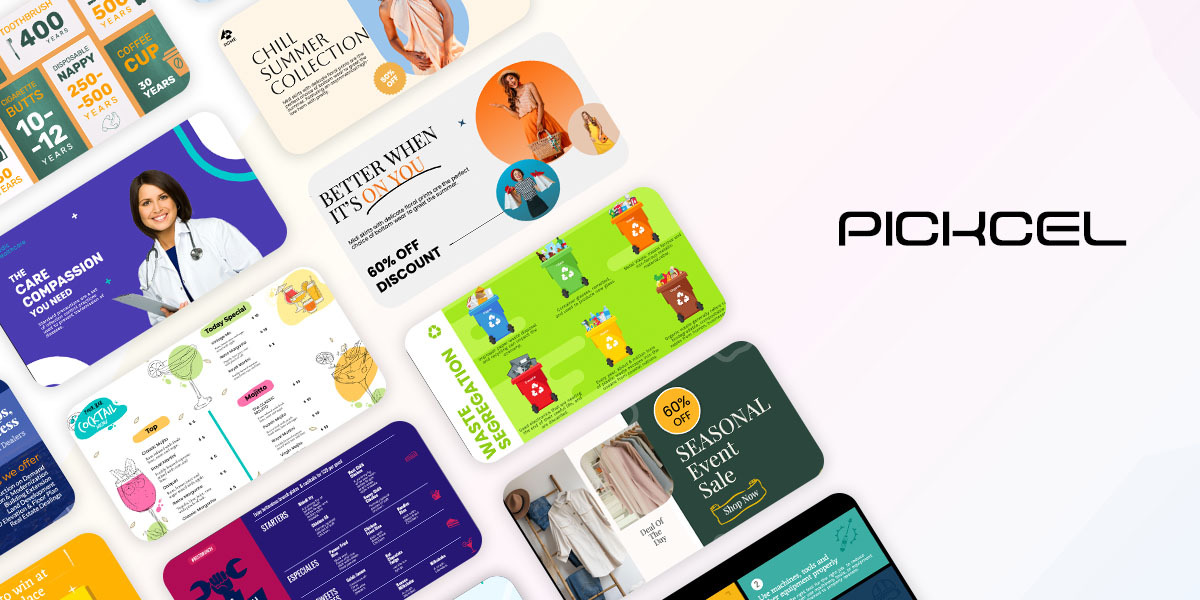

User reviews (0)