
 pixso.net
 Paid content
 Multilingual
Categories: Productivity Design & Creativity Artificial Intelligence
Create UI/UX designs, refine interfaces with AI, and build interactive prototypes in Pixso. Keep components, team feedback, and developer handoff in one workspace.
 Visit website
 Updated: 2026-09-28 20:26
Language: English (default)
Updated: 2026-09-28 20:26
Language: English (default)
 Access: Normal
 Profile views 6
 Outbound visits 0
Related questions
More questions →How Do Enterprise Teams Adopt Specialist AI Agents Without Disrupting Existing Workflows?
Enterprise teams can adopt specialist AI agents without disruption by starting with one narrow, high-volume workflow, running it as a bounded pilot with human review, measuring against a baseline, and only then expanding. The key is to treat agents as new team members with defined scopes rather than as a replacement for existing tools or a sweeping platform migration. This article explains what specialist agents are, where they fit across common team functions, and a phased approach you can follow.
What Makes an Agent "Specialist" Rather Than General-Purpose
A general-purpose assistant responds to open-ended prompts across many topics. A specialist agent is scoped to one job: it has a defined goal, a limited set of tools and data sources, and a clear definition of "done."
That scoping matters for enterprise teams for three practical reasons:
- Predictability. A narrow agent produces more consistent outputs, which makes it easier to review and trust.
- Permission control. You can grant access only to the systems that specific task needs, rather than broad data access.
- Measurable value. When an agent owns one workflow, you can compare its output against a manual baseline.
A useful rule of thumb: if you cannot describe the agent's job in one sentence with a clear input and output, it is still too broad to deploy safely.
Mapping Team Functions to Agent Use Cases
Most enterprise teams have a handful of repetitive, rules-plus-judgment tasks that are good first candidates. The table below shows typical starting points.
| Team | Candidate agent task | Why it fits |
|---|---|---|
| Sales | Research and enrich inbound leads before handoff | High volume, structured output, easy to verify |
| Customer success | Draft responses to common account questions | Repetitive, benefits from consistency |
| Marketing | Repurpose long-form content into channel variants | Clear brief, reviewable drafts |
| HR | Screen and summarize applications against criteria | High volume, needs audit trail |
| Operations | Triage and route incoming requests | Rule-based with clear routing logic |
Notice that none of these replace a person's judgment. They compress the repetitive portion so the human spends time on exceptions and decisions.
A Phased Adoption Approach: Pilot, Measure, Expand
Phase 1: Pick one workflow and define success
Choose a task that is high-volume, low-risk, and currently a bottleneck. Write down:
- The current process, step by step
- The baseline metric (time per task, volume per week, error rate)
- What "good output" looks like, with two or three examples
- Who reviews the agent's work
Phase 2: Run a bounded pilot
Keep the agent inside the existing workflow rather than beside it. For example, the agent drafts; the human sends. Set a review gate so nothing leaves the team unreviewed. Run for a fixed period, such as four to six weeks, with a small group.
Phase 3: Measure against the baseline
Compare the same metrics you recorded in Phase 1. Look for time saved, consistency gained, and — importantly — where the agent failed. Failures tell you whether the scope was right.
Phase 4: Expand deliberately
Only widen scope after the pilot shows a clear, repeatable gain. Expand in one of two directions: more volume of the same task, or an adjacent task with the same data and review pattern. Avoid expanding into a new function and a new data source at the same time.
Handling Workflow Integration Concerns
Data access
Give each agent the minimum access its task requires. Prefer read access plus a single write action over broad permissions. Document which systems it touches so security and IT can review.
Handoffs
Define exactly where the agent stops and a human begins. A simple handoff rule works well: the agent completes the task and flags anything outside its defined scope for a person. Ambiguous handoffs are the most common source of friction.
Human oversight
Decide the review level up front:
- Full review for anything customer-facing or high-stakes
- Spot check for internal, low-risk outputs
- Exception-only review once the agent has a track record
Start stricter than you think you need, then relax as evidence accumulates.
How Roles and Responsibilities Shift
Adopting agents rarely removes roles; it redistributes effort. Expect these shifts:
- Reviewers become editors. People spend less time producing first drafts and more time improving and approving them.
- Process owners become agent owners. Someone needs to maintain the agent's instructions, examples, and scope as the business changes.
- New quality checks appear. Teams need a lightweight way to catch drift — for example, a weekly sample review.
Be explicit about who owns the agent after launch. An unowned agent degrades quietly.
Practical Criteria for Choosing Where to Start
Score candidate workflows against these questions:
- Volume: Does it happen often enough to matter?
- Risk: What is the cost of a wrong output, and can a human catch it?
- Structure: Is the input and output reasonably consistent?
- Baseline: Can you measure the current state today?
- Ownership: Is there a person who will own the agent after launch?
A workflow that scores well on all five is a strong first pilot. A high-volume task with no clear owner is a poor start, no matter how repetitive it is.
A Simple Pilot Template
You can copy this structure to scope your first agent:
- Task: [one sentence]
- Current baseline: [time/volume/error rate]
- Agent scope: [what it does, what it does not do]
- Data access: [systems, read/write]
- Handoff rule: [when it escalates to a human]
- Review level: [full / spot / exception]
- Owner: [name]
- Pilot length: [weeks]
- Success metric: [target]
Bottom Line
Disruption comes from adopting too much at once, not from agents themselves. Start with one scoped task, keep humans in the loop, measure against a real baseline, and expand only when the evidence supports it. Platforms built around specialist agents — such as Relevance AI, which offers agents for sales, customer success, marketing, and HR — are designed for exactly this kind of task-by-task rollout, so you can add capability without rebuilding your team's existing processes.
What Is UI Design and What Does It Actually Involve?
UI design is the discipline of designing the screens, controls, and visual states people interact with directly — buttons, forms, navigation, typography, color, spacing, and feedback. Its core goal is to make an interface usable and clear: a person should be able to tell what something is, what it does, and what happened after they acted. It sits inside a broader product process alongside UX design (how the flow and logic work) and branding (how the product looks and feels as a recognizable identity). If you are hiring for it, the practical question is not "do we need UI design?" but "which of these layers is missing right now?"
UI design vs. UX design vs. product design vs. visual design
These terms overlap in job postings, so it helps to separate them by the question each one answers.
| Discipline | Core question | Typical output |
|---|---|---|
| UI design | What does the interface look like and how does it respond? | Screens, components, states, prototypes |
| UX design | Does the flow make sense and can people complete the task? | User flows, wireframes, research findings, information architecture |
| Product design | What should we build, for whom, and why? | Problem framing, feature definition, end-to-end design ownership |
| Visual design | Does it look coherent and on-brand? | Type, color, imagery, layout systems, brand application |
In practice, one person often covers several of these. On a small team, a product designer may run research, flows, and UI. On a larger team, UI design is a defined role that takes flows from UX and turns them into production-ready screens. The distinction matters mainly for hiring and handoff: if your flows are solid but the screens look inconsistent and unfinished, that is a UI gap, not a UX one.
What UI design actually includes
A UI designer's work is more than "making it pretty." The recurring deliverables are:
- Screens and layouts — every view a user sees, at the sizes and breakpoints that matter (web, mobile, tablet).
- Components — reusable pieces such as buttons, inputs, cards, modals, and navigation, each with defined states: default, hover, focus, active, disabled, loading, error, empty.
- Design systems — the shared library of components, tokens (color, spacing, type scale), and usage rules that keep a product consistent as it grows. Kevin Woo Designs lists design systems as a distinct service alongside product UI/UX design, which reflects how often the two are scoped together.
- Prototypes — clickable or interactive versions used to test a flow or demonstrate intent before engineering builds it.
- Specs and handoff — measurements, behavior notes, and edge cases that let developers implement without guessing.
The states list is where most amateur UI work falls apart. A button that only exists in its "normal" state will break the moment a form fails validation or a list is empty.
Where UI design fits in the product process
A common sequence looks like this:
- Discovery — understand the user, the business goal, and the constraints.
- UX and structure — map flows, decide what screens are needed, wireframe the logic.
- UI design — apply visual language and build out components and states.
- Prototype and test — validate with real users or stakeholders before build.
- Handoff and build — specs, assets, and design-system components go to engineering.
- Iterate — refine based on analytics, feedback, and QA.
UI design is not a one-time phase. Once a design system exists, UI work becomes ongoing: new features reuse existing components, and inconsistencies get caught in review.
How branding and visual identity inform UI decisions
Brand identity sets the raw material — logo, color palette, typography, tone — and UI design translates it into an interactive context. A brand color that works on a business card may fail contrast requirements on a button. A display typeface that looks striking in a headline may be unreadable at 14px in a form label. Kevin Woo Designs describes its work as delivering "impactful designs with strategic vision, delivering measurable results across every touchpoint," and lists brand identity, visual identity guidelines, and product UI/UX as separate but connected services — a useful reminder that brand guidelines and UI systems are related documents with different jobs. Brand guidelines govern how the identity appears; UI systems govern how the product behaves.
Signs a UI needs improvement
You do not need a formal audit to spot common problems:
- Users ask "what do I click next?" or miss primary actions entirely.
- The same element (a button, a link, a heading) looks different on different screens.
- Error, loading, and empty states are missing or unhelpful.
- Text is hard to read — low contrast, cramped line height, or inconsistent sizing.
- Mobile layouts feel like shrunken desktop screens rather than designed for touch.
- Developers regularly ask for missing states or measurements during build.
If several of these are true, the fix is usually a design-system pass rather than a full redesign: define the components and tokens, then apply them screen by screen.
Choosing what to hire for
If your flows are unclear and users get lost, start with UX. If the flows work but the interface looks inconsistent, unfinished, or hard to use, that is UI design work. If you are launching something new and need the identity, the product, and the marketing to tell one story, you likely need a partner covering branding and product design together. Kevin Woo Designs positions itself in that combined space — branding, product UI/UX, design systems, and growth — which suits teams that need strategy and execution from one source rather than a single-discipline contractor.
Does Aldersgate United Methodist Church Have a Mobile App?
As of the information available on the church's website, Aldersgate United Methodist Church in Wichita, Kansas does not advertise a dedicated mobile app. The site presents itself as the primary online hub for the congregation, with its mission of "Making Disciples of Jesus Christ for the Transformation of the World" front and center. If a mobile app exists, it is not prominently featured on the homepage. The most reliable way to confirm is to contact the church office directly or check the website for any new announcements.
That said, "no app advertised" is not the same as "no app at all." Churches sometimes launch apps quietly, link them only in weekly bulletins, or roll them out through a congregation-wide email. This article explains what a church mobile app usually includes, how to verify whether Aldersgate has one, and how to stay connected in the meantime.
What a Church Mobile App Typically Offers
Most church apps are built around a handful of core functions. If Aldersgate launches or already operates one, you can reasonably expect some combination of the following:
- Sermons and worship — audio or video of past services, sometimes with notes or discussion questions.
- Events calendar — worship times, Bible studies, youth group meetings, outreach days, and seasonal services.
- Giving — online donations via credit card, debit card, or bank transfer, often with recurring gift options.
- Prayer requests — a form or feed where members can submit and pray for needs.
- Groups and ministries — sign-ups, rosters, and communication for small groups, choirs, or volunteer teams.
- Push notifications — reminders for services, weather cancellations, or special announcements.
- Connection cards — a digital way for first-time visitors to share contact information.
Not every app includes all of these. Some churches use a general-purpose platform that bundles them together; others rely on separate tools for giving and communication.
How to Check Whether Aldersgate Has an App
Because app availability changes and the website may not always reflect the latest tools, verify through more than one channel:
- Search the website. Look for a menu item labeled "App," "Mobile," "Connect," or "Media." Check the footer, too, since app links are sometimes placed there.
- Search your phone's app store. Try terms like "Aldersgate United Methodist," "Aldersgate Wichita," or "Aldersgate Church." Be careful to match the correct city and denomination, since other churches share the Aldersgate name.
- Call or email the church office. This is the fastest way to get a definitive answer. Ask specifically: "Do we have a mobile app, and if so, what is it called and where do I download it?"
- Ask an usher or greeter on Sunday. They often know about new tools before they appear online.
- Check the weekly bulletin or newsletter. App launches are frequently announced there first.
If you find an app, confirm it is officially affiliated with the church before entering any personal or payment information.
If There Is No App: Other Ways to Stay Connected
A dedicated app is convenient, but it is not the only way to remain plugged into church life. These alternatives cover most of what an app would do:
| Need | Alternative |
|---|---|
| Worship times and location | Church website homepage |
| Sermons | Website media page, podcast, or social media |
| Events | Website calendar, bulletin, or email newsletter |
| Giving | Online giving link on the website, or giving during service |
| Prayer requests | Email, phone call, or prayer chain |
| Announcements | Email newsletter, social media, or Sunday bulletin |
For a first-time visitor, the simplest starting point is the website's contact page: send a message introducing yourself and ask how the church prefers to communicate. For a long-time member, the church office can add you to the email list or connect you with the right ministry leader.
A Practical Checklist for Getting Connected
Use this sequence whether or not an app exists:
- Visit the church website and note the worship times and address.
- Find the "Contact" or "About" page and save the office phone number and email.
- Sign up for the email newsletter if a sign-up form is available.
- Follow the church on any social media accounts linked from the site.
- Ask the office directly about a mobile app, online giving, and prayer request channels.
- If an app is confirmed, download it, create an account, and enable notifications for the updates you want.
A Note on Accuracy
App availability, features, and download links can change at any time, and a website may lag behind those changes. Nothing in this article should be treated as a guarantee that Aldersgate United Methodist Church does or does not currently offer an app. Treat the church office as the authoritative source, and confirm details before relying on any tool for giving or personal information.
If you are a member or visitor hoping for an app, it is also reasonable to ask the church whether one is planned. Congregations often gauge interest before investing in a new platform, and a simple question can move the conversation forward.
How Designers Choose and Use Icons8 Icons, Illustrations, and 3D Assets
Icons8 is a library of icons, illustrations, and 3D assets drawn by its own designers so that styles stay consistent across formats, available for download in SVG and PNG, with an MCP server for AI agents and coding tools. It fits designers who need a matching set fast — a UI, a deck, or a landing page — and who want vector files they can still edit. It is less suited to work that requires a fully custom visual language, since ready-made assets carry the house style of whichever set you pick.
Start by matching the asset style to the project
The fastest way to waste time is to pick assets one at a time by look. Decide the style first, then filter everything to that style.
| Project type | Style that usually fits | Why |
|---|---|---|
| Product UI, dashboards, dense screens | Outline or filled icon set, one weight | Small sizes stay legible; mixing outline and filled in one toolbar reads as an error |
| Marketing pages, hero sections | Flat or 3D illustrations | More visual weight, room to carry a concept |
| Slides, internal docs | PNG icons and simple illustrations | Fast to drop in, no vector editing needed |
| Brand-critical or editorial work | Custom or heavily edited assets | Ready-made sets are recognizable and shared across many products |
The consistency claim in Icons8's own description — icons and illustrations "drawn by our own designers so every style matches" — is the practical reason to filter by one style across all three asset types rather than mixing a 3D illustration with an outline icon set.
Pick the file format by what happens next
- SVG — editable vector. Use it when the asset will be recolored, resized without loss, animated, or handed to a developer. This is the default for UI work.
- PNG — raster. Use it for quick mockups, slides, and anywhere you cannot paste or render vector files.
If you are unsure, download SVG. You can always export a PNG from it later; you cannot cleanly go the other way.
Keep a set consistent
- Choose one style (for example, a single outline weight) before searching.
- Filter icons, illustrations, and 3D to that same style so a page does not mix visual languages.
- Reuse the same icon for the same meaning across screens — a second "settings" icon in a different style is a common slip.
- Check the set covers your edge cases (empty states, errors, onboarding) before committing, not after you have built ten screens.
Check licensing and pricing before client work
Icons8 lists a pricing page, which is the place to confirm what a given use requires. Before shipping assets in client or commercial work, verify the license terms for the specific asset and plan rather than assuming downloads are unrestricted. Pricing and plan details are not covered here — check the site directly, since terms and prices change.
Getting assets into your workflow
- Figma and design tools — SVG imports as editable vector layers, so you can recolor and resize inside the file.
- Web — SVG inline or as a file keeps icons sharp at any size and lets CSS control color.
- Presentations — PNG avoids font and vector rendering issues in slide software.
Icons8 also offers an MCP server for AI agents and coding tools, which is relevant if you are wiring asset lookup into an automated or agent-driven workflow rather than browsing manually.
Customize or download ready-made?
Download ready-made when the asset is generic — a search icon, a folder, a chart — and speed matters more than uniqueness. Customize (recolor, adjust stroke, simplify) when the asset sits in a branded context or appears at large size where its original style would clash. Build fully custom only when the visual language itself is the product, since that is where a shared library stops helping.
Website Overview
The available information shows a mix of normal operation and configuration gaps. Depending on how the website is used, these gaps may affect secure access or the consistency of its public presentation.
Domain and Registration
The domain has about 5 years of registration history; its current configuration provides more context than age alone. The registrar is Alibaba Cloud Computing (Beijing) Co., Ltd., a widely used domain service provider. The domain uses the common .net extension, which is not an independent safety signal.
DNS and Email
Nameservers are provided by Alibaba Cloud DNS, indicating managed DNS hosting. MX records point to the Alibaba Mail email service. CAA records restrict which certificate authorities are authorized to issue certificates. No CNAME was found; the observed records resolve directly to addresses. SPF and DMARC are configured. DKIM status is unknown.
TLS and Certificates
The certificate issuer is DigiCert Inc, a commercial certificate authority. The certificate uses an RSA 2048-bit public key, offering broad client compatibility. The server supplied a complete certificate chain. No organization name is present in the certificate; the available fields are consistent with domain validation. The certificate is valid for about 177 days in total, with 152 days remaining.
HTTP and Browser Security
The response lacks these common security headers: HSTS, CSP, X-Content-Type-Options, Referrer-Policy, Permissions-Policy. No X-Powered-By header was found, reducing one common source of backend fingerprinting information. No obvious internal addresses or debug information were found in the headers. No explicit CDN or WAF marker was found in the response headers. No CORS permission header was found, so browsers normally restrict cross-origin script access.
Technology Stack Analysis
The public page identifies Google Tag Manager without precise versions, leaving fewer clues for version-specific scanning.
Search and Social Sharing
The meta description has 163 characters and may be shortened in search results. Twitter Card metadata is configured. JSON-LD includes Organization data, helping describe the organization as an entity. The page declares 6 language or regional alternatives using hreflang. The title has 47 characters, within a common display range.
 Hosting and Email
 Alibaba Cloud DNS
 Hosting
 Location
 Frankfurt am Main, Hesse, Germany
 Pages, Search and Sharing
| Meta description | Create UI/UX designs, refine interfaces with AI, and build interactive prototypes in Pixso. Keep components, team feedback, and developer handoff in one workspace. |
|---|---|
| Canonical URL | https://pixso.net/ |
| Language | English (default) · Multilingual |
| Twitter Card | summary_large_image |
Social Sharing Preview
14 fieldsSharing metadata
| og:url | https://pixso.net/ |
|---|---|
| og:type | website |
| og:image | https://pixso.net/assets/media/module-12-item2-4542f0680d17fba7.webp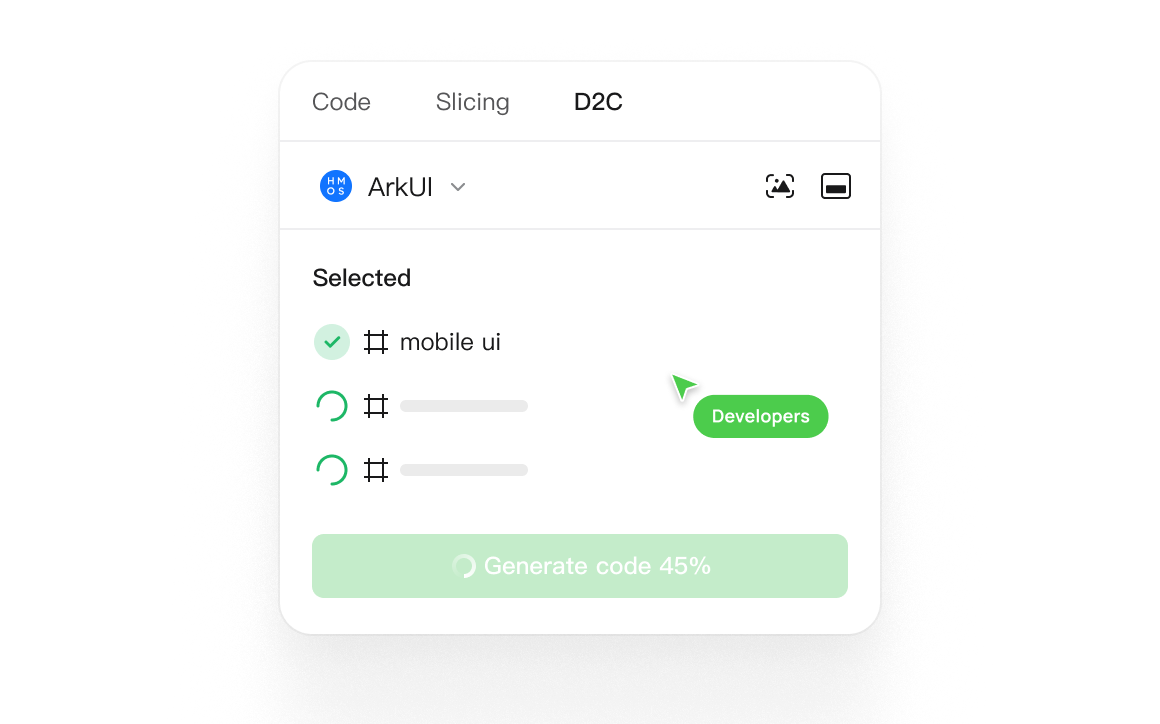 |
| og:title | Pixso | UI/UX Design & Prototyping Tool with AI |
| og:image:alt | Pixso collaborative UI/UX design and developer handoff workspace |
| og:site_name | Pixso |
| og:description | Create UI/UX designs, refine interfaces with AI, and build interactive prototypes in Pixso. Keep components, team feedback, and developer handoff in one workspace. |
| og:image:width | 1160 |
| og:image:height | 724 |
| twitter:card | summary_large_image |
| twitter:image | https://pixso.net/assets/media/module-12-item2-4542f0680d17fba7.webp |
| twitter:title | Pixso | UI/UX Design & Prototyping Tool with AI |
| twitter:image:alt | Pixso collaborative UI/UX design and developer handoff workspace |
| twitter:description | Create UI/UX designs, refine interfaces with AI, and build interactive prototypes in Pixso. Keep components, team feedback, and developer handoff in one workspace. |
robots.txt (opens in a new tab)
8 rulesAll bots 0 allowed · 8 disallowed

 All bots

/share//editor//user/login//app/share//app/editor//app/board//404//app/
No matching rules.
Sitemaps
1 Registration details RDAP / WHOIS
| Registrar | Alibaba Cloud Computing (Beijing) Co., Ltd. |
|---|---|
| Registered | 2021-01-13 |
| Expires | 2028-01-13 |
| Domain status | active |
| Nameservers | vip3.alidns.com、vip4.alidns.com |
| DNSSEC | unsigned |
 DNS records
| Type | Name | Value | TTL | Priority |
|---|---|---|---|---|
| A | pixso.net | 8.211.40.214 | 600 | — |
| A | pixso.net | 8.211.43.184 | 600 | — |
| MX | pixso.net | mxn.mxhichina.com | 600 | 5 |
| MX | pixso.net | mxw.mxhichina.com | 600 | 10 |
| NS | pixso.net | vip3.alidns.com | 86400 | — |
| NS | pixso.net | vip4.alidns.com | 86400 | — |
| TXT | pixso.net | google-site-verification=94m3YuQ5vckLdZaoOHippWXk6Y39fg06Z5T2clZb5vQ | 600 | — |
| TXT | pixso.net | google-site-verification=bElv_dXyVCKAZbTc_yyKRXk_t4N_hL_X6XHThMlcozc | 600 | — |
| TXT | pixso.net | google-site-verification=ji_YLHm91e6tvoid2p1_gDIOAUmDLIn8V0bLxGyE-6g | 600 | — |
| TXT | pixso.net | v=spf1 include:spf.qiye.aliyun.com -all | 600 | — |
| CAA | pixso.net | 0 iodef "mailto:[email protected]" | 600 | — |
| CAA | pixso.net | 0 issue "digicert.com" | 600 | — |
| CAA | pixso.net | 0 issue "letsencrypt.org" | 600 | — |
| DMARC | _dmarc.pixso.net | v=DMARC1; p=quarantine; rua=mailto:[email protected]; ruf=mailto:[email protected] | 600 | — |
 TLS and certificates
| Assessment | Normal configuration |
|---|---|
| Supported protocols | TLSv1.2、TLSv1.3 |
| Negotiated protocol | TLSv1.3 |
| Certificate subject | *.pixso.net |
| Issuer | DigiCert Inc |
| Valid until | 2027-02-27T23:59 · Remaining when checked: 152 days |
| Verification details | Certificate trust: Passed · Hostname match: Passed |
 HTTP response headers
| Header | Value |
|---|---|
| content-type | text/html |
| x-frame-options | SAMEORIGIN |
 Identified technologies
User reviews (0)