Website profiles · Technology insights · Alternatives

popcorntime.sh

Instantly discover where to legally stream your favorite movies and TV shows in HD and 4K. Popcorn Time aggregates content from 900+ streaming platfor...

No paid content found Multilingual
Visit website
Profile views 0 Outbound visits 0 Normal
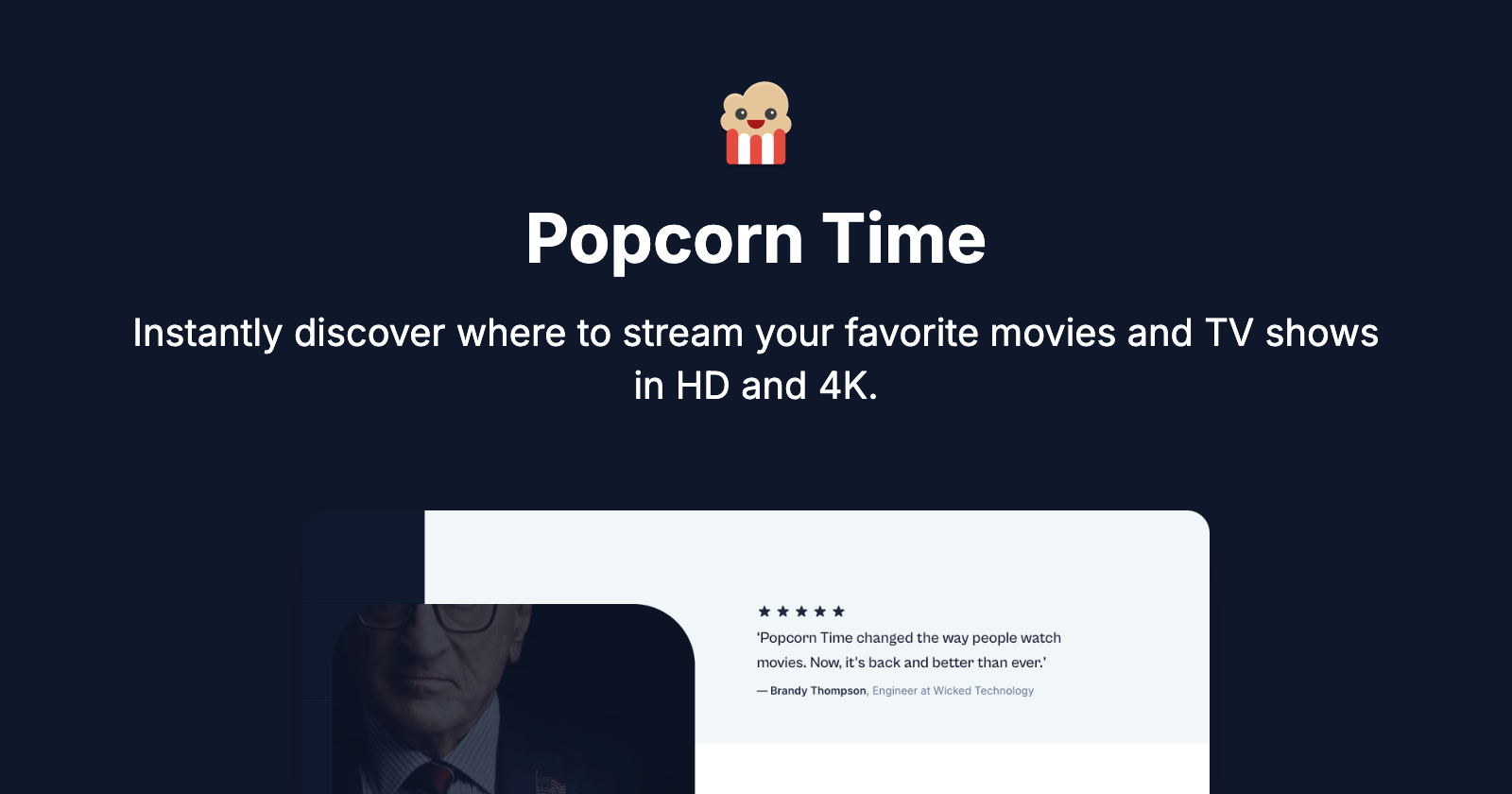
Popcorn Time Full homepage screenshot

At a glance

Category
Video & Film
Language
English
Paid-content signal
No paid content foundObserved
Registered
Unknown
Hosting
CloudflareInferred
HTTPS certificate trusted
PassedObserved
Last updated

Website review

This review may include AI-generated content and is not individually verified. Domain, certificate and other facts come from the observed data on this page.

What is Popcorn Time?

Popcorn Time is a streaming discovery app: instead of hosting movies and TV shows itself, it aggregates listings from 900+ streaming platforms so you can search one place to see what's trending and where a given title is available. According to the site, it also lets you organize a personal media library alongside streaming content, play titles across web, desktop, mobile and TV, and get AI-driven recommendations. The project presents itself as an open-source, legal successor to the controversial 2013 service of the same name, and it is localized into 23 languages for users in more than 34 countries.

Who it suits, and the trade-off

It fits people who pay for several services and are tired of checking each app in turn. A concrete case: you want to watch a specific film tonight, so you search once, see which of your subscriptions carries it, and start playback without hopping between apps. The trade-off is that Popcorn Time is a directory, not a library — availability, picture quality and playback ultimately depend on the underlying platforms, and its recommendation quality is something you'd have to judge for yourself.

Next step

If that sounds useful, try it on one real decision: search for a title you know is on one of your services and confirm the app points you to the right place. If you mainly want a single catalog owned by one company, a standalone service such as Netflix may be simpler; if you want cross-service search, an aggregator like this is the more direct fit.

Is Popcorn Time legal to use for streaming movies and TV shows?

Yes—according to the site itself, the current Popcorn Time is positioned as a legal streaming discovery tool, not a source of pirated files. The page states its mission is to help you "find and enjoy great content, legally," and describes the app as aggregating availability across 900+ streaming platforms rather than hosting or streaming the movies itself. It also explicitly distances the new product from the original 2013 platform, which it acknowledges "faced controversy and eventual shutdown."

The practical distinction matters:

  • What this version claims to do: show you where a title is available, what's trending across services, and let you organize a watchlist and launch playback through those services.
  • What would make use illegal: downloading or streaming copyrighted content without the rights holder's permission. That is a separate act from discovery, and the site's legality claims don't extend to it.

A concrete check before you rely on it

Take one film you want to watch, search it in the app, and confirm the result points you to a licensed service (a subscription, rental or ad-supported platform) where playback actually happens. If a title resolves only to an unlicensed source or a direct file, treat that as a red flag rather than a feature.

As general advice—not a statement about this product—legality of streaming depends on your country's rules and on whether the service you finally watch through holds distribution rights for your region. Availability aggregated from many platforms can vary by country, so a title shown as streamable may still be geo-restricted where you are.

For a second opinion on a specific service's licensing, check the platform's own rights information directly, such as Netflix or JustWatch for regional availability.

How does Popcorn Time find which streaming services have a specific movie or show?

Popcorn Time presents itself as a discovery layer rather than a streaming service: it aggregates availability data from hundreds of streaming platforms (the site claims 900+) into one app, so you search for a title once instead of checking each service's catalog. The page describes the core behavior as showing "where your favorite content is available," alongside trending titles across services, a personal media library, and AI-driven recommendations. It does not explain the underlying data sources or how often availability is refreshed, so treat "instantly find out where it's available" as the product's claim rather than a verified guarantee.

What this means in practice

  • One search, many catalogs. The intended workflow is: look up a movie or show, see which platforms carry it, then open it on the service you already subscribe to. The app is a finder, not a player for third-party catalogs.
  • Region matters. The page mentions availability in more than 34 countries and 23 languages, which implies results can differ by location. A title showing as available may still be geo-restricted on the underlying service.
  • Legal framing. The site explicitly distances itself from the original 2013 project and says its current mission is to help users find and enjoy content "legally." Whether a given result leads to a licensed stream depends on the source platform, not on Popcorn Time itself.

A realistic scenario

Suppose you want to watch a specific older film and hold three subscriptions. Instead of opening three apps and searching each, you search once, see which of your services lists it, and go there directly. The trade-off: you're trusting an aggregator's index to be current, and deep-link accuracy can vary, so confirm on the service before assuming it's included in your plan.

How to judge whether it's useful for you

Your situation Fit
You subscribe to several services and lose track of catalogs Strong fit for discovery
You mainly watch one service Limited benefit
You care about region-specific availability Check results against your own region
You want playback inside one app Not the stated purpose; playback happens on the source service

As a next step, test it with two or three titles you know well, including one you're certain is on a specific service, and compare the results with that service's own search. If the matches hold up, the aggregation is doing real work for you; if not, the index may lag behind catalog changes. For cross-checking a title's availability, official service sites such as JustWatch are a reasonable independent reference.

Can I use Popcorn Time across my phone, computer, and TV, and does it sync my watchlist between them?

Yes—Popcorn Time is presented as a cross-device streaming discovery app, with playback and access described for web, desktop, mobile, and TVs. The site also lists organizing and managing a personal media library alongside streaming content, which is the feature most relevant to keeping a watchlist.

What the page supports

  • Device coverage: The page explicitly says "web, desktop, mobile, and TVs," and offers both a web app launch and a desktop download.
  • Watchlist behavior: It mentions organizing and managing a personal media library, but does not explicitly state that this library syncs automatically across devices or what account setup is required.
  • Content scope: It aggregates availability from 900+ streaming platforms, so the app is a discovery layer rather than a single streaming service.

Practical takeaway

If cross-device watchlist sync is essential, treat it as something to confirm in the app rather than assume. A reasonable test: add two or three titles to your library on your phone, then open the web or TV version and check whether they appear. If they do, the sync works for your setup; if not, you may need to rely on the same account or a manual list.

The trade-off is convenience versus control: a unified library is handy when you switch between phone, laptop, and TV, but it depends on consistent sign-in and on the app's library feature behaving the same way on each platform.

What happened to the original Popcorn Time from 2013, and how is this version different?

The original 2013 Popcorn Time was a streaming app that became controversial, faced legal pressure, and was eventually shut down. The site now presenting itself as Popcorn Time says it is "legally reclaiming" that legacy: rather than hosting or streaming content itself, it describes a discovery companion that aggregates availability across 900+ streaming platforms and points you to where titles can be watched legally. The page frames the original as a disruptive influence that pushed the industry toward affordable on-demand streaming, and this version as a continuation of that idea within legal bounds.

What changes in practice

Original 2013 app This version (per the site)
Core function Streaming movies and shows directly Finding where titles are available across many services
Content source The app itself Third-party streaming platforms
Legal posture Controversial, shut down Explicitly positioned as legal
Extras described — Library management, AI-driven recommendations, web/desktop/mobile/TV access, 23 languages

For a reader, the practical difference is that this is a search-and-discovery layer, not a replacement for a subscription. If you already pay for two or three services and mainly want to stop hunting across apps, that's the use case it describes; you'll still need access to whichever platform actually carries a title. The page also mentions early-access signup and email updates, so availability and features may still be in flux—check what the app actually does before relying on it.

As a next step, pick three titles you've wanted to watch and test whether the app surfaces a service you already subscribe to; that tells you quickly whether it saves you time or just adds another app to your rotation.

How do I get early access to Popcorn Time before it launches publicly?

The page describes an early-access list rather than an open download: Popcorn Time says you can "Get Early Access and Updates" by subscribing with your email, and that subscribers will be the first to hear about trending titles and launch news. The same page also has "Launch web application" and "Download" buttons, so the practical route is to open the site and use the subscribe form, then watch for the launch email.

A useful next step is to decide what you actually want from early access before signing up:

  • If you want to test the discovery experience early: subscribe and treat the confirmation email as your signal to try the web app when it opens.
  • If you mainly want a streaming finder now: the page's core promise is aggregating where titles are available across 900+ platforms, so check whether the web version is already usable for you before waiting on a launch.
  • If you are comparing options: look at how other discovery tools handle the same job, such as JustWatch for cross-service availability or TMDB for browsing titles and metadata.

The main trade-off is patience versus control: an email list gets you launch news but no guaranteed timing or features, while an existing discovery service gives you something usable today with less say over what comes next.

Related questions

More questions →
What Features Does Popcorn Time Offer for Finding and Watching Movies and TV Shows?

Popcorn Time at popcorntime.sh is a streaming discovery app that aggregates content from 900+ streaming platforms into one interface, so you can see what's trending, check where a specific title is available, and organize a personal media library without jumping between services. It runs on web, desktop, mobile, and TV, and the site describes the current version as a legal reincarnation of the 2013 original. The main condition to know: Popcorn Time is a discovery layer, not a content library — playback depends on the third-party services where titles are actually available.

What the site says Popcorn Time does

According to the site, Popcorn Time is "your ultimate streaming companion, helping you quickly discover and enjoy movies and TV shows across hundreds of streaming platforms." The stated mission is to "streamline your streaming experience, making it easier than ever to find and enjoy great content, legally and hassle-free."

The site frames the problem it solves directly: "Tired of endlessly scrolling through multiple streaming services, just to find something good to watch?" Its answer is aggregation — pulling availability data from 900+ platforms into a single app.

Core features for finding and watching content

The site lists five things you can do in the app:

  • Discover what's trending across all streaming services in one view.
  • Instantly find out where a favorite movie or show is available.
  • Organize and manage a personal media library alongside streaming content.
  • Play back on any device — web, desktop, mobile, and TVs.
  • Get personalized recommendations powered by AI-driven suggestions.

How the discovery flow works in practice

The intended workflow is: open the app, browse trending titles or search for something specific, see which of the 900+ platforms carries it, then play it on your device of choice. For example, if you want to watch a specific series, the value is skipping the check-each-service-one-by-one routine and seeing availability in a single step.

Personal library and recommendations

Two features go beyond simple search. The personal media library lets you keep your own watchlist organized next to streaming availability, so your saved titles and where to find them live in one place. The AI-driven recommendation layer is described as "smart, AI-driven suggestions" — useful when you don't have a specific title in mind and want the app to surface options.

Devices, languages, and availability

Dimension What the site states
Devices Web, desktop, mobile, and TVs ("every device you own")
Languages Available in 23 languages
Countries "More than 34 countries"
Content sources 900+ streaming platforms
Quality HD and 4K

The site offers two entry points: a "Launch web application" button and a "Download Popcorn Time" option. It also has an early-access signup — "Get Early Access and Updates" — which suggests the product is still rolling out and some users may need to subscribe for launch news before full access.

Is this the same Popcorn Time from 2013?

No — and the site is explicit about the difference. The original 2013 platform "faced controversy and eventual shutdown." The current site says: "Today, we're proud to legally reclaim that legacy, continuing to innovate in an industry that we helped transform." So the brand name is reused, but the model described here is legal discovery across licensed streaming platforms rather than the original's peer-to-peer approach. If you remember Popcorn Time as a piracy tool, the current popcorntime.sh positions itself as the opposite: a legal aggregator.

What to check before relying on it

  • Playback depends on the source platform. The app tells you where content is available; watching it still happens through the streaming service that carries it, so you likely need your own subscription to those services.
  • Early-access status. The prominent early-access signup implies the product may not be fully open to everyone yet. Check whether you can launch the web app directly or need to subscribe first.
  • Regional catalog differences. With availability across 34+ countries, what's trending and where titles stream will vary by region.
  • Pricing is not stated on the page. The site does not list subscription costs or payment details, so don't assume the app itself is free — verify current terms on the site.

If your goal is cutting down the time spent deciding what to watch and where, Popcorn Time's aggregation, trending view, and availability lookup address exactly that. If your goal is watching without any existing streaming subscriptions, this app alone won't get you there.

What Are Open-Source UI Element Libraries and How Do They Differ From UI Frameworks?

An open-source UI element library is a collection of individual, ready-made interface pieces—buttons, cards, inputs, toggles, loaders—that you copy into your own project and adapt. A UI framework, by contrast, is a structured system of components, conventions, and often a theming layer that governs how your whole interface is built. The practical difference: an element library gives you a snippet; a framework gives you a way of working. If you need a polished button in ten minutes, reach for the element library. If you're building a 40-screen product with a team, you probably want the framework.

What "open-source UI element library" actually means

The term gets used loosely, so it helps to separate the parts:

  • Open-source: the code is publicly available, and the license tells you what you may do with it—copy, modify, redistribute, or use commercially.
  • UI element: a single, self-contained piece of interface, usually small enough to read in one sitting. A button with hover states, a pricing card, a search field.
  • Library: a browsable, searchable collection of those elements, typically contributed by many different people.

On a site like Uiverse, elements are shared by a community and written in plain CSS or Tailwind. You find one you like, copy the markup and styles, paste them into your project, and adjust colors, spacing, and text to fit. There's no package to install and no build step required—which is exactly the appeal, and also the source of most of the confusion.

Element library vs. UI framework: the core differences

Dimension Open-source UI element library UI framework / design system
Unit of reuse A single snippet you copy A component you import or call
Installation None; paste into your code Package install, config, sometimes a provider
Consistency Depends on you; each element may look different Enforced by shared tokens and APIs
Theming Manual edits per element Central theme/config file
Updates You own the copy; no upstream updates Version bumps bring fixes and changes
Accessibility Varies per contributor; must be checked Usually tested and documented
Best for Prototypes, landing pages, small sites, one-off needs Multi-page apps, teams, long-lived products
Learning curve Low—read the CSS Higher—learn the API and conventions

The table isn't a verdict. It's a map of trade-offs. Element libraries win on speed and freedom; frameworks win on consistency and maintenance.

Licensing and attribution: what to check before you paste

This is where people get into trouble, and it's worth slowing down for.

  1. Find the license. Every element or collection should state one. Common open-source licenses include MIT, Apache-2.0, and BSD. Some projects use copyleft licenses like GPL, which can impose obligations if you redistribute your code.
  2. Understand what the license permits. MIT and Apache-2.0 are permissive: you can typically use the code in commercial and closed-source projects. Copyleft licenses may require you to release derivative source under the same terms.
  3. Check attribution requirements. Permissive licenses usually require you to keep the copyright notice and license text somewhere in your project. That's a real obligation, not a formality.
  4. Look for per-element terms. On community sites, the site's overall terms and the individual contributor's stated wishes may differ. If a contributor asks for credit, honor it.
  5. When in doubt, ask or avoid. If a snippet has no license at all, you don't have clear permission to reuse it. Treat "no license" as "not open source," even if the code is publicly visible.

This article is general information, not legal advice. For commercial products with real exposure, have someone qualified review the licenses you're relying on.

How to use a community element in your project: a practical workflow

Here's a repeatable process that avoids most of the usual mess.

1. Start from a real need, not a browsing session

Decide what you need first—"a compact primary button with a loading state"—then search. Browsing aimlessly produces a pile of pretty snippets that don't fit together.

2. Copy the smallest version that works

Take the markup and the styles. Strip anything you don't need: demo wrappers, extra animations, decorative layers. Less code means fewer surprises.

3. Convert it to your conventions

If your project uses design tokens or CSS variables, replace hard-coded values:

/* Before: hard-coded */
.button { background: #4f46e5; border-radius: 8px; }

/* After: token-based */
.button { background: var(--color-primary); border-radius: var(--radius-md); }

This one step is what keeps a copied element from looking like a foreign object in your UI.

4. Check accessibility before you ship

Community elements vary widely here. Verify at minimum:

  • Keyboard focus is visible and the element is reachable by Tab.
  • Color contrast meets WCAG AA (4.5:1 for normal text).
  • Interactive elements use semantic HTML (<button>, not a clickable <div>).
  • Form inputs have associated labels.
  • Motion respects prefers-reduced-motion.

5. Test in context

Paste it into a real page with real content. Long labels, small screens, and dark mode break more copied elements than anything else.

6. Note where it came from

Keep a short comment or an internal credits file: source, license, date. Future you—and your legal reviewer—will be grateful.

Where element libraries genuinely shine

  • Prototypes and demos: you need something clickable today, not a design system.
  • Landing pages and marketing sites: a handful of distinctive elements, each custom.
  • Filling gaps: your framework lacks one specific component, and you don't want to build it from scratch.
  • Learning: reading well-made CSS is one of the fastest ways to improve.
  • Small projects: a personal site doesn't need a theming architecture.

Where they fall short

  • Consistency at scale: ten elements from ten contributors rarely look like one product.
  • Maintenance: you own every copy. When your design changes, you edit each one.
  • Accessibility debt: you inherit whatever the contributor did or didn't do.
  • No upstream fixes: a bug fixed in the original won't reach your copy.
  • Integration friction: different naming conventions, different units, different assumptions about resets.

When to choose which

Choose an element library when the scope is small, the timeline is short, or you need a few distinctive pieces rather than a whole system.

Choose a framework or design system when multiple people build multiple screens over months, when consistency is a product requirement, or when accessibility and theming need to be guaranteed rather than checked.

A hybrid works well for many teams: adopt a framework for the structural components—forms, navigation, layout—and borrow individual elements for the places where you want personality. Just route every borrowed element through the same token and accessibility checks, so it lands as part of your system rather than beside it.

The short version: open-source UI element libraries are a fast, flexible way to get good-looking interface pieces into a project. They are not a substitute for a design system, and the license and accessibility details are the part worth reading carefully.

Is Crave Worth It for Movies and TV Shows in Canada?

Crave is worth considering if your taste runs toward HBO and STARZ series, Hollywood blockbusters, and a mix of Canadian and international titles, and you want them in one Canadian service. It is less compelling if you mainly watch Netflix-style originals, live sports outside its add-on structure, or niche anime and international dramas. The honest answer depends on three things: what you actually watch, which tier or add-ons you need, and whether the titles you want are streaming on Crave right now. This guide breaks those down so you can decide before you subscribe.

What Crave actually carries

Crave's library is built around a few pillars:

  • HBO and Max content. This is Crave's biggest differentiator in Canada. HBO dramas, comedies, and documentaries, plus Warner Bros. films, tend to land here rather than on other Canadian services.
  • STARZ. STARZ series and films are part of the Crave ecosystem, which matters if you follow shows that originate on that network.
  • Movies. A rotating mix of recent Hollywood releases, older catalogue films, and genre libraries. Availability changes monthly as licensing windows open and close.
  • TV series. Current network shows, past seasons, and a deep back catalogue of older series.
  • Crave originals and Canadian content. Canadian productions and Crave-branded originals, which you generally won't find on US-based services.

If a specific HBO or STARZ title is the reason you're considering Crave, that's usually a strong signal it's the right home for you in Canada.

How the catalogue is structured (tiers and add-ons)

Crave is not a single flat subscription. It typically works like this:

  • A base plan that includes the core Crave library, including HBO and Crave originals.
  • A premium tier that adds more content and features, such as a larger movie selection and higher streaming quality.
  • Add-on channels you can bolt on, which historically have included specialty services and, in some cases, live sports through separate add-ons.

The practical takeaway: don't assume one price covers everything you want. Before subscribing, check which tier includes the specific shows or movies you're after, and whether anything you want sits behind an add-on. Plan names, prices, and what's bundled change over time, so verify on the Crave subscribe page rather than relying on older descriptions.

Choosing a plan: a quick decision path

  1. List the 3–5 shows or movies you most want to watch.
  2. Search each title on Crave to confirm it's actually there.
  3. Note whether each title requires the base plan, the premium tier, or an add-on.
  4. Pick the lowest tier that covers your list.
  5. Re-check in a month or two, since catalogues rotate.

Practical factors Canadian viewers weigh

Beyond the catalogue, these are the things that decide day-to-day satisfaction:

Factor What to check
Simultaneous streams How many people can watch at once on your plan
Downloads Whether offline viewing is supported and on which tier
Device support Smart TVs, phones, tablets, browsers, and streaming sticks
Video quality Whether 4K/HDR is limited to a higher tier
Ad experience Whether your tier includes ads
Account sharing Rules on household and out-of-home viewing

If you share an account across a household, the simultaneous-stream limit is often the factor that pushes people to a higher tier. If you travel or commute, download support matters more than resolution.

How Crave compares with other Canadian options

There's no universal "best" service, only the best fit for your viewing habits. A rough way to think about it:

  • Crave tends to suit viewers who want HBO/STARZ prestige TV, Warner Bros. films, and Canadian content in one place.
  • Netflix tends to suit viewers who want a large volume of Netflix originals and a broad, frequently refreshed international catalogue.
  • Prime Video tends to suit viewers who already have Amazon Prime and want a mixed library plus add-on channels.
  • Disney+ tends to suit families and viewers focused on Disney, Pixar, Marvel, Star Wars, and National Geographic.
  • Specialty and niche services suit viewers with specific interests, such as anime, arthouse, or regional content.

The most reliable comparison method is title-by-title: take your watchlist and check which service carries each title in Canada. Licensing differs by country, so a show on a US service may live somewhere else entirely north of the border.

Who Crave suits best

  • You follow HBO or STARZ series as they release.
  • You want a Canadian service with Canadian content.
  • You're happy to pay for a tier that unlocks the movie and quality level you want.
  • You value having prestige drama and a film library under one subscription.

Who might look elsewhere

  • Your watchlist is dominated by another service's originals.
  • You want the widest possible rotating catalogue and don't care about HBO.
  • You need live sports that aren't offered through Crave's add-ons.
  • You want a single low-cost tier with everything included.

Where to verify titles, plans, and details

Because catalogues and plans change, confirm the specifics yourself before subscribing:

  • Titles: search the exact show or movie name on crave.ca to see if it's currently available and on which tier.
  • Plans and pricing: check the Crave subscribe page for current tiers, features, and add-ons.
  • Devices and features: review the supported-devices and account help pages for stream limits, downloads, and quality by tier.
  • Free trial or promos: if offered, read the terms, including when billing starts and how to cancel.

Bottom line

Crave is worth it for movies and TV shows in Canada if HBO, STARZ, Warner Bros. films, and Canadian content are central to what you watch, and if the tier that includes your must-watch titles fits your budget. It's a weaker fit if your viewing is concentrated on another service's originals or on live sports outside its add-ons. Do the title-by-title check first, pick the lowest tier that covers your list, and revisit your choice as the catalogue rotates.

How to Start Using Popcorn Time or Get Early Access Updates

You can start in two ways: launch the web app directly from popcorntime.sh, or download the Popcorn Time app for desktop, mobile, or TV. If you want launch news and early access, subscribe with your email on the site. The page does not state pricing or payment details, so treat cost and account requirements as unconfirmed until you see them in the app or signup flow.

Start Using Popcorn Time

Popcorn Time is a streaming discovery app that aggregates content from 900+ streaming platforms, so you use it to find where a movie or show is available rather than as a single content library.

Option 1: Launch the web application

  1. Open popcorntime.sh.
  2. Select Launch web application.
  3. Use the app to browse trending titles, check where content is available, and manage your personal media library alongside streaming content.

Expected result: you reach the web app without installing anything. If the launch button does not respond, try a different browser or check whether the site is asking you to download the app instead.

Option 2: Download the app

  1. Open popcorntime.sh.
  2. Select Download.
  3. Install the version for your device. The site says playback works on web, desktop, mobile, and TVs.

Expected result: a local app you can open anytime. The page does not list system requirements or file sizes, so confirm compatibility on the download screen before installing.

Get Early Access and Updates

The site has a Get Early Access and Updates section. Enter your email and subscribe to receive launch news and be among the first to see trending movies and series across hundreds of platforms.

Use this if you want early access or product announcements rather than immediate use. The page does not describe what early access includes, how often emails arrive, or how to unsubscribe, so check the confirmation email for those details.

What You Can Do Once You're In

According to the site, Popcorn Time lets you:

  • Discover what's trending across streaming services
  • Find where your favorite content is available
  • Organize a personal media library alongside streaming content
  • Play content on web, desktop, mobile, and TVs
  • Get AI-driven personalized recommendations

The app is available in 23 languages and covers more than 34 countries, per the site.

Legal Status and the 2013 Version

The site states that today's Popcorn Time is a legal reclamation of the original 2013 project. The original platform faced controversy and was eventually shut down; the current site says its mission is to help you find and enjoy content legally and hassle-free. If legal availability matters to you, verify that each title's source is a licensed platform before watching.

Common Snags

  • Web app won't launch: try another browser or use the download option.
  • No pricing shown: the page lists no prices or payment methods, so don't assume the service is free or paid until the app or signup flow says so.
  • Early access unclear: subscribing gets you updates, but the page doesn't promise immediate access to every feature.
Is Popcorn Time Legal, and How Is It Different From the Original 2013 Version?

The Popcorn Time at popcorntime.sh presents itself as a legal streaming discovery tool, not a content host. According to the site, it aggregates availability information from 900+ streaming platforms so you can find where movies and shows are legally available in HD and 4K. That is a different model from the original 2013 Popcorn Time, which the site itself acknowledges "faced controversy and eventual shutdown." The key distinction: the current site says it helps you locate legitimate sources, while the original was widely associated with unauthorized distribution. Whether any specific title is legal to stream still depends on your region's licensing and each platform's terms, so verify before you watch.

What the current popcorntime.sh actually does

The site describes itself as a "streaming companion" rather than a player of its own content. Its stated functions:

  • Discovery across services — surfaces what's trending across hundreds of streaming platforms in one place.
  • Availability lookup — tells you where a given movie or show can be streamed.
  • Library management — lets you organize your personal media library alongside streaming content.
  • Cross-device access — web, desktop, mobile, and TV, per the site.
  • AI-driven recommendations — personalized suggestions based on your viewing.

The site's own framing: "streamline your streaming experience, making it easier than ever to find and enjoy great content, legally and hassle-free." It also lists availability in 23 languages and more than 34 countries.

How it differs from the 2013 original

Dimension Original 2013 Popcorn Time Current popcorntime.sh (per site)
Core model Streaming app associated with controversy Aggregator pointing to 900+ streaming platforms
Content hosting Central to the controversy Site says it does not host; it discovers availability
Legal stance Shut down after controversy Site says it "legally reclaim[s] that legacy"
Status Defunct Active, with early-access signup

The site is explicit about the history: the original "didn't just offer a new way to watch movies and TV shows—it sparked a global streaming revolution," and while it "faced controversy and eventual shutdown, its disruptive legacy remains undeniable." The current operators position themselves as continuing that legacy within legal bounds.

What "legal" means here — and what you still need to check

The site's legality claim rests on aggregation, not distribution: it says it helps you find content on legitimate platforms rather than serving the content itself. That is a meaningful difference, but it does not automatically make every result legal for you.

Before relying on it, confirm:

  1. Regional licensing — a title available on a platform in one country may be geo-blocked in yours. The site notes availability across "more than 34 countries," so coverage varies.
  2. Platform terms — your own subscription and each service's terms govern what you can watch and how.
  3. Source legitimacy — when the app points you to a platform, check that it is an authorized service in your region.

Practical takeaway

If you want a single place to search where a movie or show is streaming legally, the current popcorntime.sh is designed for that task, and its aggregation model is what separates it from the 2013 version. If your concern is whether watching a specific title is lawful where you live, the site's own description is not sufficient — verify the title's availability and licensing in your country and confirm the destination platform is authorized. The site offers a web app launch and downloads, plus an early-access updates signup, but it does not publish pricing details, so treat cost and access terms as things to confirm on the site itself.

Website Overview

Page metadata, canonical configuration and social previews work together to provide more consistent search and sharing presentation.

Domain and Registration

Unknown

DNS and Email

Nameservers are provided by Cloudflare, indicating managed DNS hosting. MX records point to the Google Workspace email service. No CNAME was found; the observed records resolve directly to addresses. SPF and DMARC are configured. DKIM status is unknown. TXT records include verification markers for Google. Such markers may also remain after a service stops being used.

TLS and Certificates

The public key uses EC with 256 bits. The server supplied a complete certificate chain. No organization name is present in the certificate; the available fields are consistent with domain validation. The certificate was issued within the Google Trust Services cloud or CDN ecosystem. The certificate's total validity is about 90 days, consistent with a short renewal cycle.

HTTP and Browser Security

The response lacks these common security headers: HSTS, CSP, Permissions-Policy, clickjacking protection. CORS permits any origin to read this response. This is common for public resources; sensitive responses need narrower handling. No X-Powered-By header was found, reducing one common source of backend fingerprinting information. The cf-ray response header indicates a CDN or caching proxy in the delivery path. No obvious internal addresses or debug information were found in the headers.

Technology Stack Analysis

The public page identifies Next.js, Cloudflare without precise versions, leaving fewer clues for version-specific scanning.

Search and Social Sharing

Twitter Card metadata is configured. JSON-LD includes Organization data, helping describe the organization as an entity. The page declares 24 language or regional alternatives using hreflang. The title has 36 characters, within a common display range. A meta description is present, with 153 characters.

Hosting and Email

DNSCloudflare
HostingCloudflare
EmailGoogle Workspace
Approximate IP geolocation (inferred; a CDN or proxy may differ from the origin server) Location unknown Inferred 104.21.14.188

Registration details

RDAP / WHOIS

Unknown

DNS records

DNS

TypeNameValueTTLPriority
Apopcorntime.sh104.21.14.188300—
Apopcorntime.sh172.67.160.40300—
AAAApopcorntime.sh2606:4700:3032::6815:ebc300—
AAAApopcorntime.sh2606:4700:3033::ac43:a028300—
MXpopcorntime.shaspmx.l.google.com36001
MXpopcorntime.shalt1.aspmx.l.google.com36005
MXpopcorntime.shalt2.aspmx.l.google.com36005
MXpopcorntime.shalt3.aspmx.l.google.com360010
MXpopcorntime.shalt4.aspmx.l.google.com360010
NSpopcorntime.shaddyson.ns.cloudflare.com86400—
NSpopcorntime.shfrank.ns.cloudflare.com86400—
TXTpopcorntime.shgoogle-site-verification=E6NAb5IsrvNrbX9DuS6_d3H-naz5t3VW4IgxXUXHtc03600—
TXTpopcorntime.shv=spf1 include:_spf.google.com -all3600—
DMARC_dmarc.popcorntime.shv=DMARC1; p=none; rua=mailto:[email protected]300—

TLS and certificates

TLS / SSL

AssessmentNormal configuration
Supported protocolsTLSv1.2、TLSv1.3
Negotiated protocolTLSv1.3
Certificate subjectpopcorntime.sh
IssuerGoogle Trust Services
Valid until2027-01-15T20:32 · Remaining when checked: 86 days
Verification detailsCertificate trust: Passed · Hostname match: Passed

HTTP response headers

HTTP

HeaderValue
content-typetext/html; charset=utf-8
cache-controlpublic, max-age=0, must-revalidate
servercloudflare
x-content-type-optionsnosniff
referrer-policystrict-origin-when-cross-origin
access-control-allow-origin*

Identified technologies

Next.jsCloudflare

Pages, Search and Sharing

Meta descriptionInstantly discover where to legally stream your favorite movies and TV shows in HD and 4K. Popcorn Time aggregates content from 900+ streaming platfor...
Canonical URLhttps://popcorntime.sh/
LanguageEnglish (default) · Multilingual
Twitter Cardsummary
All bots 1 allowed · 0 disallowed
  • Allow/

User reviews (0)

  • No reviews yet.