
 简体中文
简体中文 English
Website review
This review may include AI-generated content and is not individually verified. Domain, certificate and other facts come from the observed data on this page.
What is Prisma Labs?
Prisma Labs is the company behind two AI photo and video editing apps, Lensa AI and Prisma AI. Its stated aim is to "democratize" photo and video editing: the apps are built so that anyone can get a polished result in seconds without editing skills or prior experience. The company reports more than 200 million downloads and says its apps are used by millions worldwide; it was founded in 2016, and its App Store and Google Play "App of the Year" win is cited on its site.
What the two apps do
| App | Main use | Best for |
|---|---|---|
| Lensa AI | Enhancing photos: perfecting portraits, replacing backgrounds, adding standout effects, all with a single tap | People who want better-looking portraits and social-ready photos with minimal effort |
| Prisma AI | Turning photos into art: hundreds of art and portrait styles inspired by famous artists | People who want a stylized, artistic version of a photo rather than a realistic edit |
Both are consumer apps rather than professional editing suites, so the trade-off is speed and simplicity over fine manual control. A realistic use case: someone preparing a profile picture or a set of social posts can run a photo through Lensa for a cleaner portrait or a new background, then try Prisma if they want a more expressive, painterly look. Someone who needs precise color grading, layered timelines or frame-level video control would likely find a dedicated editor a better fit.
As a next step, decide which outcome you want—a realistic enhancement (start with Lensa) or an artistic restyle (start with Prisma)—and check the current app listings on Prisma Labs for the latest features and platform availability.
How do Lensa AI and Prisma AI differ in what they do to a photo?
Lensa AI focuses on enhancing and retouching a photo: perfecting portraits, replacing backgrounds and adding standout effects, all with a single tap. Prisma AI focuses on restyling a photo as art: it applies hundreds of art and portrait styles inspired by famous artists, reimagining your image rather than cleaning it up. Both are presented as one-tap tools that need no prior editing skill, and both come from the same developer, Prisma Labs.
Choosing between them
| Your goal | Better fit |
|---|---|
| Improve a portrait or fix a distracting background | Lensa AI |
| Turn a photo into a painting-style or artist-inspired image | Prisma AI |
| Quick, polished result for a profile picture | Lensa AI |
| A stylized, decorative version for sharing or printing | Prisma AI |
A practical test: decide whether you want the photo to still look like a photo. If yes, Lensa's enhancement approach matches that intent; if you want it to read as artwork, Prisma's style library is the relevant tool. For a portrait you plan to use professionally, start with Lensa and keep Prisma for a creative alternative of the same shot.
Can I use Prisma Labs apps without any photo editing experience?
Yes. Prisma Labs explicitly positions its apps for people with no skills or prior experience: the site's core promise is "great results in seconds—no skills required," and both apps are built around one-tap actions rather than manual editing.
What that means in practice
- Lensa AI is presented as a single-tap route to enhanced photos: perfecting portraits, replacing backgrounds and adding effects. For a reader who just wants a better profile picture or a cleaner headshot, that removes the usual learning curve of layers, masks and adjustment sliders.
- Prisma AI turns a photo into art using hundreds of styles inspired by famous artists. The creative decision is choosing a style, not mastering brush settings, so it suits people who want a striking result without an editing workflow.
The trade-off is control. One-tap tools make the first result fast, but they generally give you less fine-grained say over how far an effect goes. If your goal is a quick, presentable image, that is a good fit. If you need precise retouching or consistent output across a batch of images, expect to spend more time re-rolling results than adjusting them.
A useful next step
Start with one photo you already know well—a portrait you consider acceptable but not great—and run it through the portrait-enhancement path first. Compare it side by side with the original before trying backgrounds or artistic styles; that tells you quickly whether the automatic choices match your taste. For style-based reimagining, try two or three different styles on the same image, since the style, not your skill, drives most of the outcome.
For context on how these tools compare with broader AI photo editors, see Prisma Labs for its own app descriptions.
Which app should I choose to turn a portrait into art versus to replace a background?
Use Prisma AI to turn a portrait into art, and Lensa AI to replace a background.
How they differ
| Goal | App | What the site says it does |
|---|---|---|
| Turn a photo into art | Prisma AI | Hundreds of art and portrait styles inspired by famous artists; your photo “reimagined” in one tap |
| Replace a background or enhance a portrait | Lensa AI | Perfect portraits, replace backgrounds, and add standout effects with a single tap |
Choosing in practice
If your main aim is a stylized, painterly version of a portrait—something that looks illustrated rather than photographic—start with Prisma AI. Its strength is the range of artistic styles, so it suits people who want a creative reinterpretation rather than a realistic retouch.
If you need a clean, professional-looking portrait with a different setting behind it—for a profile photo, a CV, or a social post—Lensa AI is the closer fit. Background replacement is one of its stated functions, alongside portrait enhancement and effects.
A quick decision rule: artistic style → Prisma AI; realistic portrait with a new backdrop → Lensa AI. Both are presented as one-tap tools requiring no prior editing skill, so neither demands a learning curve. If you want both outcomes, the simplest path is to try each app on the same portrait and compare which result matches your intent.
For official details, see Prisma Labs.
Is Prisma Labs' photo editing software free to use?
Prisma Labs' own description does not state pricing for either app. The site presents Lensa AI and Prisma AI as consumer apps that deliver results "in seconds" with no skills required, but it makes no free-versus-paid claim, so "free to use" can't be confirmed from this page alone.
What the site does say
- Two apps: Lensa AI for portrait enhancement, background replacement and one-tap effects, and Prisma AI for turning photos into art in hundreds of artist-inspired styles.
- Positioning is mass-market and skill-free, which usually points to a free download with optional in-app purchases — but that is general industry practice, not a stated feature here.
- No plans, tiers, trials or subscription details appear in the supplied content.
How to decide before installing
- Check the App Store or Google Play listing for each app; both show "In-App Purchases" and a price range on the download page.
- Look for whether the free tier is ad-supported, watermarked, or limited to a set number of edits per day — the three common trade-offs for one-tap editors.
- If you need batch processing or commercial licensing for client work, confirm those terms in the app itself rather than assuming a free tier covers them.
For context on how similar AI photo tools structure free tiers, Runway and Canva publish their plan comparisons openly, which makes them useful reference points for what "free" typically includes.
Does Prisma Labs hire remote employees?
Yes. Prisma Labs describes itself as "remote-first, flexible," and its careers section invites people to "come create with us" — so remote work is part of how the company presents itself to candidates, not just an occasional arrangement.
What this means in practice
The page evidence supports remote-first as a stated working model, but it does not list specific openings, locations, time zones or employment terms. Those details would come from individual job postings on the company's careers page.
- If you're job hunting: treat "remote-first" as a starting point and check each posting for country or time-zone restrictions, since remote-first companies often still hire within certain regions for payroll and legal reasons.
- If you're comparing employers: remote-first usually implies remote is the default rather than a perk granted case by case, which tends to mean written remote practices and distributed documentation. It does not automatically mean "work from anywhere."
- If you're evaluating the products instead: remote hiring says little about the apps themselves; the relevant facts are the one-tap photo editing in Lensa and the art-style transformations in Prisma.
For current roles and their location terms, the company's own site is the authoritative source: Prisma Labs.
 Cloudflare
 Google Workspace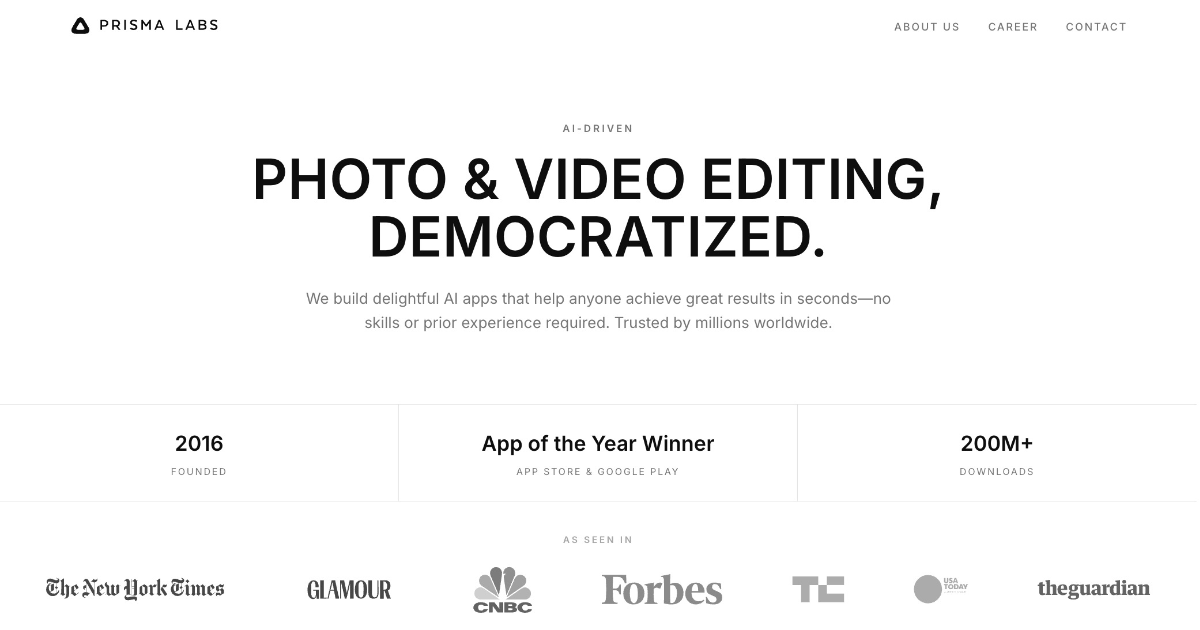

User reviews (0)