
 简体中文
简体中文 English
privacytools.io
The most reliable website for privacy tools since 2015. Find private alternatives to the apps you use every day.
At a glance
- Category
- Security & Privacy
- Language
- English
- Paid-content signal
- No paid content foundObserved
- Registered
- Unknown
- Hosting
- CloudflareInferred
- HTTPS certificate trusted
- PassedObserved
- Last updated
Related questions
More questions →What privacytools.io Is and What It Offers
privacytools.io is a privacy tools and software guide that has been published since 2015. Its stated purpose is to help people "escape Big Tech" by finding private alternatives to the apps they already use. It is a reference and recommendation site, not a downloadable product or a service you sign up for. It is useful if you want to replace a mainstream app with something that tracks you less, or if you want a shortlist of tools that are made in Europe or have been vetted by the site's editors.
How the site is organized
The homepage is built around four entry points, each aimed at a different way of browsing.
Private Alternatives
This is the core of the site. You pick an app you use every day and the site shows a private alternative. The homepage lists replacement categories for:
- Chrome (browsers)
- LastPass (password managers)
- Gmail (email)
- Google Search (search engines)
- ISP snooping (DNS and network-level tools)
- Google Drive (cloud storage)
- WhatsApp (messaging)
- Evernote (notebooks)
- Google Photos (photo storage)
- Windows (operating systems)
- YouTube (video)
- Google Maps (maps)
There is also a "See every app you can replace" link that leads to the full set of categories. The practical workflow is: identify the app you actually use, open that category, and compare the alternatives listed there.
European Alternatives
A separate section for tools that "answer to European law, not a US subpoena." It highlights one top pick per category, for example:
| Category | Top pick listed |
|---|---|
| Browsers | Mullvad Browser |
| Password managers | NordPass |
| StartMail | |
| Search engines | Mojeek |
| VPN | Surfshark |
| Cloud storage | Internxt Drive |
| Messaging | SimpleX Chat |
The page notes "+117 more Made in Europe," so this section is a curated slice of a larger list rather than the whole catalog.
Editor's Top Picks (2026)
A short list of twelve tools the editors say they would install on a fresh machine. Each entry includes a rating out of five and a one-line description. Examples from the page:
- LibreWolf (browsers, 4.7) — a modified Firefox built to resist tracking and fingerprinting, with security improvements.
- PrivacyNotes (notebooks, 4.8) — encrypted notes, tasks, calendar, files, passwords and a journal, unlocked by a 12-word recovery phrase; sign-up with no email and no password; open source.
- ProtonMail (email, 4.5) — free and paid plans that include end-to-end encryption, zero-access encryption, anti-phishing, anti-spam and 2FA. Marked as an ad.
- Surfshark (VPN, 3.5) — based in the Netherlands, operating since 2018, obfuscated RAM-only servers, audited by Cure53. Marked as an ad.
- Bitwarden (password managers, 4.7) — the site's top choice; easy import from other password managers; free for personal use.
- NextDNS (ad blocking, 4.7) — configurable via parental controls, website restrictions or blocking whole categories. Marked as an ad.
- Organic Maps (maps, 4.0) — offline Android and iOS maps based on OpenStreetMap data.
Note that some entries are labeled "Ad." The site mixes editorial picks with sponsored placements, so a high rating is not by itself proof of independence. Treat ad-marked entries as paid promotion and check the tool's own documentation before relying on it.
Trending on GitHub and All categories
Two further sections support browsing: a "Trending on GitHub" block for open-source projects and an "All categories" index for navigating the full catalog.
What you can and cannot conclude from the site
You can use it to:
- Find candidate replacements for a specific app you want to drop.
- Get a starting shortlist for European-hosted or open-source tools.
- Compare tools within a category using the site's ratings and descriptions.
You should not assume:
- That every listing is independently tested. Some are ads, and ratings are the editors' own.
- That a tool is free. The page mentions subscription pricing signals and shows free/paid plan language for some tools (ProtonMail, Bitwarden), but pricing and login requirements vary by product and are not fully documented on the homepage. Verify on each vendor's site.
- That a recommendation fits your threat model. A tool that is private by default may still be wrong for your needs; read the vendor's own security documentation.
A practical way to use the site
- List the two or three apps you most want to replace (for example, your browser and your password manager).
- Open the matching "Private Alternatives" category and note the candidates.
- Cross-check any candidate against its own site: who operates it, where it is based, whether it is open source, and what it costs.
- If you want European jurisdiction specifically, start from the European Alternatives section instead and confirm the vendor's legal home.
- Ignore ad-marked entries unless they independently meet your criteria.
The site is a discovery and shortlisting tool. The decision still belongs to you, based on each vendor's current documentation.
What Are the European Alternatives on privacytools.io?
The European Alternatives section on privacytools.io is a curated list of privacy tools that operate under European law rather than being subject to US subpoenas. It exists for people who want their data governed by European legal protections, and it covers major categories like browsers, password managers, email, search, VPN, cloud storage, and messaging. The page names one top pick per category—Mullvad Browser, NordPass, StartMail, Mojeek, Surfshark VPN, Internxt Drive, and SimpleX Chat—and points to "+117 more" for the full set.
What "European Alternatives" actually means here
The site frames the section with a single line: privacy tools that "answer to European law, not a US subpoena." That is the defining criterion. The tools are grouped by what they replace, and each category shows one highlighted option rather than an exhaustive ranking.
This is a jurisdiction filter, not a quality ranking. A tool appearing here means it is European-headquartered or European-operated, not that it is the most private or most secure option in its category. The site's separate "Editor's Top Picks" list uses different criteria and includes non-European tools.
The named picks by category
| Category | European pick | What it replaces |
|---|---|---|
| Browsers | Mullvad Browser | Chrome and other mainstream browsers |
| Password managers | NordPass | LastPass and similar |
| StartMail | Gmail and similar | |
| Search engines | Mojeek | Google Search |
| VPN | Surfshark VPN | ISP-level tracking and geo-restrictions |
| Cloud storage | Internxt Drive | Google Drive |
| Messaging | SimpleX Chat |
The page states there are "+117 more" European options beyond these seven, so this list is a starting point rather than the complete set.
Why jurisdiction matters for privacy
Where a provider is based determines which government can compel it to hand over data, and under what rules. A US-based provider can be subject to US subpoenas and national security requests; a European provider falls under European legal frameworks instead. For someone choosing a tool specifically because they distrust US legal reach, the provider's home jurisdiction is a real selection criterion, not a marketing detail.
Two caveats worth knowing before you treat "European" as automatically safer:
- Jurisdiction is one factor among several. Encryption model, logging policy, audit history, and ownership all matter. The site's own top picks mix European and non-European tools, which suggests it does not treat jurisdiction as the only test.
- Some entries are marked "Ad." On the page, ProtonMail and Surfshark VPN carry an "Ad" label, and NextDNS in the top picks does too. Treat sponsored placement as separate from editorial judgment when weighing a recommendation.
How to browse the full set of European options
- Go to privacytools.io and locate the European Alternatives section on the homepage.
- Read the one-line framing ("answer to European law, not a US subpoena") to confirm the filter matches what you want.
- Scan the category cards—each shows one pick and its category label.
- Select +117 more (or the equivalent "Made in Europe" link) to see the expanded list.
- Cross-check any tool you're considering against the site's Editor's Top Picks and category pages, since a European listing and an editor's pick are different signals.
If your goal is simply to replace a specific app, the site's "Private Alternatives" flow—pick the app you use, get a private alternative—is the more direct path. The European section is the better entry point when jurisdiction is your primary concern.
How to Find a Private Alternative to an App You Use on privacytools.io
To find a private alternative to an app you already use, open privacytools.io and start from the "Private Alternatives" section, which lists everyday apps such as Chrome, LastPass, Gmail, Google Search, Google Drive, WhatsApp, Evernote, Google Photos, Windows, YouTube, and Google Maps. Pick the app you use, follow its link, and you'll get private alternatives that "actually work" according to the site. If your app isn't in that shortlist, use "See every app you can replace" to reach the full set of replaceable apps.
Step-by-step: from the app you use to a shortlist
- Identify the app you want to replace. Be specific: "Chrome" rather than "browser," "LastPass" rather than "password manager." The site organizes alternatives by the app you use today.
- Open the matching alternative page. On the homepage, the "Private Alternatives" block links directly to pages like Chrome Alternatives, LastPass Alternatives, Gmail Alternatives, Google Search Alternatives, ISP snooping Alternatives, Google Drive Alternatives, WhatsApp Alternatives, Evernote Alternatives, Google Photos Alternatives, Windows Alternatives, YouTube Alternatives, and Google Maps Alternatives.
- Read the alternatives on that page. Each page is framed as replacing an app that tracks you with one that "respects your data." Compare the options on the criteria that matter to you (see the comparison table below).
- If your app isn't listed, use "See every app you can replace." This link opens the full list of replaceable apps, so you can find your app even if it isn't in the homepage shortlist.
- Browse the category page for broader options. If you want more than the app-specific page shows, go to the relevant category (Browsers, Password Managers, Email, Search Engines, VPN, Cloud Storage, Messaging, Notebooks, Ad Blocking, Maps). The site states it covers "All categories."
- Use the Editor's Top Picks as a starting shortlist. The "Editor's Top Picks | 2026" section lists twelve tools the editors would install on a fresh machine — a fast way to narrow choices before you dig into a category.
Expected result: a short list of private alternatives for the specific app you use, plus a category page if you want to compare more broadly.
What the site gives you to compare
| Section | What it contains | When to use it |
|---|---|---|
| Private Alternatives | App-by-app replacement pages (Chrome, LastPass, Gmail, WhatsApp, etc.) | You know exactly which app you want to replace |
| See every app you can replace | Full list of replaceable apps | Your app isn't in the homepage shortlist |
| European Alternatives | Top pick per category for tools that "answer to European law, not a US subpoena" — e.g., Mullvad Browser (Browsers), NordPass (Password Managers), StartMail (Email), Mojeek (Search Engines), Surfshark VPN (VPN), Internxt Drive (Cloud Storage), SimpleX Chat (Messaging), plus "+117 more Made in Europe" | Jurisdiction is your deciding factor |
| Editor's Top Picks | 2026 | Twelve tools with ratings, e.g., LibreWolf (Browsers, 4.7), PrivacyNotes (Notebooks, 4.8), ProtonMail (Email, 4.5), Bitwarden (Password Managers, 4.7), NextDNS (Ad Blocking, 4.7), Organic Maps (Maps, 4.0) | You want a vetted shortlist before comparing details |
| Category pages | Broader options per category (Browsers, Email, VPN, etc.) | You want more choices than one app page shows |
Reading the entries critically
The site mixes editorial picks with advertising, and the labels are visible in the listings. For example, the ProtonMail entry (4.5) and the Surfshark VPN entry (3.5) are marked "Ad," while Bitwarden (4.7) and NextDNS (4.7) are not. Treat ad-marked entries as paid placements and weigh the description accordingly — the Surfshark entry, for instance, notes it is based in The Netherlands, operating since 2018, uses RAM-only servers, and was audited by Cure53.
Ratings are editorial scores, not independent benchmarks. Use them to shortlist, then verify the specific claims that matter to you (audits, jurisdiction, open-source status) on the tool's own site.
Common sticking points
- Your app isn't on the homepage list. Use "See every app you can replace" rather than assuming there's no alternative.
- You want a European tool specifically. Skip the general app pages and go straight to "European Alternatives," which gives one top pick per category plus a link to 117 more.
- You're overwhelmed by category pages. Start with Editor's Top Picks, then open only the category pages for the tools you're seriously considering.
- You need pricing details. The site's listings don't consistently state pricing; check each tool's own page. The only pricing signal in the site's own materials is a reference to "subscription" — don't assume any listed tool is free.
What Are privacytools.io's Editor's Top Picks for 2026?
privacytools.io's "Editor's Top Picks | 2026" is a set of twelve tools the editors say they would install on a fresh machine. The page presents each pick with a star rating and a short description, and some entries are explicitly marked "Ad." The picks shown on the page include LibreWolf (Browsers, 4.7), PrivacyNotes (Notebooks, 4.8), ProtonMail (Email, 4.5), Surfshark VPN (VPN, 3.5), Bitwarden (Password Managers, 4.7), NextDNS (Ad Blocking, 4.7), Organic Maps (Maps, 4.0), and ProtonVPN. The page does not publish a single methodology explaining how the ratings are calculated, so treat the stars as editorial signals rather than independent test scores.
The picks listed on the page
| Tool | Category | Rating shown | What the page says |
|---|---|---|---|
| LibreWolf | Browsers | 4.7 | A modified Firefox build aimed at stronger protection against tracking and fingerprinting, plus security improvements |
| PrivacyNotes | Notebooks | 4.8 | Encrypted notes, tasks, calendar, files, passwords and a journal with mood and medication tracking, unlocked by one 12-word recovery phrase; sign-up with no email or password; open source |
| ProtonMail | 4.5 | Marked "Ad"; free and paid plans include security features such as end-to-end encryption, zero-access encryption, anti-phishing, anti-spam and 2FA; Android, iOS and web apps | |
| Surfshark VPN | VPN | 3.5 | Marked "Ad"; based in the Netherlands, operating since 2018, obfuscated RAM-only servers, audited by Cure53, unlimited devices, "3 months FREE" promotion |
| Bitwarden | Password Managers | 4.7 | Described as the top choice; easy import from other password managers; free for personal use; desktop, browser and Android availability |
| NextDNS | Ad Blocking | 4.7 | Marked "Ad"; configurable via parental controls, website restrictions and category blocking |
| Organic Maps | Maps | 4.0 | Offline Android and iOS maps for travelers, tourists, hikers and cyclists, built on OpenStreetMap data |
| ProtonVPN | VPN | — | Listed among the picks; no rating captured in the page excerpt |
The page states there are twelve picks in total; the excerpt above shows only part of the list, so the remaining entries should be read directly on the page.
How to read the ratings and the "Ad" labels
- Stars are relative, not absolute. A 3.5 (Surfshark VPN) sits in the same list as a 4.8 (PrivacyNotes), which suggests the editors are comfortable including tools they consider good-but-not-top in a category. A lower star count is not a disqualification.
- "Ad" means paid placement. ProtonMail, Surfshark VPN and NextDNS carry an "Ad" marker. Their descriptions read like promotional copy (for example, "Currently 3 months FREE" and "Unlimited devices"). Weigh these entries as advertising plus editorial mention, not as unsponsored reviews.
- Ratings are not comparable across categories. A 4.0 maps app and a 4.7 password manager are scored against different expectations. Compare within a category, not across the list.
A practical way to use the list
- Identify the category you actually need to replace (browser, email, VPN, password manager, DNS filtering, maps, notes).
- Open that category on privacytools.io rather than relying only on the top-picks strip, so you see the full set of alternatives and can compare like with like.
- Check the specific claims that matter to you against the tool's own documentation — for example, whether a VPN's jurisdiction and audit match your requirements, or whether a notes app's recovery-phrase model fits how you store backups.
- Treat ad-marked entries as a starting point for your own verification, especially where pricing or promotions are mentioned.
What the list does not tell you
The page does not disclose how the twelve were chosen, whether editors tested each tool hands-on, or how star ratings were assigned. It also does not state pricing beyond scattered mentions (Bitwarden "free for personal use," ProtonMail "free and paid plans," a Surfshark promotion). For a decision on any single tool, use the top picks as a shortlist and confirm the details on the vendor's own site.
How privacytools.io Evaluates and Rates Privacy Tools
privacytools.io rates tools through a combination of editorial star scores (shown out of five, with a numeric average such as 4.7), short written descriptions that emphasize verifiable security properties, and category-based curation. Two signals matter most when reading the site: some listings are explicitly labeled "Ad" (sponsored placement), and the site presents itself as a curated guide "trusted since 2015" rather than a lab that publishes test methodology. So the ratings are best treated as editorial shortlists to investigate, not as independent benchmark results.
What the ratings actually contain
On the page, each Editor's Top Pick carries a five-star display plus a decimal score, a one-line category label, and a short description. For example:
| Tool | Category | Score | What the description emphasizes |
|---|---|---|---|
| LibreWolf | Browsers | 4.7 | Firefox-based hardening against tracking and fingerprinting, plus security improvements |
| PrivacyNotes | Notebooks | 4.8 | End-to-end encrypted notes/files/passwords, no email or password signup, open source |
| ProtonMail | 4.5 | End-to-end and zero-access encryption, anti-phishing, anti-spam, 2FA (marked "Ad") | |
| Surfshark | VPN | 3.5 | Netherlands jurisdiction, RAM-only servers, Cure53 audit (marked "Ad") |
| Bitwarden | Password Managers | 4.7 | Easy import from other managers, free for personal use, broad platform support |
| NextDNS | Ad Blocking | 4.7 | Configurable filtering, parental controls, category blocking (marked "Ad") |
| Organic Maps | Maps | 4.0 | Offline OpenStreetMap-based maps for Android and iOS |
The scores are not explained with a published rubric, so the decimal precision (4.7 vs. 4.8) should not be read as a measured difference in security.
The evaluation criteria visible in the descriptions
Across the listings, the same handful of properties recur. These are the factors the site appears to weigh:
- Encryption: end-to-end or zero-access encryption is called out for email and notes tools.
- Open source: stated for LibreWolf and PrivacyNotes, and implied as a plus elsewhere.
- Independent audits: Surfshark's Cure53 audit is named specifically.
- Jurisdiction: Surfshark's Netherlands base and the separate "European Alternatives" section both treat legal jurisdiction as a selection factor ("privacy tools that answer to European law, not a US subpoena").
- Operational details: RAM-only servers, no-email signup, free-for-personal-use tiers, and platform coverage.
A practical reading: treat each description as a checklist of claims to verify on the vendor's own site — confirm the audit report exists, confirm the open-source repository is active, and confirm the jurisdiction claim.
Sponsored placements and how to spot them
Several top picks are marked "Ad" (ProtonMail, Surfshark, NextDNS in the excerpt above). The label sits inside the listing, so a sponsored tool can still appear in the Editor's Top Picks grid alongside unsponsored ones. When comparing, filter first by whether a listing is labeled "Ad," then compare the remaining editorial picks on the criteria above. A sponsored listing is not automatically a poor choice — Surfshark's audit and jurisdiction claims are checkable — but the placement itself is not evidence of quality.
How the site organizes recommendations
Beyond the top picks, the site structures guidance in three ways that affect how ratings should be used:
- Replace-one-app flow: "Pick the apps you use today, we'll show you private alternatives that actually work," with entry points for Chrome, Gmail, WhatsApp, Google Drive, and others. This is a migration aid, not a ranking.
- European Alternatives: a jurisdiction-first shortlist (Mullvad Browser, NordPass, StartMail, Mojeek, Surfshark, Internxt, SimpleX Chat, "+117 more"), where the selection criterion is European legal exposure rather than a star score.
- Category browsing: an "All categories" index, so a tool's score only means something relative to others in its own category.
A workable way to use the ratings
For a decision you can defend, use the site as a starting shortlist and then verify:
- Check the label: note whether your candidate is marked "Ad."
- Match the category: compare scores only within the same category (a 4.0 in Maps is not comparable to a 4.7 in Browsers).
- Verify the headline claim: find the audit report, the source repository, or the jurisdiction statement on the vendor's site.
- Check the pricing signal: the site references subscriptions and free tiers in descriptions (e.g., Bitwarden "free for personal use," ProtonMail "free and paid plans"), but the page does not publish prices — confirm current terms with the vendor.
The site's own positioning — "the most reliable website for privacy tools since 2015" — is a longevity claim, not a testing methodology. Its value is in curated discovery and consistent criteria; the final judgment on any tool still rests on the primary evidence its descriptions point to.
Website Overview
Page metadata, canonical configuration and social previews work together to provide more consistent search and sharing presentation.
Domain and Registration
Unknown
DNS and Email
Nameservers are provided by Cloudflare, indicating managed DNS hosting. MX records point to the Google Workspace email service. No CNAME was found; the observed records resolve directly to addresses. SPF and DMARC are configured. DKIM status is unknown. TXT records include verification markers for Google. Such markers may also remain after a service stops being used.
TLS and Certificates
The public key uses EC with 256 bits. The server supplied a complete certificate chain. No organization name is present in the certificate; the available fields are consistent with domain validation. The certificate was issued within the Google Trust Services cloud or CDN ecosystem. The certificate's total validity is about 90 days, consistent with a short renewal cycle.
HTTP and Browser Security
The response lacks these common security headers: HSTS. No X-Powered-By header was found, reducing one common source of backend fingerprinting information. The cf-ray response header indicates a CDN or caching proxy in the delivery path. No obvious internal addresses or debug information were found in the headers. The Server header identifies cloudflare without an exact version.
Technology Stack Analysis
The public page identifies Cloudflare without precise versions, leaving fewer clues for version-specific scanning.
Search and Social Sharing
Twitter Card metadata is configured. JSON-LD includes Organization data, helping describe the organization as an entity. The page declares 5 language or regional alternatives using hreflang. The title has 43 characters, within a common display range. A meta description is present, with 112 characters.
Hosting and Email
 Cloudflare
 Google Workspace
Registration details
Unknown
DNS records
| Type | Name | Value | TTL | Priority |
|---|---|---|---|---|
| A | privacytools.io | 104.26.0.147 | 300 | — |
| A | privacytools.io | 104.26.1.147 | 300 | — |
| A | privacytools.io | 172.67.74.64 | 300 | — |
| AAAA | privacytools.io | 2606:4700:20::681a:193 | 300 | — |
| AAAA | privacytools.io | 2606:4700:20::681a:93 | 300 | — |
| AAAA | privacytools.io | 2606:4700:20::ac43:4a40 | 300 | — |
| MX | privacytools.io | aspmx.l.google.com | 3600 | 1 |
| MX | privacytools.io | alt1.aspmx.l.google.com | 3600 | 5 |
| MX | privacytools.io | alt2.aspmx.l.google.com | 3600 | 5 |
| MX | privacytools.io | alt3.aspmx.l.google.com | 3600 | 10 |
| MX | privacytools.io | alt4.aspmx.l.google.com | 3600 | 10 |
| NS | privacytools.io | eric.ns.cloudflare.com | 86400 | — |
| NS | privacytools.io | pola.ns.cloudflare.com | 86400 | — |
| TXT | privacytools.io | google-site-verification=JMggRqIFvsFLPYhm8mH1DbepnJXi0Oiw-TbrAIGkKWc | 300 | — |
| TXT | privacytools.io | pinterest-site-verification=3f36f11a76f091fc0d8790a0b5f52fcf | 300 | — |
| TXT | privacytools.io | t-verify=f396dd5b111c3bf6fd7cb8c0604c6bfd | 300 | — |
| TXT | privacytools.io | v=spf1 include:_spf.google.com -all | 300 | — |
| DMARC | _dmarc.privacytools.io | v=DMARC1; p=none; rua=mailto:[email protected] | 300 | — |
TLS and certificates
HTTP response headers
| Header | Value |
|---|---|
| content-type | text/html |
| cache-control | public, max-age=0, must-revalidate |
| server | cloudflare |
| content-security-policy | default-src 'self'; base-uri 'none'; object-src 'none'; frame-ancestors 'none'; form-action 'self'; img-src 'self' data: https:; font-src 'self'; style-src 'self' 'unsafe-inline'; script-src 'self' 'unsafe-inline' 'wasm-unsafe-eval' https://static.cloudflareinsights.com https://challenges.cloudflare.com; frame-src https://challenges.cloudflare.com; connect-src 'self' https://cloudflareinsights.com https://challenges.cloudflare.com https://privacytools-ratings.privacytools-io.workers.dev; worker-src 'self' blob:; manifest-src 'self'; upgrade-insecure-requests |
| x-frame-options | DENY |
| x-content-type-options | nosniff |
| referrer-policy | strict-origin-when-cross-origin |
| permissions-policy | geolocation=(), microphone=(), camera=(), usb=(), payment=(), interest-cohort=() |
Identified technologies
Pages, Search and Sharing
| Meta description | The most reliable website for privacy tools since 2015. Find private alternatives to the apps you use every day. |
|---|---|
| Canonical URL | https://privacytools.io/ |
| Language | English (default) · Multilingual |
| Twitter Card | summary_large_image |
Social Sharing Preview
14 fields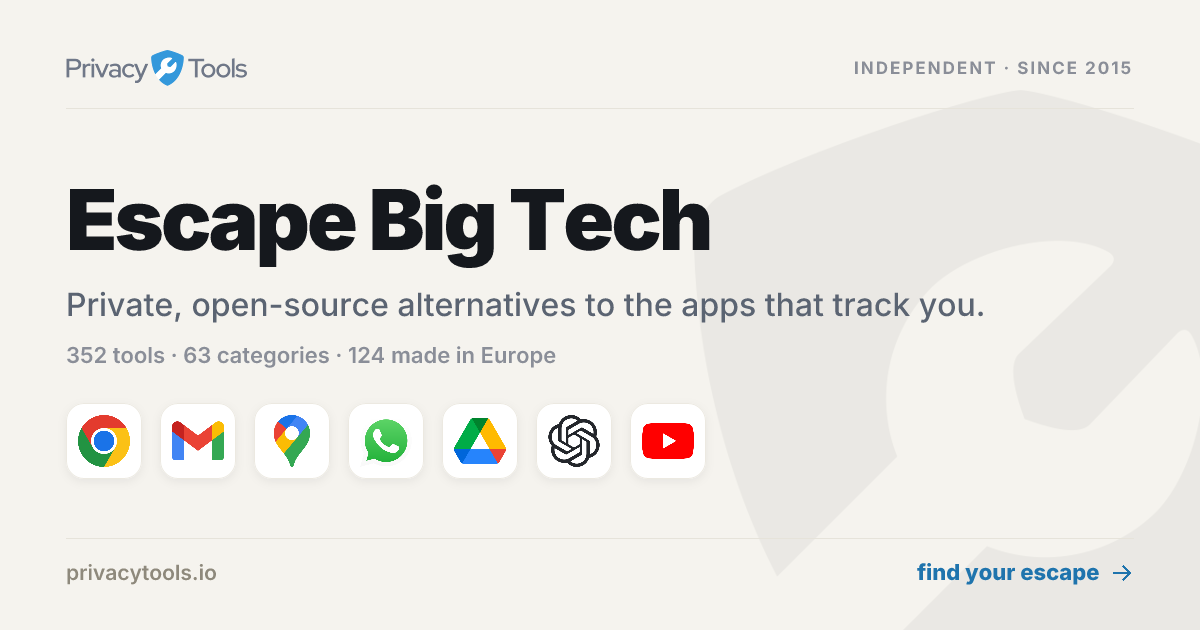

robots.txt (opens in a new tab)
1 rulesAll bots 1 allowed · 0 disallowed
- Allow
/
No matching rules.
Sitemaps
1Recent Updates
- Website images
- Screenshots
- Network details
- Website Technologies
- Pages and Search Information
- HTTP Response Information
- TLS and certificates
- DNS Information
- Website profile
- Website Description
- Website Name
- Website profile
- Website Description
- Website Name
User reviews (0)