Website profiles · Technology insights · Alternatives

probabletrain.itch.io

No paid content found
Visit website
Profile views 1 Outbound visits 0 Normal
ProbableTrain Full homepage screenshot

At a glance

Category
Other
Language
English
Paid-content signal
No paid content foundObserved
Registered
Unknown
Hosting
CloudflareInferred
HTTPS certificate trusted
PassedObserved
Last updated

Website review

This review may include AI-generated content and is not individually verified. Domain, certificate and other facts come from the observed data on this page.

What is ProbableTrain?

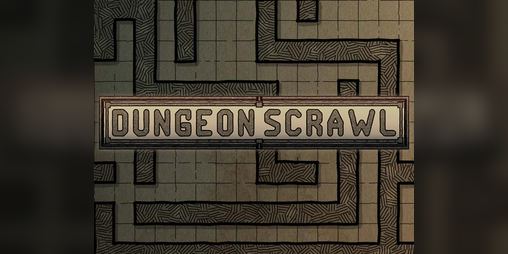
ProbableTrain is the itch.io developer profile of a creator who publishes small, browser-based tools rather than full games. The profile page lists two projects: Dungeon Scrawl, described as "a simple and effective grid-based mapping tool to help you set the scene for any battle," and City Generator, described as "procedurally-generated American cities." Both are marked "Run in browser," so they are used directly in a web browser without installation.

What each tool is for

  • Dungeon Scrawl is aimed at tabletop players and game masters who need a quick battle map. The grid-based approach suits rooms, corridors and encounter layouts, and the page frames it around setting a scene for combat.
  • City Generator is for producing American-style city layouts procedurally, which is useful for modern-setting campaigns, urban encounters or background material when you don't want to draw streets by hand.

Who it suits

If you run tabletop sessions and want a map in minutes rather than an art project, Dungeon Scrawl fits that need. If you need a modern city layout as a starting point, City Generator is the relevant tool. Neither is presented as a full game, so treat the profile as a toolbox rather than a catalogue of playable titles.

Decision criterion

Start with the setting you need to map: a dungeon or interior encounter points to Dungeon Scrawl, while a modern urban area points to City Generator. You can open either from the profile at ProbableTrain and check whether the output style matches your game before committing to it.

What is Dungeon Scrawl used for?

Dungeon Scrawl is a browser-based, grid-based mapping tool for drawing tabletop battle maps. It is made for quickly sketching encounter locations—dungeon rooms, corridors, and similar spaces—rather than for producing polished illustration. It runs in the browser, so there is nothing to install before you start drawing.

Practical uses

  • Session prep: Sketch the rooms and corridors you expect players to explore, with the grid already in place for movement and range.
  • Impromptu encounters: Draw a small map when players wander somewhere you had not prepared.
  • Reusable layouts: Keep a library of generic maps (taverns, crypts, cave mouths) that you can drop into different campaigns.
  • VTT or print use: A grid-based map is straightforward to share on a virtual tabletop or print for the physical table, though exact export options are worth checking on the tool itself.

Who it suits

It is aimed at game masters and tabletop players who want a fast, functional map, not cartographers seeking detailed terrain, lighting, or texture work. If your priority is speed and a clear grid, it fits well; if you need richly illustrated, atmospheric maps, expect to combine it with other tools or accept a simpler look.

A useful next step: open Dungeon Scrawl and draw one small encounter—two rooms and a connecting corridor—to see how quickly the workflow suits your prep style. If it feels too plain, treat it as a layout sketch to develop further elsewhere. The same creator also offers a City Generator on ProbableTrain for procedurally generated American cities, which is a separate tool for urban settings.

How does the City Generator create procedurally generated American cities?

The City Generator on ProbableTrain is described as producing procedurally generated American cities, and it runs in the browser. The page itself gives only that short description, so the specific generation rules—street layout, block subdivision, zoning or building placement—aren't detailed there.

What the description supports

  • It is a procedural tool: the city layout is generated by the software rather than drawn by hand.
  • The target style is American cities, so expect the kind of grid-and-arterial street patterns associated with US urban planning.
  • It runs in the browser, which makes it easy to try and regenerate results without installing anything.

Practical way to judge it

Open the tool and generate several cities, then check whether the street hierarchy (major roads versus local streets) and block patterns look convincing for your purpose. If you need a map for a tabletop session, pair it with the same creator's Dungeon Scrawl, which is described as a grid-based battle mapping tool. For city-building games or writing, judge the generator by how much variation you get between runs and whether you can export or trace the result.

Can I use Dungeon Scrawl or City Generator directly in my browser without installing anything?

Yes. Both tools on ProbableTrain are listed as Run in browser, so you can open them and start working without downloading or installing anything. Dungeon Scrawl is described there as a grid-based mapping tool for setting up battle scenes, while City Generator produces procedurally generated American cities.

What that means in practice

  • Dungeon Scrawl: a good fit if you are a game master who wants to sketch a dungeon or encounter map quickly—open the page, draw on the grid, and use it for your session.
  • City Generator: useful when you need a modern urban layout for a tabletop scenario or a writing project and don't want to design streets and blocks by hand.

The browser-based setup suits short, ad-hoc sessions and machines where you can't install software. The trade-off is that you depend on the page staying available and on your browser handling the tool smoothly; for heavy, long-term map projects you may want to check whether the tool offers any way to save or export your work before committing to it.

Next step: open Dungeon Scrawl first if you need a battle map, or City Generator if you need an urban layout, and do a quick test sketch to confirm it runs well in your browser.

Are ProbableTrain's tools free to use or do they require payment?

ProbableTrain's tools are free to use in the browser. The page presents Dungeon Scrawl and City Generator with "Run in browser" buttons and no pricing, subscription or payment information, so there is no stated cost to start using either tool.

What each tool is for

  • Dungeon Scrawl is described as a simple, effective grid-based mapping tool for setting the scene for a battle. It suits tabletop game masters and players who need quick, readable encounter maps rather than polished illustration.
  • City Generator produces procedurally generated American cities. It is aimed at people who want a settlement layout fast, whether for a role-playing campaign, a writing project or prototyping, and who are happy to work with generated results rather than draw every street by hand.

Practical considerations

"Free to use" here means no payment is requested on the page; it does not describe licensing terms for reusing or redistributing output, which are worth checking if you plan to publish maps commercially. Browser-based tools also depend on your device and connection, so test them with a real project before relying on them in a session.

A sensible next step is to open Dungeon Scrawl and sketch one small battle map, then try City Generator for a single town. If both fit your workflow, you have a no-cost starting kit; if you need precise control or print-ready output, compare the results against your requirements before committing.

For broader alternatives, itch.io hosts many browser-based map and generator tools, and RPGnet forums are useful for comparing tabletop mapping options.

Who is ProbableTrain and what other games or tools have they published?

ProbableTrain is an independent developer with a page on ProbableTrain on itch.io, where their browser-based tools are published. The page describes them primarily through two projects rather than a personal biography: Dungeon Scrawl, "a simple and effective grid-based mapping tool to help you set the scene for any battle," and City Generator, which produces "procedurally-generated American cities." Both are listed as running in the browser, so they are small web tools rather than installable games.

What the two tools are for

  • Dungeon Scrawl suits tabletop game masters and players who need a quick battle map: a grid-based editor for laying out rooms, corridors and encounter spaces. Its appeal is speed and simplicity, not detailed illustration.
  • City Generator is for anyone who needs a plausible street layout fast — a referee sketching a modern-day setting, a writer blocking out a chase, or a hobbyist exploring procedural generation. The output is described as American-style cities, so expect a specific urban pattern rather than a generic fantasy town.

How to choose between them

If you need… Start with Trade-off
A tactical map with a measurable grid Dungeon Scrawl Focused on encounters, not broad worldbuilding
A whole settlement laid out street by street City Generator Generated results, so less hand control over the final layout
Something to open without installing anything Either, since both run in the browser Browser tools depend on the page staying available

As a next step, open each tool directly from the profile and test it against one real prep task — a single encounter room or one city district — before committing to it for a campaign or project. The profile itself is the best place to check for any further releases, since the page evidence shows only these two.

Related questions

More questions →
How do I find and run ProbableTrain's tools on itch.io?

Go to probabletrain.itch.io and open either project listed on the profile — Dungeon Scrawl or City Generator — then use the Run in browser option to launch it. Both tools are browser-based, so no download or install step is described on the page.

What you'll find on the profile

The ProbableTrain itch.io page is a creator profile rather than a single product page. It lists two projects:

Project What it is (per the page) How to launch
Dungeon Scrawl "A simple and effective grid-based mapping tool to help you set the scene for any battle." Run in browser
City Generator "Procedurally-generated American cities" Run in browser

The profile also carries the handle @probabletrain and a link to the itch.io community profile.

Step-by-step

  1. Open the profile. Navigate to probabletrain.itch.io. You'll land on the ProbableTrain page with the two project listings.
  2. Pick a project. Click the title or card for Dungeon Scrawl (battle maps) or City Generator (procedural cities), depending on what you need.
  3. Choose "Run in browser." This is the launch option shown for both projects. The tool opens in your browser tab — there's no separate download flow described.
  4. Verify it loaded. For Dungeon Scrawl, you should see a grid-based mapping canvas; for City Generator, a procedurally generated city layout.

Common snags

  • Looking for a download button. The page presents both tools as browser-run projects, so expect an in-browser launch rather than an installer.
  • Landing on the wrong page. The profile lists multiple projects; make sure you've opened the specific tool you want before clicking Run in browser.
  • Expecting account features. The page shows a community profile link, but nothing on the page indicates that an itch.io login is required to run the tools — and nothing confirms it's optional either, so treat login requirements as unverified.

Which tool to open

  • Need a battle map or dungeon layout? Start with Dungeon Scrawl — it's described as a grid-based mapping tool for setting up encounters.
  • Need a city backdrop? Start with City Generator, which produces procedurally generated American cities.

Both are reached the same way: profile → project → Run in browser.

What Does ProbableTrain's City Generator Create?

ProbableTrain's City Generator creates procedurally-generated American city layouts that run directly in a browser. According to the itch.io page, it is one of two tools listed under the ProbableTrain profile, alongside Dungeon Scrawl. If you need a quick city map or layout for a tabletop session, a writing project, or a game prototype, this tool is aimed at that task.

What the tool produces

The page describes the output simply as "Procedurally-generated American cities." That means the tool generates city layouts rather than hand-drawn maps. The exact controls, export formats, and map scale are not specified in the available page evidence, so treat the output as a generated city layout you can use as a starting point or reference.

Key characteristics

Attribute Detail
Creator ProbableTrain
Tool name City Generator
Output Procedurally-generated American cities
Platform Runs in the browser
Access Listed on probabletrain.itch.io

How to use it

  1. Go to probabletrain.itch.io.
  2. Find the City Generator entry on the profile.
  3. Select the option to run it in the browser.
  4. Generate a city layout and use it as needed for your map, scene, or project.

The page confirms the tool runs in the browser, so no separate download step is indicated. Beyond that, the available evidence does not describe specific generation settings or export options.

Who it is for

  • Tabletop players and game masters who need a city layout to set a scene, similar to how the same creator's Dungeon Scrawl supports battle mapping.
  • Writers and worldbuilders who want a generated American-style city as a reference.
  • Game developers and designers who need placeholder or inspiration city layouts.

What to keep in mind

The page evidence does not state pricing, licensing terms for generated output, or the range of city styles beyond "American cities." Check the tool page itself before relying on it for a commercial project. If your need is a battle map rather than a city, the same profile also lists Dungeon Scrawl, a grid-based mapping tool.

What Is ProbableTrain on itch.io?

ProbableTrain is a creator profile on itch.io that hosts browser-based tools by the developer of the same name. The page currently lists two projects — Dungeon Scrawl, a grid-based mapping tool for battle scenes, and City Generator, a procedural generator of American cities — and both are marked "Run in browser," so you can open them directly from the profile without downloading anything.

What the page actually contains

The profile is short and project-focused. The visible content is the creator name and handle (@probabletrain), a follow option, and cards for each tool with a one-line description and a "Run in browser" label.

Project What it does How you access it
Dungeon Scrawl "A simple and effective grid-based mapping tool to help you set the scene for any battle." Run in browser
City Generator "Procedurally-generated American cities." Run in browser

Both entries are described as tools rather than games, which tells you what to expect: you open them to produce something (a map, a city layout), not to play through a story.

Who each tool is for

Dungeon Scrawl

Use this if you need a quick battle map on a square grid — for a tabletop session, a one-shot encounter, or a sketch you want to build on. The description emphasizes simplicity and effectiveness, so treat it as a fast drafting tool rather than a full illustration suite. A practical test: open it, draw a room with a few walls and a door, and see whether the grid snapping and export options match how you plan to use the map.

City Generator

Use this if you need a plausible street layout for a modern American setting — a backdrop for a game, a writing reference, or a starting point you refine elsewhere. Because the output is procedural, expect variation between runs rather than a fixed set of maps. A practical test: generate a few cities and check whether the scale (block size, road density) fits your project.

How to use the page

  1. Open probabletrain.itch.io in a browser.
  2. Pick the project card you want.
  3. Choose "Run in browser" to launch the tool in a new browser session.
  4. Work in the tool itself; the profile page is only the entry point.

The main friction point is expectation: the profile gives you almost no documentation, screenshots, or version notes. If you need instructions, feature lists, or troubleshooting, you will have to look inside each tool after launching it rather than on the profile.

What the page does not tell you

The available page content does not state pricing, licensing terms, account requirements, or whether the tools work offline. Since no price information appears, do not assume the tools are free — check inside each project page or the tool itself before relying on it for a paid or published project. Likewise, "Run in browser" confirms a web launch, not that saving or exporting is available; verify that in the tool.

Bottom line

ProbableTrain's itch.io page is a lightweight launchpad for two browser tools: a grid-based battle map maker and a procedural city generator. It is worth bookmarking if you need either kind of asset quickly, but go in expecting to evaluate the tools themselves, since the profile provides only names and one-line descriptions.

Website Overview

Several search or sharing settings need attention. Together they may make snippets, preview images or preferred URLs less consistent across platforms.

Domain and Registration

Unknown

DNS and Email

Nameservers are provided by Cloudflare, indicating managed DNS hosting. MX records point to the Zoho Mail email service. No CNAME was found; the observed records resolve directly to addresses. SPF and DMARC are configured. DKIM status is unknown. TXT records include verification markers for Google. Such markers may also remain after a service stops being used.

TLS and Certificates

The public key uses EC with 256 bits. The server supplied a complete certificate chain. No organization name is present in the certificate; the available fields are consistent with domain validation. The certificate was issued within the Google Trust Services cloud or CDN ecosystem. The certificate's total validity is about 90 days, consistent with a short renewal cycle.

HTTP and Browser Security

The response lacks these common security headers: HSTS, CSP, Permissions-Policy. No X-Powered-By header was found, reducing one common source of backend fingerprinting information. The cf-ray response header indicates a CDN or caching proxy in the delivery path. No obvious internal addresses or debug information were found in the headers. The Server header identifies cloudflare without an exact version.

Technology Stack Analysis

The public page identifies Google Analytics, Cloudflare without precise versions, leaving fewer clues for version-specific scanning.

Search and Social Sharing

No homepage meta description was detected, leaving snippet selection more dependent on page text. No homepage canonical URL was detected. If duplicate URLs exist, consolidation may be less explicit. No Open Graph metadata was detected, so social previews may depend on platform inference. Twitter Card metadata is configured. The title has 23 characters, within a common display range.

Hosting and Email

DNSCloudflare
HostingCloudflare
EmailZoho Mail
Approximate IP geolocation (inferred; a CDN or proxy may differ from the origin server) Location unknown Inferred 104.26.8.198

Registration details

RDAP / WHOIS

Unknown

DNS records

DNS

TypeNameValueTTLPriority
Aprobabletrain.itch.io104.26.8.198300—
Aprobabletrain.itch.io104.26.9.198300—
Aprobabletrain.itch.io172.67.69.99300—
AAAAprobabletrain.itch.io2606:4700:20::681a:8c6300—
AAAAprobabletrain.itch.io2606:4700:20::681a:9c6300—
AAAAprobabletrain.itch.io2606:4700:20::ac43:4563300—
MXitch.iomx.zoho.com30010
MXitch.iomx2.zoho.com30020
NSitch.iodawn.ns.cloudflare.com86400—
NSitch.ionoah.ns.cloudflare.com86400—
TXTitch.iogoogle-site-verification=6hl42kO3bIWWIu-mf44uXdzQc2ckxn-If90YdNhRUBg300—
TXTitch.iov=spf1 include:mailgun.org include:zohomail.com include:mail.zendesk.com include:spf.mtasv.net -all300—
TXTitch.iozoho-verification=zb14183429.zmverify.zoho.com300—
DMARC_dmarc.itch.iov=DMARC1; p=none; pct=100; rua=mailto:[email protected]; sp=none; aspf=r;300—

TLS and certificates

TLS / SSL

AssessmentNormal configuration
Supported protocolsTLSv1.2、TLSv1.3
Negotiated protocolTLSv1.3
Certificate subjectitch.io
IssuerGoogle Trust Services
Valid until2027-01-16T18:22 · Remaining when checked: 82 days
Verification detailsCertificate trust: Passed · Hostname match: Passed

HTTP response headers

HTTP

HeaderValue
content-typetext/html
servercloudflare
x-frame-optionsSAMEORIGIN
x-content-type-optionsnosniff
referrer-policyno-referrer-when-downgrade
set-cookieRedacted

Identified technologies

Google AnalyticsCloudflare

Pages, Search and Sharing

Meta descriptionNot detected
Canonical URLNot detected
LanguageEnglish (default)
Twitter Cardsummary_large_image
mediapartners-google 0 allowed · 0 disallowed
All bots 0 allowed · 4 disallowed
  • Disallow/*/download/
  • Disallow/*/rh/
  • Disallow/*/rp/
  • Disallow/-/

User reviews (0)

  • No reviews yet.