
 简体中文
简体中文 English
Website review
This review may include AI-generated content and is not individually verified. Domain, certificate and other facts come from the observed data on this page.
What is ProCarManuals?
ProCarManuals is a free online reference library for automotive repair and diagnostic information. It gathers material that DIY owners, students, technicians, and hobbyists typically need when researching a vehicle: service and workshop manuals, wiring diagrams, fuse box and relay layouts, diagnostic trouble code (DTC) and OBD-II references, owner manuals, and self-study programs. Content is organized by topic, vehicle system, document type, and category, and it is searchable across many makes, models, systems, and years.
ProCarManuals
What you can find there
- Service and workshop manual references
- Wiring diagrams and electrical troubleshooting material
- Fuse box and relay layout information
- Diagnostic trouble codes and OBD-II references
- Engine, transmission, and drivetrain documents
- Owner manuals for cars, trucks, and motorcycles
- VAG, Audi, Volkswagen, Skoda, and SEAT self-study programs
- Practical guides on maintenance, diagnostics, safety, and repairs
How people actually use it
A typical reader is someone staring at a no-start condition or a check-engine light. They might look up the DTC to understand what the code means, check a wiring diagram to trace the affected circuit, then confirm the fuse or relay location before touching the car. Students and apprentices use the same material to learn how a system is put together, while owners use it for maintenance planning and parts identification.
What it is not
The site describes its content as informational and reference material, not a substitute for official service literature or professional diagnosis. Treat it as a research starting point: verify torque figures, fluid types, and procedures against manufacturer documentation before relying on them for safety-critical work. It is also not a parts store or a repair service.
A practical next step
Before starting a job, search your exact make, model, year, and system, then cross-check the diagram or procedure against a second source. If you are new to diagnostics, begin with the fault-code reference to narrow the circuit, and use the wiring diagram to confirm pinouts and wire colors rather than guessing.
How can I find the correct wiring diagram for my specific car model and year?
Start with the vehicle identification details, then narrow by document type. ProCarManuals organizes its material by make, model, year, vehicle system and document type, so the fastest route is to search with the most specific combination you know — for example "2013 Honda Civic wiring diagram" rather than just "Honda wiring." If the year is uncertain, search by generation or body code instead of guessing a year.
On ProCarManuals, look for the wiring diagram category and cross-check the fuse box and relay layout pages for the same model. Those two document types often answer different halves of the same question: the diagram shows circuit paths and connector pinouts, while the fuse layout tells you which circuit is protected and where to probe. Diagnostic trouble code references on the same site can also point you toward the circuit involved before you open the diagram.
A practical sequence
- Confirm the exact model year, engine and trim — wiring changes within a generation.
- Search the site by make, model and year first, then add the system (e.g. "cooling fan," "power windows").
- Open the fuse box and relay layout for the same vehicle and note the fuse number and rating.
- Match connector identifiers and wire colors in the diagram against what you see in the car.
- If the diagram covers a different trim or market, treat it as a guide and verify pin positions physically.
Deciding whether a diagram is the right one
| Check | Why it matters |
|---|---|
| Model year and generation | Mid-cycle updates reroute circuits and change connector shapes |
| Engine and trim | Options like sunroof, tow package or different transmissions add circuits |
| Market/region | Export models can differ in lighting, emissions and immobilizer wiring |
| System coverage | A full-vehicle diagram is slower to use than a system-specific one |
When to look elsewhere
For safety-critical systems — airbags, ABS, high-voltage hybrid or EV circuits, and immobilizers — manufacturer service information is the safer reference. ProCarManuals describes its content as informational and reference material, not a substitute for official service literature, so use it for orientation, learning and troubleshooting, and confirm critical procedures against the maker's documentation.
A useful next step: write down the fuse number, connector ID and wire color from the diagram before you touch the car, then photograph the connector you are testing. That record makes it easy to compare against a second source if the first diagram does not match your vehicle.
What should I do if a diagnostic trouble code appears and I need to identify its meaning and fix?
Start by treating the code as a symptom, not a verdict: read the exact code, confirm what system and component it points to, then diagnose before replacing parts.
A practical sequence
- Record the code exactly — including whether it is current, pending or stored, and any freeze-frame data (engine speed, load, temperature, speed at the time it set).
- Look up the code's definition and likely causes for your specific make, model, engine and year. The same number can mean different things across manufacturers.
- Check the basics first — fuses, relays, connectors, grounds, vacuum or intake leaks, fluid levels and obvious wiring damage. Many codes are caused by a poor connection rather than a failed component.
- Use the wiring diagram and fuse/relay layout to identify the circuit involved, then test the sensor, actuator or wiring with a multimeter rather than guessing.
- Clear the code only after the repair, then road-test under the conditions that originally triggered it. If it returns, you have not found the root cause.
Where a reference site fits ProCarManuals groups repair manuals, wiring diagrams, fuse box layouts and fault code references by make, model and system, which suits the lookup and circuit-tracing steps above. It states its material is informational reference content, not a substitute for official service literature — so for safety-critical systems (brakes, airbags, high-voltage hybrids), confirm against manufacturer procedures.
A concrete example A misfire code on a four-cylinder engine: check the code's definition, then swap the coil and plug from the affected cylinder to another and see whether the code follows. If it moves, the component is at fault; if it stays, the wiring or compression is the suspect. The wiring diagram tells you which pins to test.
Decision criterion If the code points to a cheap, accessible sensor and the freeze-frame data matches its failure mode, test and replace it. If it points to a circuit shared by several components, or to a system you cannot safely test, stop and get a professional scan tool reading or a technician's diagnosis.
Are the repair manuals on ProCarManuals suitable for professional mechanics or only for DIY beginners?
They are useful for both, but in different ways. The site is a free reference library of repair manuals, wiring diagrams, fuse box layouts, fault code information, owner manuals and self-study programs, and its own notice states the content is informational and reference-only, not a substitute for official service literature or professional diagnosis. That framing tells you the intended role: a fast lookup and orientation tool, not a shop's authoritative repair source.
Where it fits for a DIY owner
- Identifying a fuse, relay or connector from a fuse box layout or wiring diagram before touching anything.
- Looking up what a diagnostic trouble code generally points to, then deciding whether the job is within your skill set.
- Finding maintenance and system-explanation material to understand how a circuit or drivetrain works before starting.
- Checking an owner manual for routine procedures and capacities.
Where it fits for a professional
- Quick orientation on an unfamiliar make or model, or on a system you rarely see.
- Cross-checking a fault code's likely causes before committing to a diagnostic path.
- Using VAG self-study programs and similar training-style documents as background learning for apprentices.
- Confirming a connector or fuse location when the official information is not at hand.
For paid, warranty or safety-critical work, treat the site as a starting point and confirm against the manufacturer's current service information, torque figures and procedures. The site itself flags that its material should not replace official literature — that is the main trade-off: free, broad and searchable, but not guaranteed to be model-year accurate or complete.
How to decide
Ask one question: is a wrong answer expensive or dangerous? If yes — airbag, ABS, high-voltage, engine timing, structural repair — verify elsewhere. If no — locating a fuse, understanding a code, planning maintenance — the site is a reasonable first stop.
A practical next step: pick the exact make, model and year, open the relevant category (wiring diagram, fuse layout or DTC reference), and note the document type and date before relying on it. For broader background while you work, ProCarManuals sits alongside general references such as AA1Car for diagnostic articles.
How do I locate the fuse box layout and relay diagram for my vehicle?
Start by narrowing the site to your exact vehicle and then to the electrical category, because a fuse layout is only useful when it matches your model year and trim. On ProCarManuals, the relevant material sits under fuse box layouts, wiring diagrams and electrical troubleshooting, organized by make, model, year and document type.
A practical search sequence
- Identify your vehicle precisely: make, model, model year, engine and body style. Fuse assignments often change mid-generation, so the year matters more than the nameplate.
- Search the fuse box or relay layout category first, then cross-check against a wiring diagram for the same circuit.
- Open the owner manual reference if a workshop-style layout is missing; owner manuals frequently include a simplified fuse chart and relay positions.
- Confirm the diagram's language and market. A European-market layout may not match a North American build of the same model.
- Note the diagram's source date before trusting it for a repair.
What each document type gives you
| Document | Best for | Limitation |
|---|---|---|
| Fuse box layout | Locating a fuse or relay by number and rating | May omit optional equipment |
| Wiring diagram | Tracing a circuit, wire colour, connector and ground | Harder to read without some electrical background |
| Owner manual | Quick fuse chart, relay positions, basic ratings | Less detail on circuit paths |
| Fault code reference | Linking a symptom to a circuit worth checking | Codes point to systems, not always the exact fuse |
A concrete example
Suppose your cabin blower stops working. Check the fuse box layout for the blower fuse and relay, confirm the rating, then use the wiring diagram to see whether the relay is fed by the same fuse or a separate one. If the fuse is intact, the diagram tells you which connector and ground to test next, which saves pulling unrelated fuses.
Decision criteria
- Use the layout alone when you just need to identify a fuse or relay.
- Add a wiring diagram when the fuse is fine but the circuit still fails.
- Prefer the document matching your exact year and market over a broader "all models" reference.
- Treat the site's material as reference information, not a substitute for official service literature, as its own notice states.
As a next step, write down your VIN or the model-year-engine combination before you search, and keep the fuse layout and wiring diagram open side by side while you work.
Can I use ProCarManuals for free, or is there a paid upgrade required to access certain content?
ProCarManuals is presented as a free automotive reference resource. Its own description says access to the manuals, wiring diagrams, fuse box layouts, fault codes, owner manuals, self-study programs and guides does not require a subscription. The site does mention an "upgrade" keyword, but the page evidence does not identify a paid tier, price or a specific set of locked content, so there is no confirmed paid upgrade described for this site.
What that means in practice:
- Core reference browsing: You can search and browse categories such as service/workshop manuals, electrical diagrams, fuse and relay layouts, OBD-II and DTC references, and owner manuals without a stated subscription.
- No confirmed premium wall: Nothing in the supplied page evidence says certain manuals or diagrams sit behind payment. Treat any claim of a required paid upgrade as unverified unless you see it on the site itself.
- Informational scope: The site states its material is reference content and not a substitute for official service literature or professional diagnosis. That is a limitation on how you use it, not a paywall.
A sensible next step is to open the category you need, search your make, model and year, and check whether the document downloads or displays fully. If a page asks for payment or an account, that is the real signal of a paid tier — not the word "upgrade" on its own.
For cross-checking a repair or wiring job, compare the free reference with an official source such as NHTSA for safety recalls and SaferCar for vehicle safety information.
 Cloudflare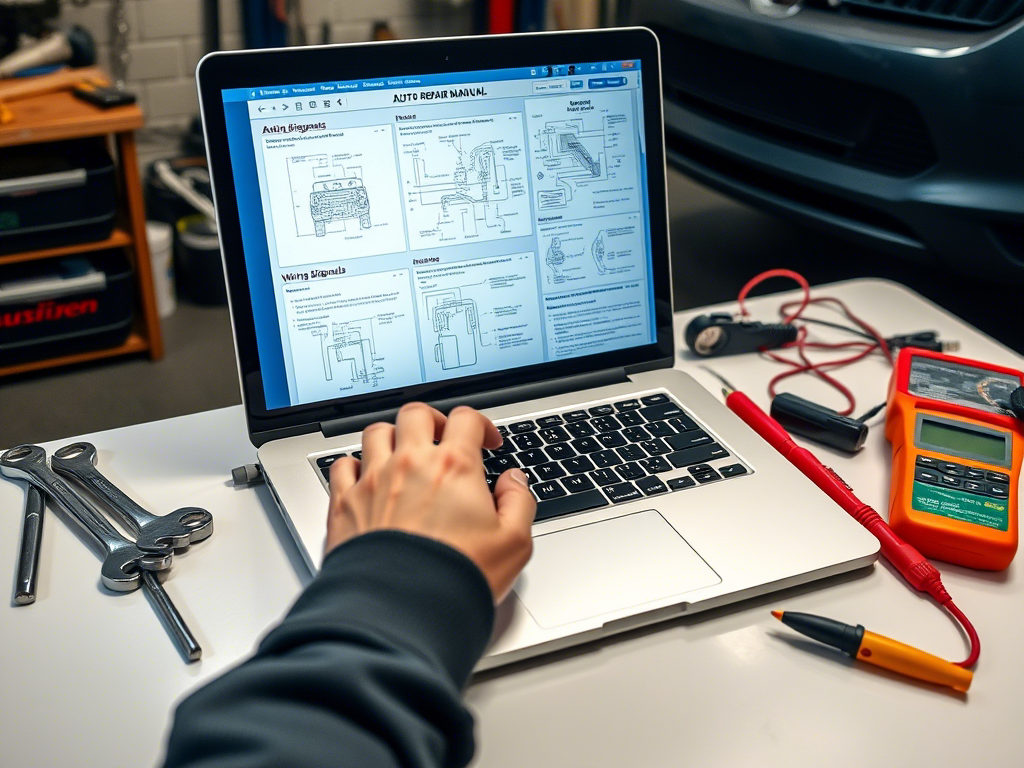

User reviews (0)