
 简体中文
简体中文 English
Website review
This review may include AI-generated content and is not individually verified. Domain, certificate and other facts come from the observed data on this page.
What is RankedAGI?
RankedAGI is a leaderboard site that ranks AI models by benchmark scores rather than by marketing claims. It pulls together results from many evaluation suites — coding tests like SWE-Bench Verified and Terminal Bench, reasoning tests like GPQA Diamond and AIME, and arena-style human-preference rankings — and presents them side by side in a single sortable table. The version described here lists 210 models, from frontier proprietary systems to open-weight contenders, with columns for version, release date, context length, cutoff knowledge, license, organization, and input/output cost per million tokens.
The practical value is comparison. Instead of opening a dozen separate benchmark pages, you can see where one model beats another on the tasks you actually care about, and how much that advantage costs.
H3 How to read it
- Don't trust the overall rank alone. A model can top one benchmark and lag badly on another; the per-column ranks matter more than the headline position.
- Match benchmarks to your workload. SWE-Bench and Terminal Bench say something about agentic coding; GPQA and HLE speak to hard reasoning; arena scores reflect broad human preference, which often tracks chat quality rather than task accuracy.
- Check the practical columns. Context length, knowledge cutoff, license and cost often decide real deployments more than a two-point benchmark gap.
- Treat simulated or preview entries cautiously. The page mixes released, preview and simulated data, so verify anything you plan to depend on.
H3 A concrete scenario Suppose you're building a coding agent and weighing a cheaper mid-tier model against a frontier one. Filter to the coding benchmarks, note the gap, then look at the cost columns — if the cheaper model is within a few points on SWE-Bench Verified but costs a fraction per million tokens, it may be the better default, with the expensive model reserved for hard cases.
Your next step: pick the two or three benchmarks closest to your use case, sort by those columns, and shortlist models before checking official documentation for current pricing and limits. For cross-checking against other evaluation aggregators, Hugging Face and LMArena publish their own leaderboards.
How do I compare two AI models side by side on RankedAGI?
RankedAGI presents benchmark results in a single sortable table, so "side by side" comparison means reading across two rows and comparing the same column headings. The page lists model names as rows and benchmark categories as columns — Code, Reason, and specialized tests like SWEBench Verified, Terminal Bench, GPQA Diamond, and AIME — with each cell showing a score and a rank such as #1 or #4.
H3 How to set up the comparison
- Open RankedAGI and use the column headers to decide which benchmarks matter for your task. Coding work points you toward Codeforces-style and SWEBench columns; research or reasoning work points you toward HLE and GPQA Diamond.
- Use the model selection control to limit the table to the two models you care about, rather than scanning all 210 rows.
- Read one benchmark column at a time across both rows. The rank number is often more informative than the raw percentage, because it tells you how far ahead the leader is from the rest of the field.
- Check the "Model Info" fields — Size, Version, Released, Context Length, Cutoff Knowledge, and License — before drawing conclusions. Two models with similar scores can differ sharply in context length or license terms.
- Compare the Input Cost /M and Output Cost /M columns last, so price does not anchor your judgment of quality.
H3 Reading the numbers honestly
A model that ranks #1 on SWEBench Verified is not automatically the best choice for long-document analysis. Look for the benchmark that resembles your actual workload, then check whether the gap between your two candidates is meaningful or just a point or two. Rank gaps of one or two places on a crowded leaderboard usually mean little in practice.
The page also carries a "Simulated Data" label in its interface, so treat the figures as illustrative of the tool's layout rather than as a settled verdict on any model. Verify any number that drives a real purchasing or architecture decision against the model provider's own documentation.
H3 A concrete scenario
Suppose you are choosing between two top-ranked coding models for a code-review assistant. Filter the table to those two rows, compare SWEBench Verified and Terminal Bench first, then glance at Input Cost /M to see whether the higher scorer is worth the premium at your expected volume. If the leader wins by a wide margin on the benchmark closest to your task and the cost difference is small, the decision is straightforward; if the scores are close, the cheaper model with a longer context window is usually the better default.
For a second opinion on live, human-judged rankings, LMArena runs head-to-head model comparisons based on user votes, which complements the static benchmark table here.
Which AI model is best for coding tasks based on SWE-bench and Codeforces scores?
Based on the benchmark data shown on RankedAGI, Claude Opus 5 is the strongest overall coding model, leading the SWE-bench family (94.2% on SWE-bench Multilingual, 93.5% on Pro, 90.8% on Verified) while also topping Code Arena at 1861. Claude Fable 5 is a close second and actually edges it out on SWE-bench Verified (92.9%) and Terminal Bench (87.4%), so the "best" pick depends on whether you weight repository-level bug fixing or terminal/agentic work more heavily.
How the leaders compare
| Model | SWE-bench Verified | SWE-bench Multilingual | Code Arena | Input / Output cost |
|---|---|---|---|---|
| Claude Opus 5 | 90.8% (#1) | 94.2% (#1) | 1861 (#1) | $5 / $25 |
| Claude Fable 5 | 92.9% (#2) | 80.3% (#1) | — | $10 / $50 |
| Claude Mythos | 87.3% (#1) | 77.8% (#2) | — | $25 / $125 |
| GPT 5.6 Sol | 85.1% (#7) | 88.8% (#1) | — | $5 / $30 |
| Claude Opus 4.8 | 82.7% (#5) | 69.2% (#3) | — | $5 / $25 |
Note that the Codeforces-style reasoning column is largely absent from the visible data; the closest proxies here are Code Arena, AIME 2026 and GPQA Diamond, which measure competitive-style reasoning more than contest programming directly. If Codeforces rating is your deciding metric, you would need to check the full benchmark table rather than rely on the excerpt.
Practical guidance
- Repository-level engineering (multi-file fixes, real GitHub issues): Claude Opus 5 or Claude Fable 5. Opus 5 is cheaper and more consistent across SWE-bench variants; Fable 5 wins narrowly on Verified and terminal tasks but costs roughly double.
- Cost-sensitive coding at scale: GPT 5.6 Sol or Claude Opus 4.8 at $5/$25 offer strong multilingual SWE-bench numbers for the price.
- Agentic/terminal workflows: Claude Fable 5's top Terminal Bench 2.1 score (87.4%) makes it the better fit for shell-heavy or tool-driven pipelines.
- Competitive programming specifically: treat the Code Arena and reasoning columns as a signal, but verify with a live Codeforces-style evaluation before committing.
A sensible next step is to open the full comparison table on RankedAGI, select only the SWE-bench and reasoning benchmarks you care about, and sort by the column that matches your workload — then run a small internal eval on your own repository, since benchmark leadership does not always transfer to a specific codebase or language.
Which AI model offers the best performance for its price per million tokens?
The page evidence does not contain enough reliable cost-and-score pairings to name a definitive best value model. The listed prices and benchmark figures appear to come from simulated data, and several rows are missing cost figures entirely, so any "best performance per dollar" claim would be guesswork.
What the page does show is the benchmark categories you would use for a value comparison: SWE-Bench (Verified, Pro, Multilingual), Terminal Bench, BrowseComp, Code Arena, OSWorld, GPQA Diamond, AIME, MMMU, ARC-AGI, and others, alongside input and output cost per million tokens. That is the right structure for judging value — a single overall rank hides the fact that models lead on different tasks.
A practical way to decide
- Pick the two or three benchmarks closest to your actual workload. Coding agents: SWE-Bench Verified and Terminal Bench. Research and browsing: BrowseComp and HLE. General reasoning: GPQA Diamond and AIME. Vision: MMMU.
- Note the input and output cost per million tokens for the models that lead those benchmarks.
- Estimate your real token mix. Output tokens usually cost several times more than input, so a model with cheap input but expensive output can lose badly on chat-heavy or generation-heavy work.
- Compare only within a tier. A frontier model at a high price and a smaller model at a low price are not substitutes if your task needs the stronger one.
Example scenario
A developer running an automated code-review agent cares mainly about SWE-Bench Verified and Terminal Bench scores, plus output cost, since the agent writes long diffs and explanations. A support team summarising tickets cares about reasoning and language benchmarks and mostly input cost. The same "best value" model will rarely win both.
Trade-offs to watch
- Benchmark rank and price move independently; a model ranked a few places lower can cost a fraction as much.
- Cheaper models often need more retries or longer prompts, which erodes the saving.
- Context length and knowledge cutoff matter for long documents and recent information, independent of price.
Next step
Build a small table of your top three benchmark columns against input and output cost, then test the two cheapest candidates that clear your accuracy bar on real examples from your own work. For benchmark definitions and methodology, the sites behind these tests are useful references: SWE-bench and LMArena.
How does RankedAGI rank models like GPT and Claude using benchmarks such as LMSYS and LiveBench?
RankedAGI presents models as a ranked list, then lets you sort or filter that list by individual benchmark columns rather than producing one single blended score. The page evidence shows columns for coding (SWE-Bench Verified, SWE-Bench Pro, SWE-Bench Multilingual, Terminal Bench, Cursor Bench), reasoning (HLE, GPQA Diamond, ARC AGI 2.0, AIME), agentic/web tasks (BrowseComp, OSWorld, DeepSWE), and human-preference arenas (Code Arena, Text Arena, plus its own RankedAGI arena columns). It also lists cost per million input and output tokens, context length, release date, and license/organization.
So the ranking is not "GPT beats Claude" universally. It depends on which column you trust. In the excerpt, the top model leads on several coding and agentic columns, while a different Claude entry leads on SWE-Bench Multilingual and Code Arena. The "LMSYS" and "LiveBench" style signals are represented by arena/ranking columns and broad benchmark families; RankedAGI's own "RankedAGI" columns appear to be its aggregated view, but the page also exposes the raw benchmark percentages and rank numbers next to each model.
How to read it in practice
- Pick the benchmark that matches your task. For code changes in real repos, SWE-Bench Verified and Terminal Bench are more relevant than a chat arena. For general assistant quality, arena-style columns matter more.
- Check the version and date. The list includes "Preview" and "Latest" labels, and model names change quickly. A rank is only meaningful for the exact version shown.
- Weigh cost and context. Two models can be close on accuracy but far apart on input/output cost and context length.
- Treat arena results as preference, not correctness. Arena columns measure which answer people preferred, which can reward style and formatting.
A concrete scenario: if you are choosing a model for an agent that edits a repository, start with SWE-Bench Verified and Terminal Bench, then filter by context length and cost. If you are building a general chat product, look first at the arena columns and reasoning benchmarks, then use cost to choose between close options.
For a second opinion on model quality, compare with LMArena and LiveBench, which run their own evaluation formats.
What is the difference between SWE-bench Verified and SWE-bench Pro on RankedAGI?
SWE-bench Verified and SWE-bench Pro appear as separate columns in RankedAGI's benchmark table, and they measure different things rather than one being a newer version of the other. The site lists both side by side for each model, along with related coding benchmarks such as SWE-bench Multilingual, Terminal Bench and Cursor Bench.
How they differ in practice
- SWE-bench Verified is the standard, human-validated subset of real GitHub issue-fixing tasks. It is the common reference point people quote when comparing coding agents, so it is the better column for answering "how does this model do on the benchmark everyone else reports?"
- SWE-bench Pro is a harder, more recent variant. On RankedAGI the Pro column tends to show lower percentages for the same model than the Verified column, which is consistent with a tougher or more contamination-resistant task set. That makes it more useful for spotting models that hold up under harder conditions, and less useful for comparing against older reported numbers.
- Because they are scored separately, a model can rank #1 on one and lower on the other. Read the rank numbers in each column rather than assuming the ordering carries over.
Which column to use
- Comparing a model against published results elsewhere, or picking a general-purpose coding assistant: start with SWE-bench Verified.
- Stress-testing an agent for difficult, less-saturated repository work: weight SWE-bench Pro more heavily.
- Judging real agent behaviour (running commands, editing files, using tools): look at Terminal Bench, Browse Comp or Cursor Bench alongside either SWE column, since SWE-bench alone says little about tool use.
A concrete example
Suppose you are choosing between two models for an automated issue-fixing pipeline. One leads on Verified but drops several places on Pro; the other is mid-table on Verified but near the top on Pro. For routine, well-specified bug fixes the first is the safer default; for messy, under-specified tickets the second may generalise better. Check both columns plus Input/Output Cost per million tokens before deciding, since a small benchmark edge rarely justifies a large cost difference.
Next step: open RankedAGI, filter to the models you are considering, and read the Verified and Pro columns together with the cost and context-length fields rather than sorting on a single benchmark.
 Cloudflare
 Google Workspace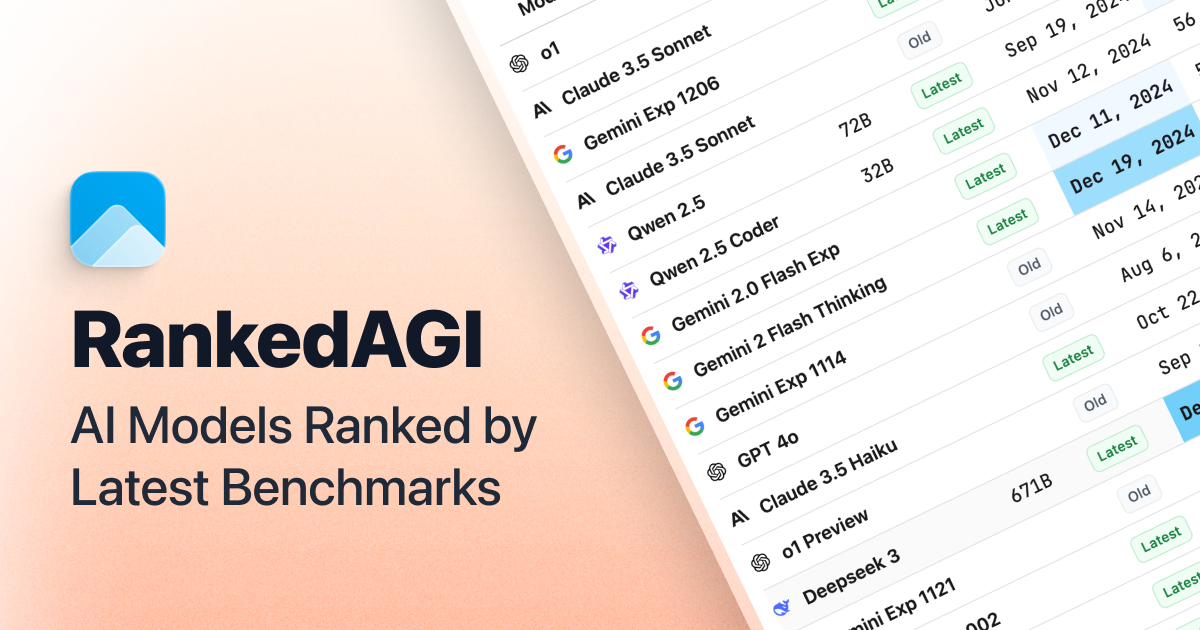

User reviews (0)