Website profiles · Technology insights · Alternatives

reactorcore.itch.io

Paid content
Visit website
Profile views 7 Outbound visits 1 Normal
Reactorcore Full homepage screenshot

At a glance

Category
Games & Board Games
Language
English
Paid-content signal
Paid contentObserved
Registered
Unknown
Hosting
CloudflareInferred
HTTPS certificate trusted
PassedObserved
Last updated

Website review

This review may include AI-generated content and is not individually verified. Domain, certificate and other facts come from the observed data on this page.

What is Reactorcore?

Reactorcore is the itch.io page of a solo creator who publishes a wide mix of small games, tools, mods, and art assets. The page describes it as “a bit of everything”: downloadable games, software and automation tools, Doom II mods, game assets, pixel art, 3D models, Lego mecha build instructions, random generators, and AI experiments.

What you'll find there

  • Programs and tools for production chores: a batch AI image generator, an animated GIF viewer, a GIF optimizer, a text-to-voice script tool, and an audio “ASMR/hypnosis” processor.
  • Doom II mods, including voice-taunt generators and gameplay addons such as Tactical Pocket Nuke.
  • Asset packs for game developers: pixel-art-to-3D conversion, particle effect textures, and a pixel art style/devkit.
  • Games, downloadable and browser-playable experiments, plus Lego mecha alternative builds.

Who it's for

The strongest fit is hobbyist game developers, modders, and pixel artists who want inexpensive utilities that solve one narrow problem quickly. A Doom mapper, for example, could generate voice taunts from recorded clips without writing code. A solo dev prototyping a sci-fi game could use the celestial interior generator or particle textures to fill out a world without commissioning custom art.

The trade-off is breadth over depth: a page spanning Doom mods, Lego instructions, and AI tools is unlikely to have the polish or documentation of a dedicated commercial product in any single category. Some items are marked as premium and priced, while others run in the browser for free, so it's worth checking each listing's own page for what's included and what format the files come in.

A practical next step

Pick the one task you're stuck on — bulk GIF conversion, a Doom voice mod, particle textures — and open that specific listing rather than browsing the whole page. For broader itch.io discovery in the same spirit, itch.io hosts many comparable solo-creator tool and asset pages.

Which Reactorcore tools can I run directly in my browser without installing anything?

Reactorcore hosts a mix of downloadable programs and browser-based tools. The page labels some items “Run in browser,” which is the clearest signal that no install is required.

Browser-based tools on the page

  • Celestial Cutaway – Planet Interior Generator — generates procedural planet-interior illustrations for worldbuilding and sci-fi use.
  • ASMRify — ASMR & Hypnosis Audio Studio — transforms voice recordings into ASMR or hypnosis-style audio.
  • Animated GIF Gallery Viewer — described as a modern viewer for seeing all your animated GIFs at once.
  • Audio Satanifier 666 — applies demonic effects to audio files.
  • IGNITION Mecha Startup Sequence Maker — creates a customizable cinematic mecha startup video.

Practical next step

Open the Reactorcore page and scan for the “Run in browser” tag on each item. Before committing to a browser tool, test it with a small file or short input first, then check whether you can export or download the result. If a tool only works inside the browser and you need offline access or batch processing, look for a downloadable alternative on the same page.

How to choose

Need Better fit
Quick one-off experiment, no setup Browser-based tool
Large batch jobs or offline work Downloadable program
Sharing a link with someone else Browser-based tool
Full control over files and versions Downloadable program

If your main goal is trying something immediately, start with the browser tools above. If you need repeatable, high-volume output, the downloadable programs will usually serve you better.

How do I use the Pixel to 3D Batch Builder to convert pixel art into low-poly or voxel models?

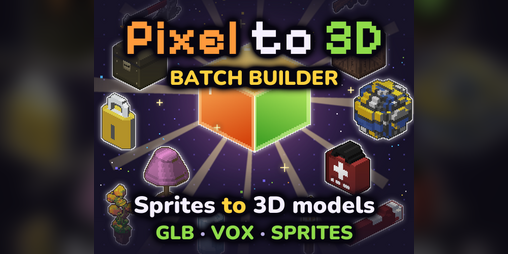
The Pixel to 3D Batch Builder is listed by Reactorcore as a program that turns pixel art into low-poly models, voxel models, or spritesheets, described on Reactorcore as “the ultimate pixel-art to low-poly/voxel/spritesheet program.” The page shows it as a paid tool at $12, but it does not publish a step-by-step conversion workflow, so the practical sequence below is general advice for this type of tool, not a quoted feature list.

A realistic workflow

  1. Prepare clean source art. Use a small, fixed palette and distinct colors per part (body, limbs, weapons, trim). Separate parts onto their own layers or images if the tool supports it, since that is what usually determines whether you get a single merged mesh or editable pieces.
  2. Choose the output style first. Low-poly and voxel are different targets: low-poly gives you fewer, larger faces that suit stylized characters and vehicles; voxel gives you a blocky, Minecraft-like look that suits terrain, props and modular kits. Spritesheet output is for 2D animation, not 3D.
  3. Set scale and depth. Decide how many pixels equal one world unit and how thick the extrusion should be. Thin extrusion reads as a paper cutout; thick extrusion reads as a solid block.
  4. Batch convert. The “batch” part of the name suggests processing many images in one run, which is the main time saver if you have a folder of sprites rather than one hero asset.
  5. Clean up and export. Check for doubled faces, stray interior geometry and UV/texture assignment, then export in the format your engine or 3D app expects.

Who gets the most from it

  • Game jam and prototype developers who need placeholder 3D assets from existing 2D art in an afternoon.
  • Pixel artists moving into 3D who want to preserve their palette and silhouette.
  • Voxel and low-poly hobbyists building large prop or character libraries from sprite sheets.

Decision criteria

If you need… Better fit
Many assets converted quickly from existing sprites Batch conversion
Hand-tuned topology and clean animation rigs Manual modeling, or heavy post-conversion cleanup
A blocky voxel aesthetic Voxel output
A stylized but smoother silhouette Low-poly output
2D animation frames instead of 3D Spritesheet output

A practical next step: test the tool on one simple sprite with three or four colors before committing a whole project folder to a batch run. If the first result needs heavy cleanup, the time saved by batching shrinks quickly.

What are the best Reactorcore tools for generating game-ready assets like particle textures or AI images in bulk?

For bulk generation, Reactorcore's strongest fits are Batch AI Image Generator and Particle Effect Texture Essentials; for turning pixel art into 3D or sprite-ready output, Pixel to 3D Batch Builder is the relevant tool. These are listed on Reactorcore.

Quick comparison

Tool Best for Input → output Main trade-off
Batch AI Image Generator Producing many AI images from a prompt list Text file of prompts → folder of images You still need to review, sort and curate results
Particle Effect Texture Essentials Ready-made particle textures for VFX Asset pack → game-ready textures It is a texture library, not a generator
Pixel to 3D Batch Builder Converting pixel art into low-poly, voxel or spritesheet forms Pixel art → 3D/voxel/spritesheet assets Best when your art already follows a consistent pixel style

Which to pick

  • Need volume fast: Batch AI Image Generator. It is built around a text file of prompts and outputs a folder of images, so it suits concept exploration, background variations or placeholder art at scale. Expect to spend time filtering weak results.
  • Need VFX textures now: Particle Effect Texture Essentials. A large set of fire, smoke, lightning and similar textures is more predictable than generating effects yourself, but you are limited to the included look and style.
  • Need 3D or sprite variants from existing pixel art: Pixel to 3D Batch Builder. This is the conversion path rather than a from-scratch generator.

Practical next step

Write a short prompt list of 10–20 variations for one asset type, run it through the batch generator, then keep only the strongest few as references or final assets. If your project needs a coherent pixel-art style across many assets, pair that with the PSRC pixel-art resources rather than mixing generated and hand-drawn styles at random.

How can I create Doom II voice taunt mods or other Doom mods with Reactorcore's generators?

Reactorcore's page lists a dedicated Doom Voice Taunt Mod Generator, described as a one-click tool that turns audio clips into Doom II voice taunt mods, with both manual and automatic taunt options. It also lists a Tactical Pocket Nuke (Doom2 Mod) as a universal addon that appears as a rare item pickup during gameplay, and a separate Doom II Mods category alongside broader Mods - Various and Randomized Main Menu or Far Backgrounds entries.

Turning voice clips into a taunt mod

The practical flow is: record or collect short voice lines, feed them to the generator, and let it package them into a Doom II mod. The "manual and automatic taunts" split suggests you can choose which lines trigger on which events rather than accepting a single default mapping — useful if you want, say, a specific line for a player death versus a taunt on a kill.

A concrete scenario: you have ten voice clips from a friend, each a one-liner. You want them to fire during multiplayer deathmatch, not during quiet exploration. With manual assignment you map each clip to an event; with automatic mode you accept the tool's defaults and get a working mod faster. Start with automatic to confirm the mod loads and plays at all, then switch to manual once you know the pipeline works.

Beyond taunts

The page also points to other Doom-adjacent generators and mods — a main-menu/background randomizer and the Pocket Nuke addon — so the taunt generator is one entry in a wider set of small, single-purpose tools rather than a full modding suite. For people who want to build a Doom mod without writing DeCScript or learning a level editor, these are narrow utilities: they do one packaging job and hand you a finished file.

What to check before committing

  • Audio format and length. Short, clean clips work best for taunts; long recordings tend to get truncated or sound wrong in-game.
  • Source port compatibility. Doom II mods behave differently across engines, so test the generated file in the port you actually play.
  • Manual vs. automatic. Automatic is faster; manual gives control over which line plays when.
  • Scope. These tools generate mods from assets you supply. They do not teach map design, weapon balancing or scripting.

Next step

Open the tool's page on Reactorcore, run one test clip through it end to end, and load the result in your preferred source port. If the taunt fires correctly, scale up to a full clip set and switch to manual assignment. If you later want a different kind of Doom mod — a menu randomizer or an item addon — the same page lists those as separate downloads, so you can treat each as its own small project rather than one large one.

What free asset packs and downloadable games does Reactorcore offer compared to its premium paid assets?

Reactorcore is a solo creator’s itch.io hub that mixes free downloads with paid tools and asset packs. The free side is real and varied: downloadable games, free asset packs, Lego Mecha alt-build instructions, text generators, browser experiments, and several browser-based tools. The paid side is narrower and tool-focused, mostly premium asset packs and programs such as Pixel to 3D Batch Builder, Batch AI Image Generator, and Particle Effect Texture Essentials. In short, the free material is broad and exploratory; the paid material clusters around production utilities and ready-made art assets.

Free vs. paid on Reactorcore

Area Free Paid / premium
Games Downloadable games listed on the page Not the main paid category
Asset packs Free Asset Packs category Premium Asset Packs category
Tools Several browser tools and generators, plus downloadable utilities Programs such as Pixel to 3D Batch Builder, Batch AI Image Generator, Particle Effect Texture Essentials
Mods Various mods and Doom II mods, including some browser-based generators Some tool-assisted mod creation, but mods themselves appear in the free/mod sections
Other Lego Mecha alt builds, experiments, text generators No clear premium equivalent listed

The practical difference is purpose. Free items suit browsing, prototyping, learning, and small personal projects where you want to test a style or workflow without spending. Paid items suit creators who need a specific production shortcut: converting pixel art into 3D or voxel forms, generating batches of images from prompt files, or getting a large set of game-ready particle textures. The page’s pricing signals show “premium” tied to asset packs and individual tools, with some tools listed at specific prices, but the free catalogue is not a demo-only section; it includes complete games, mods, and usable generators.

A useful next step is to decide by output type rather than by price. If you need a finished game to play or a mod to run, start with the free downloads. If you need to produce assets at volume, compare the paid tool against your current workflow: a batch image generator saves time only when you already have prompts and a clear folder structure, while a particle texture pack helps most when you need consistent effects across many scenes. If you are unsure, try the free generators and browser tools first, then move to a paid pack only when a specific production bottleneck appears.

Related questions

More questions →
What Doom II Mods Does Reactorcore Offer?

Reactorcore offers at least two Doom II–related projects on itch.io: the Doom Voice Taunt Mod Generator and the Tactical Pocket Nuke (Doom2 Mod). Both appear under a dedicated "Doom II Mods" category on the Reactorcore itch.io page. The first is a tool that generates voice taunt mods from audio clips; the second is a gameplay addon that adds a rare item pickup. If you want to add custom voice taunts or a new weapon-like pickup to Doom II, these are the two entries to look at.

Doom Voice Taunt Mod Generator

This is a one-click tool that generates Doom II voice taunt mods from audio clips. According to the site listing, it supports both manual and automatic taunts.

  • Input: audio clips (your own voice lines or other recordings).
  • Action: the tool assembles them into a Doom II voice taunt mod.
  • Output: a mod you can use in Doom II, with taunts triggered manually or automatically.

It sits in the "Programs and Tools" section of the site, so it's positioned as a generator rather than a finished mod you drop in as-is. You bring the audio; it handles the packaging.

Tactical Pocket Nuke (Doom2 Mod)

This is listed as a Universal Addon — meaning it's designed to work alongside other mods rather than replace them. In gameplay, you find it as a rare item pickup.

  • Type: universal addon.
  • In-game behavior: appears as a rare item pickup during play.
  • Use case: if you want an extra high-impact item layered onto an existing Doom II setup without swapping out your main mod stack.

Because it's described as universal, it's intended to slot into a range of mod combinations rather than being tied to one specific total conversion.

How to Decide Between Them

Doom Voice Taunt Mod Generator Tactical Pocket Nuke
What it is A generation tool A gameplay addon
What you provide Audio clips Nothing — it's a finished mod
What you get A custom voice taunt mod A rare item pickup in-game
Best if you want Custom character/voice taunts An extra item layered onto other mods

If your goal is custom audio behavior, the generator is the relevant one. If your goal is a new in-game item that coexists with other mods, the Pocket Nuke is the fit.

Where to Find Them

Both are hosted on the Reactorcore itch.io page under the "Doom II Mods" category. The page notes that the category listings are collapsible and that the visible items don't show everything — clicking a category title expands the full listing, so check there for any additional Doom II entries beyond these two.

What Game Development Assets and Tools Does Reactorcore Provide?

Reactorcore is an itch.io creator page that bundles games, software, automation tools, Doom II mods, game assets, pixel art, 3D models, and generators into one catalog. If you're an indie developer or creator looking for ready-made pixel art pipelines, particle textures, or small utility tools, this page is worth browsing. Note that the catalog is large and the page itself says the visible listings don't show everything — you need to click category titles to expand the full lists.

Asset packs

Asset Price What it contains
PSRC Human Mk2 and Ultimate Devkit Not listed A standardized, game-ready pixel art style plus devkit
Particle Effect Texture Essentials $9 700+ game-ready particle textures (fire, smoke, lightning, and more)
Free Asset Packs Free A separate free category alongside the premium packs

There is also a "Premium Asset Packs" collection linked from the page, so paid assets are grouped separately from the free ones.

Programs and tools

Reactorcore's tools split into two groups: paid desktop-style programs and browser-runnable utilities.

Paid highlights:

  • Pixel to 3D Batch Builder — $12. Converts pixel art into low-poly, voxel, or spritesheet output in batch.
  • Batch AI Image Generator — $8. Takes a text file of prompts as input and outputs a folder of generated images.
  • Particle Effect Texture Essentials — $9. The texture pack listed above.

Browser-runnable tools (no download mentioned):

  • Celestial Cutaway – Planet Interior Generator. Procedural celestial body illustrations for worldbuilding or sci-fi.
  • ASMRify — ASMR & Hypnosis Audio Studio. Transforms voice recordings into ASMR or hypnosis audio.
  • Script to Voice Generator – EdgeTTS. Turns written story scripts into fully voiced audio files.
  • Animated GIF Gallery Viewer. Displays all your animated GIFs at once.

Other tools in the catalog:

  • Easy Bulk GIF Optimizer. Bulk create, convert, and optimize GIFs.
  • Audio Satanifier 666. Adds demonic effects to audio files.
  • IGNITION Mecha Startup Sequence Maker. Creates customizable cinematic startup videos for mecha.
  • CoW Background Changer Mods. Randomized main menu or far backgrounds for Commander Wars.

Doom II mods

Reactorcore offers a dedicated Doom II mods category, including:

  • Doom Voice Taunt Mod Generator. A one-click tool that generates Doom II voice taunt mods from audio clips, with both manual and automatic taunt options.
  • Tactical Pocket Nuke. A universal addon that appears as a rare item pickup during gameplay.

How to decide what fits your project

  • Need pixel art turned into 3D or spritesheets at scale? The Pixel to 3D Batch Builder ($12) is the direct match.
  • Need particle effects without authoring them yourself? Particle Effect Texture Essentials ($9) gives you 700+ ready textures.
  • Need bulk AI image generation from a prompt list? Batch AI Image Generator ($8) is built for exactly that workflow.
  • Want to try before paying? Start with the browser-runnable tools (Celestial Cutaway, ASMRify, Script to Voice Generator, GIF Gallery Viewer) and the Free Asset Packs category.
  • Working on Doom II? The mods category and the Voice Taunt Mod Generator are the relevant entries.

One practical note: the page states that the listings shown by default are incomplete, so expand each category title before concluding something isn't offered. For updates and a fuller link list (blog, Discord, portfolio, catalog, gallery), the page points to linktr.ee/reactorcore.

What is Reactorcore on itch.io?

Reactorcore is the itch.io page of a solo independent creator who publishes a wide mix of games, software, automation tools, Doom II mods, game assets, pixel art, 3D models, Lego mecha build instructions, random generators, and AI experiments. It's worth a look if you want practical creative tools (many browser-based or downloadable) or game-ready assets, and if you don't mind that some items are paid rather than free.

What you'll find on the page

The catalog is organized into categories, and the page notes that the visible list isn't everything — you can click category titles to expand the full listing.

  • Programs and Tools — utilities for asset generation, audio, and image processing
  • Mods – Various and Doom II Mods — game mods, including Doom II addons
  • Games – Downloadable
  • Free Asset Packs and Premium Asset Packs
  • Lego Mecha Alt Build MOC — alternative build instructions
  • Text Generators and Cool Experiments

Featured tools and assets

Several items are highlighted on the page, with prices shown where listed:

Item What it does Price
Pixel to 3D Batch Builder Converts pixel art to low-poly/voxel/spritesheets $12
Batch AI Image Generator Takes a text file of prompts, outputs a folder of images $8
Particle Effect Texture Essentials 700+ game-ready particle textures (fire, smoke, lightning, and more) $9
Celestial Cutaway – Planet Interior Generator Procedural celestial body illustrations for worldbuilding or sci-fi Runs in browser
ASMRify – ASMR & Hypnosis Audio Studio Turns voice recordings into ASMR or hypnosis audio —
Script to Voice Generator (EdgeTTS) Converts written scripts into voiced audio files —
Doom Voice Taunt Mod Generator One-click generation of Doom II voice taunt mods from audio clips —
Easy Bulk GIF Optimizer Bulk create, convert, and optimize GIFs —
Audio Satanifier 666 Applies demonic effects to audio files —
PSRC Human Mk2 and Ultimate Devkit Teaches a standardized, game-ready pixel art style —
Tactical Pocket Nuke (Doom2 Mod) Universal addon; rare item pickups during gameplay —
Animated GIF Gallery Viewer Displays all your animated GIFs at once Runs in browser
IGNITION Mecha Startup Sequence Maker Creates customizable cinematic mecha startup videos —

Prices are only shown for the items listed above; other entries don't display a price on the page, so check each item's own page before assuming it's free.

Who it's for

  • Game developers and modders — asset packs, particle textures, pixel art tooling, and Doom II mod generators
  • Writers and worldbuilders — script-to-voice conversion and procedural planet illustrations
  • Audio tinkerers — ASMR/hypnosis processing, voice taunt generation, and audio effects
  • Hobbyists — Lego mecha builds, GIF tools, and browser-based experiments

How to follow or find more

The page links to a Linktree (linktr.ee/reactorcore) that collects the creator's blog, Discord, portfolio, resume, contact info, catalogue, gallery, and more. You can also follow the page on itch.io to get notified when new items are published.

Practical notes before you download

  • Some tools run in the browser, so you can try them without installing anything.
  • Paid items are marked with a price; free asset packs are listed as a separate category, so browse both if budget matters.
  • Because the page says the visible listing is incomplete, expand the category sections to see the full catalog rather than judging from the highlights alone.
What premium tools and asset packs does Reactorcore sell?

Reactorcore sells three paid items listed on its itch.io page: Pixel to 3D Batch Builder ($12), Batch AI Image Generator ($8), and Particle Effect Texture Essentials ($9). Everything else shown on the page — games, Doom II mods, free asset packs, text generators, browser tools, and Lego mecha build instructions — is listed separately from these paid products. If you only need mods, generators, or free assets, you can use the page without buying anything.

The three paid products

Product Price What it does Best for
Pixel to 3D Batch Builder $12 Converts pixel art into low-poly, voxel, or spritesheet output Artists turning 2D pixel art into 3D-ready assets
Batch AI Image Generator $8 Takes a text file of prompts as input and outputs a folder of images Bulk image generation from a prompt list
Particle Effect Texture Essentials $9 700+ game-ready particle textures (fire, smoke, lightning, and more) Game devs needing ready-made effect textures

Prices are as listed on the Reactorcore itch.io page. The page also links to a Premium Asset Packs collection on itch.io, which is where paid asset packs are grouped.

How to decide between them

The three products serve different jobs, so pick by what you're actually producing:

  • You have pixel art and want 3D or voxel versions → Pixel to 3D Batch Builder. This is the most expensive item and the most specialized; it only makes sense if pixel-to-3D conversion is part of your workflow.
  • You have a long list of prompts and want many images → Batch AI Image Generator. The input/output model is explicit: a text file of prompts goes in, a folder of images comes out.
  • You need effect textures for a game → Particle Effect Texture Essentials. This is a content pack, not a tool, so there's nothing to learn — you just get 700+ textures.

If you're unsure, check each product's individual page before buying. The itch.io listing shows the highlights, but the product page is where you confirm format, compatibility, and what's included.

What's free vs. paid

The page mixes free and paid content, and the free side is substantial:

  • Free: downloadable games, various mods, Doom II mods, free asset packs, Lego mecha alt build MOCs, text generators, and browser-based tools (for example, Celestial Cutaway and ASMRify run in the browser).
  • Paid: the three products above, plus the linked Premium Asset Packs collection.

So if your goal is mods or quick browser tools, you don't need to pay. The paid items are aimed at people producing assets or running batch generation.

Before you buy

  • Open the specific product page for the item you're considering — the main page only shows a one-line description.
  • Confirm the output format matches your pipeline (especially for Pixel to 3D Batch Builder and the particle textures).
  • Check the Premium Asset Packs collection if you want asset packs rather than tools.

The page does not state refund terms, licensing details, or system requirements in the listing itself, so verify those on the individual product pages before purchasing.

How to Follow Reactorcore and Find All Its Links

Reactorcore's itch.io page is the main hub for its games, tools, mods, and asset packs, and the fastest way to reach everything else is the Linktree at linktr.ee/reactorcore. That Linktree collects the blog, Discord, portfolio, resume, contact info, catalogue, gallery, and more. On social media, the account to follow is @ReactorcoreDev. Following on itch.io is what triggers notifications when new items are published.

Core links

Destination Where to find it
Main storefront / profile reactorcore.itch.io
All links hub linktr.ee/reactorcore
Social account @ReactorcoreDev
New-release notifications Follow the itch.io profile

The itch.io profile itself is where you browse and download the actual work. The Linktree is the directory for everything that lives off-platform — Discord, blog, portfolio, resume, and contact.

What you'll find once you're there

The page organizes work into expandable categories. Clicking a category title reveals the full listing, since the default view doesn't show everything.

  • Programs and Tools — including Batch AI Image Generator, Animated GIF Gallery Viewer, and IGNITION Mecha Startup Sequence Maker
  • Mods – Various
  • Doom II Mods
  • Games – Downloadable
  • Free Asset Packs
  • Premium Asset Packs
  • Lego Mecha Alt Build MOC
  • Text Generators
  • Cool Experiments

Highlights worth knowing about

The page surfaces a set of highlighted items, some free and some paid:

  • Pixel to 3D Batch Builder — $12, described as a pixel-art to low-poly/voxel/spritesheet program
  • Batch AI Image Generator — $8, takes a text file of prompts and outputs a folder of images
  • Particle Effect Texture Essentials — $9, 700+ game-ready particle textures (fire, smoke, lightning, and more)
  • Celestial Cutaway – Planet Interior Generator — runs in browser
  • ASMRify – ASMR & Hypnosis Audio Studio — runs in browser
  • Script to Voice Generator (EdgeTTS) — turns written scripts into voiced audio
  • Doom Voice Taunt Mod Generator — one-click Doom II voice taunt mods from audio clips
  • Easy Bulk GIF Optimizer
  • PSRC Human Mk2 and Ultimate Devkit
  • Tactical Pocket Nuke (Doom2 Mod)
  • Audio Satanifier 666
  • Reactorcore CoW Background Changer

Several tools are marked "Run in browser," so you can try them without downloading anything. Paid items sit alongside free asset packs and free downloadable games, so check the price label on each listing before assuming it's free.

Practical notes

  • Click the category headings. The page states that the visible list isn't everything — expanding a category shows the complete set.
  • Use the Linktree for anything non-itch. Blog posts, Discord access, portfolio, resume, and contact all route through linktr.ee/reactorcore rather than the itch.io page.
  • Follow to get notified. The page explicitly invites followers to be notified of new creations, which is the only stated way to hear about new releases.
  • Premium vs. free. The page links to a "Premium Asset Packs" collection, confirming that some asset packs are paid while others are listed under "Free Asset Packs."

Website Overview

Several search or sharing settings need attention. Together they may make snippets, preview images or preferred URLs less consistent across platforms.

Domain and Registration

Unknown

DNS and Email

Nameservers are provided by Cloudflare, indicating managed DNS hosting. MX records point to the Zoho Mail email service. No CNAME was found; the observed records resolve directly to addresses. SPF and DMARC are configured. DKIM status is unknown. TXT records include verification markers for Google. Such markers may also remain after a service stops being used.

TLS and Certificates

The public key uses EC with 256 bits. The server supplied a complete certificate chain. No organization name is present in the certificate; the available fields are consistent with domain validation. The certificate was issued within the Google Trust Services cloud or CDN ecosystem. The certificate's total validity is about 90 days, consistent with a short renewal cycle.

HTTP and Browser Security

The response lacks these common security headers: HSTS, CSP, Permissions-Policy. No X-Powered-By header was found, reducing one common source of backend fingerprinting information. The cf-ray response header indicates a CDN or caching proxy in the delivery path. No obvious internal addresses or debug information were found in the headers. The Server header identifies cloudflare without an exact version.

Technology Stack Analysis

The public page identifies Google Analytics, Cloudflare without precise versions, leaving fewer clues for version-specific scanning.

Search and Social Sharing

No homepage meta description was detected, leaving snippet selection more dependent on page text. No homepage canonical URL was detected. If duplicate URLs exist, consolidation may be less explicit. No Open Graph metadata was detected, so social previews may depend on platform inference. Twitter Card metadata is configured. The title has 21 characters, within a common display range.

Hosting and Email

DNSCloudflare
HostingCloudflare
EmailZoho Mail
Approximate IP geolocation (inferred; a CDN or proxy may differ from the origin server) Location unknown Inferred 104.26.8.198

Registration details

RDAP / WHOIS

Unknown

DNS records

DNS

TypeNameValueTTLPriority
Areactorcore.itch.io104.26.8.198300—
Areactorcore.itch.io104.26.9.198300—
Areactorcore.itch.io172.67.69.99300—
AAAAreactorcore.itch.io2606:4700:20::681a:8c6300—
AAAAreactorcore.itch.io2606:4700:20::681a:9c6300—
AAAAreactorcore.itch.io2606:4700:20::ac43:4563300—
MXitch.iomx.zoho.com30010
MXitch.iomx2.zoho.com30020
NSitch.iodawn.ns.cloudflare.com86400—
NSitch.ionoah.ns.cloudflare.com86400—
TXTitch.iogoogle-site-verification=6hl42kO3bIWWIu-mf44uXdzQc2ckxn-If90YdNhRUBg300—
TXTitch.iov=spf1 include:mailgun.org include:zohomail.com include:mail.zendesk.com include:spf.mtasv.net -all300—
TXTitch.iozoho-verification=zb14183429.zmverify.zoho.com300—
DMARC_dmarc.itch.iov=DMARC1; p=none; pct=100; rua=mailto:[email protected]; sp=none; aspf=r;300—

TLS and certificates

TLS / SSL

AssessmentNormal configuration
Supported protocolsTLSv1.2、TLSv1.3
Negotiated protocolTLSv1.3
Certificate subjectitch.io
IssuerGoogle Trust Services
Valid until2026-11-18T16:44 · Remaining when checked: 37 days
Verification detailsCertificate trust: Passed · Hostname match: Passed

HTTP response headers

HTTP

HeaderValue
content-typetext/html
servercloudflare
x-frame-optionsSAMEORIGIN
x-content-type-optionsnosniff
referrer-policyno-referrer-when-downgrade
set-cookieRedacted

Identified technologies

Google AnalyticsCloudflare

Pages, Search and Sharing

Meta descriptionNot detected
Canonical URLNot detected
LanguageEnglish (default)
Twitter Cardsummary_large_image
mediapartners-google 0 allowed · 0 disallowed
All bots 0 allowed · 4 disallowed
  • Disallow/*/download/
  • Disallow/*/rh/
  • Disallow/*/rp/
  • Disallow/-/

User reviews (0)

  • No reviews yet.