Website profiles · Technology insights · Alternatives

regie.ai

AI agents that source, enrich, dial, and email from your own inbox, plus LinkedIn tasks. One workspace, $49/mo. Start free.

Paid content
Visit website
Profile views 0 Outbound visits 0 Normal
Regie.ai Full homepage screenshot

At a glance

Category
Artificial Intelligence
Language
English
Paid-content signal
Paid contentObserved
Registered
2021
Hosting
Amazon CloudFrontInferred
HTTPS certificate trusted
PassedObserved
Last updated

Website review

This review may include AI-generated content and is not individually verified. Domain, certificate and other facts come from the observed data on this page.

What is Regie.ai?

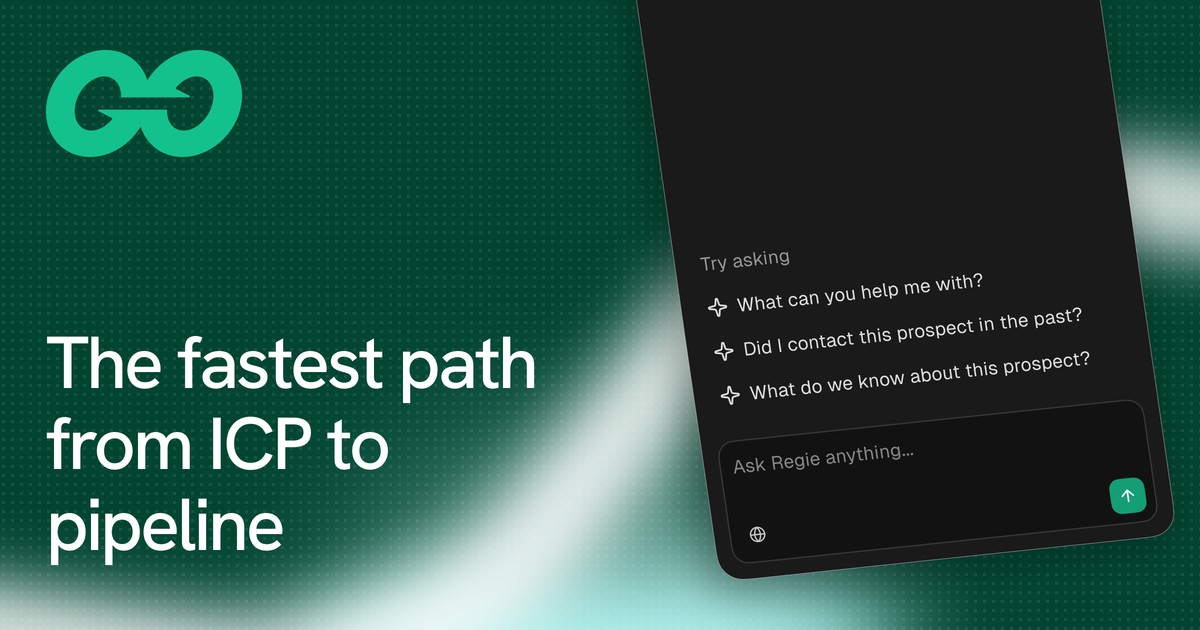
Regie.ai is an AI sales assistant built around an "agentic sales workspace" called RegieGO. Rather than being a single-purpose tool, it bundles the core outbound prospecting tasks—lead sourcing and enrichment, email writing and sending, phone dialing, and LinkedIn touchpoints—into one place, driven largely from a chat-style prompt. The pitch on its site is "the fastest path from ICP to pipeline," aimed at sellers who want to go from defining an ideal customer profile to actually generating conversations without stitching together several separate tools.

What it actually does

Based on the site's descriptions, the workspace covers:

  • AI agents that handle sourcing, ranking prospects, call prep, and follow-ups after a single prompt, so the rep spends time on active prospects rather than admin.
  • Relevant messaging that learns the seller's voice and company pitch, and looks for a "why-now" trigger on each account (for example, a new VP of Sales starting or a funding round) to give recipients a reason to reply.
  • Channel orchestration that sequences email, LinkedIn, and phone touches into one multi-step play—the site shows a sample timeline of email on day one, LinkedIn on day two, a follow-up email on day four, and a call on day six.
  • Sales-ready AI built on patterns drawn from the sales messages the company says it has delivered and analyzed, with pre-built plays and connectors to tools like HubSpot, Gmail, LinkedIn, a dialer, and enrichment.

Who it suits, and the trade-offs

It fits individual sellers, SDRs, and small teams who want an all-in-one outbound engine and are comfortable letting AI draft and sequence outreach from their own inbox. The trade-off of an integrated workspace is that you're adopting Regie's way of working across sourcing, messaging, and sequencing at once, rather than mixing best-of-breed tools—so it rewards teams willing to standardize on it and invest in training it on their voice and pitch. Teams with deeply customized existing stacks may prefer to keep their current tools.

A practical next step

If you're evaluating it, start with a narrow test: pick one ICP segment, let the agents source and rank a small list, and review the "why-now" reasoning and drafted messages before anything sends. That tells you quickly whether the messaging quality and trigger detection match how your buyers actually respond—the part that matters most, since sequencing and dialing are easier to replicate than genuinely relevant copy. You can check current plans and the free-start option on Regie.ai.

How does Regie.ai's agentic sales workspace help me prospect from ICP to pipeline?

Regie.ai's agentic sales workspace is built to compress the path from a defined ideal customer profile (ICP) to booked pipeline by handling sourcing, enrichment, outreach and follow-up from one chat-driven interface. Per the product's own description, you prompt Regie once and it manages sourcing, ranking, call prep and follow-ups, so your day shifts from chasing prospects to talking with active ones. The page frames this as "the fastest path from ICP to pipeline" and bundles enrichment, emailing, dialing and multi-channel workflows into a single workspace rather than separate point tools.

What the workspace actually does

  • Sourcing and enrichment: leads are found and enriched inside the same tool, so you are not exporting lists between a data provider and a sequencer.
  • Ranking and call prep: the agents prioritize prospects and prepare call context, which matters most when a rep's time is the bottleneck.
  • Messaging: the page says Regie learns your voice and your company's pitch and surfaces a "why-now" signal per account (for example, a new VP of Sales or a recent funding round) to give each message a reason to respond.
  • Channel orchestration: email, LinkedIn and phone are woven into one sequence. The example play on the page runs email on day 1, LinkedIn on day 2, a follow-up email on day 4 and a call on day 6.
  • Connectors: the page shows HubSpot, Gmail, LinkedIn, a dialer and enrichment as the tools it plugs into, which is where your existing stack matters.

Where it fits, and where it doesn't

Your situation Likely fit
Small team wanting one workspace for sourcing, email, dialing and LinkedIn Strong, since the page positions the whole loop in one place
Reps spending hours on list-building and follow-up admin Strong, because agents absorb sourcing, ranking and follow-ups
Team already deep in a separate sequencer and data vendor Weaker, unless consolidation is the goal; check connector depth first
Highly bespoke, compliance-heavy outreach Needs scrutiny; AI-written messaging and dialing require review

The trade-off is control versus speed. Delegating sourcing and drafting to agents saves rep hours, but you still need to verify targeting logic, review AI-drafted copy for accuracy, and confirm that your CRM and inbox connectors sync cleanly. The page's claim of being "pre-baked" with prompts and automations suggests faster setup, not that judgment can be outsourced.

A practical next step

Pick one ICP segment and run a single multi-channel play end to end, then compare reply and meeting rates against your current manual process. As a decision criterion, judge the workspace on three things: whether enriched data matches your ICP filters, whether drafted messages sound like you, and whether the sequence timeline produces real conversations rather than activity volume. If you want to benchmark the category, compare against established outbound tools such as HubSpot or Salesloft before committing.

How does Regie.ai's pricing at $49 per month compare to other sales prospecting tools?

$49 per month positions Regie.ai at the low end of the paid sales-prospecting market, but the number alone says little: what matters is how many seats, contacts and channels that fee actually covers. The page describes one workspace that bundles sourcing, enrichment, dialing, emailing from your own inbox, and LinkedIn tasks, with a free start. Treat that as the bundle's scope, not a per-seat guarantee.

How the $49 tier usually compares

Tool type Typical pricing shape What you get Main trade-off
Bundled assistant like Regie.ai Low flat monthly entry, free start Sourcing, enrichment, email, dialing and social tasks in one place Best for individuals or small teams; heavy-volume or enterprise needs may outgrow it
Contact-data platforms (e.g. Apollo, Lusha) Free tier plus per-seat plans that climb with credits Large contact databases, exports, basic sequencing Data breadth over execution; dialing and inbox sending often bolt on separately
Engagement suites (e.g. Outreach, Salesloft) Per-seat, quoted annually Sequences, call coaching, CRM sync, reporting Priced for teams; overkill for a solo seller
Power dialers Per-seat, often usage-based High call volume, local presence Narrow: no sourcing or enrichment

What that means in practice

For a solo founder or SDR sending a few hundred emails and making a few dozen calls a week, $49 is a plausible all-in cost where a data platform plus a dialer plus a sequencer would mean three bills. For a ten-person team, confirm whether the price is per user, how many enrichment credits are included, and whether email sends draw on your own inbox limits. Those three questions decide whether $49 stays $49.

Next step: run a one-week pilot on a single ICP segment, track reply rate and connects per hour, then compare that cost per booked meeting against your current stack.

Can Regie.ai send emails and make calls from my own inbox and dialer?

Yes. Regie.ai is built around running prospecting from your own inbox and phone rather than a separate sending domain, with email, dialing, LinkedIn tasks, enrichment and sequences combined in one workspace. The page describes AI agents that "source, enrich, dial, and email from your own inbox," and its connectors list Gmail, a dialer, LinkedIn, enrichment and HubSpot CRM as the tools already in place.

What that means in practice

  • Email: The Email Composer writes in your voice and is framed around a "why-now" reason for each account, then sends from your connected inbox. Replies land where you normally work, which matters if buyers check sender reputation or expect a familiar address.
  • Calls: The power dialer sits alongside email and LinkedIn in the same sequence, so a play can move from email on day one to a call later in the week without switching tools.
  • Coordination: Because one agent runs the sequence, follow-ups and call prep are handled together instead of being rebuilt by hand in each channel.

Where the trade-off sits

Sending from your own inbox protects deliverability and personal tone, but it also means your domain reputation is on the line if volume or targeting is sloppy. A solo founder or small AE team prospecting a tight ICP gets the most from this: one login, one sequence, replies in the same inbox. Larger teams with strict compliance or shared sending infrastructure may prefer dedicated sending domains and separate dialing tools, which this setup deliberately avoids.

As a first step, connect one inbox and one dialer, run a single three-touch play against a small list, and compare reply and connect rates before scaling volume.

How does Regie.ai use my voice and company pitch to write personalized outreach messages?

Regie.ai learns your voice and your company's pitch, then uses both to draft outreach messages that sound like you rather than like generic AI copy. According to the site, the system studies how you write and how your company positions itself, looks for a "why-now" signal on each account, and writes each message with a concrete reason for the buyer to respond. The page's example shows this in action: a prospect who recently closed a funding round and hired new sales leaders is matched with a message referencing those events. The stated goal is higher reply rates and more booked meetings.

What the personalization draws on

  • Your voice: your own writing style, so drafts read as yours and need less editing before sending.
  • Company pitch: your product's positioning, so the message reflects how your company actually sells.
  • Why-now signals: account-level triggers (like a new VP of Sales or a funding round) that give the recipient a timely reason to engage.
  • Your inbox: outreach is sent from your own email, so replies land with you directly.

Where it fits in practice

This matters most for sellers running high-volume outbound who want personalization without writing every first line by hand. A rep working a list of 200 accounts can have drafts prepared with account-specific hooks, then spend their time reviewing and calling rather than staring at a blank email. The trade-off is that "why-now" detection depends on the quality of the enrichment data behind it, so weaker or stale account data will produce weaker hooks. It also suits teams that already have a clear pitch; if your positioning is still fuzzy, the output will be too.

A useful next step

Before committing, test it on a small batch: pick ten accounts you know well, generate drafts, and check whether the why-now hooks are accurate and whether the tone matches how you'd actually write. That tells you quickly how much editing each message needs and whether the personalization is real or superficial.

How do Regie.ai's multi-channel sequences combine email, LinkedIn, and phone dialing into one play?

Regie.ai's multi-channel sequences combine email, LinkedIn, and phone dialing into a single "outreach play" run from one workspace. According to the page, each play bundles three channels into one sequence with a shared timeline: in the example shown, an email goes out on Day 1, a LinkedIn touch on Day 2, an email follow-up on Day 4, and a phone call on Day 6. The play is described as "run by Regie," so the agent executes the steps rather than requiring you to switch between separate email, social, and dialer tools. The page frames this as building familiarity across touchpoints so prospecting results compound with each activity.

What the page shows about each layer

  • Email: Regie learns your voice and your company's pitch, then drafts messages built around a "why-now" signal on each account — for example, a new VP of Sales starting or a funding round closing.
  • LinkedIn: LinkedIn appears as a task channel within the play, sequenced alongside email and calls rather than handled separately.
  • Phone: A built-in dialer is part of the same workspace, and the agents handle call prep and follow-ups around it.
  • Enrichment and CRM: Connectors for HubSpot, Gmail, LinkedIn, a dialer, and enrichment are shown as already in place, so the play draws on existing data.

How to judge whether it fits

The practical appeal is consolidation: one timeline, one inbox, one set of follow-ups, which suits small sales teams or solo sellers who lose time hopping between tools. The trade-off to check is control — a play that Regie runs end to end works best when your messaging and ICP are already clear, since the agent is writing in your voice and choosing timing. If you need step-by-step manual approval on every touch, confirm how much of the sequence you can pause or edit before committing.

As a next step, map one of your current outbound sequences onto a three-channel, multi-day timeline and note which steps you'd want automated versus reviewed — that gap tells you how much of Regie's play model you'd actually use. For comparison, you can see how other outbound platforms structure similar sequences at Outreach and Salesloft.

Related questions

More questions →
What Is an Agentic Sales Workspace and How Does It Differ from an AI Sales Assistant?

An agentic sales workspace is a single, chat-driven environment where AI agents execute prospecting work end to end — sourcing, enriching, emailing, dialing, and following up — rather than just drafting copy or suggesting next steps. It fits teams that want to hand off the repetitive parts of pipeline generation while keeping reps on active conversations. A standard AI sales assistant, by contrast, typically stops at drafting messages or recommending actions and leaves execution to the rep.

The core difference: execution vs. suggestion

The distinction is where the work stops.

Dimension Standard AI sales assistant Agentic sales workspace
Primary output Drafted messages, suggested next steps Completed actions across channels
Who executes The rep The AI agent, with rep oversight
Tooling Usually sits on top of your existing stack Consolidates enrichment, email, dialer, and workflows in one place
Follow-up Rep decides and sends Agent handles follow-ups as part of a sequence
Starting point A prompt or a single task One chat that drives sourcing through follow-up

Regie.ai describes its RegieGO product as an "agentic sales workspace with built-in enrichment, emailing, dialing and workflows that gets you prospecting end to end from a single chat." That framing is the clearest test: if the tool only writes the email, it's an assistant; if it sources the lead, enriches it, writes and sends the email, queues the call, and follows up, it's a workspace.

What to look for in an agentic workspace

Built-in lead enrichment

Sourcing and enrichment should happen inside the workspace, not in a separate data tool. Regie.ai positions enrichment as one of the built-in functions alongside emailing and dialing, so the agent can rank and prepare accounts without a handoff.

Multi-channel sequences

Look for plays that span email, phone, and LinkedIn in one sequence. Regie.ai's example outreach play runs three channels in one sequence — email on day 1, LinkedIn on day 2, email follow-up on day 4, and a phone call on day 6 — executed by the agent. A workspace that only sequences email isn't orchestrating channels; it's automating one.

Autonomous follow-up and call prep

The agent should handle follow-ups and call preparation after the first touch. Regie.ai states that prompting Regie once lets it handle "sourcing, ranking, call prep, and follow-ups," which is the behavior that separates delegation from assistance.

Consolidation of a fragmented stack

A workspace earns the name by replacing separate tools. Regie.ai lists connectors for CRM (HubSpot), Gmail, LinkedIn, dialer, and enrichment, plus pre-built plays ready to run. If your team currently stitches together a data provider, a sequencer, a dialer, and a CRM, the consolidation is the practical value — fewer handoffs, one place where the sequence lives.

Message relevance grounded in account signals

Execution without relevance produces volume, not pipeline. Regie.ai says the product learns your voice and your company's pitch and finds the "why-now" on each account — for example, a new VP of Sales starting, a Series C close, or hiring 12 AEs — and writes messages around that reason to respond. When evaluating any workspace, check whether the agent can surface account-level triggers or only personalize on name and title.

How to decide if it fits your team

Use these criteria against your own outbound volume and stack:

  • Volume justifies delegation. If reps spend meaningful time each day on sourcing, list building, and follow-up mechanics, an agentic workspace removes that load. If outbound is a small slice of the role, a drafting assistant may be enough.
  • You want fewer tools, not more. A workspace makes sense when you're willing to consolidate enrichment, sequencing, and dialing. If you're committed to a best-of-breed stack, an assistant that plugs into it is the lower-friction choice.
  • You can supervise agent output. Agentic execution still needs review of messaging and targeting. Teams without a review habit should start with assistant-style drafting before delegating sends and dials.
  • Your sequences are genuinely multi-channel. The payoff comes from coordinated email, phone, and LinkedIn touches. Single-channel outbound gets less from orchestration.
  • You need day-one readiness. Regie.ai emphasizes pre-built prompts, automations, and plays, plus existing connectors, so the workspace can run without a long build-out. Confirm your CRM and inbox are among the supported connectors before committing.

Where Regie.ai fits

Regie.ai presents RegieGO as the agentic workspace layer — one chat for sourcing through follow-up — with channel orchestration across email, phone, and social, and sales-ready AI trained on its history of delivered and analyzed sales messages. Its site advertises a $49/mo starting point and a free start; check the pricing page for current terms and any plan limits before assuming what's included.

The practical takeaway: choose an agentic sales workspace when you want the agent to do the work across channels and tools, and choose a standard AI sales assistant when you want help writing and deciding while reps keep execution. The deciding question is simple — do you want the AI to send, dial, and follow up, or only to draft?

What Is an AI Sales Assistant and How Does It Help with Outbound Prospecting?

An AI sales assistant is software that takes over parts of the outbound prospecting workflow—finding and ranking leads, enriching contact data, drafting personalized emails, dialing, and scheduling follow-ups—so a seller can spend more time in live conversations. It's a fit when your team runs repeatable outbound motion (defined ICP, multiple touches across email, phone, and social) and wants to cut manual research and admin work. It's a poor fit if you need fully hands-off outreach with no human review, or if your data and messaging can't be connected to the tools the assistant relies on.

Core capabilities to expect

A capable assistant covers the pipeline from target list to booked meeting. Based on how Regie.ai describes its agentic sales workspace, the typical capability set looks like this:

Capability What it does Why it matters
Lead sourcing and ranking Builds and prioritizes a prospect list from your ICP Removes manual list-building and guesswork on who to contact first
Enrichment Adds contact and account data to each lead Better targeting and fewer bounced or misdirected messages
Email drafting Writes messages in your voice and your company's pitch Higher reply rates than generic templates
Dialing Power-dialer style calling from the workspace Keeps phone touches moving without switching tools
Follow-up automation Runs multi-step, multi-channel sequences Consistency across email, LinkedIn, and phone
Call prep Surfaces context before a call Sellers show up informed instead of cold

Regie.ai frames this as "delegate the boring parts of pipeline generation to AI"—prompt it once and it handles sourcing, ranking, call prep, and follow-ups.

How it fits into an outbound workflow

A practical sequence runs roughly like this:

  1. Define the ICP. The assistant uses your target criteria to source and rank accounts. Output: a prioritized list, not a raw dump.
  2. Enrich and qualify. Contact data and account signals (for example, a new VP of Sales starting or a funding round) are attached to each lead. Output: leads with a "why now" reason to reach out.
  3. Draft messaging. The assistant writes emails trained on your voice and pitch, using the account signals it found. Output: personalized first-touch messages ready for review.
  4. Orchestrate channels. A single sequence weaves email, LinkedIn, and phone touches—Regie's example play runs email on day 1, LinkedIn on day 2, a follow-up email on day 4, and a call on day 6. Output: consistent, compounding touches rather than one-off sends.
  5. Dial and follow up. Calls happen from the same workspace, and follow-ups are queued automatically. Output: more conversations per seller per day.
  6. Review and adjust. Sellers check drafts and results, then refine targeting and messaging.

The key idea is that the assistant doesn't just write one email—it runs the sequence and keeps the channels coordinated.

Writing tool vs. agentic workspace

This is the distinction that most affects what you get:

  • AI writing tools generate copy on demand. You still source leads, enrich them, decide the sequence, make the calls, and track follow-ups yourself. Useful for speed on individual messages, but the workflow stays manual.
  • Agentic workspaces (Regie.ai calls its product RegieGO an "agentic sales workspace") combine sourcing, enrichment, emailing, dialing, and workflows in one place, run from a single chat prompt. The assistant executes multi-channel plays rather than just drafting text.

If your bottleneck is message quality, a writing tool may be enough. If your bottleneck is the volume of manual steps between ICP and booked meeting, an agentic workspace addresses more of the problem.

Evaluation criteria

Before adopting one, check these dimensions:

  • Data sources and enrichment quality. Where do leads and contact details come from, and how fresh are they? Poor enrichment produces bad targeting no matter how good the copy is.
  • Integrations. Does it connect to your CRM, inbox, LinkedIn, and dialer? Regie.ai lists HubSpot CRM, Gmail, LinkedIn, a dialer, and enrichment among its connectors—confirm yours are supported.
  • Personalization mechanism. Does it learn your voice and your company's pitch, and does it find account-specific reasons to reach out ("why-now" signals), or does it rely on merge fields?
  • Channel coverage. Email only, or email plus phone plus social in one sequence?
  • Human review controls. Can sellers approve or edit drafts before sending, and set guardrails on automation?
  • Pricing model. Regie.ai's site states one workspace at $49/mo with a free start; verify current terms on its pricing page, since plan details and limits can change.

Common pitfalls

  • Generic messaging. If the assistant can't find a real reason to contact an account, output reverts to template-like copy and reply rates drop. Test personalization on a small batch first.
  • Weak enrichment. Stale or incomplete contact data wastes sends and calls. Spot-check a sample of enriched leads against reality.
  • Over-automation without review. Fully automated sequences can damage sender reputation and burn prospects. Keep a human approval step on first touches until quality is proven.
  • Skipping ICP discipline. An assistant amplifies whatever targeting you give it—a vague ICP produces a vague pipeline.

Bottom line

An AI sales assistant is worth adopting when you have a defined ICP and a repeatable multi-channel outbound motion, and you want to compress the manual work between target list and booked meeting. Choose an agentic workspace over a writing-only tool if your main cost is workflow steps, not copy. Evaluate on enrichment quality, integrations, personalization depth, and review controls—and pilot on a small segment before scaling.

What Is a Power Dialer and How Does It Fit Into Outbound Sales?

A power dialer is outbound calling software that automatically places the next call as soon as a rep finishes the current one and logs a disposition. It fits best when you have a clean list, a rep who stays on the line, and a workflow where most calls end in a quick, clear outcome. It is not the right tool when every call needs research before dialing, or when your compliance obligations require a human to review each number first.

How a Power Dialer Works

The core mechanic is simple: the system removes the gap between calls. The rep does not hang up, find the next record, and dial. Instead, the disposition they select triggers the next dial.

A typical loop looks like this:

  1. Load a list. Import contacts or sync them from your CRM. Data quality here determines everything downstream — bad numbers mean wasted dials and, in some jurisdictions, compliance exposure.
  2. Start the session. The dialer presents the first record and connects the call.
  3. Talk, then disposition. After the call, the rep marks the outcome (connected, no answer, voicemail, callback, not interested, etc.).
  4. Next call fires automatically. The disposition saves, the next record loads, and the dial begins — often before the rep has finished typing notes.
  5. Outcomes sync to the CRM. Dispositions and call activity write back so the list stays current and follow-ups are queued.

The expected result is more live conversations per hour because the dead time between calls — dialing, waiting, searching for the next record — is compressed.

Power Dialing vs. Other Dialing Modes

The four common modes differ mainly in who decides when to dial and how many lines are active at once.

Mode Who triggers the dial Lines active Best when
Manual Rep dials each number One Calls need heavy prep or are highly personalized
Preview Rep reviews the record, then dials One Reps need context (account notes, last touch) before speaking
Power System dials after each disposition One (per rep) List is clean and most calls resolve quickly
Predictive System dials multiple lines per rep based on answer-rate math Multiple High-volume, low-touch campaigns with staffed capacity to absorb answered calls

The key trade-off: predictive dialing maximizes raw connect volume but risks abandoned calls when more people answer than there are reps free. Power dialing keeps one call per rep, so there is no abandon risk from over-dialing — the rep is always on the line they triggered. Preview dialing adds a review step that slows throughput but improves call quality. Manual dialing is the slowest and is usually reserved for high-value, research-heavy calls.

Where Power Dialing Fits in an Outbound Workflow

Power dialing is a channel inside a sequence, not a standalone strategy. In a multi-channel play, the phone call typically lands after earlier touches have created familiarity.

Regie.ai's product materials describe this pattern directly: an outreach play that runs email on day 1, LinkedIn on day 2, an email follow-up on day 4, and a phone call on day 6 — three channels, one sequence. In that structure, the dialer's job is to convert warmed contacts into conversations, and the disposition data feeds the next step (a follow-up email, a LinkedIn touch, or a callback).

That framing matters for expectations. A power dialer increases the rate at which you reach people on your list. It does not fix a list of cold, unqualified numbers, and it does not replace the messaging that makes someone willing to take the call.

What to Check Before You Buy

  • Disposition options. You need outcomes that map to your CRM stages, not a generic five-item list. If dispositions do not sync, your reporting breaks.
  • CRM and inbox integration. Regie.ai lists connectors for HubSpot CRM, Gmail, LinkedIn, dialer, and enrichment as part of its workspace. Confirm your stack is covered before committing.
  • Compliance controls. Calling-time restrictions, do-not-call list handling, and consent tracking are non-negotiable in regulated markets. Ask specifically how the tool enforces them.
  • Abandon-call behavior. Power dialing with one line per rep should not abandon calls, but confirm how the system handles a rep who steps away mid-session.
  • Pricing model. Regie.ai's site references a pricing page and a $49/mo starting point in its description; seat counts, dialing limits, and add-ons are not specified there, so verify against the pricing page for your team size.

Common Pitfalls

Data quality. Duplicate records, disconnected numbers, and stale titles waste dials and inflate your connect-rate metrics. Clean and dedupe before loading.

Disposition discipline. If reps pick the fastest option rather than the accurate one, your CRM becomes noise and follow-up sequences fire on the wrong people. Make dispositions short but unambiguous.

Compliance drift. Rules on calling hours, consent, and do-not-call lists vary by jurisdiction and change. A dialer that makes calling faster also makes violations faster — build the guardrails into the tool, not into a rep's memory.

Treating volume as the goal. More dials per hour is a means, not an outcome. Track conversations booked and meetings held, not just calls placed.

Skipping the warm-up. Dropping a cold list straight into a power-dial session produces low connect quality. Sequence the call after email or LinkedIn touches so the rep is calling someone who has seen your name.

The Short Version

Use a power dialer when your list is clean, your calls are short and disposition-driven, and you want a rep spending the hour talking rather than dialing. Use preview or manual dialing when context matters more than speed, and reserve predictive dialing for high-volume campaigns where you can staff for every answered call. The dialer is the accelerator; the sequence around it is what determines whether the conversations are worth having.

What Is Sales Prospecting and How Do You Build a Repeatable Prospecting Process?

Sales prospecting is the work of finding the specific people who match your ideal customer profile (ICP), figuring out why they might need you now, and reaching out across channels until some of them agree to a meeting. It becomes a repeatable process when each of those steps has a defined input, a defined action, and a number you check before moving on. The approach below fits B2B teams selling a considered purchase; if you sell purely inbound or transactional products, most of it is unnecessary.

Prospecting vs. lead generation vs. pipeline management

These three get used interchangeably, which is why prospecting efforts often stall. They are different jobs with different outputs.

Activity Core question Output Owner
Lead generation Who might be interested at all? A pool of names (inbound, events, content, lists) Marketing or a shared demand team
Sales prospecting Which of these fit our ICP, and why now? A ranked, enriched target list with a reason to reach out The seller
Pipeline management Which opportunities are real, and what moves them forward? Forecast and next actions on open deals The seller and manager

Prospecting starts where lead generation stops. A raw list is an input, not a prospecting result. The output of prospecting is a short list of accounts where you can state, in one sentence, why this person and why this week.

Step 1: Build a target list from your ICP

Define the ICP in terms you can actually filter on: company size, industry, geography, tech stack, and the role or seniority of the buyer. Then build the list from that definition rather than from whoever happens to be in your CRM.

  • Firmographic filters narrow the account universe.
  • Role filters pick the person: the economic buyer, the champion, or both.
  • Exclusions matter as much as inclusions — current customers, open opportunities, and recently lost deals should not re-enter the top of the funnel.

The expected result is a list you could defend to a manager: every account on it meets the written ICP criteria.

Step 2: Enrich accounts and contacts before you write anything

Enrichment fills the gaps that make outreach specific: headcount, funding, recent leadership changes, hiring activity, and verified contact details. Without it, every message reads the same and reply rates collapse.

Regie.ai's workspace describes built-in enrichment alongside emailing, dialing, and workflows, with connectors for CRM, Gmail, LinkedIn, dialer, and enrichment tools shown as part of the setup. That matters for process design: enrichment sitting inside the same workspace as outreach means the data you find is the data you send with, rather than a spreadsheet export that goes stale.

A practical rule: do not move a contact into an outreach sequence until the account record has at least one current, verifiable detail you could reference in a first line.

Step 3: Find a "why now" trigger on each account

The difference between a prospecting message that gets a reply and one that gets ignored is usually relevance, not polish. A "why now" is a specific, recent event that makes your offer timely — a funding round, a new executive in the buyer role, a hiring push, a product launch, a compliance deadline.

Regie.ai's materials describe the product as learning your voice and your company's pitch, then finding the "why-now" on every account and writing each message with a reason to respond. The example shown in its materials is a VP of Sales at a company that closed a Series C three days earlier and has started hiring account executives — a trigger that gives a plausible reason to reach out this week rather than next quarter.

You can run this manually: for each account, scan news, job postings, and LinkedIn changes, and write one sentence explaining the trigger. If you cannot find one, deprioritize the account rather than sending a generic message.

Step 4: Sequence touches across email, phone, and social

Single-channel prospecting caps your reach at the people who happen to read that channel. A sequence spreads touches over time and across channels so familiarity builds.

A simple structure, based on the multi-channel play Regie.ai shows (three channels, one sequence, touches on days 1, 2, 4, and 6):

  1. Day 1 — Email: lead with the why-now and one clear ask.
  2. Day 2 — LinkedIn: a short connection note referencing the same trigger, not a pitch.
  3. Day 4 — Email follow-up: add a new piece of information (a relevant result, a resource) rather than "just bumping this."
  4. Day 6 — Phone call: a brief call attempt; if you reach voicemail, leave a short message tied to the email.

Then stop and evaluate before adding more touches. The point of sequencing is not volume; it is giving the same relevant message a fair chance on the channel the buyer prefers.

Regie.ai frames this as channel orchestration — weaving touchpoints into cohesive plays so prospecting returns compound with each activity. Whether you run it in a tool or manually, the design principle is the same: one sequence, multiple channels, consistent message.

Step 5: Measure reply and meeting-booked rates, then fix the weak step

Track two numbers per sequence: reply rate (replies ÷ delivered messages) and meeting-booked rate (meetings ÷ contacts sequenced). They diagnose different problems.

Symptom Likely weak step What to change
Low open or reply rate on first email Targeting or why-now Tighten ICP filters; require a concrete trigger before sequencing
Replies but few meetings Ask or qualification Make the ask specific (a 20-minute call with a stated agenda); qualify harder before booking
Good email replies, poor phone connect Channel mix or timing Shift call attempts to different times; shorten the voicemail
Meetings booked but poor fit ICP definition Revisit exclusions and role filters, not the messaging

Change one variable at a time and give each version enough volume to be meaningful. A sequence with a handful of sends tells you nothing.

Where an AI sales assistant fits

An AI sales assistant is useful at the steps that are repetitive and data-heavy: sourcing and ranking accounts, enriching contacts, drafting messages in your voice, and running follow-ups. Regie.ai positions its workspace this way — prompting it once to handle sourcing, ranking, call prep, and follow-ups, with the stated goal of spending the day talking to active prospects instead of chasing them. It also describes itself as pre-built with prompts and automations drawn from analysis of sales messages, so plays are ready to run on day one.

Two conditions before adopting one: your ICP and messaging must already be defined well enough to encode, and you need the measurement from Step 5 in place to tell whether the assistant is improving replies or just increasing volume. The site lists pricing at $49/mo with a free start; confirm current terms on the pricing page before committing a team.

Common sticking points

  • Skipping the trigger. The most common cause of low replies is a technically correct list with no reason to reach out now.
  • Treating enrichment as a one-time export. Contact data decays; refresh before each sequence.
  • Over-sequencing. Adding touches past day 6 without new information usually annoys rather than persuades.
  • Measuring activity instead of outcomes. Emails sent is not a prospecting metric; replies and meetings booked are.

Build the process in the order above — ICP, enrichment, trigger, sequence, measurement — and each step gives you something to check before the next one starts.

What Is Outbound Prospecting and How Do You Build a Repeatable Process?

Outbound prospecting is the practice of proactively contacting people who haven't expressed interest in your product, to start a sales conversation. You build a repeatable process by defining an ideal customer profile (ICP), sourcing and ranking accounts against it, running a multi-channel sequence (email, phone, social) with a fixed cadence, personalizing each opener around a "why now" trigger, and reviewing reply rate, connect rate, and meetings booked to revise the next cycle. It suits teams selling to a definable market where you can name the accounts and roles worth pursuing; it is a poor fit when your buyers are unknown, extremely broad, or reached mainly through existing demand.

Outbound vs. inbound: the distinction that shapes the process

Inbound prospecting works people who come to you — form fills, demo requests, content downloads. Outbound starts with your own list. That single difference drives everything downstream: you own list quality, timing, and message relevance, so the process must be built to catch bad data and weak targeting before they burn your domain reputation and rep hours.

Dimension Outbound prospecting Inbound prospecting
Starting point Your defined ICP and sourced accounts Visitor or lead who raised a hand
Main risk Poor targeting, spam complaints, low reply rates Lead volume drying up, slow follow-up
Personalization burden High — you must find a reason to reach out now Lower — their interest supplies context
Speed to first conversation Controlled by your cadence Controlled by buyer timing
Best measure of health Reply rate and meetings per 100 accounts Conversion rate from lead to meeting

Step 1: Define the ICP in terms you can search

An ICP is only useful if it translates into filters. Write it as a set of observable traits: company size, industry, tech stack, funding or hiring signals, and the specific titles that own the problem. Then add disqualifiers — segments you will not contact — so the list stays clean.

A practical test: can a new rep build a 200-account list from your ICP definition without asking you a question? If not, the definition is still too vague.

Step 2: Source, enrich, and rank accounts

Sourcing is list-building; enrichment fills in the contact details and context you need to personalize; ranking orders accounts by fit and timing so reps spend the first hour of the day on the best names.

Regie.ai describes its RegieGO workspace as handling sourcing, ranking, call prep, and follow-ups from a single prompt, with built-in enrichment and CRM, email, LinkedIn, dialer, and enrichment connectors shown as part of the setup. Whether you use a tool or a spreadsheet, the sequence is the same: pull accounts, enrich contacts, score against the ICP, and work top-down.

Step 3: Design a multi-channel cadence

A repeatable process spreads touches across email, phone, and social so each channel reinforces the others. Regie.ai's example outreach play shows a three-channel, one-sequence structure: email on Day 1, LinkedIn on Day 2, an email follow-up on Day 4, and a phone call on Day 6.

Cadence rules that hold up

  • Space touches, don't stack them. Two emails on the same day read as pressure; a gap lets the first land.
  • Change the ask per channel. Email can carry the full pitch; a call opener should be shorter; a LinkedIn note should feel like a person, not a template.
  • Cap the sequence. Decide in advance how many touches before you stop, and stop. Long tails damage deliverability and morale.
  • Log every touch. A cadence you can't measure can't be improved.

Step 4: Write openers around a "why now"

Generic personalization ("I saw you're a VP of Sales") is not personalization. The strongest openers name a specific, recent trigger — a new hire, a funding round, a leadership change — and connect it to a reason to respond today. Regie.ai's example shows this pattern: a VP Sales at a company that closed a Series C three days ago and is hiring 12 account executives, with the message built around that trigger.

To make this repeatable, keep a short list of trigger types you watch for (funding, hiring, leadership change, product launch) and a matching opener for each. The rep's job becomes confirming the trigger and adjusting one line, not writing from scratch.

Step 5: Track the metrics that tell you what to fix

Measure at each stage so a weak number points to a specific fix:

Metric What it diagnoses Typical fix
Contacts per account found List and enrichment quality Better sourcing, re-enrichment
Open rate Subject line and sender reputation Rewrite subjects, check domain health
Reply rate Message relevance and "why now" Sharper triggers, shorter copy
Connect rate (phone) Call timing and list accuracy Test call windows, verify numbers
Meetings booked per 100 accounts Whole-process yield Revisit ICP and cadence length

Review weekly, change one variable at a time, and keep a written log of what you changed — otherwise you can't tell which edit moved the number.

Common sticking points

  • Skipping the ICP to "just start dialing." Volume without targeting produces complaints, not pipeline.
  • Personalizing the first line only. Buyers notice when the rest of the email is generic.
  • Treating channels separately. Email, phone, and social work best as one sequence with shared context.
  • No stop rule. Sequences that run indefinitely train reps to ignore results.
  • Measuring activity instead of outcomes. Dials made is an input; meetings booked is the output that matters.

Where AI fits

An AI sales assistant can compress the mechanical parts — sourcing, enrichment, drafting, sequencing, follow-up — so reps spend more time in live conversations. Regie.ai positions its agents as handling sourcing, ranking, call prep, and follow-ups, and its messaging tool as learning your voice and your company's pitch to draft messages with a stated reason to respond. The process above still governs the work: you define the ICP, set the cadence, choose the triggers, and read the metrics. The tool executes and accelerates; it does not decide who is worth contacting.

If you are starting from zero, build Steps 1–3 on paper first, run one cadence for two weeks, and only then add automation to the parts that are clearly repetitive.

Website Overview

Page metadata, canonical configuration and social previews work together to provide more consistent search and sharing presentation.

Domain and Registration

Transfer-protection status is present, helping reduce the risk of unauthorized domain transfers. The domain has about 5 years of registration history; its current configuration provides more context than age alone. The registrar is NameCheap, Inc., a widely used domain service provider. Registration contact information is publicly available through RDAP. The domain uses the common .ai extension, which is not an independent safety signal.

DNS and Email

The lowest TTL is 60 seconds, supporting rapid record changes at the cost of more frequent lookups. Nameservers are provided by Amazon Route 53, indicating managed DNS hosting. MX records point to the Microsoft 365 email service. No CNAME was found; the observed records resolve directly to addresses. SPF and DMARC are configured. DKIM status is unknown.

TLS and Certificates

The certificate uses an RSA 2048-bit public key, offering broad client compatibility. The server supplied a complete certificate chain. No organization name is present in the certificate; the available fields are consistent with domain validation. The certificate was issued within the Amazon cloud or CDN ecosystem. The certificate is valid for about 197 days in total, with 133 days remaining.

HTTP and Browser Security

X-Powered-By exposes backend information: Next.js. All six checked browser-security headers are present. Their effectiveness still depends on the policy values and application behavior. The x-cache, via response header indicates a CDN or caching proxy in the delivery path. No obvious internal addresses or debug information were found in the headers. No CORS permission header was found, so browsers normally restrict cross-origin script access.

Technology Stack Analysis

The public page identifies Next.js, Amazon CloudFront without precise versions, leaving fewer clues for version-specific scanning.

Search and Social Sharing

Twitter Card metadata is configured. JSON-LD includes Organization data, helping describe the organization as an entity. The title has 45 characters, within a common display range. A meta description is present, with 123 characters. The observed directives allow indexing and link following.

Hosting and Email

DNSAmazon Route 53
HostingAmazon CloudFront
EmailMicrosoft 365
Approximate IP geolocation (inferred; a CDN or proxy may differ from the origin server) United States flagUnited States Inferred 3.165.181.115

Registration details

RDAP / WHOIS

RegistrarNameCheap, Inc.
Registered2021-04-28
Expires2029-04-28
Domain statusclient transfer prohibited
Nameserversns-1426.awsdns-50.org、ns-1748.awsdns-26.co.uk、ns-450.awsdns-56.com、ns-935.awsdns-52.net
DNSSECunsigned

DNS records

DNS

TypeNameValueTTLPriority
Aregie.ai3.165.181.11560—
Aregie.ai3.165.181.11960—
Aregie.ai3.165.181.12260—
Aregie.ai3.165.181.660—
AAAAregie.ai2600:9000:2735:1800:14:343e:d900:93a160—
AAAAregie.ai2600:9000:2735:200:14:343e:d900:93a160—
AAAAregie.ai2600:9000:2735:3600:14:343e:d900:93a160—
AAAAregie.ai2600:9000:2735:4a00:14:343e:d900:93a160—
AAAAregie.ai2600:9000:2735:8800:14:343e:d900:93a160—
AAAAregie.ai2600:9000:2735:a600:14:343e:d900:93a160—
AAAAregie.ai2600:9000:2735:d000:14:343e:d900:93a160—
AAAAregie.ai2600:9000:2735:f000:14:343e:d900:93a160—
MXregie.airegie-ai.mail.protection.outlook.com36000
NSregie.ains-1426.awsdns-50.org172800—
NSregie.ains-1748.awsdns-26.co.uk172800—
NSregie.ains-450.awsdns-56.com172800—
NSregie.ains-935.awsdns-52.net172800—
TXTregie.aiatlassian-domain-verification=OrbqHN0amifiEZs01x1odcTeIFp6IeAW1DLfs3JGpzL2XsravDOPs9U9mxmBRSDw300—
TXTregie.aigoogle-site-verification=3NPUXAQ45ceymeIGEP9thxAYBYn8jijEd94Qy4KPVus300—
TXTregie.aigoogle-site-verification=5nbPC-YkRLIEc9L6kA6-W-IPcAw2ueStYnRTGf6akeQ300—
TXTregie.aigoogle-site-verification=LyZP_C5WLP4aRNyFhVIugnyNMwbbIvnh5w_zgvJmhGY300—
TXTregie.aigoogle-site-verification=Xn0IuqZslxmwOKASQvTxNlfi-NSIzJV_09MgZ9kKJiU300—
TXTregie.aigoogle-site-verification=ahSIA08KQFOULnC62KkDQHMDLVQE3GkaeSzmMEe6xpI300—
TXTregie.aigoogle-site-verification=s0ZgbkV4zd0ArnX0vWORMbx2RusBiEPhu-yOo2UZCBY300—
TXTregie.aigoogle-site-verification=uQscnWzAqgptzY9y_eWB7FKif3x8XjWTeI30JcG90Kc300—
TXTregie.aigoogle-site-verification=ywBN-hjggrGyIW4FrEjahY5E026CA3zMKQQfMiunfi8300—
TXTregie.aiopenai-domain-verification=dv-E4CgxczEO7ohM8Pcv3DVHX47300—
TXTregie.aiproxy-ssl.webflow.com300—
TXTregie.aiv=spf1 include:spf.protection.outlook.com include:regieai-web-app.p.tawk.email -all300—
TXTregie.aiwork-os-domain-verification-41zt9w=XSnQ7oWFvmjQupWGyMYYHjaat300—
DMARC_dmarc.regie.aiv=DMARC1; p=quarantine; pct=5;300—

TLS and certificates

TLS / SSL

AssessmentNormal configuration
Supported protocolsTLSv1.2、TLSv1.3
Negotiated protocolTLSv1.3
Certificate subjectregie.ai
IssuerAmazon
Valid until2027-03-03T23:59 · Remaining when checked: 133 days
Verification detailsCertificate trust: Passed · Hostname match: Passed

HTTP response headers

HTTP

HeaderValue
content-typetext/html; charset=utf-8
cache-controls-maxage=31536000
strict-transport-securitymax-age=63072000
content-security-policydefault-src 'self'; base-uri 'self'; object-src 'none'; frame-ancestors 'none'; img-src 'self' data: blob:; font-src 'self'; style-src 'self' 'unsafe-inline'; script-src 'self' 'unsafe-inline' https://challenges.cloudflare.com https://cal.com https://ddwl4m2hdecbv.cloudfront.net https://www.googletagmanager.com https://s.regie.ai; connect-src 'self' https://challenges.cloudflare.com https://app.loops.so https://cal.com https://app.cal.com https://ddwl4m2hdecbv.cloudfront.net https://www.googletagmanager.com https://www.google-analytics.com https://*.google-analytics.com https://s.regie.ai; frame-src https://challenges.cloudflare.com https://player.vimeo.com https://cal.com https://app.cal.com; form-action 'self'
x-frame-optionsDENY
x-content-type-optionsnosniff
referrer-policystrict-origin-when-cross-origin
permissions-policycamera=(), microphone=(), geolocation=()

Identified technologies

Next.jsAmazon CloudFront

Pages, Search and Sharing

Meta descriptionAI agents that source, enrich, dial, and email from your own inbox, plus LinkedIn tasks. One workspace, $49/mo. Start free.
Canonical URLhttps://regie.ai
LanguageEnglish (default)
Twitter Cardsummary_large_image
All bots 1 allowed · 7 disallowed
  • Allow/
  • Disallow/api/
  • Disallow/hidden/
  • Disallow/phone-script-challenge
  • Disallow/*REFERRALCODE=
  • Disallow/*_gl=
  • Disallow/*pageSize=
  • Disallow/*q=

User reviews (0)

  • No reviews yet.