Website profiles · Technology insights · Alternatives

resumedive.com

A brutally honest, occasionally kind, fully shareable roast of your résumé — with an ATS check, the fixes that matter, and your next move.

No paid content found
Visit website
Profile views 1 Outbound visits 11 Normal
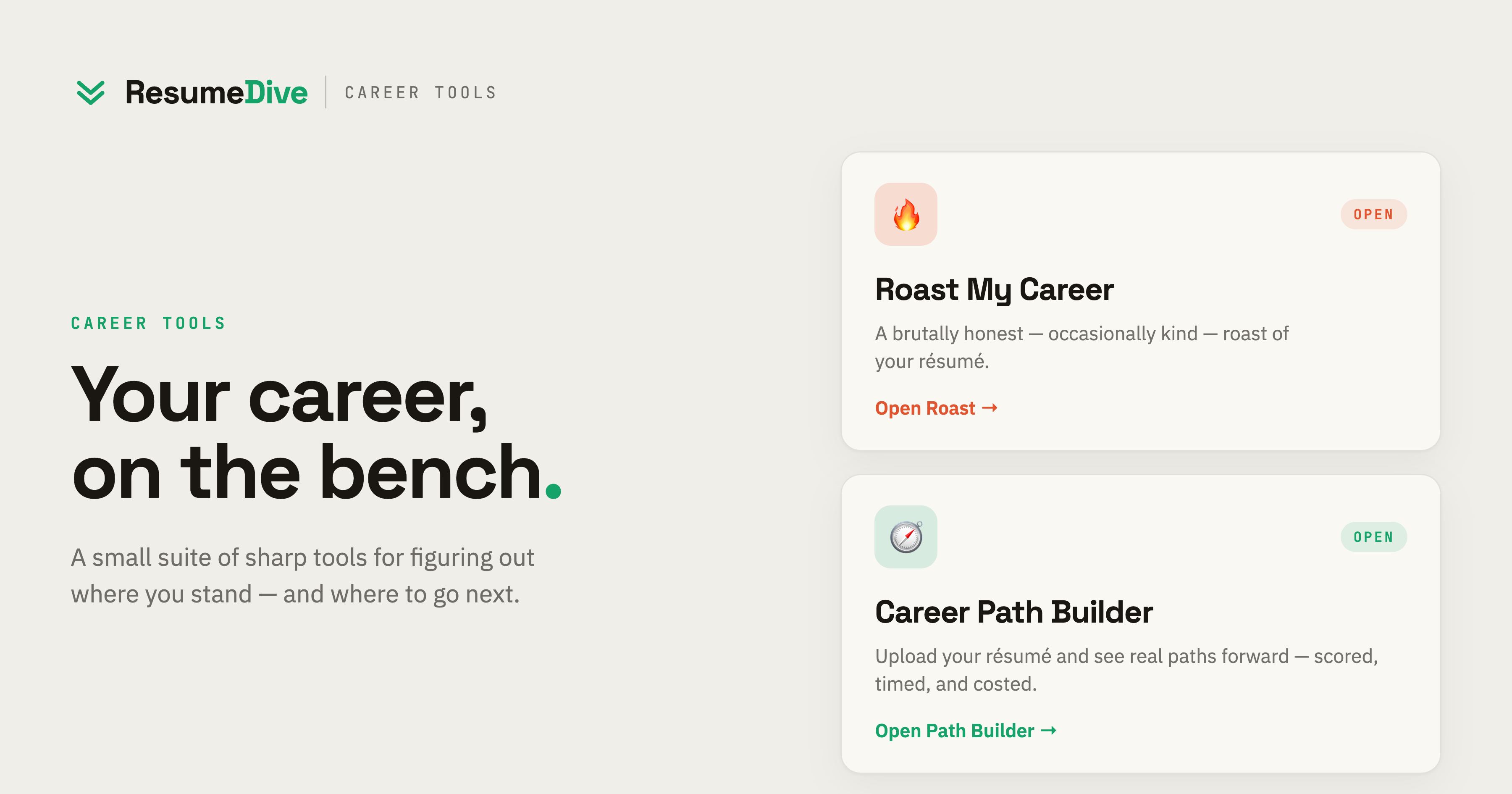
ResumeDive Full homepage screenshot

At a glance

Category
Development
Language
English
Paid-content signal
No paid content foundObserved
Registered
2024
Hosting
railway.appInferred
HTTPS certificate trusted
PassedObserved
Last updated

Website review

This review may include AI-generated content and is not individually verified. Domain, certificate and other facts come from the observed data on this page.

What is ResumeDive?

ResumeDive is a free résumé-critique tool that gives your résumé a blunt, graded review rather than gentle encouragement. According to its page, you drop in a résumé and get a "brutally honest" critique with a letter grade, a built-in ATS (applicant tracking system) check, a list of findings, and suggested next steps. It's built to be shareable, requires no sign-up, and keeps saved drafts on your device until you clear them.

What the review covers

The sample critique on the page shows the kind of findings it produces, each rated by severity:

  • Buzzword density — flags vague phrases like "spearheaded synergies" or "leveraged cross-functional paradigms."
  • Quantified impact — points out claims with no numbers, such as "increased engagement" with no figure.
  • Career gaps — calls out missing time periods.
  • Formatting — notes inconsistencies like mixed fonts.
  • Tech sprawl / side projects (in the software-engineering example) — questions long skill lists and unfinished projects.

The tone is deliberately comic and blunt, with a "roast" framing, but each finding is paired with a "what to fix" direction.

Who it suits

It fits job seekers who want fast, candid feedback before applying — especially people whose résumés are heavy on jargon or light on measurable results. The shareable, roast-style format also makes it easy to pass around among friends. If you want a formal, encouraging audit or deep industry-specific coaching, this isn't that; it's a quick reality check.

Next step: run one version of your résumé through it, then use the severity ratings to prioritize — fix "severe" items like buzzwords and missing numbers before cosmetic formatting. Compare the ATS result against the specific job posting you're targeting, since a passing ATS check doesn't guarantee a human recruiter will be convinced.

Is ResumeDive free to use, and what do I need to sign up for?

Yes, ResumeDive presents itself as free to use, and its page states that no sign-up is required. According to ResumeDive, you drop in your résumé and get a graded critique with an ATS check and suggested fixes, and the page describes drafts as staying on your device until cleared.

What you need to get started

  • Your résumé file or text to paste in.
  • No account or login, based on the site's own statement.
  • A browser on your own device, since drafts are described as stored locally rather than in an online account.

Practical trade-offs

The low barrier is the main draw: you can test a résumé in a few minutes without creating a profile or sharing an email. The flip side is that there is no account to sync drafts across devices, so if you clear your browser data, the draft goes with it. Export or copy anything you want to keep before clearing.

A sensible next step: run one version of your résumé through it, note the ATS and quantified-impact findings, then revise and run the updated version so you can compare grades rather than relying on a single score.

How does ResumeDive's ATS check work, and will it help my résumé get past applicant tracking systems?

ResumeDive treats the ATS check as one part of a broader résumé review rather than a standalone scanner. Based on the page, you drop in your résumé and get a graded critique that includes an ATS check alongside feedback on buzzword density, quantified impact, career gaps and formatting. The page describes the tool as free, with no sign-up, and says saved drafts stay on the device until cleared. It also frames the output as shareable, so the review is written to be read and passed around, not just scored privately.

What it likely tells you

From the page's own examples, the feedback is organized as a set of findings with severity labels (for instance "Severe" buzzword density or "Heavy" formatting) plus a letter grade and a short "where it lost points" breakdown. In the sample, the ATS check sits next to plain-language notes like "give me a number" and "pick one stack." That suggests the ATS portion is meant to flag machine-readability problems in the same voice as the rest of the critique, though the page does not itemize exactly which ATS rules it tests.

Will it get you past an ATS?

Partly, and with limits worth knowing:

  • Useful for: catching obvious machine-reading hazards (unusual formatting, keyword stuffing, vague phrasing) and getting a quick second opinion before you apply.
  • Not a guarantee: no public tool can promise a pass, because every employer's ATS is configured differently and many rejections come from recruiter screening, not parsing.
  • Best as a first pass: treat the grade as a prompt to fix concrete items, then verify the result yourself.

A practical next step

Run your résumé through the check, then open the file as plain text (copy-paste into a text editor) to confirm the ATS actually reads your headings, dates and job titles in order. Fix anything that scrambles there first, then address the buzzword and quantification findings. For a second opinion, compare against a dedicated scanner such as Jobscan or general guidance from Indeed. If you want structured, human-style résumé advice alongside the roast, Resume Worded is a reasonable cross-check.

What kind of feedback does ResumeDive actually give on my résumé, and is the roast genuinely useful or just funny?

ResumeDive gives a structured critique with a comedic tone, not just a one-liner insult. Based on the page, each review produces a grade (the examples show C+), a set of labeled findings with severity levels, and a short "in fairness" note on strengths. The example findings cover buzzword density, quantified impact, career gaps, formatting, and—for technical résumés—tech sprawl and side projects. It also advertises a built-in ATS check and "what to fix, and what's next" guidance, so the output is meant to pair the roast with concrete fixes.

What the roast is actually testing

The humor is a delivery mechanism for fairly standard résumé criteria:

Finding What it flags Why it matters
Buzzword density Phrases like "spearheaded synergies" with no substance Recruiters and ATS keyword matching reward specifics, not jargon
Quantified impact Claims like "increased engagement" with no number Metrics make achievements verifiable and comparable
Career gaps Missing years (e.g., 2019 absent) Gaps invite questions; a brief explanation preempts them
Formatting Inconsistent fonts and layout Visual noise hurts skimmability and sometimes parsing
Tech sprawl / side projects Listing many frameworks with shallow depth Signals breadth over depth, which can read as unfocused

Is it useful or just funny?

It's useful as a first-pass diagnostic, with limits. The severity labels (Severe, Moderate, Minor) tell you where to spend effort, and the "in fairness" line keeps it from being purely destructive—the software-engineering example concedes the candidate "clearly ship[s] and learn[s] fast" before advising one stack. That structure is more actionable than a generic score.

The trade-off is depth. A roast format rewards punchy, recognizable problems—buzzwords, missing numbers, font chaos—so it's strongest on presentation and clarity issues a sharp human reader would catch in seconds. It's weaker on role-specific substance: whether your bullet points actually match a target job description, whether your experience level fits the seniority you're applying for, or how a particular ATS parses your file. Treat the grade as a nudge, not a verdict.

A concrete scenario: a mid-level marketer pastes a résumé full of "visionary" language. The tool flags buzzword density as severe and missing metrics as moderate, plus a formatting note. That's a clear to-do list—rewrite three bullets with numbers, cut the self-applied titles, standardize fonts—but it won't tell them whether to lead with campaign results or channel expertise for a specific opening.

How to use it well

Run the roast, then act on the severe findings first and ignore the jokes you can't translate into an edit. For the parts it can't judge—job-specific fit and ATS behavior on your actual file—cross-check with a targeted comparison against the posting and, if you want a second opinion, a human reviewer or a community like Reddit's résumé threads. The roast is a fast mirror for obvious flaws; the judgment calls still need you.

Can I share my ResumeDive results, and are my résumé drafts and personal details kept private?

Yes. ResumeDive is built around shareable results, and its page states that drafts stay on your device until you clear them.

Sharing results

The site describes the critique as "fully shareable" and "built to share," and the sample output is formatted as a shareable card with a grade, category breakdown and short verdict lines. That makes it suited to sending a result to a mentor, a peer in your field, or a recruiter you already know—for example, sharing a C+ with "buzzword density: severe" gives a reviewer a concrete starting point rather than a vague "what do you think?"

Privacy of drafts and details

The page's own statement is: "Free · no sign-up · saved drafts stay on this device until cleared." Read that literally: no account is needed, and saved drafts are described as local to the browser rather than stored in an account. Two practical implications:

  • Clearing matters. Because drafts persist until cleared, anyone using the same browser profile—a shared laptop, a work machine—could see a saved draft. Clear drafts after use on shared devices.
  • Sharing is a separate, deliberate step. The shareable output is a summary card, not your full résumé, so what you post is the grade and findings rather than the document itself.

What to check before pasting a real résumé

The page evidence covers drafts and sharing but does not spell out how uploaded résumé content is processed during a critique. If your résumé contains a home address, personal phone number or client names under NDA, remove or mask those lines first, and treat the shareable card as the only thing you distribute publicly. For a second opinion on formatting and ATS parsing, ResumeDive is the tool in question; general ATS guidance is also available from Jobscan and career-advice material from Indeed.

Next step: run the critique, screenshot or export the shareable result, then clear the saved draft—especially on any device you don't own.

How does ResumeDive compare to a traditional résumé review service or a human career coach?

ResumeDive sits at the fast, free, self-serve end of the spectrum: you paste in a résumé and get an automated critique framed as a "roast," with a letter grade, an ATS check, and a short list of prioritized fixes. A human reviewer or career coach sits at the other end, offering judgment, context and accountability that a scoring tool can't replicate. The page itself frames the output as "the brutally honest critique your friends won't give," with a sample verdict (a C+ "Synergy Survivor") and a findings breakdown covering buzzword density, quantified impact, career gaps and formatting. That tells you what it is: a structured mirror for obvious problems, not a strategist.

Where each option fits

ResumeDive Traditional résumé review service Human career coach
Speed Immediate, self-serve Usually days Scheduled sessions
Cost Free per the page Typically paid Typically the most expensive
Depth Rule-based checks: ATS, buzzwords, numbers, gaps, formatting Line edits and rewrite suggestions Career direction, interview prep, negotiation, accountability
Context None — judges the document alone Limited to the document Knows your goals, industry and history
Best for A quick pre-submission sanity check Polishing wording before applying Career transitions, repeated rejections, strategy

A concrete way to decide

Imagine you're a software engineer who has sent 40 applications with no replies. ResumeDive's sample feedback for that persona flags tech sprawl ("14 languages listed") and thin side projects — the kind of surface issue you can fix in an afternoon. If a pass with the tool clears the obvious problems and you still get silence, that's a signal the issue is positioning or targeting, which is where a coach earns their fee. If you only need formatting and keyword hygiene, paying a human for it is overkill.

A sensible sequence: run the free automated check first, fix what it flags, then spend money on human help only for the questions a tool can't answer — which roles to pursue, how to frame a gap, or how to negotiate. If you want to compare review styles, ResumeDive is the automated option in front of you; established human-review marketplaces exist, but confirm their official sites before submitting a résumé anywhere.

Related questions

More questions →
How Private Is My Résumé When I Use ResumeDive?

ResumeDive is built to be used without an account, and its site states that saved drafts stay on your device until you clear them. The bigger privacy consideration is the output: the review is explicitly designed to be shareable, so anything you post publicly can reveal résumé content and personal details. If you want a private check, use it, read the results yourself, and don't share the generated review.

What the site says about handling your résumé

The available site copy makes three concrete claims:

  • No sign-up required. You can drop in a résumé and get a critique without creating an account.
  • Saved drafts stay on this device until cleared. Drafts are described as local to your device, with clearing under your control.
  • Free and built to share. The review is positioned as something you can pass around, which is a feature — and a privacy trade-off.

The site does not publish a detailed data-retention or third-party-sharing policy in the material available here. Treat "no sign-up" and "local drafts" as the stated design, not as a guarantee about every server-side step in the review process.

The real privacy risk: the shareable output

ResumeDive's review is written to be posted. The sample output on the site includes a named person, a job title, a graded verdict, and line-by-line findings such as "2019 simply does not appear on this document" or "Three different fonts." That is the kind of detail that can identify you or expose gaps you'd rather discuss privately.

Before you share a review, check what it contains:

What to check Why it matters
Your name and contact details Often included in résumé headers and carried into the review
Employer names and dates Combined with gaps, they can identify you to colleagues
Specific metrics or project names May be confidential to your current employer
The roast text itself Quips about gaps or job history can be screenshot and reshared

If you plan to post the review, consider redacting your name, contact block, and any employer-confidential figures first.

A practical way to use it privately

  1. Use a copy, not your master file. Submit a version with your phone number, personal email, and street address removed. The critique focuses on wording, metrics, formatting, and ATS fit, which don't depend on your contact block.
  2. Run the review and read it on your own screen. The feedback — buzzword density, missing numbers, career gaps, formatting — is useful without posting it anywhere.
  3. Clear the draft when you're done, since the site says drafts persist on the device until cleared. This matters on shared or work computers.
  4. Decide separately whether to share. If you do post, redact identifying details and treat the roast text as public forever.

When sharing is the point

The shareable format is genuinely useful in some cases: sending a review to a mentor, posting an anonymized before/after in a job-search community, or using the roast as a conversation starter. In those cases, the trade-off is deliberate — you're trading some anonymity for feedback or engagement. Just make that choice consciously rather than by default.

Bottom line

ResumeDive is low-friction to try: no account, drafts described as staying on your device until cleared. The privacy question isn't mainly about submitting your résumé — it's about what the shareable review exposes. Submit a redacted copy, keep the results to yourself unless you've chosen to share, and clear the draft afterward.

What ResumeDive Is and What It Does With Your Résumé

ResumeDive is a free, no-sign-up résumé critique tool that grades your résumé and returns blunt, shareable feedback: a letter grade, an ATS check, a breakdown of specific findings, and a suggested next move. It suits job seekers who want a fast, honest second opinion before applying — not a polished rewrite or a recruiter review. Its own page describes the output as "a brutally honest, occasionally kind, fully shareable roast of your résumé."

What you get back

The site frames the review around three promises: hard-truth feedback, an ATS check, and "a way forward." In practice, a review is structured as:

  • A verdict and grade — for example, a "C+" with a themed label such as "Synergy Survivor."
  • A short written critique — a few sentences on what the résumé actually communicates.
  • A findings list — each item has a category, a severity level, and a one-line explanation.
  • A "where it lost points" breakdown — severity bars per category.
  • An "in fairness" note — one genuine strength, followed by what to do next.

The sample review on the site shows four finding categories with severity ratings:

Finding Severity What the critique flags
Buzzword Density Severe (94th percentile) Phrases like "spearheaded synergies" with no concrete description of the work
Quantified Impact Minor "Increased engagement" with no number attached
Career Gaps Moderate A year (2019) missing from the timeline
Formatting Heavy Three different fonts in one document

A second sample, for a software engineering résumé, swaps in categories like Tech Sprawl (14 languages listed) and Side Projects (unfinished repos), each with its own severity bar and comment.

The ATS check

The ATS check is built into the review rather than sold as a separate product. The page doesn't detail which parsing rules or systems it tests against, so treat it as a signal that your résumé may trip automated screening — not a guarantee of how any specific employer's system will read it. If ATS compatibility is your main worry, use the check as a first pass and confirm formatting choices against the specific job board or company you're targeting.

What happens to your résumé

According to the site, drafts are saved on your device and stay there until you clear them — the review is built to be shareable, but storage is local rather than account-based. There's no sign-up step described, and the tool is labeled free. The page doesn't publish a pricing page or payment details, so if cost matters for anything beyond the core review, verify on the site before relying on it.

How to use it well

  1. Start from the version you'd actually send. The feedback is only as useful as the draft you paste in, so use the file you're about to submit rather than an old copy.
  2. Read the findings by severity, not in order. Fix Severe items first — in the samples, those are the ones about substance (buzzwords, sprawl) rather than polish.
  3. Act on the quantified-impact notes specifically. The critiques repeatedly ask "by how much?" — replacing vague claims with numbers is the single most common fix the tool points to.
  4. Use the "in fairness" line as your anchor. It names a real strength; keep that framing while you cut the rest.
  5. Clear your draft when you're done if you don't want it stored on the device.

Where it fits and where it doesn't

ResumeDive is a good fit when you want a quick, candid gut-check and a prioritized list of what to fix, especially if you're applying broadly and want to catch buzzword bloat or missing metrics. It's a weaker fit if you need line-by-line rewriting, industry-specific recruiting advice, or a formal ATS audit — the tool grades and points, but the rewriting is on you. The tone is deliberately sharp; if blunt humor about your résumé would distract rather than motivate you, read the findings and skip the commentary.

Is ResumeDive's "Roast" Feedback Actually Useful, or Just Mean?

ResumeDive's roast is useful if you can separate the joke from the diagnosis. The humor is the delivery mechanism, not the product: every roast is paired with a graded verdict, a category-by-category breakdown with severity levels, an ATS check, and a "what to fix next" section. It's less useful if you want gentle, diplomatic feedback or a full rewrite — the site positions itself as a critique and next-move tool, not an editor.

What the roast actually contains

Based on the site's own sample review, a roast isn't just insults. The output has a consistent structure:

Element What it looks like Practical value
Headline verdict A letter grade (e.g., C+) plus a nickname like "Synergy Survivor" Quick gut-check on overall impression
The review A short, quotable critique ("A masterclass in saying nothing with total confidence") Names the core problem in one line
The breakdown Findings numbered and labeled with severity (Severe, Moderate, Minor, Heavy) Tells you which problems matter most
"In fairness" A genuine positive ("a full decade in one industry takes real guts") Keeps the critique balanced, not purely destructive
Next move A concrete direction ("Pick one stack, go deep") Turns the roast into an action

The severity labels are the part that makes it more than entertainment. In the sample, "Buzzword Density" is flagged Severe at the 94th percentile, while "Quantified Impact" is Minor — so you know where to spend your editing time first.

Why the blunt tone can work in your favor

The harshness is targeted at patterns, not at you as a person. The sample roasts specific habits: listing 14 languages you can only say hello-world in, claiming "increased engagement" with no number, or using three different fonts. Those are fixable behaviors, and the exaggeration makes them memorable.

The site also frames the roast as shareable — "the brutally honest critique your friends won't give." That's the real gap it fills: most people get polite feedback from friends and silence from employers. A blunt, specific critique is more actionable than vague encouragement, provided you read past the jokes.

Where the roast is less useful

  • It won't rewrite your résumé for you. The output points at problems and a direction; the editing is on you.
  • The humor can obscure nuance. A line like "Improved performance by... a vibe?" is funny, but you still have to work out which metric to add and where.
  • It's a first-pass diagnostic, not a final review. Treat the grade and severity levels as a triage list, then do a careful pass yourself or with a human reviewer.

How to get value from it

  1. Run your résumé through and read the breakdown before the jokes — note every Severe and Heavy finding.
  2. For each finding, write down the specific fix the critique implies (add a number, cut a buzzword, pick one font).
  3. Use the "in fairness" section as a signal of what's already working, so you don't edit it away.
  4. Re-run after revisions and compare severity levels rather than chasing the letter grade.

The site describes the tool as free, with no sign-up, and notes that saved drafts stay on your device until cleared. If you want a fast, unflinching second opinion before you send your résumé out, the roast format delivers that — as long as you treat the punchlines as packaging around a real checklist.

What ResumeDive Checks in a Résumé Review

ResumeDive reviews a résumé across four scored categories — buzzword density, quantified impact, career gaps, and formatting — plus an ATS compatibility check, and rolls them into a single letter grade with a shareable “roast.” It is aimed at people who want a blunt, fast read on why a résumé isn’t landing, not a line-by-line professional edit. Per the site, the review is free, requires no sign-up, and saved drafts stay on your device until you clear them.

The four scored categories

The review surfaces a findings list, each tagged with a severity level, and a breakdown of where points were lost. In the sample verdict shown on the site, the categories appear as:

Category What it looks at Example finding from the site
Buzzword density Overuse of vague corporate language instead of concrete description “Synergy” in a backend résumé, rated Severe at the 94th percentile
Quantified impact Whether claims come with numbers and results “Increased engagement” with no figure, rated Minor
Career gaps Unexplained missing periods in the timeline A year absent from the document, rated Moderate
Formatting Consistency of fonts, layout, and presentation Three different fonts in one résumé, rated Heavy

Each finding gets a severity label (Severe, Moderate, Minor, Heavy in the examples) and a short, pointed explanation of why it cost points. The grade is a letter — the samples show C+ — presented alongside a themed “verdict” persona and a heat meter for the overall roast.

Buzzword density

This is the category the site leans into hardest. It flags phrases that sound impressive but convey no information — “spearheaded synergies,” “leveraged cross-functional paradigms,” “Visionary Growth Hacker.” The critique is that a reader still can’t tell what you actually did day to day. Self-assigned titles are called out specifically.

Quantified impact

Claims like “increased engagement” or “improved performance” are checked for a number attached. The site’s framing: by how much, for how many users, over what period. Missing figures are treated as a gap between what you assert and what you can show.

Career gaps

Unexplained absences in the timeline are flagged as a finding rather than an automatic penalty — the sample notes a missing year and asks about it directly. Expect the review to point at the gap and expect you to have an answer ready.

Formatting

Inconsistencies such as mixed fonts are scored. This is presentation-level feedback, not a redesign.

The ATS check

Separately from the four categories, the review includes an ATS (applicant tracking system) compatibility check — the “beat the bots” element the site advertises. This is the part that speaks to whether parsing software can read and extract your résumé cleanly, which matters before a human ever sees it. The site presents it as a built-in feature of the same review rather than a separate tool.

What the output looks like

A review produces:

  • A letter grade and a themed verdict line
  • A findings list with severity ratings and one-line explanations
  • A points-lost breakdown per category, shown as bars
  • A short “in fairness” note naming something the résumé does well
  • A next-step suggestion — the site’s examples push toward picking one stack or quantifying existing work

The result is built to be shared, which is the point of the roast format: the critique is written to be forwarded, not filed away.

How to read your grade

Treat the letter as a summary of the four categories, not a verdict on your career. The useful signal is in the severity tags: a Severe on buzzword density or quantified impact usually means the content itself needs rewriting, while a Heavy on formatting is a quicker fix. The “in fairness” note is worth reading too — it identifies what to keep while you revise.

If you want a second opinion after revising, the same categories give you a consistent yardstick: rerun the review and compare which findings moved from Severe to Minor.

What to Do After Getting Your ResumeDive Grade

Treat the grade as a triage list, not a verdict. Start with the findings marked Severe, because those are the ones the review weighs most heavily, then work down to Minor and Moderate items. In practice that means cutting buzzwords first, adding real numbers to your impact claims, fixing formatting and career gaps, and finally re-running the ATS check to confirm the document is readable by screening software. The grade itself (the sample verdict shows a C+) is a summary of those findings — the fixes are what move it.

Read the findings in priority order

ResumeDive's breakdown sorts issues by severity, and the sample review shows how that looks:

Finding Severity in sample What it means for you
Buzzword Density Severe (94th percentile) Language is doing the work that evidence should do
Quantified Impact Minor Claims exist but lack numbers
Career Gaps Moderate A year or period is simply missing
Formatting Heavy Inconsistent fonts and layout
Tech Sprawl / Side Projects Severe / Moderate (engineering sample) Too many listed skills, too few finished examples

Work top-down. A Severe flag like buzzword density usually overlaps with other problems — the same sentence that says "spearheaded synergies" also fails to quantify anything — so fixing it often clears more than one finding at once.

Step 1: Cut the buzzwords and replace them with specifics

The review's core complaint is language that sounds impressive but says nothing: "visionary growth hacker," "leveraged cross-functional paradigms," "architected scalable solutions." For each phrase like this, ask what you actually did and write that instead.

  • Before: "Spearheaded synergies across cross-functional teams."
  • After: "Led a 6-person team across engineering and support to ship [project] in [timeframe]."

The test is whether a stranger could picture your Tuesday. If not, rewrite it.

Step 2: Add numbers to every impact claim

The sample flags "increased engagement" with the question "by how much?" Go through each result statement and attach a figure: percentage, dollar amount, headcount, time saved, users served. If you don't have an exact number, use a defensible range or a concrete scale ("a team of 12," "three markets") rather than a vague adjective. This is the single highest-leverage edit for most resumes, because it converts claims into evidence.

Step 3: Fix formatting and gaps

  • Formatting: pick one font and one layout and apply it throughout. The sample calls out three different fonts in one document — consistency reads as care.
  • Gaps: if a period is missing (the sample notes 2019 simply doesn't appear), add a line explaining it — a role, study, caregiving, or a short honest note. An unexplained gap invites worse assumptions than the truth.

Step 4: Re-run the ATS check

ResumeDive builds an ATS check into the review. After your edits, run the resume through again and confirm the fixes registered — especially that keywords and section headings are still machine-readable after any formatting changes. Formatting fixes and ATS readability can pull against each other (heavy design can confuse parsers), so verify rather than assume.

Step 5: Decide what to do with the grade itself

The grade is a snapshot, not a target to game. Use it to confirm direction: if Severe findings drop and the numbers are in, you're done editing for this pass. The review also ends with a "next move" — treat that as your action item rather than chasing a higher letter.

A realistic expectation

One pass won't fix everything, and the roast tone is deliberately blunt — the sample's "in fairness" section notes real strengths (a decade in one industry, fast learning) alongside the criticism. Read the findings as a checklist, fix the Severe items first, and re-check. The grade follows the fixes, not the other way around.

Website Overview

An active inbound-mail setup with incomplete authentication may leave the domain more open to impersonation. Provider hosting alone does not close that gap.

Domain and Registration

Transfer-protection status is present, helping reduce the risk of unauthorized domain transfers. The domain has about 2 years of registration history; its current configuration provides more context than age alone. The registrar is NameCheap, Inc., a widely used domain service provider. The domain uses the common .com extension, which is not an independent safety signal.

DNS and Email

The observed email authentication setup is incomplete: SPF is missing. The lowest TTL is 60 seconds, supporting rapid record changes at the cost of more frequent lookups. Nameservers are provided by Namecheap, indicating managed DNS hosting. MX records point to the Google Workspace email service. TXT records include verification markers for Google. Such markers may also remain after a service stops being used.

TLS and Certificates

The certificate uses an RSA 2048-bit public key, offering broad client compatibility. The server supplied a complete certificate chain. No organization name is present in the certificate; the available fields are consistent with domain validation. The certificate was issued by Let's Encrypt, commonly associated with automated certificate services. The certificate's total validity is about 89 days, consistent with a short renewal cycle.

HTTP and Browser Security

X-Powered-By exposes backend information: Next.js. The response lacks these common security headers: CSP, Permissions-Policy. No obvious internal addresses or debug information were found in the headers. The Server header contains the custom value railway-hikari. No explicit CDN or WAF marker was found in the response headers.

Technology Stack Analysis

The public page identifies Next.js without precise versions, leaving fewer clues for version-specific scanning.

Search and Social Sharing

No homepage canonical URL was detected. If duplicate URLs exist, consolidation may be less explicit. Twitter Card metadata is configured. The title has 10 characters, within a common display range. A meta description is present, with 138 characters. The observed directives allow indexing and link following.

Hosting and Email

DNSNamecheap
Hostingrailway.app
EmailGoogle Workspace
Approximate IP geolocation (inferred; a CDN or proxy may differ from the origin server) United States flagSeattle, Washington, United States Inferred 69.46.46.27

Registration details

RDAP / WHOIS

RegistrarNameCheap, Inc.
Registered2024-04-22
Expires2027-04-22
Domain statusclient transfer prohibited
Nameserversdns1.registrar-servers.com、dns2.registrar-servers.com
DNSSECunsigned

DNS records

DNS

TypeNameValueTTLPriority
Auz0dhr7u.up.railway.app69.46.46.2760—
MXresumedive.comaspmx.l.google.com18001
MXresumedive.comalt1.aspmx.l.google.com18005
MXresumedive.comalt2.aspmx.l.google.com18005
MXresumedive.comaspmx2.googlemail.com180010
MXresumedive.comaspmx3.googlemail.com180010
NSresumedive.comdns1.registrar-servers.com1800—
NSresumedive.comdns2.registrar-servers.com1800—
TXTresumedive.comgoogle-site-verification=JSfzxtcwk1rE3tmvlwr0VnejH8k6SV4A5H1UvvVKgh460—
CNAMEresumedive.comuz0dhr7u.up.railway.app1799—
DMARC_dmarc.resumedive.comv=DMARC1; p=none;60—

TLS and certificates

TLS / SSL

AssessmentNormal configuration
Supported protocolsTLSv1.2、TLSv1.3
Negotiated protocolTLSv1.3
Certificate subjectresumedive.com
IssuerLet's Encrypt
Valid until2027-01-01T09:16 · Remaining when checked: 69 days
Verification detailsCertificate trust: Passed · Hostname match: Passed

HTTP response headers

HTTP

HeaderValue
content-typetext/html; charset=utf-8
serverrailway-hikari
strict-transport-securitymax-age=63072000; includeSubDomains; preload
x-frame-optionsDENY
x-content-type-optionsnosniff
referrer-policystrict-origin-when-cross-origin

Identified technologies

Next.js

Pages, Search and Sharing

Meta descriptionA brutally honest, occasionally kind, fully shareable roast of your résumé — with an ATS check, the fixes that matter, and your next move.
Canonical URLNot detected
LanguageEnglish (default)
Twitter Cardsummary_large_image

No robots.txt found

No sitemaps found

User reviews (0)

  • No reviews yet.