Website profiles · Technology insights · Alternatives

tiny.cloud

Elevate your web development with TinyMCE's WYSIWYG Rich Text Editor. Trusted by 1.5M+ developers, with AI-powered tools and seamless integrations.

Paid content
Visit website
Profile views 0 Outbound visits 0 Normal
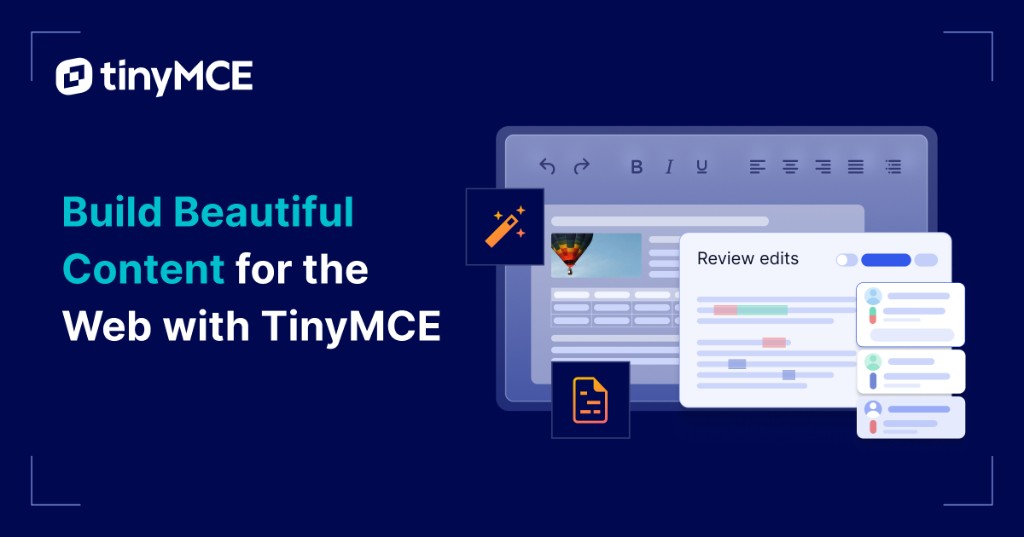
TinyMCE Full homepage screenshot

At a glance

Category
Development
Language
English
Paid-content signal
Paid contentObserved
Registered
2016
Hosting
Amazon CloudFrontInferred
HTTPS certificate trusted
PassedObserved
Last updated

Website review

This review may include AI-generated content and is not individually verified. Domain, certificate and other facts come from the observed data on this page.

What is TinyMCE?

TinyMCE is a WYSIWYG rich text editor that developers embed into web applications, so end users can write and format content in a familiar word-processor-style interface rather than editing raw HTML. According to its site, it is installed by adding a few lines of code, works with frameworks such as React, Angular, Vue, Svelte, Blazor, Rails, Django, Laravel and Node.js, and offers 12+ integrations plus 400+ configuration APIs. It also now includes AI-assisted features: Chat, Quick Actions and Review modes.

Who it suits

  • Product and engineering teams building apps that need in-place content editing — CMSs, email composers, documentation tools, support ticketing, or internal admin panels — where a homegrown editor would take months to mature.
  • Enterprises that want a widely adopted, customizable component with brand-name adoption behind it, and the option to control the UI and plugin set.
  • Teams that value out-of-the-box features such as tables, media embedding, code samples, math, PDF/Word export and accessibility checking, which the site lists among its plugins.

Trade-offs to weigh

  • Free tier limits: the free plan covers 1,000 editor loads per month with core editing features; advanced features sit behind a 14-day trial and paid plans, so heavy-traffic apps should check TinyMCE pricing early.
  • Configuration depth vs. simplicity: the large API and plugin catalogue give control but mean more setup decisions than a minimal editor.
  • Self-hosting vs. cloud: the site's signup flow centers on a cloud API key; teams with strict data-residency needs should confirm self-hosted options before committing.

A practical next step

If you're evaluating it, prototype one real screen — for example, a comment composer with mentions and image uploads — using the React or Vue integration. That quickly shows whether the default toolbar and plugin set match your users' expectations, and whether the load-based free tier fits your traffic.

How do I add TinyMCE to a React or Angular app?

Add TinyMCE through its official React or Angular wrapper rather than wiring the core editor by hand. Install the wrapper package, drop the editor component into your view, and pass an API key plus an init object for plugins and toolbar settings. The page's own Angular example shows this pattern: an <editor> element with apiKey and an [init] binding listing plugins such as table, image, link, code and fullscreen.

React in practice

Use the React wrapper so the editor mounts as a component and cleans up on unmount. Pass init as a stable object (memoize it) to avoid re-initializing on every render. In form-heavy apps, read content from the editor's change event rather than querying the DOM.

Angular in practice

Use the Angular wrapper and bind [init] to a component property. Keep the API key in environment config, not hard-coded. The page's snippet uses apiKey="no-api-key", which is a placeholder—replace it with a real key from a Tiny account.

Choosing between them

React Angular
Wrapper Official React package Official Angular package
Config style init prop object [init] property binding
Main gotcha Re-renders re-initializing the editor Change detection and binding syntax

Next step

Start with the free plan (the page lists 1,000 editor loads per month and a 14-day trial of advanced features), confirm the editor loads in your stack, then add plugins one at a time. Compare options at TinyMCE and check the React and Angular integration docs before customizing the toolbar.

Is TinyMCE free, and what does the paid plan include?

TinyMCE has a free tier, but it is not fully free for every use. The free plan includes 1,000 editor loads per month and the core editing features, and new accounts also get a 14-day trial of 21+ advanced features. Beyond that, advanced capabilities and higher usage sit in paid plans, so whether TinyMCE is "free" depends on how much you load it and which features you need.

What the free plan covers

  • Core rich-text editing: the familiar toolbar, formatting, links, lists and similar basics.
  • 1,000 editor loads per month — an "editor load" is roughly one instance of the editor rendered for a user, so a busy app can reach this quickly.
  • A 14-day trial of the advanced feature set, which then reverts unless you upgrade.

What the paid plans add

The page evidence points to advanced features such as AI tools (Chat, Quick Actions, Review modes), plus a large plugin set including accessibility checking, PDF/Word export and import, math, tables, media and more. It also references 12+ integrations and 400+ flexible APIs. Exact plan tiers and what each includes are listed on the official pricing page: TinyMCE. Check that page for the current feature split rather than assuming every plugin is in the base plan.

A practical way to decide

  • Small internal tool or prototype: the free tier is likely enough; 1,000 loads covers modest traffic.
  • Customer-facing editor with heavy traffic: budget for a paid plan, since loads scale with users, not with your team size.
  • You need AI, export or accessibility features: treat the free tier as an evaluation period and plan to pay.

A concrete next step: estimate monthly editor loads (active editors × sessions that render the editor) and list the plugins you actually need, then compare that against the plans on the pricing page. That comparison, not the headline "free," tells you the real cost.

What AI features does TinyMCE offer for content editing?

TinyMCE's AI features are organized around four capabilities named on its site: AI Chat, AI Quick Actions, AI Reviews and MCP. These are presented as additions to the core editor rather than replacements for it, so the practical value depends on where writing and reviewing happen in your workflow.

What each feature is for

  • AI Chat suits an in-editor assistant: a writer can ask for a rewrite, an outline or a clarification without leaving the document.
  • AI Quick Actions are best understood as one-click transformations on selected text — the kind of task where a writer wants a fast, repeatable result rather than a conversation.
  • AI Reviews points at editorial and approval work: reviewing drafted content before it is published, rather than generating new text.
  • MCP is the most developer-oriented item. It suggests a way to connect the editor's AI to external tools and data through the Model Context Protocol, which matters if your organization already runs AI services you want the editor to reach.

How this fits real use

Consider a small content team using a React or Angular admin panel. A writer drafts in TinyMCE, uses Quick Actions to tighten a paragraph, then sends the piece for an AI-assisted review before a human editor signs off. The chat panel covers the cases in between. For a platform team, MCP is the piece to evaluate first, because it determines whether the AI features can use your own models and content sources instead of a fixed assistant.

The trade-off is familiar: convenience inside the editor versus control over prompts, data handling and model choice. Teams with strict content governance should confirm how the AI features are configured and what data leaves the browser.

Next step

If you are comparing options, list the two or three editing tasks that consume the most time — rewriting, proofreading, or review cycles — and check which of the four features addresses them. TinyMCE's AI demo is the quickest way to see the chat and quick-action behavior before committing.

For alternatives with different AI approaches, see CKEditor and Froala.

How does TinyMCE compare to building a custom rich text editor in-house?

TinyMCE is the faster route if you need a dependable rich text editor in production soon; building in-house only makes sense when editing behavior is a core differentiator your team can afford to own long-term.

Where each option fits

Choose TinyMCE when your product needs standard authoring features—formatting, tables, media, links, paste handling—across frameworks like React, Angular, Vue, or plain JavaScript. The page evidence describes installation in a few lines of code, 12+ first-party integrations, and 400+ APIs for customizing UI and configuration. That matters for teams shipping an editor into an existing app rather than making the editor the product.

Build in-house when your editor must behave in a way no packaged editor supports—highly specialized document structures, unusual collaboration rules, or strict data models. Expect to own the hard parts: cross-browser behavior, paste cleanup, accessibility, and long-term maintenance.

Consideration TinyMCE In-house editor
Time to first working editor Short—add a script and configuration Weeks to months before basic parity
Ongoing maintenance Vendor handles core editing engine Your team owns bugs and browser changes
Customization Configuration and APIs within the product's model Unlimited, at the cost of building it
Fit for niche workflows Good when needs are conventional Better when editing logic is the differentiator

A practical next step

List the editing behaviors your users actually rely on, then test the five hardest against TinyMCE's free tier before committing either way. If most pass with configuration alone, in-house work is hard to justify. If the core ones fail, scope a prototype and compare its maintenance burden against the vendor route.

For background on editor trade-offs, see MDN Web Docs on contenteditable, the browser primitive most custom editors build on.

Which frameworks and platforms does TinyMCE integrate with?

TinyMCE advertises first-party integrations for Angular, Blazor, Bootstrap, JavaScript, jQuery, Laravel, Node.js (including Express), Rails, React, Svelte, Vue, Web Components and WordPress—the site says "12+ integrations," and these are the ones it names.

What the integrations cover

Group Frameworks / platforms listed Typical use
JavaScript UI frameworks React, Angular, Vue, Svelte Apps where the editor is a component in a component tree
Full-stack / server frameworks Laravel, Rails, Node.js + Express, Django Server-rendered pages or apps that need editor setup on the back end
Microsoft stack Blazor .NET web apps
CMS and site builders WordPress Adding rich editing to a WordPress-based site
Plain web JavaScript, jQuery, Bootstrap, Web Components Traditional pages or framework-agnostic embedding

The site shows setup as a few lines of code—for example, an Angular <editor> element with an apiKey and an init object listing plugins—and provides documentation for each integration.

How to choose

Match the integration to what you already build with, rather than picking the longest feature list. If you maintain a React or Vue app, the framework wrapper keeps configuration and state handling closer to your existing patterns. If you run a Rails or Laravel back end with server-rendered views, the corresponding integration reduces glue code. For a legacy jQuery page, the plain JavaScript or jQuery route is the least disruptive.

A practical next step: open the docs page for your framework and confirm the current version compatibility and the initialization pattern before committing, since framework major versions can change how components are registered.

Related questions

More questions →
Why Do Developers Choose TinyMCE for Their Web Apps?

Developers choose TinyMCE because it delivers a familiar, full-featured rich text editor that can be embedded in an app with a few lines of code, then customized through a large API and integration set. The official site reports 1.5M+ developers using it, and frames the value around three outcomes: developer output, speed-to-market, and ROI. It fits teams that want an out-of-the-box editing experience without giving up control of the UI, configuration, or stack.

What TinyMCE actually provides

TinyMCE is a WYSIWYG rich text editor that you add to an existing web application. The site describes it as having "familiar content tools ready to use out-of-the-box," and says installation takes "just a few lines of code."

The core proposition is a trade-off: you get a pre-built editor surface instead of building one, but you retain control over how it looks and behaves. The site states developers get "full control of the UI, configuration and integrations," backed by "400+ flexible APIs."

The reasons developers cite

Fast to add, familiar to use

The editor ships with standard content tools, so end users recognize the interface without training. For developers, the initial integration is small: register for an API key, then embed the editor component.

Built for the stack you already use

TinyMCE publishes first-party integrations for common frameworks and platforms. The site lists:

Category Options named on the site
JavaScript frameworks Angular, React, Vue, Svelte, jQuery, Web Components
Full-stack / server Node.js + Express, Rails, Django, Laravel, Blazor
CMS / site builders WordPress, Bootstrap

The site summarizes this as "12+ integrations and 400+ flexible APIs," positioned as a way to "easily integrate into your tech stack."

Customization without forking the editor

Because configuration and UI are exposed, teams can tailor the toolbar, plugins, and behavior to their product rather than adapting their product to the editor. The site's developer benefits are framed as building on the existing codebase and customizing it to suit the app.

Enterprise credibility

The site states that "world's best brands use TinyMCE's best-in-class editor," and positions the product as "made for enterprise." For teams making a build-vs-buy decision, that adoption signal matters — the site even offers a "Buy vs Build: The Great Debate" white paper aimed at that comparison.

What you get when you sign up

According to the site, creating a Tiny account provides:

  • Free Plan: 1,000 editor loads per month, with TinyMCE core editing features.
  • 14-day free trial of 21+ advanced features.

The site also lists pricing and a separate MoxieManager pricing page. Current prices and the exact feature split between free and paid tiers are not specified in the available material — check the pricing page before committing, and treat the free plan as load-limited rather than unlimited.

AI features now in the product

The site advertises "TinyMCE AI" with collaboration through Chat, Quick Actions, and Review modes, plus MCP. A demo section invites you to "Try TinyMCE AI yourself." These are presented as current product capabilities; confirm which are included in your plan tier before designing around them.

A concrete integration example

The site's Angular sample shows the pattern: an <editor> element with an apiKey attribute and an [init] object containing height and a plugins array. That array names plugins such as a11ychecker, accordion, advlist, autolink, autosave, code, codesample, emoticons, exportpdf, exportword, fullscreen, image, importword, link, lists, markdown, math, media, preview, quickbars, searchreplace, table, and visualblocks.

The takeaway: the input is a short config object, the action is mounting the component with an API key, and the expected result is a working editor with exactly the plugins you listed. The no-api-key placeholder in the sample must be replaced with a real key from your account.

When TinyMCE is the right choice — and when it isn't

Choose it if you need a mature editor quickly, your stack is on the supported list, and you want to customize UI and behavior rather than maintain your own editor code. The load-based free tier also suits low-to-moderate usage or prototyping.

Look elsewhere or plan for paid tiers if your app exceeds 1,000 editor loads per month on the free plan, or you depend on advanced features beyond the core set. The site does not publish per-tier feature details in the material reviewed, so verify against the pricing page.

Common sticking points

  • Placeholder API keys: the sample uses no-api-key; the editor needs a registered key to function against Tiny cloud.
  • Plugin sprawl: the demo config lists many plugins. Enable only what your users need to keep the bundle and toolbar manageable.
  • Tier assumptions: the free plan is defined by monthly editor loads, so estimate traffic before launch rather than after.
  • AI availability: confirm which AI modes are included in your plan instead of assuming all are free.
What TinyMCE's Free Plan Includes Compared to Paid Plans

TinyMCE's free plan gives you 1,000 editor loads per month with the core rich text editing features, plus a 14-day trial of 21+ advanced features. You need a Tiny account (Google, GitHub, or email signup) to get an API key. If your app stays under 1,000 loads a month and core editing is enough, the free plan works. If you need the advanced features past 14 days, or you exceed the load limit, you'll need to look at paid tiers — the site links to a pricing page but doesn't publish tier details on the pages reviewed here.

What the free plan covers

Item Detail
Editor loads 1,000 per month
Features TinyMCE core editing features
Advanced features 14-day free trial of 21+ advanced features
Signup Google, GitHub, or email
Access API key for TinyMCE cloud

The "editor loads" metric is the one to watch. It counts each time the editor initializes in your app, so a page that loads the editor for every visitor consumes loads quickly. A low-traffic internal tool and a public-facing app with steady traffic will hit 1,000 very differently.

What the 14-day trial adds

The trial unlocks 21+ advanced features on top of core editing. The site's own demo configuration lists plugins such as a11ychecker, exportpdf, exportword, importword, math, markdown, quickbars, and table, alongside AI features (AI Chat, Quick Actions, Reviews, MCP). Treat that list as illustrative of the advanced tier rather than a guaranteed inventory of the trial — the page presents it as a sample init config, not a plan breakdown.

The practical point: the trial is time-limited, not load-limited. After 14 days, advanced features stop unless you move to a paid plan. Plan your evaluation around a real integration task — for example, wiring up PDF export or the accessibility checker in a staging build — rather than clicking through the demo.

Deciding between free and paid

Use the free plan if:

  • Your monthly editor loads stay comfortably under 1,000.
  • Core editing (text formatting, links, lists, basic media) covers your needs.
  • You don't depend on export, import, accessibility checking, or AI features.

Move to a paid tier if:

  • You need any of the 21+ advanced features beyond the 14-day window.
  • Your traffic will push editor loads past 1,000 per month.
  • You're building an enterprise product where the editor is a customer-facing component.

The site positions TinyMCE for enterprise stacks and cites 1.5M+ developers, but that's marketing context, not a plan comparison. For actual tier pricing and limits, go to the pricing page linked from the site; the reviewed pages don't state paid-plan prices, so don't assume any figure.

Getting started

  1. Sign up at tiny.cloud with Google, GitHub, or email to create a Tiny account.
  2. Copy the API key issued to your account.
  3. Install the editor in your framework — the site provides first-party integrations for Angular, Blazor, Bootstrap, JavaScript, jQuery, Laravel, Node.js + Express, Rails, React, Svelte, Vue, Web Components, and WordPress.
  4. Replace the placeholder apiKey = "no-api-key" in the sample config with your key.
  5. Verify: load the page and confirm the editor renders with the plugins you configured. Then check your account dashboard for editor-load usage as you test.

Common snags: leaving the placeholder API key in place (the editor may warn or limit features), and testing heavily enough during development that you burn through free-plan loads before launch. Use a separate key or account for staging if load counts matter to you.

What AI Features Does TinyMCE Offer?

TinyMCE's AI features are built into the editor as four capabilities: AI Chat, AI Quick Actions, AI Review modes, and MCP support. They are available through a Tiny account, which starts on a Free Plan with 1,000 editor loads per month and includes a 14-day free trial of 21+ advanced features. If you need conversational editing help, one-click rewrites, or AI-assisted review inside the editor, these are the features to evaluate; if you only need core rich-text editing, the free plan's core features cover that without the AI layer.

The four AI capabilities

AI Chat

AI Chat provides conversational assistance inside the editor. Instead of leaving your app to ask a model for help, you interact with the AI in the editing context — useful for drafting, rewriting, or working through content questions while the document stays in front of you.

AI Quick Actions

Quick Actions are short, targeted editing commands. Rather than describing a task in a conversation, you trigger a predefined action on selected content. This suits repetitive edits where a conversational back-and-forth would be slower than a single command.

AI Review modes

Review modes bring AI into collaboration. The page lists "AI Reviews" alongside Chat and Quick Actions, positioning AI as a participant in the review workflow rather than only a drafting tool. This is the feature to look at if your team's bottleneck is feedback cycles rather than first drafts.

MCP support

The page also lists MCP (Model Context Protocol) among the AI capabilities. MCP is a standard for connecting AI models to external tools and data sources; its presence signals that TinyMCE's AI layer is designed to plug into model/tool ecosystems rather than being a closed, single-vendor assistant. The page does not detail specific MCP configurations, so treat this as a direction to verify in the docs before planning around it.

How the AI features fit the rest of the editor

The AI capabilities sit on top of the same editor that ships 12+ first-party integrations and 400+ flexible APIs, with framework support for Angular, Blazor, Bootstrap, JavaScript, jQuery, Laravel, Node.js + Express, Rails, React, Svelte, Vue, Web Components, and WordPress. In practice this means AI features are configured through the same init/plugin mechanism as everything else — for example, the Angular demo on the page passes a plugins array in init, and AI-related plugins would be added the same way.

A practical example: a React app already using TinyMCE for content editing adds AI Quick Actions so editors can rewrite a selected paragraph without switching tools. The integration surface doesn't change — same component, same API key, extended configuration.

What to check before committing

  • Plan limits: The Free Plan caps at 1,000 editor loads per month and includes core editing features; the 14-day trial covers 21+ advanced features. Confirm which AI features fall under the trial versus paid tiers on the pricing page before building them into a workflow.
  • API key requirement: Access to TinyMCE cloud requires registering for an API key (Google, GitHub, or email signup). The demo code uses a placeholder apiKey = "no-api-key", which will not work in production.
  • MCP specifics: Since the page names MCP without configuration detail, check the documentation for supported model providers and setup steps if MCP integration is a deciding factor.

Who these features are for

Choose TinyMCE's AI features if you want AI assistance embedded in an editor you already control — the value is that AI Chat, Quick Actions, and Review run inside your app's editing surface rather than as a separate tool. If your need is a standalone AI writing assistant, or if you want to avoid per-load plan limits entirely, the AI layer here is not the right fit; the core editor remains usable on the free tier, but the AI capabilities are the part tied to the trial and paid plans.

What Is TinyMCE and What Does It Do?

TinyMCE is a WYSIWYG rich text editor that developers embed in web apps, so end users get familiar word-processor-style content tools without the team building an editor from scratch. It fits teams that want a ready-made editing component with deep configuration options and first-party integrations for common frameworks. You add it with a few lines of code and an API key, and TinyMCE's published free plan includes 1,000 editor loads per month plus core editing features, with a 14-day trial of its advanced features.

What TinyMCE actually provides

TinyMCE is a component, not a standalone writing app. You install it into your own product, and it supplies the editing surface: text formatting, links, images, media, tables, lists, and similar content tools that users already recognize.

The vendor positions it around three claims on its site:

  • Developer control: full control of the UI, configuration, and integrations, with 400+ flexible APIs.
  • Speed to market: use it out of the box or customize it, rather than building editing behavior yourself.
  • Enterprise fit: the site says the world's best brands use it and that it is built for large, complex builds.

The site also states TinyMCE is used by 1.5M+ developers. Treat that as a vendor-reported figure, not an independent benchmark.

How you add it to an app

The basic flow is the same across frameworks:

  1. Register for an API key. TinyMCE's cloud service requires a key; the signup page offers Google, GitHub, or email registration and states that creating an account means accepting the Terms of Use.
  2. Install the editor in your project and initialize it with your key and a configuration object.
  3. Configure plugins and options to match the editing features you want to expose.

The site's Angular example shows the shape of a typical setup: an <editor> element with an apiKey attribute and an init object containing settings like height and a plugins array. The listed plugins in that sample include a11ychecker, accordion, advlist, anchor, autolink, autosave, charmap, code, codesample, directionality, emoticons, exportpdf, exportword, fullscreen, help, image, importcss, importword, insertdatetime, link, lists, markdown, math, media, nonbreaking, pagebreak, preview, quickbars, save, searchreplace, table, visualblocks, and visualchars.

Expected result: a working editor in your page. Verification: load the page, confirm the toolbar renders, and test one plugin you enabled (for example, insert a table). Common snag: a missing or invalid API key is the usual reason an embedded editor fails to initialize, so check that first.

Integrations and framework support

TinyMCE lists first-party integrations for Angular, Blazor, Bootstrap, JavaScript, jQuery, Laravel, Node.js + Express, Rails, React, Svelte, Vue, Web Components, and WordPress. The site summarizes this as "12+ integrations and 400+ flexible APIs."

This matters for the build-vs-buy decision: if your stack is on that list, you are adding a supported component rather than writing adapter code. If your framework is not listed, you can still use the core editor, but expect to handle the wrapper yourself.

AI features

TinyMCE AI is offered as part of the product, described on the site as AI collaboration through Chat, Quick Actions, and Review modes, plus MCP. The site invites you to try these directly. If AI-assisted editing is a requirement, confirm which AI capabilities fall inside the free plan versus the advanced feature set before you commit, since the signup page separates core features from the 14-day advanced trial.

Free plan, trial, and pricing

What the site states plainly:

Item Detail
Free plan 1,000 editor loads per month
Included in free plan TinyMCE core editing features
Trial 14-day free trial of 21+ advanced features
Access method API key via Tiny account (Google, GitHub, or email)

A pricing page exists, but the specific paid tiers, prices, and any login requirements beyond the API key signup are not detailed in the available material. Check the pricing page directly before assuming a plan covers your traffic; 1,000 editor loads per month is a modest ceiling for a production app with real usage.

Who should choose it, and when to look elsewhere

TinyMCE is a reasonable fit if:

  • You need a mature, configurable editor and would rather integrate than build.
  • Your stack is among the listed frameworks.
  • You want a free tier to prototype, with a clear upgrade path.

Consider alternatives if:

  • Your expected editor loads exceed 1,000 per month and you need cost certainty before starting; confirm paid pricing first.
  • You need a fully open-source editor with no vendor account or API key.
  • Your framework is outside the supported list and you want zero adapter work.

The practical next step is to register for a key, embed the editor in a test page with the plugins you actually need, and measure your monthly editor loads against the free plan limit before deciding on a paid tier.

Which frameworks and platforms does TinyMCE integrate with?

TinyMCE lists first-party integrations for Angular, Blazor, React, Vue, Svelte, jQuery, Bootstrap, Rails, Django, Laravel, Node.js, Web Components, and WordPress. If your app uses one of these, you can add the editor with a few lines of code and an API key, then customize it through the 400+ APIs TinyMCE advertises. If your stack is not on that list, the editor can still be embedded as a JavaScript component, but you will be working from the core setup rather than a dedicated integration.

First-party integrations

The TinyMCE site names these frameworks and platforms as first-party integrations:

Category Frameworks / platforms
JavaScript front end Angular, React, Vue, Svelte, Web Components
.NET Blazor
CSS framework Bootstrap
jQuery jQuery
Back end / full stack Rails, Django, Laravel, Node.js
CMS WordPress

The site also states that the editor has 12+ integrations and 400+ flexible APIs, and that these integrations are built to fit into an existing tech stack rather than requiring a rewrite.

What "integration" means in practice

For the JavaScript frameworks, the integration is a wrapper component you add to your project. The site's example is an Angular editor tag with an apiKey attribute and an init object that sets options such as height and the plugin list:

<h1>TinyMCE Angular Demo</h1>
<editor
  apiKey="no-api-key"
  [init]="{
    height: 500,
    plugins: ['a11ychecker','accordion','advlist','anchor','autolink','autosave',
    'charmap','code','codesample','directionality','emoticons','exportpdf',
    'exportword','fullscreen','help','image','importcss','importword',
    'insertdatetime','link','lists','markdown','math','media','nonbreaking',
    'pagebreak','preview','quickbars','save','searchreplace','table',
    'visualblocks','visualchars']
  }"
></editor>

The pattern is the same across frameworks: you supply an API key, pass a configuration object, and the editor renders inside your app. The plugin list in that example shows the kind of features you can switch on, from tables and media to PDF and Word export.

Getting an API key

The site's signup flow creates a Tiny account and states that you receive:

  • A Free Plan with 1,000 editor loads per month
  • TinyMCE core editing features
  • A 14-day free trial of 21+ advanced features

You can sign up with Google, GitHub, or email. The example code uses the placeholder no-api-key, which is not a working key — you need to register to get one before the cloud-hosted editor will load.

Choosing based on your stack

  • If you use Angular, React, Vue, Svelte, Blazor, Bootstrap, jQuery, Rails, Django, Laravel, Node.js, Web Components, or WordPress: start with the matching first-party integration. You get the shortest setup path and the framework-specific wrapper.
  • If you use something else: the core editor is still available, but expect to handle the embedding yourself rather than following a dedicated integration guide.
  • If you need heavy customization: the 400+ APIs are the relevant number. The integration gets the editor into your app; the APIs are what you use to change its behavior and UI.
  • If you are evaluating cost: the site links to a pricing page and a "Buy vs Build" white paper. The free plan's 1,000 monthly editor loads and the 14-day advanced-feature trial are stated on the signup page; check the pricing page for what applies beyond that.

Common sticking points

  • Placeholder keys: copying example code with no-api-key will not load a cloud-hosted editor. Register first.
  • Plugin availability: some plugins in the example list are advanced features. The signup page describes a 14-day trial of 21+ advanced features, so confirm which plugins your plan covers before building around them.
  • WordPress: this is listed as an integration, but the site does not detail the setup steps on the page reviewed here. Check the docs for the WordPress-specific path.

Website Overview

An advisory match combined with missing browser safeguards may increase exposure if the affected component is active. Deployment-specific verification and remediation deserve priority. Identifiable technologies and additional version or configuration signals make the service easier to fingerprint, which may help targeted scanners narrow their checks.

Domain and Registration

Registered in 2016, this domain has about 10 years of history. That suggests continuity, although ownership and purpose may have changed. Transfer-protection status is present, helping reduce the risk of unauthorized domain transfers. The registrar is Gandi SAS, a widely used domain service provider. The domain uses the common .cloud extension, which is not an independent safety signal.

DNS and Email

The lowest TTL is 60 seconds, supporting rapid record changes at the cost of more frequent lookups. Nameservers are provided by Amazon Route 53, indicating managed DNS hosting. MX records point to the Google Workspace email service. No CNAME was found; the observed records resolve directly to addresses. SPF and DMARC are configured. DKIM status is unknown.

TLS and Certificates

The certificate uses an RSA 2048-bit public key, offering broad client compatibility. The server supplied a complete certificate chain. No organization name is present in the certificate; the available fields are consistent with domain validation. The certificate was issued within the Amazon cloud or CDN ecosystem. The certificate is valid for about 393 days in total, with 85 days remaining.

HTTP and Browser Security

The response lacks these common security headers: CSP, Permissions-Policy. No X-Powered-By header was found, reducing one common source of backend fingerprinting information. The x-cache, via response header indicates a CDN or caching proxy in the delivery path. No obvious internal addresses or debug information were found in the headers. The Server header contains the custom value AmazonS3.

Technology Stack Analysis

The public page identifies Gatsby 3.6.0, Google Tag Manager, Amazon CloudFront, with exact versions exposed for 1 technologies. These details can narrow vulnerability checks, although exposure alone is not a vulnerability. The advisory source OSV places Gatsby 3.6.0 in the affected range of GHSA-c6f8-8r25-c4gc. Verify the deployed version and relevant configuration before drawing conclusions about exploitability. Updating affected components should be a priority.

Search and Social Sharing

The title has 66 characters and may be truncated in search results. The Generator tag identifies Gatsby 3.6.0, making the publishing system easier to fingerprint. Twitter Card metadata is configured. JSON-LD includes Organization data, helping describe the organization as an entity. A meta description is present, with 147 characters.

Hosting and Email

DNSAmazon Route 53
HostingAmazon CloudFront
EmailGoogle Workspace
Approximate IP geolocation (inferred; a CDN or proxy may differ from the origin server) United States flagUnited States Inferred 13.249.52.34

Registration details

RDAP / WHOIS

RegistrarGandi SAS
Registered2016-02-16
Expires2027-02-16
Domain statusclient transfer prohibited
Nameserversns-1255.awsdns-28.org、ns-1757.awsdns-27.co.uk、ns-312.awsdns-39.com、ns-745.awsdns-29.net
DNSSECunsigned

DNS records

DNS

TypeNameValueTTLPriority
Awww.tiny.cloud13.249.52.3460—
Awww.tiny.cloud13.249.52.660—
Awww.tiny.cloud13.249.52.6960—
Awww.tiny.cloud13.249.52.8060—
AAAAwww.tiny.cloud2600:9000:205a:2a00:12:99c2:2d00:93a160—
AAAAwww.tiny.cloud2600:9000:205a:5a00:12:99c2:2d00:93a160—
AAAAwww.tiny.cloud2600:9000:205a:8400:12:99c2:2d00:93a160—
AAAAwww.tiny.cloud2600:9000:205a:9a00:12:99c2:2d00:93a160—
AAAAwww.tiny.cloud2600:9000:205a:ac00:12:99c2:2d00:93a160—
AAAAwww.tiny.cloud2600:9000:205a:c00:12:99c2:2d00:93a160—
AAAAwww.tiny.cloud2600:9000:205a:d400:12:99c2:2d00:93a160—
AAAAwww.tiny.cloud2600:9000:205a:d800:12:99c2:2d00:93a160—
MXtiny.cloudaspmx.l.google.com72001
MXtiny.cloudalt1.aspmx.l.google.com72005
MXtiny.cloudalt2.aspmx.l.google.com72005
MXtiny.cloudalt3.aspmx.l.google.com720010
MXtiny.cloudalt4.aspmx.l.google.com720010
NStiny.cloudns-1255.awsdns-28.org172800—
NStiny.cloudns-1757.awsdns-27.co.uk172800—
NStiny.cloudns-312.awsdns-39.com172800—
NStiny.cloudns-745.awsdns-29.net172800—
TXTtiny.cloud2B0E8BE77A300—
TXTtiny.cloudMS=ms38791216300—
TXTtiny.cloudZOOM_verify_escgZxP2RjK5USOIiij3aA300—
TXTtiny.cloudamazonses:9k44NjjjPKn8sdOuxtvORJpWiw/g/UYmeRDWK0auaKE=300—
TXTtiny.cloudanthropic-domain-verification-b0e3zm=tMMOL6BLE37PX5LugTrCZaa5l300—
TXTtiny.cloudatlassian-domain-verification=F0E3l9nIE5pzZunTpneo8rILmjOdWXsDQWQseVWVCj5prsrzIBPLRvfPR9cxxq91300—
TXTtiny.cloudbw=ks66io4uCYbbwSkVIZfMpMtzUS7xLgp6AeWpuilbL0Ey300—
TXTtiny.cloudfigma-domain-verification=3459a104c30403984ac7a4985e51fdbef5f1f9f30cbbac57e6eb4103497a25b1-1736819111300—
TXTtiny.cloudfigma-domain-verification=6e49770a111044a10469327afeab2a83e7d26a89b3a524b4ffc930a3e414baf8-1768813478300—
TXTtiny.cloudgoogle-site-verification=E_fAtKqecOUO-47AZuIHR83O1sp00qNWWBYcRifFQa0300—
TXTtiny.cloudgoogle-site-verification=Jv0vRNafbeZPEAmPKkl4HKmaa_ewn5JtzqZZhDL2b0I300—
TXTtiny.cloudgoogle-site-verification=L3qajPdkKdqqLI5Rja8oQ7yZGdWsQLIkYv2OsKXZ8M8300—
TXTtiny.cloudgoogle-site-verification=kX2Ywkr9gSDJ5TAe-cDwH8l6YJF_0N_-qCiCFQnEx5M300—
TXTtiny.cloudgoogle-site-verification=nq6CSr0ZvNDyyREtFuDO5Epx6p9Hcq1lMIMMOa94gVY300—
TXTtiny.cloudgoogle-site-verification=yCDNdSc9wPBRlTWAPw50k4VlIP6WiqQ4yght_FG0lkI300—
TXTtiny.cloudnotion-domain-verification=JQNpLpb3YYxtRqiBYYU7FnxqpQQaZkctfkKbyYG25dc300—
TXTtiny.cloudopenai-domain-verification=dv-ExTT0thnumwwhV4GLF9HKsVb300—
TXTtiny.cloudpardot2202=9170087ff116e385bd50b5d4ebb54eb888a6d8ff549c1d3bcc52a450845e5360300—
TXTtiny.cloudsegment-site-verification=eM6HqUScxukd2SKV3hh2P9wNigFd0zgO300—
TXTtiny.cloudv=spf1 include:et._spf.pardot.com include:_spf.google.com include:cust-spf.exacttarget.com include:_spf.mailgun.org include:amazonses.com include:mailer.chargify.com include:spf.mandrillapp.com -all300—
TXTtiny.cloudvalidity-domain-monitoring=JQj6YgHW1by3LqWMImyd3dYTs300—
DMARC_dmarc.tiny.cloudv=DMARC1; p=quarantine; sp=quarantine; pct=100; rua=mailto:[email protected], mailto:[email protected]; ruf=mailto:[email protected], mailto:[email protected];60—

TLS and certificates

TLS / SSL

AssessmentNormal configuration
Supported protocolsTLSv1.2、TLSv1.3
Negotiated protocolTLSv1.3
Certificate subject*.tiny.cloud
IssuerAmazon
Valid until2027-01-10T23:59 · Remaining when checked: 85 days
Verification detailsCertificate trust: Passed · Hostname match: Passed

HTTP response headers

HTTP

HeaderValue
content-typetext/html
cache-controlmax-age=300,must-revalidate
serverAmazonS3
strict-transport-securitymax-age=31536000; includeSubDomains; preload
x-frame-optionsSAMEORIGIN
x-content-type-optionsnosniff
referrer-policystrict-origin-when-cross-origin

Identified technologies

Gatsby 3.6.0Google Tag ManagerAmazon CloudFront

Pages, Search and Sharing

Meta descriptionElevate your web development with TinyMCE's WYSIWYG Rich Text Editor. Trusted by 1.5M+ developers, with AI-powered tools and seamless integrations.
Canonical URLhttps://www.tiny.cloud/
LanguageEnglish (default)
Twitter Cardsummary_large_image
All bots 1 allowed · 0 disallowed
  • Allow/

User reviews (0)

  • No reviews yet.