Website profiles · Technology insights · Alternatives

rhythm-plus.com

Play, create and share your favorite songs right in your browser anywhere, anytime. A community-based online music game.

No paid content found
Visit website
Profile views 11 Outbound visits 14 Normal
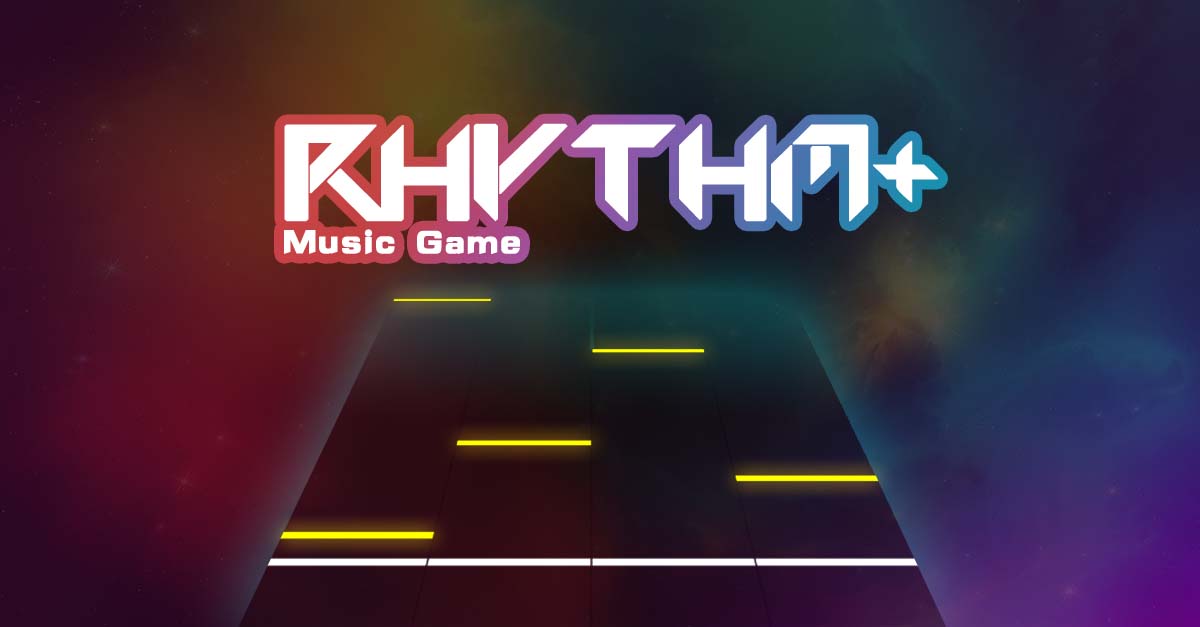
Rhythm Plus Full homepage screenshot

At a glance

Category
Games & Board Games
Language
English
Paid-content signal
No paid content foundObserved
Registered
2020
Hosting
FastlyInferred
HTTPS certificate trusted
PassedObserved
Last updated

Website review

This review may include AI-generated content and is not individually verified. Domain, certificate and other facts come from the observed data on this page.

What is Rhythm Plus?

Rhythm Plus is a browser-based online rhythm game where you play, create, and share song charts. Its pitch is convenience and community: you open it in a browser instead of installing a game client, and the library comes largely from what users make and publish rather than only from an official setlist.

What you actually do

  • Play note charts by hitting keys or tapping in time with a song, aiming for accuracy and combos.
  • Create your own charts for tracks you like, mapping notes to the music.
  • Share those charts so other players can find and play them.

Who it suits

If you are… Rhythm Plus is a good fit because… Main trade-off
A casual player wanting a quick session No install, runs in the browser Performance depends on your browser and connection
A fan of a specific song not in big commercial games Community-made charts broaden the catalogue Chart quality varies by creator
Someone curious about level design Built-in creation tools let you try charting Making a good chart takes real time and musical sense

Practical note

Because the game runs on JavaScript in your browser, you need JavaScript enabled for it to load at all. If you see only a prompt about enabling JavaScript, that is the page telling you the game itself cannot start yet.

Next step: pick one song you already know well, play it once to learn the note-reading and timing feel, then open the creation mode and try charting a short section. That single loop — play, then build — tells you quickly whether you are there for the playing or the making.

How do I play Rhythm Plus without downloading anything?

Open Rhythm Plus in a modern desktop browser and enable JavaScript. The game runs entirely in the browser tab — there is no client to install. The page itself only renders once JavaScript is active, so if you see a "please enable JavaScript" message, that's the blocker, not a missing download.

A practical first run

  1. Use Chrome, Edge, Firefox or Safari on a computer, not a phone browser — rhythm games need a physical keyboard.
  2. Allow JavaScript for the site (check your browser's site settings if the page stays blank).
  3. Wait for the game to load, then pick a song from the built-in library or a community-created chart.
  4. Choose a key layout and difficulty before starting; most online rhythm games map notes to letter keys such as D, F, J, K.
  5. Use headphones. Browser audio output and keyboard input both add latency, and headphones make timing easier to judge.

What to expect from a browser-based approach

Trade-off Why it matters
No install, instant access Works on a borrowed or locked-down machine where you can't install software
Browser audio/input latency Timing can feel looser than a native client; adjust offset settings if offered
Keyboard-only input A MIDI controller or dance pad usually needs a native game
Community charts Song selection depends on what other players have created and shared

If it doesn't work

A blank screen almost always means JavaScript is blocked or the browser is too old. Try a current version of Chrome or Firefox, disable script-blocking extensions for this domain, and reload. If the game loads but notes feel late or early, look for a calibration or offset option before assuming the game is broken.

For a quick decision: use Rhythm Plus when you want to play immediately on a machine you don't control. Reach for a downloadable rhythm game when you need precise timing, controller support or offline play.

Can I create my own custom rhythm levels in Rhythm Plus?

Yes. Rhythm Plus is built around creating and sharing your own levels, not just playing the ones that ship with it. Its own description frames it as a "community-based online music game" where you "play, create and share your favorite songs," so user-made charts are a core part of the product rather than an add-on.

H3 What that means in practice

  • Bring your own song. The natural first step is picking a track you already know well, since charting is essentially deciding where the notes land relative to the music.
  • Build the chart. You place notes against the timeline so they line up with beats, vocals or instrumental hits. This is where the creative work lives — a good chart matches the song's rhythm rather than just filling the screen.
  • Share it. Because the game is community-based, levels are meant to be published and played by others, which is why the "share" part of the tagline matters as much as "create."

H3 Who this suits

If you are… Rhythm Plus's creation side is…
A player who wants more songs than the defaults Useful — the shared library grows from other people's charts
Someone with a favorite track that has no official chart The main reason to use it
A casual player who just wants to press keys Less relevant; you can ignore the editor entirely
A charting perfectionist Worth testing, but check how fine-grained the note placement is before committing

H3 A concrete scenario

Say you love a track that no mainstream rhythm game has ever charted. You open Rhythm Plus in your browser, load the song, and spend an evening syncing notes to the chorus. You publish it, and another player who has the same favorite song finds it. That loop — one person's chart becoming someone else's evening — is the whole point of a community music game.

H3 Practical next step

Try charting a short, simple song first rather than your favorite complex track. A two-minute track with a clear beat teaches you the editor's timing and note tools far faster than a dense, fast song where every mistake is hard to spot. Once one chart feels right to play, you'll know whether the editor matches how you think about music.

For comparison, other browser-based rhythm platforms with their own editors exist, such as osu!, though those are desktop-first rather than in-browser.

How do I share the songs I create with other Rhythm Plus players?

Rhythm Plus is built around sharing what you make, so the main thing to know is that songs live in the browser and are distributed through the game itself rather than as downloadable files. The site describes itself as a community-based online music game where you play, create and share songs in your browser.

The practical route

  1. Create your chart or song in the editor while logged into your Rhythm Plus account.
  2. Save it so it is attached to your account rather than only stored locally in the browser.
  3. Publish or make it public, if the editor offers that toggle — community sharing only works when others can find the track.
  4. Send the song's page link to the people you want to play it, or point them to your profile so they can browse everything you have made.
  5. Ask them to open the link in the same browser game; they do not need to install anything.

A concrete scenario

Say you chart a track and want three friends to try it tonight. The reliable approach is to publish it, copy the link to the song page, and paste that into your group chat. If you only save it privately, your friends will see nothing, because there is no file to hand over — the song is served by the game. If a friend cannot find it, the usual causes are that the song is still private, that they are searching by title when the listing uses a different name, or that they are not logged in.

Decision criteria

  • Sharing with a few people: send the direct song link. Fastest, and it works for anyone with a browser.
  • Building an audience: keep your profile consistent and give songs clear titles, since profile browsing is how strangers discover your work.
  • Collaborating: agree on who owns the published version, because two people publishing the same chart creates duplicate listings rather than one shared file.

A useful next step is to publish one short test song first, open the link in a private browser window while logged out, and confirm a stranger can reach and play it. That single check catches most visibility problems before you share with a wider group.

What kind of music tracks can I import into Rhythm Plus?

Rhythm Plus is built around importing songs you already have rather than picking from a fixed in-game catalog, so the practical answer is: any audio track you can supply as a file. The site itself gives little detail beyond its browser-based play, create and share framing, so treat the following as general guidance for this kind of rhythm game rather than confirmed format lists from the product.

What typically works

  • Common audio files such as MP3, OGG, WAV or M4A. Compressed formats like MP3 are the usual choice because they upload quickly and keep browser memory use low.
  • Your own recordings or mixes, provided you have the rights to use them.
  • Chiptune, electronic, pop, rock, classical or vocal tracks — the game maps notes to the audio, so genre matters less than having clear, steady rhythmic elements.

What tends to cause problems

  • Long files. A ten-minute track means a long charting and loading process; short, loop-friendly songs are easier to work with.
  • Very quiet or heavily compressed audio. If drums and transients are buried, automatic note placement becomes less reliable.
  • Streaming links or DRM-protected files. A URL from a streaming service is not an audio file you can import; you need a downloadable copy.
  • Copyrighted commercial music you do not own. Sharing a chart built on such a track can be taken down.

A practical next step

If you want to test the workflow, start with one track you own that has a strong, obvious beat — a two-to-three-minute electronic or pop song is ideal. Import it, check how well the generated notes line up, then adjust manually before sharing. That tells you quickly whether your usual music library suits the tool.

For a broader sense of how browser rhythm games handle custom tracks, compare with osu! or StepMania, both of which have long-established customs around user-supplied audio and community-made charts.

Is Rhythm Plus free to play and create with?

Rhythm Plus is positioned as a free, browser-based rhythm game where you play, create and share songs — so both playing and creating sit inside the same free product rather than being split into a paid tier. The site describes it as “a community-based online music game” you can play “right in your browser anywhere, anytime,” which suggests no download or purchase step stands between you and either activity.

What this means in practice

  • Playing: you open the site, enable JavaScript, and play in the browser. There is no indication of a paid gate before gameplay.
  • Creating: chart or level creation appears to be part of the same free experience, aimed at players who want to build content rather than only consume it.
  • Sharing: the community framing implies your creations are meant to be published and played by others, which is the main reason to create inside this ecosystem rather than in a standalone tool.

A concrete scenario

Say you hear a track you like and want to turn it into a playable chart. You could open Rhythm Plus, build the chart there, and share it with other players in the same place — no separate hosting or paid creator plan needed. If you only want to play, you get the same access without paying for features you don't use.

Decision criterion

Choose Rhythm Plus if you want zero-cost entry and a built-in audience for what you make. If you need offline play, desktop-grade charting precision, or ownership/export of your creations, a browser game with a community focus may not cover those needs — check the site's own creation tools before committing serious time.

A useful next step: open Rhythm Plus with JavaScript enabled, play one song, then try the creation flow to confirm it fits how you like to work.

Related questions

More questions →
How do I play Rhythm Plus in my browser?

Open rhythm-plus.com in a modern browser and make sure JavaScript is enabled. Rhythm Plus runs directly in the browser, so there is no client download required. The site itself states that JavaScript must be enabled for the game to run, and the page only shows a prompt to enable JavaScript until that condition is met.

What you need before starting

  • A desktop or laptop browser with JavaScript enabled.
  • A stable internet connection, since the game loads from the website.
  • Audio output (speakers or headphones) to hear the songs.
  • A keyboard, since rhythm games typically rely on key presses.

The site does not list specific browser versions or system requirements, so use a current version of a mainstream browser.

Steps to start playing

  1. Open your browser and go to rhythm-plus.com.
  2. If the page shows a message asking you to enable JavaScript, turn JavaScript on in your browser settings and reload the page.
  3. Once the game interface loads, follow the on-screen prompts to begin.
  4. Choose a song and start playing.

The exact menu labels and button positions are not described in the available site information, so rely on the visible prompts after the page loads rather than a fixed click path.

Common blockers

  • JavaScript disabled: The game will not start. The page explicitly asks you to enable JavaScript.
  • Page stuck on a text prompt: This usually means JavaScript is blocked by the browser or an extension. Check your browser settings and any script-blocking add-ons.
  • No sound: Confirm your device volume and that the browser tab is not muted.

What Rhythm Plus is

Rhythm Plus is described as an online rhythm game where you can play, create, and share your favorite songs in your browser, anywhere and anytime. It is community-based, which means the song library and sharing features come from its users rather than only from the site owners.

If you want to create or share songs, look for those options inside the game interface after it loads. The available site information does not detail the creation or sharing workflow, so treat those as features to explore once you are in.

What is Rhythm Plus?

Rhythm Plus is a browser-based online rhythm game where you play, create, and share songs. It runs directly in your web browser without any download or installation, and it's built around a community where players share the songs they make. The main requirement is JavaScript: the game loads and runs through it, so if JavaScript is disabled in your browser, you'll only see a message asking you to enable it.

What you can do in Rhythm Plus

The site describes three core activities:

  • Play — take on songs as a rhythm game, hitting notes in time with the music.
  • Create — build your own playable songs or charts rather than only playing what already exists.
  • Share — publish what you make so other players can find and play it, which is what gives the game its community character.

Because all three live in the same browser experience, Rhythm Plus works as both a game and a lightweight creation/sharing platform rather than a fixed set of built-in levels.

How to get started

  1. Open rhythm-plus.com in a modern browser.
  2. Make sure JavaScript is enabled. If it isn't, the page will show a prompt to turn it on instead of the game.
  3. Once the game loads, you can start playing, and from there move into creating and sharing your own songs.

There's no stated download step — the whole thing is meant to run "anywhere, anytime" in the browser.

Who it's for

Rhythm Plus fits you if you want to:

  • Play a rhythm game without installing anything.
  • Try making your own songs or note charts.
  • Be part of a community that shares and plays each other's creations.

If you're looking for a downloadable desktop game with a large built-in commercial song library, that's a different kind of product — Rhythm Plus leans on browser access and community-made content instead.

A few practical notes

  • Browser and JavaScript are the baseline. The only technical requirement the site itself emphasizes is JavaScript being on.
  • Pricing isn't specified here. The available site information doesn't state whether any features are paid, so don't assume everything is free or that anything is locked — just check the site directly for current details.
  • Content depends on the community. Since sharing is central, what you can play grows with what players contribute.
Is Rhythm Plus free to play, and do I need to install anything?

Rhythm Plus runs directly in your web browser, so you don't need to install a separate app or game client to play. The site describes itself as an "online rhythm game" you can play "right in your browser anywhere, anytime." As for cost, the available website information does not mention pricing, subscriptions, or payment, so there is no confirmed evidence that Rhythm Plus charges money — but that also means you shouldn't treat it as guaranteed free. The practical approach: open the site and try it, since no installation is required either way.

Do you need to install anything?

No dedicated installation is described. Rhythm Plus is presented as a browser-based game, which means the intended way to play is:

  1. Open a modern web browser (Chrome, Firefox, Edge, Safari, etc.).
  2. Go to rhythm-plus.com.
  3. Enable JavaScript, since the page explicitly states: "To play the game, please enable JavaScript."

That last point is the main practical requirement. If the page appears blank or won't load the game, JavaScript is the first thing to check — it's usually enabled by default, but extensions or strict browser settings can block it.

What "no install" does and doesn't mean

  • Doesn't mean: you download a launcher, an .exe, or a mobile app from an app store.
  • Doesn't mean: zero setup. You still need a working browser, an internet connection, and JavaScript turned on.
  • Doesn't guarantee: offline play. A browser game typically needs to load from the web each session.

Is Rhythm Plus free?

The website content available does not include any pricing information — no price list, no subscription page, no payment platform mentioned. Because of that:

  • There is no confirmed statement that Rhythm Plus is free.
  • There is also no confirmed statement that it costs money.

If cost is the deciding factor for you, the only reliable way to know is to visit the site and see whether any payment step appears before or during play. Don't assume "browser game" automatically means "free," and don't assume it means "paid" either.

What Rhythm Plus actually is

According to its own description, Rhythm Plus is a community-based online music game where you can:

  • Play — take part in rhythm gameplay in your browser.
  • Create — make your own songs or charts.
  • Share — publish what you create with the community.

This matters for the "install" question because the create-and-share features are also delivered through the browser rather than through separate desktop software.

Quick decision guide

Your question Answer based on available info
Do I need to install software? No — it's designed to run in the browser
Do I need JavaScript? Yes — the site requires it to run the game
Is it confirmed free? No pricing info is provided, so it's unconfirmed
Can I try it without paying upfront? You can visit the site and see; no install is needed to check

Common snags to expect

  • Blank page or nothing loads: almost always JavaScript being disabled or blocked.
  • Game won't start on an old browser: browser-based games generally need a reasonably current browser version.
  • Assuming it's fully offline: it's an online game, so expect to need a connection.

If your goal is simply to find out whether Rhythm Plus works for you, the fastest path is to open rhythm-plus.com in an up-to-date browser with JavaScript enabled and try it directly — no download step stands in the way.

Can I create and share my own songs on Rhythm Plus?

Yes. Rhythm Plus is a community-based online music game that lets you play, create, and share your favorite songs in your browser. According to the site's own description, creation and sharing are core features, not add-ons. The practical caveat: the site loads through JavaScript, so you need it enabled before you can reach the game or any creation tools.

What Rhythm Plus says it offers

The site describes itself as a place to "play, create and share your favorite songs right in your browser anywhere, anytime." That single sentence covers the three activities the platform is built around:

  • Play — rhythm gameplay in the browser
  • Create — building your own song charts or levels
  • Share — publishing what you make to the community

Because it runs in the browser, there is no separate download step described. You open the site and work inside it.

How creation and sharing fit together

The three verbs are not independent. Sharing only matters if other players can find and play what you made, which is why the site frames itself as community-based rather than as a personal tool. The likely flow is:

  1. You create a song or chart using the in-browser tools.
  2. You share it so it becomes available to the community.
  3. Other players play it, and you can play songs others have shared.

This is the standard loop for community rhythm games, and it matches the site's own wording.

What to check before you start

Question What the available information supports
Do I need to install anything? No — it runs in the browser.
Do I need JavaScript? Yes. The page states you must enable JavaScript to play.
Is there a specific editor or upload flow documented? Not in the available material — the exact editor interface and sharing steps depend on what you see on the site.
Is pricing or account requirement stated? Not stated in the available information, so no assumption can be made either way.

Practical steps

  1. Open rhythm-plus.com in a browser with JavaScript enabled. If JavaScript is off, you will only see a notice asking you to enable it.
  2. Once the game loads, look for the create or editor entry point in the interface.
  3. Build your song or chart there.
  4. Use the share option to publish it to the community.

The exact menu names and button positions are not documented in the available material, so treat step 2 onward as "find the equivalent control in the live interface" rather than a fixed path.

Common snags

  • Blank page or a JavaScript notice. This is the most likely first problem. Enable JavaScript for the site and reload.
  • Assuming a desktop app. Everything described happens in the browser, so there is no installer to look for.
  • Expecting a documented upload format. The available information does not specify file types or import rules, so check the site itself before preparing assets.

If your goal is simply to play rather than create, the same entry point works — creation is an option within the platform, not a prerequisite.

Why Won't Rhythm Plus Load or Let Me Play?

Rhythm Plus runs entirely in your browser, so if the page won't load or you only see a short line of text instead of the game, the most likely cause is that JavaScript is disabled or being blocked. The site's own page states: "To play the game, please enable JavaScript." Enabling JavaScript, or removing whatever is blocking it, is the fix in most cases.

The most common cause: JavaScript is off or blocked

Rhythm Plus is an online rhythm game you play directly in a browser, with no download mentioned. That kind of game depends on JavaScript to run. When JavaScript can't execute, the page has nothing to render, so you get a bare message instead of the game.

Check these in order:

  1. Browser JavaScript setting — Make sure JavaScript is allowed for the site. In most browsers this is on by default, but it can be turned off, often under a site-permissions or content-settings area.
  2. Script-blocking extensions — Ad blockers, privacy tools, and script managers can block the game's code even when JavaScript is enabled globally. Try disabling them for this site, or open the page in a private/incognito window with extensions off.
  3. Browser choice and version — Use a current, mainstream browser. Very old browsers or unusual embedded browsers may not run the game reliably.
  4. Reload after changing settings — After enabling JavaScript or turning off a blocker, reload the page so the script can run.

Expected result: once JavaScript executes, the "please enable JavaScript" text is replaced by the actual game.

If JavaScript is already enabled and it still won't play

Work through these:

  • Hard refresh the page to clear a stale cached version.
  • Try another browser to tell whether the problem is site-wide or specific to your setup.
  • Check for network or content filters — corporate, school, or ISP-level filters can block scripts or the site itself.
  • Confirm you're on the real site — the game lives at rhythm-plus.com; a mirror or mistyped address may not behave the same.

Quick reference

Symptom Likely cause What to try
Only see "please enable JavaScript" JavaScript disabled or blocked Enable JavaScript, reload
Page loads but game never starts Extension blocking scripts Disable blockers for the site, or use incognito
Works in one browser, not another Browser-specific setting or version Update or switch browser
Nothing loads at all Network/filter or wrong URL Check connection and address

What this doesn't tell you

The available site information only confirms the JavaScript requirement; it doesn't document specific menu paths, supported browsers, or account requirements. If enabling JavaScript and removing blockers doesn't help, the issue is likely on the network or browser side rather than something the page itself explains.

Website Overview

An established domain and managed infrastructure suggest continuity of operations and may support dependable delivery, although neither guarantees service quality. Several search or sharing settings need attention. Together they may make snippets, preview images or preferred URLs less consistent across platforms.

Domain and Registration

Registered in 2020, this domain has about 6 years of history. That suggests continuity, although ownership and purpose may have changed. Transfer-protection status is present, helping reduce the risk of unauthorized domain transfers. The registrar is NameCheap, Inc., a widely used domain service provider. The domain uses the common .com extension, which is not an independent safety signal.

DNS and Email

The observed email authentication setup is incomplete: DMARC is missing. Nameservers are provided by Cloudflare, indicating managed DNS hosting. MX records point to the Cloudflare Email Routing email service. No CNAME was found; the observed records resolve directly to addresses. TXT records include verification markers for Google. Such markers may also remain after a service stops being used.

TLS and Certificates

The public key uses EC with 256 bits. The server supplied a complete certificate chain. No organization name is present in the certificate; the available fields are consistent with domain validation. The certificate was issued within the Google Trust Services cloud or CDN ecosystem. The certificate's total validity is about 90 days, consistent with a short renewal cycle.

HTTP and Browser Security

The response lacks these common security headers: CSP, X-Content-Type-Options, Referrer-Policy, Permissions-Policy, clickjacking protection. No X-Powered-By header was found, reducing one common source of backend fingerprinting information. The cf-ray, x-cache, x-served-by response header indicates a CDN or caching proxy in the delivery path. No obvious internal addresses or debug information were found in the headers. The Server header identifies cloudflare without an exact version.

Technology Stack Analysis

The public page identifies Cloudflare, Fastly without precise versions, leaving fewer clues for version-specific scanning.

Search and Social Sharing

The title has 83 characters and may be truncated in search results. No homepage canonical URL was detected. If duplicate URLs exist, consolidation may be less explicit. Open Graph is partially configured; og:type is missing. Twitter Card metadata is configured. A meta description is present, with 120 characters.

Hosting and Email

DNSCloudflare
HostingFastly
EmailCloudflare Email Routing
Approximate IP geolocation (inferred; a CDN or proxy may differ from the origin server) Location unknown Inferred 104.21.16.44

Registration details

RDAP / WHOIS

RegistrarNameCheap, Inc.
Registered2020-07-25
Expires2027-07-25
Domain statusclient transfer prohibited
Nameservershugh.ns.cloudflare.com、kimora.ns.cloudflare.com
DNSSECunsigned

DNS records

DNS

TypeNameValueTTLPriority
Arhythm-plus.com104.21.16.44217—
Arhythm-plus.com172.67.166.27217—
AAAArhythm-plus.com2606:4700:3031::ac43:a61b300—
AAAArhythm-plus.com2606:4700:3033::6815:102c300—
MXrhythm-plus.comamir.mx.cloudflare.net30057
MXrhythm-plus.comisaac.mx.cloudflare.net30083
MXrhythm-plus.comlinda.mx.cloudflare.net30086
NSrhythm-plus.comhugh.ns.cloudflare.com86400—
NSrhythm-plus.comkimora.ns.cloudflare.com86400—
TXTrhythm-plus.comfirebase=rhythm-plus300—
TXTrhythm-plus.comgoogle-site-verification=5yK85n_FQHZ1XYWk_MvoYYsHuH_hoJuz7XtMCI4k5Yc300—
TXTrhythm-plus.comhosting-site=rhythm-plus300—
TXTrhythm-plus.comv=spf1 include:_spf.mx.cloudflare.net include:_spf.firebasemail.com ~all300—
TXTrhythm-plus.comzone-ownership-verification-cc216caec38ee8d736a5e7af382fec18c98fefc63ecd1159ae0175892cf05f66300—

TLS and certificates

TLS / SSL

AssessmentNormal configuration
Supported protocolsTLSv1.2、TLSv1.3
Negotiated protocolTLSv1.3
Certificate subjectrhythm-plus.com
IssuerGoogle Trust Services
Valid until2026-12-12T04:28 · Remaining when checked: 71 days
Verification detailsCertificate trust: Passed · Hostname match: Passed

HTTP response headers

HTTP

HeaderValue
content-typetext/html; charset=utf-8
cache-controlmax-age=3600
servercloudflare
strict-transport-securitymax-age=31556926

Identified technologies

CloudflareFastly

Pages, Search and Sharing

Meta descriptionPlay, create and share your favorite songs right in your browser anywhere, anytime. A community-based online music game.
Canonical URLNot detected
LanguageEnglish (default)
Twitter Cardsummary_large_image

Unknown

Recent Updates

  • Website images
  • Screenshots
  • Network details
  • Website Technologies
  • Pages and Search Information

User reviews (0)

  • No reviews yet.