Website profiles · Technology insights · Alternatives

robusty.io

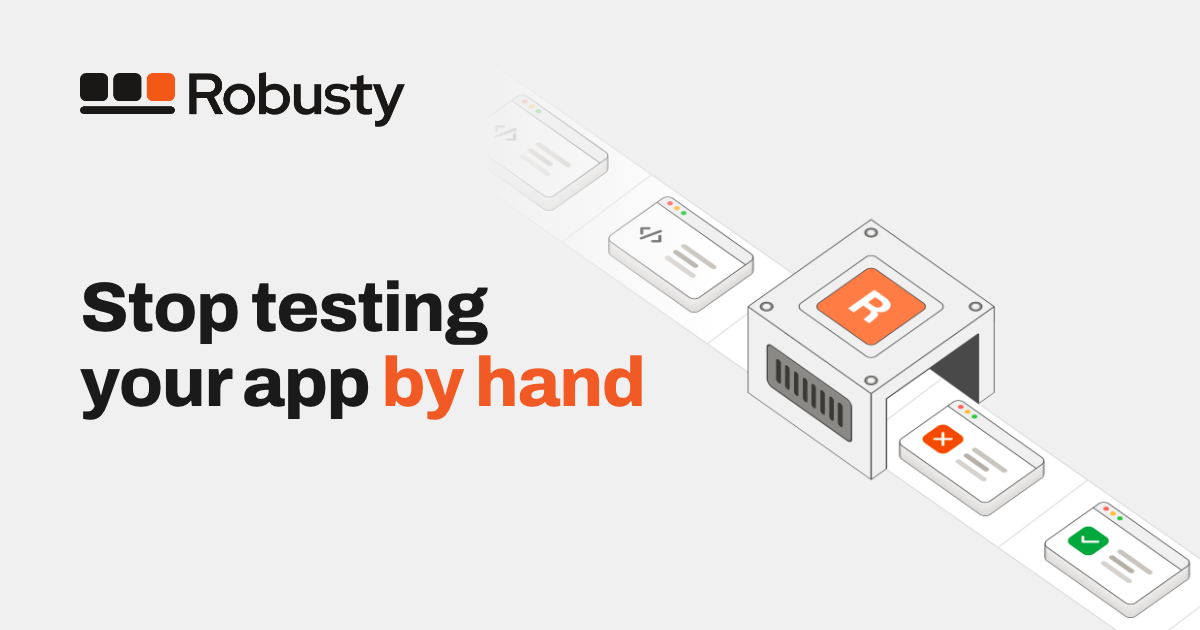
Robusty is an AI-powered testing platform that runs your plain-English tests in a real browser to catch broken flows.

No paid content found
Visit website
Profile views 0 Outbound visits 0 Normal
Robusty Full homepage screenshot

At a glance

Category
Development
Language
English
Paid-content signal
No paid content foundObserved
Registered
Unknown
Hosting
VercelInferred
HTTPS certificate trusted
PassedObserved
Last updated

Website review

This review may include AI-generated content and is not individually verified. Domain, certificate and other facts come from the observed data on this page.

What is Robusty?

Robusty is an AI-powered end-to-end testing platform that runs tests written in plain English inside a real browser. Instead of writing and maintaining fragile test scripts, you describe a user flow in ordinary language and an AI agent executes it, catching broken journeys before they reach customers. It is aimed at product and engineering teams who ship quickly and find manual QA too slow, while traditional automated tests break whenever the interface changes.

What it does

  • Plain-English test cases: You describe scenarios in natural language; the AI agent runs them in a live browser session you can watch step by step.
  • Fits existing workflows: Tests can be triggered manually, on a schedule, or from a CI/CD pipeline, with failure alerts sent to Slack, email, or webhooks.
  • Cloud execution: Tests run in Robusty's cloud in minutes, so there is no test infrastructure for your team to manage.
  • Adapts as your product evolves: The pitch is that AI-driven tests tolerate UI changes that would break conventional scripted tests.

Who it suits

A small team shipping a web app weekly is the clearest fit: a product manager can turn a checkout flow into a test without learning a test framework, and the team gets notified in Slack when it fails. Larger teams with private-network or browser-extension requirements, such as crypto wallets, are addressed by the Enterprise tier.

Practical trade-off

Plain-English tests lower the barrier to entry and reduce maintenance, but you trade some of the fine-grained control and determinism of code-based frameworks. If your team already has a mature, well-maintained test suite, the gain is smaller; if manual QA is your bottleneck, the switch is more compelling.

Next step

Pick your single most business-critical flow — signup, checkout, or password reset — and write it as a plain-English scenario. Run it once to see whether the agent interprets your wording the way a real user would, then decide whether to wire it into CI.

How do I write a plain-English test in Robusty?

Write the test as a short, literal description of what a user does and what should happen, then let the AI agent run it in a real browser. Robusty's model is plain-English, no-code end-to-end testing: you describe a scenario, and the agent executes it in a live browser session you can watch step by step.

A practical first test follows a simple shape:

  1. Start state — where the flow begins, such as the login page or a product listing.
  2. Actions in order — the clicks, typing and navigation a real user performs.
  3. Expected result — the visible outcome that proves the flow works.

For example: "Go to the login page, sign in with a valid account, open the first product, add it to the cart, and confirm the cart shows one item and the correct total." That covers a start point, a sequence and a checkable end state.

Keep the wording concrete

  • Name real labels, buttons and page titles as a user sees them ("click Add to cart").
  • Describe one flow per test rather than bundling unrelated checks.
  • State the observable result, not an internal one — what appears on screen, not what happens in the database.
  • Avoid vague verbs like "verify it works"; say what should be visible.

Fit it into your release process

Once a test reads well, decide when it runs. Robusty supports triggering tests manually, on a schedule, or from a CI/CD pipeline, with failure notifications through Slack, email or webhooks. Start by writing and watching one test manually, confirm the agent interprets your wording correctly, then attach it to the pipeline once it is reliable.

The main trade-off: plain-English tests are fast to write and survive UI changes better than scripted selectors, but the wording still needs to be unambiguous. If a step could be read two ways, the agent may take the wrong path — tighten the sentence rather than adding more steps.

Next step: write your highest-value flow — usually signup, login or checkout — as a single test, run it in the browser preview, and refine the wording until the agent's steps match what you intended.

Can Robusty run tests in a CI/CD pipeline?

Yes. Robusty supports triggering tests from your CI/CD pipeline, alongside manual runs and scheduled runs. When a test fails, the platform can notify you through channels such as Slack, email, or webhooks, so a broken flow surfaces during the build rather than after release.

What that looks like in practice

A common setup is to run a small smoke suite on every pull request and a broader end-to-end suite before deploying to production. Because tests are written in plain English and executed by an AI agent in a real browser rather than as fragile selector-based scripts, they are less likely to break purely because the UI markup changed. That matters most for teams shipping frequently, where traditional automated tests demand constant maintenance.

Trade-offs to weigh

  • Cloud execution: Tests run in Robusty's cloud in a few minutes, so there is no test infrastructure for you to manage. The flip side is a dependency on an external service and network latency rather than a runner inside your own environment.
  • Plain-English authoring: This lowers the barrier for product managers, designers, and QA generalists who do not write code. Highly technical teams that prefer full control over test code may find it less flexible than a framework like Playwright or Cypress.
  • Pricing shape: The published plans are metered by test runs per month, so heavy CI usage directly affects cost. The Team plan bills overages per run, which is worth modelling if you intend to run suites on every commit.

Next step

Check whether Robusty's CI integration matches your platform — for example, a GitHub Actions or GitLab CI step — and start with a single critical flow, such as login or checkout, before expanding. If you want to compare approaches, Playwright and Cypress are the code-first alternatives, while GitHub hosts the CI runners many teams already use.

How does Robusty compare to traditional automated testing tools?

Robusty differs from traditional automated testing tools mainly in how tests are written and maintained. Traditional frameworks such as Selenium, Cypress or Playwright require you to express every step in code: selectors, waits, assertions, page objects. Robusty instead asks you to describe a scenario in plain English, and its AI agent executes that scenario in a real browser. The page frames this as closing the gap between fast AI-era development and slow manual QA, with tests that adapt as the UI changes rather than breaking on every markup tweak.

Where the difference shows up

  • Authoring. Code-based tools need programming skill and a test framework setup. Robusty's no-code cases are written as plain-language scenarios and run in a browser preview, which is friendlier to product managers, designers or support staff who know the flow but not the stack.
  • Maintenance. Selector-based suites break when class names, IDs or DOM structure change. Robusty claims its AI adapts automatically as the product evolves, reducing the repair work that traditionally consumes much of a QA engineer's week.
  • Execution and scale. You can trigger tests manually, on a schedule or from CI/CD, and run them in Robusty's cloud in minutes with no infrastructure to manage. Traditional setups often mean maintaining grid infrastructure or CI runners yourself.
  • Failure handling. Notifications go out through Slack, email or webhooks, so the feedback loop is built in rather than assembled from separate reporting tools.

Trade-offs to weigh

Code-based tools give you precise control over timing, network stubbing, complex assertions and edge-case logic. If your product depends on intricate state setup or unusual browser behaviour, a plain-English layer may not express it as exactly as a script can. Robusty also runs in its own cloud, so tests needing local fixtures, internal services or special browser extensions are a consideration — the page lists private network testing and browser extension support such as MetaMask under its Enterprise plan, which suggests those needs sit above the entry tiers.

Cost shape

Robusty prices by test runs per month rather than per seat alone: a free trial with 20 runs and no credit card, a Starter tier with 300 runs and 2 users, a Team tier with 1,000 runs and unlimited users, and a custom Enterprise tier with unlimited runs. Overage on Team is billed per additional run. Traditional tools are usually licensed per user or open source with your own hosting costs, so the comparison depends on whether you value engineer time over run volume.

A practical way to decide

Take one flaky or high-value flow — checkout, signup, password reset — and write it both ways: once as a plain-English scenario in Robusty and once in your existing framework. Compare setup time, how each behaves after a UI change, and how quickly a non-engineer on your team could read the result. If the plain-English version covers the flow and survives a redesign, it is a strong candidate for your regression suite; keep code-based tests for the narrow cases that need exact control.

What happens if my UI changes and breaks my existing tests?

Robusty is built to absorb UI changes rather than break on them. Its tests are written as plain-English scenarios instead of CSS selectors or element IDs, and an AI agent runs those scenarios in a real browser. When a button moves, a label is reworded, or a layout is restructured, the agent re-interprets the intent of the scenario and finds the matching element again. Robusty's page describes this as closing the gap left by "traditional automated tests [that] break the moment your UI changes," and says tests "adapt automatically as your product evolves."

What this changes in practice

  • Fewer false alarms after a redesign. A developer who renames a "Submit" button to "Send" or swaps a table for a card grid usually does not have to touch the test.
  • Maintenance shifts from code to wording. The remaining work is keeping the plain-English steps accurate — for example, if you genuinely remove a checkout step, the scenario must be updated because the flow itself changed.
  • Genuine breakage still surfaces. If a flow is truly broken, the run fails and you get notified through Slack, email, or webhooks, which is the signal you actually want.

The trade-off to watch

Adaptive matching is not the same as guaranteed correctness. If your UI changes in a way that makes two elements look alike to a language model — two "Continue" buttons on one screen, or an ambiguous "the settings icon" — the agent may act on the wrong one and pass a test that a human would have caught. The practical safeguard is to write scenarios with distinguishing detail ("click Continue in the shipping section") rather than bare labels, and to watch the live browser session when a test covers a flow you have just redesigned.

A realistic scenario

Suppose a designer moves your account menu from the top-right corner into a left sidebar. A selector-based suite might fail a dozen tests the next morning. With plain-English steps like "open the account menu and go to Billing," the agent looks for the account menu wherever it now lives, and most of those tests keep passing. The one test that does fail is the one where the flow itself changed — which is exactly the test worth reading.

Next step

Run your most change-prone flow — signup, checkout, or onboarding — as your first test, then deliberately rename a button or move a component and re-run it. That single experiment tells you how much of your suite you can stop maintaining by hand. If you want to see how this compares with conventional end-to-end tools, look at Playwright or Cypress, where tests are tied to selectors and typically need editing whenever the UI shifts.

How much does Robusty cost per month?

Robusty's published monthly plans are $29 for Starter, $99 for Team, and custom pricing for Enterprise, according to the plan details on its page. All three are billed around test runs rather than seats alone, which matters if your test volume varies a lot month to month.

What each tier includes

Plan Price Test runs Users Support and overage
Starter $29/month 300 2 Email support; no overages — upgrade for more runs
Team $99/month 1,000 Unlimited Priority support; extra runs billed at $0.12 each
Enterprise Custom Unlimited Unlimited Advanced support, SLAs, private network testing, browser extension support

A free trial covers 20 test runs with no credit card required.

How to choose

The practical decision is whether you expect to exceed your run allowance. Starter stops you rather than charging extra, so it suits a small team running a fixed set of flows. Team makes sense once you want unlimited users or expect occasional spikes, since the $0.12 per-run overage keeps you running without a plan change. Enterprise is aimed at organisations needing SLAs, private network testing, or wallet-style browser extensions.

Next step: count how many end-to-end flows you'd run per release, multiply by releases per month, and compare that figure against 300 and 1,000 runs. If your number sits near a boundary, the overage rate on Team is the figure to weigh against upgrading.

Related questions

More questions →
What Is AI End-to-End Testing and How Does It Differ from Traditional E2E Testing?

AI end-to-end testing uses an AI agent to drive a real browser through a complete user flow that you describe in plain English, instead of writing code that targets specific page elements. It fits teams shipping UI changes faster than manual QA or scripted tests can keep up with. The trade-off is that you're relying on the agent's interpretation of your scenario, and you typically pay per test run rather than per seat or per server.

How AI end-to-end testing works

The core loop is short: you write a scenario, the agent executes it in a browser, you review what happened.

  1. Write the scenario in plain language. Something like "log in, add an item to the cart, and complete checkout." No selectors, no page objects, no framework setup.
  2. The AI agent runs it in a real browser. Robusty describes this as turning "a plain-language scenario into a live browser session you can watch step by step, through your customer's eyes."
  3. You review the step-by-step result. Because the run is a real browser session, you can see where a flow broke rather than parsing a stack trace.
  4. Trigger it however fits your workflow. Manually, on a schedule, or from your CI/CD pipeline.

The claim that matters most here is adaptation: when your UI changes, the agent re-interprets the scenario rather than failing on a moved button. That's the mechanism that separates this from scripted testing, and it's also the part worth verifying against your own app before you commit.

AI-driven vs. traditional scripted E2E testing

Dimension Traditional scripted E2E AI end-to-end testing
How tests are authored Code with selectors and page objects Plain-English scenarios
Reaction to UI changes Breaks when selectors or DOM change Adapts as the product evolves
Maintenance overhead Ongoing; tests need updating with the UI Described as minimal — no fragile scripts to maintain
Execution environment Usually infrastructure you run and manage Cloud execution, no infrastructure to manage
Who can write tests Engineers Anyone who can describe the flow
Cost model Infrastructure plus engineering time Per test run (see pricing below)

The practical difference shows up in maintenance. A scripted suite encodes how to find each element; when the markup shifts, the test fails even though the feature works. An AI-driven suite encodes what the user is trying to do, so the same scenario can survive a redesign. That's the gap Robusty is built to close: "Manual QA is too slow to keep pace, and traditional automated tests break the moment your UI changes."

What to expect in practice

Beyond authoring, the operational pieces are what determine whether this replaces or supplements your existing suite:

  • Triggers: manual runs, scheduled runs, and CI/CD pipeline integration.
  • Failure notifications: Slack, email, and webhooks.
  • Execution speed: cloud runs complete in "just a few minutes," with no infrastructure for you to manage.
  • Setup time: Robusty states you can set up a first test in about 5 minutes.

Trade-offs and limits to weigh

  • Run-based pricing. Robusty's model is "pay for what you run," billed on monthly test runs. The free trial includes 20 test runs with no credit card required. Paid tiers start at $29/month for 300 runs and 2 users, and $99/month for 1,000 runs and unlimited users, with overage at $0.12/run on the Team plan. Enterprise is custom with unlimited runs. If your suite is large or runs frequently, model your monthly run volume before choosing a tier — the Starter plan has no overages, so you'd upgrade rather than pay per extra run.
  • Flakiness doesn't disappear. An AI agent interpreting a scenario can still misread an ambiguous instruction or a genuinely unstable page. Vague scenarios are the most likely source of inconsistent results, so write steps concretely.
  • Scripted tests still make sense where you need deterministic assertions on exact values, tight control over test data, or coverage of non-browser layers like APIs and background jobs. AI-driven browser testing targets user-facing flows, not everything.
  • Plan limits matter. User seats and run counts are capped on lower tiers, which affects whether the whole team can author and review tests.

When this is the right fit

AI end-to-end testing suits teams whose UI changes often enough that scripted tests become a maintenance tax, and who want non-engineers contributing test coverage. It's less suited to teams that need strict, deterministic assertions across every layer of the stack, or whose run volume makes per-run pricing more expensive than self-hosted infrastructure.

If you want to judge it against your own app, the lowest-commitment path is the free trial: describe one critical flow in plain English, run it, then change something in that flow's UI and run it again. That second run tells you more about the adaptation claim than any feature list.

What Is End-to-End Testing and Why Does It Matter for Every Release?

End-to-end (E2E) testing validates a complete user flow through your real application — UI, backend, and any third-party services — rather than checking isolated pieces in isolation. It matters because most release-breaking regressions only appear when those layers interact. You need E2E testing when a change touches shared behavior (auth, payments, data writes); you can skip it for pure logic changes already covered by unit tests.

How E2E testing differs from unit and integration testing

Layer What it checks Scope Typical speed Best for
Unit One function or component in isolation Smallest Milliseconds Logic, edge cases, calculations
Integration Two or more modules talking to each other Medium Seconds API contracts, DB queries, service boundaries
End-to-end A full user journey through the deployed app Largest Seconds to minutes Release confidence, cross-layer regressions

The practical rule: unit and integration tests tell you a piece works. E2E tests tell you the product works for a user. You want all three, but only E2E catches the failure mode where every unit passes and the signup button still does nothing because a header, an API field, and a redirect all changed independently.

Why E2E testing catches what other tests miss

Regressions rarely live inside one module. They live in the seams:

  • A frontend rename that no longer matches the backend's expected payload.
  • A third-party auth or payment provider changing a redirect URL.
  • A cookie or session change that only breaks the flow after login.
  • A UI element moving so a script can no longer find it.

Each of these passes unit and integration tests because no single unit is wrong. Only a test that drives the real browser through the real stack sees the break. This is the core value proposition behind AI-driven E2E platforms like Robusty, which run plain-English test scenarios in a real browser to catch broken flows and adapt as the UI changes.

How teams actually run E2E tests

There is no single correct trigger. Most teams use a mix:

  • Manually — run a flow on demand before a risky release or while debugging.
  • On a schedule — a nightly or hourly run to catch drift from external services.
  • In CI/CD — gate merges or deploys so a broken flow blocks the release automatically.

When a run fails, the value is in how fast you find out. Robusty, for example, notifies via Slack, email, or webhooks on failure, and runs tests in its cloud rather than requiring you to manage infrastructure.

The main trade-off: confidence vs. cost

E2E tests give you the strongest signal that a release is safe, but they are the slowest and historically the most brittle layer. Traditional scripted E2E tests break the moment a selector or layout changes, which creates maintenance overhead that can outweigh the benefit.

Two things reduce that cost:

  1. Cover fewer, more critical journeys. Don't E2E-test everything — test the flows that lose money or users if they break.
  2. Reduce brittleness. AI-driven approaches that describe scenarios in plain English and adapt to UI changes avoid the constant selector-chasing of scripted tests.

A practical first E2E test

Start with one critical user journey — signup or checkout are the usual picks — and cover it end to end:

  1. Pick the journey that, if broken, would block revenue or onboarding.
  2. Write the scenario as user steps: open the page, enter credentials, submit, confirm the expected result appears.
  3. Run it against the real deployed app, not a mock.
  4. Verify the assertion checks the outcome a user cares about (e.g., "dashboard loads"), not an internal detail.
  5. Wire it into your workflow — manual first, then a schedule or CI/CD gate once it's stable.

Once that one flow is green and reliable, add the next most critical journey. A small set of trustworthy E2E tests beats a large, flaky suite you learn to ignore.

Choosing how to run E2E testing

  • If you have engineering time and stable UI: scripted frameworks give full control.
  • If your UI changes often or you lack dedicated QA: a no-code, AI-driven platform that runs plain-English tests in a real browser removes script maintenance.
  • If you're pre-revenue or tiny: one manual E2E pass per release may be enough until the flow stabilizes.

The decision hinges on how fast your UI changes and how much maintenance you can absorb — not on which tool is "best" in the abstract.

What Is an AI Testing Platform and How Does AI-Powered End-to-End Testing Work?

An AI testing platform is a tool that runs end-to-end tests written in plain English inside a real browser, using an AI agent to execute the steps instead of a hand-coded script. It fits teams that ship UI changes faster than manual QA or traditional scripted automation can keep up with. Robusty, for example, describes itself as an AI-powered testing platform that "runs your plain-English tests in a real browser to catch broken flows," and it positions the approach against two common bottlenecks: manual QA that is too slow, and traditional automated tests that "break the moment your UI changes."

How an AI testing platform differs from scripted automation

Traditional end-to-end automation depends on selectors, page objects, and step-by-step code. Every UI change risks breaking the test even when the product still works, so the maintenance overhead grows with the app. An AI testing platform changes two parts of that model:

  • Test authoring: you describe the scenario in plain English rather than writing selectors and assertions.
  • Test execution: an AI agent interprets that description and drives a real browser session, adapting to the interface as it changes.

The practical result is that the test is tied to user intent ("log in, add an item to the cart, check out") rather than to a specific DOM structure, which is what makes it more resilient to UI churn.

How plain-English tests become live browser sessions

The mechanism, as described by Robusty, follows a short loop:

  1. Describe the scenario. You write the test case in plain English — no code, no fragile scripts.
  2. The AI agent runs it. The scenario is turned into a live browser session you can watch step by step, "through your customer's eyes."
  3. The test executes in the cloud. Runs complete in a few minutes, with no infrastructure for you to manage.
  4. You get notified on failure. Alerts go to Slack, email, webhooks, or similar channels.

Because the agent operates the browser rather than replaying a fixed script, the same test can keep working as the product evolves — the platform's stated purpose is to "guard every release from regressions and adapt automatically as your product evolves."

Key capabilities to look for

Capability What it means in practice
No-code test creation Scenarios written in plain English, no selector maintenance
Self-adapting execution Tests survive UI changes that would break scripted automation
Trigger flexibility Run tests manually, on a schedule, or in your CI/CD pipeline
Failure alerts Instant notification via Slack, email, webhooks, etc.
Cloud execution Runs finish in minutes without you managing test infrastructure

Common use cases

  • Regression guarding before releases. Run the same end-to-end flows on every release so broken paths are caught before users hit them.
  • Replacing slow manual QA. Offload repetitive click-through checks so QA time goes to exploratory or edge-case work.
  • Keeping pace with fast shipping. When UI changes land frequently, self-adapting tests avoid the rewrite cycle that scripted suites require.
  • Watching critical flows continuously. Scheduled runs catch breakage between releases, not just at release time.

Practical evaluation factors

Before committing, check these against your own workflow:

  • Setup time. Robusty claims a first test can be set up in about 5 minutes. Verify that against your app's login and environment complexity.
  • Execution location. Cloud execution means no infrastructure to manage, but confirm it can reach any private or staging environments you test against.
  • Pricing model. Robusty prices by test runs per month: a free trial with 20 test runs, a Starter plan at $29/month for 300 runs and 2 users, a Team plan at $99/month for 1,000 runs and unlimited users (overage at $0.12/run), and a custom Enterprise plan with unlimited runs and private network testing. The free trial is listed as requiring no credit card.
  • CI/CD fit. Confirm the platform can be triggered from your pipeline and can notify the channels your team already uses.
  • Special browser needs. If your flows involve browser extensions (for example, crypto wallets), check whether that is supported on your intended plan.

The core question to answer is whether your release cadence is outrunning manual QA or breaking scripted tests. If it is, an AI testing platform that executes plain-English scenarios in a real browser is a direct fit; if your UI is stable and your scripted suite is cheap to maintain, the advantage is smaller.

What Is AI QA Testing and How Does AI-Powered End-to-End Testing Work?

AI QA testing uses an AI agent to execute end-to-end tests written in plain English inside a real browser, instead of relying on hand-run checklists or scripted automation. It fits teams that ship UI changes frequently and find manual QA too slow and traditional automated tests too brittle. The core trade-off: you describe intent in natural language and the AI adapts to UI changes, but you're depending on the platform's interpretation of that intent rather than on explicit, version-controlled selectors.

How AI-powered end-to-end testing works

The workflow replaces script authoring with scenario description:

  1. Write the test in plain English. You describe the scenario as a user would experience it, rather than coding steps against element selectors.
  2. The AI agent runs it in a real browser. Robusty turns the plain-language scenario into a live browser session you can watch step by step "through your customer's eyes."
  3. The test adapts as your product evolves. Because the agent interprets intent rather than fixed selectors, UI changes don't immediately break the test the way scripted tests do.
  4. Failures surface through your existing channels. Tests can be triggered manually, on a schedule, or in CI/CD, and failures notify you via Slack, email, or webhooks.

The practical difference from traditional E2E automation is where the maintenance lives. Scripted tests encode how to find and click elements, so a renamed button or restructured DOM breaks them. AI tests encode what the user is trying to do, so the agent re-resolves the steps at run time.

AI QA testing vs. manual QA vs. traditional automation

Dimension Manual QA Traditional automated E2E AI QA testing
Test authoring Written checklists, run by hand Code with selectors and assertions Plain-English scenarios, no code
Speed to run Slow; limited by human testers Fast once written Cloud runs complete in a few minutes
Response to UI changes Testers adapt on the fly Tests break and need script fixes Agent adapts automatically
Maintenance burden Ongoing human time Ongoing script upkeep Low; no fragile scripts to maintain
Coverage of new flows Added as testers have time Requires new code per flow New scenario described in plain English

Manual QA is too slow to keep pace with fast release cycles, and traditional automated tests break the moment the UI changes. AI QA testing targets that specific gap: guarding every release from regressions while adapting as the product evolves.

Where AI tests fit into your workflow

AI end-to-end tests aren't a separate ritual — they plug into triggers you already use:

  • Manual trigger for a quick check before merging.
  • Scheduled runs for recurring regression coverage.
  • CI/CD pipeline so tests run as part of your release process.
  • Failure alerts routed to Slack, email, or webhooks, so the right person knows immediately.

Execution happens in the platform's cloud, so there's no test infrastructure to manage. That matters if your team doesn't want to own browser grids or runner maintenance.

Adoption factors to weigh

Before committing, check these against your situation:

  • Setup time. Robusty states you can set up your first test in about 5 minutes.
  • Pricing model. Costs scale with test runs per month, not seats alone. Robusty's published tiers:
    • Free trial: 20 test runs, no credit card required.
    • Starter: $29/month, 300 test runs, 2 users, email support, no overages (upgrade for more runs).
    • Team: $99/month, 1,000 test runs, unlimited users, priority support, overage billed at $0.12/run.
    • Enterprise: custom pricing, unlimited test runs and users, advanced support and SLAs, private network testing, and browser extension support (e.g., MetaMask).
  • Run volume. Estimate your monthly test runs against the tiers; the per-run overage rate on the Team plan ($0.12/run) is the number that matters if you expect to exceed 1,000 runs.
  • Browser extension needs. If your app depends on wallet or other browser extensions, that capability is listed under Enterprise.

If your team ships UI changes weekly and currently spends hours re-fixing broken scripts or waiting on manual passes, the run-based pricing and plain-English authoring are worth testing against your own flows. If your tests are stable, deeply custom, and rarely touched, the maintenance savings may be smaller than the migration effort.

What Is AI Testing and How Does AI-Powered End-to-End Testing Work?

AI testing uses an AI agent to execute test scenarios written in plain English inside a real browser, instead of relying on hand-run checklists or brittle script code. It fits teams that ship UI changes faster than manual QA can verify and that are tired of maintaining selectors and step definitions. It is not a blanket replacement for unit tests, API contract tests, or exploratory testing — those still cover logic and edge cases an end-to-end browser run won't reach.

AI testing vs. manual QA vs. script-based automation

Dimension Manual QA Script-based automation AI end-to-end testing
How tests are written Human writes a checklist Engineer writes code with selectors and assertions Tester describes the scenario in plain English
What happens when the UI changes Human adapts on the spot Test often breaks and needs code fixes Tests are described as intent and adapt as the product evolves
Speed to first test Immediate but slow to repeat Slow to build, fast to repeat Fast to write, runs in a real browser
Maintenance load Low tooling, high human time High — scripts and page objects drift Low — no fragile scripts to maintain
Where it runs Local device or staging CI runner or grid Cloud browser session, or triggered from CI/CD

The core trade-off: manual QA is flexible but doesn't scale, and traditional automation scales but breaks the moment your UI shifts. AI-driven end-to-end testing targets that gap by keeping the test intent stable while the underlying page changes.

How a plain-English test becomes a live browser session

Robusty describes the flow as turning a plain-language scenario into a live browser session you can watch step by step, through your customer's eyes. The practical sequence:

  1. Input — You write the scenario in plain English, e.g. "log in, add an item to the cart, and complete checkout."
  2. Action — The AI agent interprets the steps and drives a real browser to execute them.
  3. Expected result — You get a run you can watch step by step, so a broken flow is visible rather than buried in a stack trace.

Because the test is expressed as intent rather than a fixed selector chain, it is designed to adapt automatically as your product evolves — the maintenance overhead that normally comes with scripted suites is the thing being removed.

Fitting AI tests into your release process

AI end-to-end tests are most useful when they run without someone remembering to click "go." Robusty supports three trigger modes:

  • Manual — run a test on demand, useful while authoring or debugging a scenario.
  • Scheduled — run on a recurring schedule to catch regressions between releases.
  • CI/CD pipeline — trigger tests as part of your build and deploy flow.

When a run fails, notifications go out through channels like Slack, email, and webhooks, so the failure reaches the people who can act on it rather than sitting in a dashboard.

What it costs and how runs are counted

Pricing is based on the test runs you use each month, and the free trial includes 20 test runs with no credit card required.

Plan Price Test runs Users Notes
Free trial — 20 runs — No credit card required
Starter $29/month 300 runs 2 Email support; no overages — upgrade for more runs
Team $99/month 1,000 runs Unlimited Priority support; overage billed at $0.12/run
Enterprise Custom Unlimited Unlimited Advanced support & SLAs, private network testing, browser extension support (e.g. MetaMask)

Two details worth noting before you commit: the Starter plan has no overages, so exceeding 300 runs means upgrading rather than paying per extra run, while the Team plan bills overage at $0.12/run. Enterprise is the only tier that lists private network testing and browser extension support, which matters if your flows depend on wallet extensions or internal-only environments.

When AI testing is the right call — and when it isn't

Good fit:

  • Your UI changes frequently and scripted tests keep breaking.
  • Manual QA is the bottleneck between a finished feature and a release.
  • You want end-to-end coverage without standing up and maintaining test infrastructure — Robusty runs tests in its cloud in a few minutes.
  • Your team includes people who can describe user flows but don't write test code (no-code test cases).

Weaker fit:

  • You need deterministic assertions on exact DOM structure, pixel output, or low-level logic — unit and integration tests remain the right tool.
  • Your flows depend on private network access or browser extensions and you're not on a plan that includes them.
  • You have very high run volumes where per-run pricing needs to be modeled against your CI frequency before choosing a tier.

A reasonable starting point: pick one critical user flow, write it as a plain-English scenario, run it manually to confirm the agent handles it, then move it to a schedule or your CI pipeline. If it survives a few UI changes without edits, that's the signal AI end-to-end testing is earning its place in your stack.

Website Overview

Page metadata, canonical configuration and social previews work together to provide more consistent search and sharing presentation. An active inbound-mail setup with incomplete authentication may leave the domain more open to impersonation. Provider hosting alone does not close that gap.

Domain and Registration

Unknown

DNS and Email

MX records exist, but SPF, DKIM and DMARC were not detected. Protection against domain impersonation may be incomplete. Nameservers are provided by Cloudflare, indicating managed DNS hosting. MX records point to the Google Workspace email service. TXT records include verification markers for Google. Such markers may also remain after a service stops being used. The lowest observed DNS TTL is 300 seconds.

TLS and Certificates

The certificate uses an RSA 2048-bit public key, offering broad client compatibility. The server supplied a complete certificate chain. No organization name is present in the certificate; the available fields are consistent with domain validation. The certificate was issued by Let's Encrypt, commonly associated with automated certificate services. The certificate's total validity is about 89 days, consistent with a short renewal cycle.

HTTP and Browser Security

X-Powered-By exposes backend information: Next.js. The response lacks these common security headers: CSP, X-Content-Type-Options, Referrer-Policy, Permissions-Policy, clickjacking protection. No obvious internal addresses or debug information were found in the headers. The Server header contains the custom value Vercel. No explicit CDN or WAF marker was found in the response headers.

Technology Stack Analysis

The public page identifies Next.js, Vercel without precise versions, leaving fewer clues for version-specific scanning.

Search and Social Sharing

Twitter Card metadata is configured. JSON-LD includes Organization data, helping describe the organization as an entity. The title has 38 characters, within a common display range. A meta description is present, with 117 characters. The observed directives allow indexing and link following.

Hosting and Email

DNSCloudflare
HostingVercel
EmailGoogle Workspace
Approximate IP geolocation (inferred; a CDN or proxy may differ from the origin server) United States flagUnited States Inferred 216.150.1.193

Registration details

RDAP / WHOIS

Unknown

DNS records

DNS

TypeNameValueTTLPriority
A7cfcbec5fe2bc900.vercel-dns-017.com216.150.1.193300—
A7cfcbec5fe2bc900.vercel-dns-017.com216.150.16.193300—
MXrobusty.iosmtp.google.com3001
NSrobusty.ioalexa.ns.cloudflare.com86400—
NSrobusty.iolakas.ns.cloudflare.com86400—
TXTrobusty.iogoogle-site-verification=Bv15P4BjHFJSmKgsFcvY2fbdnhZ6m9Hmklshs8L3rUU3600—
TXTrobusty.iogoogle-site-verification=jBjsy6CyGr_MEXxnkVU9h53xlowpGplXzdgDuSW1YPY3600—
CNAMEwww.robusty.io7cfcbec5fe2bc900.vercel-dns-017.com300—

TLS and certificates

TLS / SSL

AssessmentNormal configuration
Supported protocolsTLSv1.2、TLSv1.3
Negotiated protocolTLSv1.3
Certificate subjectwww.robusty.io
IssuerLet's Encrypt
Valid until2026-11-27T06:53 · Remaining when checked: 43 days
Verification detailsCertificate trust: Passed · Hostname match: Passed

HTTP response headers

HTTP

HeaderValue
content-typetext/html; charset=utf-8
cache-controlpublic, max-age=0, must-revalidate
serverVercel
strict-transport-securitymax-age=63072000

Identified technologies

Next.jsVercel

Pages, Search and Sharing

Meta descriptionRobusty is an AI-powered testing platform that runs your plain-English tests in a real browser to catch broken flows.
Canonical URLhttps://www.robusty.io
LanguageEnglish (default)
Twitter Cardsummary_large_image
All bots 0 allowed · 6 disallowed
  • Disallow/forgot-password
  • Disallow/reset-password
  • Disallow/auth/
  • Disallow/dashboard
  • Disallow/account-settings
  • Disallow/project/
gptbot 1 allowed · 6 disallowed
  • Allow/
  • Disallow/forgot-password
  • Disallow/reset-password
  • Disallow/auth/
  • Disallow/dashboard
  • Disallow/account-settings
  • Disallow/project/
oai-searchbot 1 allowed · 6 disallowed
  • Allow/
  • Disallow/forgot-password
  • Disallow/reset-password
  • Disallow/auth/
  • Disallow/dashboard
  • Disallow/account-settings
  • Disallow/project/
chatgpt-user 1 allowed · 6 disallowed
  • Allow/
  • Disallow/forgot-password
  • Disallow/reset-password
  • Disallow/auth/
  • Disallow/dashboard
  • Disallow/account-settings
  • Disallow/project/
claudebot 1 allowed · 6 disallowed
  • Allow/
  • Disallow/forgot-password
  • Disallow/reset-password
  • Disallow/auth/
  • Disallow/dashboard
  • Disallow/account-settings
  • Disallow/project/
claude-user 1 allowed · 6 disallowed
  • Allow/
  • Disallow/forgot-password
  • Disallow/reset-password
  • Disallow/auth/
  • Disallow/dashboard
  • Disallow/account-settings
  • Disallow/project/
anthropic-ai 1 allowed · 6 disallowed
  • Allow/
  • Disallow/forgot-password
  • Disallow/reset-password
  • Disallow/auth/
  • Disallow/dashboard
  • Disallow/account-settings
  • Disallow/project/
perplexitybot 1 allowed · 6 disallowed
  • Allow/
  • Disallow/forgot-password
  • Disallow/reset-password
  • Disallow/auth/
  • Disallow/dashboard
  • Disallow/account-settings
  • Disallow/project/
google-extended 1 allowed · 6 disallowed
  • Allow/
  • Disallow/forgot-password
  • Disallow/reset-password
  • Disallow/auth/
  • Disallow/dashboard
  • Disallow/account-settings
  • Disallow/project/

User reviews (0)

  • No reviews yet.