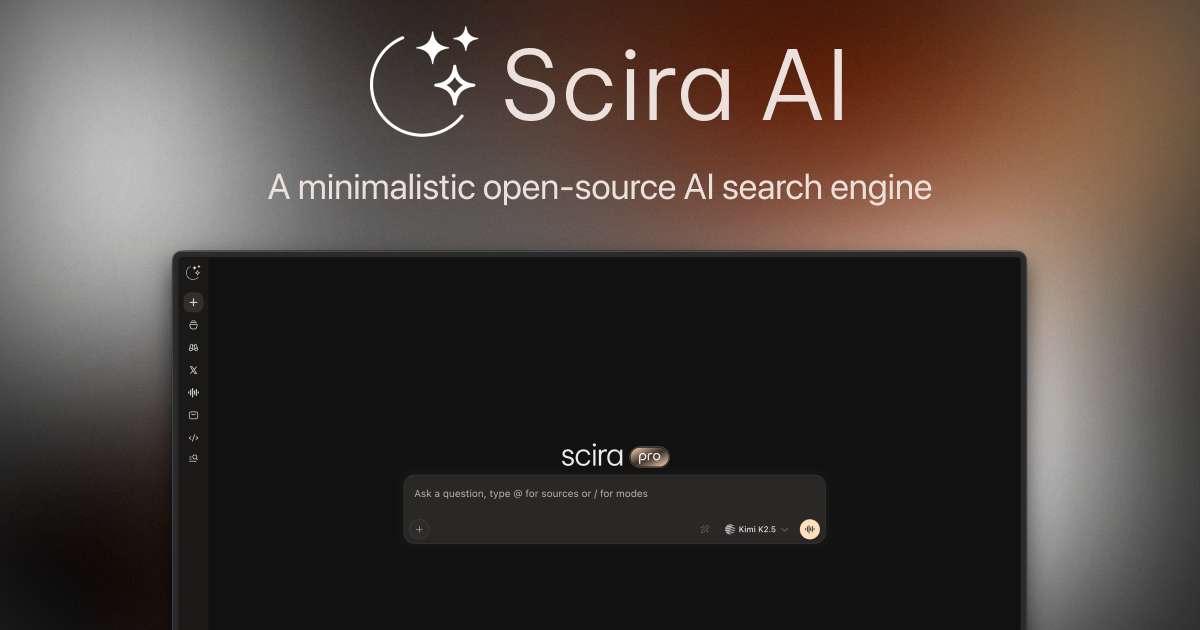
Scira AI Full homepage screenshot

At a glance

Category
Artificial Intelligence
Language
English
Paid-content signal
No paid content foundObserved
Registered
2025
Hosting
VercelInferred
HTTPS certificate trusted
PassedObserved
Last updated

Website review

This review may include AI-generated content and is not individually verified. Domain, certificate and other facts come from the observed data on this page.

What is Scira AI?

Scira AI is an AI search engine that answers questions by finding sources, showing its reasoning, and citing what it used. Rather than returning a plain list of links, it reads across results and produces an answer with visible work behind it. The site also describes acting in apps you already use, so it leans toward research and task support rather than simple lookup.

What it's built for

The interface centers on a single "Ask anything" box with example prompts about recent posts, product announcements, and developer opinions. That framing suits questions where you want a synthesized answer plus references, not just a search results page.

Several search modes are exposed:

  • Web — general search and synthesis
  • X Search and Reddit Search — pull from social and community discussion, useful for sentiment or firsthand reports
  • Research — deeper multi-source investigation
  • Videos and Fact Check — video-oriented results and claim verification

A Library and Tools area suggest saved research and utility features, though the available details don't specify how they work.

Who gets the most from it

A practical fit is a developer or analyst tracking fast-moving topics — for example, checking what people are saying about a coding tool or gathering recent announcements across sources. The community-search modes are the differentiator: if your question is "what are practitioners actually saying," pulling from X and Reddit alongside the web is more direct than reading blog summaries.

The trade-off is the usual one for AI search: synthesized answers are convenient but need checking against the cited sources, especially for contested or time-sensitive claims. For a quick definition or a settled fact, a conventional search engine may be faster; for a multi-source briefing with references, Scira's approach saves effort.

Next step

Start with a question you can verify — something with a clear correct answer — and compare Scira's cited answer against the sources it lists. That tells you quickly whether its sourcing matches how you'd check work yourself. For broader context on AI-assisted search tools, see Perplexity.

How does Scira AI cite its sources so I can verify its answers?

Scira AI shows its work by attaching sources to the answers it generates, so you can check the underlying material rather than take a claim on trust. The page describes it as an AI search engine that "reads deep, cites its sources, and acts in the apps you already use," and the interface presents a set of source-oriented modes—Web, X Search, Reddit Search, Research, Videos, and Fact Check—alongside the main ask box. The practical implication is that verification is built into the flow: you pose a question, Scira selects sources, and the response surfaces those sources for you to inspect.

Putting the citations to work

  • Match each claim to a citation. When an answer makes a specific factual assertion—a date, a number, a quote—find the source behind it and open it. If a sentence has no visible source, treat it as the model's synthesis rather than verified fact.
  • Check that the source actually says it. The most common citation failure is a source that is related but doesn't support the precise wording. Skim the cited page for the exact figure or phrase.
  • Use the mode that fits the question. A claim about what someone posted publicly is best checked through X Search; community sentiment through Reddit Search; a contested factual claim through Fact Check. The mode shapes which sources get pulled in, which in turn shapes what you can verify.
  • Prefer primary sources when stakes are high. If an answer cites a summary of a study, go to the study; if it cites a report about a company, go to the company's own announcement.

A quick decision rule

For low-stakes curiosity—what people are saying about a tool, recent announcements—spot-checking one or two citations is usually enough. For anything you'll act on or repeat to others (medical, legal, financial, or published claims), open every citation behind the key claims and confirm the wording matches. The citations make that check fast; they don't replace it.

As a next step, try a question with a checkable fact in it, such as a recent announcement, and walk each citation back to its origin. If you want a second pass, compare the same question against another search tool—for example Perplexity—and see whether the cited sources agree.

Can Scira AI search X and Reddit for recent posts and community opinions?

Yes. Scira AI presents X Search and Reddit Search as dedicated modes alongside Web, Research, Videos and Fact Check, so you can target recent social posts or community discussion instead of a general web crawl.

Where each mode fits

Need Mode to use What you get Trade-off
A public figure's latest statements X Search Recent posts from a named account or topic Post volume and noise; threads can be hard to reconstruct
Developer or product sentiment Reddit Search Community threads and opinions Skewed toward vocal subreddits; older threads may rank high
Broader context around a claim Research or Fact Check Multi-source synthesis with cited sources Slower than a quick social scan

A practical example: checking what developers say about an IDE. Run Reddit Search for hands-on complaints and praise, then X Search for reactions to the latest release, and compare the two. Reddit tends to give longer reasoned takes; X gives immediacy and volume.

The page states Scira "picks the sources and shows its work," so treat its citations as the starting point and open the original posts before quoting anyone. For mainstream coverage alongside social sentiment, cross-check with Reddit directly or a general engine such as Google.

Next step: pick one question you already have an opinion about, run it in both X Search and Reddit Search, and note where the two disagree — that gap is usually the most useful finding.

How does Scira AI compare with a standard AI chatbot for fact-checking a claim?

Scira AI is built for source-backed checking, while a standard chatbot is built for conversation. For fact-checking a claim, that difference matters more than raw answer quality.

Where they differ

Scira presents itself as a search engine that "picks the sources and shows its work," with a dedicated Fact Check mode alongside X Search, Reddit Search, Research and Videos. A standard AI chatbot typically answers from what it already knows and may or may not attach links. In practice:

  • Traceability: Scira's design points you to where an answer came from, so you can open the source and judge it yourself. With a chatbot you often have to ask "where did you get that?" and hope the citation is real.
  • Freshness: Scira's search modes reach current posts and discussions, which helps with claims about recent events. A chatbot's knowledge can lag, and its browsing feature may be off by default.
  • Social and community evidence: Scira's X and Reddit modes let you see what people are actually saying, useful for claims about public reaction or developer opinion. A chatbot usually summarizes consensus without showing the thread.
  • Speed and depth: A chatbot is faster for a quick sanity check on a simple, stable fact. Scira is better when the claim is contested, recent or needs several independent sources.

A concrete scenario

Suppose someone claims a new coding tool is "widely disliked by developers." In a standard chatbot you might get a balanced-sounding paragraph with no evidence. In Scira you could run the claim through Reddit Search and X Search, read the actual threads, and then use Fact Check to see how the evidence holds up. You end up with material you can evaluate rather than a verdict you have to trust.

How to choose

Use a standard chatbot when the claim is simple and verifiable from general knowledge, and you mainly want a quick explanation. Use Scira when the answer will inform a decision, be repeated to others, or concerns something recent. In both cases, treat the tool's conclusion as a starting point: open at least one primary source before accepting a contested claim.

For a broader look at AI search tools, Perplexity is a common comparison point, though its citation behavior differs from Scira's mode-by-mode approach.

What does the Apps feature let Scira AI do inside the tools I already use?

Scira's Apps feature is where the "acts in the apps you already use" part of its pitch becomes concrete: it lets the assistant reach into connected tools to take actions, not just return an answer. The page shows Apps as one of the main navigation areas alongside Search, Chat, Library and Tools, so it's a distinct workspace rather than a one-off button.

What it means in practice

From the page evidence, Apps is a place to connect external tools so Scira can operate inside them. The realistic uses are the routine follow-ups after research: turning findings into a document, saving notes to a workspace, or updating a task list without copy-pasting between tabs. The page itself doesn't enumerate which apps are supported, so treat the exact integration list as something to confirm in the Apps section before relying on it.

Who benefits most

  • Researchers and analysts who gather sources in Scira and then need the output filed somewhere their team can see.
  • Developers comparing tools or reading community discussion, who want notes captured into their existing project tools.
  • Anyone doing repeated lookups (the page's own examples are X and Reddit searches) who would rather have results land in a working document than in a chat transcript.

Trade-offs to weigh

Approach Strength Limitation
Use Scira's Apps to act in connected tools Fewer manual steps between research and output Depends on which integrations exist and how much access you grant
Keep research in Scira, move output by hand Full control over what gets written where Slower, and easy to lose source context

The practical decision criterion is simple: if your work ends in a specific app (a doc, a task board, a notes tool), check that app is available in Apps first; if it isn't, use Scira for search and citation and do the handoff manually.

Next step: open the Apps area, connect one tool you use daily, and run a small test—ask a question like the page's X or Reddit examples, then have the result written into that tool. That single loop will tell you whether the integration saves you real time.

Is Scira AI free to use, and what are its limits?

Scira AI presents itself as a free AI search tool: its site describes it as "free AI search" and the interface shows no paywall or signup gate in front of the main search box. So the short answer is that you can use it at no cost for the core search and research experience.

What the free experience appears to cover

Based on the site's own interface, a free user gets a single search box with several modes:

  • Web search with cited sources ("Scira picks the sources and shows its work")
  • X Search and Reddit Search for social and community discussion
  • Research, Videos and Fact Check modes
  • A Library for saved work, plus Tools and Apps sections

That is a broader toolkit than a plain chatbot, and it is the part most people would actually use day to day.

The limits worth knowing about

The site does not publish usage caps, rate limits, or a paid tier, so treat any specific number as unknown rather than assume "unlimited." In practice, the constraints you'll feel are more about fit than quota:

Consideration What it means for you
Source coverage Strong on web, X and Reddit; niche academic or paywalled sources may be thinner
Mode choice Each mode (Research, Fact Check, Videos) suits a different task; picking the wrong one wastes a query
Speed vs. depth Research-style answers take longer than a quick web lookup
Verification Citations are shown, but you still need to open and check them for anything consequential

A practical next step

If you're deciding whether it fits your workflow, run the same question through two modes—say, Web and Research—and compare the sources each returns. For a concrete case like "what are developers saying about Cursor IDE?", Reddit Search will likely surface more candid discussion than a general web query, while Fact Check is the better pick when you need to confirm a specific claim.

For cross-checking, general-purpose engines such as Google or Bing remain useful when you want a second set of results, and Perplexity is a comparable cited-answer tool if you want to benchmark answer quality side by side.

Related questions

More questions →
How Does AI with Frozen Semen Work When Breeding a Connemara Pony?

Artificial insemination (AI) with frozen semen lets you breed a Connemara mare to a stallion that may be standing hundreds or thousands of miles away — or no longer alive. The trade-off is that frozen semen demands much tighter management than natural cover or fresh/chilled semen. In practice, you need a veterinarian experienced in equine reproduction, precise monitoring of the mare's cycle, and realistic expectations about success rates. This article walks through what actually happens, step by step, and helps you judge whether AI is the right route for your breeding plan.

What "AI with frozen semen" actually means

AI is simply placing semen into the mare's reproductive tract by instrument rather than by natural cover. The semen itself comes in three broad forms:

  • Fresh: collected and used within hours.
  • Chilled: extended and shipped, typically used within 24–48 hours.
  • Frozen: processed with cryoprotectants and stored in liquid nitrogen, potentially for years.

Frozen semen is the most logistically flexible and the most biologically demanding. The freezing and thawing process kills a large proportion of sperm cells, and the survivors have a shorter functional lifespan in the mare's tract than fresh sperm. That is the single most important fact to understand before you commit.

The basic steps, in order

1. Confirm the mare is a suitable candidate

Before anything else, a reproductive examination is worthwhile. A vet typically checks:

  • General health and body condition
  • Reproductive tract via ultrasound and/or speculum exam
  • Cervical and uterine status
  • Any history of previous foaling or breeding problems
  • Uterine culture or cytology if infection is suspected

Older mares, mares with a history of endometritis, or mares that have never conceived are all higher-risk. This does not rule them out, but it changes the odds and the level of veterinary input required.

2. Source the frozen semen

Frozen Connemara semen is available from some studs and via semen banks, though the pool is smaller than in warmblood or Thoroughbred breeding. When enquiring, ask for:

  • Stallion registration details and studbook
  • Number of doses available per breeding
  • Post-thaw motility figures (a quality indicator, not a guarantee)
  • Breeding contract terms, including live foal guarantees if offered
  • Shipping and storage arrangements for the liquid nitrogen dewar

If you are breeding for a registered Connemara foal, check the relevant studbook's rules on AI and on frozen semen specifically. Registration bodies differ in what they accept and what documentation they require from the stallion owner.

3. Monitor the mare's cycle closely

This is where frozen semen differs most from natural cover. Because thawed sperm survive only a short time, insemination must happen very close to ovulation — often within a window of roughly 12 to 24 hours before or around ovulation, depending on the protocol your vet uses.

Typical monitoring involves:

  • Teasing with a stallion or a reliable teaser to detect oestrus
  • Ultrasound scanning every 24–48 hours once the mare is in season
  • Tracking follicle size to predict imminent ovulation
  • Possible ovulation induction with a hormone injection to tighten the timing

Some vets also use deep-horn or hysteroscopic insemination, which places a small volume of semen directly at the tip of the uterine horn. This can improve results with low-dose or poor-quality frozen samples, but it requires specialised equipment and skill.

4. Thaw and inseminate

Thawing follows the semen processor's instructions exactly — usually a specific water bath temperature and time. Deviating from the protocol damages sperm. The insemination itself is quick and is performed by the vet.

5. Post-breeding management

Depending on the mare's history, the vet may recommend:

  • Oxytocin treatment to help clear fluid from the uterus
  • Anti-inflammatory medication
  • A post-breeding scan to confirm ovulation and check for fluid

Pregnancy is normally confirmed by ultrasound around 14–16 days after ovulation, with a follow-up check later to monitor the pregnancy.

Why timing is the hard part

With natural cover, sperm can remain viable in the mare for a day or more, so a slightly mistimed breeding still has a chance. With frozen semen, that buffer largely disappears. If you inseminate too early, the sperm are gone before the egg arrives. Too late, and the egg has already aged.

This is why frozen semen breeding is often described as a timing exercise as much as a fertility one. It also explains why success rates vary so widely between mares, cycles, and clinics. Published per-cycle pregnancy rates for frozen semen in horses are generally lower than for fresh or chilled semen, and outcomes depend heavily on mare fertility, semen quality, and the skill of the team managing the cycle.

Practical considerations before you decide

Factor Frozen semen AI Natural cover
Stallion location Anywhere; semen shipped and stored Stallion must be physically available
Timing precision required Very high Moderate
Veterinary involvement Essential, often intensive Often minimal
Cost structure Semen purchase + storage + repeated vet visits Stud fee + transport/boarding
Mare stress Multiple handling and scans Usually less
Flexibility if mare doesn't conceive Can repeat in later cycles with stored doses Depends on stallion access
Suitability for subfertile mares Possible but harder Also harder, but more forgiving on timing

Questions to ask yourself

  • Do I have a vet with equine reproduction experience nearby? Without one, frozen semen AI is impractical.
  • Can I commit to frequent scanning appointments? Cycles can require several visits over a few days.
  • Is the stallion I want only available frozen? If a suitable stallion is available fresh or chilled, that is usually the easier path.
  • What does the studbook require? Confirm AI and frozen semen are accepted and what paperwork is needed.
  • What is my budget for a possibly repeated process? Frozen semen breeding can take more than one cycle.

When AI makes sense — and when it doesn't

AI with frozen semen is a reasonable choice when:

  • The stallion you want is geographically distant, deceased, or in heavy competition
  • You want to preserve genetics from a specific pony
  • Natural cover is impossible for health, safety, or management reasons
  • You have access to good reproductive veterinary care

It is a poor fit when:

  • No experienced equine vet is available
  • The mare has known fertility problems and you want the easiest route
  • You cannot manage the monitoring schedule
  • A suitable stallion is available locally for natural cover or fresh semen

A realistic way to proceed

  1. Have your mare examined and get an honest assessment of her breeding soundness.
  2. Confirm the studbook's rules on AI and frozen semen.
  3. Contact stallion owners or semen banks and request post-thaw quality data and contract terms.
  4. Line up a reproductive vet before you buy semen, not after.
  5. Plan the breeding for a time of year when you can attend appointments and when the vet's schedule allows.
  6. Budget for more than one cycle, and treat the first attempt as a learning cycle rather than a certainty.

Frozen semen AI is a powerful tool for Connemara breeders, but it rewards preparation far more than improvisation. If you have the veterinary support and the patience for precise timing, it opens up stallion choices you could never access otherwise. If you don't, natural cover or fresh semen will usually be the more straightforward route to a foal.

What Is Agentic Research and How Does It Differ From Standard AI Search?

Agentic research is an AI workflow that plans its own steps, chooses which sources to consult, and carries out actions (searching the web, checking social posts, verifying claims) before producing a cited answer. Standard AI search usually does one retrieval pass and writes a response. Use agentic research when a question needs several kinds of evidence or a check on claims; use plain AI search when you just need a quick definition or a single fact.

The core difference: one pass vs. a planned sequence

A standard AI search engine behaves like a fast lookup: you type a question, it retrieves a handful of pages, and it summarizes them. The model does not decide to go back and look somewhere else.

An agentic research tool adds a planning layer. It breaks the question into sub-tasks, picks a tool for each (web search, social search, video search, fact-check), runs them, and then assembles the result. The visible output is not just an answer but the path to it.

Dimension Standard AI search Agentic research
Retrieval Single pass, one source type Multiple passes, several source types
Planning None; answers the literal query Decomposes the question into steps
Tool use Usually web search only Web, social, video, fact-check, and similar tools
Source selection Fixed by the engine Chosen per sub-task by the agent
Output Answer, sometimes with links Answer plus the sources and the work shown
Best for Quick facts, definitions Multi-source questions, claim checking

How source selection and "showing work" change the result

In agentic research, the choice of source is part of the answer. A question like "what has a public figure posted about AI this week" cannot be settled by general web pages; it needs the social platform itself. An agentic tool can route that sub-task to a social search tool and a different sub-task to news or video.

Showing work matters because it lets you audit the reasoning. If the agent cites a post, a video, and a news article, you can check each one. With a single-pass AI search, you often get a confident paragraph and no way to see which claim came from where.

Scira AI, for example, describes itself as an AI search engine that "reads deep, cites its sources, and acts in the apps you already use," and its interface exposes separate X Search, Reddit Search, Research, Videos, and Fact Check modes alongside a general web search. That menu is a practical picture of what "agentic" means: the tool has more than one way to gather evidence and picks among them.

Typical use cases

  • Fact-checking a claim that appears in a post or video, where you want the original source and a cross-check.
  • Gathering social evidence, such as what developers are saying about a tool on X or Reddit, which general web search tends to miss or lag on.
  • Multi-source research where a news article, a video, and a discussion thread each add a piece.
  • Tracking recent announcements where the answer depends on this week's posts rather than evergreen pages.

Practical limits and when simpler AI search is enough

Agentic research costs more steps, so it is slower and can over-engineer a simple question. If you need a definition, a conversion, or a single well-known fact, a standard AI search gets you there faster.

Two other limits are worth knowing. First, more sources do not guarantee better sources; a cited post can still be wrong, so the citation is a starting point for your own check, not a verdict. Second, the tool only acts within the apps and sources it actually connects to. Scira's page shows web, X, Reddit, video, and fact-check modes; it does not follow that every platform or database is covered. Check that the source type your question depends on is one the tool can reach.

A reasonable rule: if your question has one answer and one obvious place to find it, use standard AI search. If it has several parts, depends on recent or social evidence, or needs a claim verified, use an agentic research tool and read the sources it shows.

What Is an Agentic Search Platform and How Does It Differ From Standard AI Search?

An agentic search platform is an AI search system that plans and runs multiple search steps on its own, picks its own sources, and can act in connected apps instead of returning a single answer from one query. It fits tasks where the answer depends on several sources or on current information — fact-checking a claim, scanning social and forum discussion, or pulling together recent announcements. Standard AI search is the better fit for quick, single-question lookups.

The core difference: one answer vs. a planned search

Standard AI search behaves like a faster search box. You type a question, it retrieves results, and it writes one response. The retrieval step is largely invisible, and the system usually stops there.

An agentic search platform treats the question as a small project. It decides which searches to run, runs them, reads the results, and decides whether it needs more. Scira AI describes itself as "an AI search engine that reads deep, cites its sources, and acts in the apps you already use" — that sentence captures the three things that separate agentic search from a one-shot answer: depth of reading, visible sourcing, and action.

What "agentic" adds in practice

  • Planning: the system breaks a broad question into sub-searches rather than answering it in one pass.
  • Source selection: it chooses where to look — general web, X posts, Reddit threads, videos — based on the question.
  • Visible work: it shows the sources it used, so you can check the reasoning rather than trust the output.
  • Action: it can carry out steps in tools you already use, not just describe them.

How the two compare

Dimension Standard AI search Agentic search platform
Query handling One question, one answer Plans and runs multiple searches
Source selection Usually fixed or hidden Chosen per question, shown to you
Citations Often optional or partial Central — the system shows its work
Scope of sources Typically general web Web plus social, forum, video, and fact-check modes
Follow-through Stops at the answer Can act in connected apps and continue the task
Best for Fast lookups Research, verification, current-events gathering

The practical test is simple: if you would otherwise open five tabs and cross-check them yourself, an agentic platform is doing that work for you. If you just need a definition, standard AI search is faster.

What to look for when choosing one

Source transparency

The platform should show which sources it used and let you open them. A system that "reads deep" but hides its inputs gives you no way to catch a wrong turn. Check whether citations are attached to specific claims or just listed at the end.

Breadth of source types

Different questions live in different places. Scira's interface exposes distinct modes — Web, X Search, Reddit Search, Research, Videos, and Fact Check — which suggests you can point the agent at the kind of source a question actually needs. For example, "What are developers saying about Cursor IDE?" is a forum-and-social question, not a general-web one, and a platform that can target Reddit and X directly will give you better raw material.

Whether it shows its work

Look for a visible trail: the searches run, the pages read, the reasoning between them. This is what lets you verify rather than accept.

Action in your existing apps

The "acts in the apps you already use" claim is the part worth testing before you commit. Ask what actions are actually supported and whether they require connecting an account. A platform that can only summarize is still useful, but it is not doing the agentic part.

Current-information handling

Agentic search is most valuable when the answer changes week to week. Prompts like "What has Elon Musk posted about AI this week?" or "Latest announcements from OpenAI" only work if the system actually fetches fresh sources rather than relying on training data.

Typical use cases

  • Fact-checking: run a claim through a dedicated fact-check mode and see the sources behind the verdict.
  • Social and forum research: gather what people are actually saying on X or Reddit about a tool, release, or event.
  • Current announcements: collect recent posts and coverage on a fast-moving topic.
  • Multi-source research: combine web reading with video and discussion sources into one brief.

Before you adopt one

Confirm three things: that citations are specific enough to verify, that the source modes cover where your questions actually live, and that the app actions you need are supported and clearly scoped. If those hold, an agentic search platform replaces a manual tab-and-cross-check workflow. If you mainly ask single, stable questions, standard AI search will get you there with less overhead.

How Search Engines Find, Crawl, and Rank Pages: A Practical SEO Workflow

Search engines work in three separate stages: discovery, crawling/indexing, and ranking. A page can fail at any one of them, and each failure has a different fix. If your page isn't showing up, the fastest path is to check the stages in order — don't jump straight to "ranking factors" before you've confirmed the page is even indexed.

This guide walks through each stage, what blocks it, and a step-by-step diagnostic sequence you can run with free tools.

Stage 1: Discovery — How Search Engines Find Your URLs

Before a search engine can crawl a page, it has to know the URL exists. There are four main discovery paths:

  • Links from other sites (external backlinks)
  • Internal links from pages already known to the search engine
  • XML sitemaps you submit
  • Redirects and canonical signals pointing to the URL

What blocks discovery

  • Orphan pages: no internal links point to them, and no sitemap includes them. These are effectively invisible.
  • Sitemap errors: a sitemap that lists non-canonical URLs, returns errors, or isn't referenced in robots.txt.
  • Noindex on linked pages: if the only page linking to your target is itself excluded, the crawler may never follow the path.

Practical fix

  1. Add at least one contextual internal link from a page that is already indexed.
  2. Confirm the URL appears in your XML sitemap and that the sitemap is submitted.
  3. Check robots.txt doesn't disallow the path.

Stage 2: Crawling and Indexing — Getting the Page Stored

Crawling means the bot fetches the page. Indexing means the content is stored and eligible to appear in results. These are not the same thing — a page can be crawled but not indexed.

Common crawl blockers

Blocker Where it lives Effect
Disallow rule robots.txt Bot won't fetch the URL
noindex meta tag Page <head> Page fetched but excluded from index
X-Robots-Tag: noindex HTTP header Same as above, applies to non-HTML files
Login wall / paywall Server Bot sees a different page than users
Slow or erroring server Hosting Crawl budget wasted, page may be dropped

Common indexing blockers (page is crawled but not stored)

  • Thin or duplicate content: near-identical to another URL on your site.
  • Canonical tag pointing elsewhere: you're telling the engine "index that page instead."
  • Soft 404: page returns 200 but looks empty or error-like.
  • Wrong canonical chosen by the engine: often caused by conflicting signals (sitemap says A, canonical says B).

How to check index status

Use a site: query in the search engine (for example, site:example.com/page) as a rough check. It's not exact, but it tells you whether the URL is in the index at all. For a more structured view, use the search engine's own webmaster console if you have one — that's the authoritative source for coverage status.

Stage 3: Ranking — Why an Indexed Page Still Doesn't Appear

Once a page is indexed, ranking depends on relevance and authority signals. The main on-page levers:

Title and headings

  • The title tag is still one of the strongest relevance signals. Put the primary topic near the front.
  • H1 and subheadings should reflect what the page actually covers, not keyword-stuffed variants.
  • Mismatch between title and body content is a common reason a page ranks for nothing.

Content depth and intent match

  • Does the page answer the question the searcher is asking? A page about "search engines" that only defines the term will lose to a page that explains crawling, indexing, and ranking.
  • Cover the subtopics a searcher would expect. Thin coverage on a broad topic rarely ranks.

Internal links and authority

  • Internal links pass context and relative importance. A page with no internal links is treated as low priority.
  • External backlinks still matter, but quality and relevance outweigh raw count.

Technical signals

  • Mobile rendering: if the mobile version hides content, rankings suffer.
  • Core Web Vitals: page experience is a tiebreaker, not a primary driver, but poor performance can hurt.
  • HTTPS and clean URL structure: baseline expectations.

A Step-by-Step Diagnostic Sequence

Run these in order. Stop when you find the failure point.

  1. Is the URL in the index? Run site:yourdomain.com/page. If nothing appears, go to step 2. If it appears, skip to step 5.
  2. Is it blocked by robots? Check robots.txt for a Disallow rule matching the path. Check the page's meta robots and HTTP X-Robots-Tag.
  3. Is it discoverable? Confirm the URL is in your sitemap and has at least one internal link from an indexed page.
  4. Is it canonicalized elsewhere? Check the rel="canonical" tag. If it points to a different URL, that URL is the one being indexed.
  5. Is it indexed but not ranking? Compare your title and H1 against the query. Check whether the page covers the subtopics the top results cover.
  6. Check backlinks and keyword position. Free tools like the ones on SmallSEOTools.com can give you a backlink overview and keyword position tracking. Treat these as directional signals, not precise measurements — free backlink and rank tools typically sample data and can differ from what a search engine's own console reports.

Common Misconceptions

"Submit the URL and it indexes instantly." Submission queues a crawl; it doesn't guarantee indexing or timing. Indexing can take hours to weeks depending on the site.

"Meta keywords help ranking." They've been ignored by major search engines for years. Don't spend time on them.

"I can guarantee a #1 ranking." No tool or service can guarantee a specific position. Rankings depend on competition, query, location, and personalization. Anyone promising a fixed position is overstating what's controllable.

"More backlinks always means better rankings." Low-quality or irrelevant links can be ignored or actively harmful. Relevance and trust matter more than volume.

"If it's indexed, it should rank." Indexing is eligibility, not promotion. A page can be indexed and still rank on page 10 because it's less relevant or less authoritative than competitors.

Quick Reference: Which Stage Is Failing?

Symptom Likely stage First check
URL not in site: results Discovery or crawling robots.txt, internal links, sitemap
Crawled but not indexed Indexing Canonical tag, content uniqueness, meta robots
Indexed but ranks poorly Ranking Title/H1 match, content depth, internal links
Ranked, then dropped Crawling or ranking Server errors, content changes, lost links

Work through the stages in order. Most "my page won't rank" problems turn out to be discovery or indexing problems, and those are usually the fastest to fix.

What Is an Agentic Search Engine and How Does It Differ From Standard AI Search?

An agentic search engine is an AI search tool that plans and runs multiple search steps on its own, chooses which sources to consult, and shows the work behind its answer instead of returning a single generated response. It suits questions that span several sources or need current, checkable evidence — for example, "What are developers saying about Cursor IDE?" or "What has Elon Musk posted about AI this week?" — more than a quick factual lookup. Scira AI describes itself this way: it "reads deep, cites its sources, and acts in the apps you already use."

What makes a search engine "agentic"

The word agentic refers to the tool acting on its own initiative across steps, not to a particular model or interface. In practice, an agentic search engine:

  • Plans a retrieval path. It decides what to search for first, then what follow-up queries the first results imply.
  • Selects sources. It picks among web pages, social posts, forums, or video depending on the question, rather than querying one index.
  • Shows its work. It surfaces the sources it used so the answer can be checked.
  • Can act, not just answer. It may take an action in a connected app rather than only returning text.

Scira's interface reflects this: alongside a general search box it offers distinct modes — Web, X Search, Reddit Search, Research, Videos, and Fact Check — plus a Tools and Apps area. Those modes are the visible surface of source selection: the tool routes a question to the kind of evidence it needs.

How it differs from standard AI search

Standard AI search is usually a single round: you ask, the model answers, often with a few citations attached afterward. Agentic search treats the question as a small research task with intermediate decisions.

Dimension Standard AI search Agentic search engine
Retrieval One query, one pass Multiple planned queries, follow-ups based on earlier results
Source choice Whatever the default index returns Deliberate routing (web, social, forums, video, fact-check)
Transparency Answer first, citations appended Sources chosen and shown as part of the process
Scope Informational answer Answer plus possible action in connected apps
Best for Quick definitions and summaries Multi-source, current, or contested questions

The practical difference shows up in questions with no single authoritative page. A standard AI search tends to summarize the top results and stop. An agentic tool is expected to notice that the question needs, say, recent social posts and a fact-check, and to pursue both.

Why citations and verifiability are the core feature

Once a tool runs several steps and picks its own sources, the reader loses the ability to see how the answer was assembled — unless the tool exposes it. That is why "shows its work" is not a nice-to-have but the mechanism that keeps an agentic engine trustworthy. When you can see which pages, posts, or videos informed the answer, you can judge whether the source selection was sensible and spot a confident answer built on weak evidence.

The boundary: answering vs. acting

"Acts in the apps you already use" is the most easily overstated part of the category. Acting means the tool can carry out a step in a connected application — not that it independently makes decisions or completes open-ended work. When evaluating a claim of agentic capability, separate two things: whether the tool found and verified information, and whether it did something with it. Most questions only need the first.

A practical checklist for judging agentic claims

Before treating a search tool as genuinely agentic, check:

  1. Does it run more than one query? Ask something that requires combining two sources and see whether the answer reflects both.
  2. Are sources visible and specific? You should be able to open the pages it relied on.
  3. Does it route by source type? Look for distinct modes or the ability to target social posts, forums, or video when relevant.
  4. Does it handle contested questions? A fact-check path or explicit disagreement between sources is a good sign.
  5. Is "acting" concrete? If the tool claims to act in apps, confirm which apps and what actions — treat vague claims as marketing until shown.

If a tool passes the first three, it is doing real multi-step retrieval. The last two tell you how far its agency actually extends.

Website Overview

Page metadata, canonical configuration and social previews work together to provide more consistent search and sharing presentation.

Domain and Registration

Transfer-protection status is present, helping reduce the risk of unauthorized domain transfers. The domain has about 1 years of registration history; its current configuration provides more context than age alone. The registrar is Porkbun LLC, a widely used domain service provider. Registration contact information is publicly available through RDAP. The domain uses the common .ai extension, which is not an independent safety signal.

DNS and Email

The lowest TTL is 60 seconds, supporting rapid record changes at the cost of more frequent lookups. Nameservers are provided by vercel-dns.com, indicating managed DNS hosting. MX records point to the Apple iCloud Mail email service. CAA records restrict which certificate authorities are authorized to issue certificates. No CNAME was found; the observed records resolve directly to addresses.

TLS and Certificates

The certificate uses an RSA 2048-bit public key, offering broad client compatibility. The server supplied a complete certificate chain. No organization name is present in the certificate; the available fields are consistent with domain validation. The certificate was issued by Let's Encrypt, commonly associated with automated certificate services. The certificate's total validity is about 89 days, consistent with a short renewal cycle.

HTTP and Browser Security

X-Powered-By exposes backend information: Next.js. The response lacks these common security headers: CSP, Permissions-Policy. No obvious internal addresses or debug information were found in the headers. The Server header contains the custom value Vercel. No explicit CDN or WAF marker was found in the response headers.

Technology Stack Analysis

The public page identifies Next.js, Vercel without precise versions, leaving fewer clues for version-specific scanning.

Search and Social Sharing

Open Graph is partially configured; og:type is missing. Twitter Card metadata is configured. The title has 8 characters, within a common display range. A meta description is present, with 102 characters. The observed directives allow indexing and link following.

Hosting and Email

DNSvercel-dns.com
HostingVercel
EmailApple iCloud Mail
Approximate IP geolocation (inferred; a CDN or proxy may differ from the origin server) United States flagUnited States Inferred 216.150.1.1

Registration details

RDAP / WHOIS

RegistrarPorkbun LLC
Registered2025-03-03
Expires2027-03-03
Domain statusclient delete prohibited、client transfer prohibited
Nameserversns1.vercel-dns.com、ns2.vercel-dns.com
DNSSECunsigned

DNS records

DNS

TypeNameValueTTLPriority
Ascira.ai216.150.1.160—
MXscira.aimx01.mail.icloud.com6010
MXscira.aimx02.mail.icloud.com6010
NSscira.ains1.vercel-dns.com86400—
NSscira.ains2.vercel-dns.com86400—
TXTscira.aiapple-domain=bwoDb1mxBDsYcExs60—
TXTscira.aigoogle-site-verification=xuosFB0u9MnLyQFJ6cEGDKenM82PzqiAZ2dNJqmwBPk60—
TXTscira.aiurabin-verify-abc60—
TXTscira.aiv=spf1 include:icloud.com ~all60—
CAAscira.ai0 issue "letsencrypt.org"60—
CAAscira.ai0 issue "pki.goog"60—
CAAscira.ai0 issue "sectigo.com"60—
DMARC_dmarc.scira.aiv=DMARC1; p=none;60—

TLS and certificates

TLS / SSL

AssessmentNormal configuration
Supported protocolsTLSv1.2、TLSv1.3
Negotiated protocolTLSv1.3
Certificate subject*.scira.ai
IssuerLet's Encrypt
Valid until2026-12-08T01:36 · Remaining when checked: 50 days
Verification detailsCertificate trust: Passed · Hostname match: Passed

HTTP response headers

HTTP

HeaderValue
content-typetext/html; charset=utf-8
cache-controlprivate, no-cache, no-store, max-age=0, must-revalidate
serverVercel
strict-transport-securitymax-age=63072000
x-frame-optionsDENY
x-content-type-optionsnosniff
referrer-policystrict-origin-when-cross-origin

Identified technologies

Next.jsVercel

Pages, Search and Sharing

Meta descriptionScira is an AI search engine that reads deep, cites its sources, and acts in the apps you already use.
Canonical URLhttps://scira.ai
LanguageEnglish (default)
Twitter Cardsummary_large_image
All bots 1 allowed · 0 disallowed
  • Allow/

No sitemaps found

User reviews (0)

  • No reviews yet.