Website profiles · Technology insights · Alternatives

shiki.style

A beautiful and powerful syntax highlighter

No paid content found
Visit website
Profile views 8 Outbound visits 3 Normal
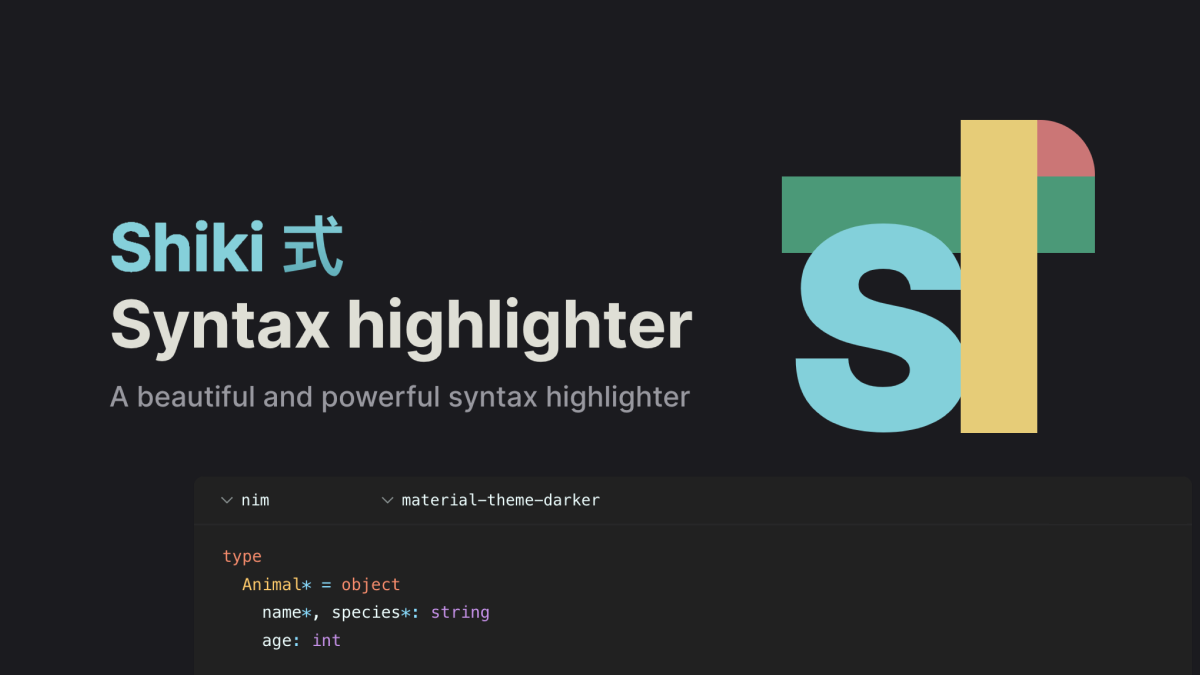
Shiki Full homepage screenshot

At a glance

Category
Development
Language
English
Paid-content signal
No paid content foundObserved
Registered
2024
Hosting
NetlifyInferred
HTTPS certificate trusted
PassedObserved
Last updated

Website review

This review may include AI-generated content and is not individually verified. Domain, certificate and other facts come from the observed data on this page.

What is Shiki?

Shiki is a syntax highlighter: a tool that turns source code into colorized HTML or tokens so code samples look readable and accurate on a website, in documentation, or in a blog post. Its distinguishing trait is that it uses TextMate grammars — the same grammar engine that powers VS Code — so highlighting tends to match what developers already see in their editor. The project describes itself with four ideas: accurate and beautiful, zero runtime, customizable, and ESM and universal.

What that means in practice

  • Accuracy from editor grammars. Because it reuses VS Code's grammar engine, languages with complex syntax — TypeScript generics, JSX, template literals, shell scripts — are highlighted the way an editor would render them, not with a simplified tokenizer.
  • "Zero runtime" for the reader. Shiki is typically run at build time or on the server, so the page ships pre-highlighted markup rather than a heavy client-side highlighting library. That matters for static site generators, documentation platforms and content-heavy pages where you don't want highlighting JavaScript blocking the main thread.
  • Customizable themes and output. You can choose themes and control how the output is emitted, so it can fit a design system rather than forcing one default palette.
  • ESM and universal. It is distributed as an ES module and is designed to run in different environments — Node during a build, or in the browser — which is why it has been adopted by many documentation and static-site tooling projects.

Who it's for

A documentation maintainer, a developer writing a technical blog, or a team building a component library or docs site. If you are hand-coloring code with spans, or using a client-side highlighter and noticing a flash of unstyled code on load, Shiki is the natural upgrade path.

A quick comparison

Approach Where highlighting runs Trade-off
Shiki Build time or server Accurate, no client cost, but you need a build step
Client-side highlighters In the reader's browser Easy to drop in, but adds runtime weight and can flash
Hand-written CSS classes Wherever you author Full control, but tedious and easy to get wrong

Next step

If you publish code on a site built with a static site generator, check whether your framework already integrates Shiki before adding anything yourself — many do. Otherwise, start by highlighting one representative file (say, a TypeScript component with JSX) and compare it against your editor; that is the fastest way to judge whether the grammar coverage fits your content.

How does Shiki compare to other syntax highlighters like Prism or Highlight.js?

Shiki is best understood as a VS Code-grade highlighter rather than a drop-in replacement for Prism or Highlight.js. Its page_evidence emphasizes TextMate grammars, the same engine as VS Code, and "Zero Runtime" — meaning highlighting happens at build time, not in the browser. Prism and Highlight.js instead typically run in the browser (or in Node) at render time and ship their own hand-written grammar sets.

H3 Where the difference actually bites

  • Fidelity: Shiki inherits VS Code themes and grammar behavior, so edge cases in languages like TSX, Vue, or Markdown nested in HTML tend to look familiar to editor users. Prism and Highlight.js are lighter and simpler, but their grammars are maintained separately and can drift from editor behavior.
  • Runtime cost: Shiki's zero-runtime approach means no highlighter JavaScript is sent to the client for static content. Prism and Highlight.js add a script and often a language bundle; that is fine for small sites but noticeable when you highlight many languages.
  • Dynamic content: If you highlight user-submitted code in the browser, Shiki's build-time model is awkward unless you run it server-side or use its fine-grained bundle. Prism and Highlight.js are more natural for client-side, on-the-fly highlighting.
  • Ecosystem fit: Shiki integrates well with static site generators and Markdown pipelines; Prism and Highlight.js have broader plugin ecosystems and older integration guides.

H3 A practical decision rule

Choose Shiki when your code samples are known at build time and visual accuracy matters — documentation sites, blogs, component libraries. Choose Prism or Highlight.js when you need in-browser highlighting of arbitrary snippets, minimal setup, or a plugin that only exists for those tools.

For a concrete scenario: a docs site with 500 code blocks in 12 languages will get more consistent colors and no client-side highlighter payload from Shiki; a playground where users paste code and see it highlighted instantly is usually easier with Prism or Highlight.js.

Next step: take one representative snippet from your site, render it with both approaches, and compare the token colors against your editor. If the Shiki output matches what you see in VS Code and your content is static, the build-time trade-off is usually worth it. You can read more at Shiki.

How do I integrate Shiki into my project or build pipeline?

Shiki is a syntax highlighter that uses TextMate grammars and the same engine as VS Code, so it can produce highlighting that closely matches what you see in the editor. The main integration decision is whether you want highlighting at build time (static HTML) or at runtime (in the browser), because Shiki is designed to work well as a build-time or server-side tool.

Common integration paths

  • Static site generators and build tools: If your site is generated by Astro, Vite, Eleventy, Nuxt, or similar, look for an existing Shiki integration or plugin. These typically run Shiki during the build and emit <pre>/<code> blocks with inline styles or classes, so no highlighter JavaScript ships to the browser.
  • Node scripts / custom pipeline: Call Shiki's codeToHtml() (or the equivalent API) in a Node script, pass the code string and a language ID, and write the returned HTML into your page or markdown output. This fits CI steps, documentation generators, and custom static builds.
  • Markdown processing: If you render markdown, configure your markdown pipeline to hand fenced code blocks to Shiki instead of a lighter highlighter. This usually means replacing or wrapping the existing highlight function.
  • Runtime in the browser: Shiki can run in the browser, but that means shipping grammars and themes. It is workable for small language sets; for many languages, build-time highlighting is usually the better trade-off.

A minimal build-time example

The typical shape of a Node integration is:

  1. Import Shiki and create a highlighter with the themes and languages you need.
  2. For each code block, call the highlight function with the code and language.
  3. Insert the returned HTML into your template.
  4. Optionally add a CSS class strategy instead of inline styles if you want to theme via stylesheets.

Exact function names and options vary by version, so check the current docs at Shiki before wiring it in.

Choosing between build-time and runtime

Approach Best for Trade-off
Build-time Docs, blogs, static sites No client JS, but rebuild needed for new code
Server-side Dynamic pages, APIs Server cost, but fresh output per request
Browser runtime Playgrounds, editors, user-pasted code Larger bundle, but highlights unknown input live

Practical next step

Pick one representative page or component with a code block and convert just that one to Shiki first. Measure the output HTML size and confirm the theme matches your site. If it looks right, roll the same pattern out across the pipeline rather than rewriting everything at once.

What does 'zero runtime' mean for Shiki and how does it affect performance?

"Zero runtime" means Shiki does the heavy work of turning source code into highlighted HTML ahead of time, then ships plain markup. There is no highlighting engine parsing your code in the browser at page load.

What that changes in practice

  • The visitor's browser receives pre-colored <span> elements, so highlighting costs nothing on the client beyond normal CSS rendering.
  • No large grammar or theme files need to be downloaded and executed just to color a code block.
  • First paint of a code-heavy page is less likely to be blocked by a JavaScript highlighter, which matters for documentation sites, blogs and tutorials where many snippets appear above the fold.

The trade-off

Because highlighting is fixed at build time, dynamically generated or user-edited code cannot be re-highlighted on the fly without a build or server step. If your page shows live code that changes as the user types, a runtime highlighter is the more natural fit; if your snippets are static content, pre-highlighting is usually the faster choice.

Where Shiki fits

Shiki's page evidence describes it as TextMate-grammar powered, using the same engine as VS Code, and ESM and universal in packaging. That combination is aimed at developers who want VS Code-accurate colors in static site generators, Markdown pipelines and documentation frameworks, and who are willing to highlight at build time to keep the browser light.

A practical decision test: if your code blocks are known when the page is built, choose a build-time approach like Shiki; if they are typed by users at runtime, keep a client-side highlighter. For a docs site with hundreds of snippets, the build-time route typically produces the better perceived load performance.

For comparison, see Visual Studio Code (the grammar source Shiki mirrors) and GitHub for how highlighted code is commonly presented.

Can I customize Shiki's themes, languages, and grammars?

Yes. Shiki is built around customization: you can change themes, choose which languages are loaded, and even supply your own TextMate grammars. The page evidence highlights "Customizable" alongside "Accurate & Beautiful," "Zero Runtime," and "ESM & Universal," which tells you the design intent is to let you shape the output while keeping the highlighting engine aligned with VS Code.

H3 What you can customize

  • Themes: Apply a single theme or pair a light and dark theme so the same highlighted code adapts to color-scheme changes. You can also define or import custom theme JSON.
  • Languages: Load only the languages your site actually displays, or register additional ones. This matters for bundle size, since each grammar adds weight.
  • Grammars: Because Shiki uses TextMate grammars, you can register custom grammars for domain-specific languages, internal DSLs, or file formats that aren't in the default set.

H3 Practical trade-offs

Choice Benefit Cost
Fewer languages Smaller bundles, faster builds Missing highlighting for rare snippets
Custom grammar Accurate highlighting for your own syntax You maintain and test the grammar
Dual themes Good light/dark experience Slightly more markup or CSS handling
Custom theme Matches your brand exactly More design work and testing

H3 A concrete scenario

Suppose you run a documentation site for a configuration language your team invented. You register a custom grammar so code blocks highlight keywords and strings correctly, load only that grammar plus JavaScript and Bash, and set a light/dark theme pair. Visitors get accurate, on-brand highlighting without shipping dozens of unused language definitions.

H3 Next step

Start with the languages and themes you need today, then add a custom grammar only when a real snippet renders poorly. If you want the broader context of syntax highlighting tools, compare with Prism or highlight.js, but note that Shiki's TextMate approach is the main reason its output matches VS Code.

Does Shiki support ESM and work in different environments like Node.js or the browser?

Yes. Shiki is built and distributed as an ESM package and is designed to run in multiple JavaScript environments, including Node.js and the browser, as well as in bundlers and server-side rendering setups.

What this means in practice

  • ESM first: You import it with standard ES module syntax rather than require(). This fits modern toolchains and frameworks, but older CommonJS-only projects may need a bundler or dynamic import().
  • Node.js: Useful for build-time highlighting, static site generation, or CLI tooling where you render code blocks ahead of time.
  • Browser: You can highlight code client-side, though the more common pattern is to pre-highlight at build time to avoid shipping grammars and themes to visitors.
  • Universal usage: The same API works across environments, so code written for one can often be reused in another.

A concrete scenario

If you maintain a documentation site, you might highlight all code blocks in Node during the build, then serve plain HTML. That keeps the browser bundle small. If you instead have user-submitted code that changes at runtime, you might run Shiki in the browser.

Decision criterion

Choose build-time highlighting when your code is static and performance matters. Choose browser-side highlighting when content is dynamic and you accept the extra bundle cost.

A useful next step is to check the official documentation for environment-specific setup and bundler configuration: Shiki.

Related questions

More questions →
What "Zero Runtime" Means in Shiki

Shiki's "Zero Runtime" means the syntax highlighting happens ahead of time — during your build or on the server — rather than in the browser. The output is plain HTML with inline styles (or CSS classes), so the page needs no highlighting JavaScript at all. This is the right fit when you render code at build time or on the server and want fast, stable pages; it is not a fit if you must highlight code that only exists in the browser after user input.

The core mechanism

Shiki is powered by TextMate grammars — the same engine your VS Code uses — so its tokenization matches what you see in the editor and improves as VS Code does. The key design choice is when that engine runs.

  • Build time / server time: Shiki parses the code and emits highlighted markup.
  • Browser time: nothing. The browser just renders the HTML and CSS it already received.

Because the highlighting is already resolved into markup, there is no highlighter bundle to download, parse, or execute on the client.

What "no runtime" actually removes

Concern With a runtime highlighter With Shiki (zero runtime)
JavaScript shipped for highlighting Yes, a library must load and run None
Work done in the browser Tokenize + style on every render Already done
Flash of unstyled code Possible while JS loads Avoided — styles arrive with the HTML
Output format Usually generated at runtime Static HTML + CSS

The practical benefit is straightforward: less JavaScript to download and execute, and code blocks that are styled the moment the page paints.

Where it fits well

Zero runtime is a natural match for:

  • Static site generators — highlight once at build, ship static HTML.
  • Server-side rendering — highlight during the request or at render time, send finished markup.
  • Content-heavy docs and blogs — code blocks are known ahead of time, so there is no reason to pay a client-side cost.

In all of these, the code is fixed before the page reaches the user, which is exactly the condition zero runtime requires.

Where it does not fit

If the code to highlight is only known in the browser — a live editor, user-typed snippets, or content fetched and rendered client-side — then something has to run there. Zero runtime assumes the highlighting can be completed before the browser renders, so dynamic, client-only code is outside its scope.

How to verify it in your own build

  1. Highlight a code block with Shiki during your build or server render.
  2. Inspect the generated HTML: you should see the highlighted markup and its styles already present.
  3. Check the network panel: there should be no syntax-highlighting script loaded for that block.
  4. Confirm the code block is styled before any JavaScript runs.

If steps 2–4 hold, you are getting the zero-runtime behavior. If a highlighter script still appears, the highlighting is happening at runtime instead.

What is Shiki?

Shiki is a syntax highlighter that uses TextMate grammars and the same engine as VS Code, so highlighted code looks accurate and matches what you see in the editor. It is a good fit when you want high-quality code display on a website or in documentation and care about correctness across many languages.

How Shiki works

Shiki highlights code by applying TextMate grammars, the same grammar format used by VS Code. Because it relies on that grammar system and the VS Code engine, its output improves as VS Code's language support improves.

The site describes Shiki as "Accurate & Beautiful" and "TextMate grammar powered, same engine as your VS Code."

Key characteristics

Accurate and beautiful

Highlighting is driven by TextMate grammars, which are designed to tokenize code according to language rules rather than simple pattern matching. This tends to produce more faithful results, especially for complex languages.

Zero runtime

Shiki emphasizes a zero-runtime approach. In practice, this means highlighting can be handled without shipping a heavy highlighting engine to the browser at runtime, which matters for page performance and for static or pre-rendered content.

Customizable

Shiki is described as customizable, so you can adapt themes and output to match your site or documentation style.

ESM and universal

Shiki supports ESM and is described as universal, making it usable across modern JavaScript environments and build setups.

When to use Shiki

Shiki is a strong choice when:

  • You need code samples to look the same as they do in VS Code.
  • You want accurate highlighting across many languages via TextMate grammars.
  • You are building documentation, blogs, or sites where code presentation quality matters.
  • You want to avoid a heavy client-side highlighting runtime.

It is less of a fit if you only need very lightweight, approximate highlighting and do not care about editor-accurate tokenization.

Summary

Shiki is a TextMate grammar–powered syntax highlighter built on the VS Code engine. It focuses on accurate, beautiful output, supports a zero-runtime approach, and is customizable and ESM-friendly, making it well suited for websites and documentation that need reliable code highlighting.

How Does Shiki Achieve Accurate and Beautiful Syntax Highlighting?

Shiki produces accurate, beautiful syntax highlighting by using the same TextMate grammars and highlighting engine as VS Code, then generating static HTML at build time instead of highlighting in the browser. That combination is why its output looks like the editor you already use, and why it adds no runtime highlighting cost to your page. The trade-off is that highlighting happens ahead of time, so themes and languages are resolved when you generate the HTML, not when a reader opens the page.

The two mechanisms behind Shiki's output

Shiki's result comes from two separate decisions that reinforce each other:

  1. Grammar source: It uses TextMate grammars, the same grammar format that powers VS Code's tokenization.
  2. Execution model: It runs that tokenization ahead of time and emits HTML, rather than shipping a highlighter to the browser.

Each one solves a different problem. The grammar choice determines what the highlighting looks like; the execution model determines when and where the work happens.

Why the highlighting matches VS Code

TextMate grammars are rule sets that describe how to break a language into tokens — keywords, strings, comments, function names, and so on. Because Shiki consumes the same grammar definitions VS Code uses, the token boundaries it produces are the same ones VS Code produces.

The site states this directly: Shiki is "TextMate grammar powered, same engine as your VS Code." It also notes that it "Improves with VS Code" — meaning grammar fixes and language updates that land in VS Code flow into Shiki's output rather than requiring a separate, hand-maintained set of rules.

The practical consequence: if a language highlights a certain way in your editor, it highlights that way in your generated HTML. You are not comparing two independently written highlighters and hoping they agree.

What "accurate" means here

Accuracy in this context is about token classification, not aesthetics. A grammar that misreads a template literal, a regex, or an embedded language will color the wrong spans. Reusing VS Code's grammars means those edge cases are handled by the same rules that already handle them in the editor, including nested and embedded languages.

Why there is no runtime cost

Shiki's "Zero Runtime" property means the highlighting logic does not execute in the reader's browser. The tokenization runs when you build or render your site, and the output is static HTML with the colors already applied.

This matters for three reasons:

  • No highlighter JavaScript to download or parse for the purpose of coloring code.
  • No flash of unstyled or re-highlighted code, because the colored markup is present in the initial HTML.
  • Predictable output, since the same input and configuration produce the same markup every time.

The cost moves to your build step. If you highlight a large number of code blocks or many languages, that work happens during generation rather than on each page view.

A concrete example

Suppose you publish a blog post containing a TypeScript snippet with an embedded GraphQL string. With a browser-side highlighter, the page loads plain text, the highlighter script runs, and the code is colored afterward — and any language or grammar the highlighter does not support stays uncolored. With Shiki, the build step tokenizes the snippet using the TypeScript and GraphQL grammars, and the served HTML already contains the correctly colored spans. The reader's browser does no highlighting work at all.

Customization and output format

Shiki is described as customizable and as ESM & Universal. In practice this means you can choose themes and configure how the highlighted output is rendered, and you can use it across different build setups rather than being locked to one bundler or framework.

Because highlighting is resolved at generation time, your theme and language choices are part of the build configuration. Changing a theme means regenerating the output, not toggling something at runtime.

When this approach fits — and when it does not

Situation Shiki's ahead-of-time model
Static sites, docs, blogs with fixed code samples Strong fit — colored HTML is ready on first paint
Content where code changes per request or per user Requires highlighting during rendering rather than a purely static build
Many languages and themes Work scales with the build; more grammars and themes mean more generation work
Need for runtime theme switching Not the default behavior, since colors are baked into the generated HTML

The core decision is simple: if your code samples are known at build time and you want editor-identical coloring with no client-side highlighting, Shiki's grammar-plus-static-output design is built for exactly that. If your code is generated dynamically per request, you are moving the same highlighting step to a different point in the pipeline.

How Customizable Is Shiki for Themes and Languages?

Shiki is highly customizable for both themes and languages. It uses TextMate grammars and VS Code themes, so you can load any compatible theme, add or extend language grammars, and tune the output through configuration options. The main constraint is that customization happens at build time or setup time, not at runtime, because Shiki is designed to produce highlighted HTML ahead of time.

Themes: What You Can Change

Shiki's theme support is built on the same theme format VS Code uses. That means the practical range of customization is wide:

  • Use any VS Code theme. If a theme works in VS Code, it can generally be loaded into Shiki. This includes popular community themes, not just a fixed built-in set.
  • Switch themes per code block or per project. You can apply different themes to different outputs rather than locking the whole site to one look.
  • Control light and dark variants. A common pattern is pairing a light theme with a dark theme so the highlighted output matches the surrounding UI.
  • Adjust output styling. Beyond the theme itself, configuration options let you influence how the highlighted result is rendered, so the final markup fits your page rather than forcing your page to fit Shiki.

Because themes come from the VS Code ecosystem, the limiting factor is usually whether a given theme exists in the right format, not whether Shiki can express it.

A concrete example

Suppose you maintain documentation with a light default and a dark mode toggle. You pick one VS Code light theme and one dark theme, configure Shiki to emit both, and let your site's toggle decide which highlighted output to show. No custom color mapping is required on your side, since the theme already defines the token colors.

Languages: Adding and Extending Grammars

Language support follows the same logic as themes. Shiki is powered by TextMate grammars, the same grammar system VS Code relies on, so language coverage tracks what those grammars describe.

  • Add languages beyond the defaults. You can register additional TextMate grammars for languages Shiki does not include out of the box.
  • Extend existing grammars. If a language's default grammar misses a construct you use, you can supply or adjust a grammar rather than accepting the default.
  • Stay aligned with VS Code. Because the engine and grammars match VS Code, improvements to a grammar tend to carry over, so your highlighting does not drift from what developers see in their editor.

The trade-off is the same as with themes: you are working within the TextMate grammar model. Languages that are not well described by a TextMate grammar will not highlight as precisely, regardless of configuration.

Configuration and Integration Options

Customization is not limited to themes and grammars. Shiki exposes configuration that shapes the output and how it plugs into a project:

Area What you can adjust
Theme selection Which theme(s) apply, including light/dark pairing
Language set Which grammars are loaded and available
Output rendering How the highlighted result is styled and emitted
Module format ESM and universal module support for different project setups

The ESM and universal module support matters for integration: you can adopt Shiki in modern ESM projects as well as setups that need broader module compatibility, without rewriting your build around a single module style.

The Key Constraint: Zero Runtime

Shiki's "Zero Runtime" design is the factor that shapes all customization. Highlighting is computed ahead of time, so the browser ships pre-highlighted HTML instead of running a highlighter on page load. The practical consequence for customization is:

  • Theme and language choices are resolved when you generate the output, not when a visitor loads the page.
  • Changing a theme or adding a language means regenerating the highlighted output, not toggling something live in the browser.
  • This is what keeps the output accurate and fast, since the heavy grammar work happens before the page is served.

If your requirement is dynamic, per-visitor highlighting decided at runtime, that conflicts with how Shiki is built. If your requirement is accurate, editor-matching highlighting that you configure once and ship, Shiki's customization model fits directly.

How to Decide

Choose Shiki's customization path when:

  • You want highlighting that matches VS Code, including its themes and grammars.
  • You are comfortable configuring themes and languages at build or setup time.
  • You need ESM or universal module integration across different project types.

Look elsewhere when:

  • You need to change themes or add languages dynamically in the browser at runtime.
  • Your target language is poorly served by TextMate grammars and you need a different parsing approach.

For most documentation sites, blogs, and static projects, the build-time model is not a limitation but the reason the output stays accurate and fast.

Website Overview

Identifiable technologies and additional version or configuration signals make the service easier to fingerprint, which may help targeted scanners narrow their checks. Several search or sharing settings need attention. Together they may make snippets, preview images or preferred URLs less consistent across platforms.

Domain and Registration

Transfer-protection status is present, helping reduce the risk of unauthorized domain transfers. The domain has about 2 years of registration history; its current configuration provides more context than age alone. The domain uses the common .style extension, which is not an independent safety signal.

DNS and Email

Nameservers are provided by NS1, indicating managed DNS hosting. No CNAME was found; the observed records resolve directly to addresses. No MX record was found. A conventional explicit inbound-mail route is not configured. DNSSEC signatures were not detected, so this additional DNS authenticity protection is not confirmed. The lowest observed DNS TTL is 300 seconds.

TLS and Certificates

The public key uses EC with 256 bits. The server supplied a complete certificate chain. No organization name is present in the certificate; the available fields are consistent with domain validation. The certificate was issued by Let's Encrypt, commonly associated with automated certificate services. The certificate's total validity is about 89 days, consistent with a short renewal cycle.

HTTP and Browser Security

The response lacks these common security headers: CSP, X-Content-Type-Options, Referrer-Policy, Permissions-Policy, clickjacking protection. No X-Powered-By header was found, reducing one common source of backend fingerprinting information. No obvious internal addresses or debug information were found in the headers. The Server header contains the custom value Netlify. No explicit CDN or WAF marker was found in the response headers.

Technology Stack Analysis

The public page identifies VitePress 2.0.0-alpha.20, Netlify, with exact versions exposed for 1 technologies. These details can narrow vulnerability checks, although exposure alone is not a vulnerability.

Search and Social Sharing

The Generator tag identifies VitePress v2.0.0-alpha.20, making the publishing system easier to fingerprint. No homepage canonical URL was detected. If duplicate URLs exist, consolidation may be less explicit. Open Graph is partially configured; og:type is missing. Twitter Card metadata is configured. The title has 5 characters, within a common display range.

Hosting and Email

DNSNS1
HostingNetlify
EmailUnknown
Approximate IP geolocation (inferred; a CDN or proxy may differ from the origin server) United States flagUnited States Inferred 15.197.167.90

Registration details

RDAP / WHOIS

RegistrarName.com, Inc.
Registered2024-01-26
Expires2027-01-26
Domain statusclient transfer prohibited
Nameserversdns1.p06.nsone.net、dns2.p06.nsone.net、dns3.p06.nsone.net、dns4.p06.nsone.net
DNSSECunsigned

DNS records

DNS

TypeNameValueTTLPriority
Ashiki.style15.197.167.90300—
Ashiki.style3.33.186.135300—
NSshiki.styledns1.p06.nsone.net3600—
NSshiki.styledns2.p06.nsone.net3600—
NSshiki.styledns3.p06.nsone.net3600—
NSshiki.styledns4.p06.nsone.net3600—

TLS and certificates

TLS / SSL

AssessmentNormal configuration
Supported protocolsTLSv1.2、TLSv1.3
Negotiated protocolTLSv1.3
Certificate subjectshiki.style
IssuerLet's Encrypt
Valid until2026-12-13T04:16 · Remaining when checked: 69 days
Verification detailsCertificate trust: Passed · Hostname match: Passed

HTTP response headers

HTTP

HeaderValue
content-typetext/html; charset=UTF-8
cache-controlpublic,max-age=0,must-revalidate
serverNetlify
strict-transport-securitymax-age=31536000

Identified technologies

VitePress 2.0.0-alpha.20Netlify

Pages, Search and Sharing

User reviews (0)

  • No reviews yet.