Website profiles · Technology insights · Alternatives

sightengine.com Paid content Multilingual

Categories: Development

Powerful APIs to assess, filter and moderate photos, videos and texts. Instantly detect nudity, violence, offensive content with our easy-to-use API, at a fraction of the cost of human moderation

Visit website

Updated: 2026-09-27 18:23 Language: English (default) Access: Normal

Profile views 4 Outbound visits 1
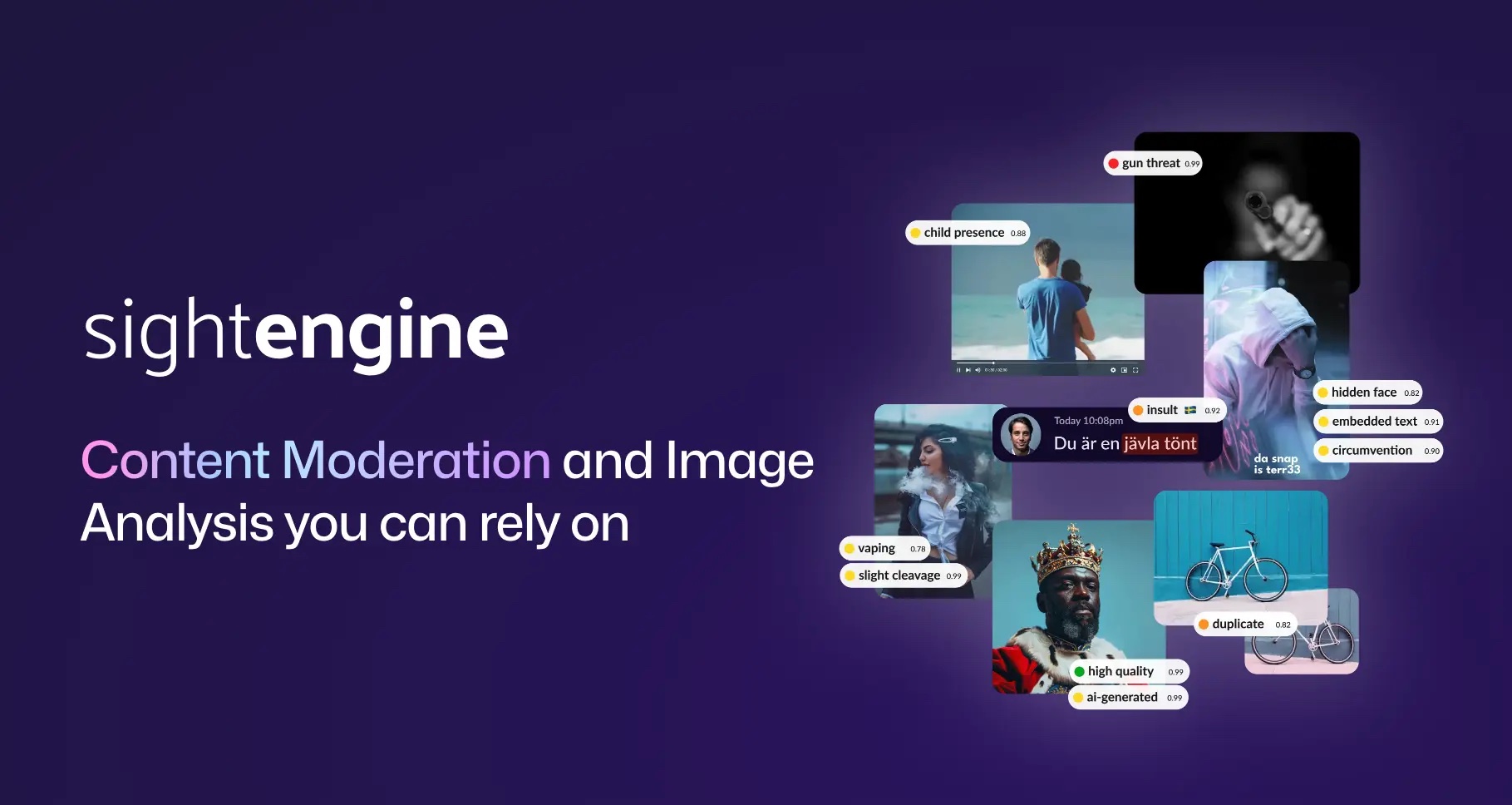
Content Moderation and Image Analysis Full homepage screenshot
Editorial Review

Website Review

What is Sightengine used for?

Sightengine is a content moderation and media analysis API. You send it images, videos, audio, or text, and it returns automated judgments so your team can filter, flag, or review content without inspecting everything by hand.

Its main uses, based on the product list on the site:

  • Moderation: image moderation with 120+ classes, video and live-stream moderation, OCR/QR moderation, text moderation, and audio moderation that transcribes speech and detects profanity.
  • AI content detection: identifying AI-generated images, deepfakes and face swaps, AI-generated video, AI speech, and AI music.
  • Visual search: finding duplicate or similar images and videos.
  • People and identity checks: profile image validation (face visibility, quality, filters), age group estimation, and face liveness detection for spoofing attempts.
  • Image analysis and OCR: extracting text from images and videos at scale, plus assessing technical and aesthetic image quality.

Who it fits: marketplaces screening listings, social or dating apps reviewing user uploads, trust-and-safety teams handling reports, and platforms that need age or liveness checks. It suits teams that want moderation inside their own product via API rather than a standalone review dashboard.

A practical next step: pick one decision you already make manually — for example, "does this profile photo show a real, clear face?" — and test that single model first. If the results match your human reviewers on a sample of your own content, expand to the next use case. If you need a ready-made interface instead of an API, this is likely the wrong shape of tool.

How much does Sightengine cost compared to human moderation?

Sightengine's own page does not publish specific prices, but it does direct you to a pricing page, so the honest answer is: it is positioned as "a fraction of the cost of human moderation," and you need to check the current pricing page for actual numbers. The comparison that matters isn't a single dollar figure — it's cost per item moderated versus the fully loaded cost of a human reviewer.

Content Moderation and Image Analysis

Why the comparison favors automation at scale

Human moderation cost is driven by volume and time: every image, video frame or text item needs someone to look at it, and review time grows with ambiguity. API moderation is metered by usage, so cost scales with volume but not with headcount, shifts or training.

The trade-off is precision on edge cases. Automated models flag classes of content; humans handle context, sarcasm, cultural nuance and appeals. Most teams use a tiered flow:

  1. Automated moderation handles the bulk and auto-approves clear cases.
  2. Flagged or borderline items go to human review.
  3. Human decisions feed back into thresholds and rules.

A concrete scenario

A marketplace with 50,000 new listings a day would need a large review team to check every photo. With an API, most listings pass automatically, and only flagged ones reach a reviewer — cutting the human queue to a small fraction. The saving comes from the reduced queue, not from replacing reviewers entirely.

How to decide

  • Estimate your monthly item volume and your current human cost per item.
  • Get a quote from the pricing page and compare total monthly API cost against the reduced human hours.
  • Factor in false positives: too many flags push cost back toward human review.
  • For low-volume or highly nuanced content, human moderation may still be cheaper and more accurate.

Start by pricing your actual volume, then run a pilot on a sample of your content to measure the flag rate before committing.

How do I integrate Sightengine's API into my platform?

Start with the API key and a server-side call, then route results into your own decision logic. Sightengine is an API product: you send it an image, video, text or audio file and it returns scores or labels you act on. The integration work is therefore less about a plugin and more about wiring a request into your upload or publishing flow.

A practical integration path

  1. Sign up and generate an API key from the dashboard. Keep it on your server or in a secrets manager, never in client-side code.
  2. Pick the model that matches your content type — image moderation, video and live-stream moderation, OCR and QR moderation, text moderation, or audio moderation.
  3. Send the media to the API. Most teams call it at the moment of upload, before the content becomes visible, rather than scanning an existing library.
  4. Read the response and map each model's output to an action: allow, queue for human review, blur, or block.
  5. Log the decision and the raw scores so you can tune thresholds later.

What the response gives you

Sightengine groups its models into moderation, AI content detection, visual search, people and identity, and image analysis and OCR. Image moderation alone covers 120+ moderation classes; AI detection covers generated images, deepfakes, AI video, AI speech and AI music; visual search finds duplicates and similar content; identity tools cover profile image validation, age group estimation and face liveness; OCR extracts text from images and videos.

That breadth matters for how you design the integration. A single upload might reasonably trigger several checks — moderation plus OCR plus AI-image detection — so build your pipeline to fan out to multiple models and combine their outputs rather than treating one endpoint as the whole answer.

Where to put the call

Stage Why teams choose it Trade-off
Pre-publication (on upload) Stops bad content before anyone sees it Adds latency to the upload path
Post-publication (async scan) No user-facing delay; good for backfills Content is briefly live
Live streams Catches problems in real time Needs a streaming-aware setup, not a one-shot file call

For user-generated content platforms, pre-publication moderation plus a human review queue for borderline scores is the common pattern. For marketplaces or archives scanning existing libraries, async is usually enough.

Setting thresholds and handling edge cases

Raw model output is a score, not a verdict. Decide your thresholds by sampling real content from your own platform, because acceptable false-positive rates differ between a dating app, a kids' community and a news comment section. Route anything in the grey zone to human moderators instead of auto-blocking, and keep an appeals path. Also plan for failures: if the API times out, decide whether to hold the upload, publish and flag it for later, or reject it.

Next step

Grab an API key, run a handful of representative files through the models you care about, and inspect the actual scores before writing your threshold logic. The API documentation and knowledge centre on the site cover endpoints and trust-and-safety practice. If you also need to verify that a submitted photo is a real person, look at the identity models alongside moderation rather than bolting them on later. For broader context on how moderation fits into platform trust and safety, see Sightengine.

Can Sightengine detect AI-generated images and deepfakes?

Yes. Sightengine lists dedicated detection models for AI-generated images, deepfakes, AI-generated video, AI speech and AI music, alongside its moderation, OCR and visual search tools. The relevant options sit under AI Content Detection in its product menu: AI Image Detection, Deepfake Detection, AI Video Detection, AI Speech Detection and AI Music Detection.

For a practical workflow, treat detection as one signal rather than a verdict. A marketplace reviewing seller photos, for example, might run AI Image Detection on every upload, route borderline scores to a human reviewer, and reserve Deepfake Detection for identity-sensitive steps such as profile verification or KYC. Face Liveness Detection and Profile image validation are separate models aimed at spoofing attempts and image quality, so they complement rather than replace deepfake checks.

What to weigh

  • Media type matters: image, video, speech and music detection are separate capabilities, so map each to your actual content pipeline.
  • Combine signals: pair AI-content scores with OCR, moderation classes or image-quality checks to reduce false positives.
  • Score thresholds: decide in advance which confidence levels trigger auto-rejection, human review or pass-through.
  • Human review loop: keep a reviewer path for edge cases and for appeals, especially where decisions affect users' accounts.

A useful next step is to test your own sample set through the API before committing to thresholds. For context on the wider category, see Sightengine and, if you are comparing approaches, Google Cloud or Amazon Web Services offer related vision and moderation services.

What types of content can Sightengine moderate beyond images?

Sightengine goes beyond still-image moderation into several other content types, covering video, text, audio and AI-generated media.

Video and live streams. Video Moderation is built to moderate and filter both uploaded videos and live streams, so it fits platforms handling user-generated clips or real-time broadcasts rather than just static uploads.

Text inside and outside images. Two distinct capabilities apply here. Text Moderation detects and filters unwanted text-based content directly, while OCR & QR Moderation reads text and QR codes present inside images and videos — useful when the risky content is embedded in a graphic or video frame rather than typed into a form.

Audio. Audio Moderation transcribes audio and detects profanity within it, which suits podcasts, voice notes or video soundtracks where spoken content needs screening.

AI-generated and manipulated media. A separate detection group flags AI-generated images, video and speech, plus deepfakes such as face swaps and AI manipulation. AI Music Detection extends this to generated music.

Supporting analysis. OCR extracts text at scale, and Image Quality assesses technical and aesthetic quality, which can feed ranking or upload-acceptance decisions.

A practical way to decide: map each content type your platform accepts to the matching model, then test on a sample of real uploads before committing. For example, a marketplace with photo listings, video tours and chat messages would combine Image Moderation, Video Moderation and Text Moderation, and add Deepfake Detection if seller identity matters. If you want to compare how these APIs are documented and priced, start at Sightengine.

How does Sightengine validate user profile images and verify age groups?

Sightengine approaches profile-image validation and age-group estimation as two separate “People & Identity” models rather than one combined check. Both are exposed through the same API platform used for its moderation and detection products, so they are typically called as part of an upload or signup pipeline.

Profile image validation checks whether a submitted photo is actually usable as a profile picture. According to the product listing, it validates images based on face visibility, quality, filters and more — meaning it can reject shots where no face is detectable, where the image is too low-quality, or where heavy filters obscure the person. This is a gatekeeping step, not an identity proof: a photo can pass validation and still belong to someone else.

Age group estimation implements age group verifications. The key practical point is that it returns an estimated group, not a precise age. That makes it suitable for coarse policy decisions — for example, routing younger-looking users into a stricter experience or flagging an account for additional checks — rather than for legal age verification on its own.

A related model, Face Liveness Detection, detects spoofing attempts and presentation attacks, such as someone holding up a photo or screen. If your goal is to stop a stolen or synthetic portrait from being used at signup, liveness plus AI image and deepfake detection is the more relevant combination than age estimation.

How to choose between them

Goal Relevant model What it gives you
Reject unusable or heavily filtered profile photos Profile image validation Pass/fail signals on face visibility and quality
Coarse age-based routing or flagging Age group estimation Estimated age band, not exact age
Confirm a live person is present Face Liveness Detection Spoof and presentation-attack signals
Catch AI-generated or manipulated portraits AI Image Detection, Deepfake Detection Synthetic or face-swap indicators

Practical next step

Decide what decision each signal is allowed to make before you integrate. A sensible pattern: use profile image validation to block obviously bad uploads automatically, use liveness where you need confidence a real person is present, and treat age-group output as one input into a review or policy rule — never as the sole basis for an age-restricted decision. For exact request parameters, response fields and confidence thresholds, work from the official documentation at Sightengine rather than assuming defaults.

Related questions

More questions →
What Is Video Moderation and How Does Automated Video Moderation Work?

Video moderation is the process of reviewing video content—uploaded files or live streams—to detect and filter unwanted material such as nudity, violence, or offensive content. Automated video moderation uses APIs to scan that content at scale, flagging items for review instead of relying only on human moderators. It fits teams that need to process more video than people can watch, but it works best as a first filter combined with human review for edge cases.

How automated video moderation differs from image or text moderation

Image and text moderation each analyze a single content type. Video moderation has to handle several at once:

  • Frames — individual still images sampled across the timeline
  • Audio — speech and sound, including profanity
  • On-screen text — captions, overlays, and QR codes embedded in the video

That combination is why a video pipeline typically chains multiple models rather than one.

What automated video moderation analyzes

According to Sightengine's product listing, its moderation stack covers:

Layer What it detects
Image moderation 120+ moderation classes for images
Video moderation Unwanted content in videos and live streams
OCR & QR moderation Text and QR codes present in images and videos
Text moderation Unwanted text-based content
Audio moderation Transcribes and detects profanity in audio

Beyond moderation, the same platform offers AI content detection (AI-generated images, video, speech, and music, plus deepfake detection), visual search for duplicates and similar content, and image analysis such as OCR and image quality scoring.

Typical workflow: upload, scan, flag, review

  1. Submit — send the video file or live stream to the moderation API.
  2. Scan — the system analyzes frames, audio, and embedded text against the moderation classes you enable.
  3. Flag — content that crosses your thresholds is marked with the category that triggered it.
  4. Human review — flagged items go to a moderator, who makes the final call.

The API-first design is the point: it lets you filter at a fraction of the cost of human moderation, while keeping people in the loop where judgment matters.

Common content categories flagged

  • Nudity and sexual content
  • Violence
  • Offensive or profane content (including profanity in audio)
  • Unwanted text and QR codes appearing in the video
  • AI-generated or manipulated media, when those detectors are enabled

Limitations and trade-offs vs. human moderation

  • Thresholds are yours to set. Automated systems flag; they don't decide policy. Too strict and you drown reviewers in false positives; too loose and harmful content slips through.
  • Context is hard. Sarcasm, art, news footage, and education can look like violations to a model.
  • Live streams compress your reaction time. Detection is fast, but enforcement still needs a defined action (block, mute, escalate).
  • Human review remains necessary for appeals, ambiguous cases, and policy nuance.

Criteria for choosing an automated approach

  • Coverage: does it handle video, live streams, audio, and on-screen text, or only still images?
  • Category depth: how many moderation classes, and can you enable only the ones you need?
  • Adjacent needs: do you also want AI-content detection, duplicate search, or OCR from the same API?
  • Integration: is there API documentation and a demo to test against your own content before committing?
  • Cost model: compare API pricing against your current human moderation cost—Sightengine publishes pricing, so check it against your volume.

If your volume is small or your content is highly contextual, human review alone may be enough. If you're processing video or live streams continuously, an API-based first pass plus human escalation is the practical middle ground.

What Is Image Moderation and How Does Automated Image Moderation Work?

Image moderation is the process of checking images for content that violates a platform's rules — nudity, violence, offensive material, and similar categories — before or after they go live. Automated image moderation does this with machine learning models that classify an image and return labels with confidence scores, so your system can allow, flag, or block it. It fits any product with user-generated images (social feeds, marketplaces, dating apps, chat) where manual review is too slow or too expensive to run on every upload. Human review still matters, but usually as a second stage for the cases the model is unsure about.

What image moderation actually detects

Moderation isn't one check — it's a set of categories, often called classes. Sightengine's image moderation product advertises 120+ moderation classes, which is a useful reminder that "moderation" covers many distinct signals rather than a single good/bad verdict. Typical categories include:

  • Nudity and sexual content — explicit content, suggestive poses, exposed skin.
  • Violence and gore — weapons, blood, injury, graphic scenes.
  • Offensive or hateful imagery — symbols, gestures, slurs rendered as text.
  • Text inside images — moderation of text and QR codes present in images and videos, which matters because a clean photo can still carry an abusive caption or a malicious QR code.
  • AI-generated and manipulated media — detecting AI-generated images and identifying face swaps and AI manipulation (deepfakes).

The last group is worth calling out separately: as generative tools spread, "is this real?" becomes its own moderation question, distinct from "is this allowed?"

How automated moderation classifies an image

The mechanism is consistent across most providers:

  1. Input — you send an image (a file or URL) to an API endpoint.
  2. Inference — a trained model scores the image against each moderation class.
  3. Output — the API returns per-class results, typically a probability or confidence value plus a boolean flag.

Your application then applies a rule. A simple version:

if nudity_score > 0.90:  block
elif nudity_score > 0.60: send to human review
else: allow

The confidence score is the key design element. It's not a yes/no answer — it's a number you interpret with thresholds you choose. That's what makes the system tunable, and it's also where most of the practical difficulty lives.

Automated API vs. human review

These aren't competitors so much as stages. The tradeoffs:

Dimension Automated API Human review
Speed Near-instant, scales with traffic Seconds to minutes per item, limited by headcount
Cost Per-call pricing, cheap at volume Labor cost per item, grows linearly
Consistency Same rule applied every time Varies by reviewer and fatigue
Edge cases Can miss novel or ambiguous content Better judgment on context and intent
Best role First pass on every upload Second pass on flagged or borderline items

A common pattern is automated-first, human-second: the API clears the obvious majority, and reviewers only see the flagged and uncertain cases. That keeps human attention where it adds the most value.

Integrating moderation into an upload pipeline

The general shape of an integration:

  1. Get API credentials. Sightengine provides API keys through sign-up; check the pricing page for plan limits before assuming volume terms.
  2. Call the moderation endpoint at the point where the image enters your system — on upload, before the image is publicly visible.
  3. Read the response and branch on your thresholds: allow, flag for review, or block.
  4. Log decisions (scores, action taken, timestamp) so you can audit and tune later.
  5. Handle the review queue for flagged items, with a way to override the model.

The exact endpoint names and parameters live in the provider's API documentation — Sightengine points to its API docs and knowledge center for endpoint and model details. Verify current request/response formats there rather than hardcoding assumptions.

Common failure cases and how to tune

  • False positives. A beach photo flagged as nudity, or a medical image flagged as gore. Fix by raising the threshold for that class, or by routing borderline scores to human review instead of auto-blocking.
  • False negatives. Content that slips through, especially novel or adversarial cases. Lower the threshold, but expect more false positives as a tradeoff — the two move together.
  • Context blindness. A model sees pixels, not intent. A war photograph and a violent threat can look similar. This is exactly why human review stays in the loop for ambiguous categories.
  • Threshold drift. A threshold tuned at launch may not fit your content a year later. Re-check scores against real decisions periodically.
  • Category gaps. If your platform has rules the model doesn't cover, no threshold will help — you need a class that matches your policy.

The practical takeaway: treat thresholds as tunable parameters you revisit, not fixed constants you set once. Start permissive (fewer blocks, more review), watch what gets flagged, and tighten where the data supports it.

Choosing an approach

If your volume is small, human review alone may be enough. If you're processing every upload at scale, an automated API as the first pass — with human review for flagged items — is the standard structure. When evaluating a provider, check which moderation classes it actually covers against your policy, how it handles text-in-image and AI-generated content if those matter to you, and what its pricing looks like at your expected volume. Sightengine's model list and pricing page are the places to confirm those specifics before committing.

What Is Photo Moderation and How Does Automated Photo Moderation Work?

Photo moderation is the process of reviewing images to detect and filter unwanted content—nudity, violence, offensive material, and increasingly AI-generated media—before it reaches your users. Automated photo moderation replaces or reduces manual review by running each image through classification models that return scores for specific content categories, which you then map to allow, flag, or block decisions using thresholds you control. It fits any workflow where images arrive at a volume or speed that human reviewers can't match, such as user-generated content platforms, marketplaces, and social apps.

What photo moderation actually covers

Moderation isn't a single check. A production system typically screens for several distinct content types, each handled by its own model:

  • Nudity and sexual content — the most common category, and the one most platforms tune most aggressively.
  • Violence and gore — weapons, blood, graphic injury.
  • Offensive or unsafe content — hate symbols, drugs, extremism.
  • Text inside images — OCR and QR code moderation catch banned phrases, URLs, or payment codes embedded in a photo rather than in a caption.
  • AI-generated and manipulated media — AI image detection, deepfake detection, and face-swap identification, which matter more as generative tools improve.

Sightengine's image moderation product, for example, advertises "120+ moderation classes for your images," spanning these categories plus adjacent ones like image quality and profile-image validation. The breadth matters because a model tuned for nudity won't catch a QR code pointing to a scam site.

How the automated pipeline works

Most automated moderation follows the same four-stage flow, whether you build it or call an API.

  1. Ingest — the image is uploaded or referenced by URL. At this point you decide whether to moderate synchronously (block before publishing) or asynchronously (publish, then review).
  2. Classification — one or more models analyze the image and return a set of scores, usually probabilities between 0 and 1, one per moderation class. A single image might return nudity: 0.02, violence: 0.71, ai_generated: 0.88, and so on.
  3. Decision — your code compares those scores against thresholds. A common pattern is three bands: below the low threshold, auto-approve; above the high threshold, auto-block; in between, send to human review.
  4. Action — approved content publishes, blocked content is rejected or hidden, and flagged content enters a queue with the model's scores attached so a reviewer has context.

The thresholds are the part you own. The model gives you numbers; the policy is yours.

A concrete example

Say you run a marketplace and set violence to auto-block above 0.9 and flag between 0.5 and 0.9. A photo of a hunting rifle scores 0.62 — it lands in the review queue rather than being blocked outright, because your policy treats context-dependent content as a judgment call. A graphic injury photo scores 0.97 and is blocked automatically. Tuning those two numbers is how you trade off false positives (blocking legitimate content) against false negatives (letting bad content through).

Automated vs. human review

Dimension Automated moderation Human review
Speed Milliseconds to seconds per image Seconds to minutes per image
Cost at scale Fixed per-call or per-image cost Scales linearly with headcount
Consistency Same score for the same image every time Varies by reviewer and fatigue
Context judgment Limited; scores are category-based Strong; understands intent and nuance
Best role First-pass filter on all content Appeals, edge cases, and flagged items

The practical answer for most teams is a hybrid: automate the clear cases and route only the ambiguous middle band to humans. That keeps review volume manageable while preserving judgment where it's actually needed.

Implementation options

Two broad approaches exist, and the right one depends on your scale and team.

  • API-based moderation — you send each image to a hosted endpoint and get scores back in your own application. You keep full control over thresholds, workflow, and user experience. This suits teams that already have a backend and want moderation embedded in their own pipeline. Sightengine positions its offering as an API, with documentation and a demo available to test models before committing.
  • Hosted or dashboard solutions — a third-party interface handles review queues and decisions for you. Faster to start, less control over the decision logic, and typically better for small teams without engineering capacity.

If you're evaluating an API, test it against your own content before deciding. Public demos use sample images; your false-positive rate depends on what your users actually upload.

Common failure modes and how to tune around them

Most moderation problems trace back to a handful of predictable issues:

  • Thresholds set too tight — legitimate content (art, medical images, swimwear) gets blocked, and users complain. Fix: raise the block threshold and widen the review band.
  • Thresholds set too loose — policy violations slip through. Fix: lower the block threshold, but expect more false positives and more review load.
  • Ignoring category-specific tuning — a single global threshold across all classes is almost always wrong. Nudity and violence need different cutoffs.
  • No feedback loop — if human review decisions never feed back into threshold adjustments, the system never improves. Log reviewer outcomes and revisit thresholds periodically.
  • Missing the text layer — images with embedded text or QR codes bypass caption-based filters entirely. Add OCR and QR moderation if your platform is exposed to that risk.
  • Not screening for AI-generated content — as synthetic media spreads, platforms increasingly need AI image and deepfake detection as a separate check, not an afterthought.

The core takeaway: automated photo moderation gives you fast, consistent, category-level scores on every image, and your thresholds convert those scores into policy. Start with a hybrid workflow, tune per category, and treat thresholds as something you revise as you learn what your users actually post.

What Is a Hosted Content Moderation API and How Does It Differ From Self-Hosted Moderation?

A hosted content moderation API is a service where the vendor runs the detection models and infrastructure, and you send content to it over an API to get moderation results back. You don't install, train, or maintain the models yourself. This differs from self-hosted (on-premise) moderation, where you deploy and operate the models on your own servers. The right choice depends mainly on how much control you need over data, how much engineering effort you can absorb, and how your traffic scales.

What "hosted" actually means

In a hosted setup, the vendor owns the full stack: the trained models, the compute, the updates, and the uptime. Your integration is a request-and-response call. You send an image, video, text, or audio file (or a reference to it), and the API returns classification results.

Sightengine's page describes this model directly: it offers "Powerful APIs to assess, filter and moderate photos, videos and texts" that "instantly detect nudity, violence, offensive content with your easy-to-use API." The emphasis on an API rather than a downloadable model is the defining trait of a hosted service.

The practical consequence: your team writes client code and handles responses, but never manages GPUs, model versions, or retraining pipelines.

Hosted vs. self-hosted: the trade-offs

Dimension Hosted API Self-hosted / on-premise
Setup effort Call an endpoint; minimal infrastructure Provision hardware, deploy models, build serving layer
Data control Content leaves your environment to the vendor Content stays inside your infrastructure
Latency Depends on network round-trip to vendor Can be lower if co-located with your app
Scaling Vendor absorbs spikes You provision and pay for peak capacity
Model updates Vendor pushes improvements You manage versioning and retraining
Ongoing cost Usage-based (per call/volume) Fixed infrastructure plus engineering time
Maintenance None on your side Continuous

The core tension is control versus effort. Self-hosting gives you data residency and no per-call dependency, but you own every operational burden. Hosting trades some control for speed of integration and someone else handling scale.

What a hosted moderation API typically covers

A mature hosted service usually spans more than one content type. Sightengine's product list illustrates the typical scope:

  • Image moderation — 120+ moderation classes for images
  • Video moderation — including live streams
  • OCR & QR moderation — text and QR codes inside images and videos
  • Text moderation — filtering unwanted text-based content
  • Audio moderation — transcribing and detecting profanity
  • AI content detection — AI-generated images, deepfakes, AI video, AI speech, and AI music
  • Visual search — finding duplicates and similar content
  • People & identity — profile image validation, age group estimation, face liveness detection
  • Image analysis & OCR — text extraction, image quality assessment

If your moderation needs cross several of these, a single hosted vendor can replace multiple point solutions — but check that each capability is actually strong enough for your use case rather than assuming breadth equals depth.

What to check before choosing one

Because the vendor controls the models, your evaluation shifts from "can we build this?" to "does their service fit our constraints?" The criteria that matter most:

  • Accuracy and class coverage — does it detect the specific categories you care about, at an acceptable false-positive rate?
  • Pricing model — is it per call, per volume, or tiered? The page links to a pricing page but the input doesn't state the numbers, so confirm current rates directly.
  • Rate limits — can it handle your peak throughput?
  • Data retention and privacy terms — what happens to content you submit, and for how long is it stored?
  • Latency — is the round-trip acceptable for real-time or live-stream moderation?

For live streams and real-time chat, latency and rate limits usually decide the choice. For batch moderation of an upload queue, they matter far less.

How to test before committing

Don't evaluate on marketing pages alone. A hosted API is best judged by running your own content through it:

  1. Get API keys — Sightengine's page offers "Get API Keys" and a demo, which is the standard low-friction entry point.
  2. Send representative samples — not just obvious violations, but borderline cases and false-positive traps from your actual traffic.
  3. Measure both error types — false positives (clean content blocked) and false negatives (violations missed) have different costs depending on your product.
  4. Check the response detail — does it return the specific class and a confidence score you can threshold on?
  5. Read the docs — the API documentation and knowledge center describe endpoints and model capabilities, which tells you how much control you get over thresholds and categories.

A free tier or demo lets you do this before any spend, but treat the demo as a smoke test, not a load test.

Common pitfalls

  • Unexpected costs at scale. Usage-based pricing that looks cheap per call can grow quickly with high volume or video. Model your expected monthly volume against the pricing page before committing.
  • False positives. Over-aggressive filtering blocks legitimate content and generates user complaints. Tune thresholds and keep a human review path for edge cases.
  • Vendor lock-in. Once your pipeline is built around one vendor's response format and categories, switching is real work. Keep your integration layer thin so the moderation provider is replaceable.
  • Assuming breadth means quality. A vendor covering image, video, text, audio, and AI detection may be excellent at one and weaker at another. Test each capability you actually depend on.

Bottom line

Choose a hosted moderation API when you want fast integration, no infrastructure ownership, and the ability to scale without provisioning hardware — and when sending content to a third party fits your data policy. Choose self-hosted when data residency, latency, or long-run cost control outweigh the engineering burden. Either way, decide on measured accuracy against your own content, not on feature lists.

What Is OpenAPI-Generated API Documentation and How Does It Work?

OpenAPI-generated API documentation is reference documentation that is produced automatically from an OpenAPI description file rather than written by hand. You write (or generate) a machine-readable specification of your API — endpoints, parameters, request bodies, responses, schemas, and auth — and a documentation tool reads that file and renders a browsable, often interactive reference site. The spec becomes the single source of truth; the docs become a build artifact.

This differs from manually written docs in one fundamental way: with hand-written docs, the prose is the source of truth and the API is described separately. With spec-driven docs, the API description is the source, and every page, table, and code sample is derived from it.

How the workflow actually runs

A typical spec-driven documentation pipeline has five stages:

  1. Author or generate the spec. You either write an OpenAPI document by hand (YAML or JSON), or generate it from code annotations, framework metadata, or a design-first editor. Design-first means the spec is written before implementation; code-first means it is extracted from existing code.
  2. Validate and lint. The spec is checked against the OpenAPI schema and against style rules — consistent naming, required descriptions, no undocumented 4xx responses, no orphaned schemas.
  3. Bundle and transform. Multi-file specs are combined, $ref pointers are resolved, and the document is optionally split into per-tag or per-version outputs.
  4. Render. A documentation tool converts the spec into HTML: an endpoint list, a sidebar of operations, parameter tables, response schemas, and a "try it" console.
  5. Publish and version. The rendered site is deployed, and each API version gets its own snapshot so consumers can read docs matching the version they call.

Steps 2 through 5 are usually automated in CI. If the spec fails validation, the docs build fails — which is the point.

Spec-driven vs. hand-written documentation

Dimension OpenAPI-generated Hand-written
Source of truth The spec file The prose
Consistency with the API High, if the spec is accurate Drifts as the API changes
Effort per endpoint Low after setup Repeated for every endpoint
Narrative and tutorials Weak; needs separate pages Strong
Code samples Generated per language from schemas Written and maintained manually
Customization Bounded by the tool's templates Unlimited
Failure mode Accurate spec, poor docs, or stale spec Beautiful docs that describe an API that no longer exists

The practical conclusion most teams reach: generate the reference, write the guides. Reference material is repetitive and mechanical, which is exactly what generation is good at. Conceptual explanations, migration notes, and tutorials carry judgment that a spec cannot express.

What you get out of the box

Generated reference pages commonly include:

  • An operation list grouped by tag or path, with HTTP method and path.
  • Parameter tables showing name, location (path, query, header, cookie), type, required flag, and description.
  • Request and response schemas rendered as expandable trees, including nested objects and arrays.
  • Authentication details pulled from the securitySchemes section.
  • Interactive request consoles that let a reader send a real call from the browser.
  • Generated code samples in several languages, derived from the same schemas.
  • Multiple output formats, such as a static site, a single HTML file, or a mock server.

Because all of these come from one document, changing a field name in the spec updates the parameter table, the schema tree, and every code sample at once.

Where spec-driven documentation breaks down

Generation is not free. The trade-offs are real:

Spec quality becomes documentation quality. A field with no description produces a table row with an empty cell. A vague summary produces a vague heading. Tools can enforce presence of descriptions via linting, but they cannot enforce that the description is useful.

Customization has limits. If you need a page that does not map to an OpenAPI concept — a conceptual overview, a pricing explanation, a comparison of two endpoints — you write it outside the generator and link to it.

Not everything is expressible. Webhooks, streaming responses, long-polling behavior, and complex multi-step flows are awkward or impossible to describe fully in OpenAPI. Those need prose.

The spec can go stale. If the spec is maintained separately from the implementation, it drifts just like hand-written docs. The mitigation is to generate the spec from code, or to test the implementation against the spec in CI.

Interactive consoles need care. A "try it" button that hits a production API with real credentials is a security and rate-limit problem. Point it at a sandbox, or disable it.

Deciding whether to adopt it

Adopt spec-driven reference documentation if most of these are true:

  • Your API has more than a handful of endpoints, or changes frequently.
  • You ship client SDKs or code samples in more than one language.
  • Multiple teams consume the API and need a consistent, always-current reference.
  • You already have, or are willing to maintain, an OpenAPI description.

Stay with hand-written docs, or a hybrid, if:

  • Your API is small and stable, and the reference fits on one page.
  • Your documentation is mostly conceptual and contains little endpoint-level detail.
  • You cannot commit to keeping the spec in sync with the implementation.

A reasonable middle path: generate the reference from the spec, and hand-write the getting-started guide, authentication walkthrough, and error-handling page. Link the two directions so readers can move from concept to endpoint and back.

A minimal starting checklist

  1. Produce one valid OpenAPI document for a single API version.
  2. Add a linter with rules for descriptions, operation IDs, and error responses.
  3. Wire the docs build into CI so a failing spec fails the build.
  4. Render the reference and review it as a reader, not as the author.
  5. Write the two or three conceptual pages the generator cannot produce.
  6. Version the published docs alongside the API version.

The core idea is simple: describe the API once, in a format both machines and humans can read, and let the reference documentation fall out of that description. Everything else — tooling, hosting, interactivity — is a detail on top of that decision.

Website Overview

An established domain and managed infrastructure suggest continuity of operations and may support dependable delivery, although neither guarantees service quality.

Domain and Registration

Registered in 2013, this domain has about 13 years of history. That suggests continuity, although ownership and purpose may have changed. Transfer-protection status is present, helping reduce the risk of unauthorized domain transfers. The domain uses the common .com extension, which is not an independent safety signal.

DNS and Email

The lowest TTL is 60 seconds, supporting rapid record changes at the cost of more frequent lookups. Nameservers are provided by Amazon Route 53, indicating managed DNS hosting. MX records point to the Google Workspace email service. No CNAME was found; the observed records resolve directly to addresses. SPF and DMARC are configured. DKIM status is unknown.

TLS and Certificates

The certificate uses an RSA 2048-bit public key, offering broad client compatibility. The server supplied a complete certificate chain. No organization name is present in the certificate; the available fields are consistent with domain validation. The certificate was issued within the Amazon cloud or CDN ecosystem. The certificate is valid for about 393 days in total, with 61 days remaining.

HTTP and Browser Security

The response lacks these common security headers: CSP, Referrer-Policy, Permissions-Policy. No X-Powered-By header was found, reducing one common source of backend fingerprinting information. The x-cache, via response header indicates a CDN or caching proxy in the delivery path. No obvious internal addresses or debug information were found in the headers. The Server header identifies nginx without an exact version.

Technology Stack Analysis

The public page identifies Amazon CloudFront, nginx without precise versions, leaving fewer clues for version-specific scanning.

Search and Social Sharing

The meta description has 195 characters and may be shortened in search results. Twitter Card metadata is configured. The page declares 2 language or regional alternatives using hreflang. The title has 37 characters, within a common display range. The observed directives allow indexing and link following.

Hosting and Email

DNSAmazon Route 53
HostingAmazon CloudFront
EmailGoogle Workspace
Location United States flagUnited States 13.35.78.11

User reviews (0)

  • No reviews yet.

Pages, Search and Sharing

Meta descriptionPowerful APIs to assess, filter and moderate photos, videos and texts. Instantly detect nudity, violence, offensive content with our easy-to-use API, at a fraction of the cost of human moderation
Canonical URLhttps://sightengine.com/
LanguageEnglish (default) · Multilingual
Twitter Cardsummary_large_image
archive.org_bot 0 allowed · 1 disallowed
  • Disallow/
ia_archiver 0 allowed · 1 disallowed
  • Disallow/

No sitemaps found

Registration details RDAP / WHOIS

RegistrarOVH sas
Registered2013-06-20
Expires2027-06-20
Domain statusclient delete prohibited、client transfer prohibited
Nameserversns-1505.awsdns-60.org、ns-1918.awsdns-47.co.uk、ns-206.awsdns-25.com、ns-513.awsdns-00.net
DNSSECunsigned

DNS records

TypeNameValueTTLPriority
Asightengine.com13.35.78.1160—
Asightengine.com13.35.78.3160—
Asightengine.com13.35.78.4460—
Asightengine.com13.35.78.7660—
AAAAsightengine.com2600:9000:20ea:1600:8:a1f0:7e00:93a160—
AAAAsightengine.com2600:9000:20ea:2200:8:a1f0:7e00:93a160—
AAAAsightengine.com2600:9000:20ea:b200:8:a1f0:7e00:93a160—
AAAAsightengine.com2600:9000:20ea:b400:8:a1f0:7e00:93a160—
AAAAsightengine.com2600:9000:20ea:b800:8:a1f0:7e00:93a160—
AAAAsightengine.com2600:9000:20ea:da00:8:a1f0:7e00:93a160—
AAAAsightengine.com2600:9000:20ea:e200:8:a1f0:7e00:93a160—
AAAAsightengine.com2600:9000:20ea:ea00:8:a1f0:7e00:93a160—
MXsightengine.comaspmx.l.google.com6001
MXsightengine.comalt1.aspmx.l.google.com6005
MXsightengine.comalt2.aspmx.l.google.com6005
MXsightengine.comalt3.aspmx.l.google.com60010
MXsightengine.comalt4.aspmx.l.google.com60010
NSsightengine.comns-1505.awsdns-60.org172800—
NSsightengine.comns-1918.awsdns-47.co.uk172800—
NSsightengine.comns-206.awsdns-25.com172800—
NSsightengine.comns-513.awsdns-00.net172800—
TXTsightengine.comahrefs-site-verification_2310cccb497ed5a34877a50fe13840f7ea97d2798a179e8dff718d345808aa1a3600—
TXTsightengine.comgoogle-site-verification=1pqzn2IPGBMcJ_ltIcDmEksq8CrqmKoB-Q9AgUXFQFU3600—
TXTsightengine.comgoogle-site-verification=O-jtSuI28wMzuZorZEvwCYRvCygFytEPNaOIuPUsRaA3600—
TXTsightengine.comv=spf1 include:_spf.google.com include:sendgrid.net include:servers.mcsv.net ~all3600—
DMARC_dmarc.sightengine.comv=DMARC1; p=none3600—

TLS and certificates

AssessmentNormal configuration
Supported protocolsTLSv1.2、TLSv1.3
Negotiated protocolTLSv1.3
Certificate subjectwww.sightengine.com
IssuerAmazon
Valid until2026-11-27T23:59 · Remaining when checked: 61 days
Verification detailsCertificate trust: Passed · Hostname match: Passed

HTTP response headers

HeaderValue
content-typetext/html; charset=UTF-8
servernginx
strict-transport-securitymax-age=86400; includeSubDomains
x-frame-optionsSAMEORIGIN
x-content-type-optionsnosniff

Identified technologies

Amazon CloudFrontnginx