

Website profiles · Technology insights · Alternatives

sigle.io

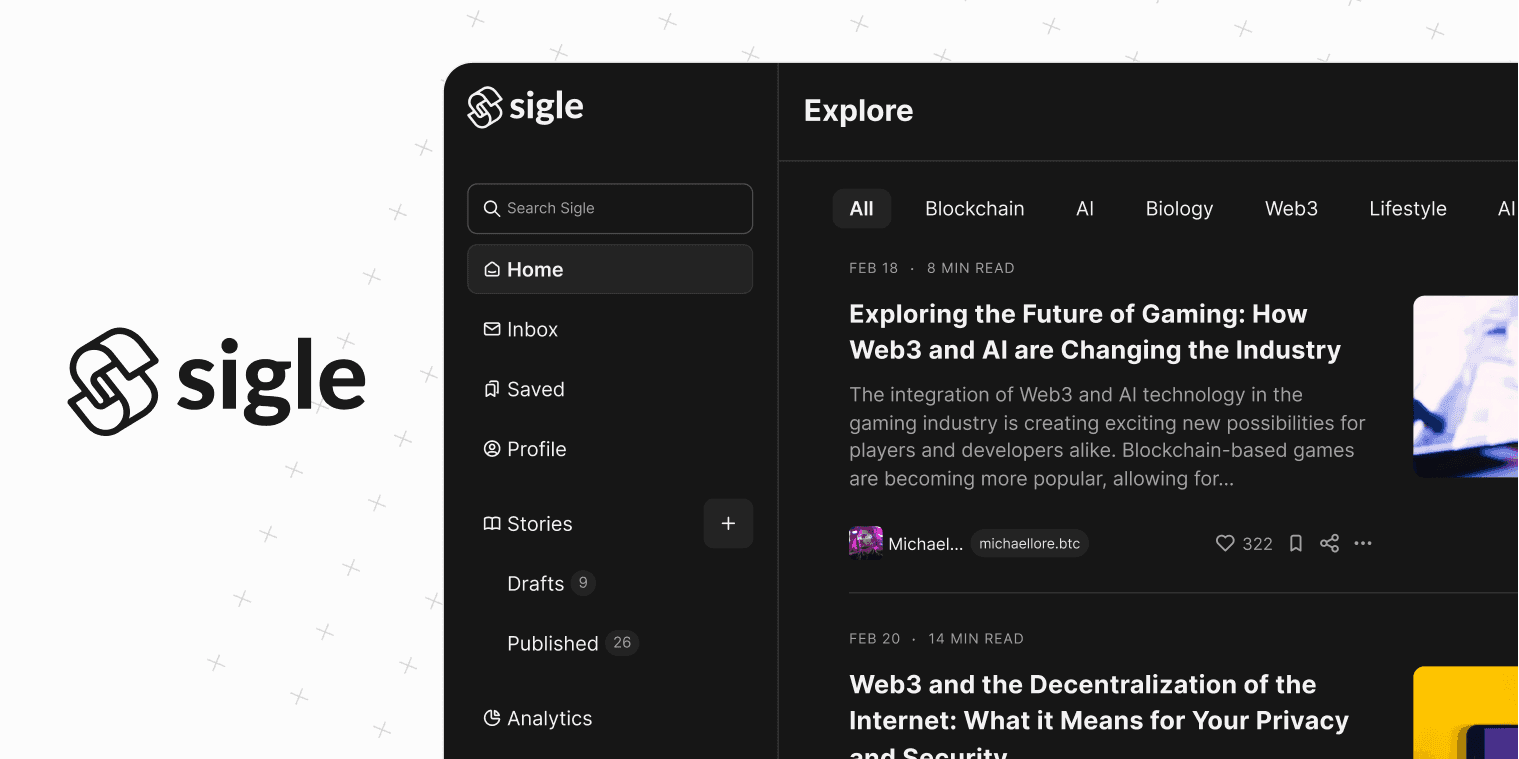
Sigle is a secured and open-source writing platform for web3 content creators, NFT projects, crypto analysts and more. Write your stories, create newsletters, analyse, discover other Web3 creators and earn crypto.

No paid content found
Visit website
Profile views 13 Outbound visits 14 Normal
Sigle Full homepage screenshot

At a glance

Category
Forums & Blogs
Language
English
Paid-content signal
No paid content foundObserved
Registered
2019
Hosting
framer.appInferred
HTTPS certificate trusted
PassedObserved
Last updated

Website review

This review may include AI-generated content and is not individually verified. Domain, certificate and other facts come from the observed data on this page.

What is Sigle?

Sigle is an open-source publishing platform aimed at Web3 writers. Its core pitch is that your writing can be stored on IPFS or inscribed immutably on the Bitcoin blockchain using Ordinals, rather than living only on a company's servers. The page positions it as a Web3 alternative to Substack and Medium, with tools for writing, newsletters, audience growth, analytics and crypto earnings.

Who it is for

  • Crypto analysts and Web3 content creators who want their work tied to on-chain identity or assets.
  • NFT projects and brands that need a blog or newsletter with a crypto-native angle.
  • Writers who want a custom, SEO-optimized blog on their own domain, using templates the page says target a 100/100 Lighthouse score.

What it offers, per the page

  • Writing and newsletter publishing, plus discovery of other Web3 creators.
  • Storage on IPFS, or permanent inscription on Bitcoin via Ordinals.
  • Support for Bitcoin Ordinals, Stacks and Polygon.
  • Open-source code, and a stated free start ("Start writing — It's free").

The trade-off to weigh

Permanent on-chain storage cuts both ways: it is censorship-resistant and verifiable, but you cannot quietly edit or delete an inscribed post. That suits manifesto-style or timestamped analysis; it is a poor fit for drafts, price-sensitive calls you may want to revise, or anything you might need to retract. IPFS storage is more flexible but still depends on pinning to stay available.

If you are evaluating it, publish one short post through the normal editor and one as an Ordinal, then ask whether the permanence is worth the loss of editorial control for your particular content. Compare the result against your current setup on Substack or Medium before migrating a whole archive.

How does Sigle store my writing on the Bitcoin blockchain?

Sigle stores writing on Bitcoin through Ordinals, the protocol that inscribes data into individual satoshis (the smallest unit of Bitcoin). When you choose that option, your text and images are turned into Ordinals and written to the Bitcoin blockchain itself, rather than sitting only on a company server. The site describes this as making the writing "live forever" and says Ordinals support is live.

Sigle also supports IPFS, a decentralized file-storage network. The page presents these as two storage paths: keep stories on IPFS, or lock them immutably on Bitcoin. That distinction matters because the two are not equivalent.

Storage path What it means in practice Main trade-off
IPFS Content is addressed by its hash and served peer-to-peer; the file can be retrieved as long as someone pins or hosts it Cheaper and easier to update, but persistence depends on continued hosting
Bitcoin Ordinals Content is inscribed into Bitcoin and recorded permanently on-chain Strong permanence and provenance, but effectively immutable and tied to Bitcoin transaction costs

For a concrete scenario: a crypto analyst publishing a market thesis they want time-stamped and unalterable might inscribe it as an Ordinal, so readers can verify the exact text existed at a given block. A newsletter writer who updates posts, fixes typos or experiments with formats would likely keep drafts and evolving content on IPFS or the normal blogging side, and reserve Ordinals for finished, citable pieces.

One practical caveat: because an Ordinal is immutable, you cannot edit it after inscription. Treat inscription as publishing a final version, and keep a separate editable copy if you may need corrections. Also note that on-chain storage is a deliberate commitment, not a default backup.

Next step: decide per piece of writing. Ask whether you need updatability or verifiable permanence. If permanence, inscribe; if updatability, publish normally and optionally mirror to IPFS. You can compare the platform's own guidance at Sigle.

Can I use my own domain for a Sigle blog?

Yes. Sigle's page evidence explicitly lists an "SEO-optimized custom blog" feature: "Want more control, customization and better SEO on your own domain? Select a template and start with an optimized blog with a 100/100 lighthouse score." So the platform is designed to let writers publish on their own domain rather than only under a shared subdomain.

What that means in practice

  • Audience: crypto analysts, NFT projects and independent Web3 writers who want a branded home for their work instead of relying on a platform-hosted profile.
  • Trade-off: you gain control over branding, templates and SEO signals, but you take on more setup than simply starting to write on a shared host. The evidence mentions selecting a template, so expect a configuration step before your blog is live.
  • Content storage: writing can be stored on IPFS or locked immutably on the Bitcoin blockchain via Ordinals. That immutability is separate from the domain question — your domain is your public address, while IPFS/Ordinals is how the content itself is preserved.

Next step

If owning the domain is essential, check Sigle's pricing and setup flow before committing, since the page shows a Pricing link but no confirmed figures here. As a general comparison, Substack Substack and Medium Medium also allow custom domains on paid tiers, so weigh Sigle's Web3-native storage and crypto features against their larger existing audiences.

How do I earn crypto from my writing on Sigle?

Sigle's model is that you publish writing to a Web3-native platform, and the earning comes from turning that writing into blockchain assets rather than from a traditional ad-share or subscription payout. Its page evidence points to publishing on IPFS or Bitcoin via Ordinals, plus newsletter and audience tools, so the practical path is: write, publish, and let readers collect or support the work on-chain.

Concrete ways income can arise

  • Selling your posts as Ordinals. Sigle says you can "turn your texts and images into Ordinals" and lock them immutably on Bitcoin. If a reader values a piece as a collectible, that is a sale, not a tip. This suits essayists, crypto analysts and NFT projects whose audience already holds wallets.
  • Audience monetisation around a newsletter. Sigle positions itself as a Web3 alternative to Substack and Medium, with tools to "shape your community." Paid subscriptions or reader support would sit here, though the page evidence does not spell out the mechanism.
  • Reputation that converts elsewhere. A writing record tied to your wallet can support consulting, sponsorships or project work. That is advice, not a Sigle feature.

Trade-offs to weigh

Route Best for Main friction
Ordinals sales Collectors, crypto-native readers Needs a buyer who wants the piece as an asset
Newsletter support Recurring audience Requires an existing readership
Reputation Analysts, freelancers Indirect and slow

Next step

Write one strong piece, then test demand: publish it and offer a collectible version. If nobody collects, your audience likely wants free reading plus another support route. Treat any income figure as unverified until you see it in your own wallet.

What is Sigle's pricing?

Sigle's own page does not state a price. It invites visitors to "Start writing - It's free" and includes an "Explore Pricing" link, but no pricing figures, tiers, or payment platforms appear in the supplied page information. So the only concrete signal available is that starting to write is described as free; anything beyond that would need to be checked on Sigle's pricing page itself at Sigle.

What this means in practice

  • If you only want to publish posts, the advertised entry point costs nothing.
  • If you need paid subscriptions, custom domains, or blockchain storage features, those may sit behind a plan that isn't described here.
  • Because Sigle writes to IPFS or Bitcoin Ordinals, some costs may come from network fees rather than a subscription. That's a general pattern for on-chain publishing, not a stated Sigle price.

A sensible next step: open the Pricing link on Sigle and check whether it lists a free tier, paid tiers, and any transaction or storage fees separately. If you're comparing it with mainstream newsletter tools, note that Sigle's trade-off is different: you get permanence and Web3 ownership, but you may pay per-write network costs instead of a predictable monthly bill.

How does Sigle compare to Substack and Medium?

Sigle positions itself as a Web3-native alternative to Substack and Medium, aimed at writers who want blockchain-based ownership and crypto payments rather than a conventional hosted newsletter or publication.

H3 Where they actually differ

Dimension Sigle Substack Medium
Core model Open-source Web3 writing platform; content can be stored on IPFS or inscribed on Bitcoin via Ordinals Hosted newsletter and subscription platform Hosted publishing network with partner program
Ownership and permanence Emphasis on immutable storage and content that "lives forever" Content lives on Substack's platform; exportable but not immutable Content lives on Medium's platform
Audience discovery Built around discovering Web3 creators and brands Mostly your own subscriber list; limited network discovery Strong built-in network and distribution
Monetization Crypto-oriented, with earning framed around Web3 Paid subscriptions, the established norm for independent writers Partner Program and member reading time
Custom domain and SEO Offers SEO-optimized custom blogs on your own domain Custom domain support on paid tiers Limited customization
Best fit Crypto analysts, NFT projects, Web3-native writers Generalist writers building a paid email list Writers wanting reach without managing a list

H3 What this means in practice

If your readers are crypto-native and you care about provenance — proving a post existed at a certain time, or turning writing into a collectible — Sigle's Bitcoin and IPFS storage is the differentiator. That's a genuine trade-off, not just a feature: immutable publishing is a poor fit for posts you'll want to correct, unpublish, or heavily restructure later.

If your goal is steady subscription revenue from a general audience, Substack's model is more mature and its payment rails are familiar to non-crypto readers. Medium remains the easiest route to incidental discovery, since its network surfaces your work to strangers; Sigle's discovery is scoped to Web3.

A concrete scenario: a crypto analyst publishing weekly market breakdowns for a token-holding audience could use Sigle for on-chain permanence and crypto payments, while mirroring the same posts to Substack to capture readers who will never connect a wallet. That dual approach costs duplication effort but hedges the main risk of each platform.

Next step: decide which matters more to you — permanent, ownable content or frictionless paid subscriptions — then check Sigle's own pricing and feature pages at Sigle before committing, since the platform's terms and storage costs are the details most likely to change.

Related questions

More questions →
How Do Content Creators Combine AI-Generated Assets With Licensed Stock Media in One Project?

Yes, you can combine AI-generated assets with licensed stock media in a single project, but the two categories carry different rights, and that difference is where most problems start. The practical rule: treat AI output and stock media as two separate asset classes with two separate paper trails, then document both before you publish. Below is how the rights differ, where creators get tripped up, and a workflow you can run in any editor.

AI assets vs. licensed stock: the core difference

AI-generated assets Licensed stock media
Who owns it Often unclear; depends on the tool's terms and your jurisdiction The creator or library; you get a license, not ownership
What you receive A generated file, sometimes with commercial-use rights granted by the tool A defined license (royalty-free, rights-managed, editorial-only)
Attribution Rarely required, sometimes prohibited from claiming authorship Sometimes required, often restricted from redistribution
Main risk Training-data provenance, platform terms changing, unclear copyrightability Scope creep — using editorial-only footage in a commercial ad, for example

The key point: a stock license tells you exactly what you can do. An AI tool's terms tell you what the platform permits, which is not the same as what copyright law allows. When you mix them, both sets of rules apply to the same final video.

Common licensing pitfalls when mixing the two

Editorial-only stock inside a monetized video

Many libraries label certain footage as "editorial use only" — news clips, celebrity shots, branded products. Dropping that into a YouTube video with ads or a client project can breach the license even if the rest of your timeline is clean AI output. Check the license tag on every stock clip, not just the ones you think are risky.

Assuming AI music is automatically "royalty-free"

AI-generated music may be free of royalties to a rights holder, but the tool's terms can still restrict commercial use, require a paid tier, or prohibit redistribution as a standalone track. If you upload your video to a platform that fingerprints audio, an AI track can still trigger a claim if it closely resembles training data.

Voiceover and likeness rights

AI voiceover that mimics a real person, or AI images of recognizable faces, can create publicity-rights issues that no stock license covers. Keep AI voice and likeness generic, or use a tool that explicitly grants commercial rights for the output.

Stacking licenses you didn't read

A single subscription may cover music, SFX, footage, and AI tools — but each category can have its own terms page. One plan does not mean one uniform license.

A practical workflow for one project

  1. Create two folders before you edit. Name them AI_generated and Licensed_stock. Never let files mix on disk; you will need to prove origin later.

  2. Log every asset as you import it. A simple spreadsheet works:

    File name Source Type License/tier Attribution required? Restrictions
    intro_music.wav AI tool Music Pro plan No No standalone resale
    city_broll_04.mp4 Stock library Footage Royalty-free No Not for editorial use
  3. Tag clips in your editor. Most editors let you add color labels or keywords. Mark AI assets one color, licensed stock another. This makes a final rights check fast.

  4. Do a pre-export audit. Walk the timeline and confirm every clip's license permits your intended use — commercial, monetized, client work, or broadcast.

  5. Keep the export clean of metadata conflicts. Some stock files carry embedded license metadata; AI files usually don't. Don't strip or fake either one.

How to verify one subscription covers both

Before you rely on a single platform for AI tools and stock media, confirm:

  • The pricing page lists both categories under the same plan. If AI tools sit on a separate tier, your "one subscription" assumption is wrong.
  • The terms of use have a section for AI output and a separate section for stock assets. One combined clause is a warning sign.
  • Commercial use is explicit for both. Look for the words "commercial use" tied to each asset type, not just the plan overall.
  • Attribution rules are stated per category. Music often differs from footage.
  • There's a clear answer on client work and redistribution. If you can't find it, ask support in writing and save the reply.

Questions to ask before committing to one platform

  • Does my plan cover AI music, SFX, footage, and voiceover, or only some of them?
  • If I cancel, can I keep using assets downloaded during my subscription in existing videos?
  • Are AI-generated assets covered for client and monetized work, or personal projects only?
  • What happens if a stock clip is later reclassified as editorial-only?
  • Is there a per-project or per-channel limit I might hit?
  • Can I get written confirmation of commercial rights for both asset types?

Bottom line

Combining AI-generated and licensed stock assets is workable if you treat them as two licensed streams feeding one project. Separate your files, log every asset's origin and terms, audit before export, and verify that any single platform actually covers both categories in writing. The creative mix is easy; the paperwork is what keeps the project publishable.

What Are Open-Source UI Element Libraries and How Do They Differ From UI Frameworks?

An open-source UI element library is a collection of individual, ready-made interface pieces—buttons, cards, inputs, toggles, loaders—that you copy into your own project and adapt. A UI framework, by contrast, is a structured system of components, conventions, and often a theming layer that governs how your whole interface is built. The practical difference: an element library gives you a snippet; a framework gives you a way of working. If you need a polished button in ten minutes, reach for the element library. If you're building a 40-screen product with a team, you probably want the framework.

What "open-source UI element library" actually means

The term gets used loosely, so it helps to separate the parts:

  • Open-source: the code is publicly available, and the license tells you what you may do with it—copy, modify, redistribute, or use commercially.
  • UI element: a single, self-contained piece of interface, usually small enough to read in one sitting. A button with hover states, a pricing card, a search field.
  • Library: a browsable, searchable collection of those elements, typically contributed by many different people.

On a site like Uiverse, elements are shared by a community and written in plain CSS or Tailwind. You find one you like, copy the markup and styles, paste them into your project, and adjust colors, spacing, and text to fit. There's no package to install and no build step required—which is exactly the appeal, and also the source of most of the confusion.

Element library vs. UI framework: the core differences

Dimension Open-source UI element library UI framework / design system
Unit of reuse A single snippet you copy A component you import or call
Installation None; paste into your code Package install, config, sometimes a provider
Consistency Depends on you; each element may look different Enforced by shared tokens and APIs
Theming Manual edits per element Central theme/config file
Updates You own the copy; no upstream updates Version bumps bring fixes and changes
Accessibility Varies per contributor; must be checked Usually tested and documented
Best for Prototypes, landing pages, small sites, one-off needs Multi-page apps, teams, long-lived products
Learning curve Low—read the CSS Higher—learn the API and conventions

The table isn't a verdict. It's a map of trade-offs. Element libraries win on speed and freedom; frameworks win on consistency and maintenance.

Licensing and attribution: what to check before you paste

This is where people get into trouble, and it's worth slowing down for.

  1. Find the license. Every element or collection should state one. Common open-source licenses include MIT, Apache-2.0, and BSD. Some projects use copyleft licenses like GPL, which can impose obligations if you redistribute your code.
  2. Understand what the license permits. MIT and Apache-2.0 are permissive: you can typically use the code in commercial and closed-source projects. Copyleft licenses may require you to release derivative source under the same terms.
  3. Check attribution requirements. Permissive licenses usually require you to keep the copyright notice and license text somewhere in your project. That's a real obligation, not a formality.
  4. Look for per-element terms. On community sites, the site's overall terms and the individual contributor's stated wishes may differ. If a contributor asks for credit, honor it.
  5. When in doubt, ask or avoid. If a snippet has no license at all, you don't have clear permission to reuse it. Treat "no license" as "not open source," even if the code is publicly visible.

This article is general information, not legal advice. For commercial products with real exposure, have someone qualified review the licenses you're relying on.

How to use a community element in your project: a practical workflow

Here's a repeatable process that avoids most of the usual mess.

1. Start from a real need, not a browsing session

Decide what you need first—"a compact primary button with a loading state"—then search. Browsing aimlessly produces a pile of pretty snippets that don't fit together.

2. Copy the smallest version that works

Take the markup and the styles. Strip anything you don't need: demo wrappers, extra animations, decorative layers. Less code means fewer surprises.

3. Convert it to your conventions

If your project uses design tokens or CSS variables, replace hard-coded values:

/* Before: hard-coded */
.button { background: #4f46e5; border-radius: 8px; }

/* After: token-based */
.button { background: var(--color-primary); border-radius: var(--radius-md); }

This one step is what keeps a copied element from looking like a foreign object in your UI.

4. Check accessibility before you ship

Community elements vary widely here. Verify at minimum:

  • Keyboard focus is visible and the element is reachable by Tab.
  • Color contrast meets WCAG AA (4.5:1 for normal text).
  • Interactive elements use semantic HTML (<button>, not a clickable <div>).
  • Form inputs have associated labels.
  • Motion respects prefers-reduced-motion.

5. Test in context

Paste it into a real page with real content. Long labels, small screens, and dark mode break more copied elements than anything else.

6. Note where it came from

Keep a short comment or an internal credits file: source, license, date. Future you—and your legal reviewer—will be grateful.

Where element libraries genuinely shine

  • Prototypes and demos: you need something clickable today, not a design system.
  • Landing pages and marketing sites: a handful of distinctive elements, each custom.
  • Filling gaps: your framework lacks one specific component, and you don't want to build it from scratch.
  • Learning: reading well-made CSS is one of the fastest ways to improve.
  • Small projects: a personal site doesn't need a theming architecture.

Where they fall short

  • Consistency at scale: ten elements from ten contributors rarely look like one product.
  • Maintenance: you own every copy. When your design changes, you edit each one.
  • Accessibility debt: you inherit whatever the contributor did or didn't do.
  • No upstream fixes: a bug fixed in the original won't reach your copy.
  • Integration friction: different naming conventions, different units, different assumptions about resets.

When to choose which

Choose an element library when the scope is small, the timeline is short, or you need a few distinctive pieces rather than a whole system.

Choose a framework or design system when multiple people build multiple screens over months, when consistency is a product requirement, or when accessibility and theming need to be guaranteed rather than checked.

A hybrid works well for many teams: adopt a framework for the structural components—forms, navigation, layout—and borrow individual elements for the places where you want personality. Just route every borrowed element through the same token and accessibility checks, so it lands as part of your system rather than beside it.

The short version: open-source UI element libraries are a fast, flexible way to get good-looking interface pieces into a project. They are not a substitute for a design system, and the license and accessibility details are the part worth reading carefully.

How does Sigle store writing on Bitcoin and IPFS?

Sigle gives you two storage paths for your writing: IPFS for decentralized hosting, and Bitcoin Ordinals for permanent, immutable inscription. You choose per piece of content. If you want your text and images to live permanently on the Bitcoin blockchain, you convert them into Ordinals. If you want decentralized storage without committing to Bitcoin, IPFS is the default option.

The two storage options

Sigle describes its storage model directly on its homepage: "Store your stories on IPFS or lock them immutably on the Bitcoin blockchain. Turn your texts and images into Ordinals and make them live forever."

That gives you a clear split:

Option What it does Best for
IPFS Stores your writing on a decentralized file network Normal publishing where you want decentralized hosting without blockchain costs
Bitcoin Ordinals Inscribes your text and images onto the Bitcoin blockchain Content you want permanently locked and immutable

The key difference is permanence versus flexibility. IPFS keeps your content decentralized and accessible, but it is still a file network. Ordinals write the content itself into Bitcoin, which is what makes it "immutable" and permanent in Sigle's framing.

How the Ordinals path works

Ordinals support is live on Sigle, announced on the homepage with: "🔥 Ordinals support is live, your writing stored forever on the Bitcoin Blockchain!"

The flow, based on what Sigle states:

  1. Write your content in Sigle's editor — stories, newsletters, or analysis.
  2. Convert text and images into Ordinals when you want permanent storage.
  3. The content is inscribed on Bitcoin, making it immutable.

Sigle frames the result as content that will "live forever. Literally." That is the core promise: once inscribed, the writing is locked and cannot be altered or removed.

What this means in practice

  • IPFS is the everyday option. Use it for regular publishing where decentralized storage matters but you don't need blockchain-level permanence.
  • Ordinals are the commitment option. Use it when a piece of writing or an image should be permanently preserved — for example, a manifesto, a limited NFT-linked essay, or a piece you want to timestamp immutably.
  • You decide per piece. Sigle presents these as choices, not a single forced pipeline.

Who this is built for

Sigle positions itself as a Web3 writing platform for "web3 content creators, NFT projects, crypto analysts and more," and as "the best Web3 alternative to Substack and Medium." The Bitcoin and IPFS storage model is aimed at writers who specifically want their work decentralized and, optionally, permanently inscribed rather than held on a conventional platform.

Beyond storage, Sigle also offers an SEO-optimized custom blog on your own domain with a claimed 100/100 Lighthouse score, plus tools to write, create, send, share, grow, analyze, and earn crypto.

Quick decision guide

  • Want decentralized hosting without blockchain inscription? → IPFS
  • Want your writing permanently and immutably on Bitcoin? → Ordinals
  • Want both capabilities available as you publish? → Sigle supports both, chosen per piece

One caveat worth noting: Sigle's homepage shows "Explore Pricing" links, but the provided page evidence does not include actual pricing details, so check the pricing page directly before assuming cost or free access for any specific feature.

What Is Sigle and Who Is It For?

Sigle is an open-source writing platform built for Web3 content creators. It lets you publish stories and newsletters, store them on IPFS or the Bitcoin blockchain, and run an SEO-optimized blog on your own domain. It positions itself as a Web3 alternative to Substack and Medium, so it fits writers who already work in crypto or want their publishing to live on decentralized infrastructure rather than a conventional hosted platform.

Who Sigle is built for

The site names its audience directly: Web3 content creators, NFT projects, crypto analysts, and brands. If your readers expect wallet-based or on-chain context, or you want your posts to exist as assets rather than rows in a company database, that's the intended use case. If you just want a plain blog with no interest in crypto infrastructure, the decentralized storage angle adds complexity without much payoff.

What you can actually do on Sigle

  • Write and publish stories and newsletters from a single interface.
  • Store content on IPFS, or lock it immutably on the Bitcoin blockchain.
  • Turn texts and images into Ordinals so they persist on Bitcoin.
  • Run a custom blog on your own domain using a template, with a claimed 100/100 Lighthouse score for SEO and performance.
  • Analyze and grow — the platform lists analytics and audience growth among its tools.
  • Earn crypto — the description mentions earning, though the mechanism isn't detailed in the available page content.

The homepage also lists Bitcoin Ordinals, Stacks, and Polygon as supported chains.

How it compares to Substack and Medium

Dimension Sigle Substack / Medium
Storage IPFS or Bitcoin blockchain Platform-hosted servers
Ownership model Open-source, decentralized storage Closed platform
Custom domain blog Yes, via templates Limited or platform-controlled
Audience Web3 creators, NFT projects, crypto analysts General writers
Crypto earning Mentioned Not applicable

The trade-off is straightforward: Sigle gives you verifiable, persistent storage and Web3-native tooling, but you're operating in a smaller ecosystem than the mainstream newsletter platforms. Choose it if decentralized permanence matters to your work; choose Substack or Medium if reach and a familiar reader base matter more.

What to check before committing

The homepage shows a "Start writing" call to action and states "It's free," and there's a Pricing link in the navigation. The available page content doesn't include the actual pricing tiers or what any paid plan covers, so check the Pricing page directly before assuming all features — particularly custom domains or Ordinal minting — are included at no cost. The same applies to wallet or login requirements, which aren't specified in the material available here.

If your goal is simply to understand whether Sigle fits your workflow: it's for Web3-native writers who want their content stored on IPFS or Bitcoin and who value an open-source, self-controlled blog over a mainstream hosted newsletter.

Does Sigle Offer a Custom Blog With SEO Optimization?

Yes. According to Sigle's own site, it offers an "SEO-optimized custom blog" — you can select a template and start with an optimized blog that the site says reaches a 100/100 Lighthouse score. This is aimed at writers who want more control, customization, and better SEO on their own domain.

What Sigle says it provides

The relevant claim on Sigle's homepage is short but specific:

  • Custom blog — you can run a blog rather than only publishing inside a shared platform feed.
  • Your own domain — the site frames this as "better SEO on your own domain," implying the blog can live at a domain you control.
  • Template selection — you pick a template as the starting point instead of building from scratch.
  • SEO optimization — the blog is described as "optimized" out of the box.
  • 100/100 Lighthouse score — Sigle states the optimized blog achieves this score.

How this fits into the rest of Sigle

Sigle describes itself as a secured, open-source writing platform for Web3 content creators, NFT projects, crypto analysts, and similar audiences, and positions itself as a Web3 alternative to Substack and Medium. Its broader feature set includes:

Area What the site states
Writing & storage Write on Bitcoin and IPFS; store stories on IPFS or lock them immutably on the Bitcoin blockchain
Ordinals Turn texts and images into Ordinals; Ordinals support is live
Blog SEO-optimized custom blog on your own domain, template-based, 100/100 Lighthouse score
Audience tools Write stories, create newsletters, analyze, discover other Web3 creators and brands
Interface Simple, beautiful, powerful interface intended to stay out of the way

So the custom blog is one part of a platform that also handles storage, publishing, and audience growth.

What to verify before committing

The homepage makes the SEO and Lighthouse claims, but it doesn't spell out the mechanics. If SEO is your deciding factor, check these before you migrate:

  1. Domain setup — confirm how connecting your own domain works and whether it's available on your plan.
  2. Template limits — see how much you can customize a template (layout, metadata, URL structure) versus just picking one.
  3. Lighthouse conditions — a 100/100 score depends on the page, content, and third-party scripts you add; test your own published pages rather than assuming the score holds for every post.
  4. Pricing — Sigle's site links to a Pricing page, but the available page evidence doesn't list plan details or payment terms. Check the Pricing page directly for what the custom blog requires.

If your goal is simply to publish Web3 writing with permanent storage, the Bitcoin/IPFS and Ordinals features may matter more than the blog. If your goal is a search-visible site on your own domain, the custom blog is the relevant feature — and the four checks above are what determine whether it fits your workflow.

Website Overview

An established domain and managed infrastructure suggest continuity of operations and may support dependable delivery, although neither guarantees service quality. An active inbound-mail setup with incomplete authentication may leave the domain more open to impersonation. Provider hosting alone does not close that gap.

Domain and Registration

Registered in 2019, this domain has about 7 years of history. That suggests continuity, although ownership and purpose may have changed. The registrar is Gandi SAS, a widely used domain service provider. The domain uses the common .io extension, which is not an independent safety signal.

DNS and Email

The observed email authentication setup is incomplete: DMARC is missing. Nameservers are provided by Cloudflare, indicating managed DNS hosting. MX records point to the Google Workspace email service. TXT records include verification markers for Google. Such markers may also remain after a service stops being used. DNSSEC signatures were not detected, so this additional DNS authenticity protection is not confirmed.

TLS and Certificates

The public key uses EC with 256 bits. The server supplied a complete certificate chain. No organization name is present in the certificate; the available fields are consistent with domain validation. The certificate was issued by Let's Encrypt, commonly associated with automated certificate services. The certificate's total validity is about 89 days, consistent with a short renewal cycle.

HTTP and Browser Security

The response lacks these common security headers: CSP, Referrer-Policy, Permissions-Policy, clickjacking protection. No X-Powered-By header was found, reducing one common source of backend fingerprinting information. No obvious internal addresses or debug information were found in the headers. The Server header contains the custom value Framer/26fa766. No explicit CDN or WAF marker was found in the response headers.

Technology Stack Analysis

The public page identifies Framer ea5112a without precise versions, leaving fewer clues for version-specific scanning.

Search and Social Sharing

The meta description has 213 characters and may be shortened in search results. The Generator tag identifies Framer ea5112a, making the publishing system easier to fingerprint. Twitter Card metadata is configured. The title has 48 characters, within a common display range. The observed directives allow indexing and link following.

Hosting and Email

DNSCloudflare
Hostingframer.app
EmailGoogle Workspace
Approximate IP geolocation (inferred; a CDN or proxy may differ from the origin server) The Netherlands flagAmsterdam, North Holland, The Netherlands Inferred 31.43.160.6
Registration details

RDAP / WHOIS

RegistrarGandi SAS
Registered2019-01-27
Expires2027-01-27
Domain statusok https://icann.org/epp#ok
Nameserversroxy.ns.cloudflare.com、tim.ns.cloudflare.com
DNSSECunsigned

DNS records

DNS

TypeNameValueTTLPriority
Asites.framer.app31.43.160.6300—
Asites.framer.app31.43.161.6300—
MXsigle.ioaspmx.l.google.com3001
MXsigle.ioalt1.aspmx.l.google.com3005
MXsigle.ioalt2.aspmx.l.google.com3005
MXsigle.ioalt3.aspmx.l.google.com30010
MXsigle.ioalt4.aspmx.l.google.com30010
MXsigle.io32m5dazf4jw4vogz3l7vkvy4ipw5cyffgq4x2d54vucjczrhj75a.mx-verification.google.com30015
NSsigle.ioroxy.ns.cloudflare.com86400—
NSsigle.iotim.ns.cloudflare.com86400—
TXTsigle.io440a7df0paddle-verification=440a7df0300—
TXTsigle.iobrave-ledger-verification=476a5c9e86ce38ac07d673dbc871232a8b14f2452309437248c29bb047c67b71300—
TXTsigle.iogoogle-site-verification=OzA743h6XfCh01JubHwdIdi3QiZACHQ4gIHGjjvBkio300—
TXTsigle.iov=spf1 include:spf.mailjet.com ?all300—
CNAMEwww.sigle.iosites.framer.app300—

TLS and certificates

TLS / SSL

AssessmentNormal configuration
Supported protocolsTLSv1.2、TLSv1.3
Negotiated protocolTLSv1.3
Certificate subjectwww.sigle.io
IssuerLet's Encrypt
Valid until2026-11-01T05:56 · Remaining when checked: 34 days
Verification detailsCertificate trust: Passed · Hostname match: Passed

HTTP response headers

HTTP

HeaderValue
content-typetext/html
cache-controlpublic, max-age=0, must-revalidate
serverFramer/26fa766
strict-transport-securitymax-age=31536000
x-content-type-optionsnosniff

Identified technologies

Framer ea5112a

Pages, Search and Sharing

Meta descriptionSigle is a secured and open-source writing platform for web3 content creators, NFT projects, crypto analysts and more. Write your stories, create newsletters, analyse, discover other Web3 creators and earn crypto.
Canonical URLhttps://www.sigle.io/
LanguageEnglish (default)
Twitter Cardsummary_large_image
All bots 1 allowed · 0 disallowed
  • Allow/

User reviews (0)

  • No reviews yet.

