Website profiles · Technology insights · Alternatives

spacefoon.itch.io

No paid content found
Visit website
Profile views 9 Outbound visits 6 Normal
Fooney - itch.io Full homepage screenshot

At a glance

Category
Development
Language
English
Paid-content signal
No paid content foundObserved
Registered
2011
Hosting
CloudflareInferred
HTTPS certificate trusted
PassedObserved
Last updated

Website review

This review may include AI-generated content and is not individually verified. Domain, certificate and other facts come from the observed data on this page.

What is Fooney?

Fooney is the itch.io profile of a developer (github.com/SpaceFoon) who publishes small, focused plugins and tools for RPG Maker MV and MZ — mostly audio-related “fixes” and utilities for game developers.

Its catalog centers on practical problems that come up in RPG Maker projects:

  • Master Volume Control (RMMV/MZ) — lets a developer or player adjust overall volume, aimed at preventing projects from launching too loudly.
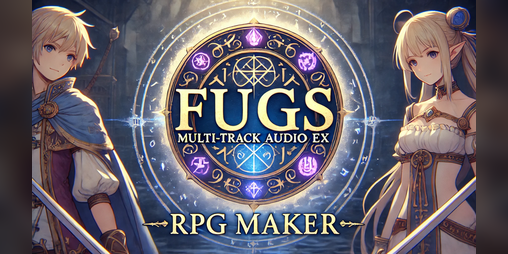
  • Multi Track Audio EX for RMMV — adds unlimited audio tracks with fading and crossfading for BGM, BGS, ME and SE.
  • YEP/Galv SpriteOffsetX Fix — patches a SpriteOffsetX error when Yanfly’s sprite-offset plugin is combined with Galv’s Cam Control.
  • Only OGG for MV — forces RMMV deployments to export OGG audio only, avoiding M4A.
  • OGG Opus Loop Tag Support for RMMV/MZ — makes the engines read loop tags from OGG files using the Opus codec.
  • EZ Game Audio Format Conversion — a batch converter for preparing audio files for game development.

Who it is for: RPG Maker MV/MZ developers who hit specific engine or plugin conflicts, or who need tighter control over game audio. The tools are narrow by design, so they are most useful if you already know the exact problem you are trying to solve rather than as a general-purpose toolkit.

A reasonable next step is to open the specific plugin page for your engine version (MV vs MZ) and check the stated compatibility and requirements before adding it to a project; several items here are version- or plugin-specific. You can browse the full list at Fooney - itch.io.

Which Fooney plugins work with RPG Maker MV versus MZ?

Fooney's plugin lineup is split between RPG Maker MV-only tools, plugins that support both MV and MZ, and one utility that isn't tied to either engine.

MV-only plugins

  • Fugs Multi Track Audio EX for RMMV — unlimited audio tracks with advanced fading and crossfading for BGM, BGS, ME, and SE. Listed for RPG Maker MV only.
  • Only OGG for MV — forces all RMMV deployments to export OGG audio only, avoiding M4A. Explicitly MV.
  • YEP/Galv SpriteOffsetX error Fix — patches a SpriteOffsetX error that appears when combining Yanfly's Sprite Offset plugin with Galv's Cam Control. This is an MV-era plugin-compatibility fix.

MV and MZ plugins

  • Master Volume Control — lets the developer and player adjust master volume, aimed at stopping RMMV from launching too loud. Listed for RMMV/MZ.
  • OGG Opus Loop Tag Support — makes the engine read and use Loop Tags from OGG files using the Opus codec. Listed for RMMV/MZ.

Engine-agnostic utility

  • EZ Game Audio Format Conversion — batch-converts audio files for game development. This is a standalone workflow tool, not an engine plugin, so it applies regardless of whether you ship on MV or MZ.

How to decide

If you're on MZ, only Master Volume Control and OGG Opus Loop Tag Support apply directly; the multi-track audio, OGG-only export, and SpriteOffsetX fix are MV-specific. If you're on MV, everything on the page is usable.

One practical check before installing: the SpriteOffsetX fix assumes you're running both Yanfly's Sprite Offset and Galv's Cam Control together. If you use only one of those plugins, the fix has nothing to correct.

A sensible next step is to open Fooney and confirm the current engine compatibility notes on each plugin page, since plugin listings can be updated after release.

How do I fix the SpriteOffsetX error when using Yanfly and Galv plugins together?

The fix listed on Fooney's itch.io page is a small compatibility plugin: Fooney Fugs YEP/Galv SpriteOffsetX error Fix, described as fixing the SpriteOffsetX error that appears when Yanfly's Sprite Offset plugin is used alongside Galv's Cam Control. Both plugins try to control sprite positioning, and the conflict surfaces as the error.

How to apply it

  1. Download the fix from Fooney - itch.io.
  2. In RPG Maker MV, open the Plugin Manager and add the fix as a new plugin entry.
  3. Place it below both Yanfly's Sprite Offset and Galv's Cam Control in the plugin list, so it loads after the plugins it patches.
  4. Save, then run the project and trigger a map where the error previously occurred — typically a map using camera movement with offset sprites.

If the error persists

  • Confirm the plugin order first; load-order mistakes are the most common cause of "the fix didn't work."
  • Test with only the three plugins enabled (Sprite Offset, Cam Control, the fix) to rule out a second conflict.
  • Check that your Yanfly and Galv plugin versions are current; the fix targets a specific error signature, not every possible offset conflict.

Related audio tools on the same page

If you're already working in this plugin set, the same author publishes several RPG Maker MV/MZ audio utilities: Master Volume Control (keeps RMMV from launching too loud), Multi Track Audio EX (unlimited tracks with fading and crossfading for BGM, BGS, ME and SE), Only OGG for MV (forces OGG-only deployment), and OGG Opus Loop Tag Support (makes RMMV/MZ honor loop tags in Opus-encoded OGG files). These are separate from the SpriteOffsetX fix and won't affect camera or sprite behavior.

A practical next step: keep a minimal test project containing just your camera and sprite-offset plugins. When an error like this appears, reproducing it there takes minutes and tells you definitively whether the fix resolves it before you touch your main project.

How can I make RPG Maker MV deployments export OGG audio instead of M4A?

Use the Only OGG for MV plugin from Fooney's itch.io page. It's described as making all RPG Maker MV deployments export OGG audio only — no M4A. That directly targets the deployment step, so you don't have to re-encode files by hand after every build.

How to apply it

  1. Download the plugin from Fooney - itch.io.
  2. Add it to your project's js/plugins folder and enable it in the Plugin Manager.
  3. Deploy as usual (File → Deployment), then check the output audio folders to confirm .ogg files are what ships.

Practical notes

  • RPG Maker MV's editor accepts both .m4a and .ogg in the database, so having OGG source files is not the same as deploying OGG. This plugin addresses the deployment side.
  • If your project still contains .m4a files in the audio folders, deal with those too — the plugin changes what gets exported, but it's worth verifying nothing slips through.
  • OGG is well supported on desktop and most modern browsers, which is why it's a common choice for web and cross-platform builds.

Worth pairing with

  • OGG Opus Loop Tag Support for RMMV/MZ — if you use Opus-encoded OGG files, this makes MV/MZ read loop tags so BGM loops correctly instead of playing once.
  • EZ Game Audio Format Conversion — a batch converter for turning your existing audio into the format you want before deployment, useful if your source library is still M4A.

Choosing between them

If your goal is purely "stop shipping M4A," Only OGG for MV is the direct fix. If you also need loop points to work with Opus files, add the loop tag plugin. If your source files themselves are M4A, start with the converter so you have OGG assets to deploy in the first place.

A sensible next step: run one test deployment on a small project, open the exported audio folder, and confirm the file extensions before applying this to a full game.

How do I add loop tags to OGG Opus files for RPG Maker MV or MZ?

Use Fooney Fugs OGG Opus Loop Tag Support for RMMV/MZ, a plugin listed on Fooney - itch.io, to make RPG Maker MV or MZ read and use loop tags from OGG files that use the Opus codec. The plugin's stated purpose is exactly that: adding loop-tag support for OGG Opus in RMMV/MZ.

What this means in practice

RPG Maker's default audio handling doesn't reliably honor loop tags in OGG Opus files. This plugin is intended to bridge that gap so the loop points you've embedded are actually respected during playback in your game.

A practical workflow

  1. Prepare your audio as OGG with the Opus codec.
  2. Embed loop tags in the file — typically using a tool that writes OGG loop metadata (loop start and loop end sample positions).
  3. Add the plugin to your RPG Maker MV or MZ project.
  4. Configure it according to its plugin parameters.
  5. Test in-game, especially loop points near the start and end of the track.

Decision criteria

  • If your project already uses Vorbis OGG and loops work fine, you likely don't need this.
  • If you specifically need Opus (smaller files, different quality profile) and need seamless looping, this plugin targets that exact problem.
  • If you're unsure which codec your files use, check the file properties or your conversion tool's output settings before installing.

Related tools on the same page

The same itch.io profile also lists Fooney Only OGG for MV, which forces RMMV deployments to export OGG audio only (no M4A), and Fooney EZ Game Audio Format Conversion, described as a simple, fast way to batch convert audio files for game devs. If your loop-tag issue is really a format pipeline issue, those two may be worth reviewing alongside the loop-tag plugin.

Next step: confirm your OGG files are actually Opus-encoded and that loop tags are present, then install the plugin and verify looping with a short test track before applying it across your whole soundtrack.

What is the fastest way to batch convert audio files for game development?

For a game-dev workflow, the fastest approach is to let a purpose-built batch converter handle the whole folder at once rather than converting files one by one in an audio editor. Fooney's own answer to this is Fooney EZ Game Audio Format Conversion, described on its page as "the most simple and fast way to batch convert audio files for game devs" Fooney - itch.io. The same page also lists narrower audio tools, including Fooney Only OGG for MV, which makes all RPG Maker MV deployments export OGG audio only, and Fooney Fugs OGG Opus Loop Tag Support for RMMV/MZ, which makes those engines read loop tags from OGG files using the Opus codec Fooney - itch.io. If your target engine is RPG Maker MV or MZ, that combination is worth checking before building a general-purpose pipeline.

What "fastest" actually means here

Speed in batch conversion comes from three things, not just raw encoding:

  • One pass over a folder — point the tool at a directory and let it recurse, instead of opening files individually.
  • Correct output format the first time — converting to a format the engine rejects means doing the work twice. RPG Maker MV deployments, for example, are the specific problem the OGG-only tool addresses.
  • Preserving metadata that matters — loop points in OGG/Opus files are easy to lose in conversion, and losing them means manually re-tagging every BGM track. Loop tag support is the fix offered on the page.

A practical decision path

  1. Identify your engine's required format first. If it is RPG Maker MV, OGG-only output avoids a second conversion round.
  2. Choose a converter that takes a folder as input and writes to a separate output directory, so originals stay intact.
  3. Convert a small sample set and test it in-engine before running the full library — especially any looping tracks.
  4. Keep the source files. Re-converting from a lossy intermediate degrades quality further each time.

Trade-offs to weigh

Approach Speed Best for Main drawback
Folder-based batch converter Fastest for large libraries Whole-project audio passes Less per-file control
Audio editor with batch/scripting Moderate Complex edits combined with conversion Slower setup, steeper learning curve
Command-line encoder Very fast once scripted Repeatable pipelines, CI Requires scripting knowledge

For a solo developer with a few hundred sound files, a dedicated batch converter is usually the shortest path. For a team that re-exports audio on every build, a scripted command-line step pays off because it can be automated.

A useful next step: gather a representative sample — one looping BGM track, one short sound effect, one voice line — and run it through your chosen converter into a test folder. Verify loop behaviour and playback in the engine before committing the full library. That single test catches the format and metadata problems that otherwise cost far more time than the conversion itself.

Related questions

More questions →
What RPG Maker plugins and tools does Fooney offer?

Fooney (spacefoon.itch.io) publishes a set of small, focused RPG Maker MV/MZ plugins and utilities, mostly aimed at audio handling and a couple of specific compatibility fixes. They are individual tools rather than one big framework, so you pick only the ones that match a problem you actually have.

The plugins and tools

Tool Target What it does
Master Volume Control RMMV / MZ Adds a master volume control for both the developer and the player, so a game doesn't launch at full blast
Multi Track Audio EX RMMV Unlimited audio tracks with advanced fading and crossfading for BGM, BGS, ME, and SE
Only OGG for MV RMMV Makes all deployments export OGG audio only, no M4A
OGG Opus Loop Tag Support RMMV / MZ Lets the engine read and use loop tags from OGG files using the Opus codec
YEP/Galv SpriteOffsetX error Fix RMMV Fixes a SpriteOffsetX error that appears when Yanfly's Sprite Offset plugin is used together with Galv's Cam Control
EZ Game Audio Format Conversion General (game dev) A simple, fast way to batch convert audio files for game development

How to choose

  • Your game starts too loud or players complain about volume: Master Volume Control is the direct answer, and it covers both RMMV and MZ.
  • You need layered or overlapping music/SFX with smooth transitions: Multi Track Audio EX is the RMMV option, since it explicitly adds unlimited tracks and crossfading for BGM, BGS, ME, and SE.
  • Your exported builds carry M4A files you don't want: Only OGG for MV forces OGG-only deployment on RMMV.
  • Your looping OGG files (Opus) don't loop correctly: OGG Opus Loop Tag Support makes RMMV/MZ read and honor those loop tags.
  • You hit a SpriteOffsetX error while combining Yanfly Sprite Offset with Galv Cam Control: the dedicated fix targets exactly that plugin combination on RMMV.
  • You just need to convert a batch of audio files: EZ Game Audio Format Conversion is a standalone utility, not an in-engine plugin.

Things to keep in mind

The audio plugins split across engines: Multi Track Audio EX and Only OGG for MV are RMMV-only, while Master Volume Control and OGG Opus Loop Tag Support cover both RMMV and MZ. The SpriteOffsetX fix is tied to a specific third-party plugin pairing, so it's only useful if you use both Yanfly's Sprite Offset and Galv's Cam Control. For current availability, download options, and any terms, check each tool's page on spacefoon.itch.io, since the profile lists them individually.

Which RPG Maker Versions Do Fooney's Plugins Support?

Fooney's plugins are split between RPG Maker MV (RMMV) and MZ support, and the version label is not uniform across the catalog. Most audio-related plugins list both RMMV and MZ, but several are MV-only, and one is explicitly a compatibility fix for third-party plugins. Before downloading, match the plugin's own version tag to your engine — not the profile as a whole.

Version support by plugin

Based on the plugin descriptions on the Fooney itch.io profile:

Plugin / tool Stated support
Master Volume Control RMMV / MZ
Multi Track Audio EX RMMV
YEP/Galv SpriteOffsetX error Fix RMMV (fixes Yanfly Sprite Offset + Galv Cam Control)
Only OGG for MV RMMV
OGG Opus Loop Tag Support RMMV / MZ
EZ Game Audio Format Conversion Not version-specific (general audio conversion tool)

Two patterns stand out:

  • Audio playback and volume plugins (Master Volume Control, OGG Opus Loop Tag Support) are the ones that span both MV and MZ.
  • MV-only entries are the ones tied to MV's specific deployment or audio pipeline — Only OGG for MV changes how RMMV deployments export audio, and Multi Track Audio EX is described as an RMMV plugin.

How to check before you install

  1. Open the individual plugin's page on the Fooney itch.io profile rather than relying on the profile summary.
  2. Read the description for an explicit "RMMV", "MZ", or "RMMV/MZ" tag. If a plugin only says "RPG Maker MV", treat it as MV-only.
  3. Check dependencies. The SpriteOffsetX fix, for example, only matters if you are running Yanfly's Sprite Offset plugin together with Galv's Cam Control — it is a patch for that specific combination, not a standalone feature.
  4. Confirm your engine version matches before adding the plugin to your project, since a plugin written for one engine's API will not load correctly in the other.

Common pitfalls

  • Assuming the whole profile is one version. The catalog mixes MV-only, MZ-compatible, and cross-version plugins, so the profile page alone does not tell you whether a given plugin fits your project.
  • Ignoring plugin dependencies. A fix plugin does nothing useful unless the plugins it patches are actually installed.
  • Treating the conversion tool as engine-locked. EZ Game Audio Format Conversion is a batch audio conversion utility for game devs generally, so it is not tied to a specific RPG Maker version the way the runtime plugins are.

If you are on MZ, start with the plugins tagged RMMV/MZ; if you are on MV, the full catalog is potentially relevant, but still verify each plugin's own tag and dependencies.

How to Find and Follow Fooney's Work

Fooney publishes RPG Maker plugins and audio tools through an itch.io profile at spacefoon.itch.io, and the same page lists a GitHub account at github.com/SpaceFoon. If you want to keep up with new plugin releases or updates, following the itch.io profile is the most direct route — the page itself presents a "Follow Fooney" option alongside the tool listings.

Where Fooney's work lives

Two entry points are named on the profile:

Platform Address What it's for
itch.io spacefoon.itch.io Creator profile listing published plugins and tools
GitHub github.com/SpaceFoon Code repository account linked from the profile

The itch.io page is the storefront-style hub: it shows the catalog of releases and carries the follow control. GitHub is the code side, useful if you want to inspect or track source-level changes.

What you'll find there

The profile currently surfaces a set of RPG Maker–oriented audio and utility plugins:

  • Master Volume Control (RMMV/MZ) — described as a fix for RMMV launching too loud, giving both developer and player control over master volume.
  • Multi Track Audio EX for RMMV — unlimited audio tracks with advanced fading and crossfading for BGM, BGS, ME, and SE.
  • YEP/Galv SpriteOffsetX error Fix — resolves a SpriteOffsetX error when using Yanfly's Sprite Offset plugin together with Galv's Cam Control.
  • Only OGG for MV — forces all RMMV deployments to export OGG audio only, no M4A.
  • OGG Opus Loop Tag Support for RMMV/MZ — makes RMMV/MZ read and use loop tags from OGG files using the Opus codec.
  • EZ Game Audio Format Conversion — a batch audio conversion tool aimed at game developers.

If your interest is a specific engine version, note that support is split across the listings: some target MV only, some MZ only, and some cover both. Check the individual plugin page rather than assuming a version carries across the whole catalog.

How to follow for updates

  1. Open spacefoon.itch.io in a browser.
  2. Use the Follow Fooney control on the profile. Following is how itch.io surfaces new releases and updates from a creator in your feed.
  3. If you want to watch the code rather than the releases, go to github.com/SpaceFoon and follow or watch the relevant repositories there.

Practical notes

  • The profile page is the authoritative list of what's published; the excerpt above reflects the tools shown at the time of writing, and the catalog can grow.
  • The page does not state pricing for these plugins, so don't assume they're free or paid — check each individual listing for its own terms.
  • Following on itch.io and following on GitHub are separate actions; doing both covers release announcements and code changes respectively.
What is Fooney on itch.io?

Fooney (spacefoon.itch.io) is the itch.io creator profile of a developer who publishes plugins and tools for RPG Maker MV and MZ, with a strong focus on game audio. The page lists several small, single-purpose projects — audio format conversion, volume control, multi-track audio, OGG handling, and a sprite-offset bug fix — and points to a GitHub account (github.com/SpaceFoon) for following the work.

What the page actually offers

The profile is a project listing rather than a storefront with a catalog of paid products. Based on the page evidence, the listed items are:

Project What it does
Fugs Master Volume Control RMMV/MZ Adds master volume control for both developer and player, aimed at stopping RMMV from launching too loud
Fugs Multi Track Audio EX for RMMV Unlimited audio tracks with advanced fading and crossfading for BGM, BGS, ME, and SE
Fugs YEP/Galv SpriteOffsetX error Fix Fixes a SpriteOffsetX error that occurs when using Yanfly's Sprite Offset plugin together with Galv's Cam Control
Only OGG for MV Forces all RMMV deployments to export OGG audio only, no M4A
Fugs OGG Opus Loop Tag Support for RMMV/MZ Makes RMMV/MZ read and use loop tags from OGG files using the Opus codec
EZ Game Audio Format Conversion A simple, fast way to batch convert audio files for game developers

Who this is for

If you build games in RPG Maker MV or MZ and you have hit any of these problems, this profile is worth checking:

  • Your game starts at an uncomfortably loud volume and you want a built-in control.
  • You need more audio tracks than the engine gives you by default, or you want crossfading.
  • You are combining Yanfly's Sprite Offset with Galv's Cam Control and hitting a SpriteOffsetX error.
  • You want OGG-only deployments, or you need loop tags to work with Opus-encoded OGG files.
  • You just want to batch-convert a folder of audio files without a complicated tool.

How to follow or get the work

The page lists two channels: the itch.io community profile itself and github.com/SpaceFoon. The GitHub link is the more useful one if you want to track updates or read source, since these are code-level plugins and fixes rather than standalone games.

What the page does not tell you

The provided page evidence does not include pricing, licensing terms, download links, or supported engine version numbers beyond the MV/MZ labels in the project names. If you need to know whether a plugin is free, paid, or donation-based, or which exact RPG Maker version it targets, check the individual project pages on itch.io or the GitHub repository rather than assuming from the profile listing.

Website Overview

An established domain and managed infrastructure suggest continuity of operations and may support dependable delivery, although neither guarantees service quality. Several search or sharing settings need attention. Together they may make snippets, preview images or preferred URLs less consistent across platforms.

Domain and Registration

Registered in 2011, this domain has about 14 years of history. That suggests continuity, although ownership and purpose may have changed. Transfer-protection status is present, helping reduce the risk of unauthorized domain transfers. The domain uses the common .io extension, which is not an independent safety signal.

DNS and Email

Nameservers are provided by Cloudflare, indicating managed DNS hosting. MX records point to the Zoho Mail email service. No CNAME was found; the observed records resolve directly to addresses. SPF and DMARC are configured. DKIM status is unknown. TXT records include verification markers for Google. Such markers may also remain after a service stops being used.

TLS and Certificates

The public key uses EC with 256 bits. The server supplied a complete certificate chain. No organization name is present in the certificate; the available fields are consistent with domain validation. The certificate was issued within the Google Trust Services cloud or CDN ecosystem. The certificate's total validity is about 90 days, consistent with a short renewal cycle.

HTTP and Browser Security

The response lacks these common security headers: HSTS, CSP, Permissions-Policy. No X-Powered-By header was found, reducing one common source of backend fingerprinting information. The cf-ray response header indicates a CDN or caching proxy in the delivery path. No obvious internal addresses or debug information were found in the headers. The Server header identifies cloudflare without an exact version.

Technology Stack Analysis

The public page identifies Google Analytics, Cloudflare without precise versions, leaving fewer clues for version-specific scanning.

Search and Social Sharing

No homepage meta description was detected, leaving snippet selection more dependent on page text. No homepage canonical URL was detected. If duplicate URLs exist, consolidation may be less explicit. No Open Graph metadata was detected, so social previews may depend on platform inference. Twitter Card metadata is configured. The title has 16 characters, within a common display range.

Hosting and Email

DNSCloudflare
HostingCloudflare
EmailZoho Mail
Approximate IP geolocation (inferred; a CDN or proxy may differ from the origin server) Location unknown Inferred 104.26.8.198

Registration details

RDAP / WHOIS

Registrar1API GmbH
Registered2011-10-27
Expires2030-10-27
Domain statusclientTransferProhibited https://icann.org/epp#clientTransferProhibited
Nameserversdawn.ns.cloudflare.com、noah.ns.cloudflare.com
DNSSECunsigned

DNS records

DNS

TypeNameValueTTLPriority
Aspacefoon.itch.io104.26.8.198300—
Aspacefoon.itch.io104.26.9.198300—
Aspacefoon.itch.io172.67.69.99300—
AAAAspacefoon.itch.io2606:4700:20::681a:8c6300—
AAAAspacefoon.itch.io2606:4700:20::681a:9c6300—
AAAAspacefoon.itch.io2606:4700:20::ac43:4563300—
MXitch.iomx.zoho.com30010
MXitch.iomx2.zoho.com30020
NSitch.iodawn.ns.cloudflare.com86400—
NSitch.ionoah.ns.cloudflare.com86400—
TXTitch.iogoogle-site-verification=6hl42kO3bIWWIu-mf44uXdzQc2ckxn-If90YdNhRUBg300—
TXTitch.iov=spf1 include:mailgun.org include:zohomail.com include:mail.zendesk.com include:spf.mtasv.net -all300—
TXTitch.iozoho-verification=zb14183429.zmverify.zoho.com300—
DMARC_dmarc.itch.iov=DMARC1; p=none; pct=100; rua=mailto:[email protected]; sp=none; aspf=r;300—

TLS and certificates

TLS / SSL

AssessmentNormal configuration
Supported protocolsTLSv1.2、TLSv1.3
Negotiated protocolTLSv1.3
Certificate subjectitch.io
IssuerGoogle Trust Services
Valid until2026-11-18T16:44 · Remaining when checked: 49 days
Verification detailsCertificate trust: Passed · Hostname match: Passed

HTTP response headers

HTTP

HeaderValue
content-typetext/html
servercloudflare
x-frame-optionsSAMEORIGIN
x-content-type-optionsnosniff
referrer-policyno-referrer-when-downgrade
set-cookieRedacted

Identified technologies

Google AnalyticsCloudflare

Pages, Search and Sharing

Meta descriptionNot detected
Canonical URLNot detected
LanguageEnglish (default)
Twitter Cardsummary_large_image
mediapartners-google 0 allowed · 0 disallowed
All bots 0 allowed · 4 disallowed
  • Disallow/*/download/
  • Disallow/*/rh/
  • Disallow/*/rp/
  • Disallow/-/

User reviews (0)

  • No reviews yet.