
 简体中文
简体中文
surviv.io
Like games such as Player Unknown's Battlegrounds (PUBG), Fortnite or Apex Legends? Play this free 2d battle royale io game in your browser!
At a glance
- Category
- Games & Board Games
- Language
- English
- Paid-content signal
- No paid content foundObserved
- Registered
- Unknown
- Hosting
- Amazon CloudFrontInferred
- HTTPS certificate trusted
- PassedObserved
- Last updated
Related questions
More questions →How to Play surviv.io: Controls, Looting, and Surviving the Red Zone
surviv.io is a free 2D battle royale that runs in your browser. The goal is simple: be the last player standing. You get one life per match with no respawn, so every fight and every position matters. To start, pick a region (North America, South America, Europe, Asia, or South Korea), choose Solo, Duo, or Squad, and enter the game. From there, you loot weapons, ammo, scopes, and medical items, eliminate other players, and stay out of the red zone.
Starting a Match
The main menu gives you three ways to play:
- Solo — you against everyone else.
- Duo — you and one teammate.
- Squad — a larger team.
Pick your region first, since that determines which server you join. Then select a mode and enter the game. If you're playing Duo or Squad, you can use Auto Fill to get matched with teammates or No Fill to play with only the people you bring.
You begin each match with nothing but a simple backpack, so the first minutes are about movement and looting rather than fighting.
Core Controls
The game lists its controls in the How to Play / Controls section, and you can remap them through Customize Keybinds in the account menu. The essentials:
- Move around the map to find loot and avoid danger.
- Aim and shoot with your equipped weapon.
- Left-click to use a medical item from your inventory.
- Interact with loot on the ground to pick it up.
The settings panel also includes an Aim Line toggle, Full Screen, and separate Master, SFX, and Music volume sliders, plus a Restore Defaults option if you change something you don't like.
Medical Items
The game describes each healing item by what it restores:
| Item | Effect |
|---|---|
| Bandage | Restores 15 health |
| Med Kit | Restores 100 health |
| Soda | Boosts adrenaline by 25 (health regenerates over time) |
| Pills | Boosts adrenaline by 50 (health regenerates over time) |
Left-click to consume the item you have selected. Adrenaline is the slower, passive route to recovery, while bandages and med kits are immediate.
Looting: Weapons, Ammo, Scopes, and Gear
Loot is scattered across the map, and moving around is how you find it. The categories the game names are:
- Weapons — your primary means of eliminating other players.
- Ammo — needed to keep those weapons firing.
- Scopes — improve how you see and aim at range.
- Medical items — bandages, med kits, soda, and pills.
Eliminating another player lets you take their loot, which is often faster than searching buildings. A practical early routine: land somewhere with cover, grab any weapon and matching ammo, then pick up healing items before you look for fights.
The Red Zone: The Main Environmental Threat
Players aren't the only danger. The red zone moves in from the sides of the map and deals increasingly greater damage the longer you stand in it. This is the shrinking play area that forces the match toward a conclusion.
Two habits keep you alive:
- Watch the map regularly so you know which direction the red zone is closing from.
- Move early rather than sprinting at the last second — damage escalates the longer you're inside it.
If you're caught at the edge, rotate toward the safe center before you engage in a fight, not during one.
Playing With a Team
Duo and Squad modes support both random matchmaking and organized teams. To play with friends:
- Create Team generates an invite link and an invite code.
- Join Team accepts either one — paste the link or code into the field. An invalid link will be rejected, so double-check what you copied.
Once your team is assembled, the team screen shows your region and mode before you launch the match.
Account, Stats, and Progression
You can play without an account, but creating one adds persistent features:
- Create Account sets your account name.
- My Stats and Leaderboards track your results.
- Change Account Name, Reset Stats, and Delete Account are available from the account menu. Resetting stats requires typing
RESET STATS, and deleting your account requires typingDELETE; the reset does not clear pass progress. - Log In / Create Account restores your profile on another visit.
The game also runs a Survivr pass: you earn XP from quests and level the pass to earn items, with rewards earned through gameplay. Quests require you to be logged in.
Practical Tips for Your First Matches
- Land away from the crowd if you want time to loot before fighting.
- Always carry healing — bandages are common and cheap to use; med kits are worth saving for after a fight.
- Don't stand in the red zone to finish a kill. The damage scales, and a trade isn't worth it.
- Use the Aim Line setting if you want a clearer sense of where your shots are going.
- Rotate to landscape on mobile for a better experience, as the game itself recommends.
Once you've got a weapon, ammo, and a few bandages, the match becomes about positioning: stay near the safe edge of the red zone, use cover, and let other players eliminate each other before you commit to a fight.
What Is a 2D Battle Royale Game and How Do You Play One in Your Browser?
A 2D battle royale is a last-player-standing match played from a top-down view instead of a 3D perspective. You drop into a map, loot weapons and supplies, and try to outlive everyone else — with no respawns. surviv.io is a concrete example: it runs in a browser, offers Solo, Duo, and Squad modes, and is described by its own site as "2D PUBG." You can play it without installing anything, though the site shows an ad-blocker notice, so expect ads unless you disable your blocker.
How 2D Battle Royale Differs from PUBG and Fortnite
The rules are familiar if you've played a 3D battle royale. The difference is the camera and the controls:
| Aspect | 3D battle royale (PUBG, Fortnite) | 2D battle royale (surviv.io) |
|---|---|---|
| View | First- or third-person, behind the character | Top-down, whole area visible around you |
| Aiming | Free look in 3D space | Aim line on a flat plane |
| Movement | Full 3D traversal | Movement across a flat map |
| Entry | Install and download | Open in a browser |
Because you see the battlefield from above, positioning and cover matter in a different way: you're reading the map rather than scanning a horizon.
The Core Loop: One Life, Loot, and the Red Zone
The site states the goal plainly: be the last player standing, and "you only live once per game — there is no respawn." A match follows three repeating steps:
- Loot. You start with nothing but a simple backpack. Move around the map to find weapons, ammo, scopes, and medical items.
- Fight and take. Eliminate other players and you can pick up their loot, which is often faster than searching.
- Survive the red zone. The "deadly red zone" moves in from the sides of the map and deals increasingly greater damage the longer you stand in it. Watch the map and stay outside it.
That third point is the clock on every match. The safe area shrinks, so camping in one spot only works until the zone forces you out.
Starting a Browser Match
From the surviv.io main menu, the flow is:
- Pick a region: North America, South America, Europe, Asia, or South Korea.
- Pick a mode: Play Solo, Play Duo, or Play Squad.
- For team modes: Join Team or Create Team. Creating a team produces an invite link and invite code you can share; teammates paste the link or code to join. Duo and Squad also offer Auto Fill and No Fill options.
- Enter the game: select a class and enter the game; the lobby shows a player count and a "Waiting for players…" state before the match begins.
If you're joining someone else's match, paste their team link or code into the join field — the site flags an invalid link if it doesn't match.
Controls and Keybinds You Need First
The controls screen covers movement, aiming, and item use, and the game lets you Customize Keybinds if the defaults don't suit you. The item behavior is the part worth memorizing:
- Bandage — left-click to restore 15 health.
- Med Kit — left-click to restore 100 health.
- Soda — left-click to boost adrenaline by 25; adrenaline restores health over time.
- Pills — left-click to boost adrenaline by 50.
The settings panel also includes an Aim Line toggle, sound and volume sliders (Master, SFX, Music), Full Screen, and Restore Defaults. On mobile, the site asks you to rotate to landscape for a better experience.
Solo, Duo, and Squad: What Changes
Solo is every player for themselves. Duo and Squad add team mechanics: you can spectate teammates, cycle through them with Next Teammate and Previous Teammate, and view match stats. When your team is eliminated you can leave the game or keep spectating. The core loop doesn't change — the red zone still closes in and there's still one life per game — but team modes reward sharing loot and covering each other's backs.
Common Beginner Mistakes
- Ignoring the red zone. It deals increasing damage, so a good loot run inside a closing zone can end your match. Check the map often.
- Hoarding loot instead of fighting. Since you can take eliminated players' gear, trading early fights for their supplies is often better than searching every building.
- Forgetting adrenaline. Soda and pills restore health over time rather than instantly; use them before a fight, not during one.
- Skipping the controls screen. Aim line and keybind settings change how the game feels — a few minutes there saves confusion mid-match.
Practical Notes
surviv.io also has accounts: you can create an account name, view stats and leaderboards, change your account name, reset stats (which the site says does not reset pass progress), and delete your account. A Survivr pass tied to XP from quests is mentioned on the site, with rewards earned through gameplay. None of the site material indicates pricing, so treat account and pass features as gameplay systems rather than a paid tier — check the site directly for current details.
What Is surviv.io and How Do You Play This 2D Battle Royale Game?
surviv.io is a free 2D battle royale game that runs directly in a web browser—no download or client install is needed. You play one life per match with no respawn, starting with only a backpack, and win by being the last player standing. It suits players who know battle royale basics (PUBG, Fortnite, Apex Legends) and want a fast, top-down version they can open in a tab.
The core rules before your first match
The goal is simple: survive. Every match gives you one life, so a single bad fight ends your run. You begin with no weapons or gear beyond a basic backpack, and everything else comes from the map.
| Element | What it means in play |
|---|---|
| One life, no respawn | Death ends your match; you can spectate teammates afterward |
| Loot-driven start | You must move around the map to find weapons, ammo, scopes, and medical items |
| Loot from kills | Eliminating other players lets you take their gear |
| Red zone | A damaging area closes in from the map edges and hits harder the longer you stand in it |
The red zone is the rule new players underestimate most. It is not a one-time circle—it keeps advancing, and the damage increases over time. Check the map regularly and treat the safe area as your route planner, not an afterthought.
Controls and items you need to know
The game lists its controls in a dedicated Controls screen, and you can rebind keys through Customize Keybinds. Rather than memorizing a fixed layout, learn the actions:
- Move around the map to loot and reposition.
- Aim and shoot—an aim line option helps you see your firing direction.
- Pick up and switch items as you find better weapons and gear.
- Use medical items from your inventory.
The healing items behave differently, so know which to grab:
- Bandage — restores 15 health.
- Med Kit — restores 100 health.
- Soda — adds 25 adrenaline; adrenaline restores health over time.
- Pills — adds 50 adrenaline.
Bandages and med kits are instant health; soda and pills are slower, over-time recovery through adrenaline. In a firefight, that difference decides whether you heal in time.
Choosing a mode and getting into a match
surviv.io offers Solo, Duo, and Squad play, plus team creation and joining. Before entering, you select a region—North America, South America, Europe, Asia, or South Korea—so pick the one closest to you for a better connection.
To play with others:
- Choose Duo or Squad.
- Create a team, or paste a team invite link or code to join one.
- Decide whether to use Auto Fill (random teammates) or No Fill.
- Enter the game and wait for the lobby to fill.
Solo needs no team setup at all—select it and enter.
Account, stats, and progression
You can play without an account, but creating one unlocks persistent features. The account menu lets you set an account name, view My Stats, check Leaderboards, and manage a Loadout. You can also change your account name, reset stats (which does not reset pass progress), or delete your account—each of these requires typing a confirmation phrase.
Progression runs through the Survivr pass: you earn XP from quests and level the pass to earn items, with rewards earned through gameplay. Note that quests require logging in.
Practical tips for your first few games
- Land near loot, not near crowds. With no starting weapon, an early fight is a coin flip.
- Keep moving toward the safe zone early. The red zone's rising damage punishes late rotations.
- Carry both instant and over-time healing. Bandages and med kits for emergencies; soda and pills when you have a moment.
- Take fights you can finish. Since there is no respawn, a trade that leaves you at low health is often a loss.
- Use the map constantly. It shows the zone and helps you plan a route instead of reacting late.
Once you understand the one-life rule, the loot-first start, and the advancing red zone, you have the full loop: drop in, gear up, stay inside the zone, and outlast everyone else.
How Multiplayer Works in Code Breaker's Mastermind-Style Game
Code Breaker is an online Mastermind-style logic game where you crack a hidden colour code using deduction and feedback. The site describes it as a single-player puzzle with a Top 10 Players list, and the available page evidence does not document a live two-player or head-to-head multiplayer mode. So if you are looking for "multiplayer" here, the practical answer is: treat it as you against the game's secret code, with the shared leaderboard as the competitive layer. The steps below cover how that works, how to set a code for someone else to try, and what to check if a session will not start.
What "multiplayer" means in Code Breaker
| Interpretation | Supported by the site? | What it looks like in practice |
|---|---|---|
| Two players on one device, taking turns | Not documented | You would need to pass the device and agree on a secret code manually |
| Online matchmaking against another player | Not documented | No lobby, invite, or room system is described |
| You vs. the computer's hidden code | Yes — this is the core game | You make guesses, the game returns feedback until the code is cracked |
| Competition via a shared scoreboard | Yes — the Top 10 Players list | Your result is compared with other players' results over time |
The site's own description — "the classic game of logic and deduction. Can you crack the code?" — frames the challenge as solver versus code, not solver versus solver. The Top 10 Players list is the only competitive element named in the source material.
How a round actually plays out
The game follows standard Mastermind rules:
- A secret code of coloured pegs is set (by the game, or by a friend if you are playing a manual two-player variant).
- The code breaker makes a guess by placing a row of coloured pegs.
- The game returns feedback, usually as black and white pegs:
- Black peg — correct colour in the correct position.
- White peg — correct colour in the wrong position.
- You use that feedback to narrow down the possibilities and guess again.
- You win by matching the code exactly within the allowed number of turns; you lose if you run out of guesses.
If you want to play against another person without an online mode, the workable approach is a shared screen: one player sets a code and keeps it hidden, the other guesses, and you swap roles after each round. The feedback logic stays the same — the person who set the code gives the black and white peg counts.
Setting up a code for an opponent
Because the site does not document an opponent-invite flow, setting a code for someone else is a manual arrangement:
- Agree on the number of pegs in the code and the number of colours in play before you start.
- The code setter writes the code down or memorises it and does not reveal it.
- After each guess, the setter calculates black and white pegs and reports only the counts, never which peg is which.
- Track turns so both players get the same number of attempts.
Winning, losing, and scores
- Win condition: the guessed row matches the secret code exactly.
- Lose condition: you exhaust your allowed guesses without matching the code.
- Scoring: the site maintains a Master CodeBreaker Top 10 Players list, so results feed into a public ranking rather than a private match score.
If a multiplayer game won't start
Since no online multiplayer session is documented, most "it won't connect" problems come from expecting a feature that is not described. Check these in order:
- Confirm you are on the correct game page and that the game itself loads and accepts guesses.
- If you are attempting a two-player variant, confirm both players agree on code length and colour set — mismatched rules cause confusing feedback.
- If you expected an invite or lobby, note that none is listed in the site's description; use the shared-screen method instead.
- If the page will not load at all, that is a site or connection issue, not a multiplayer setup issue.
Bottom line
Code Breaker is a solo deduction game with a public Top 10 leaderboard, not a documented online multiplayer title. Play it as you versus the hidden code, and if you want a head-to-head game, run it manually with a friend on one screen using the same black-and-white peg feedback.
How to Play a Battle Royale Browser Game: Start, Loot, and Survive
You can play a 2D battle royale game directly in your browser without installing anything: open surviv.io, pick a region and a mode (Solo, Duo, or Squad), and enter a match where the last player standing wins. You get one life per game — there is no respawn — so the core loop is simple: land, loot weapons and medical items, avoid the red zone, and outlast everyone else. This guide covers the exact steps from the main menu to your first win, plus the controls and pitfalls that decide most early matches.
Step 1: Get into a match
From the main menu, you make three choices before playing:
- Region — North America, South America, Europe, Asia, or South Korea. Pick the one closest to you; a distant server means lag and desync in a game where split-second aim matters.
- Mode — Play Solo, Play Duo, or Play Squad. Duo and Squad let you choose Auto Fill (matched with strangers) or No Fill (you go in alone or with invited friends).
- Start — press Play to enter the game.
If you're playing with friends, use Create Team to generate an invite link or invite code, then have them paste it into the "Got a team link or code?" field on their end. You can also join an existing team the same way.
Expected result: you drop into a match with an empty backpack and no items. Everything else you need is on the map.
Step 2: Learn the controls before you land
The game lists its controls under How to Play → Controls, and you can rebind them via Customize Keybinds in the settings. The essentials:
| Action | How it works |
|---|---|
| Move | Standard movement keys; the camera follows your character |
| Aim | Mouse position sets your aim; enable Aim Line in settings to see it |
| Shoot | Fire with your equipped weapon (left-click by default) |
| Pick up loot | Walk over items or interact with them to add to your backpack |
| Use medical items | Left-click the item in your inventory |
The settings menu also has Full Screen, Sound, Master Volume, SFX Volume, and Music Volume sliders, plus Restore Defaults if you change something by accident. Turning on Full Screen and the Aim Line before your first match is worth the ten seconds.
Step 3: Loot fast — your first minute decides the match
You start with nothing but a simple backpack. Move around the map to find:
- Weapons — your primary damage source
- Ammo — useless without it, so grab it whenever you see it
- Scopes — improve your aim at range
- Medical items — Bandage (restores 15 health), Med Kit (restores 100 health), Soda (boosts adrenaline by 25), and Pills (boosts adrenaline by 50). Adrenaline restores health over time, so it's worth using before a fight rather than after.
Eliminating other players lets you take their loot, which is often faster than searching buildings. The trade-off: fights draw attention, so loot aggressively but don't chase every kill early on.
Step 4: Stay out of the red zone
Players aren't the only threat. The red zone moves in from the sides of the map and deals increasingly greater damage the longer you stand in it. Watch the map constantly and move toward the safe area before the zone reaches you — getting caught in it late in a match can end your run faster than any opponent.
Step 5: Play as a team (Duo and Squad)
In team modes, the interface adds Next Teammate and Previous Teammate to cycle through your squad's views, plus View Match Stats and Leave Game. If you're eliminated while teammates are alive, you enter Spectating mode rather than the match ending — you can watch your squad finish the fight. Use Leave Team from the menu if you need to exit a group.
Step 6: After you're eliminated
When you die, you see Your Results with your kills and placement, and you can view match stats or leave the game. Because there's no respawn, the fastest way to improve is to review what killed you — usually a fight you took without enough loot, or time spent inside the red zone.
Common sticking points
- "I can't see where I'm aiming." Turn on the Aim Line in settings.
- "My shots feel off." Check your region — playing on a distant server adds lag.
- "I died with full health items in my bag." Use Bandages and Med Kits during fights, not after; adrenaline items are best used before engaging.
- "I can't find my team." Confirm the invite link or code was pasted correctly; the game flags invalid links.
- "The game asks me to disable my adblocker." The site displays this notice; how you handle it is your choice.
Optional: accounts and progression
You can create an account to set a name and track stats, with options to change your account name, reset stats (type "RESET STATS" to confirm — this doesn't reset pass progress), or delete your account (type "DELETE" to confirm). Logged-in players can access quests and the Survivr pass, which levels up with XP earned from quests and grants rewards through gameplay. Accounts are optional — you can play matches without one, but you won't keep stats or progress.
Website Overview
Page metadata, canonical configuration and social previews work together to provide more consistent search and sharing presentation.
Domain and Registration
Unknown
DNS and Email
The lowest TTL is 1 seconds, supporting rapid record changes at the cost of more frequent lookups. Nameservers are provided by Amazon Route 53, indicating managed DNS hosting. MX records point to the Google Workspace email service. No CNAME was found; the observed records resolve directly to addresses. SPF and DMARC are configured. DKIM status is unknown.
TLS and Certificates
The certificate uses an RSA 2048-bit public key, offering broad client compatibility. The server supplied a complete certificate chain. No organization name is present in the certificate; the available fields are consistent with domain validation. The certificate was issued within the Amazon cloud or CDN ecosystem. The certificate is valid for about 197 days in total, with 181 days remaining.
HTTP and Browser Security
The response lacks these common security headers: HSTS, CSP, clickjacking protection. CORS permits any origin to read this response. This is common for public resources; sensitive responses need narrower handling. No X-Powered-By header was found, reducing one common source of backend fingerprinting information. The x-cache, via response header indicates a CDN or caching proxy in the delivery path. No obvious internal addresses or debug information were found in the headers.
Technology Stack Analysis
The public page identifies Google Analytics, Amazon CloudFront, nginx without precise versions, leaving fewer clues for version-specific scanning.
Search and Social Sharing
The title has 33 characters, within a common display range. A meta description is present, with 140 characters. The observed directives allow indexing and link following. No Generator meta tag is publicly exposed. A viewport declaration is present, providing a basis for mobile layout.
Hosting and Email
 Amazon Route 53
 Google Workspace
 United States
Inferred
13.225.143.12
United States
Inferred
13.225.143.12
Registration details
Unknown
DNS records
| Type | Name | Value | TTL | Priority |
|---|---|---|---|---|
| A | surviv.io | 13.225.143.12 | 60 | — |
| A | surviv.io | 13.225.143.60 | 60 | — |
| A | surviv.io | 13.225.143.68 | 60 | — |
| A | surviv.io | 13.225.143.80 | 60 | — |
| AAAA | surviv.io | 2600:9000:21eb:3c00:18:18e2:b2c0:93a1 | 60 | — |
| AAAA | surviv.io | 2600:9000:21eb:6800:18:18e2:b2c0:93a1 | 60 | — |
| AAAA | surviv.io | 2600:9000:21eb:6c00:18:18e2:b2c0:93a1 | 60 | — |
| AAAA | surviv.io | 2600:9000:21eb:8a00:18:18e2:b2c0:93a1 | 60 | — |
| AAAA | surviv.io | 2600:9000:21eb:a200:18:18e2:b2c0:93a1 | 60 | — |
| AAAA | surviv.io | 2600:9000:21eb:be00:18:18e2:b2c0:93a1 | 60 | — |
| AAAA | surviv.io | 2600:9000:21eb:c000:18:18e2:b2c0:93a1 | 60 | — |
| AAAA | surviv.io | 2600:9000:21eb:ee00:18:18e2:b2c0:93a1 | 60 | — |
| MX | surviv.io | smtp.google.com | 1 | 1 |
| NS | surviv.io | ns-1408.awsdns-48.org | 172800 | — |
| NS | surviv.io | ns-1992.awsdns-57.co.uk | 172800 | — |
| NS | surviv.io | ns-375.awsdns-46.com | 172800 | — |
| NS | surviv.io | ns-762.awsdns-31.net | 172800 | — |
| TXT | surviv.io | google-site-verification=QHbxcewpt1_xlPk-z1bZqCjAUq0QSgpNdwYIIxfSWZo | 60 | — |
| TXT | surviv.io | v=spf1 include:_spf.google.com include:mxsspf.sendpulse.com +a +mx ~all include:mail.zendesk.com -all | 60 | — |
| DMARC | _dmarc.surviv.io | v=DMARC1; p=none; | 300 | — |
TLS and certificates
HTTP response headers
| Header | Value |
|---|---|
| content-type | text/html |
| cache-control | public, max-age=60 |
| server | nginx |
| x-content-type-options | nosniff |
| referrer-policy | strict-origin-when-cross-origin |
| permissions-policy | camera=(), microphone=(), geolocation=() |
| access-control-allow-origin | * |
Identified technologies
Pages, Search and Sharing
| Meta description | Like games such as Player Unknown's Battlegrounds (PUBG), Fortnite or Apex Legends? Play this free 2d battle royale io game in your browser! |
|---|---|
| Canonical URL | https://surviv.io |
| Language | English (default) |
| Twitter Card | Not detected |
Social Sharing Preview
6 fields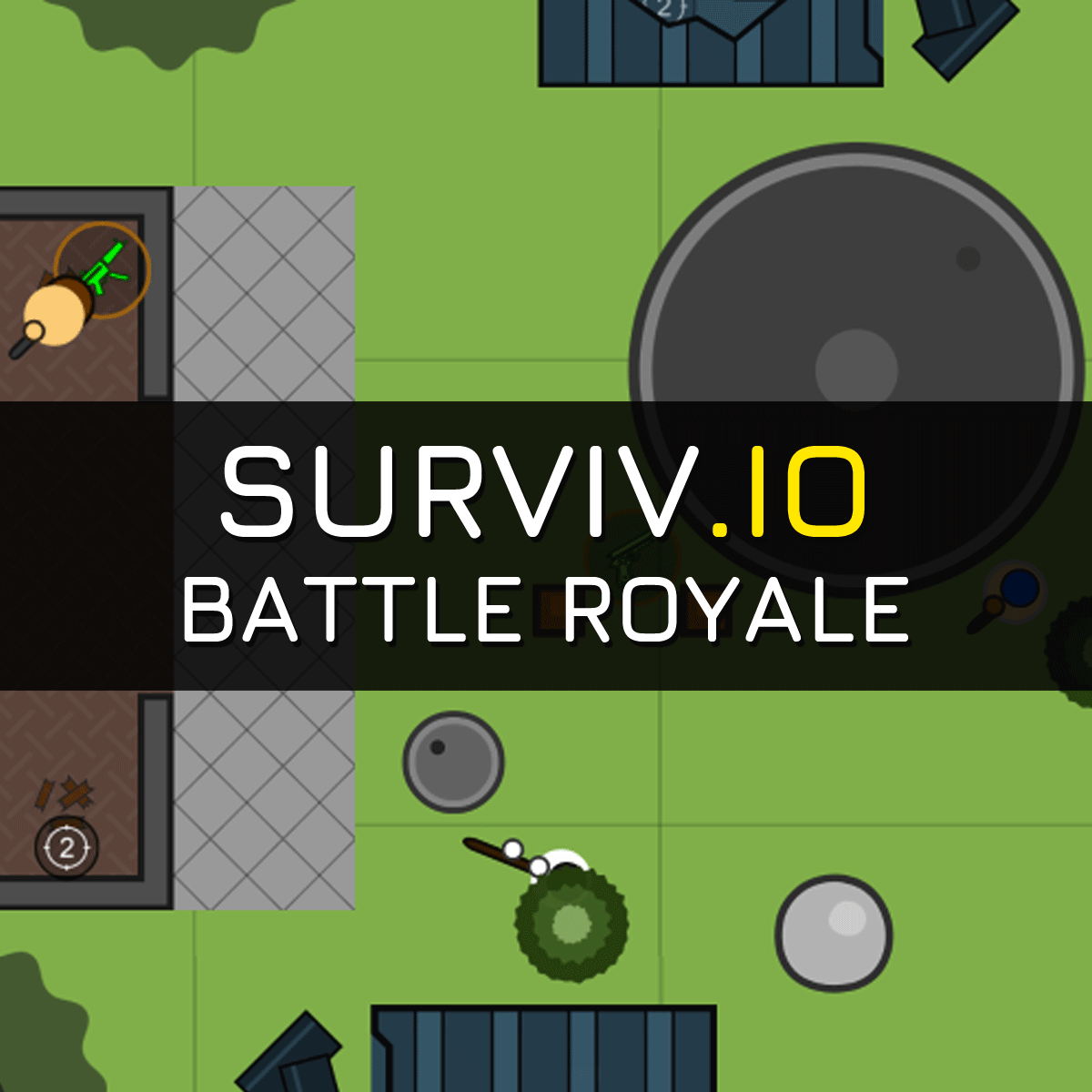
robots.txt (opens in a new tab)
8 rulesAll bots 1 allowed · 7 disallowed
- Allow
/ - Disallow
/assets/ - Disallow
/audio/ - Disallow
/img/ - Disallow
/l10n/ - Disallow
/css/ - Disallow
/js/ - Disallow
/api/
No matching rules.
Sitemaps
0No sitemaps found
Recent Updates
- Website images
- Screenshots
- Network details
- Website Technologies
- Pages and Search Information
- HTTP Response Information
- TLS and certificates
- DNS Information
- Website profile
- Website Description
- Website profile
- Website Description
- Website Name
User reviews (0)