Website profiles · Technology insights · Alternatives

tacodigest.com

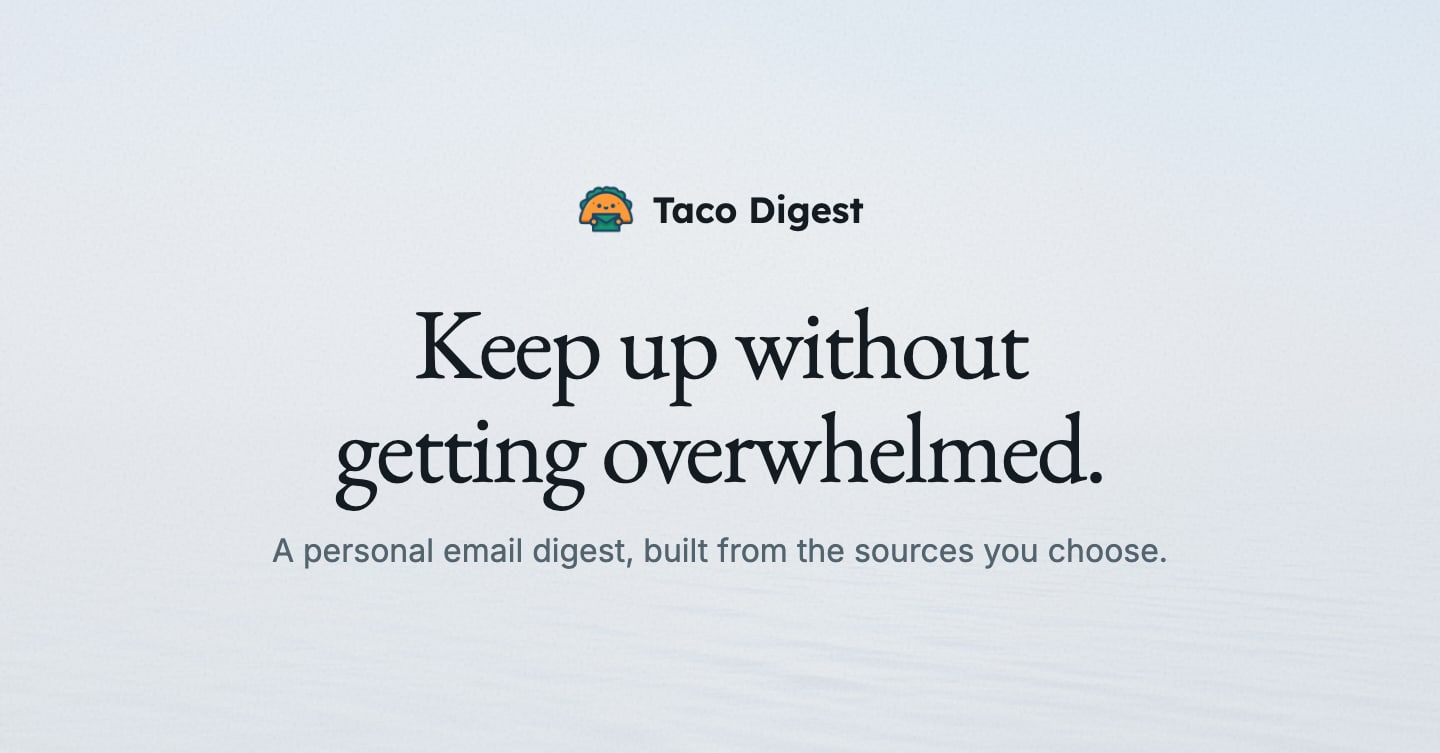
One email with what is new from RSS feeds, subreddits, YouTube channels and newsletters you choose, on the days and at the hour you set. No ads, no algorithm.

No paid content found
Visit website
Profile views 3 Outbound visits 1 Normal
Taco Digest Full homepage screenshot

At a glance

Category
Productivity
Language
English
Paid-content signal
No paid content foundObserved
Registered
2021
Hosting
CloudflareInferred
HTTPS certificate trusted
PassedObserved
Last updated

Website review

This review may include AI-generated content and is not individually verified. Domain, certificate and other facts come from the observed data on this page.

What is Taco Digest?

Taco Digest is a personal email digest service. Rather than leaving you to check a dozen sites and apps, it collects what's new from sources you pick—RSS feeds, subreddits, YouTube channels and newsletters—and sends it as one email on the days and at the hour you choose. The site's pitch is deliberately anti-algorithm: no ads, no recommendation engine, no push notifications. You decide what goes in and when it arrives.

What it does in practice

The example digest shown on the page combines several very different streams in a single issue: top Hacker News stories, top posts from r/selfhosted and r/homelab, new articles from Stratechery, Longreads and Aeon, new videos from NASA and Tom Scott, and forwarded newsletters. Each item appears with a headline, source and timestamp, so you can scan by section and stop when you've seen enough.

That makes it most useful for people who already know what they want to follow but dislike the ritual of visiting each place. A concrete case: someone who tracks a handful of subreddits for hobby research, two or three tech writers, and a couple of YouTube channels could get all of it in one morning email instead of opening five tabs.

Who it suits, and who it doesn't

Reader Fit
Deliberate curator with a fixed list of sources Strong—the digest is only as good as the list you build
Someone who wants discovery and recommendations Weak—there is no algorithm surfacing things you didn't ask for
Reader who prefers reading in an inbox Strong—delivery is email, not an app
Anyone needing real-time alerts Weak—delivery is scheduled, not instant

The trade-off is control versus serendipity. You won't be surprised by anything, which is the point, but you also won't stumble onto a source you didn't think to add. The page lists a single plan and a 14-day trial with no card required; check the site for current terms.

Next step

Before signing up, write down the ten sources you actually check in a normal week. If that list is mostly feeds, subreddits and channels rather than social timelines, a scheduled digest is a good fit—start with a small set, pick a delivery time you'll genuinely read, and add sources only when you notice something missing. For comparison, Feedbin takes a similar reader-driven approach with a dedicated reading interface rather than an inbox.

How do I set up my first digest with my chosen RSS feeds, subreddits, YouTube channels, and newsletters?

Start by creating a digest, then add your sources one at a time and pick the day and hour you want it delivered. On Taco Digest, the setup is source-first: you choose the RSS feeds, subreddits, YouTube channels and newsletters, and the digest arrives as one email with no algorithm or ads. A 14-day trial is available without a card, so the practical first step is to build a small test digest and see what one morning's email actually looks like before adding everything you follow.

A workable setup order

  1. Create the digest and set the schedule. Choose the days and delivery hour first. A single weekly send is easier to judge than a daily one while you are still tuning sources.
  2. Add RSS feeds. Paste the feed URL for each blog, news site or publication you already read. If a site does not advertise a feed, its feed address is often still discoverable from the page source or by a search for the site name plus "RSS".
  3. Add subreddits. Start with the ones where you read the top posts rather than every thread. Broad subreddits can dominate a digest, so pair each large one with a narrower interest.
  4. Add YouTube channels. Pick channels you want to keep up with but do not want to be notified about. This is the clearest use case for a digest: it replaces notification pressure with a scheduled list.
  5. Route newsletters. The page shows newsletters being forwarded to a Taco address, so use a dedicated forwarding address for newsletters instead of your main inbox. That keeps promotional mail out of your primary inbox and puts it in the digest where you can skim it.
  6. Send one test digest, then prune. After the first email, remove any source whose items you consistently skip. Two or three rounds of pruning usually produce a digest you actually read.

Choosing between a daily and weekly digest

Your situation Sensible schedule Trade-off
You follow fast-moving news or niche subreddits Daily, morning delivery More items, more skimming; good for time-sensitive topics
You follow essays, longreads and YouTube Weekly Fewer interruptions, but you may be late to news
You are testing the setup Weekly for the first two sends Slower feedback, but easier to spot noisy sources

A concrete example

Suppose you follow two tech blogs, one homelab subreddit, three YouTube channels and two newsletters. Add the blogs and subreddit first, set a weekly Monday morning delivery, and forward the newsletters to your digest address. If the first email feels too long, drop the broadest subreddit or move to a twice-weekly schedule rather than cutting sources you value.

The main decision criterion is the ratio of items you open to items you skip. If you skip most of a source's entries for two consecutive digests, remove it. If you find yourself wishing a source appeared more often, that is a sign to move from weekly to daily rather than add more sources.

How is Taco Digest different from an algorithmic feed or social media notifications?

Taco Digest is a scheduled email digest built only from sources you pick—RSS feeds, subreddits, YouTube channels and newsletters—delivered on the days and at the hour you choose. The page states plainly: no algorithm, no ads, no notifications. That is the core difference from a social feed or push alerts: nothing is ranked for engagement, nothing interrupts you, and the arrival time is yours to set rather than the platform's.

What changes in practice

  • Selection vs. ranking. On social media, a system decides what you see and in what order. Here you assemble the inputs; the digest reflects them.
  • Pull vs. push. Notifications are designed to pull you back in throughout the day. A digest is a single scheduled delivery you can read once and close.
  • Finite vs. endless. A feed scrolls indefinitely. An email has an end, which makes "done" a real state.
  • Mixed sources in one place. The page's sample digest combines Hacker News, r/selfhosted, r/homelab, Stratechery, Longreads, Aeon, NASA and YouTube channels in one issue—something no single platform feed offers.

Where a feed still wins

Algorithmic feeds are better for discovery: finding new voices you didn't know to subscribe to. They also update continuously, which suits breaking news. A digest is only as good as the sources you've chosen, and it arrives on a schedule, so it lags live events by design.

A concrete scenario

Suppose you follow a handful of subreddits and two YouTube channels for hobby work but keep getting pulled into unrelated threads. Adding those sources to a digest scheduled for 8:00 on weekday mornings gives you one bounded read before work, with the rest of the day free of alerts. The sample issue shown on the page—dated Tuesday, 1 September, 8:01—illustrates exactly that pattern.

Decision criterion

Choose a digest if your problem is overconsumption and interruption; keep a feed if your problem is finding new sources. The page notes a 14-day trial with no card required, which is a low-cost way to test whether a fixed schedule actually reduces your scrolling. For a broader look at feed-reading tools, Feedly is a well-known option, though it leans toward feed aggregation rather than a single scheduled email.

Can I control the exact days and time my digest email arrives?

Yes. Taco Digest is built around a schedule you set: one email arrives on the days and at the hour you choose. Its "How it works" section describes a personal digest assembled from your sources, delivered on your schedule, with no algorithm, ads or notifications.

What "exact" means in practice

  • Days and hour are user-set. The page presents the digest as arriving on the days and at the hour you set, so the timing is part of the product rather than an afterthought.
  • Time zone is worth checking. The sample digest on the page is stamped "Amsterdam" with a clock time, which suggests a fixed time zone per digest. If you travel or work across zones, confirm whether the hour follows your account's time zone or the digest's.
  • Delivery is email. Expect arrival close to the hour you pick, not a guaranteed second-level timestamp; mail providers can add small delays.

A concrete scenario

A consultant tracking three subreddits, two YouTube channels and a newsletter could set a Monday, Wednesday and Friday digest at 07:00, read it over coffee, and skip the rest of the week. Someone following fast-moving news might prefer a daily 08:00 slot instead.

Next step

Create a first digest during the 14-day trial, which the page says needs no card, and compare the actual arrival time against the hour you set across a few days. If the timing drifts, adjust the hour rather than the days.

What does the 14-day trial include, and what happens when it ends?

The 14-day trial is framed on the homepage as a way to "create your first digest" with no card required. The page itself does not spell out what happens after day 14, so treat the trial length and no-card entry as the confirmed parts and confirm the end-of-trial terms before you rely on it.

What the trial gives you access to

Based on the page, a digest can draw from several source types you choose:

  • RSS feeds
  • Subreddits
  • YouTube channels
  • Newsletters, forwarded to a Taco address

You also set the days and hour the digest arrives. The page presents the output as one email, with no ads and no algorithm, and the sample digest shows sections such as Hacker News, r/selfhosted, r/homelab, individual sites, and forwarded newsletters. There is a single plan listed, so the trial appears to be the full product rather than a reduced tier, though the page does not itemize limits.

What the page does not answer

It does not state whether the trial converts to a paid plan automatically, what the price is, whether digests pause or are deleted at the end, or whether your configured sources are kept. Those are the questions to settle before the 14 days run out.

Practical next step

If you are evaluating it, set up a digest with two or three sources you actually read and pick a delivery time you will notice. Around day 10, check whether the email replaced scattered checking or just added another inbox item. Then look for the account or billing settings to see the renewal terms, and decide whether to keep the single plan or export your source list elsewhere.

For a reader who already follows a handful of subreddits and YouTube channels but keeps missing posts, the trial is a low-cost way to test a single scheduled email. For someone who wants per-item filtering or multiple recipients, the page gives no evidence of those features, so verify them first.

How does Taco Digest handle my data and avoid ads or tracking?

Taco Digest is designed as a no-algorithm, no-ads email digest: you choose the sources, and it sends one email on the days and at the hour you set. The site presents this as an alternative to feed and notification overload, emphasizing that you control what goes in and when it arrives.

What the site states

  • No ads and no algorithm: The product is positioned as a personal digest rather than an engagement-driven feed.
  • You choose sources: RSS feeds, subreddits, YouTube channels, and newsletters can be added to your digest.
  • Delivery on your schedule: You set the days and hour for the email.
  • Trial without a card: A 14-day trial is offered with no card required.

What to verify about data handling

The supplied page evidence does not describe retention periods, encryption, third-party processors, analytics, or whether newsletter forwarding is stored. If privacy is your deciding factor, check the service's privacy policy and settings for:

  • Whether open/click tracking is on by default and can be disabled.
  • What is retained from forwarded newsletters and for how long.
  • Whether any analytics or third-party scripts run on the site or in emails.

Practical scenario

A reader who wants Hacker News, two subreddits, and a few newsletters in one morning email can set a daily digest and avoid opening each source separately. The trade-off is that a digest is only as good as the sources you add, and it won't replace real-time alerts for breaking news.

Next step: Start with a small set of sources and a single weekly delivery time, then check the privacy policy and email settings before adding newsletters you consider sensitive.

Related questions

More questions →
What Is Taco Digest and What Does It Do?

Taco Digest is a personal email digest service that combines new posts from the RSS feeds, subreddits, YouTube channels, and newsletters you choose into a single email, delivered on the days and at the hour you set. It is aimed at people who follow many sources but don't want a separate app, a feed reader, or a stream of notifications. The site offers a 14-day trial with no card required; it does not publish pricing details beyond a "One plan" heading, so treat cost as something to confirm during signup.

What you get in one email

The digest is a single message organized by source. The sample shown on the site includes sections like:

  • Hacker News — "Best stories of the day," with titles, scores, comment counts, and timestamps
  • Subreddits — top posts of the day from communities such as r/selfhosted and r/homelab, with vote and comment counts
  • Newsletters — items forwarded to your Taco address, such as a roundup issue
  • Individual feeds — posts from sites like Stratechery, Longreads, Aeon, and YouTube channels like NASA and Tom Scott

The sample also shows small utility details at the top (date, time, location, weather, an exchange rate), which suggests the digest can carry a brief header alongside the content. The core value, though, is the consolidated list of what's new.

How it works

  1. Choose your sources. Add RSS feeds, subreddits, YouTube channels, and newsletters. For newsletters, the site indicates they are forwarded to your Taco address, so you subscribe to the newsletter using that address.
  2. Set the schedule. Pick which days and which hour the email arrives.
  3. Receive one email. Everything new from your chosen sources lands in a single message, with no ads and no algorithm deciding what you see.

The site's framing is "Keep up without getting overwhelmed" — you decide what goes in and when it arrives, rather than a platform deciding for you.

What it is not

  • Not a real-time feed reader. Delivery is scheduled, so it suits catching up at a set time rather than monitoring sources continuously.
  • Not algorithmic. There is no ranking or recommendation layer; the order and selection come from the sources themselves (for example, "top posts of the day" on a subreddit).
  • Not notification-driven. The site explicitly lists "no notifications" alongside no ads and no algorithm.

Who it fits

Taco Digest makes sense if you already know which feeds, communities, and newsletters you care about and want them in one scheduled email — for example, a morning catch-up across a handful of subreddits, a few tech blogs, and two newsletters. It fits less well if you need instant updates, want to browse sources interactively, or expect the service to surface things you haven't chosen.

Trying it

The site offers a 14-day trial with no card required, and the call to action is to create your first digest. Before committing, use the trial to check two things: that your newsletter forwarding works as expected, and that the delivery time matches when you actually read email. Pricing beyond the trial isn't specified on the page, so confirm the plan terms when you sign up.

How to Set Up and Schedule Your First Taco Digest

Taco Digest sends one email containing new items from the RSS feeds, subreddits, YouTube channels, and newsletters you choose, delivered on the days and at the hour you set. To start, create a digest, add your sources, pick a delivery schedule, and confirm the address — the site offers a 14-day trial with no card required. This guide covers each step, what the finished email looks like, and where people commonly get stuck.

Before you start

You need:

  • An email address to receive the digest (the product refers to a "Taco address" for forwarded newsletters).
  • The URLs or names of the sources you want: RSS feed links, subreddit names, YouTube channel names, and newsletter senders.
  • A rough idea of when you actually read email, so the delivery time fits your routine.

The site's own framing is "Keep up without getting overwhelmed" — the digest is built only from sources you pick, with no algorithm, ads, or notifications. That matters for setup: nothing is added for you, so an empty digest means you haven't added sources yet, not that the service is broken.

Step 1: Create your digest and start the trial

  1. Go to tacodigest.com and choose to create your first digest.
  2. Start the 14-day trial. The site states no card is required for the trial.
  3. Expect a confirmation step for your email address before delivery begins.

Expected result: an account with an empty digest ready for sources. If you don't see a confirmation email, check spam before assuming signup failed — this is the most common first blocker.

Step 2: Add your sources

The digest supports four source types. Add them one at a time and check each appears in your source list before moving on.

Source type What to provide Example from the site's sample digest
RSS feeds The feed URL Stratechery, Longreads, Aeon
Subreddits The subreddit name r/selfhosted, r/homelab
YouTube channels The channel NASA, Tom Scott
Newsletters Forward to your Taco address Noahpinion, Roundup #87

Practical tips:

  • RSS: paste the feed URL, not the homepage. If a site offers multiple feeds (full text vs. excerpts), pick the one you want to read.
  • Subreddits: use the name without the r/ prefix if the field rejects it, and start with "top posts of the day" style sources rather than high-volume live feeds.
  • YouTube: add channels whose upload pace you can keep up with; a channel that posts daily will dominate a weekly digest.
  • Newsletters: the sample digest shows newsletters "forwarded to your Taco address," so the setup is forwarding rather than subscribing inside the app. Confirm the forwarding address in your digest settings before you forward anything.

Expected result: a source list that matches what you actually read. A good starting point is 5–10 sources — enough to fill an email, few enough that you'll read it.

Step 3: Set the days and hour

Choose which days the digest arrives and the hour it's sent. The sample digest is dated "Tuesday, 1 September, 8:01" in Amsterdam, which illustrates the pattern: a fixed morning slot tied to a timezone.

  • Pick days that match your reading habit. A weekday-morning digest suits work reading; a weekend digest suits hobby sources like r/homelab.
  • Pick an hour you'll actually open it. A digest that lands at 6 a.m. when you check email at 9 a.m. just adds clutter.
  • Check the timezone. The sample shows a local city and time, so confirm the digest uses the timezone you expect before you judge the delivery time.

Expected result: a scheduled digest. After the first send, compare the arrival time to what you set; if it's off, the timezone setting is the usual cause.

What the email looks like

The sample digest on the site shows the structure you'll get:

  • A header with the date, issue number, and local weather/currency line (the sample shows Amsterdam weather and a EUR/USD rate).
  • Grouped sections by source, each with a short label and item count — e.g., "Hacker News — Best stories of the day," "r/selfhosted — Top posts of the day," "NASA — New videos."
  • Numbered items with titles, scores, and timestamps, so you can scan and skip.
  • Newsletter items listed with the sender and subject line.

There are no ads and no algorithmic ranking beyond whatever each source itself provides (Reddit's "top," Hacker News' "best"). That's the trade-off: you see what your chosen sources surfaced, not what an algorithm thinks you'll click.

Common snags

  • Empty or thin digest: too few sources, or sources that update rarely. Add one or two high-frequency sources, or switch to a daily schedule.
  • One source swamps the rest: a busy subreddit or daily YouTube channel can fill the email. Remove it or move it to a less frequent digest.
  • Newsletters don't appear: forwarding wasn't set up or went to the wrong address. Verify the Taco address in settings and re-forward.
  • Wrong delivery time: timezone mismatch. Recheck the city/time shown in your settings.
  • Trial questions: the site states the 14-day trial requires no card. Pricing beyond the trial isn't specified in the available material, so check the site's plan page before the trial ends if you plan to continue.

Is it worth setting up?

If you already read a handful of feeds, subreddits, and newsletters and want them in one scheduled email instead of scattered across apps, the setup above takes a few minutes and the trial lets you test the format first. If you prefer real-time notifications or algorithmic feeds, this deliberately isn't that — the digest arrives only on the days and at the hour you choose, and contains only what you put in.

What Plan and Trial Does Taco Digest Offer?

Taco Digest presents a single plan and a 14-day trial that requires no card. The site's "One plan" heading and the trial line on its homepage are the only plan details it publishes; it does not list a price, billing terms, or what changes when the trial ends. So you can start a trial without payment details, but you cannot confirm the cost of continuing from the site's public pages alone.

What the site says about the plan

The homepage markets one plan rather than tiers. The plan covers the core product: one email digest built from the sources you choose, delivered on the days and at the hour you set, with no ads and no algorithm.

Item What the site states
Plan structure One plan
Trial length 14 days
Card required for trial No
Price Not published on the page
What happens after the trial Not stated on the page
Upgrade details Not stated on the page

Because there are no tiers, the choice is not which plan to pick but whether the single plan fits how you read. The trial is the way to test that.

What the trial actually lets you test

The trial is only useful if you exercise the parts of the product you would rely on. The homepage sample digest shows the shape of the output: a dated issue with sections for Hacker News, subreddits such as r/selfhosted and r/homelab, newsletters, YouTube channels, and individual sites, plus extras like weather and an exchange rate.

During the 14 days, check these against your own reading habits:

  • Source coverage. Add the feeds, subreddits, YouTube channels, and newsletters you actually follow. If a source you depend on cannot be added, the plan will not replace your current routine.
  • Delivery timing. Set the days and hour you want the email and confirm it arrives when you will read it. A digest that lands at the wrong time is easy to ignore.
  • Volume. Judge whether the digest is short enough to finish. The sample issue is long; your own mix of sources determines whether yours is manageable.
  • Format. Confirm the email renders well in your client and that links and headlines are readable on the device you use most.

What to confirm before the trial ends

The page does not say what happens when the 14 days are over, so treat that as an open question rather than assuming the trial converts to a free plan. Before day 14:

  1. Look for a pricing or upgrade link in the product or in the emails you receive. The site's own keyword signals point to "pricing" and "upgrade" pages, but no pricing link or payment platform is listed on the homepage.
  2. Check any account or billing settings for the stated price and renewal terms.
  3. Decide based on the price once you see it, not on the trial experience alone.

If you cannot find a price before the trial ends, contact the service rather than letting the trial lapse on an assumption.

Who the single plan suits

The one-plan structure fits readers who want a fixed, predictable setup: one email, chosen sources, a set schedule, and no feed algorithm. It is a poor fit if you need team seats, multiple separate digests under one account, or per-user controls, since nothing on the page describes those options.

The trial terms are the strongest signal on the page: 14 days with no card lowers the cost of testing. The missing price is the main gap, and it is the one thing to resolve before committing.

How Taco Digest Differs from Social Feeds and News Apps

Taco Digest is a personal email digest that you build from sources you choose, delivered on the days and at the hour you set. It differs from social feeds and news apps in four concrete ways: no algorithm ranks or selects your content, there are no ads, there are no push notifications, and the output is one scheduled email rather than an endless scroll. It fits you if you already know which sites, communities, and channels you want to follow and want a single periodic catch-up instead of continuous checking.

The four differences that matter

1. You pick every source; no algorithm decides

On social feeds and most news apps, a ranking system chooses what appears and in what order. Taco Digest inverts that: the sources you add are the sources you get. The site describes it as "a personal email digest, built from the sources you choose" with "no algorithm." The homepage example digest shows this directly — sections are labeled by origin, such as "Hacker News Best stories of the day," "r/selfhosted Top posts of the day," "r/homelab Top posts of the day," and named newsletters like Stratechery and Noahpinion. Nothing is mixed together by an engagement model; each block is simply what's new from that source.

The practical consequence: if a topic matters to you, it appears because you added it, not because it performed well. If it doesn't appear, you didn't add it — which is a fixable problem, not a mystery.

2. No ads

The site states "No ads" as a core property. In ad-supported feeds, your attention is the product and the ranking often serves advertiser or engagement goals. Here the digest has no ad inventory to place, so the only content in the email is what your sources published.

3. No push notifications

Taco Digest explicitly lists "no notifications." Social apps and news apps compete for real-time attention through alerts. Taco Digest replaces that with a schedule you define — the site's framing is "You decide what goes in and when it arrives." The example digest is timestamped "Tuesday, 1 September 8:01," which illustrates the model: one arrival at a set time, not a stream of pings throughout the day.

4. One email instead of continuous scrolling

The output format is a single email containing everything new from your chosen sources since the last digest. The homepage headline is "Keep up without getting overwhelmed," and the example shows the result: a compact, scannable issue with numbered items, point scores, and timestamps per source. You read it once, then close it. There is no infinite feed to keep pulling on.

Side-by-side comparison

Dimension Social feeds / news apps Taco Digest
What you see Chosen by algorithm and engagement Every item from sources you added
Ads Usually present None, per site
Interruption model Push notifications, real-time None; one email on your schedule
Reading pattern Continuous scrolling Single periodic issue
Control over timing Platform decides You set days and hour
Source types Platform-native content RSS feeds, subreddits, YouTube channels, newsletters

What the example digest shows in practice

The sample issue on the homepage is useful because it demonstrates the format rather than just describing it. It contains:

  • Aggregated link lists from Hacker News, r/selfhosted, and r/homelab, each with item titles, scores, comment counts, and timestamps.
  • Single-source entries for publications like Stratechery, Longreads, Aeon, and Revolutions, each with the latest headline and publish time.
  • YouTube channel updates, such as new videos from NASA and Tom Scott.
  • Forwarded newsletters, shown under "Newsletters Forwarded to your Taco address," with items like a Noahpinion roundup.
  • Small utility details at the top, such as local weather and a currency rate — incidental context, not the point of the product.

This structure tells you what to expect: a fixed set of labeled sections, one per source, refreshed each issue. If you want a section to disappear, you remove the source; if you want a new one, you add it.

Where Taco Digest is the better fit — and where it isn't

Choose Taco Digest if:

  • You already have a stable list of sites, subreddits, channels, and newsletters you trust.
  • You want to catch up once or a few times a week at a predictable time.
  • You dislike notification-driven apps and algorithmic ranking.
  • You prefer reading in email rather than opening another app.

Stick with a social feed or news app if:

  • You rely on discovery — finding new voices you didn't know to follow.
  • You want real-time updates on breaking events.
  • You value in-app interaction (comments, sharing, saving) as part of the experience.

Taco Digest is a consolidation and scheduling tool, not a discovery engine. It assumes you've already decided what's worth your attention.

Getting started

The site offers a 14-day trial with no card required, and the call to action is "Create your first digest." The homepage lists "One plan" as the pricing structure, though the page evidence does not include specific prices or payment details — check the site directly for current terms. Setup follows the model described above: add your sources (RSS feeds, subreddits, YouTube channels, newsletters), choose the days and hour for delivery, and the digest arrives by email on that schedule.

Which sources can I add to a Taco Digest email?

Taco Digest supports four source types: RSS feeds, subreddits, YouTube channels, and newsletters. You pick the specific sources, and they all arrive in one email on the days and at the hour you set. The site describes the product as having no ads and no algorithm. A 14-day trial is available with no card required, according to the site.

The four source types

Source type What you add What shows up in the digest
RSS feeds The feed URL of a blog, news site, or publication New posts from that feed
Subreddits A subreddit you want to follow Top posts of the day from that community
YouTube channels A channel you want to keep up with New videos from that channel
Newsletters Newsletters forwarded to your Taco address Newsletter issues, delivered with the rest of your digest

RSS feeds

This is the broadest category. Any site that publishes an RSS feed can go in, which covers most blogs, news sites, and independent publications. In the site's sample digest, this is how sources like Stratechery, Longreads, Aeon, and NASA appear, each represented by its latest item.

Subreddits

You add a subreddit and the digest pulls its top posts of the day. The example digest shows r/selfhosted and r/homelab side by side, each with a ranked list of posts, scores, comment counts, and timestamps. This is useful when you want community highlights without opening Reddit itself.

YouTube channels

You add a channel and new videos from it appear in the digest. The sample shows entries from NASA and Tom Scott, each with the video title and publish time.

Newsletters

Newsletters work differently from the other three. Instead of pulling from a feed, you forward newsletters to your Taco address, and they are included in the digest. The sample digest shows a "Newsletters Forwarded to your Taco address" section containing items from publications like Noahpinion. If a newsletter doesn't offer an RSS feed, this forwarding route is how it gets in.

What a combined digest looks like

The site's example issue shows all four types in one email: Hacker News best stories, top posts from two subreddits, individual items from several blogs and publications, new videos from two YouTube channels, and forwarded newsletters. Each section is labeled by source, and items carry a title, a timestamp, and often a score or comment count. The digest also includes a small header with the date, time, and location weather, plus an exchange rate line.

That layout is the practical answer to "which sources can I add": you can mix all four types freely, and the digest groups them by source so you can scan or skip sections.

How to decide what to add

  • Start with the sources you already check daily. If you open the same subreddit or YouTube channel every morning, those are the first candidates.
  • Use RSS for anything with a feed. Blogs, news sites, and most publications fit here and require no forwarding setup.
  • Reserve newsletter forwarding for sources without a feed, or for newsletters you specifically want in the same email rather than in your inbox.
  • Keep the list short at first. The point of the product is avoiding overwhelm, so a digest built from a handful of sources is easier to judge during the trial than one with dozens.

Practical notes

  • The digest arrives on the days and at the hour you choose, so the schedule is part of the setup, not fixed by the product.
  • The site states there are no ads and no algorithm, meaning the order and content come from your chosen sources rather than from recommendation logic.
  • The trial is 14 days with no card required, per the site, so you can test your source mix before committing.
  • Pricing details beyond the "One plan" heading and trial terms are not specified on the page, so check the site directly for current plan terms.

Website Overview

Page metadata, canonical configuration and social previews work together to provide more consistent search and sharing presentation.

Domain and Registration

Transfer-protection status is present, helping reduce the risk of unauthorized domain transfers. The domain has about 5 years of registration history; its current configuration provides more context than age alone. The registrar is Cloudflare, Inc., a widely used domain service provider. The domain uses the common .com extension, which is not an independent safety signal.

DNS and Email

Nameservers are provided by Cloudflare, indicating managed DNS hosting. MX records point to the Apple iCloud Mail email service. DNSSEC is enabled, allowing validating resolvers to authenticate signed DNS data. No CNAME was found; the observed records resolve directly to addresses. SPF and DMARC are configured. DKIM status is unknown.

TLS and Certificates

The public key uses EC with 256 bits. The server supplied a complete certificate chain. No organization name is present in the certificate; the available fields are consistent with domain validation. The certificate was issued within the Google Trust Services cloud or CDN ecosystem. The certificate's total validity is about 90 days, consistent with a short renewal cycle.

HTTP and Browser Security

The checked browser-security headers were not detected, leaving fewer explicit browser-side safeguards. No X-Powered-By header was found, reducing one common source of backend fingerprinting information. The cf-ray response header indicates a CDN or caching proxy in the delivery path. No obvious internal addresses or debug information were found in the headers. The Server header identifies cloudflare without an exact version.

Technology Stack Analysis

The public page identifies Next.js, Cloudflare without precise versions, leaving fewer clues for version-specific scanning.

Search and Social Sharing

Twitter Card metadata is configured. The title has 64 characters, within a common display range. A meta description is present, with 158 characters. The observed directives allow indexing and link following. No Generator meta tag is publicly exposed.

Hosting and Email

DNSCloudflare
HostingCloudflare
EmailApple iCloud Mail
Approximate IP geolocation (inferred; a CDN or proxy may differ from the origin server) Location unknown Inferred 104.21.68.176

Registration details

RDAP / WHOIS

RegistrarCloudflare, Inc.
Registered2021-05-04
Expires2027-05-04
Domain statusclient transfer prohibited
Nameserverscory.ns.cloudflare.com、tess.ns.cloudflare.com
DNSSECsigned

DNS records

DNS

TypeNameValueTTLPriority
Atacodigest.com104.21.68.176300—
Atacodigest.com172.67.197.135300—
AAAAtacodigest.com2606:4700:3034::6815:44b0300—
AAAAtacodigest.com2606:4700:3035::ac43:c587300—
MXtacodigest.commx01.mail.icloud.com30010
MXtacodigest.commx02.mail.icloud.com30010
NStacodigest.comcory.ns.cloudflare.com86400—
NStacodigest.comtess.ns.cloudflare.com86400—
TXTtacodigest.comapple-domain=heNTnVbrcrTlVuMo300—
TXTtacodigest.comca3-a8b1c6a7732f4147b23960bb4d5c3d9e300—
TXTtacodigest.comgoogle-site-verification=M3xBw6jPHwN89d4wRCwC50-bA2iVz7wj03j6-JV5os4300—
TXTtacodigest.comv=spf1 include:spf.mailjet.com include:icloud.com ?all300—
DStacodigest.com2371 13 2 89c20df8b6f47718ec67caf685976f4e3975099d3207bd5ee3efae6f9a59e90586400—
DMARC_dmarc.tacodigest.comv=DMARC1; p=none; rua=mailto:[email protected]300—

TLS and certificates

TLS / SSL

AssessmentNormal configuration
Supported protocolsTLSv1.2、TLSv1.3
Negotiated protocolTLSv1.3
Certificate subjecttacodigest.com
IssuerGoogle Trust Services
Valid until2026-12-12T16:29 · Remaining when checked: 54 days
Verification detailsCertificate trust: Passed · Hostname match: Passed

HTTP response headers

HTTP

HeaderValue
content-typetext/html
cache-controlpublic, max-age=0, must-revalidate
servercloudflare

Identified technologies

Next.jsCloudflare

Pages, Search and Sharing

Meta descriptionOne email with what is new from RSS feeds, subreddits, YouTube channels and newsletters you choose, on the days and at the hour you set. No ads, no algorithm.
Canonical URLhttps://tacodigest.com/
LanguageEnglish (default)
Twitter Cardsummary_large_image
All bots 1 allowed · 0 disallowed
  • Allow/

User reviews (0)

  • No reviews yet.