
 text-to-speech.online
No paid content found
text-to-speech.online
No paid content found
 Multilingual
Categories: Artificial Intelligence
Free Text to Speech Online — convert text to lifelike speech with natural AI voice generator. 100+ voices in 27 languages, download MP3, adjust speed & pitch. No registration.
 Visit website
 Updated: 2026-09-26 21:43
Language: English (default)
Updated: 2026-09-26 21:43
Language: English (default)
 Access: Normal
 Profile views 7
 Outbound visits 1
Related questions
More questions →AI Voice Generator: How to Turn Text into Natural Speech
An AI voice generator converts written text into spoken audio using text-to-speech (TTS) and voice AI models. You type or paste a script, pick a voice, and the tool returns an audio file you can drop into a video or podcast. Voiceslab, for example, describes its voice cloning tech as creating an AI copy of your voice that keeps your tone and accent by reading a short text. Use this guide if you want to understand what these tools actually do, how they differ from voice cloning, and how to get natural-sounding results instead of robotic output.
What an AI voice generator does
At its core, an AI voice generator takes text as input and produces speech as output. The input is your script; the action is synthesis; the expected result is an audio file (commonly WAV or MP3) that sounds like a person reading your words.
Two related but distinct capabilities often get bundled under the same label:
| Capability | Input | Output | Typical use |
|---|---|---|---|
| Text-to-speech (TTS) | Text + a selected stock voice | Audio in that voice | Narration, explainers, accessibility |
| Voice cloning | Text + a sample of a specific person's voice | Audio in that cloned voice | Personal branding, consistent creator voice |
A plain AI voice generator gives you a library of pre-made voices. Voice cloning goes further: it builds a model of one particular voice — yours or someone who has consented — so the output keeps that person's tone and accent. Voiceslab frames its cloning feature around exactly this: make an AI copy of your voice, then generate natural-sounding speech for videos and podcasts by reading a short text.
The practical difference matters when you choose a tool. If you just need narration and don't care whose voice it is, a stock-voice generator is enough. If your audience recognizes your voice and that recognition is part of your brand, cloning is the feature you're actually shopping for.
How text becomes natural-sounding speech
Modern voice AI doesn't concatenate recorded snippets the way older systems did. It predicts how speech should sound from the text and a learned model of a voice. That's why the same script can come out flat or expressive depending on the model and settings.
Three factors drive whether the result sounds human:
- Prosody — the rhythm, stress, and intonation of speech. Good models vary pitch and pacing across a sentence instead of reading every word at the same tempo.
- Voice model quality — a model trained on clean, consistent audio reproduces tone and accent more faithfully. Voiceslab's description ties cloning quality to reading a short text, which implies the sample you provide shapes the result.
- Text preparation — punctuation, sentence length, and how you write numbers and abbreviations all influence delivery. A model can only interpret what you give it.
If you want to understand the mechanism in one sentence: the model learns the mapping from text patterns to acoustic features for a given voice, then generates new acoustic features for your new text.
Steps to generate speech from text for a video or podcast
The workflow is similar across tools. Here's the general sequence, with what to check at each stage.
- Prepare your script. Write it the way you'd want it spoken. Break long sentences. Spell out anything ambiguous (for example, "2024" as "twenty twenty-four" if you want it read that way). Add commas and periods where you want pauses.
- Choose or create a voice. Pick a stock voice, or if you're cloning, record the short sample the tool asks for. Voiceslab's own description says cloning works by reading a short text — so treat that sample as the single most important input for quality.
- Paste the text and generate. Run the synthesis. Expect a preview you can play before committing.
- Listen for problem spots. Check pacing, mispronounced words, and unnatural pauses. Note the exact timestamps.
- Fix and regenerate. Adjust the script (add punctuation, rephrase a word) or tweak any speed/pitch controls, then regenerate. Iterating on text is usually faster than fighting the model.
- Export and place. Download the audio and drop it into your video editor or podcast timeline. Check levels against your music or other audio.
Verification: the output is correct when it reads your full script without skipped words, pronounces names and numbers as intended, and holds a consistent tone from start to finish.
Choosing a voice: tone, accent, and language
These three attributes decide whether the audio fits your project, and they're worth checking before you commit to a tool.
- Tone — do you need warm and conversational, neutral and informative, or energetic? Match the voice to the content, not to personal preference.
- Accent — a cloned voice preserves the speaker's accent, which is a feature if you want authenticity and a problem if you need a neutral broadcast accent.
- Language — confirm the tool supports your target language and that the voice model handles it, not just English. A voice that sounds great in one language may not exist in another.
For a podcast, a consistent cloned voice across episodes builds recognition. For a one-off product video, a stock voice in the right tone is faster and cheaper to set up.
Common problems and how to fix them
Robotic or flat output. Usually caused by a weak voice model or a script with no punctuation variation. Fix: switch to a higher-quality voice, or rewrite with shorter sentences and deliberate commas.
Mispronounced words. Names, acronyms, and technical terms are frequent offenders. Fix: respell the word phonetically in the script (for example, write it the way it should sound) and regenerate.
Inconsistent tone across a long script. Long passages can drift. Fix: generate in smaller sections and stitch them, or split the script at natural paragraph breaks.
Cloned voice doesn't sound like the person. The sample is the likely cause — background noise, inconsistent mic distance, or too little audio. Fix: re-record the sample in a quiet space with steady delivery.
Awkward pacing. The model may rush or drag. Fix: adjust the speed control if the tool has one, and use punctuation to force pauses where you want them.
What to check before you pick a tool
Since pricing and plan limits vary and aren't specified here, verify them directly on the tool's pricing page before committing. Beyond cost, confirm:
- Whether voice cloning is included or a separate feature
- How much sample audio cloning requires
- Which languages and accents are supported
- What export formats you get
- Whether you can use the output commercially
Voiceslab lists a pricing page, so that's the place to check current terms rather than assuming what's included. The right choice depends on whether you need a stock voice for quick narration or a cloned voice for consistent personal branding — those are different jobs, and the tool should match the one you actually have.
Text to Speech: How It Works and How to Convert Text into Speech
Text to speech (TTS) turns written text into spoken audio. On Uberduck, you paste or type text, choose a language, and generate synthetic vocals for voiceovers, videos, music, or accessibility. The same platform also supports text to singing, text to rapping, voice conversion, and voice cloning, so TTS is often the starting point for a wider voice workflow.
What text to speech actually does
TTS reads your input text and produces an audio file that sounds like a person speaking. Uberduck describes its output as "realistic, expressive synthetic vocals" aimed at agencies, musicians, marketers, and creators.
Typical uses include:
- Voiceovers for videos, ads, and social media
- Podcast intros, outros, and background narration
- Accessibility: letting written content be listened to instead of read
- Music and creative projects where you need vocals without a recording session
If your goal is singing or rapping rather than plain speech, Uberduck separates those into their own modes (text to singing, text to rapping), so pick the mode that matches the output you want.
How to convert text into speech
- Enter your text. Uberduck shows a character counter of
0 / 350, so keep individual generations within that limit and split longer scripts into chunks. - Choose a language. The platform lists 70+ languages (see the coverage section below). Pick the language that matches your text so pronunciation rules apply correctly.
- Generate the audio. The result is synthetic speech you can use in your project.
- Review and re-generate if needed. If pacing or pronunciation is off, adjust the text (see common problems) and run it again.
If you need this at scale or inside an app, Uberduck also offers API access for text to speech, text to singing, text to rapping, and voice conversion — useful when you want to generate audio programmatically instead of through the interface.
Options to compare before you commit
| Dimension | What to check | Why it matters |
|---|---|---|
| Voice style | Speech vs. singing vs. rapping | Each is a separate mode; a speech voice won't give you a sung line |
| Language coverage | Whether your language is in the 70+ list | Determines whether pronunciation will sound native |
| Custom voices | Whether you need voice cloning | Cloning lets you make a custom voice that can speak, sing, and rap |
| Voice replacement | Whether you need speech-to-speech | Speech-to-speech changes your voice to someone else's while preserving style |
| Commercial use | Plan terms | Uberduck states commercial use applies on any paid plan |
| Integration | API vs. interface | API suits automated or high-volume generation |
Language coverage
Uberduck lists support for 70+ languages, including Afrikaans, Albanian, Amharic, Arabic, Armenian, Azerbaijani, Bengali, Bosnian, Bulgarian, Burmese, Catalan, Chinese, Croatian, Czech, Danish, Dutch, English, Estonian, Filipino, Finnish, French, Georgian, German, Greek, Hebrew, Hindi, Hungarian, Icelandic, Indonesian, Irish, Italian, Japanese, Javanese, Kannada, Kazakh, Khmer, Korean, Lao, Latvian, Lithuanian, Macedonian, Malay, Maltese, Mandarin, Mongolian, Nepali, Norwegian, Pashto, Persian, Polish, Portuguese, Romanian, Russian, Serbian, Sinhala, Slovak, Slovenian, Somali, Spanish, Swahili, Swedish, Tagalog, Tamil, Telugu, Thai, Turkish, Ukrainian, Urdu, Uzbek, Vietnamese, Welsh, and Zulu.
Check that your target language appears here before building a workflow around it — a missing language is a hard stop, not something you can fix with text edits.
How TTS connects to voice cloning and speech-to-speech
TTS is the base layer. Two related features extend it:
- Voice cloning — make a custom voice and let it speak, sing, and rap. Use this when a stock voice isn't distinctive enough for your brand or project.
- Speech-to-speech (voice conversion) — change your voice to someone else's while preserving your style. Use this when you already have a recording and want a different voice on top of it, rather than generating from text.
A practical sequence: generate a draft with standard TTS to lock in timing and wording, then move to cloning or conversion once the script is final. That avoids re-recording or re-cloning every time you tweak a sentence.
Common problems and fixes
Mispronunciations. Names, acronyms, and technical terms are the usual culprits. Rewrite them phonetically in the input text (for example, spell out how a name should sound) and regenerate.
Unnatural pacing. Long sentences and missing punctuation cause flat or rushed delivery. Break text into shorter sentences, add commas and periods where you want pauses, and regenerate in chunks rather than one long block.
Hitting the character limit. The 0 / 350 counter means long scripts must be split. Generate section by section and stitch the audio together afterward.
Language limits. If your language isn't in the supported list, TTS output won't be reliable. Confirm coverage first.
Wrong mode. If you want a sung or rapped line and you're getting plain speech, switch to the text-to-singing or text-to-rapping mode instead of trying to force it through standard TTS.
Where to go next
Start with a short test: one paragraph, your target language, standard TTS. If the result fits, scale up through the API or move into voice cloning for a custom voice. If you need music rather than narration, Uberduck's song creation generates tracks with lyrics in seconds and supports 70+ languages and hundreds of musical styles — no musical experience required, and commercial use applies on any paid plan.
Text to Voice: How Written Text Becomes Natural-Sounding Speech
Text to voice (also called text-to-speech, or TTS) converts written text into spoken audio using a voice model. You type or paste text, choose a voice, and the system returns an audio file or live playback. It suits narration, accessibility, and any task where you need speech from a script — but the quality you get depends on the voice model, how the text is prepared, and the tool's language coverage. Voice cloning is a related but separate step: it builds a custom voice model from a recording, which you can then use for text-to-voice output.
Text to voice vs. voice cloning
These two terms often appear together, but they describe different stages.
| Text to voice (TTS) | Voice cloning | |
|---|---|---|
| Input | Written text | A voice sample (someone reading a short text) |
| What it produces | Spoken audio in an existing voice | A reusable AI copy of a specific voice |
| Typical use | Narration, accessibility, quick drafts | Consistent personal or brand voice across projects |
| Depends on the other? | No — works with built-in voices | Often feeds into TTS to generate speech |
Voiceslab describes its voice cloning as making "an AI copy of your voice that keeps your tone and accent," created by reading a short text. Once that copy exists, text-to-voice generation is how you actually use it.
The basic pipeline: text in, audio out
Every TTS tool follows roughly the same three stages.
- Input text. You provide the script. Punctuation, numbers, and abbreviations are the main things that trip up pronunciation, so how you write matters as much as what you write.
- Voice model. The system maps your text to a voice. This is where the tool's built-in voices or your cloned voice come in. The model decides pronunciation, pacing, and intonation.
- Audio output. You get a file or stream. Check it end to end — errors usually cluster around names, technical terms, and sentence boundaries.
The practical takeaway: if the output sounds wrong, the fix is usually in the text (rewrite the phrase) or the voice choice (pick a different model), not in some hidden setting.
What makes output sound natural
Naturalness comes down to three things, and you can influence all of them.
- Pronunciation — how individual words and names are spoken. Proper nouns, acronyms, and homographs ("lead" as metal vs. verb) are the usual failures. Rewriting the word phonetically in the script is the common workaround.
- Pacing — the speed and rhythm of delivery. Long sentences without punctuation run together; short, well-punctuated sentences give the model clearer cues.
- Intonation — the rise and fall of pitch that carries meaning and emotion. Questions, lists, and emphasis all depend on it. A voice model with limited intonation range will sound flat no matter how clean the text is.
If a tool lets you adjust speed or emphasis, treat those as fine-tuning — the biggest gains come from writing for speech rather than for reading.
Common use cases and what each demands
- Videos and social clips — needs clear pacing and consistent volume; short sentences work better than dense paragraphs.
- Podcasts — longer-form, so intonation variety matters more to avoid a monotone listen.
- Accessibility — accuracy and language support outweigh stylistic polish; mispronounced words are a real barrier.
- Drafts and prototypes — speed matters more than perfection; you can swap in a better voice later.
What to check before choosing a tool
Before committing to any TTS tool, verify these against your actual task:
- Voice options — how many voices, and do any match the tone you need?
- Language and accent support — does it cover your target language and regional accent?
- Cloning availability — if you need a consistent custom voice, confirm cloning is offered and what sample it requires.
- Output format and length limits — can you export the file type you need, and are there caps on how much text you can convert at once?
- Pricing and access terms — check the tool's pricing page for what's included; don't assume free access or unlimited use.
Voiceslab lists a pricing page, so confirm current terms there rather than relying on assumptions about cost or limits.
What Is Speech Synthesis and How Does It Turn Text into Natural Voice?
Speech synthesis is the technology that converts written text into spoken audio. In everyday use, it is usually called text-to-speech (TTS). Modern AI-driven systems such as Audify AI use neural network models to generate voices that sound close to human speech, including natural intonation, stress, and rhythm. If you want to understand how text becomes audio, or you are choosing a tool to produce voiceovers, audiobooks, or accessible content, the explanation below covers the core process, the factors that affect quality, and how speech synthesis differs from related technologies.
How speech synthesis turns text into voice
A speech synthesis system does not simply read letters aloud. It processes text in stages, and each stage contributes to how natural the final audio sounds.
1. Text analysis and normalization
The system first interprets the raw text. It expands abbreviations, numbers, and symbols into spoken forms, and identifies sentence boundaries. For example, "$5" becomes "five dollars," and "Dr." is read as "doctor" or "drive" depending on context. Punctuation is not just cosmetic here: commas, periods, and question marks help the model decide where to pause and how the pitch should move.
2. Linguistic and prosody modeling
Next, the system maps words to their pronunciation and assigns prosody — the pattern of pitch, timing, and emphasis. This is what makes a question rise at the end or a list sound like a list rather than a run-on sentence. In neural TTS, this step is learned from large amounts of recorded speech rather than hand-coded rules.
3. Acoustic generation
The model then generates an acoustic representation of the voice — essentially a blueprint of how the sound should evolve over time. This is where the choice of voice, speaking rate, and style instructions take effect.
4. Waveform synthesis
Finally, a vocoder converts that acoustic representation into an actual audio waveform you can play or download. The output is typically saved as MP3, WAV, or another audio format.
Why modern neural TTS sounds more natural
Early speech synthesis relied on concatenation (stitching together recorded fragments) or parametric methods (mathematically modeling the vocal tract). Those approaches often produced the robotic, flat delivery people associate with old GPS voices.
Neural TTS, by contrast, learns the mapping from text to speech directly from data. According to Audify AI, its system uses OpenAI's AI models to analyze text, understand context, and generate voice with "perfect intonation, stress, and rhythm." That is the key difference: the model is not assembling pre-recorded pieces, it is predicting how a voice should sound for that specific sentence. This is why modern systems can convey emotion, adjust speed, and adapt to different content types.
Speech synthesis vs. related terms
These terms are often confused, so it helps to separate them:
| Term | What it does | Direction |
|---|---|---|
| Speech synthesis / TTS | Converts written text into spoken audio | Text → voice |
| Speech recognition | Converts spoken audio into written text | Voice → text |
| Voice conversion | Transforms one person's voice into another's | Voice → voice |
| AI voice generation | A broader category that includes TTS and voice cloning | Varies |
Speech synthesis is the text-to-voice direction. If you are transcribing a recording, that is speech recognition, not synthesis.
What affects the quality of synthesized speech
The output is not determined by the model alone. Several controllable factors shape the result:
- Voice selection. Audify AI offers multiple voices (Alloy, Ash, Coral, Echo, Fable, Onyx, Nova, Sage, Shimmer, Ballad, Verse, Marin, Cedar), and each has a different tone and character. Matching the voice to the content matters.
- Speaking rate. Speed can be adjusted from 0.25x to 4.0x. A slower rate suits instructional material; a faster rate may suit short promotional clips.
- Punctuation and text segmentation. Audify AI's own guidance recommends including punctuation to help the AI understand natural pauses, and splitting long content into logical paragraphs for more natural speech.
- Model type. Audify AI lists "Latest," "Stable-1," and "Stable-HD" models. Higher-fidelity models generally produce smoother audio but may cost more to run.
- Voice instructions. Style guidance is available only with the GPT-4 Mini model, which means tone customization depends on which model you select.
- Output format. MP3, OPUS, AAC, FLAC, WAV, and PCM are supported, and the format affects file size and compatibility rather than the voice itself.
Common uses of speech synthesis
Speech synthesis is used wherever text needs to become audio without a human recording session:
- Content creation: voiceovers for videos, podcasts, and YouTube narration without studio equipment.
- Accessibility: converting articles, documents, and books into audio for people with visual impairments or reading difficulties.
- Education: turning textbooks and study materials into audio lessons or audiobooks, and supporting language learning with pronunciation examples.
- Business and marketing: audio ads, IVR phone systems, and consistent brand voice across announcements.
Practical notes if you plan to use a TTS tool
Audify AI states that if you have your own OpenAI API key, you can use the tool without additional charges, and if you do not, you can add balance to your account and pay only for what you use, with the estimated cost shown before you run a conversion. The page does not list specific subscription tiers or per-character rates beyond that, so check the current pricing in the tool itself before committing to a large project.
For best results, test several voices and speeds against your actual script rather than judging from a short sample. Punctuation and paragraph breaks are not optional details — they are part of how you direct the performance.
Website Overview
Several search or sharing settings need attention. Together they may make snippets, preview images or preferred URLs less consistent across platforms. An active inbound-mail setup with incomplete authentication may leave the domain more open to impersonation. Provider hosting alone does not close that gap.
Domain and Registration
The domain has about 4 years of registration history; its current configuration provides more context than age alone. The registrar is Alibaba Cloud Computing Ltd. d/b/a HiChina (www.net.cn), a widely used domain service provider. The domain uses the common .online extension, which is not an independent safety signal.
DNS and Email
The observed email authentication setup is incomplete: DMARC is missing. Nameservers are provided by Cloudflare, indicating managed DNS hosting. MX records point to the Cloudflare Email Routing email service. No CNAME was found; the observed records resolve directly to addresses. TXT records include verification markers for Google. Such markers may also remain after a service stops being used.
TLS and Certificates
The certificate uses an RSA 2048-bit public key, offering broad client compatibility. The server supplied a complete certificate chain. No organization name is present in the certificate; the available fields are consistent with domain validation. The certificate was issued by Let's Encrypt, commonly associated with automated certificate services. The certificate's total validity is about 89 days, consistent with a short renewal cycle.
HTTP and Browser Security
X-Powered-By exposes backend information: PHP/8.3.21. The response lacks these common security headers: CSP, X-Content-Type-Options, Referrer-Policy, Permissions-Policy, clickjacking protection. No obvious internal addresses or debug information were found in the headers. The Server header identifies nginx without an exact version. No explicit CDN or WAF marker was found in the response headers.
Technology Stack Analysis
The public page identifies nginx, PHP without precise versions, leaving fewer clues for version-specific scanning.
Search and Social Sharing
The meta description has 175 characters and may be shortened in search results. The canonical URL points to another host: https://www.text-to-speech.online/. Search engines may consolidate indexing signals there. Twitter Card metadata is configured. JSON-LD includes Product or Offer data, potentially supporting eligible product search features. The page declares 26 language or regional alternatives using hreflang.
 Hosting and Email
 Cloudflare
 Hosting
 Location
 Los Angeles, California, United States
 Pages, Search and Sharing
| Meta description | Free Text to Speech Online — convert text to lifelike speech with natural AI voice generator. 100+ voices in 27 languages, download MP3, adjust speed & pitch. No registration. |
|---|---|
| Canonical URL | https://www.text-to-speech.online/ |
| Language | English (default) · Multilingual |
| Twitter Card | summary_large_image |
Social Sharing Preview
10 fields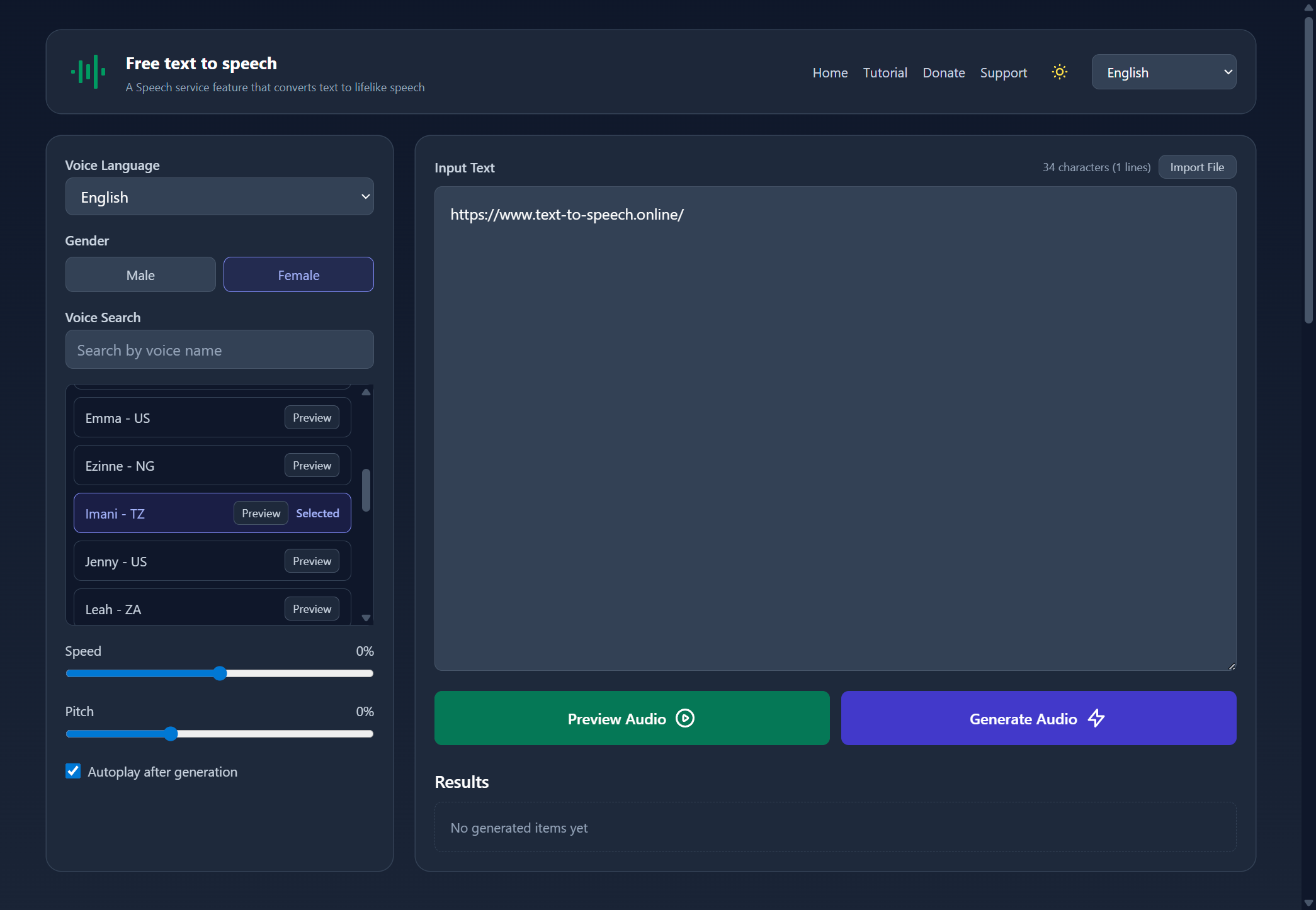

Sharing metadata
| og:url | https://www.text-to-speech.online/ |
|---|---|
| og:type | website |
| og:image | https://www.text-to-speech.online/static/image.png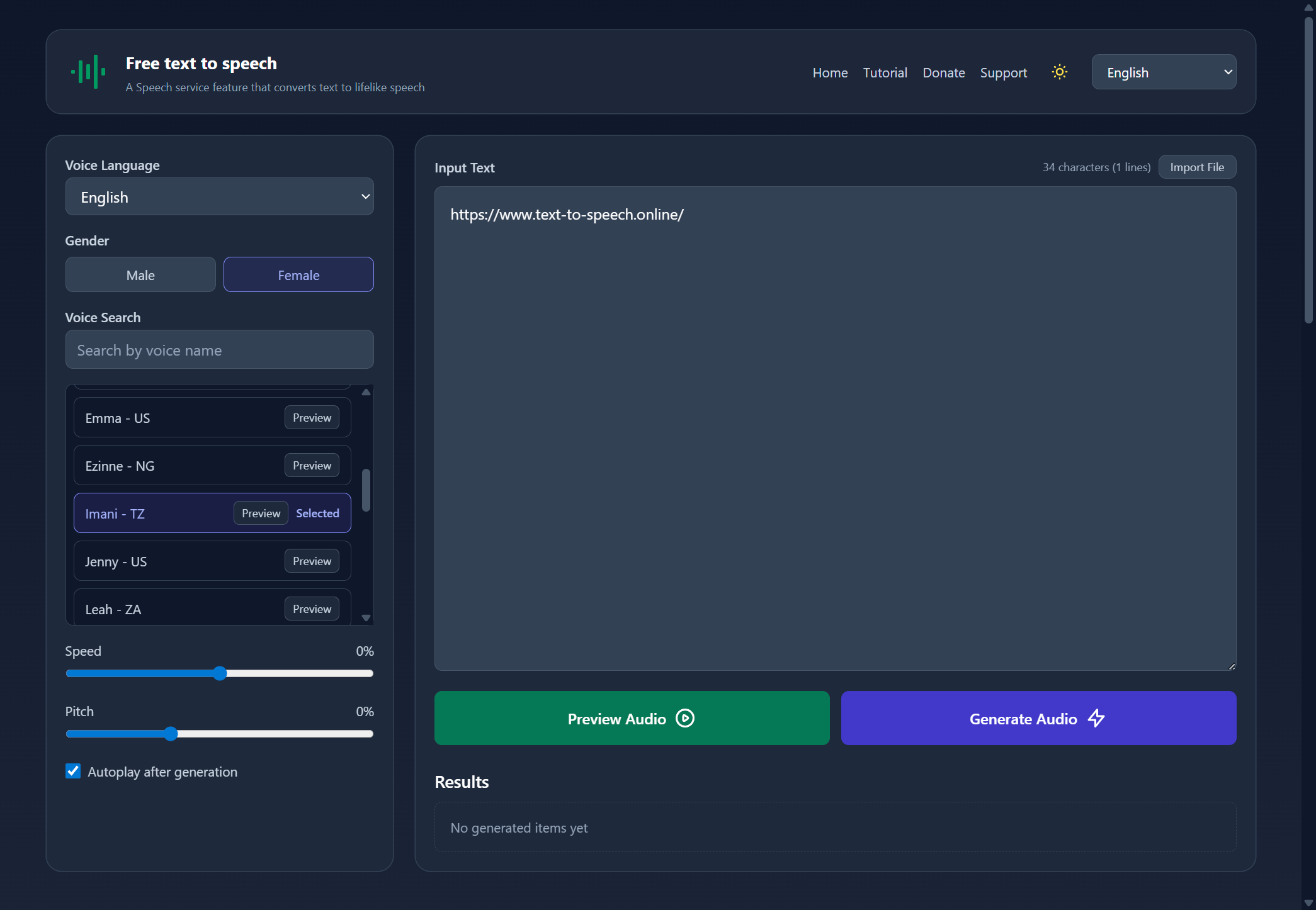 |
| og:title | Free Text to Speech Online |
| og:locale | en_US |
| og:description | Free Text to Speech Online — convert text to lifelike speech with natural AI voice generator. 100+ voices in 27 languages, download MP3, adjust speed & pitch. |
| twitter:card | summary_large_image |
| twitter:image | https://www.text-to-speech.online/static/image.png |
| twitter:title | Free Text to Speech Online |
| twitter:description | Free Text to Speech Online — convert text to lifelike speech with natural AI voice generator. 100+ voices in 27 languages, download MP3, adjust speed & pitch. |
robots.txt (opens in a new tab)
HTTP 200Unknown
Sitemaps
0No sitemaps found
 Registration details RDAP / WHOIS
| Registrar | Alibaba Cloud Computing Ltd. d/b/a HiChina (www.net.cn) |
|---|---|
| Registered | 2022-06-28 |
| Expires | 2032-06-28 |
| Domain status | active |
| Nameservers | kip.ns.cloudflare.com、olga.ns.cloudflare.com |
| DNSSEC | unsigned |
 DNS records
| Type | Name | Value | TTL | Priority |
|---|---|---|---|---|
| A | text-to-speech.online | 66.42.108.118 | 300 | — |
| MX | text-to-speech.online | route1.mx.cloudflare.net | 300 | 6 |
| MX | text-to-speech.online | route2.mx.cloudflare.net | 300 | 65 |
| MX | text-to-speech.online | route3.mx.cloudflare.net | 300 | 74 |
| NS | text-to-speech.online | kip.ns.cloudflare.com | 86400 | — |
| NS | text-to-speech.online | olga.ns.cloudflare.com | 86400 | — |
| TXT | text-to-speech.online | google-site-verification=cW1JmXZvfHUsc6fJd4_B05Ybz8oC7mw_QBsvghUbeQk | 300 | — |
| TXT | text-to-speech.online | v=spf1 include:_spf.mx.cloudflare.net ~all | 300 | — |
 TLS and certificates
| Assessment | Normal configuration |
|---|---|
| Supported protocols | TLSv1.2、TLSv1.3 |
| Negotiated protocol | TLSv1.3 |
| Certificate subject | *.text-to-speech.online |
| Issuer | Let's Encrypt |
| Valid until | 2026-12-22T11:46 · Remaining when checked: 86 days |
| Verification details | Certificate trust: Passed · Hostname match: Passed |
 HTTP response headers
| Header | Value |
|---|---|
| content-type | text/html; charset=UTF-8 |
| server | nginx |
| strict-transport-security | max-age=31536000 |
 Identified technologies
User reviews (0)