
 简体中文
简体中文 English
Website review
This review may include AI-generated content and is not individually verified. Domain, certificate and other facts come from the observed data on this page.
What is ThemeSelection?
ThemeSelection is a marketplace for premium and free admin templates, UI kits and starter projects aimed at developers building dashboards, SaaS products and internal tools. Its catalog centers on popular front-end stacks — Bootstrap, React, Next.js, Vue, Laravel, Django, Tailwind and shadcn — plus Figma and Sketch design kits.
H3 What you'll find there
- Admin dashboards for Bootstrap, MUI/Next.js, Vuetify/Vue and Laravel, sold as individual products.
- SaaS boilerplates and starter kits to shortcut authentication, layouts and common app scaffolding.
- UI kits and component blocks (including Tailwind and shadcn-style blocks) for design and build phases.
- Design assets such as Figma and Sketch admin UI kits for teams that prototype before coding.
- Free items alongside paid ones, useful for evaluating code quality before buying.
H3 Who it suits A solo developer shipping a SaaS MVP, a small agency standardizing on one stack, or a product team that wants a ready-made dashboard shell rather than building layout, tables and forms from scratch. The main trade-off is consistency versus fit: buying several templates from one vendor can keep your projects visually and structurally similar, but a template built for a different framework than your app will cost more to adapt. Bundles reduce per-product cost, yet only pay off if you'll actually use multiple stacks.
H3 Practical next step Pick the template matching your existing framework, open its live preview, and check the components you need most — data tables, charts, auth screens, RTL support. Confirm the license covers your use case and whether updates are included before purchasing. Browse the catalog at ThemeSelection.
Which admin template should I choose for my React project?
For a React project, the closest matches on ThemeSelection are the MUI-based admin templates rather than the Bootstrap or Vuetify ones. The page lists several React/Next.js options: Vuexy MUI NextJS Admin – Pro, Materio MUI NextJS Admin – Pro, Materialize MUI NextJS Admin – Pro, and Sneat MUI NextJS Admin – Pro. All four are described as NextJS admin dashboards built on MUI, which suits React teams already using Material UI or planning to.
Quick comparison
| Template | Stack signal | Best for |
|---|---|---|
| Vuexy MUI NextJS Admin – Pro | NextJS + MUI | Teams wanting a broad, widely reviewed dashboard |
| Materio MUI NextJS Admin – Pro | NextJS + MUI | Projects that prefer a softer, more modern visual style |
| Materialize MUI NextJS Admin – Pro | NextJS + MUI | Teams that want a Material Design–leaning look |
| Sneat MUI NextJS Admin – Pro | NextJS + MUI | Projects that may later add a Vue or Laravel variant |
If your React app is plain React (not Next.js), check the live preview to confirm the routing and data-fetching setup before buying, since these products are positioned around Next.js.
How to decide
Start with your existing UI library. If you already use MUI, pick a MUI NextJS template and avoid mixing in a Bootstrap or Vuetify product, which would mean reworking components. If your team has no strong preference, the MUI options are the safer React choice because they align with a common React component ecosystem.
Then consider scope: a full admin dashboard if you need ready-made pages, or a lighter starter if you mainly need auth, layout and boilerplate. ThemeSelection also lists Laravel Livewire starter kits and Tailwind component sets, which are useful only if your stack extends beyond React.
Practical next step
Open the live preview for two or three MUI NextJS candidates and test the specific things you will build first: a data table with sorting and pagination, a form with validation, and a dark-mode toggle. Compare how much you would have to rewrite versus how much you can use as-is. That single exercise usually settles the choice faster than feature lists.
If you want to browse the full catalogue and free options before deciding, see ThemeSelection.
How does the Summer Big Bundle compare to buying individual templates?
The Summer Big Bundle is ThemeSelection's all-in-one package: access to its current and future admin dashboards, SaaS boilerplates and UI kits for a single purchase, versus paying per template. The page lists the bundle at $149 against a stated value of $1,329, a saving it describes as up to 90%.
H3 Where the bundle wins
- Breadth: it covers the frameworks ThemeSelection sells for — Bootstrap, React/Next.js, Vue, Laravel, Django, Tailwind, Shadcn and .NET Core — so you are not locked into one stack.
- Future releases: the page describes access to current and future products, which matters if you build across several projects over years.
- Team or agency work: if you ship dashboards for multiple clients, the per-project cost drops fast.
- Evaluation: you can try several starter kits before committing a codebase to one.
H3 Where individual templates win
- One stack only: if you just need, say, a single Vue admin, one $69–$79 licence is cheaper than $149.
- Predictable scope: you know exactly what you get, with no unused products to ignore.
- Lighter maintenance: fewer codebases to track for updates and security patches.
H3 How to decide
- Count the frameworks you will realistically use in the next 12 months.
- If that number is two or more, or you expect to start new projects, the bundle is usually the better economics.
- If it is one, buy that template alone.
Whose observation this is: the pricing and bundle claims above come from ThemeSelection's own product page, not independent testing — treat the "$1,329 value" figure as the vendor's framing rather than a market price.
A concrete scenario: a freelance developer with a Bootstrap dashboard in progress and a Next.js SaaS idea on the roadmap would spend $149 once instead of roughly $138 on two separate licences, and keep access to the rest. Someone maintaining a single Laravel admin would not.
Next step: list your next two projects and their stacks, then compare that list against the bundle contents on ThemeSelection before buying.
Can I get free admin templates from ThemeSelection?
Yes. ThemeSelection offers a free tier alongside its paid products. On the page, the "Trending Freebies" section lists free items such as Shadcn Studios (Shadcn blocks and components), a Flyon Laravel Livewire starter kit, and a Sneat Laravel Livewire starter kit. So if your goal is to prototype an admin panel, learn a stack, or ship a small internal tool, you can start at no cost.
What free typically covers vs. what paid adds
| Aspect | Free items | Paid products (e.g., PRO dashboards, UI kits, bundle) |
|---|---|---|
| Cost | $0 | One-time purchase; bundle advertised at a discount |
| Scope | Starter kits, selected components/blocks | Full admin dashboards, multiple frameworks, Figma/Sketch UI kits |
| Best for | Trying a stack, small projects, learning | Production apps needing complete pages, auth flows, richer components |
| Trade-off | Fewer pages/components, less polish | Higher cost, but saves build time |
Practical next step
Decide by project type:
- Learning or a quick demo: grab a free starter kit matching your stack (Laravel Livewire, Shadcn/Tailwind).
- Client or production dashboard: compare the PRO templates for your framework (Bootstrap, React/Next.js, Vue, Laravel, ASP.NET) and check the live previews before buying.
One note on the "free" label: starter kits are scaffolding, not finished admin suites. Expect to add your own pages, data layer and auth. If you need those out of the box, a paid template is usually the faster route. You can browse the free section at ThemeSelection.
What is included in the SaaS boilerplate offered by ThemeSelection?
ThemeSelection's SaaS boilerplate sits inside its broader product catalogue rather than being a single standalone item. The page presents it as one of three main categories — "Fully Coded Admin Dashboard, SaaS Boilerplate & UI Kit" — meaning the boilerplate line is a distinct offering alongside the dashboards and UI kits.
What the boilerplate line covers
Based on the page's product listing, the boilerplate category is built around starter kits rather than full dashboards. The freebies section names two directly:
- Flyon – Laravel Livewire Starter Kit (free)
- Sneat – Laravel Livewire Starter Kit (free)
These are Laravel + Livewire starting points, which is the typical shape of a SaaS boilerplate: authentication scaffolding, a base admin layout, and a working front-end stack you extend into your own product. The commercial dashboards (Sneat, Materio, Vuexy, Materialize, Frest) are sold separately as admin templates, so a boilerplate purchase and a dashboard purchase are not the same thing.
The bundle angle
ThemeSelection also sells a "Summer Big Bundle" advertised as 40+ premium products valued at $1,329 for $149, with lifetime use and a stated discount up to 90%. The page markets this as the way to get access to current and future products. If your goal is a SaaS starter plus a dashboard, the bundle is the route that covers both; buying a single starter kit is the narrower, cheaper path.
How to decide
| Your situation | Sensible pick |
|---|---|
| Laravel/Livewire stack, want a free starting point | A free Livewire starter kit |
| Need a polished dashboard on top of the starter | A premium dashboard template, or the bundle |
| Want UI components without a full template | FlyonUI Tailwind blocks, or a Figma/Sketch UI kit |
| Building across several projects or stacks | The bundle, given lifetime access |
One practical note: the page lists many stacks — Bootstrap, React, Next.js, Vue, Laravel, Django, Tailwind, Shadcn, .NET Core — so confirm the boilerplate matches your framework before buying, since the starter kits shown are Laravel-based. A useful next step is to open the free Livewire starter kit's live preview and check whether its auth and layout scaffolding already covers what you would otherwise build yourself; if it does, you may only need a dashboard template rather than the full bundle.
Are ThemeSelection templates compatible with Tailwind CSS?
Yes — Tailwind CSS is one of the frameworks ThemeSelection explicitly builds for, alongside Bootstrap, React, Next.js, Vue, Laravel and Django. If your project is already on Tailwind, you are not limited to their Bootstrap-based dashboards.
What the page shows for Tailwind users
- FlyonUI Tailwind Blocks & Templates — a premium Tailwind component and template product, listed at $149 (discounted to $99 on the page).
- Flyon - Laravel Livewire Starter Kit — a free Tailwind + Laravel starter kit, useful if you want to try the stack before paying.
- Shadcn Studios — free Shadcn blocks and components, which sit on Tailwind and are aimed at React/Next.js projects.
Practical trade-off
Most of the flagship dashboards on the page (Sneat, Vuexy, Materio, Materialize, Frest) are built on Bootstrap 5, MUI, Vuetify or similar — not Tailwind. So if you specifically want a Tailwind admin dashboard, the Tailwind-compatible options are a narrower slice of the catalogue than the Bootstrap and MUI ones.
Next step
Decide which of these two you are buying: a full admin dashboard, or Tailwind UI blocks you will assemble yourself. For a Tailwind-native dashboard, check the individual product's tech-stack label before purchase; for component-level building blocks, the FlyonUI and Shadcn offerings fit more naturally. You can browse the full set at ThemeSelection.
 Cloudflare
 Google Workspace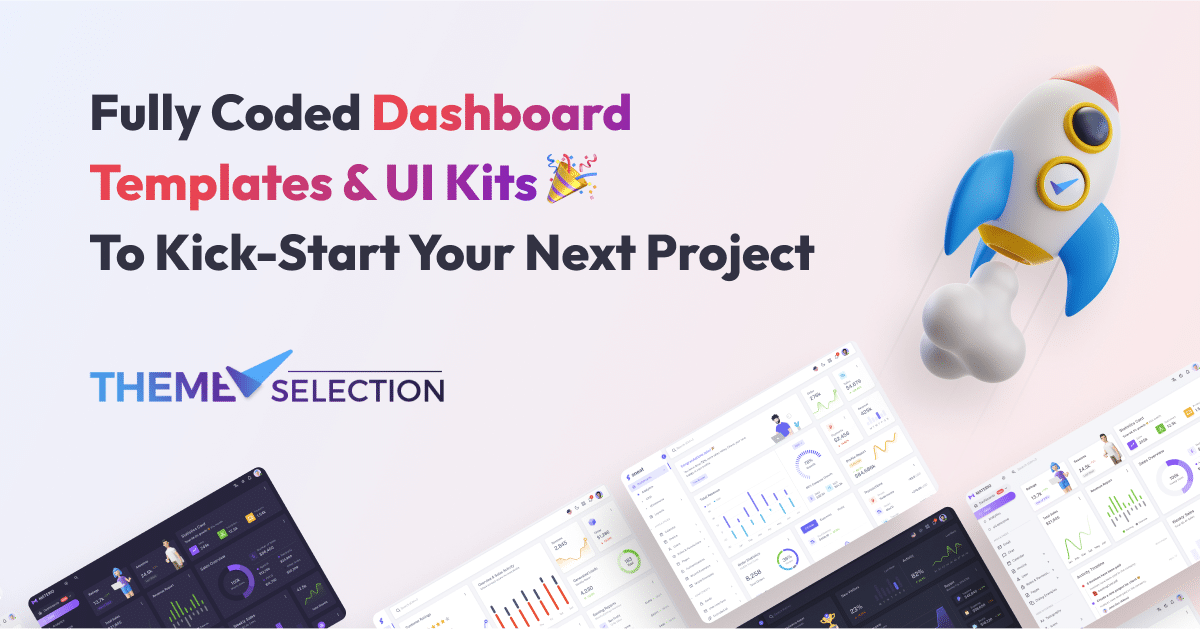

User reviews (0)