Website profiles · Technology insights · Alternatives

twig.so

Sera is your AI front desk. She answers every call, chat and text, even when you're busy or closed, and books the appointment. 15-day free trial, no credit card.

Paid content
Visit website
Profile views 6 Outbound visits 3 Normal
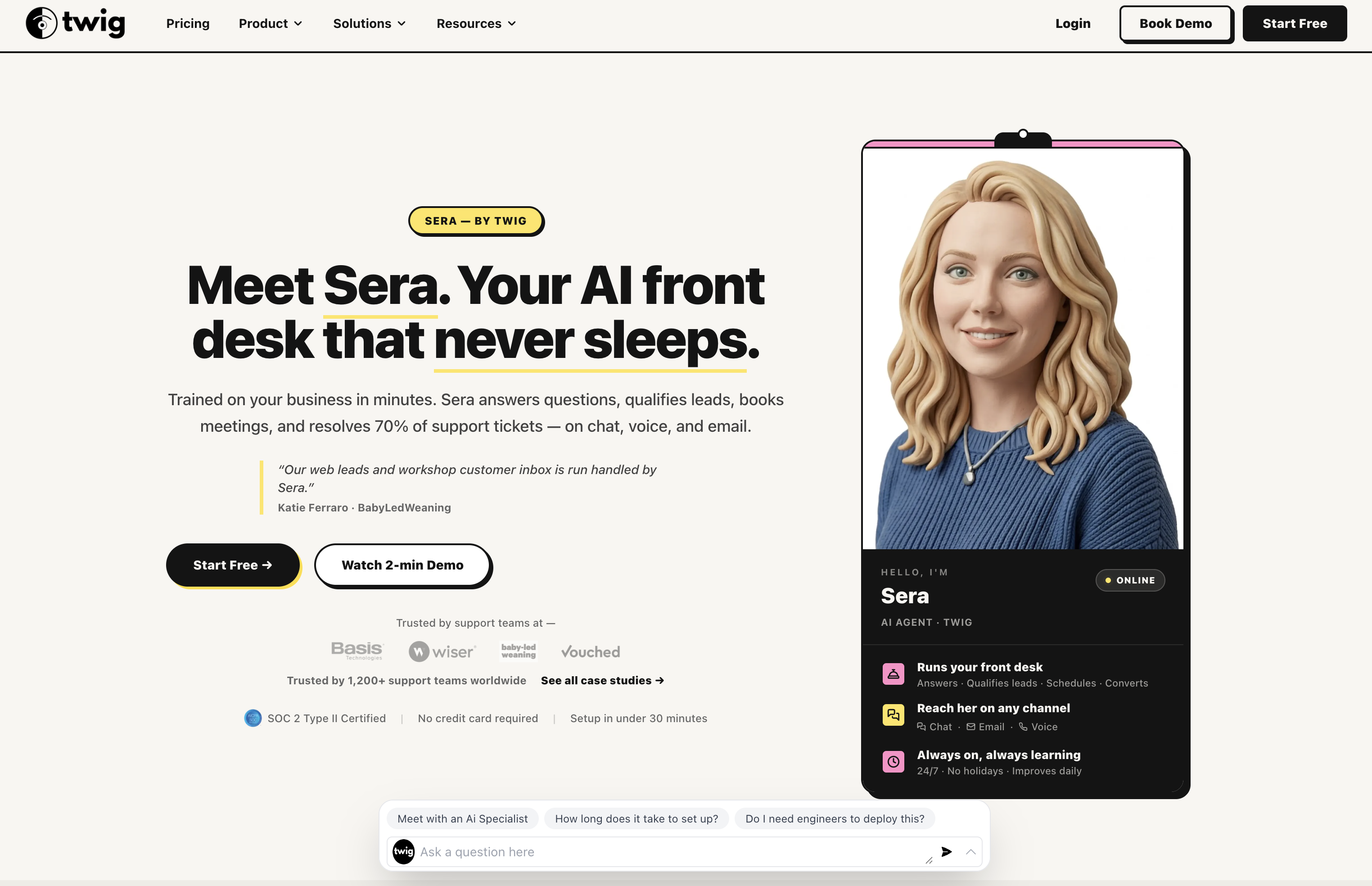
Never Miss Another Customer | Sera, the AI Front Desk by Twig Full homepage screenshot

At a glance

Category
Artificial Intelligence
Language
English
Paid-content signal
Paid contentObserved
Registered
2022
Hosting
VercelInferred
HTTPS certificate trusted
PassedObserved
Last updated

Website review

This review may include AI-generated content and is not individually verified. Domain, certificate and other facts come from the observed data on this page.

What is Sera, the AI front desk by Twig?

Sera is the AI front desk product from Twig. It answers inbound calls, web chats, and texts, and books appointments into your calendar. The pitch is coverage rather than novelty: it picks up when you are busy, closed, or after hours, so a caller or texter gets a real response instead of a voicemail pile.

What it actually handles

Based on the product's own description, the core jobs are:

  • Answering every channel — phone, web chat, email, SMS, and WhatsApp, with one agent and one shared conversation memory. A chat can continue on a call without the customer repeating themselves.
  • Booking appointments — Sera puts bookings directly on your calendar rather than just taking a message.
  • Capturing new jobs — new work gets written down, not lost.
  • Writing back to your tools — it updates the systems you already run.
  • Covering nights, weekends, and holidays — the after-hours example on the page is an 11:42pm voicemail about a broken AC that gets texted back, offered two time slots, and booked for 10am the next day.
  • Escalating with context — a billing question gets handed off to your team by text rather than dropped.

Who it suits

The clearest fit is a small service business where the phone is the front door: home services, clinics, salons, and similar operations where a missed call is a missed booking. A one-person shop that cannot answer while working, or a small team that loses calls during a lunch rush, gets the most obvious benefit. Businesses that already run a full reception desk have less to gain.

The trade-off to weigh

An AI front desk is only as good as what it knows. The page says you give Sera your website and it learns your services, hours, and prices, then you forward calls or add it to your site. That means the setup step matters: if your site is thin or your pricing is not published, expect to fill those gaps yourself. The other consideration is caller preference — some customers want a human, so a clear escalation path matters as much as the booking itself.

Next step

If you want to judge it before committing, the page offers a way to hear the agent first by calling its demo line, and a 15-day free trial with no credit card. Start with your own most common after-hours scenario — an emergency repair, a new-patient request — and see whether the booking lands on the calendar correctly. That single test tells you more than a feature list.

How does Sera handle calls and messages when my business is closed?

Sera is designed to answer calls, chats and texts around the clock, so the customer who reaches out at 11pm gets a response instead of a voicemail pile. According to the site, the same agent handles phone, web chat, email, SMS and WhatsApp with one shared memory — a conversation that starts on chat can finish on a call without the caller repeating themselves.

What happens after hours

  • A caller leaves a message or calls when you're closed.
  • Sera replies, offers available times, and books the appointment into your calendar.
  • You get a text notification when a booking happens.
  • If the request isn't a booking — a billing question, for example — Sera hands it off to your team with the context attached.

The page illustrates this with an overnight voicemail about a broken AC: Sera texts back with two time options, the customer picks one, and the job lands on the calendar for the next morning.

What to check before relying on it

After-hours coverage is only as good as the calendar and service details behind it, so confirm two things:

  1. Calendar access. Sera needs to see real availability, otherwise she may offer slots you can't actually work.
  2. Escalation rules. Decide which topics she should hand off rather than answer — pricing exceptions, complaints, emergencies — and where those handoffs go.

If your business gets urgent after-hours calls (HVAC, plumbing, dental pain), test the handoff path first. The site invites you to call its demo number and try the chat on the page, which is the fastest way to judge whether the tone and judgment fit your customers.

What types of businesses can benefit from using Sera as their AI front desk?

Sera is designed for appointment-driven small businesses that lose revenue when calls, chats or texts go unanswered. The clearest fit is any business whose customers expect a fast, simple booking conversation rather than a long sales process.

Where it fits best

Home and field services. The page's own example is an HVAC call at 11:42pm: a customer reports a broken AC, Sera replies, offers two time slots, and a Wednesday 10:00am repair lands on the calendar. Plumbers, electricians, cleaners, landscapers and similar trades share this pattern — after-hours urgency, a short list of services, and a schedule that can be filled without a human on the line.

Clinics and personal care. The page shows a new-patient cleaning booked at 12:47pm. Dental offices, physiotherapists, salons, barbers, spas and veterinary practices have the same shape of demand: routine appointments, repeat callers, and front-desk staff who cannot answer while treating someone.

Restaurants and local retail. Anything with reservations, order questions or "are you open?" calls benefits from coverage during a lunch rush or after closing, when the page notes a billing question was handed off to the team by text.

Small teams without a dedicated receptionist. The value is highest where one or two people do everything. A business that already has a full-time reception desk gains less.

Where it fits less well

Businesses with long consultative sales, complex quotes or regulated advice are weaker candidates. Sera books appointments and captures job details; it is not a substitute for a human who must qualify, price or advise. Highly specialised bookings that depend on staff skills, equipment or multi-step intake also need more configuration than a simple service list.

A practical test

Take the calls you missed last week. If most were routine bookings, reschedules or "what time are you open?" questions, Sera is likely a good fit. If most needed judgement, negotiation or a human relationship, start with after-hours coverage only and keep escalation to your team.

The page states a 15-day free trial with no credit card and voice included, so the sensible next step is to try it on a single channel — forward only your after-hours calls — and compare booked appointments against your current missed-call rate.

How does Sera integrate with my existing calendar and business tools?

Sera is designed to answer calls, chats and texts and then put appointments straight into the calendar you already use, rather than making you run a separate scheduling system. Twig describes it as one agent with one shared memory across phone, web chat, email, SMS and WhatsApp, so a conversation that starts in chat can finish on a call without the customer repeating themselves. It also says Sera writes back to the tools you already run and escalates to a human with the full context when a question is outside what she should handle.

What the integration looks like in practice

  • Calendar: Sera books appointments into your calendar and sends confirmations. The page shows an example where an after-hours AC enquiry is answered, a time is agreed and the job appears as a Wednesday 10:00am booking.
  • Channels: Phone, web chat, email, SMS and WhatsApp are handled by the same agent, so you are not stitching together separate bots for each one.
  • Your business details: You give Sera your website and she learns your services, hours and prices. That is what lets her answer routine questions without you writing scripts.
  • Handoffs: When a caller has something Sera should not handle alone — the page uses a billing question as an example — she hands it off and texts your team with the context.

What Twig does not spell out

The public page does not name specific calendar providers or list which business tools are supported. It says Sera "writes back to the tools you run," but that is a general claim rather than a compatibility list. Before committing, ask Twig support directly which calendar systems and field-service or CRM tools are supported, whether the connection is two-way, and what happens if a slot is taken between the customer's request and the booking.

A useful next step

If you run a service business where missed calls mean lost jobs — a clinic, salon, plumbing or HVAC company — test the integration with your own calendar first. Start the free trial, connect your calendar, and make a real after-hours booking. Then check three things: whether the appointment lands in the right calendar with the right duration, whether the customer gets a confirmation, and whether a reschedule or cancellation flows back correctly. That tells you more than any feature list.

What is the pricing structure for Sera and is there a free trial?

Sera uses a flat monthly subscription rather than per-call or per-seat charges, with a 15-day free trial that requires no credit card. The site lists a starting point of $49/mo.

What the pricing signals show

  • Starting price: From $49/mo, stated on the page.
  • Free trial: 15 days, no credit card required.
  • Voice included: The signup line pairs the trial with "Voice included," so calls aren't billed as a separate add-on at entry level.
  • Signup options: Google or email.
  • Tiering: The page shows a "From $49/mo" figure, which implies higher tiers exist, but the page evidence doesn't state what separates them. Expect differences in included minutes, channels or seats rather than a single all-in price.

Where the trade-offs sit

For a one-person operation — a plumber, a solo dental practice, a mobile detailer — a flat monthly fee is easy to justify against a missed after-hours call. The page's own example is a 7:12pm booking while closed; one recovered job often covers the month.

For a larger office with high call volume, the entry tier's included voice usage matters more than the headline price. Overages or a jump to a higher tier can change the real cost quickly, so check the pricing page for what each tier includes before committing.

Next step

Two calculators sit on the pricing page — a missed-call revenue calculator and a front-desk savings calculator. Run your own numbers through the first one: multiply your average job value by the number of calls you miss in a week. If that figure clears $49 by a wide margin, the trial is close to a no-risk test. Compare against an answering service if you mainly need live human pickup, or against Calendly if booking is your only gap and you don't need calls answered.

Can Sera handle multiple communication channels like phone, chat, and text simultaneously?

Yes. Sera is positioned as a single AI front desk that answers calls, chat, and text, and the site says the same agent handles phone, web chat, email, SMS, and WhatsApp with one shared memory. That last detail matters more than the channel list: it means a conversation can begin in chat and finish on a call without the customer repeating themselves, which is the usual failure point when each channel runs on a separate tool.

What that looks like in practice

For a small service business, the realistic scenario is a customer who texts after hours, gets a reply from Sera, and then books without anyone touching a phone. The page illustrates this with an overnight voicemail about a broken AC that Sera answers by text, offers two time slots, and books for the next morning. It also shows Sera handing off a billing question to the team by text when the request falls outside booking.

Channels named on the page:

  • Phone calls
  • Web chat
  • Email
  • SMS
  • WhatsApp

Trade-offs to weigh

One shared agent across channels is simpler to manage and avoids duplicate or conflicting replies. The limitation is that a single agent is only as good as the information it is given — the site says Sera learns your services, hours, and prices from your website, so gaps or outdated details there will show up in customer conversations. Escalation is the other thing to test: the page shows a handoff with context, but you will want to confirm how handoffs reach your team and how quickly.

Next step

Before committing, run a two-part test: call the demo number on the page to hear the voice agent, then send the same question by text and see whether the context carries over. If continuity across channels holds up, the setup is doing what it claims. If you want to compare approaches, Sera by Twig is the product in question, and it is worth checking how its shared-memory model differs from tools that treat phone and chat as separate products.

Related questions

More questions →
How to Start Using Sera by Twig and Get Your First Booked Appointment

You can get your first booked appointment the same day you set up Sera. The process has three steps: give Sera your website so she learns your services, hours, and prices; forward your calls or add her to your site; then let her answer and book the next customer who reaches out — even after you've closed. You get a text when a booking happens. Sera starts from $49/mo, and Twig offers a 15-day free trial with no credit card required.

What Sera Does Before You Set Anything Up

Sera is an AI front desk that answers every call, chat, and text, then books the appointment. According to Twig, she handles phone, web chat, email, SMS, and WhatsApp through one agent with one shared memory — so a conversation that starts on chat can finish on a call without the caller repeating themselves.

She also covers nights, weekends, and holidays, and escalates to your team with full context when a question is out of scope.

Step 1: Give Sera Your Website

This is the setup step that teaches Sera how to represent your business.

  • Provide your website URL.
  • Sera learns your services, hours, and prices from it.
  • No manual script-writing is described — the website is the input.

Expected result: Sera can answer questions about what you offer, when you're open, and what things cost.

Step 2: Connect Her to Your Customers

You have two main paths, and you can use either or both:

Method What it does
Forward your calls Existing phone number routes to Sera
Add her to your site Web chat and text channels go live

Twig's page also notes you can start free with Google or sign up with email. Voice is included in the trial.

Expected result: The next customer who reaches out — by call, chat, or text — gets answered by Sera instead of a voicemail or a missed ring.

Step 3: Let Sera Answer and Book

Once connected, Sera handles the conversation and puts the appointment on your calendar. A worked example from Twig's page:

  1. A customer calls at 11:42pm and leaves a voicemail: "Hi, it's Dan — the AC stopped working tonight. Can someone come out tomorrow?"
  2. Sera texts back: "Hi Dan, it's Sera from the front desk. We can be there tomorrow at 10:00am or 2:00pm — which works?"
  3. Dan replies "10 please."
  4. The booking lands on your calendar: Wed 10:00am, AC repair.

Expected result: The appointment appears on your calendar without you touching the phone.

How You Know It Worked

You get a text when a booking happens. Twig's page shows this pattern in its activity feed — for example, "Sera booked Maria · Tue 3:00pm · Cleaning. Called at 7:12pm while you were closed. Confirmation sent to Maria."

So the verification is simple: watch for the booking notification text, then check your calendar for the appointment.

Common Places People Get Stuck

  • Thinking you need to write scripts. You don't — the website is the input. If your site is thin on services, hours, or prices, Sera has less to work with.
  • Only setting up one channel. If you forward calls but never add her to your site (or vice versa), you're still missing the channels your customers actually use.
  • Assuming after-hours is a gap. It isn't — Twig explicitly positions nights, weekends, and holidays as covered, and the Dan example happens at 11:42pm.
  • Wondering about handoffs. If a question is out of scope, Sera escalates with full context rather than guessing. Twig's feed shows an example: "Unknown · 7:03am · Handed off. Billing question. Texted your team."

What It Costs to Try

  • 15-day free trial
  • No credit card required
  • Voice included
  • Plans start from $49/mo

Twig also links a missed-call revenue calculator and a front desk savings calculator on its pricing page if you want to estimate what missed calls are costing you before you commit.

The Short Version

Give Sera your website, connect your calls or site chat, and let her answer and book. Your first booked appointment can happen the same day — including one that comes in after you've closed. You'll get a text the moment it's on your calendar.

How Much Does Sera by Twig Cost? Free Trial and Pricing Explained

Sera by Twig starts at $49/mo, and you can try it free for 15 days with no credit card required. The trial includes voice, so you can test real calls before paying. Twig's site also offers two calculators on its pricing page — a missed-call revenue calculator and a front desk savings calculator — to help you estimate what the service is worth to your business. If you want to confirm current rates or plan details, check the pricing page directly, since the site only states the starting price.

What the free trial includes

According to Twig's site, the 15-day trial gives you:

  • Voice included — Sera answers actual phone calls, not just chat.
  • No credit card — you can start with Google or sign up with email.
  • Full agent access — the same Sera agent that runs on the site handles calls, chat, and text.

The trial is positioned as a working setup, not a demo. On day one, you give Sera your website so she learns your services, hours, and prices, then forward your calls or add her to your site. The next customer who reaches out — even after hours — gets answered and booked, and you get a text when it happens.

What Sera does for the price

The site describes Sera as covering everything a front desk does, without the front desk:

Capability What it means
Answers every channel Phone, web chat, email, SMS, and WhatsApp handled by one agent with shared memory
Books appointments Puts bookings directly into your calendar
Takes down new jobs Captures details for every new request
Writes back to your tools Updates the systems you already run
Covers nights, weekends, holidays Answers when you're closed
Escalates with context Hands off to your team with the full conversation

A conversation that starts on chat can finish on a call without the caller repeating themselves, because the agent keeps one shared memory across channels.

How to decide if it's worth it

The starting price is a single data point; the calculators on the pricing page are there to turn it into a decision. The missed-call revenue calculator estimates what unanswered calls cost you, and the front desk savings calculator estimates what you'd save versus staffing a desk. Run both with your own numbers before the trial ends.

Two conditions to check before committing:

  • Call volume — if you rarely miss calls, the value is mostly in after-hours and overflow coverage.
  • Booking workflow — Sera books into your calendar, so confirm your calendar and tools connect the way you need.

The practical path: start the 15-day trial, forward your calls or add Sera to your site, and watch whether she books appointments you would otherwise have missed. If the booked jobs cover the $49/mo starting price, the decision is straightforward.

Which Businesses Can Use Sera, the AI Front Desk by Twig?

Sera fits businesses that take customer contact by phone, chat, or text and need those contacts turned into booked appointments — especially when calls arrive after hours, during lunch rushes, or on holidays. Twig's own page describes Sera as an AI front desk that "answers every call, chat and text, even when you're busy or closed, and books the appointment." It doesn't name specific industries, so the practical test is whether your customers reach out through those channels and expect a booking in return.

The core fit test

Ask two questions about your business:

  1. Do customers contact you by phone, web chat, email, SMS, or WhatsApp? Twig lists all five as channels Sera handles through "one agent with one shared memory."
  2. Does that contact usually end in an appointment or a job? Sera's stated job is to answer and book, then notify you by text.

If both are yes, Sera is designed for your situation. If your customers only ever buy instantly online with no scheduling step, the booking half of the product has nothing to do.

Scenarios the page describes

Twig frames the product around three recurring moments, which map onto common business types:

Moment What happens Business type it suggests
8am — the voicemail pile Overnight voicemails are already answered and booked by the time you open Businesses that close overnight but get after-hours demand
1pm — the lunch rush Calls during a busy period get handled while staff are occupied Businesses with peak hours and thin staffing
9pm — after hours A caller at 11pm gets a text back, picks a time, and lands on the calendar Businesses whose customers need help outside working hours

The page's example is an AC repair: a caller reports the AC stopped working at night, Sera offers two time slots, and the job is booked for the next morning. That pattern — urgent, schedule-based service work — is the clearest illustration, but the page doesn't limit itself to trades.

What Sera actually does, per the page

Twig lists these capabilities, each running in the same agent:

  • Answers every channel: phone, web chat, email, SMS, and WhatsApp
  • Books appointments into your calendar
  • Takes down every new job
  • Writes back to the tools you run
  • Covers nights, weekends, and holidays
  • Escalates with the full context

The escalation point matters for fit: if a question falls outside what Sera can handle, the page shows her handing it off — one example reads "Handed off — Billing question. Texted your team." So a business with complex, judgment-heavy inquiries isn't excluded, as long as a human can pick up the handoff.

How to judge your own case

The page gives no industry list, so decide from your own customer behavior:

  • You're a fit if missed calls or unanswered chats mean lost bookings, and your customers are willing to book a time rather than need an immediate human.
  • You're a weaker fit if nearly all contact is in person, or if every inquiry needs a licensed professional's judgment before anything can be scheduled.
  • You're still a fit if you have staff who can take escalations — Sera routes those with context rather than dropping them.

Getting started, if you decide it fits

Twig describes a short setup path:

  1. Give Sera your website — the page says she learns your services, hours, and prices from it.
  2. Forward your calls or add her to your site.
  3. The next customer who reaches out, including after close, gets answered and booked.
  4. You get a text when a booking happens.

You can hear the agent first by calling the number listed on the page, (650) 795-7838, before committing.

Cost and trial terms

The page states pricing starts from $49/mo, with a 15-day free trial, voice included, and no credit card required. It also links to a pricing page with a missed-call revenue calculator and a front desk savings calculator, which you can use to estimate whether the missed bookings justify the cost for your volume.

What Is Twig and What Does Sera, the AI Front Desk, Do?

Twig is a service that provides Sera, an AI front desk agent. Sera answers calls, chats, and texts on your behalf, even when you're busy or closed, and books appointments into your calendar. It's built for businesses that depend on inbound customer contact and appointments — the site's own framing is "trusted by the businesses their customers count on." If your problem is missed calls and unanswered messages turning into lost customers, that's the gap Sera is designed to fill.

What Sera actually handles

According to Twig's site, Sera covers the core front-desk functions:

  • Answers every channel — phone, web chat, email, SMS, and WhatsApp, handled by one agent with one shared memory. A conversation that starts on chat can finish on a call without the caller repeating themselves.
  • Books appointments into your calendar.
  • Takes down every new job — captures the details of incoming work.
  • Writes back to the tools you run — pushes information into your existing systems.
  • Covers nights, weekends, and holidays — so after-hours contact still gets a response.
  • Escalates with full context — hands off to your team when a human is needed, with the conversation history attached.

How it works in practice

The setup described on the site is deliberately simple:

  1. Give Sera your website. She learns your services, hours, and prices from it.
  2. Forward your calls or add her to your site. Either route works to put her in front of customers.
  3. The next customer who reaches out gets answered and booked — even after you've closed.
  4. You get a text when it happens, so you know a booking came in.

The site illustrates this with three moments a front desk knows well: the 8am voicemail pile, the 1pm lunch rush, and 9pm after hours.

Example: the overnight voicemail

A customer calls at 11:42pm and leaves a message: "Hi, it's Dan — the AC stopped working tonight. Can someone come out tomorrow?"

Sera texts back: "Hi Dan, it's Sera from the front desk. We can be there tomorrow at 10:00am or 2:00pm — which works?"

Dan replies "10 please," and the job is booked for Wednesday at 10:00am. By the time the business opens, the appointment is already on the calendar.

Who it's for

Sera fits businesses where a missed call or message means a lost customer — the site's examples include AC repair and a new-patient cleaning, suggesting home services and clinics as natural fits. The common thread is appointment-driven work where someone needs to answer, capture the job, and book a time.

Pricing and getting started

  • Starting price: From $49/mo, per the site.
  • Trial: 15-day free trial, no credit card required.
  • Sign-up options: Start free with Google or sign up with email.
  • Voice is included in the trial.
  • Hear her first: You can call (650) 795-7838 to hear the agent before signing up.

Twig also offers two calculators on its pricing page — a missed-call revenue calculator and a front desk savings calculator — useful if you want to estimate what unanswered calls are costing you before committing.

What to check before deciding

  • Channel coverage matters for your business. If most of your customers reach out by phone, confirm the voice experience fits; if they text or use WhatsApp, that's covered too.
  • Calendar and tool integration. Sera books into your calendar and writes back to the tools you run — verify your specific calendar and software are supported.
  • Escalation behavior. For questions Sera can't handle (the site shows a billing question being handed off), make sure the handoff path matches how your team works.
  • Pricing at scale. The $49/mo figure is a starting point; check the pricing page for what applies to your call and message volume.

The fastest way to judge fit is to call the demo number and start the trial with your own website, so Sera learns your actual services, hours, and prices.

What Channels and Front Desk Tasks Does Sera by Twig Handle?

Sera is an AI front desk that answers every call, chat, and text, then books the appointment — even when you're busy or closed. According to Twig, one agent handles phone, web chat, email, SMS, and WhatsApp with a single shared memory, so a conversation that starts on chat can finish on a call without the caller repeating themselves. It also books into your calendar, logs new jobs, writes back to the tools you already run, covers nights, weekends, and holidays, and escalates to a human with full context when needed. This is a fit if you run an appointment-based business that loses inquiries to missed calls, after-hours messages, or a lunch-rush backlog.

Channels Sera Covers

Twig lists five channels handled by the same agent:

Channel What it means in practice
Phone Answers calls, including after hours and when you're closed
Web chat Handles visitors on your site
Email Responds to inbound messages
SMS Texts customers back, e.g. replying to an overnight voicemail
WhatsApp Same agent, same answers

The key detail is the shared memory: because all five run through one agent, context carries across channels. A caller who started on web chat doesn't have to re-explain the problem when they switch to a phone call.

Front Desk Tasks Sera Handles

Twig describes Sera as doing "everything a front desk does, without the front desk." The listed capabilities:

  • Answers every channel — phone, web chat, email, SMS, and WhatsApp, one agent with one shared memory.
  • Books appointments into your calendar — the booking lands on your calendar, and you get a text when it happens.
  • Takes down every new job — new requests are captured rather than lost to voicemail.
  • Writes back to the tools you run — Sera updates the systems you already use.
  • Covers nights, weekends, and holidays — inquiries that arrive while you're closed still get answered and booked.
  • Escalates with the full context — when a question needs a human, it's handed off with the background attached.

What a handoff looks like

Twig's example activity feed shows an unknown caller at 7:03am with a billing question. Sera marked it "Handed off" and texted the team — rather than guessing at an answer, it routed the question to a person with the context included.

How This Plays Out Across a Day

Twig frames the value around three moments every front desk knows:

  • 8am — the voicemail pile. Someone called at 11:42pm: "the AC stopped working tonight. Can someone come out tomorrow?" By the time you open, Sera has texted back, offered 10:00am or 2:00pm, and booked the slot the customer chose.
  • 1pm — the lunch rush. Calls that would otherwise ring out get answered and booked while you're occupied.
  • 9pm — after hours. A caller at 7:12pm while you were closed gets booked for Tuesday 3:00pm, with a confirmation sent to them.

The pattern is consistent: the customer reaches out whenever, Sera answers and books, and you get notified.

What You Need to Set It Up

Twig's day-one flow is short:

  1. Give Sera your website — she learns your services, hours, and prices from it.
  2. Forward your calls or add her to your site — this is how she starts receiving inquiries.
  3. The next customer who reaches out gets answered and booked — including after you've closed — and you get a text when it happens.

You can start free with Google or sign up with email. Twig states a 15-day free trial, voice included, no credit card. Pricing starts from $49/mo per the page, with pricing and ROI calculators linked at twig.so/pricing.

Where Sera Fits — and Where It Doesn't

Sera is built for businesses whose customers reach out to book: the page cites examples like AC repair and new-patient cleanings, and says it's "trusted by the businesses their customers count on." If your business runs on appointments, estimates, or service calls, the channel coverage and after-hours answering map directly onto the revenue you're currently missing.

If your inquiries are mostly complex, multi-step sales conversations, the escalation path matters more than the booking path — Sera hands off with context rather than closing the deal itself. And if you already have staffed coverage around the clock, the after-hours value is smaller, though the lunch-rush and voicemail-pile scenarios still apply.

To hear it before signing up, Twig provides a demo line: call (650) 795-7838.

Website Overview

The available information shows a mix of normal operation and configuration gaps. Depending on how the website is used, these gaps may affect secure access or the consistency of its public presentation.

Domain and Registration

Transfer-protection status is present, helping reduce the risk of unauthorized domain transfers. The domain has about 4 years of registration history; its current configuration provides more context than age alone. The registrar is NameCheap, a widely used domain service provider. The domain uses the common .so extension, which is not an independent safety signal.

DNS and Email

Nameservers are provided by Amazon Route 53, indicating managed DNS hosting. MX records point to the Google Workspace email service. SPF and DMARC are configured. DKIM status is unknown. TXT records include verification markers for Google, Microsoft. Such markers may also remain after a service stops being used. DNSSEC signatures were not detected, so this additional DNS authenticity protection is not confirmed.

TLS and Certificates

The certificate uses an RSA 2048-bit public key, offering broad client compatibility. The server supplied a complete certificate chain. No organization name is present in the certificate; the available fields are consistent with domain validation. The certificate was issued by Let's Encrypt, commonly associated with automated certificate services. The certificate's total validity is about 89 days, consistent with a short renewal cycle.

HTTP and Browser Security

The response lacks these common security headers: CSP, X-Content-Type-Options, Referrer-Policy, Permissions-Policy, clickjacking protection. CORS permits any origin to read this response. This is common for public resources; sensitive responses need narrower handling. No X-Powered-By header was found, reducing one common source of backend fingerprinting information. No obvious internal addresses or debug information were found in the headers. The Server header contains the custom value Vercel.

Technology Stack Analysis

The public page identifies Next.js, jQuery, Vercel without precise versions, leaving fewer clues for version-specific scanning.

Search and Social Sharing

The meta description has 161 characters and may be shortened in search results. Twitter Card metadata is configured. JSON-LD includes Organization data, helping describe the organization as an entity. The title has 61 characters, within a common display range. The observed directives allow indexing and link following.

Hosting and Email

DNSAmazon Route 53
HostingVercel
EmailGoogle Workspace
Approximate IP geolocation (inferred; a CDN or proxy may differ from the origin server) United States flagUnited States Inferred 216.150.1.193

Registration details

RDAP / WHOIS

RegistrarNameCheap
Registered2022-05-19
Expires2027-05-19
Domain statusactive https://icann.org/epp#active、clientTransferProhibited https://icann.org/epp#clientTransferProhibited
Nameserversns-1083.awsdns-07.org、ns-1690.awsdns-19.co.uk、ns-418.awsdns-52.com、ns-744.awsdns-29.net
DNSSECunsigned

DNS records

DNS

TypeNameValueTTLPriority
A4d62abc1de1f9b95.vercel-dns-016.com216.150.1.193300—
A4d62abc1de1f9b95.vercel-dns-016.com216.150.16.193300—
MXtwig.soaspmx.l.google.com3001
MXtwig.soalt1.aspmx.l.google.com3005
MXtwig.soalt2.aspmx.l.google.com3005
MXtwig.soalt3.aspmx.l.google.com30010
MXtwig.soalt4.aspmx.l.google.com30010
NStwig.sons-1083.awsdns-07.org172800—
NStwig.sons-1690.awsdns-19.co.uk172800—
NStwig.sons-418.awsdns-52.com172800—
NStwig.sons-744.awsdns-29.net172800—
TXTtwig.soMS=A189348B6DBA814B302B4F74E8F2D071722308103600—
TXTtwig.sogoogle-site-verification=TNKHVV1f11Zv38yADtmcjq4bFXUFI27JFWn_KZNoOiI3600—
TXTtwig.sogoogle-site-verification=_Z6PFixXLbrGBU6DjdT1_hxJCo1QNKd-AMrvFtB4DOA3600—
TXTtwig.sogoogle-site-verification=zUGoONYDzsfoiUYr33lxny9GJ1S-D5LXvJrjn9QkAwE3600—
TXTtwig.sov=spf1 include:_spf.google.com ~all3600—
CNAMEwww.twig.so4d62abc1de1f9b95.vercel-dns-016.com300—
DMARC_dmarc.twig.sov=DMARC1; p=none; rua=mailto:[email protected]3600—

TLS and certificates

TLS / SSL

AssessmentNormal configuration
Supported protocolsTLSv1.2、TLSv1.3
Negotiated protocolTLSv1.3
Certificate subjectwww.twig.so
IssuerLet's Encrypt
Valid until2026-12-21T21:55 · Remaining when checked: 73 days
Verification detailsCertificate trust: Passed · Hostname match: Passed

HTTP response headers

HTTP

HeaderValue
content-typetext/html; charset=utf-8
cache-controlpublic, max-age=0, must-revalidate
serverVercel
strict-transport-securitymax-age=63072000
access-control-allow-origin*

Identified technologies

Next.jsjQueryVercel

Pages, Search and Sharing

Meta descriptionSera is your AI front desk. She answers every call, chat and text, even when you're busy or closed, and books the appointment. 15-day free trial, no credit card.
Canonical URLhttps://www.twig.so
LanguageEnglish (default)
Twitter Cardsummary_large_image
All bots 1 allowed · 2 disallowed
  • Allow/
  • Disallow/api/
  • Disallow/cgi-bin/
gptbot 1 allowed · 2 disallowed
  • Allow/
  • Disallow/api/
  • Disallow/cgi-bin/
chatgpt-user 1 allowed · 2 disallowed
  • Allow/
  • Disallow/api/
  • Disallow/cgi-bin/
oai-searchbot 1 allowed · 2 disallowed
  • Allow/
  • Disallow/api/
  • Disallow/cgi-bin/
claude-web 1 allowed · 2 disallowed
  • Allow/
  • Disallow/api/
  • Disallow/cgi-bin/
claudebot 1 allowed · 2 disallowed
  • Allow/
  • Disallow/api/
  • Disallow/cgi-bin/
perplexitybot 1 allowed · 2 disallowed
  • Allow/
  • Disallow/api/
  • Disallow/cgi-bin/
applebot-extended 1 allowed · 2 disallowed
  • Allow/
  • Disallow/api/
  • Disallow/cgi-bin/
google-extended 1 allowed · 2 disallowed
  • Allow/
  • Disallow/api/
  • Disallow/cgi-bin/
ccbot 1 allowed · 2 disallowed
  • Allow/
  • Disallow/api/
  • Disallow/cgi-bin/

User reviews (0)

  • No reviews yet.