
 简体中文
简体中文 English
Website review
This review may include AI-generated content and is not individually verified. Domain, certificate and other facts come from the observed data on this page.
What is Typersguild?
Typersguild is a typing-practice site built around retyping whole classic books rather than running short random-word drills. You pick a title from a library of 100+ classics — Pride and Prejudice, 1984, Alice and Wonderland are the examples given — and type through it chapter by chapter, with live WPM and accuracy feedback as you go.
What it actually does
- Book-based practice: the text is real prose with punctuation, dialogue and paragraph pacing, so you train the letter patterns that appear in ordinary English rather than a shuffled word list.
- Mistake analysis: it tracks digraphs and trigraphs (letter pairs and triples) to show which combinations slow you down, so you know what to drill next.
- Habit tools: a daily activity heat map and a configurable floating stats widget let you keep WPM, accuracy or streaks visible while you work.
- Accountability: a leaderboard and XP system add a competitive layer on top of the reading.
The site frames its own trade-off plainly: timed tests are for measuring speed, books are for building it. A 60-second test gives you a snapshot; a chapter gives you sustained exposure to commas, quotation marks and the letter pairs that a word list never surfaces.
Who it suits — and who it doesn't
It fits readers who find drill sites boring and want a reason to keep going past the first week, and intermediate typists whose raw speed is fine but who stumble on punctuation or capitalisation. It is a poor fit if you are still learning key positions and need short, corrective exercises, or if you want instant score comparisons against other people — the feedback here is slower and more cumulative.
A practical starting point
Pick a book you would genuinely read anyway, type one chapter, then look at the n-gram breakdown before choosing the next session. If the same two or three letter pairs keep appearing as weak spots, spend a short session on a focused drill site and return to the book to apply it. For that complementary work, Monkeytype is a common choice for timed tests, and TypingClub covers structured lessons for beginners.
How does typing whole books compare to timed tests like Monkeytype for improving speed?
Typing whole books builds speed through sustained practice on real prose; timed tests like Monkeytype measure it. The distinction matters if your goal is durable improvement rather than a quick score.
Where the two approaches differ
| Timed tests (e.g. Monkeytype) | Typing whole books (Typersguild) | |
|---|---|---|
| Session length | 15–60 seconds | A chapter or more |
| Text | Random words | Real prose with punctuation and dialogue |
| What it trains | Short bursts of raw speed | Pacing, punctuation, sustained focus, muscle memory |
| Weak spots | Not surfaced | Digraph/trigraph (n-gram) analysis flags slow letter pairs |
| Best use | Measuring progress | Doing the work that changes how you type |
Timed tests are a useful snapshot. A chapter keeps commas, quotation marks and common English letter pairs in front of you long enough for them to stick — patterns a 60-second word list never shows. Typersguild's own comparison frames it as "use tests to measure, use books to improve," and that split is sound: tests give a clean benchmark, books give the repetition.
A practical way to combine them
Take a timed test once a week as a checkpoint. On other days, type a chapter of a book you actually want to read. When your n-gram data shows a lagging pair — say "th" or "er" — you know what to watch for in the next session. A concrete reader: someone stuck at 55 WPM on random-word tests often gains more from a month of chapter-length practice than from chasing a higher test score, because the bottleneck is usually rhythm and punctuation handling, not raw key speed.
Trade-offs to weigh
- Books demand patience. Progress feels slow because a chapter takes minutes, not seconds. The payoff is retention.
- Tests stay valuable. They're fast, comparable over time, and good for warm-ups.
- Content matters. Typing a book you'd read anyway keeps you returning; a dull text undercuts the whole method.
If you want a second timed-test option for benchmarking alongside Monkeytype, Monkeytype is the reference point; for shorter book-based sessions, Wikipedia excerpts are a common alternative.
Next step: open Typersguild's library, pick a title you already want to read, and type one paragraph today. Log a timed test at the end of the week to see whether chapter practice is moving your score.
Is Typersguild really free, and what do you get with the Premium tier?
Typersguild is free for its public library; Premium is an optional paid tier. The site describes the public catalog as "free every day," and its pricing page lists a separate Premium option. The free version is not a stripped trial—you can type through the 100+ classic books with live WPM and accuracy tracking, mistake analysis (digraph/trigraph tracking), daily activity heat maps, and customizable stat widgets. For most learners, that is the whole product: pick a book, type a chapter, review the weak letter pairs.
What Premium likely adds
The page evidence does not spell out the Premium feature list, so treat any specific claim with caution. Based on how typing platforms usually split tiers, expect Premium to unlock conveniences rather than core practice—for example, deeper analytics history, extra themes beyond the free set, or leaderboard/competition features. Check the pricing page's tier comparison before paying; if the only differences are cosmetic (themes, widgets), the free tier is sufficient.
A practical way to decide
- Free is enough if you want deliberate practice with real prose and only need current-session stats.
- Premium is worth considering if you rely on long-term progress tracking or want the competitive/leaderboard side.
- Skip both if you only need quick 60-second speed snapshots—timed tests like Monkeytype serve that purpose better, and Typersguild itself frames tests as measurement and books as improvement.
Next step: open the library, type one paragraph of a book you actually want to read, and see whether the chapter-based format holds your attention. If it does, the free tier already delivers the core benefit; upgrade only when you hit a specific limit you care about.
How does the smart mistake analysis help me find which letter pairs slow me down?
Typersguild's smart mistake analysis tracks the letter combinations you mistype as you type real book text, then shows them as digraph (two-letter) and trigraph (three-letter) patterns such as "th," "he," "er," "in," "an" and "st." Instead of only telling you your overall accuracy, it surfaces which specific pairs keep tripping you up, so you can see that, say, "th" or "er" is where your errors cluster rather than guessing why your speed has plateaued.
How to turn it into practice
- Type a chapter or two normally so the analysis has enough real prose to work with.
- Open the n-gram breakdown and note the two or three pairs with the most errors.
- Spend a short session drilling just those pairs, then return to a book chapter and watch whether the same patterns reappear.
- Repeat across a few sessions to see whether a weak pair is a one-off bad day or a persistent habit.
Why this differs from timed tests
On a random-word test like Monkeytype, weak letter pairs stay hidden because the word list changes every run and the session lasts 15–60 seconds. Typersguild's approach keeps punctuation, dialogue and everyday English patterns in front of you long enough that the analysis reflects how you actually type. The trade-off is that a chapter takes far longer than a quick test, so it suits deliberate practice sessions rather than a fast daily check.
A concrete scenario
Suppose you average around 65–70 WPM but accuracy dips whenever a chapter includes lots of dialogue. The n-gram view might show your errors concentrated in "qu," "th" and "ou." You could drill those pairs for five minutes, then type the next chapter and compare. That feedback loop—measure, drill, retest on real prose—is the practical value of the feature. If you prefer structured measurement alongside reading, Typersguild combines both; if you mainly want quick speed snapshots, a timed test remains the better fit.
Can I track my daily progress and compete on the leaderboard?
Yes. Typersguild includes a daily activity heat map for tracking consistent practice, and its page mentions a typing leaderboard among the platform's features. Progress tracking centers on live WPM and accuracy, plus digraph and trigraph ("n-gram") analysis that highlights the letter pairs slowing you down. A configurable floating stats widget lets you choose which metrics stay visible while typing.
What the tracking covers
| Feature | What it does | Best for |
|---|---|---|
| Daily activity heat map | Visual record of days you practiced | Building a habit and spotting gaps |
| Live WPM and accuracy | Real-time feedback during a session | Immediate pacing and error awareness |
| N-gram analysis | Flags weak letter pairs and triples | Targeted practice between chapters |
| Leaderboard | Competitive ranking against other typers | Motivation if competition drives you |
A practical way to use both
Treat the heat map as your consistency check and the leaderboard as an occasional benchmark, not a daily target. A reader preparing for a job that involves heavy transcription might type one chapter each morning, review which letter pairs the n-gram analysis flagged, then check the leaderboard once a week to see whether the extra focus moved their rank. If competition makes you rush and accuracy drops, lean on the heat map and n-grams instead; if solo practice feels aimless, the leaderboard gives you a reason to show up.
Start by typing a single chapter of a book you already want to read, then look at the heat map the next day to confirm the session registered before committing to a daily routine.
Which classic books are available to type, and how do I start one?
Typersguild offers more than 100 classic books to retype, drawn from 50+ authors. Titles named on the site include Pride and Prejudice, 1984, and Alice in Wonderland. The library is the place to browse the full catalog and pick a title.
How to start
- Open the library and choose a book you actually want to read—motivation matters more than difficulty when sessions run a full chapter.
- Begin with the next paragraph rather than committing to a whole chapter. The site frames this as the core loop: pick a title, type the next paragraph.
- Keep the live WPM and accuracy readouts visible, and check the n-gram analysis afterward to see which letter pairs slow you down.
Who this suits
Readers who want sustained practice with real prose—punctuation, dialogue, and natural letter patterns—will get more from a chapter than from 15–60 second random-word tests. If you mainly want quick speed benchmarks, a timed test site is the better measuring tool; treat book typing as the training. A practical split: use short tests occasionally to gauge progress, and spend most practice time inside one book so weak letter pairs surface repeatedly.
For shorter sessions or a quick warm-up, Wikipedia text is a lighter alternative; the public catalog on Typersguild is free to use daily, with a premium tier available if you want more.
 Cloudflare
 Vercel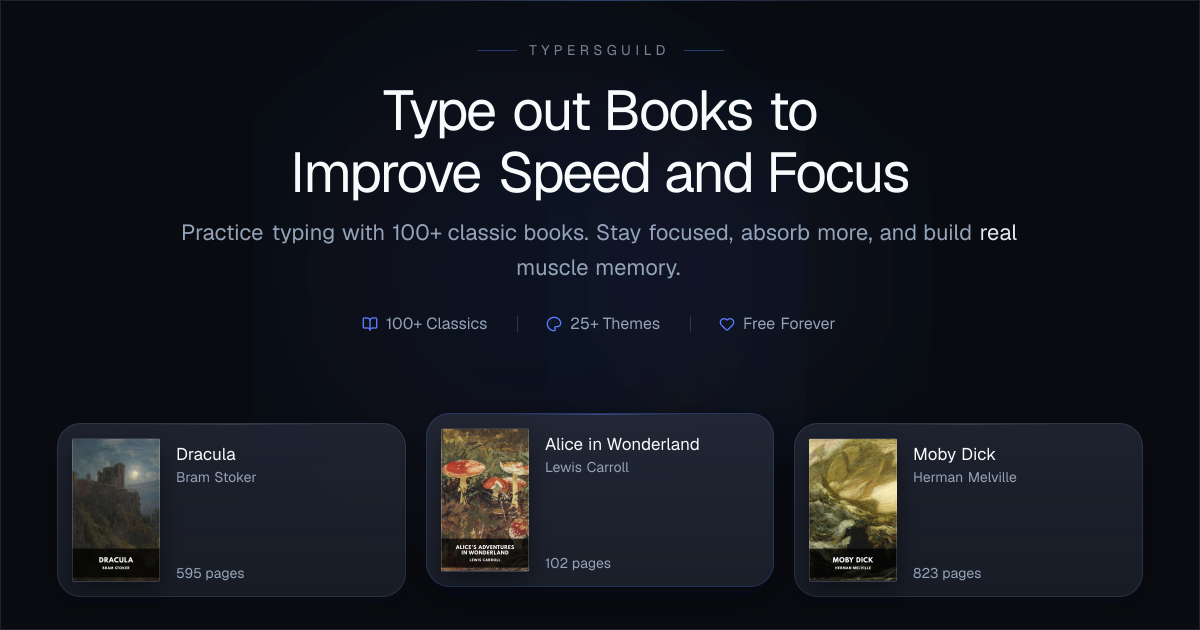

User reviews (0)