

 Paid content
 Visit website
 Updated: 2026-09-30 01:19
 Language: English (default)
 Access: Normal
 Profile views 6
  Outbound visits 0
 Website Review
What is Typst?
Typst is a document preparation system that sits between plain word processors and full programming languages. You write content as structured markup — headings, lists, figures, equations — and Typst handles layout, numbering, cross-references and formatting automatically. Its compiler is open source, developed in the open with a community, while the hosted editor at Typst adds templates, collaboration and export.
It is best understood as a tool for documents where structure and consistency matter more than freeform drag-and-drop design.
What it is good at
- Automation and templates. Reports, invoices and other transactional documents can be generated from machine-readable data, and templates keep every issue visually consistent.
- Academic and technical writing. Theses, papers and lecture notes benefit from references, complex equations and automatic numbering.
- Long, structured works. Books and proposals can be organized semantically, with formatting applied from structure rather than by hand.
- Multi-format output. The same source can be exported as PDF, image, or — in preview — a website.
How it compares
| Approach | Strength | Trade-off |
|---|---|---|
| Word processor | Direct visual editing, familiar | Manual formatting drifts; automation is awkward |
| Typst | Structure-driven, scriptable, fast previews | Requires learning markup; less WYSIWYG |
| LaTeX | Enormous ecosystem, proven for academia | Steeper syntax and toolchain for newcomers |
If you already like the idea of LaTeX but find its setup and error messages frustrating, Typst is aimed squarely at you. If you need pixel-level manual control of a one-off flyer, a conventional design tool will be quicker.
A practical next step
Pick one recurring document you already produce — a monthly report, an invoice, a course handout. Rebuild it once in Typst using a template, then note how much of the next edition you can regenerate by changing data rather than redoing layout. That test tells you quickly whether the structured approach pays off in your workflow.
How does Typst compare to LaTeX for academic and technical documents?
For academic and technical writing, Typst is a modern alternative to LaTeX that trades LaTeX's enormous ecosystem and decades of package coverage for a cleaner syntax, faster compiles, and built-in automation. It is most compelling if you want LaTeX-style typesetting quality with far less boilerplate; it is less compelling if your work depends on a niche LaTeX package or a journal's LaTeX class file.
Where they differ in practice
| Dimension | Typst | LaTeX |
|---|---|---|
| Markup style | Lightweight, structure-first markup; formatting is largely automatic | Verbose commands and environments; explicit control |
| Output | PDF, image, and website (in preview) from the same source | Primarily PDF (via engines), web via separate toolchains |
| Extensibility | Core compiler is open source and community-developed; younger package ecosystem | Vast, mature package and class ecosystem built over decades |
| Templates | Template gallery for reports, papers, theses, presentations, CVs, letters, invoices | Extensive journal-, publisher-, and university-specific classes |
| Automation | Emphasizes automated document generation from structured data | Possible, but typically more manual setup |
Typst's own framing is that a document is "more" than static pages: it supports common technical content out of the box and lets you build the rest, with automatic formatting once you pick or write a template. The site lists academic and technical use cases directly — reports, theses with references and graphics, papers started from templates with co-author collaboration, lecture notes with complex equations, and semantically organized books. It also notes that members of over 3,500 universities and laboratories and over 1,000 businesses use it.
Choosing between them
- Pick Typst if you are starting a new paper, thesis, report, or set of lecture notes and want fast iteration, readable source, and easy templating. A concrete scenario: a graduate student writing a methods-heavy thesis with many equations and figures can adopt a template, keep the source in a version-control repo, and export a PDF without wrestling with package conflicts.
- Stay with LaTeX if your target venue or collaborator requires a specific class file, or if your workflow relies on a specialized package with no Typst equivalent. Co-authoring is a real constraint: if your co-authors already work in LaTeX, conversion overhead may outweigh Typst's ergonomic gains.
- Consider a hybrid for multi-format needs: Typst's preview website export lets you produce print documents and web pages from one source, which is awkward in a pure LaTeX pipeline.
If you are unsure, the cheapest test is to reproduce one real section of your current document — including a figure, a cross-reference, and a citation — in Typst. That single exercise will tell you whether the template and package coverage you need is already there. Start from Typst and its template gallery, and compare against your venue's requirements before committing a long manuscript.
Can I use Typst for free or do I need a paid plan?
Typst can be used for free, but paid plans exist for people who need more than the free tier offers. The core compiler is open source, so the markup-and-compile approach itself isn't locked behind a subscription. The hosted web app — writing in the browser, templates, collaboration, exports — is where free versus paid matters. See the official options at Typst.
H3 What that means in practice
- Free is enough for many individuals. A student writing lecture notes, a researcher drafting a paper, or anyone who mainly needs clean PDF output can typically stay on the free tier. The page presents the compiler as open source and community-developed, and the writing workflow — structured markup, automatic formatting, templates — is the core experience rather than a paid add-on.
- Paid plans target heavier or team use. The pricing page also mentions enterprise-grade support, which points to organizations wanting guarantees, assistance, or administrative features rather than just document rendering. The site lists trust from thousands of universities and businesses, which is consistent with a mix of free academic users and paying institutional customers.
- Watch the export and collaboration angle. The page highlights exporting to PDF, image, or website (in preview). If your work depends on frequent collaboration, large projects, or specific export formats, check which tier covers those before committing.
H3 A useful next step
Decide by workflow, not by feature count:
- If you write alone and export to PDF, start free and only upgrade when you hit a concrete limit.
- If you're in a team, a lab, or a company that needs support and shared documents, compare the paid tiers directly.
- If your organization already uses Typst, ask whether an institutional plan covers you before paying personally.
Concrete scenario: a master's student typesetting a thesis with references and figures can likely do everything on the free tier; a company generating invoices from machine-readable data at scale is the profile that should look at paid plans and support.
How do I collaborate with co-authors on a Typst document?
Typst is built around plain-text markup, which is what makes co-authoring practical: you can keep the document in a shared repository and let each person edit their own sections without fighting a binary file format. The site itself describes collaboration in the context of papers ("Start from templates and collaborate with co-authors") and positions Typst as a foundation for writing, creating and automating page-based documents.
Practical ways to collaborate
- Shared file or repository. Because a Typst document is text, put it in Git, a shared drive, or any version-control system. Each co-author edits the
.typsource; merges and diffs work the way they do for code. - Split by section. Use
#includeto pull in separate chapter or section files. One author ownsintro.typ, another ownsmethods.typ, and a main file assembles them. This keeps edits from colliding. - Template-first. The site suggests picking a template or creating your own, so formatting happens automatically. Agree on one template and one bibliography file before drafting; then co-authors only supply content.
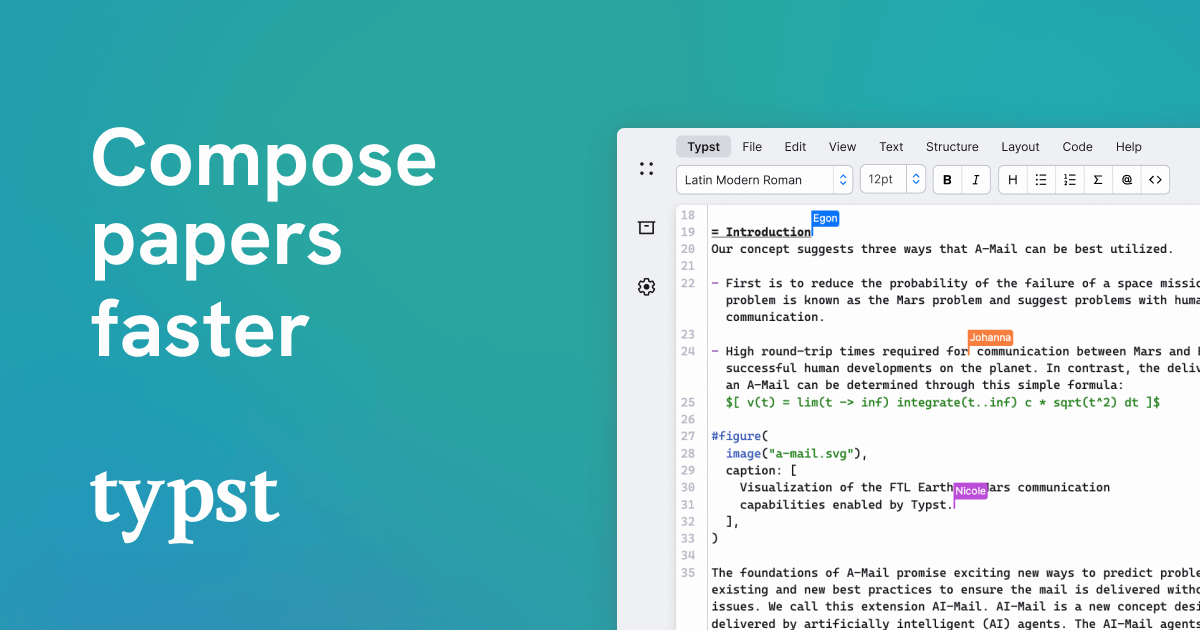
- Real-time option. Typst's web app supports signing in and working in the browser, which suits co-authors who don't want to install a local toolchain or manage Git. For heavier collaboration, the Typst app is the natural starting point; its docs and forum cover sharing and project setup.
- Review loop. Export to PDF for comments, then fold feedback back into the source. Since formatting is automatic, reviewers can focus on content rather than layout.
A concrete scenario
A three-person paper: one author drafts the introduction and literature review, another handles figures and tables, a third writes the methods and results. They keep a shared repository, use a single template, and each edits their own file. Once a week they rebuild the PDF and check the compiled output together. If the group prefers not to use Git, the browser editor lets them share a project and edit directly, with the same plain-text source underneath.
Decision criterion
Choose file-based collaboration (Git, shared folder) when you want history, offline editing and full control; choose the hosted app when the team is non-technical or spread across machines and wants to avoid setup. Either way, the plain-text source is what makes the collaboration workable — the format, not the tool, is the real advantage.
What types of automations can Typst handle for generating documents from data?
Typst can automate document generation from data in several practical ways, based on what its page describes:
- Template-driven reports and documents: You pick or build a template, then feed in content; formatting happens automatically. The site explicitly lists reports, theses, papers, lecture notes, CVs, letters, invoices, and proposals as document types suited to this.
- Machine-readable data to finished documents: The page calls out generating invoices "and more from machine-readable data," meaning structured input can be turned into a formatted document without manually redoing layout.
- System integration for transactional documents: Typst describes integrating with your systems to automate document creation, which points to pipelines where an application or service triggers a document (e.g., a receipt, statement, or certificate) rather than a person writing it by hand.
- Semantic structuring and automatic formatting: For books and large works, Typst supports semantic organization with automatic formatting, so headings, numbering, and references update as content changes.
- Visualizations from data: Charts and diagrams (the page mentions Gantt charts and arrow diagrams) are described as supported content, so data-driven graphics can sit inside the same automated document.
- Multi-output from one source: Export as PDF, image, or a website (in preview) without touching the markup — useful when the same data needs to reach print and web.
A concrete scenario: A small SaaS company stores invoice line items in a database. It writes one Typst template with placeholders, then its backend calls Typst to render each invoice to PDF. When the design changes, only the template changes — not the code that produces the data.
Next step / decision criterion: If your documents are highly variable or one-off, a template plus manual editing may be enough. If your documents are repetitive and data-driven (invoices, statements, reports on a schedule), the integration path is the one to evaluate. For teams already using LaTeX or Word mail-merge, the trade-off is learning Typst's markup in exchange for cleaner automation and multi-format output.
Typst itself is open source, and the site notes that members of over 3,500 universities and laboratories and over 1,000 businesses use it — relevant if you need community templates or examples. See Typst for the document-type list and integration details.
How do I get started with Typst if I have never used a markup-based typesetting system before?
Start with the browser editor, not an installation. Typst's own page shows a sign-up flow and describes writing content as markup "with a focus on structure," with formatting handled automatically. That means your first session can be: create an account, pick a template, and change the text to see how the output responds.
Typst
A realistic first hour
- Open the web app and choose a template close to your goal — the site lists internal reports, scientific journal articles, newsletters, theses, presentations, papers, lecture notes, CVs, letters, invoices and proposals.
- Replace the template's sample text with a few paragraphs of your own. Don't try to learn the whole syntax first.
- Notice the pattern: plain lines are body text,
= Introductionis a heading, and-starts a list item. That is most of what beginners need on day one. - Insert one image or figure using the template's existing example as a model, then export to PDF and check the result.
The mental shift from a word processor
You are describing what something is (a heading, a figure, a list) rather than how it looks (bold, centered, 14pt). Templates and the compiler decide the appearance. This feels slower for the first document and considerably faster from the second one onward, especially for anything with references, equations or repeated structure.
If you have used Markdown for notes or README files, you already know the core habit. Typst adds functions and a scripting layer on top, but you can write a long time before needing them.
Where to get unstuck
The site points to Docs, a Universe of templates and a Forum. The Docs are the reference; the Forum is where you ask when an error message makes no sense. Reading the source of a template you like is often faster than reading documentation, because it shows working syntax in context.
A decision rule for staying or leaving
Give it two real documents. If the second one takes noticeably less effort than the first, the markup approach is paying off. If you spend both sessions fighting formatting instead of writing, a word processor is the better tool for that particular job — markup typesetting rewards documents with structure, length or repetition, and is overkill for a one-page note you will never revise.
 Hosting and Email
 Hosting
 Microsoft Corporation
 Location
 United States
 Pages, Search and Sharing


 All bots

 Registration details

 Identified technologies
User reviews (0)