Website profiles · Technology insights · Alternatives

uizard.io

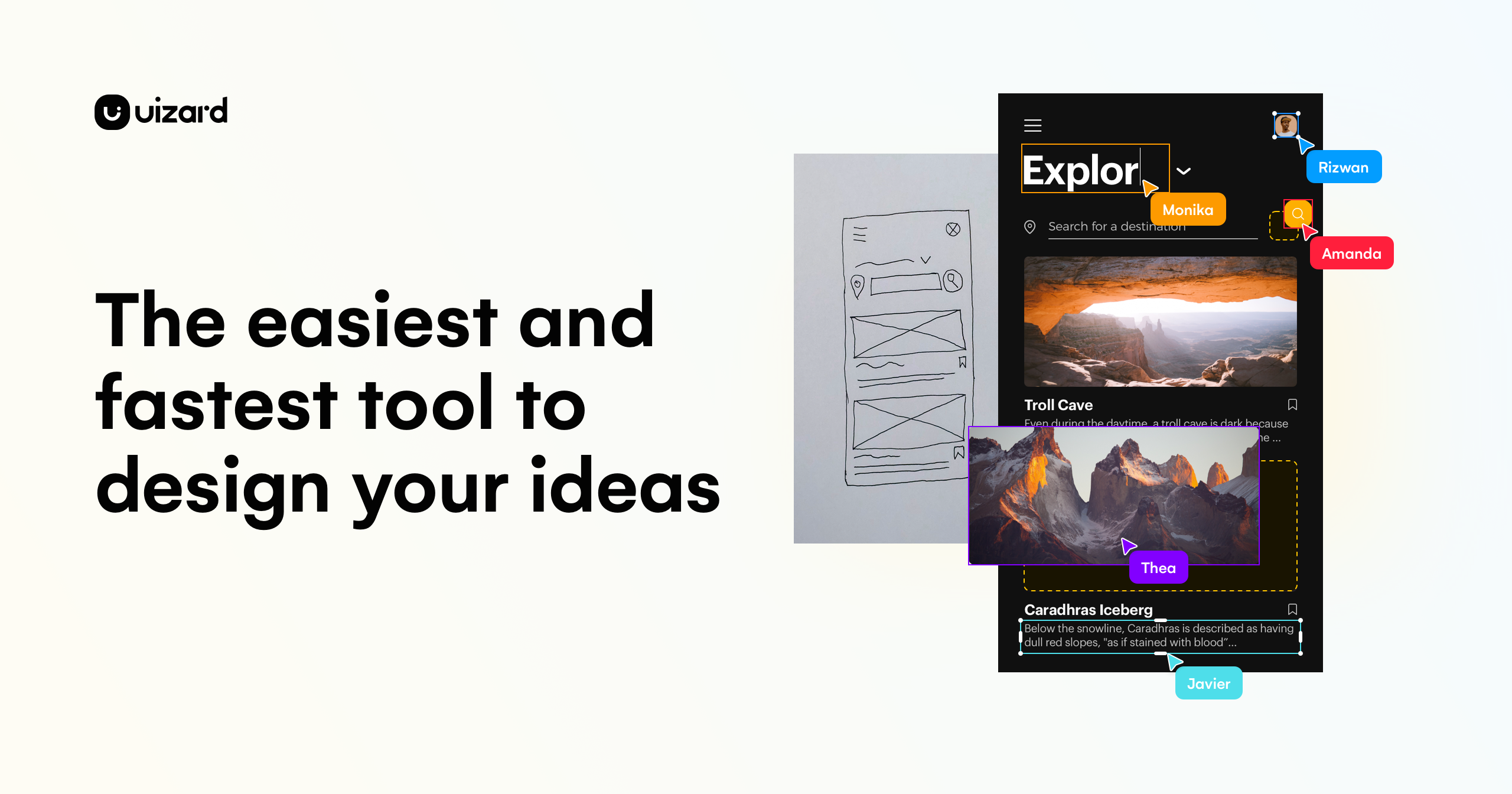
UI design for apps, websites, and desktop software in minutes. If you can use Google Slides or PowerPoint, you can use Uizard!

Paid content
Visit website
Profile views 1 Outbound visits 0 Normal
Uizard Full homepage screenshot

At a glance

Category
Design & Creativity
Language
English
Paid-content signal
Paid contentObserved
Registered
Unknown
Hosting
Amazon CloudFrontInferred
HTTPS certificate trusted
PassedObserved
Last updated

Website review

This review may include AI-generated content and is not individually verified. Domain, certificate and other facts come from the observed data on this page.

What is Uizard?

Uizard is an AI-assisted UI design tool for creating app, website, web app and tablet interfaces. Its pitch is that people who can use presentation software like Google Slides or PowerPoint can use it, so it is aimed at quick wireframes, mockups and prototypes rather than only professional design work.

What you can do with it

  • Generate designs from text: Autodesigner 2.0 creates multi-screen, editable prototypes, screens and themes from simple prompts.
  • Edit by describing changes: Select a component and describe the change you want instead of adjusting every setting manually.
  • Digitize existing material: Screenshot Scanner turns screenshots into editable mockups, and Wireframe Scanner converts hand-drawn wireframes into digital designs.
  • Start from templates: There are starting points for mobile apps, websites, web apps, tablet apps and wireframes.
  • Collaborate: The page emphasizes real-time collaboration so product teams can contribute together.

Who it suits

The page names product managers and product teams, designers and UX professionals, marketers, startup founders, consultants and agencies, and developers. In practice, it is most useful when someone needs to communicate an interface idea quickly—for example, a founder mocking up an MVP before hiring a designer, or a product manager turning a rough flow into something a team can review. Designers may find it handy for early iteration, while developers can use it as a starting point for a project.

Trade-offs to consider

The emphasis on speed and text prompts makes Uizard approachable, but it is not a substitute for detailed design control or production-ready code. Generated screens and themes will usually need review and refinement, especially for accessibility, responsive behavior and brand consistency. If your work depends on precise component libraries or design-system rules, check how well the output fits your existing workflow before committing.

A useful next step is to try one real task—such as turning a hand-drawn screen or a screenshot into an editable mockup—and judge whether the result saves enough time to justify learning the tool.

How does Uizard's Screenshot Scanner turn screenshots into editable mockups?

Uizard's Screenshot Scanner converts a screenshot into an editable mockup by detecting the interface elements in the image and rebuilding them as separate, editable components in a Uizard project. In practice, that means a flat picture of a screen becomes something you can rearrange, restyle and iterate on rather than a static image. Uizard presents it as a way to speed up iteration and communication of design ideas, and its broader toolset is built around editable mockups, wireframes and prototypes.

What this is useful for

  • Rebuilding an existing screen: A designer who wants to explore variations of a live app screen can scan it and adjust layout or styling.
  • Product and marketing teams: Teams that need a quick starting point for a mockup without redrawing everything from scratch.
  • Founders and consultants: People who want to turn a reference screen into an editable draft for discussion or a pitch.

Trade-offs to expect

  • Detection is not design judgment: The scanner reproduces what it sees; it does not decide whether the layout is good or appropriate for your audience.
  • Cleanup is part of the workflow: Expect to fix element grouping, spacing and styles after scanning, especially with dense or unusual interfaces.
  • Best for structure, not final polish: Treat the output as a draft to iterate on, not a finished design.

A practical next step: pick one representative screen, scan it, and compare the editable result against the original to see how much cleanup your typical screens require before committing a larger project to this workflow.

Can non-designers like product managers or founders use Uizard to build an MVP prototype?

Yes. Uizard is explicitly positioned for people who can use presentation software rather than professional design tools, and its page names product managers, startup founders, marketers, consultants and developers as intended users. For an MVP prototype, that means a founder or PM can turn a text description into multi-screen, editable screens, import a screenshot as an editable mockup, or scan a hand-drawn wireframe and refine it without starting from a blank canvas.

The practical workflow for a non-designer:

  • Start from text or a sketch. Generate screens from a prompt, or digitize a paper wireframe with the wireframe scanner.
  • Iterate by describing changes. Select a component and describe the edit instead of manipulating layers manually.
  • Borrow an existing interface. Use the screenshot scanner to make a competitor or legacy screen editable, then adapt it.
  • Change the look quickly. Generate a theme to restyle the whole project rather than styling each element.

Where it fits, and where it doesn't

Situation Good fit Watch out
Validating an MVP flow with users or investors Fast, editable multi-screen prototypes Fidelity may look generic; polish before showing to design-sensitive audiences
Communicating requirements to engineers Screens and flows everyone can open and edit Handoff conventions differ from dedicated design tools; confirm what your team expects
Replacing a professional design tool Useful for early exploration Designers may still need precise control, component libraries and mature handoff

The testimonials on the page are from design-adjacent practitioners — Elizabeth of DesignerUp, Joelle, and Carl Vellotti — and they describe speed and usefulness in their own workflows; that is their observation, not a guarantee for a first-time founder. My practical read: treat Uizard as a way to get a testable flow in front of people quickly, then decide whether the concept earns investment in higher-fidelity design.

A sensible next step is to pick one core MVP flow — say, sign-up through the primary action — generate or scan it, and run it past five target users before building anything. If the feedback is about the flow, Uizard did its job; if it's about visual craft, that's the signal to bring in a designer.

How does Uizard compare to Google Slides or PowerPoint for UI design?

Uizard is built specifically for product UI work, while Google Slides and PowerPoint are general presentation tools. Both can produce something that looks like a screen, but only Uizard is designed to turn that screen into an editable, interactive product mockup.

Where the difference is real

Uizard's page positions itself around people who already know slide software: "If you can use Google Slides or PowerPoint, you can use Uizard." That framing is about ease of entry, not equivalence. The concrete capabilities it lists are the dividing line:

  • AI generation from text: Autodesigner 2.0 generates multi-screen, editable prototypes, individual screens, and themes from simple prompts.
  • Screenshot Scanner: converts an existing screenshot into an editable mockup, so you can iterate on a real interface rather than redraw it.
  • Wireframe Scanner: digitizes hand-drawn wireframes into editable designs.
  • Component-level iteration: select a component, describe the change, and regenerate it.

Slides and PowerPoint have none of these. Their strengths are different: near-universal familiarity, easy sharing, and comment workflows that most organizations already run.

When slides are the better choice

If the goal is a stakeholder conversation rather than a design artifact, a slide deck is often faster. A product manager sketching three screen concepts for a Monday review can do that in Google Slides with no new tool, no learning curve, and no export step. The trade-off is that the result is a picture of a screen, not a screen: no reusable components, no interactive flow, and every revision is manual.

When Uizard is the better choice

Uizard's own audience list is telling: product managers and product teams, designers and UX pros, marketers, startup founders, consultants and agencies, developers, and enterprise teams. The common thread is a need for editable mockups and clickable flows, not static slides. A founder preparing an MVP demo, or an agency producing client mockups at speed, gets more from a tool that generates and edits UI components than from repositioning shapes on a slide.

A practical decision rule: if the output will be clicked, iterated on, or handed to a developer, use a UI tool. If it will be presented and discussed, slides are fine.

A realistic next step

Take one screen you have already built in PowerPoint or Slides and run it through Uizard's Screenshot Scanner. Compare the time to produce an editable version against redrawing it by hand. That single test will tell you whether the switch pays off for your workflow.

For teams weighing broader options, Figma is the established collaborative UI design standard, and Balsamiq focuses on low-fidelity wireframing. Uizard's distinction is the AI-assisted generation and scanning layer on top of a slide-like editing model.

What does Uizard's pricing cost and which plans include Autodesigner 2.0?

Uizard does not publish plan prices on the page summarized here, so exact costs can't be stated. The site links to a Pricing page, which is where current plan costs and any free-tier limits should be checked. Likewise, the page does not say which plans include Autodesigner 2.0; it presents Autodesigner 2.0 as a headline AI feature (generating projects, screens and themes from text, and editing components by description) without tying it to a specific tier.

What the page does establish

  • AI features described: Autodesigner 2.0, Screenshot Scanner (turns screenshots into editable mockups), Wireframe Scanner (digitizes hand-drawn sketches), and theme generation.
  • Design scope: mobile, web and tablet app design, website wireframes, mockups and prototyping.
  • Audiences named: product managers and teams, designers, marketers, startup founders, consultants and agencies, developers, plus an enterprise offering.
  • Positioning: editing is pitched as slide-tool familiar, with real-time collaboration, so non-designers can contribute.

Practical reading

For a founder or PM who needs a clickable MVP mockup fast, the screenshot and wireframe scanners are the concrete time-savers: sketching on paper and importing it beats rebuilding screens by hand. A designer on a small team may find Autodesigner 2.0 most useful for first drafts and theme variants, then refine manually.

Next step: open the Pricing page and check three things before committing — whether Autodesigner 2.0 sits behind a paid tier, any cap on AI generations per month, and whether collaborators need their own seats. For broader comparisons of AI design tools, see Figma.

How do teams collaborate in real time on Uizard projects?

Uizard is built around real-time collaboration: the product page describes working "in real-time with AI and your entire product team," with everyone on the team able to contribute to a shared project. Collaboration is tied to the shared, editable project rather than to a separate review tool, and the AI features (generating prototypes from text, editing a selected component by describing the change, adding screens, generating themes) operate on that same shared design, so teammates can generate and iterate on the same screens.

In practice, this suits the audiences the page names: product managers and product teams making mockups quickly, designers and UX professionals iterating ideas, marketers and agencies delivering for clients, startup founders building an MVP, consultants, and developers who need a launchpad for a project. A typical scenario is a product manager generating a multi-screen prototype from a short text prompt, a designer adjusting individual components by describing the changes, and a founder reviewing the result—all in one project instead of passing files back and forth.

The trade-offs are worth knowing before you commit a team to it. Real-time editing in a shared file is fast for early exploration and feedback, but it is not the same as a mature design system with versioned components and formal review workflows; for detailed, long-lived design work, teams often pair a rapid tool like this with a dedicated design tool such as Figma. The page also notes that Uizard is approachable for people used to Google Slides or PowerPoint, which lowers the barrier for non-designers joining a project—an advantage when marketers or founders need to contribute directly, and a reason to set simple conventions (who owns which screen, how changes are labeled) so parallel edits stay manageable.

As a next step, start with one small, real project—say, a three-screen app flow—and invite two or three teammates with different roles to generate and edit it together, then compare how the shared editing felt against your usual handoff process before rolling it out more widely.

Related questions

More questions →
Where to Find Uizard's Pricing and Sign-Up Options

Uizard's pricing page is linked directly from its main navigation at uizard.io/pricing/, and you can start using the product through the "Sign up for free" button on the homepage. For business or team plans, the site also offers a "Contact sales" link. The site does not publish specific prices on the homepage, so you'll need to open the pricing page to see current plans and costs.

Finding Pricing Information

The homepage navigation includes a Pricing link that leads to the dedicated pricing page. This is the place to check for current plan details and costs, since the homepage itself doesn't list prices.

If you're evaluating Uizard for a larger organization, the Contact sales option in the navigation connects you with the sales team for enterprise arrangements.

Starting to Use Uizard

The site provides a "Sign up for free" button in the top navigation and repeats it in the main hero section. That's the entry point for creating an account and trying the product.

A practical approach: sign up for free first, explore the AI features (Autodesigner 2.0, Screenshot Scanner, Wireframe Scanner, theme generation), and then visit the pricing page once you know which capabilities you need.

What You Get Before Paying

The homepage describes Uizard as a tool for generating multi-screen, editable prototypes from text prompts, modifying components by describing changes, generating new screens and themes, and converting screenshots or hand-drawn wireframes into editable mockups. These are the features to test during a free trial before deciding on a paid plan.

Goal Where to Go
See plans and prices Pricing link → uizard.io/pricing/
Create an account and try it "Sign up for free" button
Discuss team/enterprise options "Contact sales" link

Common Pitfalls

  • Don't assume the homepage shows full pricing. Prices live on the pricing page, so check there before making a decision.
  • Don't skip the free sign-up. Testing the AI features with your own project gives you a clearer basis for choosing a plan than reading feature lists alone.
  • Enterprise needs go through sales. If your team requires custom arrangements, use Contact sales rather than self-serve sign-up.
Who Is Uizard Designed For?

Uizard is designed for people who need to turn product ideas into visible, editable screens without a long design-tool learning curve. According to Uizard's own site, its target users include product managers and product teams, designers and UX professionals, marketers, startup founders, consultants and agencies, and developers. The common thread is speed: Uizard positions itself around generating mockups, wireframes, and prototypes in minutes, and it explicitly says that if you can use Google Slides or PowerPoint, you can use Uizard.

Product managers and product teams

Product managers often need to communicate a feature idea before a designer is available. Uizard's site says product managers and product teams can "create mockups in seconds," and that everyone on the team can contribute in real time. The practical fit is early-stage alignment: a PM can generate multi-screen prototypes from a text prompt, then share them for feedback.

A concrete example: a PM wants to show stakeholders how a new onboarding flow might look. Instead of writing a long spec, they generate screens, adjust components, and present an editable prototype. The limitation to keep in mind is that this is a starting point for discussion, not a substitute for detailed design work.

Designers and UX professionals

Uizard's site describes designers and UX pros as able to "design and iterate ideas in minutes." The relevant features are Autodesigner 2.0 for generating projects, screens, and themes; the Screenshot Scanner for turning screenshots into editable mockups; and the Wireframe Scanner for digitizing hand-drawn wireframes.

For designers, the value is in the messy early phase: exploring multiple directions, converting a whiteboard sketch into something editable, or quickly restyling a project with a generated theme. The site's customer quotes reflect this — one designer notes that Uizard has "actually useful features that are designed to speed up your design process." Designers should treat Uizard as an ideation and communication layer, not assume it replaces detailed UI or design-system work.

Marketers, consultants, and agencies

Uizard lists marketers under "deliver for clients at speed" and consultants and agencies under "turn ideas into interactive mockups." This is a client-facing use case: an agency needs to show a concept before a full design engagement begins, or a marketer needs a quick visual for a campaign landing page.

The fit here depends on how much fidelity the client expects. Uizard's output is editable and presentable, but the site does not claim pixel-perfect production design. For pitch decks, concept reviews, and early client sign-off, that is usually enough.

Startup founders and developers

Startup founders are listed as using Uizard to "bring your startup MVP to life," and developers are described as getting "the perfect launchpad for your project." For a founder without a design co-founder, generating screens from a text description is a fast way to make an MVP tangible. For a developer, a generated prototype can serve as a reference for layout and flow before coding.

One caution: the site's language is about launchpads and MVPs, not production-ready handoff. Founders and developers should expect to refine or rebuild parts of the interface.

Where Uizard fits across roles

Role What Uizard's site says Best-fit task What to watch
Product managers & teams Create mockups in seconds; real-time collaboration Early feature alignment, stakeholder demos Not a detailed spec replacement
Designers & UX pros Design and iterate ideas in minutes Ideation, screenshot-to-mockup, wireframe digitization Not a full design-system tool
Marketers Deliver for clients at speed Campaign and landing-page concepts Confirm fidelity expectations
Startup founders Bring your MVP to life Making an MVP tangible Expect refinement before launch
Consultants & agencies Turn ideas into interactive mockups Client pitches and concept reviews Scope client expectations
Developers A launchpad for your project Layout and flow reference Not production handoff

Who should look elsewhere

Uizard is less suited to teams that need precise, production-grade design files, strict design-system governance, or complex interaction design from the start. The site's emphasis is on speed and accessibility — "UI design for disruptive product teams" and "UX design simplified" — rather than deep professional design control. If your main need is a fast, editable starting point that non-designers can also use, Uizard's stated audience matches that need. If your main need is final-stage design precision, treat Uizard as an early-phase tool and plan for a dedicated design workflow afterward.

What AI Features Does Uizard Offer for UI Design?

Uizard's AI features cover the main stages of early UI work: generating multi-screen prototypes from text, turning screenshots and hand-drawn wireframes into editable mockups, and modifying individual components through written instructions. They suit product teams, founders, marketers, and others who want to move from an idea to an editable design quickly, especially if they are comfortable with tools like Google Slides or PowerPoint rather than professional design software.

Text-to-Design: Autodesigner 2.0

Autodesigner 2.0 is the core AI engine behind Uizard's generation features. According to Uizard, it can:

  • Generate projects, screens, and themes from simple text prompts.
  • Create multi-screen, editable prototypes in seconds using text descriptions.
  • Expand an existing project by generating new screens on demand.
  • Produce a new theme for a project to instantly change its visual style.

The key word is editable. The output is not a static image but a working design you can continue to adjust. Uizard positions this as a way for non-designers to contribute: "everyone can contribute to building the next big thing."

Modifying components with text

Beyond generating whole screens, you can select any component in a Uizard project, describe the change you want in words, and let Autodesigner apply it. This is useful for fast iteration—for example, asking for a different button style or layout adjustment without manually rebuilding the element.

Converting Existing Material into Editable Designs

Two scanner features handle input that already exists in visual form:

Feature Input Output
Screenshot Scanner A screenshot of an existing interface An editable mockup
Wireframe Scanner A hand-drawn wireframe sketch A digital design

Screenshot Scanner is aimed at iterating on and communicating design ideas based on existing products—useful when you want to redesign or extend something that already exists. Wireframe Scanner digitizes paper sketches, so early whiteboard or notebook ideas become editable screens without redrawing them from scratch.

Who These Features Are For

Uizard lists specific audiences on its site: product managers and product teams, designers and UX professionals, marketers delivering for clients, startup founders building an MVP, consultants and agencies turning ideas into interactive mockups, and developers needing a starting point. The common thread is speed—getting a communicable, editable design in minutes rather than days.

What to Keep in Mind

  • The AI output is a starting point for iteration, not a finished production design. Expect to refine generated screens and themes.
  • The scanners depend on input quality: a clear screenshot or a legible sketch will convert better than a blurry or ambiguous one.
  • Uizard offers a free sign-up option and a separate pricing page; check the pricing page for current plan details and limits before committing a team to it.

If your goal is to turn a text idea, a screenshot, or a paper sketch into an editable UI you can share and iterate on, Uizard's AI features are built for exactly that workflow. Start with a text prompt in Autodesigner or upload a screenshot or sketch, then refine the result component by component.

What Is Uizard and What Is It Used For?

Uizard is an AI-powered UI design tool for creating app, website, and desktop software interfaces quickly. It is aimed at people who need to turn an idea into an editable mockup or prototype without deep experience in professional design software. The site positions it around wireframing, mockups, and prototyping, with AI features that generate and modify designs from text or images.

Core uses

Uizard's main jobs fall into three areas:

  • Wireframing — create online wireframes for apps and websites, including digitizing hand-drawn sketches.
  • Mockups — produce digital product mockups, including turning screenshots into editable designs.
  • Prototyping — build interactive prototypes, with AI generating multi-screen, editable prototypes from simple text.

The site also offers templates for mobile apps, websites, web apps, tablet apps, and app or website wireframes.

AI features and what they do

Feature What it does
Autodesigner 2.0 Generates projects, screens, and themes; can modify a selected component from a description
Screenshot Scanner Converts screenshots into editable mockups
Wireframe Scanner Turns hand-drawn wireframe sketches into digital designs
Theme generation Creates a new theme for a project to change its style

A practical example: a founder with a rough app idea can type a description, generate a multi-screen prototype, then select individual components and describe changes instead of rebuilding screens by hand. A team with whiteboard sketches can scan them into editable wireframes for faster iteration.

Who it is for

The site lists these user groups:

  • Product managers and product teams
  • Designers and UX professionals
  • Marketers delivering for clients
  • Startup founders building an MVP
  • Consultants and agencies
  • Developers needing a starting point
  • Large businesses (enterprise)

The common thread is speed and collaboration: the site emphasizes real-time collaboration so the whole product team can contribute, and it claims that if you can use Google Slides or PowerPoint, you can use Uizard.

When it fits and when to look elsewhere

Uizard fits early-stage work: exploring ideas, communicating design direction, building MVP mockups, and iterating quickly with AI assistance. It is less clearly aimed at final high-fidelity production design, since the site's emphasis is on speed, generation, and editable mockups rather than detailed design-system work.

Before committing, check the pricing page for current plan details and limits, since the site links to pricing but the provided material does not include specific prices or free-tier terms.

Can Beginners Without Design Experience Use Uizard?

Yes. Uizard is explicitly positioned for people without a design background: the site says that if you can use Google Slides or PowerPoint, you can use Uizard. The product leans on templates and AI generation to remove the blank-canvas problem, so a beginner can start from a prompt, a screenshot, or a hand-drawn sketch instead of drawing screens from scratch. The main caveat is that "no experience needed" means you can produce a workable draft, not that the output is automatically polished or production-ready.

What makes it approachable for non-designers

Uizard's own framing is that UI design should be as simple as slide software. Several features support that:

  • Templates cover mobile apps, websites, web apps, tablet apps, app wireframes, and website wireframes, so you rarely start empty.
  • Autodesigner 2.0 generates projects, screens, and themes from simple text descriptions.
  • Screenshot Scanner turns an existing screenshot into an editable mockup.
  • Wireframe Scanner digitizes hand-drawn wireframe sketches.
  • Component editing lets you select any element, describe the change you want, and have Autodesigner apply it.
  • Real-time collaboration means teammates can contribute to the same project.

The common thread: the starting input is something a beginner already has — a sentence, a screenshot, or a napkin sketch — rather than a blank artboard and a layer panel.

A realistic beginner workflow

  1. Pick a template that matches your target, such as a mobile app or website design, to get a structured starting point.
  2. Generate or scan — either describe the screens you want in text, or upload a screenshot or photo of a hand-drawn wireframe to convert it into editable elements.
  3. Iterate on components by selecting an element and describing the change in plain language.
  4. Apply a theme to change the overall style in one step.
  5. Share for feedback and let collaborators edit in real time.

The expected result at each step is an editable design, not a static image — which is what makes iteration possible for someone who cannot redraw layouts by hand.

Who this fits, and where to be careful

The site names product managers and product teams, marketers, startup founders, consultants and agencies, and developers as intended users — roles that need to communicate an idea quickly rather than produce final visual design. If your goal is a discussion-ready mockup or an early MVP concept, Uizard's positioning matches that job.

Be careful about two things. First, AI-generated screens and scanned mockups are drafts; expect to review and adjust them rather than ship them as-is. Second, the site markets speed and ease, but it does not publish details here about pricing tiers or what each plan includes — check the pricing page before committing a team to it.

For a beginner, the practical test is simple: open a template, run one text prompt or scan one sketch, and see whether the editable result is close enough to iterate on. If it is, the tool has done its job of getting you past the blank page.

Website Overview

Identifiable technologies and additional version or configuration signals make the service easier to fingerprint, which may help targeted scanners narrow their checks. Page metadata, canonical configuration and social previews work together to provide more consistent search and sharing presentation.

Domain and Registration

Unknown

DNS and Email

The lowest TTL is 60 seconds, supporting rapid record changes at the cost of more frequent lookups. Nameservers are provided by Amazon Route 53, indicating managed DNS hosting. MX records point to the Google Workspace email service. CAA records restrict which certificate authorities are authorized to issue certificates. No CNAME was found; the observed records resolve directly to addresses.

TLS and Certificates

The certificate uses an RSA 2048-bit public key, offering broad client compatibility. The server supplied a complete certificate chain. No organization name is present in the certificate; the available fields are consistent with domain validation. The certificate was issued within the Amazon cloud or CDN ecosystem. The certificate is valid for about 197 days in total, with 105 days remaining.

HTTP and Browser Security

The response lacks these common security headers: Permissions-Policy. No X-Powered-By header was found, reducing one common source of backend fingerprinting information. The x-cache, via response header indicates a CDN or caching proxy in the delivery path. No obvious internal addresses or debug information were found in the headers. The Server header contains the custom value AmazonS3.

Technology Stack Analysis

The public page identifies Gatsby 5.13.0, Google Tag Manager, Amazon CloudFront, with exact versions exposed for 1 technologies. These details can narrow vulnerability checks, although exposure alone is not a vulnerability.

Search and Social Sharing

The Generator tag identifies Gatsby 5.13.0, making the publishing system easier to fingerprint. The title has 43 characters, within a common display range. A meta description is present, with 126 characters. The observed directives allow indexing and link following. A viewport declaration is present, providing a basis for mobile layout.

Hosting and Email

DNSAmazon Route 53
HostingAmazon CloudFront
EmailGoogle Workspace
Approximate IP geolocation (inferred; a CDN or proxy may differ from the origin server) United States flagUnited States Inferred 54.230.253.101

Registration details

RDAP / WHOIS

Unknown

DNS records

DNS

TypeNameValueTTLPriority
Auizard.io54.230.253.10160—
Auizard.io54.230.253.10960—
Auizard.io54.230.253.3260—
Auizard.io54.230.253.8860—
MXuizard.ioaspmx.l.google.com3001
MXuizard.ioalt1.aspmx.l.google.com3005
MXuizard.ioalt2.aspmx.l.google.com3005
MXuizard.ioalt3.aspmx.l.google.com30010
MXuizard.ioalt4.aspmx.l.google.com30010
NSuizard.ions-1125.awsdns-12.org172800—
NSuizard.ions-1809.awsdns-34.co.uk172800—
NSuizard.ions-286.awsdns-35.com172800—
NSuizard.ions-983.awsdns-58.net172800—
TXTuizard.ioMS=ms50262810300—
TXTuizard.iofacebook-domain-verification=3zm2fnazbzjl1usm3cekoqxgi51bpv300—
TXTuizard.iogoogle-site-verification=ffdBGEEUFGOkVBJqcNrs4iJ1vJCj1U4IIb4qg51cfns300—
TXTuizard.iostripe-verification=e06b6e12b132d402deef8500e568139587409ccb136baafd0c344df01238fa75300—
TXTuizard.iov=spf1 include:_spf.createsend.com include:_spf.google.com include:mailgun.org include:mail.zendesk.com include:spf.mandrillapp.com include:servers.mcsv.net ~all300—
CAAuizard.io0 issue "amazon.com"300—
CAAuizard.io0 issue "amazonaws.com"300—
CAAuizard.io0 issue "amazontrust.com"300—
CAAuizard.io0 issue "awstrust.com"300—
CAAuizard.io0 issue "letsencrypt.org"300—
CAAuizard.io0 issue "pki.goog; cansignhttpexchanges=yes"300—
CAAuizard.io0 issue "sectigo.com"300—
CAAuizard.io0 issuewild "amazon.com"300—
CAAuizard.io0 issuewild "amazonaws.com"300—
CAAuizard.io0 issuewild "amazontrust.com"300—
CAAuizard.io0 issuewild "awstrust.com"300—
CAAuizard.io0 issuewild "letsencrypt.org"300—
CAAuizard.io0 issuewild "pki.goog; cansignhttpexchanges=yes"300—
CAAuizard.io0 issuewild "sectigo.com"300—
DMARC_dmarc.uizard.iov=DMARC1; p=reject; sp=reject; rua=mailto:[email protected]; ruf=mailto:[email protected]; adkim=r; aspf=r; pct=100; rf=afrf300—

TLS and certificates

TLS / SSL

AssessmentNormal configuration
Supported protocolsTLSv1.2、TLSv1.3
Negotiated protocolTLSv1.3
Certificate subjectuizard.io
IssuerAmazon
Valid until2027-02-10T23:59 · Remaining when checked: 105 days
Verification detailsCertificate trust: Passed · Hostname match: Passed

HTTP response headers

HTTP

HeaderValue
content-typetext/html
serverAmazonS3
strict-transport-securitymax-age=31536000; includeSubdomains; preload
content-security-policyframe-ancestors 'none'; default-src * data: blob: 'self'; img-src https://*.hotjar.com https://optimize.google.com https://www.google-analytics.com https://www.googletagmanager.com *.intercom.io *.intercomcdn.com *.intercomcdn.eu 'self' blob: data: filesystem: https:; script-src *.uizard.io uizard.io https://*.googleadservices.com https://*.doubleclick.net https://*.googlesyndication.com https://*.cookiebot.com https://*.hotjar.com typeform.com *.typeform.com https://analytics.tiktok.com https://www.redditstatic.com https://pvdpix.com https://*.pvdpix.com https://*.mouseflow.com *.clarity.ms clarity.ms https://bat.bing.com cookieinformation.com *.cookieinformation.com https://js-eu1.hscollectedforms.net *.hs-analytics.net *.hs-banner.com *.hs-scripts.com *.sentry.io sentry.io https://optimize.google.com https://www.googleanalytics.com https://www.google-analytics.com https://www.googleoptimize.com *.google.com google.com *.gstatic.com gstatic.com *.googleapis.com googleapis.com *.facebook.net facebook.net 127.0.0.1:* *.ads-twitter.com ads-twitter.com *.googletagmanager.com googletagmanager.com *.google-analytics.com google-analytics.com *.oribi.io oribi.io *.licdn.com licdn.com *.linkedin.com linkedin.com *.twitter.com twitter.com *.stripe.com stripe.com *.intercom.io intercom.io *.intercomcdn.com intercomcdn.com 'unsafe-inline' 'unsafe-eval' blob: data: 'self'; style-src https://*.hotjar.com https://optimize.google.com https://fonts.googleapis.com data: blob: 'unsafe-inline' *; connect-src *.uizard.io uizard.io https://*.googleadservices.com https://*.doubleclick.net https://*.googlesyndication.com https://*.hscollectedforms.net https://*.cookiebot.com https://*.hotjar.com https://*.hotjar.io wss://*.hotjar.com typeform.com *.typeform.com https://analytics.tiktok.com https://facebook.com https://pvdpix.com https://*.pvdpix.com *.oribi.io oribi.io *.licdn.com licdn.com *.linkedin.com linkedin.com *.clarity.ms clarity.ms https://bat.bing.com https://forms-eu1.hubspot.com cookieinformation.com *.cookieinformation.com *.sentry.io sentry.io *.gstatic.com gstatic.com *.googleapis.com googleapis.com *.google.com google.com *.googletagmanager.com googletagmanager.com *.google-analytics.com google-analytics.com ws://localhost:* *.stripe.com stripe.com wss://*.uizard.io wss://*.pendo.io *.intercom.io intercom.io *.intercomcdn.com intercomcdn.com *.intercomcdn.eu intercomcdn.eu wss://*.intercom.io blob: data: 'self'; font-src https://*.hotjar.com https://fonts.gstatic.com *.intercomcdn.com *.uizard.io uizard.io data: blob: 'self';frame-src https://*.googleadservices.com https://*.doubleclick.net https://*.googlesyndication.com https://*.cookiebot.com https://*.hotjar.com https://form.typeform.com https://www.google.com https://www.youtube.com https://www.facebook.com cookieinformation.com *.cookieinformation.com https://optimize.google.com *.uizard.io uizard.io data: blob: 'self';block-all-mixed-content;upgrade-insecure-requests;
x-frame-optionssameorigin
x-content-type-optionsnosniff
referrer-policystrict-origin-when-cross-origin

Identified technologies

Gatsby 5.13.0Google Tag ManagerAmazon CloudFront

Pages, Search and Sharing

Meta descriptionUI design for apps, websites, and desktop software in minutes. If you can use Google Slides or PowerPoint, you can use Uizard!
Canonical URLhttps://uizard.io/
LanguageEnglish (default)
Twitter CardNot detected
All bots 0 allowed · 8 disallowed
  • Disallow/?c=prototypr
  • Disallow/?c=theorg
  • Disallow/?pendo=
  • Disallow/?req=header
  • Disallow/p/
  • Disallow/i/
  • Disallow/api/
  • Disallow/lp/

User reviews (0)

  • No reviews yet.