

 Paid content
 Visit website
 Updated: 2026-09-23 09:51
 Language: English (default)
 Access: Normal
 Profile views 3
  Outbound visits 0
 Website Review
What is Vidanalyze?
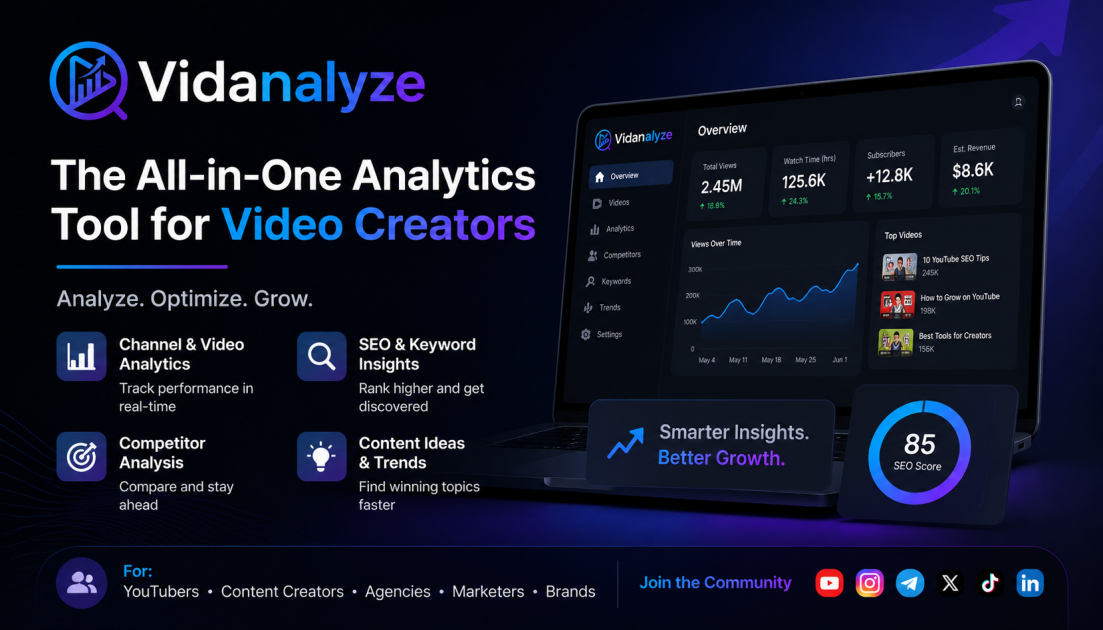
Vidanalyze is an AI-powered YouTube analytics and SEO platform aimed at creators and agencies who want to grow channels with data rather than guesswork. According to its site, it combines deep channel analytics, keyword and competitor research, AI-generated titles/descriptions/ideas, thumbnail and title A/B testing, and revenue estimation in one toolkit. Vidanalyze
H3 What it actually does
- Analytics: tracks video and channel performance, engagement, growth trends, and audience behavior.
- SEO tools: keyword research, tag extraction, hashtag generation, and ranking optimization.
- AI optimization: generates titles, descriptions, hooks, scripts, and video ideas tuned for click-through and retention.
- Competitor and growth intelligence: analyzes competitor tags, finds keyword gaps, suggests upload times, and scores difficulty.
- Testing and monetization: A/B tests thumbnails and titles, estimates earnings, and tracks watch-time progress.
- Utilities: extracts video/channel data, transcripts, thumbnails, and creates links, embeds, QR codes, and RSS feeds.
H3 Who it suits
- Solo creators who want SEO and title/thumbnail help without hiring a specialist.
- Agencies and teams managing multiple channels and needing repeatable research and reporting.
- Channels focused on growth where keyword targeting, upload timing, and testing matter more than raw view counts.
H3 Trade-offs to weigh
- Revenue estimates are projections, not guaranteed payouts; accuracy claims like “98.5%” depend on the channel and niche.
- AI-generated titles and descriptions still need human editing to match your voice and avoid generic phrasing.
- Broad toolkits can mean a learning curve; if you only need basic stats, YouTube Studio may be enough.
Next step: Connect one channel and run a single competitor keyword gap analysis before committing to a paid plan. Compare the suggested keywords against your last 10 videos to see whether the recommendations match your audience. Check the official pricing page for current plan details. Vidanalyze
How accurate is Vidanalyze's YouTube revenue estimation?
Vidanalyze states its revenue estimates are accurate to within 98.5%, and that figure is tied to connecting your channel through Google OAuth rather than running a one-off lookup on someone else's channel. In practice, that means the number is calibrated against your own channel's real monetization data, not a generic estimate built only from public view counts.
H3 What that accuracy claim covers
- It is a stated accuracy figure from the product page, not an independently verified benchmark.
- It depends on channel connection, so unconnected or competitor channels should be treated as rougher projections.
- It reflects estimated ad revenue, which is one slice of total channel income and excludes sponsorships, affiliate income, merchandise and other off-platform earnings.
H3 How to judge it for your own use
- Connect your channel and compare the estimate against a month of actual YouTube Studio revenue.
- Note the gap across a normal month and a high-CPM month, since ad rates swing by season and niche.
- Use the estimate for relative comparisons — which videos or topics earn more — rather than as a figure you would put in a contract or budget.
- For competitor channels, treat revenue output as directional: useful for spotting outliers, unreliable for precise figures.
H3 Who gets the most value Creators planning content around revenue potential, and agencies comparing many channels at once, benefit most from a fast estimate that is close enough to rank opportunities. Finance or accounting use is a poor fit, because the number is a projection rather than a reconciled figure.
A practical next step: pick five of your recent videos with known earnings, run them through Vidanalyze, and check whether the ranking and rough magnitude match what you actually earned. If they do, the estimates are good enough for prioritization decisions. If you want a second reference point for public channel data, Social Blade is a long-standing option for rough channel-level projections.
Can Vidanalyze help me find keywords my competitors rank for but I don't?
Yes. Vidanalyze explicitly includes competitor keyword and tag analysis among its SEO tools, which is the workflow you are describing: connect your channel, run the competitor analysis, and compare their tags and keywords against your own to surface gaps.
How that fits a real workflow
Say you run a channel about home coffee gear and a competitor keeps outranking you on "budget espresso grinder" videos. You would pull that competitor's tags and top-performing videos, look for terms they rank for that are missing from your titles, descriptions and tags, then generate optimized titles and descriptions around those gaps. Vidanalyze presents this as a three-step flow — connect via Google OAuth, discover growth gaps with its AI tools, then optimize and track ranking changes.
What to weigh
- It is built for creators and agencies who want one dashboard rather than stitching together several tools, so the value depends on how much of that suite you actually use.
- Competitor keyword and tag data is most reliable for public signals like tags, titles and descriptions; it cannot show you private analytics such as a competitor's actual watch time or traffic sources.
- The platform advertises revenue estimates, engagement metrics, A/B testing and an AI assistant alongside SEO, so keyword gap-finding is one feature among many rather than the whole product.
Practical next step
Pick two or three direct competitors, list the keywords they use that you do not, and prioritise by whether the term matches content you can genuinely make better. For a second opinion on search demand, cross-check terms in YouTube's own search suggestions and in Google Trends before committing a video to them.
How do I connect my YouTube channel to Vidanalyze?
You connect your YouTube channel to Vidanalyze by signing in with Google OAuth through the platform's channel-connection step. According to the site's own workflow description, this uses secure Google OAuth with no password required, and it unlocks revenue estimates, real-time analytics, and automated content audits.
What you'll need
- A Google account that has access to the YouTube channel you want to analyze (owner or manager access).
- To be signed in to Vidanalyze first, then start the "Connect Your Channel" step.
Step-by-step
- Create or sign in to your Vidanalyze account at Vidanalyze.
- Open the connect/onboarding flow and choose to connect your channel.
- Pick the correct Google account and grant the requested YouTube permissions.
- Confirm the channel appears in your dashboard, then run a first audit or check the analytics view.
If it doesn't work
- Wrong channel connected: disconnect and reconnect, choosing the correct Brand Account or channel from the Google account chooser.
- Permission errors: make sure your Google account is an owner or manager of that channel, not just a viewer.
- Nothing shows after connecting: allow a short period for the first data pull, then refresh.
Next step: after connecting, run the automated content audit and compare your tags and keywords against one close competitor — that's where the connection data starts paying off.
Is Vidanalyze worth it for a small channel, or is it built for agencies?
Vidanalyze is best understood as a two-tier product in one interface: a self-serve analytics and SEO toolkit that a small channel can use, and a deeper competitive-intelligence layer that pays off when you manage many channels. The deciding factor is not your subscriber count but how many channels you optimize and how much time you spend on keyword and competitor research.
Where it fits a small channel
- The core workflow — connecting a channel via Google OAuth, running keyword and tag research, then generating optimized titles, descriptions and thumbnails — is the same work a solo creator does manually. If you currently guess at titles or copy tags from bigger channels, a tool that surfaces missing keywords and competitor tags can shorten that loop.
- The A/B testing engine for thumbnails and titles is useful at any size, because small channels often have the most to gain from a single packaging improvement.
- Revenue estimation and watch-time tracking are mainly motivational or planning aids for a small channel; treat any projection as an estimate, not a forecast.
Where it starts to look agency-oriented
- Competitor analysis, difficulty scores, bulk data extraction and the breadth of the tool suite (the page describes 60+ AI-powered tools) are designed for people repeating this process across many channels or clients.
- If you only publish a few videos a month, you will likely use a small fraction of that surface area, and the setup and learning time may exceed the value you get back.
A practical way to decide
| Your situation | Likely fit |
|---|---|
| One channel, few videos per month, mostly need packaging help | Try the free start, use keyword and title/thumbnail tools only |
| One channel publishing weekly, actively chasing search traffic | Strong fit if you will genuinely run keyword research each upload |
| Multiple channels or client work | The competitor and bulk-utility features justify the wider toolkit |
| You already have a workflow that works and rarely research keywords | Low value regardless of channel size |
Next step: pick your three most recent underperforming videos and ask whether you could have found better keywords or packaging with the tools described. If yes, start with the free option and test it on one upload cycle before committing. If you mainly want a second opinion on the market, YouTube's own analytics and search suggestions cover the basics for free, and dedicated SEO suites such as TubeBuddy or vidIQ are the common alternatives to compare against.
How does Vidanalyze compare to YouTube Studio's built-in analytics?
Vidanalyze is a third-party growth and SEO layer that sits on top of YouTube data, whereas YouTube Studio is the official, first-party dashboard for managing and measuring your own channel. The practical difference is scope: Studio tells you what happened on your channel, while Vidanalyze is built to also tell you what to do next and how you compare against others.
Vidanalyze describes connecting your channel via Google OAuth, then running AI tools for titles, descriptions, tags and thumbnails, plus competitor tag analysis, keyword research, difficulty scores, A/B testing and revenue estimation. Its page claims 98.5% revenue accuracy and 60+ tools; treat those as vendor claims rather than verified figures. YouTube Studio, by contrast, is where your authoritative watch time, impressions, CTR, traffic sources, audience retention and monetization data live.
H3 Where each one fits
| Need | YouTube Studio | Vidanalyze |
|---|---|---|
| Official channel metrics and monetization records | Yes — the source of truth | Estimates and derived views |
| Competitor and keyword research | Very limited | Core focus |
| AI title/description/thumbnail generation | No | Yes, per page evidence |
| A/B testing before publishing | Not in this form | Advertised |
| Revenue projection | Actual reported earnings | Estimated figures |
| Cost | Free with your channel | Paid tiers exist (see its Pricing page) |
H3 Who should use which
- Solo creators just starting out: Studio alone is usually enough. Learn retention graphs and CTR there first.
- Creators stuck on flat growth: Vidanalyze's keyword, competitor and A/B tools target the "what should I change" question Studio doesn't answer.
- Agencies and multi-channel managers: Third-party tooling tends to pay off when you're comparing many channels and need repeatable SEO workflows.
A sensible next step: pick one underperforming video, note its CTR and average view duration in Studio, then use Vidanalyze to test a new title or thumbnail and compare results. If the tool consistently beats your own guesses, the subscription earns its place; if not, Studio's free data was sufficient.
 Hosting and Email
 Cloudflare
 Hosting
 Location
 Pages, Search and Sharing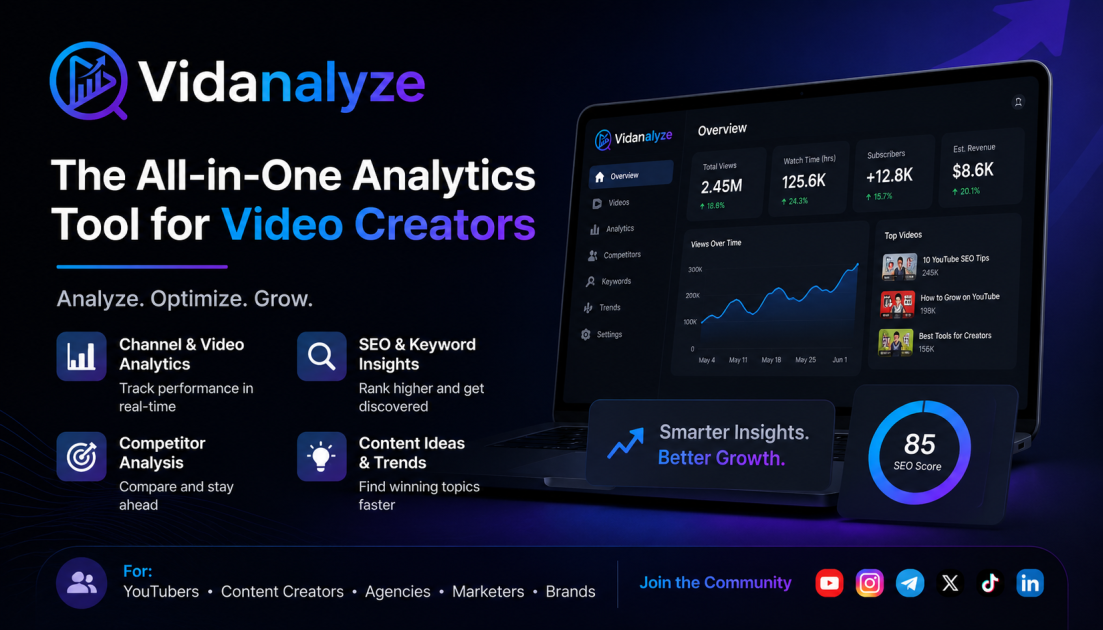



 All bots


 Registration details

 Identified technologies
User reviews (0)