
 简体中文
简体中文 English
woodpecker.co
For businesses that do outbound. All you need for cold email and LinkedIn outreach in one place.
At a glance
- Category
- Marketing
- Language
- English
- Paid-content signal
- Paid contentObserved
- Registered
- 2010
- Hosting
- CloudflareInferred
- HTTPS certificate trusted
- PassedObserved
- Last updated
Related questions
More questions →What Is Woodpecker and What Does It Help Businesses Do?
Woodpecker is a cold email and LinkedIn outreach tool built for businesses that do outbound prospecting. It brings cold email and LinkedIn outreach into one place so teams can run campaigns that mix both channels, with the stated goal of maximizing replies. If your business relies on reaching people who haven't contacted you first, Woodpecker is aimed at you. You can start with a 14-day free trial.
Who it's for
The site describes Woodpecker as "for businesses that do outbound." That covers a fairly specific set of situations:
- Sales teams prospecting new accounts through cold email and LinkedIn.
- Agencies and lead-gen shops running outreach on behalf of clients.
- Founders or small teams doing their own business development without a dedicated sales ops function.
The common thread is that outbound is a core activity, not an occasional task. If you only send the odd follow-up email, a dedicated outreach platform is probably more than you need.
What problem it solves
Outbound usually breaks down across disconnected tools: one for sending email sequences, another for LinkedIn touches, a spreadsheet for tracking, and manual work to keep them from overlapping. Woodpecker's pitch is consolidation — "all you need for outbound in one place."
The specific value it claims is combining channels: "Mix cold emails with LinkedIn outreach to maximize replies." Reaching the same prospect on two channels is a common tactic because a LinkedIn touch can reinforce an email that went unanswered. Doing that manually across separate tools is where coordination errors creep in.
Core capabilities
Based on the site's structure, the product is organized around:
| Area | What it covers |
|---|---|
| Key features | The core cold email and LinkedIn outreach functionality |
| Key add-ons | Optional extras that extend the base product |
| Solutions | Use cases mapped to different business needs |
| Integrations | Connecting Woodpecker to other tools in your stack |
| Customer stories | Documented results from existing users |
The headline claim is speed of setup: "Set up your outbound campaigns in minutes." That matters if you're evaluating tools on time-to-first-campaign rather than feature depth alone.
How to evaluate it
- Check the pricing page at woodpecker.co/pricing to see which plan matches your sending volume and whether LinkedIn outreach is included or an add-on.
- Start the 14-day free trial and set up one real campaign rather than a test — the setup-speed claim is only meaningful against your actual prospect list and sequence.
- Test the email-plus-LinkedIn flow specifically. This is the differentiator, so verify how the two channels are sequenced and whether the handoff works the way your team operates.
- Review integrations against your existing stack before committing, since outreach tools rarely run standalone.
What to watch for
- Pricing and plan limits aren't specified here. Check the pricing page directly for current costs, seat limits, and sending caps — don't assume the free trial converts to a free tier.
- LinkedIn outreach automation carries platform risk. Any tool that automates LinkedIn activity operates within LinkedIn's terms, so understand the approach before scaling.
- "Set up in minutes" is a vendor claim. Your real setup time depends on list size, sequence complexity, and how many integrations you connect.
If outbound is central to how you acquire customers and you want email and LinkedIn working together rather than in separate silos, Woodpecker is worth a trial. If you only need email sequences, a simpler single-channel tool may be cheaper and easier to run.
What Features Does Woodpecker Offer for Cold Email and LinkedIn Outreach?
Woodpecker is an outbound outreach tool that combines cold email and LinkedIn outreach in one platform, aimed at businesses running outbound campaigns. According to the site, it lets you "set up your outbound campaigns in minutes" and "mix cold emails with LinkedIn outreach to maximize replies." It offers a 14-day free trial, and pricing details are available on its pricing page.
Cold Email Features
Woodpecker's core is cold email campaign management. Based on the site's feature structure, the cold email side covers the essentials of running outbound sequences:
- Campaign setup — the site emphasizes getting campaigns running "in minutes," suggesting a guided setup flow.
- Sequences and follow-ups — cold email outreach typically relies on multi-step sequences, which fall under the campaign features.
- Sending infrastructure — cold email tools generally handle sending, tracking, and reply detection as part of the campaign workflow.
The site groups these capabilities under "Key features," which is the main area to explore for the cold email toolset.
LinkedIn Outreach Features
Alongside email, Woodpecker supports LinkedIn outreach as a first-class channel. This means you can run LinkedIn touchpoints as part of the same outbound effort rather than in a separate tool. The site lists LinkedIn outreach as one of the two pillars of the product, so the relevant capabilities sit within the campaign and feature sections rather than as a standalone add-on.
Mixing Cold Email and LinkedIn for Higher Reply Rates
The distinguishing feature Woodpecker highlights is the ability to mix cold emails with LinkedIn outreach. The stated goal is to "maximize replies" by reaching prospects across both channels. Practically, this means a single campaign can include both email steps and LinkedIn steps, so a prospect who ignores an email may still see a LinkedIn message (or vice versa).
If your goal is higher response rates through multi-channel touches, this combined approach is the main reason to consider Woodpecker over a single-channel tool.
Key Features and Add-ons
The site organizes its offering into two capability areas:
| Area | What it covers |
|---|---|
| Key features | The core cold email and LinkedIn outreach functionality |
| Key add-ons | Optional extras that extend the base toolset |
It also lists Integrations, Solutions, and Customer stories as sections. Integrations matter if you need Woodpecker to connect with your existing stack (CRM, data sources, etc.), while Solutions and Customer stories help you judge fit for your use case.
Who This Fits
Woodpecker is positioned for "businesses that do outbound" — teams running cold email and LinkedIn prospecting at volume. If you need both channels in one place and want to combine them in a single campaign, it matches that need directly. If you only send cold email or only do LinkedIn outreach, the combined-channel advantage is less relevant.
To evaluate it concretely, the 14-day free trial lets you test campaign setup and the email-plus-LinkedIn mix before committing; check the pricing page for plan details.
Who Is Woodpecker Best Suited For and How Do You Get Started?
Woodpecker is a cold email and LinkedIn outreach tool built for businesses that do outbound. It is best suited to teams that want to run cold email and LinkedIn outreach from one place, set up campaigns quickly, and test the tool before committing through a 14-day free trial. If your outbound motion is email-only at very small volume, or you need a full marketing automation suite rather than an outreach tool, it is likely more than you need.
Who Woodpecker is for
The site frames the product around one audience: "For businesses that do outbound." That points to a few concrete profiles:
- B2B teams running prospecting campaigns. Sales, growth, and founder-led outbound teams that contact leads who have not opted in.
- Teams that want email and LinkedIn in one workflow. The core pitch is mixing cold emails with LinkedIn outreach to maximize replies, rather than running the two channels in separate tools.
- Teams that need to launch fast. The stated promise is to "set up your outbound campaigns in minutes," which matters if you are testing a new offer or list rather than building a long-term nurture program.
- Buyers who want to evaluate before paying. A 14-day free trial is offered, so you can run a real campaign before deciding.
It is a weaker fit if you only send a handful of personal emails per week, if you need inbound marketing, landing pages, or broad CRM functionality as the primary tool, or if you cannot support a multi-channel process.
What it does
Woodpecker positions itself as "all you need for outbound in one place." Based on the site, the main capability areas are:
| Area | What it covers |
|---|---|
| Cold email | Sending and managing outbound email campaigns |
| LinkedIn outreach | Adding LinkedIn touches alongside email |
| Campaign setup | Getting campaigns live quickly |
| Key features and add-ons | Core functionality plus optional extras |
| Integrations | Connecting Woodpecker to other tools in your stack |
| Solutions | Use cases organized by business need |
| Customer stories | Examples of how other teams use it |
The intended outcome of combining channels is more replies than a single-channel campaign would produce. If you want the detailed breakdown of features, add-ons, integrations, and solutions, that is covered separately — the important decision here is whether multi-channel outbound in one tool matches how your team works.
How to get started
- Start the free trial. The site offers a 14-day free trial with a "Start free trial" call to action. Expect to create an account before you can use the product.
- Define your campaign. Decide who you are contacting, what the offer is, and which channel sequence you want — for example, an initial cold email followed by a LinkedIn touch for leads who do not reply.
- Connect your sending setup. Cold email requires a sending account and, in most outbound tools, a connected mailbox. Check the integrations and setup requirements for your email provider during the trial.
- Build the sequence. Mix cold emails with LinkedIn outreach steps so each prospect receives touches on both channels. The goal is to maximize replies, not to send more messages.
- Import or add your prospects. Load the list you want to work through and confirm the fields you need for personalization are present.
- Launch and measure. Run the campaign, then look at replies and engagement to decide whether the channel mix is working. Because the trial is time-limited, plan at least one full sequence cycle inside the 14 days.
- Decide on a paid plan. If results justify it, move to a paid subscription. Pricing details are published on Woodpecker's pricing page, so check current plan limits and costs there before committing.
Common sticking points
- Trial length versus sequence length. A 14-day trial is short if your sequence runs for several weeks. Front-load the most important test so you get a signal in time.
- Deliverability is on you. Cold email performance depends heavily on your domain, sending volume, and list quality. The tool manages the campaign; it does not remove the need for a sane sending setup.
- LinkedIn steps still need manual or connected execution. Confirm how LinkedIn touches are handled in your workflow before you build a sequence around them.
- Check integrations early. If Woodpecker needs to talk to your CRM or data source, verify that connection during the trial rather than after you have built campaigns.
The short answer
Woodpecker fits businesses that run outbound and want cold email and LinkedIn outreach managed together, with fast campaign setup and a 14-day free trial to prove it works. Start the trial, build one mixed-channel sequence, run it end to end, and use the results to decide whether to subscribe.
What Integrations and Solutions Does Woodpecker Support?
Woodpecker is a cold email and LinkedIn outreach tool for businesses that do outbound. Its site presents integrations and solutions as two named sections alongside key features, key add-ons, and customer stories, so the practical answer is that Woodpecker positions itself as a hub that connects to other tools and is organized around specific outbound use cases. The site does not list every integration or solution on the page described here, so use the official Integrations and Solutions sections to confirm the current catalog before you commit.
How integrations fit into an outbound workflow
A cold email and LinkedIn tool rarely works alone. It sits between where you store leads, where you verify or enrich them, and where you track replies. Woodpecker's site frames its offering as "all you need for outbound in one place," with integrations as one of the main building blocks.
In practice, integrations usually matter at three points:
- Before sending — pulling contact data from a CRM or prospecting tool so campaigns start with clean, deduplicated leads.
- During sending — connecting a mailbox or sending account so emails go out from the right address and replies land in the right inbox.
- After sending — pushing activity and replies back to a CRM or reporting tool so sales teams see outreach next to deals.
The site's excerpt emphasizes mixing cold emails with LinkedIn outreach to maximize replies, which means integration value depends on whether your stack already covers one channel and you want Woodpecker to cover the other.
What "solutions" means here
The Solutions section on Woodpecker's site is organized by the type of outbound problem or audience rather than by feature. That is a common structure for outreach tools: instead of asking "which button does this," you ask "does this match how my team sells."
Typical solution groupings for a tool like this include:
- Teams running cold email at scale who need sequencing and follow-ups.
- Teams adding LinkedIn touches to email campaigns.
- Agencies or service providers managing outreach for multiple clients.
- Businesses moving from manual prospecting to a repeatable outbound process.
Because the site presents Solutions as its own section, the reliable move is to open it and check whether your scenario is named. If your use case is not listed, that is a signal to test it during the trial rather than assume it is supported.
How to verify integrations and solutions yourself
The page evidence points to a Pricing link and a free trial, and the site's own headings include Integrations and Solutions. To confirm fit:
- Open the Integrations section from the site navigation and search for the tools you already use (CRM, data provider, calendar, or sending infrastructure).
- Open the Solutions section and match your team type or outreach goal against the listed scenarios.
- Start the free trial and connect one real integration end to end — for example, import a small lead list, send a short sequence, and confirm replies sync back.
- Check the Pricing page for plan limits that affect integrations, since integration access is often tier-dependent.
The expected result of step 3 is a working loop: leads in, emails and LinkedIn touches out, replies visible. If any link in that loop fails, note it before the trial ends.
Common sticking points
- Integration depth varies. Some tools offer a native, two-way sync; others rely on a lighter connection. The site does not specify depth per integration, so test the specific one you need.
- Solutions are marketing groupings, not guarantees. A named solution tells you the vendor targets that scenario, not that every feature you want is included.
- Trial scope. The site advertises a 14-day free trial, but the page evidence does not state which plan features the trial unlocks. Confirm on the Pricing page rather than assuming full access.
- Channel mixing. Since the product combines cold email and LinkedIn outreach, check whether your LinkedIn workflow needs a separate connection or add-on.
Where to go next
Use the site's own Integrations and Solutions sections as the source of truth, then validate with the free trial and the Pricing page. That sequence tells you whether Woodpecker fits your stack and your outbound scenario before you pay for a plan.
How much does Woodpecker cost and is there a free trial?
Woodpecker offers a 14-day free trial, and its pricing page lists subscription plans with premium tiers. The site does not publish specific dollar amounts in the material available here, so the only reliable way to get current prices is to open the official pricing page at woodpecker.co/pricing. If you want to test the cold email and LinkedIn outreach features before paying, start with the 14-day trial and use the pricing page to compare plan levels.
What the pricing signals tell you
The site references a pricing page, a free trial, subscription billing, and premium options. That combination points to a tiered subscription model rather than a one-time purchase.
| Signal | What it means for you |
|---|---|
| 14-day free trial | You can evaluate the tool before committing to a paid plan |
| Pricing page exists | Plan details and current rates are published there, not in this summary |
| "Subscribe" and "premium" language | Access is subscription-based, with higher tiers for more features |
| No prices shown here | You must check the pricing page for exact numbers |
How to check the current price
- Go to woodpecker.co/pricing.
- Compare the listed plans against your expected sending volume and whether you need LinkedIn outreach alongside cold email.
- Note which features sit in premium tiers versus lower ones.
- Start the 14-day free trial if you want to test before choosing a plan.
Expected result: you get the current price for each tier and can match a plan to your outbound needs.
Choosing between trial and paid plan
- Start with the trial if you are unsure how the cold email and LinkedIn mixing works in practice, or you want to confirm deliverability and reply rates on your own lists.
- Go straight to a paid plan if you already know your required volume and feature set, and the pricing page confirms a tier that fits.
- Check premium tiers carefully if you need advanced add-ons, since the site separates key features from key add-ons.
Common sticking points
- Prices are not listed in the summary material, so any figure you see elsewhere may be outdated. Treat the pricing page as the source of truth.
- The trial length is 14 days; plan your evaluation so you test the features you actually care about within that window.
- Subscription and premium signals mean costs recur, so factor that into your budget rather than assuming a one-time fee.
For the exact current cost, open woodpecker.co/pricing and review the plans directly.
Website Overview
Identifiable technologies and additional version or configuration signals make the service easier to fingerprint, which may help targeted scanners narrow their checks. An established domain and managed infrastructure suggest continuity of operations and may support dependable delivery, although neither guarantees service quality.
Domain and Registration
Registered in 2010, this domain has about 16 years of history. That suggests continuity, although ownership and purpose may have changed. Transfer-protection status is present, helping reduce the risk of unauthorized domain transfers. The domain uses the common .co extension, which is not an independent safety signal.
DNS and Email
Nameservers are provided by Cloudflare, indicating managed DNS hosting. MX records point to the Google Workspace email service. CAA records restrict which certificate authorities are authorized to issue certificates. No CNAME was found; the observed records resolve directly to addresses. SPF and DMARC are configured. DKIM status is unknown.
TLS and Certificates
The public key uses EC with 256 bits. The server supplied a complete certificate chain. No organization name is present in the certificate; the available fields are consistent with domain validation. The certificate was issued within the Google Trust Services cloud or CDN ecosystem. The certificate's total validity is about 90 days, consistent with a short renewal cycle.
HTTP and Browser Security
The response lacks these common security headers: X-Content-Type-Options, Referrer-Policy, Permissions-Policy. CORS permits any origin to read this response. This is common for public resources; sensitive responses need narrower handling. No X-Powered-By header was found, reducing one common source of backend fingerprinting information. The cf-ray response header indicates a CDN or caching proxy in the delivery path. No obvious internal addresses or debug information were found in the headers.
Technology Stack Analysis
The public page identifies WordPress 6.1.15, Google Tag Manager, Cloudflare, with exact versions exposed for 1 technologies. These details can narrow vulnerability checks, although exposure alone is not a vulnerability.
Search and Social Sharing
The Generator tag identifies WordPress 6.1.15, making the publishing system easier to fingerprint. Twitter Card metadata is configured. The title has 57 characters, within a common display range. A meta description is present, with 96 characters. The observed directives allow indexing and link following.
Hosting and Email
 Cloudflare
 Google Workspace
Registration details
| Registrar | Name.com, Inc. |
|---|---|
| Registered | 2010-07-20 |
| Expires | 2028-07-19 |
| Domain status | clientTransferProhibited https://icann.org/epp#clientTransferProhibited |
| Nameservers | lakas.ns.cloudflare.com、marge.ns.cloudflare.com |
| DNSSEC | unsigned |
DNS records
| Type | Name | Value | TTL | Priority |
|---|---|---|---|---|
| A | woodpecker.co | 172.66.40.95 | 300 | — |
| A | woodpecker.co | 172.66.43.161 | 300 | — |
| AAAA | woodpecker.co | 2606:4700:3108::ac42:285f | 300 | — |
| AAAA | woodpecker.co | 2606:4700:3108::ac42:2ba1 | 300 | — |
| MX | woodpecker.co | ASPMX.L.GOOGLE.COM | 300 | 0 |
| MX | woodpecker.co | alt1.ASPMX.L.GOOGLE.COM | 300 | 5 |
| MX | woodpecker.co | alt2.ASPMX.L.GOOGLE.COM | 300 | 5 |
| MX | woodpecker.co | alt3.ASPMX.L.GOOGLE.COM | 300 | 10 |
| MX | woodpecker.co | alt4.ASPMX.L.GOOGLE.COM | 300 | 10 |
| NS | woodpecker.co | lakas.ns.cloudflare.com | 86400 | — |
| NS | woodpecker.co | marge.ns.cloudflare.com | 86400 | — |
| TXT | woodpecker.co | ahrefs-site-verification_8a974a3a14e8bf3cd598ddcc92724fa809568f04d361dd2e3445ea40735bae0f | 300 | — |
| TXT | woodpecker.co | google-site-verification=1uvGaWZ70l9-QvaurEi4mLyRAZUG8WvQdi_sTxif3EQ | 300 | — |
| TXT | woodpecker.co | google-site-verification=9MpnfHIsPyEkV0EWfQTycilU9FrXKQJ2BrYqyDIO120 | 300 | — |
| TXT | woodpecker.co | google-site-verification=RwQWzk161NYV96urHiVNX_cLR0nQ3BbVZrT1ZbcqlmU | 300 | — |
| TXT | woodpecker.co | google-site-verification=UJSeIOZ7ZOpa2X_17d53qhjm_Tdx3lTIgVsnJdphg3M | 300 | — |
| TXT | woodpecker.co | google-site-verification=ewRKkvTIdDth3Vm7LA0GBGv4VvLsv4bPLzhvOZuj4L4 | 300 | — |
| TXT | woodpecker.co | mojecertpl-site-verification-lRpIb2I7ySPQ7NWMUGFWkp3dIFGlmqGd | 300 | — |
| TXT | woodpecker.co | status-page-domain-verification=0dmn1fdvy1zv | 300 | — |
| TXT | woodpecker.co | v=spf1 a mx include:_spf.google.com include:spf.woodpecker.co ~all | 300 | — |
| CAA | woodpecker.co | 0 issue "comodoca.com" | 300 | — |
| CAA | woodpecker.co | 0 issue "digicert.com; cansignhttpexchanges=yes" | 300 | — |
| CAA | woodpecker.co | 0 issue "letsencrypt.org" | 300 | — |
| CAA | woodpecker.co | 0 issue "pki.goog; cansignhttpexchanges=yes" | 300 | — |
| CAA | woodpecker.co | 0 issue "ssl.com" | 300 | — |
| CAA | woodpecker.co | 0 issuewild "comodoca.com" | 300 | — |
| CAA | woodpecker.co | 0 issuewild "digicert.com; cansignhttpexchanges=yes" | 300 | — |
| CAA | woodpecker.co | 0 issuewild "letsencrypt.org" | 300 | — |
| CAA | woodpecker.co | 0 issuewild "pki.goog; cansignhttpexchanges=yes" | 300 | — |
| CAA | woodpecker.co | 0 issuewild "sectigo.com" | 300 | — |
| CAA | woodpecker.co | 0 issuewild "ssl.com" | 300 | — |
| DMARC | _dmarc.woodpecker.co | v=DMARC1; p=quarantine; rua=mailto:[email protected]; ruf=mailto:[email protected]; aspf=r; fo=1; | 300 | — |
TLS and certificates
HTTP response headers
| Header | Value |
|---|---|
| content-type | text/html; charset=UTF-8 |
| server | cloudflare |
| strict-transport-security | max-age=31536000 |
| content-security-policy | frame-ancestors woodpecker.co *.woodpecker.co usewoodpecker.com *.usewoodpecker.com comx.io *.comx.io edmeades-simpson.com *.edmeades-simpson.com obo-sites.com *.obo-sites.com outboundops.com *.outboundops.com prospectgenai.com *.prospectgenai.com |
| access-control-allow-origin | * |
| set-cookie | Redacted |
Identified technologies
Pages, Search and Sharing
| Meta description | For businesses that do outbound. All you need for cold email and LinkedIn outreach in one place. |
|---|---|
| Canonical URL | https://woodpecker.co/ |
| Language | English (default) |
| Twitter Card | summary_large_image |
Social Sharing Preview
15 fields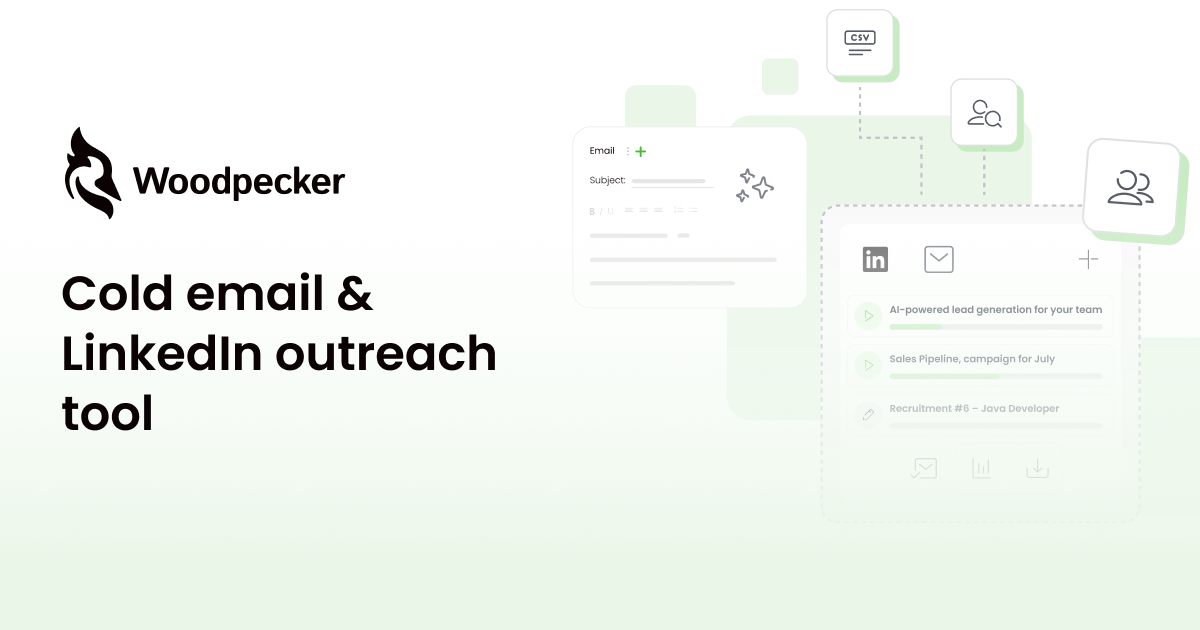

robots.txt (opens in a new tab)
3 rulesAll bots 1 allowed · 2 disallowed
- Allow
/wp-admin/admin-ajax.php - Disallow
/wp-admin/ - Disallow
/prospects/
No matching rules.
Sitemaps
1Recent Updates
- Website images
- Screenshots
- Network details
- Website Technologies
- Pages and Search Information
- HTTP Response Information
- TLS and certificates
- DNS Information
- Domain Registration
- Website profile
- Website Description
- Website Name
- Website profile
- Website Description
- Website Name
User reviews (0)