
 简体中文
简体中文 English
Website review
This review may include AI-generated content and is not individually verified. Domain, certificate and other facts come from the observed data on this page.
What is ZaneH?
ZaneH is an independent developer's profile on itch.io, a platform where creators publish small games, tools and assets. The page presents ZaneH as the maker of two lightweight music utilities and as someone who collects and highlights game-development assets.
What the profile offers
- Piano Trainer — described as a MIDI utility for learning scales, chords and more. It is aimed at people who already have a MIDI keyboard and want structured practice rather than a full production suite.
- Metronome — a minimal metronome, likely useful for quick timing practice without opening a DAW.
- A curated "liked" list — the page shows assets ZaneH has marked as inspiring, including pixel-art packs, fonts, UI kits, tilesets and low-poly 3D sets.
A practical next step: if you want a simple practice tool, start with the metronome and move to Piano Trainer when you want to work on scales and chords. If you are building a game, browse the liked assets as a shortlist of art and font resources worth evaluating.
The profile itself is not a storefront with a catalogue of commercial products; it is a creator page where the two tools sit alongside taste-making. That makes it most useful to two audiences: musicians learning keyboard basics, and game developers looking for a quick lead on assets. For broader asset hunting, Kenney publishes a well-known library of free game assets.
What piano and music tools does ZaneH offer on itch.io?
ZaneH's itch.io profile lists two music tools: Piano Trainer, described as a MIDI utility for learning scales, chords and more, and Metronome, described as a minimal metronome.
What each is for
- Piano Trainer — a practice aid for players who want structured work on scales and chords. Because it is described as a MIDI utility, it is aimed at people with a MIDI keyboard or controller connected to a computer; a pianist without MIDI hardware should expect limited use.
- Metronome — a stripped-down timing tool. The "minimal" framing suggests it is for quick tempo reference rather than advanced rhythm training, polyrhythms or complex subdivision work.
Choosing between them
| Tool | Best for | Trade-off |
|---|---|---|
| Piano Trainer | Scale and chord drilling with MIDI input | Needs MIDI hardware to be useful |
| Metronome | Fast, simple tempo keeping | Fewer features than full metronome apps |
Next step
Open the Piano Trainer page on ZaneH first if you already own a MIDI keyboard, and check whether it supports your operating system before downloading. If you only need a steady click, the Metronome page is the quicker stop. For broader free game-development resources, ZaneH's liked list also points to assets from Kenney.
Are ZaneH's Piano Trainer and Metronome free to download?
The page does not state that either tool is free. ZaneH's profile lists Piano Trainer ("A MIDI utility for learning scales, chords, and more!") and Metronome ("The minimal metronome") as the creator's own projects, but no price or download terms appear in the supplied page text. Treat cost as unconfirmed rather than assuming free.
How to check before you commit
Open each project's own page from the profile and look for the download button and any price field. On itch.io, a tool can be:
- Free — a plain download button.
- Pay what you want — a price box with a $0 option, so you can enter zero.
- Fixed price — a set amount with no free option.
Your next step: visit the Piano Trainer project page first, since it is the more substantial tool, and confirm the terms there before downloading. If you only need a simple click track, the Metronome listing is the quicker check.
For background on the creator's other work and the asset packs they have highlighted, see ZaneH on itch.io.
Which free game assets has ZaneH liked or collected for developers?
ZaneH's profile highlights a small, curated set of free game assets, mostly pixel art, fonts and UI kits that solo developers and small teams can use in prototypes or small commercial projects.
Free assets ZaneH has liked
- Sprout Lands - Asset Pack by Cup Nooble — a cute pixel pastel farming asset pack, suited to cozy farming or life-sim prototypes.
- Monochrome Caves by Adam Saltsman — a public domain 1-bit adventure-platforming tileset, useful when you want a stark two-tone look and no licensing friction.
- Button Prompt - 16x16 User Interface by SciGho — input icons covering controllers, keyboards, keys and touch, handy for control-scheme screens and tutorials.
- Paper UI Asset Pack for Games by pzUH — UI elements supplied with PSD and PNG files, so you can restyle menus without redrawing them.
- Silver, a font for games by LoudEyes — a pixel font covering Latin, Chinese, Korean, Japanese, Cherokee, Runic and Cyrillic, useful for multi-language pixel games.
- Font+ [Antiquity Print] by Poppy Works — a display font aimed at a "dark age" look, best for titles and headings rather than body text.
How to use this list
Treat it as a shortlist, not a complete kit. A practical test: pick one art pack, one UI set and one font, then check they share a similar pixel density and palette. For example, Sprout Lands plus the 16x16 button prompts plus Silver is a coherent starting stack for a small pixel game; swapping in Monochrome Caves changes the mood entirely, so decide on tone first.
For more free options in the same vein, browse Kenney and itch.io's free asset section, and check each asset's license before release.
How can I follow ZaneH or get updates on new tools and assets?
Follow ZaneH on ZaneH's itch.io profile and use the follow button there; that is the page's own mechanism for following the creator and seeing new releases appear in your itch.io feed. Because the profile lists tools such as Piano Trainer and Metronome alongside liked assets, following it keeps both ZaneH's own releases and their curated picks in view.
For a concrete routine: create or log in to an itch.io account, open the profile, click Follow, and check your itch.io feed periodically rather than relying on email. If you want a lower-effort signal, bookmark the profile and revisit it when you next need a utility or asset pack.
Decision criteria for choosing a channel:
- Want every release, including small utilities: follow on itch.io; it is where the tools are published.
- Only care about a specific tool: watch that tool's own page instead of the whole profile, so unrelated likes do not crowd your feed.
- Prefer browsing curated assets: use the "liked" and "inspiring assets" sections as a shortlist, then follow the original creators of packs you actually use, such as Kenney for asset packs, so updates reach you directly.
A practical example: if you picked up Piano Trainer for scale practice and also liked the Sprout Lands pixel pack, follow ZaneH for the trainer's updates and follow the pack's own creator separately, since asset pack revisions are usually announced on the pack page rather than through a third party's profile.
What kinds of assets does ZaneH share, such as fonts, UI packs, or tilesets?
ZaneH's itch.io profile is a personal hub around two self-made tools and a curated set of "liked" assets. The tools are Piano Trainer, a MIDI utility for learning scales and chords, and Metronome, described as a minimal metronome. So the profile's own output is audio-practice software rather than art assets.
The asset categories appear mainly in the liked list, which mixes several kinds of game-making material:
- Fonts: Silver, a free pixel font covering Latin, Chinese, Korean, Japanese, Cherokee, Runic, Cyrillic and other character sets, and Font+ [Antiquity Print], a font with a "Dark Age" feel.
- UI packs: a Paper UI Asset Pack with PSD and PNG files, and a 16x16 Button Prompt set covering controller, keyboard, joystick and touch input icons.
- Tilesets: City Prop Tileset, the RPG Urban Kit with 480+ sprites, and Monochrome Caves, a public-domain 1-bit adventure-platforming tileset.
- 3D and stylised art: Tiny Treats baked-goods assets, a Sweetland platformer kit, and a low-poly board game asset pack.
- Pixel art: Sprout Lands, a pastel pixel farming asset pack.
If you are building a small game, treat this page as a starting point for discovery rather than a single store: the fonts and UI packs suit menus and dialogue-heavy projects, the urban and cave tilesets suit 2D levels, and the low-poly sets suit 3D prototypes. Check each asset's licence on its own page before shipping, since terms vary between the listed items.
 Cloudflare
 Zoho Mail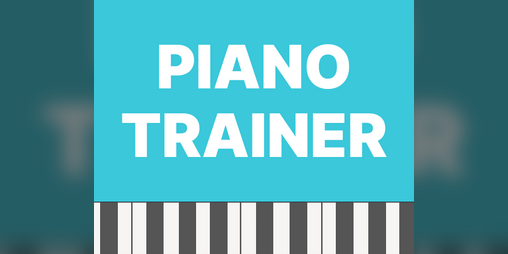
User reviews (0)