Website profiles · Technology insights · Alternatives

agree.com

Streamline your contract-to-cash process with Agree.com. Free e-signatures, automated invoicing, and integrated payments — all in one platform.

Paid content
Visit website
Profile views 6 Outbound visits 0 Normal
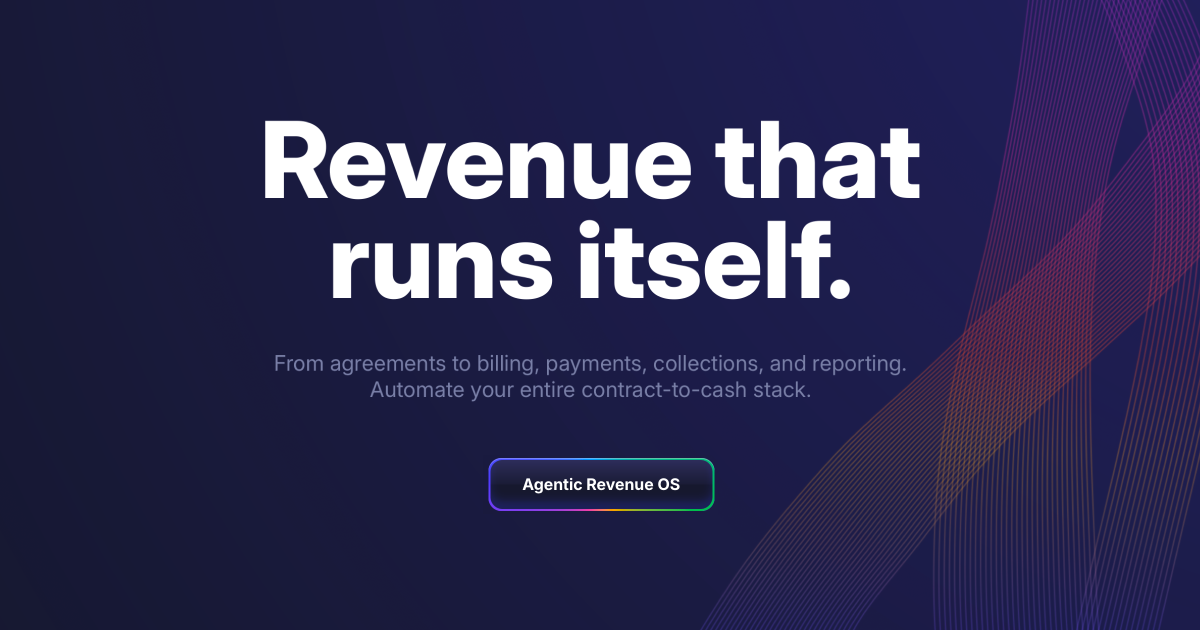
Revenue that runs itself. Full homepage screenshot

At a glance

Category
Business Services
Language
English
Paid-content signal
Paid contentObserved
Registered
1996
Hosting
VercelInferred
HTTPS certificate trusted
PassedObserved
Last updated

Website review

This review may include AI-generated content and is not individually verified. Domain, certificate and other facts come from the observed data on this page.

What is Agree.com?

Agree.com is a contract-to-cash platform: it combines e-signatures, automated invoicing and integrated payments so the steps between a signed deal and money in the bank happen in one place. Its pitch, "Revenue that runs itself," points at the core promise — documents and billing that move forward without someone manually chasing each stage.

H3 What it actually covers

  • Signing: contracts start with a signature, which is the trigger for everything downstream.
  • Billing: invoices can be generated as soon as work begins, and a Billing Agent is described as scheduling and generating invoices automatically.
  • Payments: payments are integrated rather than bolted on, with the aim of getting paid in hours rather than days.
  • Recovery and reporting: there are features for revenue recovery and real-time reporting, so unpaid or overdue items and current totals are visible without a separate spreadsheet.

H3 Who it suits Small and mid-sized service businesses, agencies and consultancies that sell on contracts and bill repeatedly are the clearest fit — especially teams without a finance operations function, where one person currently copies deal details into an invoicing tool. A solo consultant with two clients a year will get less from automation than a studio issuing dozens of invoices a month.

H3 Trade-offs to weigh Putting signatures, billing and payments in one system removes duplicate data entry and reduces the gap between signing and invoicing. The cost is consolidation: you are trusting one vendor with contracts and money movement, and you may lose the depth of a dedicated accounting or e-signature specialist. The page evidence includes a customer quote from a VP of Sales at Product Hunt calling the automations and A.I. features a "game-changer" — a sales-side observation, so treat it as a signal about workflow speed rather than a finance-team verdict.

A practical next step: list the handoffs in your current process — who sends the contract, who raises the invoice, who chases payment — and check each one against Agree's signing, billing, payment and recovery features. Pricing is listed at Agree.com; compare it against what you currently pay for separate e-signature and invoicing tools.

How does Agree.com automate the contract-to-cash process?

Agree.com connects the steps between a signed deal and money in the bank, so fewer handoffs are needed. According to the site's own headings, the flow runs: signature → billing → payment → recovery → reporting.

The automated chain

  • Signature: "Revenue starts with a signature." The contract is signed with a free e-signature tool, which is the trigger for everything downstream.
  • Billing: "Billing that builds itself." Invoices are generated from the signed agreement rather than typed up separately, and a Billing Agent schedules and generates invoices automatically as work begins.
  • Payments: "Get paid in hours, not days." Integrated payments sit alongside the invoice, so the customer can pay without leaving the process.
  • Recovery: "Revenue that recovers itself." Unpaid or failed payments are chased automatically instead of waiting on manual follow-up.
  • Reporting: "Reporting, in realtime." Because the contract, invoice and payment records share one system, revenue reporting reflects current status rather than a month-end reconciliation.

H3. What this changes in practice Take a small agency that signs a retainer on a Friday. Without automation, someone re-keys the client details into an invoicing tool, sets a calendar reminder, and later chases the overdue amount by email. With this model, the signed contract itself starts the sequence. The trade-off is that the automation is only as good as the contract data: if scope, amounts or billing frequency are vague in the agreement, the generated invoices inherit that vagueness. Teams with highly custom billing (milestones negotiated per project, multi-currency splits) should test whether the rules engine covers their cases before committing.

H3. Who benefits most Businesses with repeatable, subscription-like or retainer billing gain the most, because the same invoice logic repeats each cycle. A sales leader quoted on the site says, "We use Agree exclusively. The automations and A.I. features are a game-changer!" — that is a customer's observation from the page, not an independent test; treat it as a signal of fit for a sales-led workflow rather than proof of accuracy.

H3. A useful next step List your last ten invoices and mark how many were generated, sent, and chased without a human touching them. Any step you had to do manually is the step to check first when you compare plans on Agree.com — and if you need a second reference point for e-signature or payment handling, see Stripe for payments or Docusign for signatures.

Can Agree.com replace my current e-signature and invoicing tools?

Yes, for many small and mid-sized teams Agree.com is designed to consolidate e-signature and invoicing into one contract-to-cash flow. The site presents it as a single platform where a signature starts the process, then billing, payments and reporting follow. The key question is whether your current tools do things Agree doesn't cover well.

Where consolidation helps

If your workflow looks like this, replacing two tools with one is usually worth evaluating:

  • You send a proposal or contract, then manually create an invoice in separate software.
  • You reconcile payments and chase overdue invoices by hand.
  • You want reporting that links signed agreements to actual revenue.

Agree's page evidence points to exactly these areas: e-signatures, automated invoicing, integrated payments, an AI billing agent that schedules and generates invoices, recovery of unpaid revenue, and realtime reporting. That is a coherent "sign → bill → get paid → report" loop rather than two disconnected utilities.

Where you may still need your current tools

Need Consolidation fit
Standard contracts with e-signature Likely good fit
Recurring or milestone invoicing tied to signed work Likely good fit
Deep accounting, tax filing or bookkeeping Keep your accounting software
Complex approval chains or enterprise CLM Check carefully before switching
Industry-specific compliance requirements Verify before switching

The VP of Sales at Product Hunt quoted on the page says, "We use Agree exclusively. The automations and A.I. features are a game-changer!" That is one customer's observation about automation and AI, not a guarantee for your setup.

A practical next step

Pick your three most common deal types and trace them through Agree's flow: signature, invoice trigger, payment method, reminder logic and reporting. If two of the three map cleanly and your accounting system can still receive the data it needs, a switch is reasonable. If you rely on custom approval routing or specialized contract logic, run a parallel test on one deal cycle before cancelling anything.

For pricing and plan limits, check Agree.com directly, since the site lists a pricing page but the supplied details don't include figures.

How does Agree.com handle payments and get users paid faster?

Agree.com’s pitch is that it connects the whole contract-to-cash flow: signature, billing, payment, and follow-up. Its page emphasizes “Billing that builds itself,” “Get paid in hours, not days,” and “Revenue that recovers itself,” which suggests the product is designed to reduce the manual steps that usually delay payment after work is agreed.

For a freelancer, agency, or sales team, the practical value is in what happens after a client signs. Instead of waiting to remember to invoice, Agree.com says billing can be generated the moment work begins, and its Billing Agent “schedules and generates invoices automatically.” That matters because faster invoicing usually means faster payment: the client receives a clear request sooner, with less back-and-forth about what is owed.

Agree.com also describes integrated payments and real-time reporting, so payment status and outstanding revenue are visible in the same place as the contract and invoice. The page evidence includes a customer quote: a VP of Sales at Product Hunt says, “We use Agree exclusively. The automations and A.I. features are a game-changer!” That is a user observation about automation being valuable; practically, it points to fewer handoffs between sales and finance.

A useful next step is to check whether Agree.com supports the payment methods your clients already use and whether its automated reminders and invoice scheduling match your billing cycle. If your main delay is manual invoicing, the automation angle is the strongest fit. If your main delay is client approval or procurement, compare how well the platform tracks those steps before assuming payment will speed up. You can review the official details at Agree.com.

What AI features does Agree.com offer for billing and revenue recovery?

Agree.com bundles AI into two points in the contract-to-cash flow: invoicing and collections. The page highlights a Billing Agent that "schedules and generates invoices automatically," and a recovery capability framed as "Revenue that recovers itself." In practice, that means the platform watches signed contracts and billing milestones, drafts invoices without manual entry, and then chases overdue balances on a schedule you set.

Where the AI sits

  • Billing Agent — described as scheduling and generating invoices automatically from the moment work begins. Useful for retainer or milestone-based work where the trigger is a date or a signed agreement, not a person remembering.
  • Revenue recovery — the "recovers itself" heading points to automated follow-up on unpaid invoices: reminders, escalating cadence, and payment links so a client can pay from the message.
  • Real-time reporting — a live view of what's billed, paid and outstanding, which is what makes the automation auditable rather than a black box.

What this looks like for a small team

Say you run a two-person studio with ten active clients on monthly retainers. Today someone spends the first Monday of each month building invoices, then chases stragglers by email two weeks later. With Agree's model, the signed contract sets the trigger, the Billing Agent issues each invoice, and recovery nudges run on their own. The operator's job shifts from producing invoices to reviewing exceptions — a disputed line item, a client who always pays late and needs a call.

Trade-offs to weigh

Automated recovery is only as good as its tone control. If you have long-standing clients, check whether you can override the reminder cadence per customer before you switch it on. Likewise, automated invoice generation assumes your contracts contain clean billing terms; vague scopes will produce vague invoices faster, not better. A useful decision test: pick your three messiest client agreements and see whether the platform can derive a schedule from them without manual patching.

Next step

The page's own example is a sales leader citing the automations and AI features as the reason for exclusive use. Before committing, run one client through the full loop — signature, auto-invoice, one overdue reminder — and confirm the recovery messaging sounds like you. Pricing details live at Agree.com if you want to check plan limits on automated sends.

How much does Agree.com cost and what pricing plans are available?

Agree.com does not publish its prices on the page we reviewed, so the exact cost of its plans is not something I can state. What the site does show is that pricing is tiered by subscription: there is a dedicated Pricing page, and the platform bundles e-signatures, automated invoicing, and integrated payments into one contract-to-cash workflow. If you need a number, the pricing page is the only reliable place to get it, and it is worth checking whether the tiers are priced per seat, per transaction, or on payment volume.

What the product covers at each stage

The page structure reads like a pipeline rather than a feature list, which tells you where the paid tiers are likely to differ:

  • Signature — free e-signatures are advertised, so signing itself may sit outside the paid wall.
  • Billing — invoices generated the moment work begins, plus a Billing Agent that schedules and generates invoices automatically.
  • Payments — "get paid in hours, not days" points to built-in payment processing, which is usually where transaction fees appear.
  • Recovery — "revenue that recovers itself" suggests automated follow-up on unpaid invoices.
  • Reporting — real-time reporting, often reserved for higher tiers.

How to judge the cost

Ask for a quote or run the pricing page against your own volume. The real comparison is not the sticker price but the all-in cost per invoice collected: subscription plus any per-transaction payment fee, minus the hours you stop spending on manual invoicing and chasing overdue bills. A team sending a handful of invoices a month may find standalone tools cheaper; a services business billing continuously will care more about the automation and recovery features than the base fee.

Related questions

More questions →
Does Agree.com Offer Free E-Signatures?

Yes. Agree.com's own site description states that the platform includes free e-signatures as part of its contract-to-cash offering. The signature is positioned as the starting point of the revenue flow — "Revenue starts with a signature" — and once a document is signed, the same platform can move into invoicing and payments rather than handing you off to separate tools.

That makes it a reasonable fit if you want to collect a signature and then bill for the work without rebuilding the same client and deal data somewhere else. It is less relevant if all you need is a standalone signature tool with no billing or payment layer behind it.

What "free e-signatures" covers here

Based on the site's own framing, the free e-signature piece sits at the front of a connected process:

  • Sign — a contract or agreement gets signed electronically.
  • Bill — billing is described as building itself, with invoices generated "the moment work begins."
  • Get paid — payments are integrated, with the claim of getting paid "in hours, not days."
  • Recover and report — revenue recovery and real-time reporting sit on top of the same data.

The practical value of "free" here is that signing isn't a separate paid add-on you have to buy before you can reach the billing and payment steps. The signature is the entry point to the rest of the platform.

When this is a good fit

Choose Agree.com's e-signature flow if:

  • You sign contracts and then need to invoice for the same work, and you'd rather not re-enter client and deal details in a second system.
  • You want invoicing to be triggered by the signed agreement rather than by someone remembering to create it.
  • You want payments and reporting tied to the same signed record.

Look elsewhere if:

  • You only need signatures and have no interest in invoicing, payments, or revenue reporting.
  • You need to confirm exact plan limits, seat counts, or signature volume before committing — the site lists a pricing page but the free-tier boundaries aren't spelled out in the material available here, so check the pricing page directly.

How to start

  1. Go to agree.com and look for the sign-up or get-started entry point.
  2. Create your account and locate the e-signature or contract creation area.
  3. Upload or build the agreement you need signed, then send it to the counterparty.
  4. Once signed, connect that document to billing so the invoice can be generated from the same record.
  5. Verify the invoice was created as expected, then confirm the payment path works for your client.

Expected result: a signed agreement that flows into an invoice without duplicate data entry.

Common snag: the free e-signature claim tells you signing itself isn't the paid gate, but it doesn't tell you what happens at higher volume or which billing features sit behind a subscription. If your volume is significant, confirm the limits on the pricing page before you standardize on it.

One data point on the automation

The site quotes a user: "We use Agree exclusively. The automations and A.I. features are a game-changer!" — VP, Sales at Product Hunt. Treat that as a vendor-published testimonial rather than independent verification, but it does point at where the product is aiming: not the signature alone, but the automation that runs after it.

What Is Agree.com? Contract-to-Cash Automation Explained

Agree.com is a contract-to-cash platform that connects e-signatures, automated invoicing, integrated payments, and real-time reporting in one system. It fits teams that currently stitch together a signing tool, a billing tool, and a payment processor — and want revenue to move from signed agreement to collected cash without manual handoffs. If you only need one of those functions, a standalone tool will likely be cheaper and simpler.

What "contract-to-cash" means here

Most revenue operations break into four moments: a deal is signed, work begins, an invoice goes out, and money arrives. Agree.com's positioning — "Revenue that runs itself" — is built around collapsing those moments into a single flow rather than four disconnected steps.

The site organizes this around five stages:

Stage What Agree.com does
Signature E-signatures to start the contract
Billing Generates invoices the moment work begins
Payments Integrated payments aimed at getting paid in hours, not days
Recovery Automated follow-up on unpaid revenue
Reporting Real-time visibility into the pipeline

The through-line is that each stage triggers the next. A signature isn't just a stored PDF — it's the event that starts billing.

The core capabilities

Free e-signatures. Signing is offered at no cost, which lowers the barrier to adopting the rest of the platform. For teams already paying per-envelope elsewhere, this is the entry point.

Automated invoicing. The Billing Agent schedules and generates invoices automatically, so invoices are created when work begins rather than when someone remembers to send them.

Integrated payments. Payments sit inside the same system as the contract and invoice, which removes the reconciliation step of matching a payment in one tool to an invoice in another.

Revenue recovery. The platform handles follow-up on outstanding balances, which is typically the most manual and most skipped part of a small finance team's week.

Real-time reporting. Because signing, billing, and payment data live together, reporting reflects current state instead of a month-end reconstruction.

Who it's for

Agree.com suits teams whose revenue depends on signed agreements followed by recurring or milestone billing — agencies, professional services firms, and B2B SaaS with contract-based pricing. The strongest fit is a team that has outgrown spreadsheets and manual invoice chasing but doesn't want a full ERP.

It's a weaker fit if you sell purely self-serve with no contracts, or if you already run billing inside a mature ERP and only need signatures.

What to verify before committing

  • Pricing and plan tiers. The site links to a pricing page and references subscription billing, but the specific tiers, per-seat costs, and transaction fees aren't stated in the material available here. Check the pricing page directly.
  • Payment processor support. No specific payment platforms are listed in the available information, so confirm your existing processor or bank is supported before migrating.
  • Migration path. Moving historical contracts and open invoices is the usual friction point. Ask how existing agreements get imported.
  • Recovery rules. Understand how automated follow-up is configured and what customers see, since dunning emails affect your brand.

One customer quoted on the site — a VP of Sales at Product Hunt — describes the automations and AI features as the deciding factor, which suggests the value shows up most for teams already generating enough volume that manual steps have become the bottleneck.

What Automation Features Does Agree.com Provide for Billing and Payments?

Agree.com automates the path from signed contract to collected cash through four connected capabilities: invoices generated the moment work begins, a Billing Agent that schedules and creates invoices automatically, integrated payments that shorten collection time, and automated revenue recovery with real-time reporting. These features suit teams that want billing to run without manual invoice creation, but the platform's pricing and any plan limits are not specified in the available site information, so you should check the pricing page before committing.

Invoice generation at the start of work

The billing module is described as generating invoices "the moment work begins." In practice, this means the trigger for invoicing is tied to the start of a project or engagement rather than to a manual end-of-month step. For a services team, that could mean an invoice is created as soon as a signed agreement is in place, instead of waiting for someone to remember to bill.

Billing Agent: scheduled and automatic invoicing

Agree.com offers a dedicated Billing Agent under its AI features. According to the site, the agent "schedules and generates invoices automatically." This is the core automation layer: rather than a person deciding when to issue each invoice, the agent handles the timing and creation. This is most useful for recurring or milestone-based billing, where the schedule is predictable and manual follow-up adds little value.

Integrated payments and faster collection

The platform pairs invoicing with integrated payments, with the stated outcome of getting paid "in hours, not days." The mechanism is that payment collection is built into the same system that issues the invoice, so there is no separate handoff to a payment tool. The site does not list specific payment processors or supported payment methods, so if your business depends on a particular payment rail, verify that directly.

Automated revenue recovery and real-time reporting

Two further automations round out the cycle:

  • Revenue recovery — described as revenue that "recovers itself," suggesting automated follow-up on unpaid invoices.
  • Real-time reporting — reporting is presented as live rather than periodic, so you can see billing and payment status as it changes.

What the evidence does and does not cover

Feature What the site states What is not specified
Invoice creation Generated when work begins Exact trigger conditions
Billing Agent Schedules and generates invoices automatically Which billing models it supports
Payments Integrated; get paid in hours Processors, methods, fees
Recovery Revenue "recovers itself" Dunning steps or timing
Reporting Real-time Metrics included
Pricing A pricing page exists Actual cost and plan limits

A customer quote on the site — from a VP of Sales at Product Hunt — states, "We use Agree exclusively. The automations and A.I. features are a game-changer!" This is a vendor-published testimonial, so treat it as a signal of positioning rather than independent verification.

How to decide

If your main pain point is manual invoice creation and slow collection, the combination of start-of-work invoicing, the Billing Agent, and integrated payments addresses exactly that. Before adopting, confirm two things the available information does not answer: the cost and plan structure on the pricing page, and whether the supported payment methods match how your customers actually pay.

How Is Agree.com Priced?

Agree.com does not publish its prices on the pages available here. The site links to a dedicated pricing page at agree.com/pricing, and the presence of "subscription" and "pricing" signals indicates a paid, subscription-based model rather than a one-time purchase. To get current numbers, go directly to that pricing page — any figure quoted elsewhere may be out of date.

What the available pages do tell you

The site's own descriptions point to a platform built around a contract-to-cash workflow, with these components named:

  • E-signatures — described as free
  • Automated invoicing — billing that generates invoices when work begins
  • A billing agent — schedules and generates invoices automatically
  • Integrated payments — positioned around getting paid in hours rather than days
  • Real-time reporting

Because e-signatures are called out as free, it is reasonable to treat them as an entry point rather than the paid core. The subscription likely sits around the billing, payments, and automation layers — but the source material does not confirm which features are gated behind which plan, so verify that on the pricing page before assuming.

How to check the current price

  1. Open agree.com/pricing.
  2. Look for plan tiers and whether billing is monthly or annual.
  3. Check what each tier includes — particularly whether the billing agent and integrated payments are in the base plan or an upgrade.
  4. If the pricing page is unclear, the agree.com/billing page describes the invoicing side and may clarify what is bundled.

Expected result: a plan name, a recurring charge, and a feature list. If you only see a "contact sales" prompt, pricing is quote-based and you will need to request it.

What to confirm before committing

  • Per-seat vs. flat rate — the source does not say whether the subscription scales with users.
  • Payment processing fees — integrated payments usually carry a transaction fee separate from the subscription. This is not stated in the available material.
  • Free tier limits — "free e-signatures" may mean unlimited signatures on a paid plan, or a capped free tier. The distinction matters.
  • Contract terms — whether you can cancel monthly or are locked into an annual commitment.

A practical way to decide

If your main need is signatures, start with the free e-signature capability and see whether it covers your volume. If your need is the automation — invoices generated the moment work begins, and payments collected without manual chasing — that is the part most likely to sit behind the subscription, so price it against the hours you currently spend on invoicing and follow-up.

One customer quoted on the site, a VP of Sales at Product Hunt, frames the value around "the automations and A.I. features." That is a useful signal about what the paid product is actually selling, but it is not a price. Treat the pricing page as the only reliable source.

How Agree.com Streamlines the Contract-to-Cash Process

Agree.com connects four stages that are usually handled by separate tools: signing, invoicing, payment, and reporting. A signed contract becomes the trigger for billing, so invoices are generated and scheduled from the agreement itself rather than re-entered by hand. This suits teams whose revenue depends on contracts — agencies, consultancies, freelancers, and service businesses — and who want fewer manual handoffs between sales and finance.

The four stages, in order

1. Revenue starts with a signature

The process begins when a contract is signed. E-signatures are part of the platform, and the signed agreement is what the rest of the workflow reads from. That matters because it removes the usual gap where a deal closes in one system and finance learns about it days later in another.

2. Billing that builds itself

Once the contract exists, invoicing is derived from it. Agree.com describes a Billing Agent that schedules and generates invoices automatically, and billing that can "generate invoices the moment work begins." In practice, this means the billing schedule lives with the contract terms instead of in a separate spreadsheet or accounting queue.

3. Getting paid

Payments are integrated into the same platform, which is what allows the "get paid in hours, not days" claim. Because the invoice and the payment path are connected, there is no export-and-chase step between issuing a bill and collecting on it.

4. Reporting and recovery

Two further pieces close the loop:

  • Real-time reporting shows revenue status as it changes, rather than at month-end reconciliation.
  • Revenue recovery is framed as automatic — the system follows up on revenue that hasn't landed, instead of relying on someone remembering to chase it.

What changes compared to a manual stack

Stage Typical manual approach With Agree.com
Signing Separate e-sign tool; signed PDF filed away Signature is the starting event for the workflow
Invoicing Re-keyed into billing software or a spreadsheet Generated and scheduled from the contract
Payment Invoice sent, payment tracked separately Integrated payments in the same platform
Reporting Month-end reconciliation Real-time revenue reporting
Follow-up Manual reminders Automated recovery of outstanding revenue

The practical difference is the number of places a deal has to be re-entered. Each handoff between tools is where delays and errors accumulate.

Where this fits and where it doesn't

This model works best when revenue is contract-driven and recurring or milestone-based — retainers, project fees, subscription services. If your billing is purely transactional with no agreement layer (one-off checkout sales), the signature-triggered workflow adds a step you don't need.

One user quoted on the site, a VP of Sales at Product Hunt, says the team uses Agree "exclusively" and calls the automations and AI features "a game-changer" — useful as a signal that the automation is the main draw, though it's a single testimonial rather than an independent evaluation.

Before you commit

  • Check pricing directly. Agree.com has a pricing page and references subscription billing, but the site content here doesn't state actual plan costs or what each tier includes. Confirm current terms at agree.com/pricing rather than assuming a free tier covers your volume.
  • Map your contract types first. The automation is only as good as the contract structure feeding it. If your agreements have irregular or heavily negotiated payment terms, verify the Billing Agent handles them before relying on it.
  • Decide what "recovery" needs to do. Automated follow-up covers standard late-payment nudges; if you need escalation or custom dunning logic, check whether that's configurable.

Website Overview

An established domain and managed infrastructure suggest continuity of operations and may support dependable delivery, although neither guarantees service quality.

Domain and Registration

Registered in 1996, this domain has about 30 years of history. That suggests continuity, although ownership and purpose may have changed. Transfer-protection status is present, helping reduce the risk of unauthorized domain transfers. The registrar is GoDaddy.com, LLC, a widely used domain service provider. The domain uses the common .com extension, which is not an independent safety signal.

DNS and Email

Nameservers are provided by Cloudflare, indicating managed DNS hosting. MX records point to the Google Workspace email service. No CNAME was found; the observed records resolve directly to addresses. SPF and DMARC are configured. DKIM status is unknown. TXT records include verification markers for Google. Such markers may also remain after a service stops being used.

TLS and Certificates

The certificate uses an RSA 2048-bit public key, offering broad client compatibility. The server supplied a complete certificate chain. No organization name is present in the certificate; the available fields are consistent with domain validation. The certificate was issued by Let's Encrypt, commonly associated with automated certificate services. The certificate's total validity is about 89 days, consistent with a short renewal cycle.

HTTP and Browser Security

The response lacks these common security headers: CSP, X-Content-Type-Options, Referrer-Policy, Permissions-Policy, clickjacking protection. CORS permits any origin to read this response. This is common for public resources; sensitive responses need narrower handling. No X-Powered-By header was found, reducing one common source of backend fingerprinting information. No obvious internal addresses or debug information were found in the headers. The Server header contains the custom value Vercel.

Technology Stack Analysis

The public page identifies Next.js, Google Analytics, Vercel without precise versions, leaving fewer clues for version-specific scanning.

Search and Social Sharing

No homepage canonical URL was detected. If duplicate URLs exist, consolidation may be less explicit. Twitter Card metadata is configured. The title has 25 characters, within a common display range. A meta description is present, with 143 characters. The observed directives allow indexing and link following.

Hosting and Email

DNSCloudflare
HostingVercel
EmailGoogle Workspace
Approximate IP geolocation (inferred; a CDN or proxy may differ from the origin server) United States flagUnited States Inferred 216.198.79.1

Registration details

RDAP / WHOIS

RegistrarGoDaddy.com, LLC
Registered1996-04-22
Expires2034-04-23
Domain statusclient delete prohibited、client renew prohibited、client transfer prohibited、client update prohibited
Nameserversadel.ns.cloudflare.com、dilbert.ns.cloudflare.com
DNSSECunsigned

DNS records

DNS

TypeNameValueTTLPriority
Aagree.com216.198.79.1300—
MXagree.comaspmx.l.google.com3001
MXagree.comalt1.aspmx.l.google.com3005
MXagree.comalt2.aspmx.l.google.com3005
MXagree.comaspmx2.googlemail.com30010
MXagree.comaspmx3.googlemail.com30010
NSagree.comadel.ns.cloudflare.com86400—
NSagree.comdilbert.ns.cloudflare.com86400—
TXTagree.comcursor-domain-verification-sm8yrg=htpDG2YBHKo0Air4DzwzU7UMd300—
TXTagree.comgoogle-site-verification=2sQYiBh4Jt5WvVoL48LnjRYUOFnwmHjzHLxRHiBZQcA300—
TXTagree.comgoogle-site-verification=GzLCRljwI5oe3sl3zkPs6GdukRosOJPX0IkMjASC-Fw300—
TXTagree.comgoogle-site-verification=TRy3oJd8_5Xr-m6eeS6chxbncaTMEYTx6rWBNNupaAg300—
TXTagree.comhubspot-developer-verification=OTAzZjZjYTQtOWZlZS00NzI2LWExNTMtZTBhYTRiZmNlYTFk300—
TXTagree.comhumanlayer-domain-verification-kac37h=girKiAciLqiOnSjOJfqVdM2Qx300—
TXTagree.comv=spf1 include:_spf.google.com include:47556518.spf10.hubspotemail.net -all300—
DMARC_dmarc.agree.comv=DMARC1; p=quarantine; pct=100; rua=mailto:[email protected];300—

TLS and certificates

TLS / SSL

AssessmentNormal configuration
Supported protocolsTLSv1.2、TLSv1.3
Negotiated protocolTLSv1.3
Certificate subjectagree.com
IssuerLet's Encrypt
Valid until2026-12-13T12:00 · Remaining when checked: 72 days
Verification detailsCertificate trust: Passed · Hostname match: Passed

HTTP response headers

HTTP

HeaderValue
content-typetext/html; charset=utf-8
cache-controlpublic, max-age=0, must-revalidate
serverVercel
strict-transport-securitymax-age=63072000
access-control-allow-origin*

Identified technologies

Next.jsGoogle AnalyticsVercel

Pages, Search and Sharing

Meta descriptionStreamline your contract-to-cash process with Agree.com. Free e-signatures, automated invoicing, and integrated payments — all in one platform.
Canonical URLNot detected
LanguageEnglish (default)
Twitter Cardsummary_large_image
All bots 1 allowed · 0 disallowed
  • Allow/

User reviews (0)

  • No reviews yet.