
 简体中文
简体中文 English
Website review
This review may include AI-generated content and is not individually verified. Domain, certificate and other facts come from the observed data on this page.
What is AiMatch AI Tools Directory 2026?
AiMatch AI Tools Directory 2026 is a searchable catalog of AI tools built for comparison rather than browsing. Its own framing is "Find the right AI tool. Skip the listicle." Its catalog is listed at 3,609 tools, and the core filters are pricing model, API access, integrations, and use case.
The point is to produce a shortlist you can take into a purchase or tooling review, not just a pile of links.
What you can do on the site
- Filter the full directory by category, price, or API access, then sort by recommended, newest, or A–Z.
- Start from free and freemium when you want to validate a category before requesting budget.
- Compare side by side two or three finalists, with pricing, features, and API support lined up in one view.
- Submit a tool through a "list your tool" entry if you are a vendor.
How it differs from a typical "best AI tools" list
| Typical listicle | AiMatch |
|---|---|
| Fixed set of tools chosen by an author | Large filterable catalog |
| Prose descriptions | Structured fields: pricing model, API availability, category |
| One tool per recommendation | Side-by-side comparison of finalists |
| Often no API signal | API access is a first-class filter |
Who it suits
It is most useful for a buyer with a defined job: a developer checking whether a tool exposes an API, an operations lead comparing paid tiers, or a team lead who needs a defensible shortlist for a review. It is less useful if you want editorial opinion on which tool is best — the directory gives you structure and filters, not verdicts.
A practical next step
Decide your two hard constraints first — for example, "API access required" and "freemium acceptable" — then filter, and only open a side-by-side comparison once you are down to two or three candidates. The page's own "API access required" toggle is a good starting point, since API availability is often the constraint that eliminates tools late and expensively.
If you want a second catalog to cross-check coverage, There's An AI For That and Futurepedia run similar directories with different curation, which is useful when a tool you expect to see is missing.
How do I compare AI tools side by side on AiMatch?
Use AiMatch's Side-by-side compare view to line up two or three tools against the same criteria — pricing model, features, and API support — so the differences are visible in one place instead of across browser tabs. The site is built for exactly this: it catalogs tools with filters for pricing, API access, integrations, and use case, and the compare step is meant for the final shortlist, not for browsing.
A practical sequence
- Filter first. Narrow the directory by category, pricing model (free, freemium, paid), and whether API access is required. Applying "API access required" early removes tools you can't integrate.
- Shortlist up to three. The site caps organic matches at three, which is a useful discipline — more than three options usually means the criteria aren't clear yet.
- Open the comparison. Add your candidates to the compare view and read across rows rather than down columns, so each criterion is judged on the same basis.
- Check the gaps. "API not listed" is not the same as "no API." Treat it as an open question to confirm with the vendor.
What to weigh, not just what to read
| Criterion | Why it decides the choice |
|---|---|
| Pricing model | Freemium lets you validate a workflow before budget sign-off; paid tiers matter once usage is predictable |
| API access | Decides whether the tool fits an automated pipeline or stays a manual, human-driven step |
| Integrations | Determines how much glue work your team absorbs |
| Use case fit | A broad tool that's 80% right often loses to a narrow tool that's 100% right |
A concrete example
A content team evaluating AI writing tools might filter to Content & Marketing, mark "freemium" to test without procurement, then compare three finalists on API access and integrations. If one finalist has no listed API, that's the question to resolve before the review — not after.
Next step: run one comparison for a decision you're actually facing this quarter, and bring the shortlist into the review meeting. A comparison you can defend beats a listicle you can't.
Which AI tools in the directory offer API access?
You can find tools with API access on AiMatch by using its API filter. The directory lets you filter by pricing, API access, integrations, and use case, so you don't have to read through every listing.
How to filter for API access
- Open the full directory on AiMatch AI Tools Directory 2026.
- Set the "API access required" filter (or use the "Has API" dropdown in the tool list).
- Narrow further by category, pricing model, or use case.
- Open individual tool pages or use side-by-side compare for your final 2–3 options.
What the filter actually tells you
The API field is a listing attribute, not a guarantee. In the visible catalog, some entries show "API available" (for example, MachineTranslation.com and Magic Hour), while others show "API not listed" (for example, Kane CLI and Copperhead). "API not listed" means the directory has no API information for that tool — it doesn't mean the tool lacks one. Always confirm on the vendor's own documentation before committing.
A practical reader scenario
Suppose you're a product manager building a translation feature. You filter for API access plus a translation category, shortlist two or three tools, then use side-by-side compare to line up pricing, features, and API support before a review. That's the workflow the directory is designed around: "build a shortlist you can defend."
Decision criterion
Treat the API filter as a first pass, not a final answer. If API access is a hard requirement, verify rate limits, authentication, and terms directly with each vendor. For open-source or developer-oriented tools, check the project's own repository rather than relying on a directory label.
Next step: filter by API access, pick your top three, and run a side-by-side comparison before contacting vendors.
What free and freemium AI tools are available on AiMatch?
AiMatch's free and freemium section is designed for teams that want to test a tool category before committing budget. According to the page, you can filter the full directory — 3,609 catalog tools — by pricing model (Free, Freemium, or Paid) alongside API access, integrations, and use case, so the free-tier list is a view of the same catalog rather than a separate collection.
What the free and freemium filter is for
The site frames it as a way to "validate a category without budget sign-off," which suits early workflows: a marketer testing AI translation on real copy, a developer prototyping an agent, or a small team trialling video generation before buying seats. The trade-off is that free and freemium tiers usually cap usage, seats, or commercial rights, and the directory's pricing filter tells you the model, not the limits — check each tool's own page for that.
Examples visible in the directory
The page shows several tools tagged Free or Freemium, with API status noted separately:
| Tool | Category | Pricing | API |
|---|---|---|---|
| MachineTranslation.com | Translation | Free | Available |
| Magic Hour | Video Generation | Freemium | Available |
| Kane CLI (TestMu AI) | Automation | Freemium | Not listed |
| Copperhead | Developer Tools | Freemium | Not listed |
| ThoughtDAG | Research | Contact for pricing | Not listed |
That mix illustrates a useful distinction: "Free" and "API available" are independent attributes. MachineTranslation.com is free with an API, while some freemium tools list no API at all — relevant if you plan to wire the tool into a pipeline rather than use its interface.
A practical next step
Decide first whether you need API access, then filter by Free or Freemium plus "API access required." That narrows the list to tools you can actually integrate. Use the side-by-side comparison view on your final two or three options to line up pricing, features, and API support before a review. If you want a wider field to draw from, general directories such as Futurepedia cover similar ground, though AiMatch's pricing-and-API filters are the more targeted route for a build-versus-buy decision.
How can I build a shortlist of AI tools for a team review?
Use a filter-first approach: define the job, apply hard constraints, then compare only two or three finalists side by side. AiMatch AI Tools Directory 2026 is built around that workflow — its directory filters tools by pricing model, API access, integrations and use case, and its compare view lines up pricing, features and API support for the last few options.
Steps that hold up in a review
- Write the decision criteria before browsing. One sentence on the task ("summarise support tickets in German and English"), then the non-negotiables: budget model, API access, data residency, existing integrations.
- Filter hard, not broadly. On AiMatch, start with the "API access required" toggle and a pricing filter (free/freemium/paid) if budget approval is the bottleneck. A free/freemium pass is a legitimate way to validate a category before anyone signs off on spend.
- Cap the shortlist at three. The compare view is designed for a final two or three; a ten-tool table stalls the meeting.
- Test one real task with each finalist. Same input, same output format, same reviewer.
- Document the trade-off, not just the winner. Reviewers approve a defensible "no" as readily as a "yes".
What to compare, and why it matters
| Criterion | Why it decides the review | Watch out for |
|---|---|---|
| Pricing model | Determines whether you need finance sign-off now or later | Per-seat vs usage-based scales very differently |
| API access | Gates automation, integration and vendor lock-in | "API available" says nothing about rate limits or cost |
| Integrations | Decides adoption — tools that don't fit existing workflows get abandoned | Check the specific tool your team already uses |
| Use-case fit | The only criterion that can't be traded away | Broad "AI platform" positioning hides narrow real strength |
| Free/freemium tier | Lets you pilot without procurement | Free tiers often exclude the API or the team features |
Concrete scenario
A five-person operations team wants to auto-triage inbound email. They filter for API access and freemium pricing, land on three candidates, and run the same 50 emails through each in a one-week trial. Two fail on language coverage; the third wins on accuracy but is usage-priced, so the review becomes a cost question with real numbers attached rather than a feature debate.
Next step
Open the directory, set your two hardest filters (usually API access plus pricing model), and take the top three into the compare view. If nothing survives the filters, relax the least important one — and note in your write-up which constraint you relaxed and why.
How do I list my AI tool on AiMatch?
AiMatch includes a "List your tool" entry point, so the intended path is to submit your tool through that listing flow on the directory itself. The directory organizes tools by category, pricing model (Free, Freemium, Paid), API availability, integrations, and use case — expect your submission to ask for those same attributes.
H3 What to prepare before you submit
- Core description: a one- or two-sentence summary of what the tool does and who it's for, similar in length to the directory's existing entries.
- Category: pick from the directory's groupings (Content & Marketing, Software & Gaming, Creative & Design, Business Operations, Education & Research, Personal & Entertainment).
- Pricing model: decide whether you're listing as Free, Freemium, or Paid, since filtering depends on it.
- API status: note whether an API is available, not listed, or requires contacting you — the directory shows all three states.
- Use case: the concrete job the tool performs, which is what buyers filter on first.
H3 Practical notes
The directory surfaces sponsored placements alongside organic ones, so a standard listing and a sponsored one are distinct positions. If you want to be comparable against tools like MachineTranslation.com or Magic Hour, make sure your API and pricing fields are accurate — mismatched entries are the main reason a listing gets skipped during a shortlist review.
Next step: open the directory, find the "List your tool" link, and draft your entry using the category and pricing labels the directory already uses, so your tool appears correctly in filtered searches.
 Cloudflare
 IONOS Mail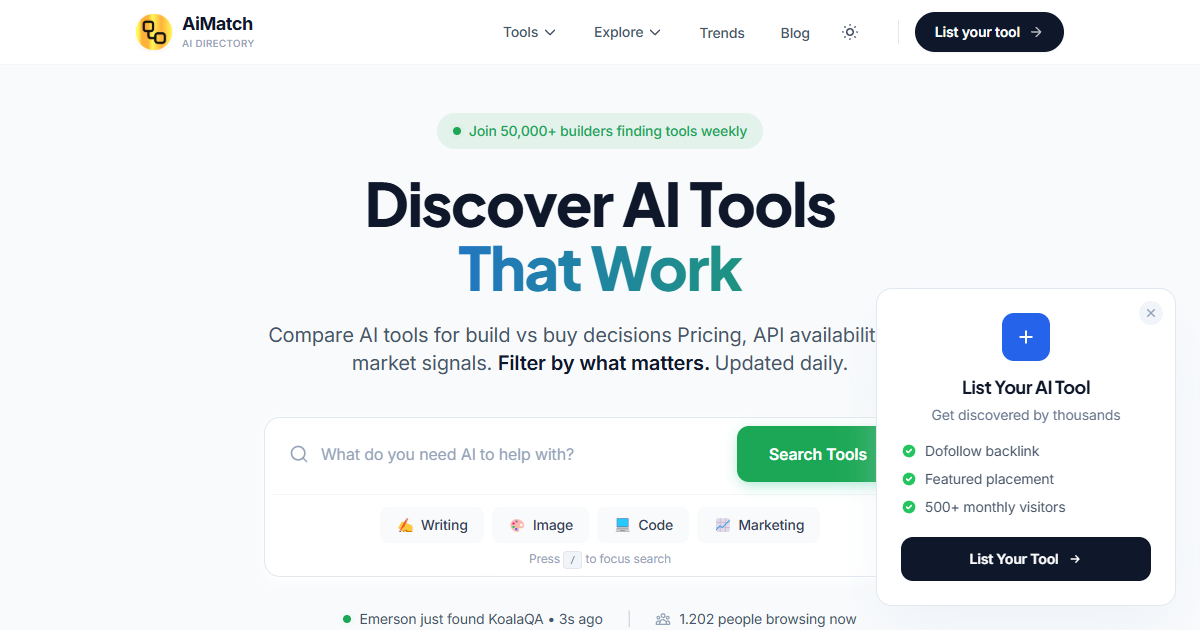

User reviews (0)