Website profiles · Technology insights · Alternatives

alokai.com

Alokai (previously Vue Storefront) is the frontend platform for enterprise composable commerce: storefront, data layer, cloud, monitoring and AI, in one.

Paid content
Visit website
Profile views 9 Outbound visits 0 Normal
Alokai Full homepage screenshot

At a glance

Category
Development
Language
English
Paid-content signal
Paid contentObserved
Registered
2010
Hosting
NetlifyInferred
HTTPS certificate trusted
PassedObserved
Last updated

Website review

This review may include AI-generated content and is not individually verified. Domain, certificate and other facts come from the observed data on this page.

What is Alokai?

Alokai is a frontend platform for enterprise commerce, aimed at teams running composable storefronts. Its pitch is to cover everything between the backend systems and the customer: the storefront itself, a data layer connecting backends, CMS and search, cloud hosting, monitoring, and AI features. It was previously known as Vue Storefront, so much of its heritage is in decoupled, API-first storefronts rather than all-in-one commerce suites.

What it actually consists of

Page evidence describes the platform as several named pieces working together:

  • Storefront — a complete storefront the team owns and extends.
  • Connect — one data layer for backend, CMS and search integrations.
  • Compass — AI built into the storefront, from search through checkout.
  • Studio — describe a change in words and AI builds it into the storefront.
  • Commerce Intelligence — detects where the storefront is losing revenue and proposes the fix.
  • Console — deploys and metrics in one place.
  • Cloud — managed infrastructure operated by Alokai at a stated 99.9% SLA.

The stated problems it targets are familiar to enterprise commerce teams: slow storefronts costing revenue, release cycles measured in months, and pressure to use AI in ways that measurably lift conversion. Alokai's answer is to treat the frontend stack as one integrated system rather than a set of separately maintained tools, and to add AI on both sides — helping developers ship changes and helping shoppers find and buy.

Who it suits, and the trade-off

This is aimed at enterprise teams with an existing commerce backend (commerce API, CMS, search, ERP) who want to modernize the customer experience without replacing that backend. If you are a small shop wanting a hosted store with everything included, this is heavier than you need. The trade-off is the classic composable one: you keep control and flexibility, but you take on a platform layer and its conventions — which is precisely the integration work Alokai is selling as already done.

A practical next step: pick your slowest, most change-resistant storefront journey and ask whether the bottleneck is the frontend stack or your backend and release process. If it is the frontend, request a demo scoped to your existing stack at Alokai, and check current pricing and terms at Alokai Pricing.

How does Alokai's AI improve storefront development and shopping experiences?

Alokai's AI works on two sides of the storefront at once: it helps developers build and change the storefront, and it helps shoppers find and buy products. On the development side, the page describes Studio as letting a team describe a change in words and having AI build it into the storefront, with Console tracking deploys and metrics and Cloud running the infrastructure. On the shopping side, Compass is described as AI built into the storefront from search to checkout, and Commerce Intelligence as finding where the storefront leaks revenue and handing over the fix. The stated goal is that developers build with AI while shoppers buy with it.

What this means in practice

  • Faster iteration: Instead of every change waiting on a full development cycle, a team can describe a modification (for example, adding a product slider) and have it built into the storefront. The page frames this as the answer to "every change takes months."
  • Fewer integration gaps: Connect is described as one data layer spanning backend, CMS and search, which matters because most performance and cost problems come from stitching tools together rather than from any single tool.
  • AI in the buying path: Compass covers search through checkout, so the shopper-facing AI is not a separate chatbot bolted on but part of the storefront flow.
  • Revenue diagnosis: Commerce Intelligence is positioned as finding leaks and supplying the fix, which is more actionable than a dashboard that only reports numbers.

Who benefits most, and the trade-off

This fits enterprise teams with an existing composable stack — commerce API, CMS, search, ERP — who want to modernize the customer experience without replacing their backend. The page explicitly says it works with tools you already run and lists ready-made integrations. The trade-off is that you are adopting a platform layer across storefront, data, cloud and monitoring, so the value depends on how much of that stack you consolidate. A team that only wants a storefront template may find the full platform broader than needed.

A concrete next step

If slow storefront performance or slow release cycles are your main pain, start with the free performance audit the page offers, then compare the result against what your team currently ships per quarter. If AI-driven conversion is the goal, ask for the agentic commerce use cases and check them against your own catalog and checkout flow. Alokai is at Alokai, and pricing is listed at Alokai Pricing.

What problems does Alokai solve for enterprise commerce teams?

Alokai targets three recurring problems that enterprise commerce teams tend to face, according to its own framing: slow storefronts that hurt revenue, slow release cycles where "every change takes months," and AI initiatives that fail to move conversion. It addresses these with a single frontend platform spanning storefront, data layer, cloud, monitoring and AI, rather than a loose collection of tools.

The practical breakdown

  • Performance as a revenue issue. Slow stores lose sales. Alokai offers a free performance audit and positions its managed cloud, monitoring and data layer as ways to keep speed under control. If your team already knows the store is slow but can't find the cause, that audit path is the concrete first step.
  • Slow shipping. When frontend changes queue up behind backend releases, iteration stalls. Alokai's Studio lets developers describe a change in natural language and have it built into the storefront, with a Console for deploys and metrics. This suits teams whose bottleneck is release process, not ideas.
  • AI that converts. Rather than AI as a demo feature, Alokai puts Compass AI into search through checkout and Commerce Intelligence to flag where the storefront leaks revenue and propose fixes. That is aimed at teams under pressure to show measurable AI impact.

Who benefits most

Enterprise teams running composable commerce on an existing backend, CMS and search stack. The value is integration: Alokai supplies pre-built connectors and one data layer so those systems behave as one, which matters most when you have many vendors and no dedicated platform team to glue them together.

Trade-offs to weigh

Adopting a platform layer means your frontend depends on Alokai's roadmap, conventions and managed infrastructure. The 99.9% SLA is attractive, but it also means handing over hosting control. AI-generated storefront changes still need review — treat Studio output as a draft, not a finished release.

Next step

Ask for the performance audit and a demo using your own stack, then test one real change end to end: modify a product page in Studio, deploy through Console, and measure the effect. If that loop is faster than your current process, the platform case is strong. Compare against building the same layer in-house before committing.

How does Alokai integrate with existing backend, CMS, and search systems?

Alokai positions itself as the layer between your existing backend and your customers, rather than a replacement for it. Its Connect component is described as "one data layer for your backend, CMS, and search," and the platform advertises "ready-made integrations with the vendors you already use." So the integration model is: keep your commerce engine, CMS, search, and ERP, and let Alokai's data layer normalise them into a single frontend-facing API.

What that means in practice

  • Your backend (commerce API, ERP) stays the system of record; Alokai reads from it through the data layer instead of your storefront calling it directly.
  • CMS and search are treated as peer sources in the same layer, so content and product data reach the storefront through one consistent interface.
  • The storefront (and Studio, the AI build tool) sits on top of that layer, so swapping or adding a vendor is a data-layer change rather than a storefront rewrite.

Why teams choose this shape

The stated problems Alokai targets are slow storefronts, slow release cycles ("every change takes months"), and wanting AI that lifts conversion. A unified data layer addresses the first two by decoupling frontend changes from backend contracts; Commerce Intelligence and Compass address the third on the storefront side.

Trade-offs to weigh

  • A data layer is another system to operate and version. You gain flexibility and performance, but you take on the layer's own upgrade and monitoring burden (Alokai offers Console and managed Cloud to offset this).
  • Integration depth varies by vendor. "Ready-made" connectors still need mapping to your specific catalogue, pricing, and inventory rules.
  • If you run a single monolithic backend and rarely change frontend vendors, the abstraction buys you less.

Next step

List your current commerce backend, CMS, and search vendors, then ask Alokai (or check its integrations page) which have maintained connectors versus custom work. If two or more of your three core systems are covered, the data layer is likely worth a demo; if only one is, price the custom connector effort first. For background on the composable model, see Alokai.

What pricing options does Alokai offer for enterprise teams?

Alokai does not publish a public price list on its site. The platform points to a dedicated Pricing page, but the packaging is presented as a demo-led conversation rather than a self-serve checkout. For enterprise teams, that usually means pricing is scoped to your setup: which parts of the frontend stack you adopt, your traffic and storefront scale, and your integration and support requirements.

What the platform covers

Alokai describes itself as a frontend platform for enterprise commerce, spanning the storefront, a data layer (Connect), managed cloud infrastructure, monitoring, and AI. The named components include:

  • Storefront — a complete storefront your team owns and scales
  • Connect — one data layer for your backend, CMS, and search
  • Cloud — managed infrastructure with a stated 99.9% SLA
  • Console — deploys and metrics in one place
  • Commerce Intelligence — identifies where the storefront leaks revenue and proposes fixes
  • Studio — AI that turns a described change into a storefront update
  • Compass — AI in the storefront, from search to checkout

Because these are modular, a realistic enterprise quote is likely assembled from the modules you actually run, not a single flat seat price. That is the main practical difference from SaaS tools with published tiers.

How to approach the pricing conversation

Treat the demo as a scoping call. Before it, decide:

  1. Which modules you need now versus later (for example, storefront plus Connect, but not Commerce Intelligence yet).
  2. Your expected traffic and peak-season load, since managed cloud and SLA commitments typically scale with usage.
  3. Which backends, CMS, and search vendors must be integrated, as integration depth affects effort.
  4. Whether you want Alokai to run infrastructure or your team retains that responsibility.

Ask directly for the commercial model: is it subscription, usage-based, or a platform fee plus module add-ons? Request a written breakdown that separates platform access, cloud/infrastructure, and any AI or intelligence features, so you can compare it against your current frontend hosting and maintenance spend. If your team is evaluating alternatives, it also helps to look at how other composable frontend platforms structure enterprise agreements, such as commercetools or BigCommerce for the commerce backend side, though those are different layers of the stack and not direct substitutes.

Decision criterion

Choose the demo-first route if you need integration-heavy, multi-vendor commerce and want one vendor accountable for the frontend stack. If you need a fixed, published price to compare quickly, Alokai's model will require more legwork up front.

How does Alokai ensure enterprise-grade performance and reliability?

Alokai's answer to enterprise performance and reliability is architectural: it treats the frontend as one managed system rather than a pile of separately tuned tools. Its page frames the core problem as integration overhead — "picking good tools is easy, making them all work as one system is where most teams lose performance and money" — and positions its platform as covering that gap out of the box.

The pieces that carry the reliability load

  • Connect — one data layer joining backend, CMS, and search, so requests are orchestrated in one place instead of scattered across the stack.
  • Cloud — managed infrastructure operated by Alokai with a stated 99.9% SLA, which removes server provisioning and scaling from the internal team's plate.
  • Console — deploys and metrics in a single view, so regressions and release state are visible without stitching together separate monitoring tools.
  • Commerce Intelligence — described as finding where the storefront leaks revenue and handing over the fix, i.e. performance work driven by detected issues rather than guesswork.
  • Compass and Studio — AI in the shopper path (search through checkout) and AI that turns a described change into storefront code, which matters for reliability mainly as a consistency mechanism: changes land in the platform's patterns instead of ad hoc.

Where this fits and where it doesn't

This suits enterprise teams running composable commerce — a headless backend plus CMS, search, and ERP — who already own their vendor choices and want the glue, hosting, and observability handled. The trade-off is consolidation: you gain a single operational surface and a contractual SLA, but you take on platform dependence and inherit Alokai's integration coverage as your boundary. Teams with a small, fixed stack and strong in-house platform engineering may find less value in the managed layer; teams whose bottleneck is release cadence and cross-tool debugging are the clearer fit.

A practical next step

Before a demo, write down your three most recent production incidents and ask which platform component would have caught or prevented each one. If the answers land on Connect, Console, or Cloud, the model fits; if they land on your own application code, the platform won't be the fix. Alokai also offers a free performance audit of an existing store, which is a low-commitment way to test the Commerce Intelligence claim against your real traffic. For pricing and plan limits, check Alokai directly, and compare against alternatives such as Vercel or Netlify if managed hosting and observability are the parts you care about most.

Related questions

More questions →
What is Alokai and what does it do?

Alokai is a frontend platform for enterprise composable commerce. It covers everything between your backend systems and your customers: storefront, data layer, cloud, monitoring, and AI. If your team runs a composable commerce stack and the hard part is making the pieces work as one system, Alokai is built for that problem. It was previously known as Vue Storefront.

What problem does it solve?

Alokai's own site frames the platform around three problems it hears most from enterprise teams:

  • "Our store is slow, and it's costing us revenue." Performance issues in the storefront translate directly into lost sales.
  • "Every change takes months." Slow release cycles keep teams from shipping improvements.
  • "We want AI that actually increases conversion." Teams want AI applied to commerce outcomes, not as a novelty.

The stated premise is that picking good tools is easy, but making them all work as one system is where teams lose performance and money. Alokai positions itself as providing that integration out of the box so teams can focus on what is unique to their business.

What does the platform include?

Alokai describes one platform covering the entire frontend stack, made up of these components:

Component What it does
Storefront A complete storefront your team owns and scales
Connect One data layer for your backend, CMS, and search
Compass AI built into the storefront, from search to checkout
Studio Your team describes a change, and AI builds it into the storefront
Commerce Intelligence Finds where your storefront leaks revenue and hands you the fix
Console Every deploy and metric in one place
Cloud Managed infrastructure, run by Alokai at a 99.9% SLA

The AI layer works on both sides of the storefront: behind it, developers describe a change and get it built to enterprise standards; in front of it, shoppers describe what they need and get the right result.

Who is it for?

Alokai targets enterprise teams running composable commerce — that is, teams that have assembled separate backend, CMS, and search systems and need a frontend layer that ties them together. The platform emphasizes working with the tools you already run, and offers ready-made integrations with existing vendors rather than requiring a stack replacement.

If your situation matches the problems above — a slow storefront, slow release cycles, or AI ambitions tied to conversion — the platform is aimed at you. If you are on a single monolithic commerce platform with no composable backend, the integration value proposition is less relevant.

How do you evaluate it?

The site offers several concrete entry points rather than a self-serve trial:

  • Request a demo for your specific setup
  • Get a free performance audit of your store
  • See how fast your team ships with Alokai
  • See real agentic commerce use cases
  • Join the community

Pricing is listed as a page on the site, so cost is not published in the material available here — you would need to check the pricing page or ask during a demo. There is no indication of a free tier or self-serve signup in the available information.

A practical evaluation path: start with the free performance audit if storefront speed is your main pain, or the demo if you want to see how the data layer and AI components fit your existing backend, CMS, and search vendors.

How Do Enterprise Teams Adopt Specialist AI Agents Without Disrupting Existing Workflows?

Enterprise teams can adopt specialist AI agents without disruption by starting with one narrow, high-volume workflow, running it as a bounded pilot with human review, measuring against a baseline, and only then expanding. The key is to treat agents as new team members with defined scopes rather than as a replacement for existing tools or a sweeping platform migration. This article explains what specialist agents are, where they fit across common team functions, and a phased approach you can follow.

What Makes an Agent "Specialist" Rather Than General-Purpose

A general-purpose assistant responds to open-ended prompts across many topics. A specialist agent is scoped to one job: it has a defined goal, a limited set of tools and data sources, and a clear definition of "done."

That scoping matters for enterprise teams for three practical reasons:

  • Predictability. A narrow agent produces more consistent outputs, which makes it easier to review and trust.
  • Permission control. You can grant access only to the systems that specific task needs, rather than broad data access.
  • Measurable value. When an agent owns one workflow, you can compare its output against a manual baseline.

A useful rule of thumb: if you cannot describe the agent's job in one sentence with a clear input and output, it is still too broad to deploy safely.

Mapping Team Functions to Agent Use Cases

Most enterprise teams have a handful of repetitive, rules-plus-judgment tasks that are good first candidates. The table below shows typical starting points.

Team Candidate agent task Why it fits
Sales Research and enrich inbound leads before handoff High volume, structured output, easy to verify
Customer success Draft responses to common account questions Repetitive, benefits from consistency
Marketing Repurpose long-form content into channel variants Clear brief, reviewable drafts
HR Screen and summarize applications against criteria High volume, needs audit trail
Operations Triage and route incoming requests Rule-based with clear routing logic

Notice that none of these replace a person's judgment. They compress the repetitive portion so the human spends time on exceptions and decisions.

A Phased Adoption Approach: Pilot, Measure, Expand

Phase 1: Pick one workflow and define success

Choose a task that is high-volume, low-risk, and currently a bottleneck. Write down:

  • The current process, step by step
  • The baseline metric (time per task, volume per week, error rate)
  • What "good output" looks like, with two or three examples
  • Who reviews the agent's work

Phase 2: Run a bounded pilot

Keep the agent inside the existing workflow rather than beside it. For example, the agent drafts; the human sends. Set a review gate so nothing leaves the team unreviewed. Run for a fixed period, such as four to six weeks, with a small group.

Phase 3: Measure against the baseline

Compare the same metrics you recorded in Phase 1. Look for time saved, consistency gained, and — importantly — where the agent failed. Failures tell you whether the scope was right.

Phase 4: Expand deliberately

Only widen scope after the pilot shows a clear, repeatable gain. Expand in one of two directions: more volume of the same task, or an adjacent task with the same data and review pattern. Avoid expanding into a new function and a new data source at the same time.

Handling Workflow Integration Concerns

Data access

Give each agent the minimum access its task requires. Prefer read access plus a single write action over broad permissions. Document which systems it touches so security and IT can review.

Handoffs

Define exactly where the agent stops and a human begins. A simple handoff rule works well: the agent completes the task and flags anything outside its defined scope for a person. Ambiguous handoffs are the most common source of friction.

Human oversight

Decide the review level up front:

  • Full review for anything customer-facing or high-stakes
  • Spot check for internal, low-risk outputs
  • Exception-only review once the agent has a track record

Start stricter than you think you need, then relax as evidence accumulates.

How Roles and Responsibilities Shift

Adopting agents rarely removes roles; it redistributes effort. Expect these shifts:

  • Reviewers become editors. People spend less time producing first drafts and more time improving and approving them.
  • Process owners become agent owners. Someone needs to maintain the agent's instructions, examples, and scope as the business changes.
  • New quality checks appear. Teams need a lightweight way to catch drift — for example, a weekly sample review.

Be explicit about who owns the agent after launch. An unowned agent degrades quietly.

Practical Criteria for Choosing Where to Start

Score candidate workflows against these questions:

  1. Volume: Does it happen often enough to matter?
  2. Risk: What is the cost of a wrong output, and can a human catch it?
  3. Structure: Is the input and output reasonably consistent?
  4. Baseline: Can you measure the current state today?
  5. Ownership: Is there a person who will own the agent after launch?

A workflow that scores well on all five is a strong first pilot. A high-volume task with no clear owner is a poor start, no matter how repetitive it is.

A Simple Pilot Template

You can copy this structure to scope your first agent:

  • Task: [one sentence]
  • Current baseline: [time/volume/error rate]
  • Agent scope: [what it does, what it does not do]
  • Data access: [systems, read/write]
  • Handoff rule: [when it escalates to a human]
  • Review level: [full / spot / exception]
  • Owner: [name]
  • Pilot length: [weeks]
  • Success metric: [target]

Bottom Line

Disruption comes from adopting too much at once, not from agents themselves. Start with one scoped task, keep humans in the loop, measure against a real baseline, and expand only when the evidence supports it. Platforms built around specialist agents — such as Relevance AI, which offers agents for sales, customer success, marketing, and HR — are designed for exactly this kind of task-by-task rollout, so you can add capability without rebuilding your team's existing processes.

What components make up the Alokai frontend platform?

Alokai is a frontend platform for enterprise commerce that bundles seven components into one system: Storefront, Connect, Cloud, Console, Compass AI, Studio, and Commerce Intelligence. It sits between your backend and your customers, covering everything from the data layer to the deployed storefront. This breakdown is for teams evaluating whether to replace a patchwork of separate frontend tools with a single platform, or trying to understand how the pieces fit together before a demo.

The seven components and what each one does

Component Role What it replaces
Storefront A complete storefront your team owns and scales A custom-built or heavily forked frontend
Connect One data layer for your backend, CMS, and search Glue code stitching together separate integrations
Cloud Managed infrastructure, run by Alokai at a 99.9% SLA Self-managed hosting and scaling
Console Every deploy and metric in one place Scattered CI/CD dashboards and monitoring tools
Compass AI AI built into the storefront, from search to checkout Separate AI/search vendors bolted onto the frontend
Studio Your team describes a change, AI builds it into the storefront Manual frontend development cycles
Commerce Intelligence Finds where your storefront leaks revenue and hands you the fix Manual performance auditing and guesswork

How the components work as one system

The value isn't in any single component — it's that they share context. A few concrete connections:

  • Connect feeds Storefront. Instead of writing and maintaining separate connectors for your commerce API, CMS, and search, Connect provides one data layer that the storefront reads from. When you add or swap a backend vendor, you change it in Connect rather than rewriting storefront code.
  • Studio writes into Storefront, gated by Console. A developer describes a change in natural language; Studio builds it into the storefront. Console then tracks the deploy and its metrics, so the change is visible in the same place as everything else.
  • Commerce Intelligence and Compass AI close the loop. Commerce Intelligence identifies where the storefront is losing revenue and produces a fix; Compass AI operates in the customer-facing path (search through checkout) to act on shopper intent. Both run against the same storefront and data layer, so a fix doesn't require re-instrumenting anything.

The platform's own framing of the problem is that "picking good tools is easy — making them all work as one system is where most teams lose performance and money." Each component is designed to remove one seam where that loss typically happens.

What this means for tool consolidation

If you're currently running a composable stack, the components map to categories of tools you may already have:

  • Storefront + Connect replace your frontend framework plus the integration layer between it and your backend systems.
  • Cloud + Console replace your hosting provider plus your deployment and observability tooling.
  • Compass AI + Studio + Commerce Intelligence replace any separate AI search, AI-assisted development, and analytics/optimization tools.

The consolidation argument is strongest when those tools currently require custom glue between them — that glue is what Connect, Console, and the shared data layer are meant to eliminate.

What to verify before deciding

  • Integration coverage. Alokai advertises "ready-made integrations with the vendors you already use." Check that your specific commerce backend, CMS, and search vendors are on that list, since Connect's value depends on it.
  • SLA and hosting terms. Cloud is described as managed infrastructure at a 99.9% SLA. Confirm what that covers for your traffic profile.
  • Pricing and access. The site has a pricing page, but the available material doesn't state figures or whether a demo is required before access. Treat cost and onboarding requirements as open questions to raise directly.
  • Migration path. If you have an existing storefront, ask how Storefront and Connect handle incremental adoption versus a full rebuild.

For teams whose main pain is slow storefronts, slow shipping cycles, or AI that doesn't move conversion, the platform is positioned around exactly those three problems — which makes them the right questions to lead with in a demo.

Does Alokai Integrate With Your Existing Commerce and CMS Vendors?

Yes. Alokai is built to sit on top of the stack you already run rather than replace it. Its own description frames the platform as "everything between your backend and your customers," and it ships "ready-made integrations with the vendors you already use." The stated goal is to "modernize the customer experience on the stack you already own," so integrations are the foundation of the product, not an add-on.

What Alokai connects to

The platform's data layer, called Connect, is described as "one data layer for your backend, CMS, and search." That single layer is the integration point: instead of wiring each system directly into the storefront, you connect your existing services to Connect and the storefront reads from there.

Based on the platform's own component descriptions, the integration surface covers:

System type How it fits
Commerce backend Connected through the Connect data layer
CMS Connected through the Connect data layer
Search Connected through the Connect data layer
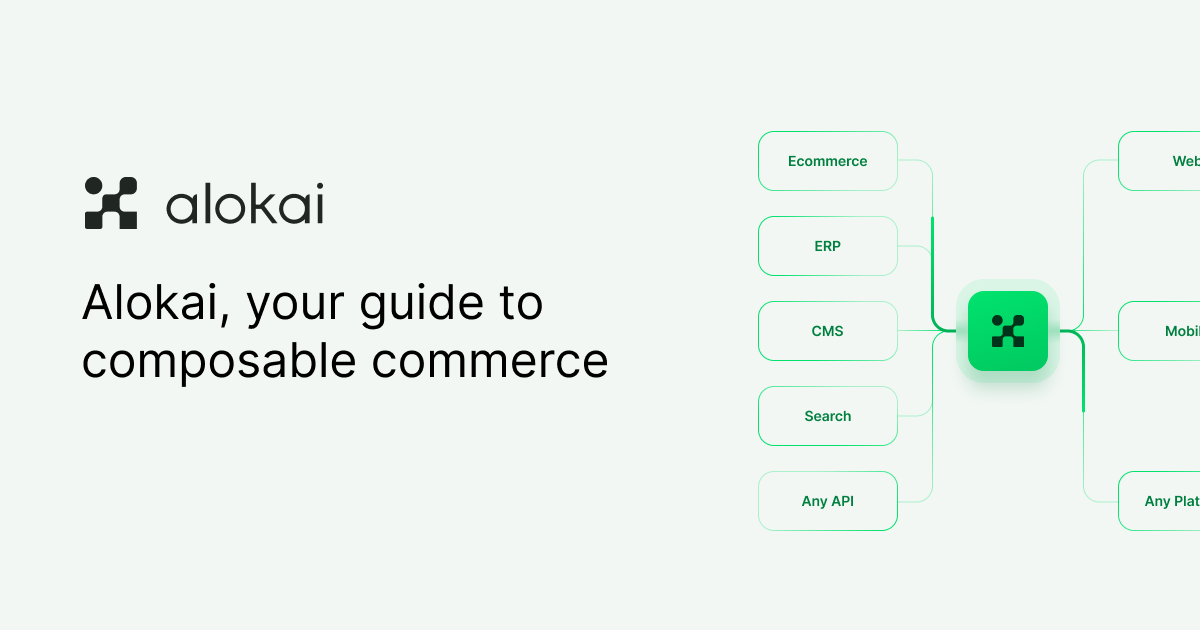
ERP Shown as a connected system in the platform's stack diagram

The stack diagram on the site places CMS, Commerce API, Search, and ERP alongside the storefront, with Connect acting as the layer that unifies them. That is the mechanism behind the claim that you keep your existing vendors.

Why this matters for adoption

The three problems Alokai says bring enterprise teams to it are slow storefronts, slow shipping cycles ("every change takes months"), and wanting AI that increases conversion. None of those require ripping out your backend, CMS, or search provider — the platform is positioned as the frontend layer that makes the systems you already own work as one system. As the site puts it: "Picking good tools is easy. Making them all work as one system is where most teams lose performance and money."

So the practical answer to "will it integrate?" is that integration is the premise. You are not choosing Alokai instead of your commerce platform or CMS; you are choosing it as the frontend and data layer in front of them.

What to verify before committing

The site states that ready-made integrations exist and names the system categories (backend, CMS, search, ERP), but it does not publish a full vendor-by-vendor compatibility list in the material available here. Before you plan a migration, confirm two things directly:

  1. Your specific vendors and versions. "Ready-made integrations" is a category claim; check that your exact commerce platform, CMS, and search provider are covered, and at which versions.
  2. What "integration" includes. Ask whether a given connector is maintained by Alokai, what data it syncs, and what happens when your vendor changes its API.

The site offers a demo request and a community, which are the natural next steps for getting a definitive compatibility answer for your stack.

The short version

Alokai is designed to integrate with existing commerce, CMS, search, and ERP systems through its Connect data layer, and it explicitly markets itself as a way to modernize on the stack you already own. Treat the integration claim as directional until you have confirmed your named vendors and versions with the vendor directly.

How Alokai Uses AI in the Storefront

Alokai applies AI on two sides of the storefront: behind it, where developers describe a change in natural language and AI builds it into the storefront (Studio), and in front of it, where shoppers describe what they need and get help from search through checkout (Compass). Both sit inside the same frontend platform that also includes the storefront itself, a data layer, cloud hosting, monitoring, and integrations. This applies if you run composable commerce on an existing backend stack and want AI applied to both building and buying, rather than as a standalone chatbot bolted onto the storefront.

The two AI surfaces, and who each one serves

Alokai's own framing is that "your developers build with AI, and your shoppers buy with it." That split is the clearest way to understand where AI actually sits in the storefront.

Surface Who uses it What it does Where it sits
Studio Developers Your team describes a change, and AI builds it into the storefront Behind the storefront, in the build workflow
Compass Shoppers AI built into the storefront, from search to checkout In front of the storefront, in the buying journey

The distinction matters because the two solve different problems. Studio targets the "every change takes months" complaint — the gap between deciding on a storefront change and shipping it. Compass targets the shopper-facing side, where AI is meant to help people find and buy the right thing.

Studio: AI that builds the storefront

Studio is described as the component where "your team describes a change, AI builds it into the storefront." The input is a natural-language description of the change; the output is that change built into the storefront, with the platform's stated intent that it lands "to enterprise standards."

A concrete example of the kind of task this covers: adding a product slider to a page. Instead of a developer hand-writing the component, wiring it to the data layer, and pushing it through review, the team describes the slider and AI produces it. Alokai's own illustration shows this as a change moving through checks and approval — "Add a product slider," "Checks passed," "Waiting for approval" — which suggests the AI output still passes through a review gate rather than shipping unreviewed.

That review step is the part worth planning around. If your team already has a code review or release process, Studio's output has to fit into it; the platform presents the change as something that gets checked and approved, not something that bypasses your controls.

Compass: AI that helps shoppers buy

Compass is described as "AI built into the storefront, from search to checkout." This is the shopper-facing surface: rather than a separate assistant, AI is embedded across the buying path, starting at search and extending through to checkout.

The intent behind it is conversion — Alokai lists "We want AI that actually increases conversion" as one of the three problems teams bring to it, and points to "real agentic commerce use cases" as the answer. So Compass is positioned as commerce AI inside the storefront experience, not general-purpose chat.

One illustration in Alokai's material shows a shopper-facing flow where a request like buying a gift resolves into compared product picks and an add-to-cart action — the shopper describes what they need, and the storefront returns a narrowed, actionable result. That is the shape of the experience: description in, product decision and cart action out.

How the AI pieces relate to the rest of the platform

Studio and Compass are not standalone products. They sit alongside the other components Alokai lists as one platform:

  • Storefront — a complete storefront your team owns and scales
  • Connect — one data layer for your backend, CMS, and search
  • Cloud — managed infrastructure run by Alokai at a 99.9% SLA
  • Console — every deploy and metric in one place
  • Commerce Intelligence — finds where your storefront leaks revenue and hands you the fix

The practical consequence: Compass draws on the same data layer (Connect) that connects your backend, CMS, and search, and Studio's changes land in the storefront your team owns. Commerce Intelligence is a third, distinct AI-adjacent capability — it is diagnostic rather than generative, identifying revenue leaks and supplying the fix rather than building features or serving shoppers.

What to check before assuming a fit

  • Backend stack. Alokai positions itself as working with "the tools you already run" and offers ready-made integrations with existing vendors, so the AI surfaces are meant to layer onto your current commerce backend rather than replace it.
  • Review process. Studio produces changes that go through checks and approval, so confirm how that maps onto your existing release gates.
  • Which problem you actually have. If the pain is slow shipping, Studio is the relevant surface; if it is conversion in the buying journey, Compass is; if it is not knowing where revenue leaks, Commerce Intelligence is. They are separate components with separate jobs.
  • Commercial terms. Alokai's site has a pricing page, but the available material does not state prices, plan limits, or whether any component requires a demo or login. Treat those as things to confirm directly rather than assume.

Website Overview

An established domain and managed infrastructure suggest continuity of operations and may support dependable delivery, although neither guarantees service quality. Page metadata, canonical configuration and social previews work together to provide more consistent search and sharing presentation.

Domain and Registration

Registered in 2010, this domain has about 16 years of history. That suggests continuity, although ownership and purpose may have changed. Transfer-protection status is present, helping reduce the risk of unauthorized domain transfers. The domain uses the common .com extension, which is not an independent safety signal.

DNS and Email

Nameservers are provided by NS1, indicating managed DNS hosting. MX records point to the Google Workspace email service. No CNAME was found; the observed records resolve directly to addresses. SPF and DMARC are configured. DKIM status is unknown. TXT records include verification markers for Google, Microsoft. Such markers may also remain after a service stops being used.

TLS and Certificates

The public key uses EC with 256 bits. The server supplied a complete certificate chain. No organization name is present in the certificate; the available fields are consistent with domain validation. The certificate was issued by Let's Encrypt, commonly associated with automated certificate services. The certificate's total validity is about 89 days, consistent with a short renewal cycle.

HTTP and Browser Security

The response lacks these common security headers: CSP, X-Content-Type-Options, Referrer-Policy, Permissions-Policy, clickjacking protection. No X-Powered-By header was found, reducing one common source of backend fingerprinting information. No obvious internal addresses or debug information were found in the headers. The Server header contains the custom value Netlify. No explicit CDN or WAF marker was found in the response headers.

Technology Stack Analysis

The public page identifies HubSpot CMS, Google Tag Manager, Netlify without precise versions, leaving fewer clues for version-specific scanning.

Search and Social Sharing

JSON-LD includes Organization data, helping describe the organization as an entity. The title has 60 characters, within a common display range. A meta description is present, with 153 characters. No Generator meta tag is publicly exposed. A viewport declaration is present, providing a basis for mobile layout.

Hosting and Email

DNSNS1
HostingNetlify
EmailGoogle Workspace
Approximate IP geolocation (inferred; a CDN or proxy may differ from the origin server) United States flagAshburn, Virginia, United States Inferred 18.208.88.157

Registration details

RDAP / WHOIS

RegistrarOVH sas
Registered2010-07-27
Expires2028-07-27
Domain statusclient delete prohibited、client transfer prohibited
Nameserversdns1.p04.nsone.net、dns2.p04.nsone.net、dns3.p04.nsone.net、dns4.p04.nsone.net
DNSSECunsigned

DNS records

DNS

TypeNameValueTTLPriority
Aalokai.com18.208.88.157120—
Aalokai.com98.84.224.111120—
AAAAalokai.com2600:1f18:16e:df01::258311—
AAAAalokai.com2600:1f18:16e:df01::259311—
MXalokai.comaspmx.l.google.com36001
MXalokai.comalt1.aspmx.l.google.com36005
MXalokai.comalt2.aspmx.l.google.com36005
MXalokai.comalt3.aspmx.l.google.com360010
MXalokai.comalt4.aspmx.l.google.com360010
NSalokai.comdns1.p04.nsone.net3600—
NSalokai.comdns2.p04.nsone.net3600—
NSalokai.comdns3.p04.nsone.net3600—
NSalokai.comdns4.p04.nsone.net3600—
TXTalokai.com9AE1536E2A3600—
TXTalokai.comMS=ms486131823600—
TXTalokai.comanthropic-domain-verification-bcq1pt=r8S0EQ5idrU6EgA953oSU4oLU3600—
TXTalokai.comatlassian-sending-domain-verification=b22ed233-b956-4007-9aca-2ba54e24cbc13600—
TXTalokai.comcursor-domain-verification-bjrdnm=oq09oY1sHJPa6B3QC94helldo3600—
TXTalokai.comfigma-domain-verification=bba3ff6f9d8955df3bf3456675bb716d11c97cdd16675ad5bfb5c99604271d0b-17271735533600—
TXTalokai.comgoogle-site-verification=lOTZtFWGj1k_Ww2TY9HmJ1c85GRwEI9rDUPG8Gptrng3600—
TXTalokai.comjamf-site-verification=C37Zqi_EJrxZSog1xK3RjQ3600—
TXTalokai.comknowbe4-site-verification=b4a7f5b111ec53b2f55945acf9688e0f3600—
TXTalokai.commiro-verification=53e03c16e810bb9f93b3e3519d1ed4c34ae735473600—
TXTalokai.comslack-domain-verification=qbOpZ4A5RiZojoddPVElU3EQnAvbxcdqHCAq5qFU3600—
TXTalokai.comv=spf1 include:spf.protection.outlook.com include:8443671.spf06.hubspotemail.net include:_spf.google.com include:mg-spf.greenhouse.io ~all3600—
DMARC_dmarc.alokai.comv=DMARC1;p=none;sp=none;pct=100;ri=86400;aspf=s;adkim=s;fo=13600—

TLS and certificates

TLS / SSL

AssessmentNormal configuration
Supported protocolsTLSv1.2、TLSv1.3
Negotiated protocolTLSv1.3
Certificate subject*.alokai.com
IssuerLet's Encrypt
Valid until2026-12-09T18:14 · Remaining when checked: 70 days
Verification detailsCertificate trust: Passed · Hostname match: Passed

HTTP response headers

HTTP

HeaderValue
content-typetext/html;charset=utf-8
cache-controlno-cache
serverNetlify
strict-transport-securitymax-age=31536000

Identified technologies

HubSpot CMSGoogle Tag ManagerNetlify

Pages, Search and Sharing

Meta descriptionAlokai (previously Vue Storefront) is the frontend platform for enterprise composable commerce: storefront, data layer, cloud, monitoring and AI, in one.
Canonical URLhttps://alokai.com
LanguageEnglish (default)
Twitter CardNot detected
All bots 1 allowed · 0 disallowed
  • Allow/

User reviews (0)

  • No reviews yet.