
 简体中文
简体中文 English
Website review
This review may include AI-generated content and is not individually verified. Domain, certificate and other facts come from the observed data on this page.
What is Beam AI?
Beam AI is a platform for building and deploying AI agents that automate enterprise operations. Its focus is "agentic automation": rather than only routing tasks through fixed rules, the agents are designed to learn from each interaction and improve over time, and to plug into the workflows a company already uses. The site positions this around business functions rather than a single narrow use case, with dedicated suites such as financial services and HR, and a stated goal of scaling work without adding headcount or operational cost.
What it actually does
- Agent building and deployment: The pitch is speed — creating and launching agents in minutes rather than lengthy engineering projects.
- Workflow integration: Agents are meant to sit inside existing processes instead of replacing the surrounding systems.
- Self-learning behavior: The platform emphasizes learning from every interaction, which matters most in high-volume, repetitive work where edge cases accumulate.
- Function-specific suites: Finance and HR are called out, with financial services treated as a distinct offering.
Who it suits, and the trade-off
It fits operations, finance, HR and shared-services teams that handle large volumes of structured, repeatable tasks — claims triage, invoice handling, employee requests, onboarding steps — and want automation that adapts rather than breaking on exceptions. The trade-off is typical of agentic platforms: the value depends on clean integrations and on someone owning the evaluation of agent output. A "self-learning" agent that is not measured against real outcomes can quietly drift.
A practical next step
Pick one process with clear inputs, clear success criteria and measurable volume — for example, first-line HR policy questions or invoice exception review. Run it as a bounded pilot, define what "correct" means before launch, and compare agent output against a human baseline weekly. If you want to see how the vendor frames this, start at Beam AI. For broader context on the category, IBM and UiPath publish useful material on enterprise automation and agent orchestration.
How does Beam AI differ from traditional automation or RPA tools?
Beam AI is positioned as an agentic automation platform rather than a classic RPA tool. The core difference is what does the work: traditional RPA follows scripts and rules you define in advance, while Beam AI's page describes self-learning AI agents that "learn from every interaction" and are built around AI suites for functions such as finance and HR. In practice, that means RPA is strongest when a process is stable, high-volume and strictly rule-based (invoice data entry from a fixed template, moving files between systems), whereas agentic automation is aimed at work that involves judgment, unstructured inputs or variation between cases.
Where the difference shows up
| Dimension | Traditional RPA | Beam AI (as described) |
|---|---|---|
| Logic source | Predefined rules and scripts | AI agents that learn from interactions |
| Input type | Structured, predictable | Mixed, including less structured operational work |
| Change handling | Often needs re-scripting | Intended to adapt as it is used |
| Positioning | Task/process automation | "Re-architecting how work gets done" |
| Typical framing | Cost and speed of repetitive tasks | Scale without headcount, lower operational cost |
How to choose
Pick rule-based RPA when the process is deterministic, compliance requires an auditable fixed path, and exceptions are rare. Consider an agentic platform like Beam AI when the bottleneck is variability: cases arrive in different formats, staff spend time interpreting context, and the process changes often enough that maintaining scripts becomes the real cost.
A practical next step is to take one live process and count two things: how many steps are truly deterministic, and how often a human has to intervene because the case does not fit the rule. A high intervention rate is the signal that agentic automation is worth evaluating; a near-zero rate usually means traditional RPA will be cheaper and easier to govern. For broader context on the category, the vendor-neutral definitions at UiPath and Automation Anywhere describe how conventional RPA is scoped, which makes the contrast with an agentic approach easier to judge.
Which business processes can I automate with Beam AI agents in finance or HR?
Beam AI is positioned around self-learning AI agents for enterprise operations, with prebuilt suites for finance and HR rather than a single generic chatbot. Its page evidence highlights a Financial Services AI Suite and the broader claim of "AI suites for finance, HR and everything else," with agents that "learn from every interaction" and integrate into existing workflows. So the realistic answer is: it targets recurring, rules-plus-judgment processes in those two functions, not one-off creative work.
Finance processes that fit agentic automation
- Invoice and accounts-payable handling: extracting line items, matching invoices to purchase orders and receipts, flagging mismatches, and routing exceptions to a human.
- Collections and receivables follow-up: monitoring aging balances, drafting reminder sequences, and escalating disputed accounts.
- Expense and reimbursement review: checking claims against policy, requesting missing receipts, and preparing approval summaries.
- Reconciliation and close support: comparing ledger entries across systems and surfacing variances for review.
- Financial services workflows: the dedicated suite signals fit for onboarding, KYC-style document collection, and transaction or account servicing tasks common in banking and insurance.
HR processes that fit agentic automation
- Employee onboarding: triggering account creation, equipment requests, policy acknowledgements, and first-week check-ins across systems.
- Offboarding: revoking access, recovering assets, and completing exit documentation in a consistent sequence.
- HR helpdesk and policy questions: answering routine queries about leave, benefits, and payroll timelines, then escalating edge cases.
- Recruiting coordination: screening applications against criteria, scheduling interviews, and keeping candidates updated.
- Data maintenance: keeping employee records consistent across HRIS, payroll, and directory systems.
How to choose where to start
| Criterion | Good first candidate | Poor first candidate |
|---|---|---|
| Volume | High, repetitive | Rare, unpredictable |
| Rules | Clear policy or matching logic | Mostly subjective judgment |
| Systems | APIs or structured data available | Purely paper or offline |
| Risk | Errors are reversible | Regulated, irreversible outcomes |
| Payoff | Hours saved per week | Occasional convenience |
A practical first step is to pick one high-volume, reversible process — invoice matching or onboarding — and run it in parallel with your current manual process for a few weeks. Compare exception rates and handling time before expanding. For adjacent tooling, enterprise buyers often evaluate UiPath for broader RPA-style automation or ServiceNow for HR and finance service delivery, since Beam AI's strength is the agent layer rather than the underlying system of record.
How do I build and deploy an AI agent with Beam AI?
Beam AI is positioned as a platform for building self-learning AI agents aimed at enterprise operations, with prebuilt suites for functions such as finance and HR. If you want to build and deploy an agent, the practical path is to start with one well-defined process, connect the systems it touches, then iterate on the agent's decisions rather than trying to automate an entire department at once.
A realistic build sequence
- Pick a narrow, repetitive process. Good first candidates are high-volume tasks with clear inputs and outputs, such as invoice handling, employee onboarding steps or first-line finance queries.
- Map the systems and data involved. List every tool the process touches — ticketing, ERP, HRIS, email, documents — and confirm which of these can be reached through integrations.
- Define the agent's role and boundaries. Decide what it may do autonomously and what must be escalated to a person. Write down the escalation rules before you build.
- Configure the agent. Use the platform's suites and templates where they match your function, then adapt prompts, tools and data sources to your actual workflow.
- Test against real historical cases. Replay past tickets or transactions and compare the agent's output with what a human did. This is where you find the edge cases that break naive automation.
- Deploy into the live workflow, initially in a supervised mode. Let the agent draft or recommend while a person approves, then widen autonomy as accuracy holds.
- Monitor and let it learn. The platform's emphasis on self-learning means feedback from each interaction should feed back into performance. Review errors on a schedule and retrain or adjust.
Choosing where to start
| Process trait | Better first project | Poor first project |
|---|---|---|
| Volume | High, repetitive | Rare, one-off |
| Rules | Mostly clear, some judgment | Highly ambiguous |
| Data | Digital, structured or semi-structured | Scattered across informal channels |
| Failure cost | Low to moderate | Regulatory or safety-critical |
| Systems | Already integrated or API-accessible | Manual, offline or legacy-only |
Practical considerations
- Integration effort usually dominates. The agent logic is often the easy part; connecting to the systems of record is where timelines slip. Verify integration coverage for your specific stack early.
- Keep a human in the loop at first. Supervised deployment builds trust and generates the feedback data the agent needs.
- Measure before and after. Baseline handling time, error rate and cost per transaction so you can prove value rather than assume it.
- Check governance fit. For finance and HR processes, confirm audit trails, access controls and data-handling rules meet your compliance requirements.
Useful next step
Choose one process that scores well on the table above, document its steps and escalation rules, and run a small pilot with historical data before any live deployment. If you want to compare approaches, enterprise automation platforms such as UiPath and agent-building toolkits such as LangChain represent different trade-offs between packaged suites and custom development.
How does Beam AI integrate with the systems and workflows my team already uses?
Beam AI positions its agents as fitting into existing enterprise workflows rather than replacing them, and its page frames the value as "seamlessly integrate into your workflows." In practice, that means the integration question is less "which connectors exist?" and more "which of my team's systems can an agent read from and act in, and who approves the result?"
What integration looks like in practice
Agentic automation typically attaches at three layers:
- Data in — the agent pulls from the systems where work already lives (ticketing, CRM, ERP, HR platforms, email).
- Action out — the agent writes back, creates records, sends messages, or triggers the next step in an existing process.
- Human checkpoint — a person reviews or approves before anything irreversible happens.
Beam's own framing supports this: it describes agents that "learn from every interaction" and a quote on the page stresses "not just automation, but re-architecting how work gets done." That second phrase is worth taking seriously — it signals the intended outcome is redesigned processes, not a bolt-on bot.
A realistic scenario
A finance operations team handling vendor invoice queries already works in an ERP plus a shared inbox. An agent could triage inbound queries, pull invoice status from the ERP, draft a reply, and route anything unusual to a human. The team keeps its ERP and inbox; what changes is who does the first pass.
How to evaluate fit
| Question | Why it matters |
|---|---|
| Which systems must the agent read and write to? | Determines whether integration is trivial or a project |
| Is there an API, or only a UI? | UI-only systems need screen-level automation, which is more brittle |
| Where does a human approve? | Defines your risk and audit trail |
| What happens when the agent is unsure? | Escalation paths matter more than happy-path demos |
Next step: list your five highest-volume workflows, then for each note the systems involved and whether they expose an API. That list is the fastest way to judge which processes are realistic first candidates and which need groundwork. For comparison, enterprise automation platforms such as UiPath and Zapier take different positions on the connector-versus-custom-build trade-off, which is useful context when scoping.
What does it cost to adopt Beam AI for an enterprise, and how do I get started?
Beam AI does not publish pricing on the material I have, so the honest answer is that adoption cost is quote-based and depends on what you automate. The page positions it as self-learning AI agents for enterprise operations, with prebuilt suites for finance, HR and other functions, plus a financial services suite. That framing tells you the buying motion: this is an enterprise platform sale, not a self-serve subscription you can price from a checkout page.
What drives the cost
- Scope of processes. A single finance or HR workflow costs far less than a cross-department rollout. The page's "scale without headcount, cut operational costs" pitch implies value is measured against the labor and error costs of the processes you replace.
- Seats and agent volume. Enterprise agent platforms typically price on users, number of deployed agents, or volume of tasks handled. Beam does not disclose which model it uses.
- Integrations. The page promises seamless integration into existing workflows. Legacy systems, custom ERPs or strict security reviews usually add implementation effort and cost.
- Ongoing learning and support. Because the agents are described as self-learning and improving from every interaction, expect a continuing relationship rather than a one-off license.
How to get started
- Pick one high-volume, rules-heavy process — invoice handling, employee queries, or a financial services back-office task — where errors and handling time are already measured.
- Ask Beam for a scoped pilot with success metrics tied to that process, not a platform demo.
- Involve IT and security early, since enterprise deployment hinges on integration and data access.
- Compare against alternatives before committing. General automation platforms such as UiPath and Zapier cover different ends of the market, while ServiceNow bundles workflow automation into a broader enterprise suite. The right choice depends on whether you want a focused agent deployment or automation inside a system you already run.
The practical decision criterion: if the process has clear volume, measurable handling cost, and accessible systems, a pilot is worth pricing out. If the work is low-volume or highly judgment-based, the payback will be harder to justify.
 Namecheap
 Amazon.com, Inc.
 Google Workspace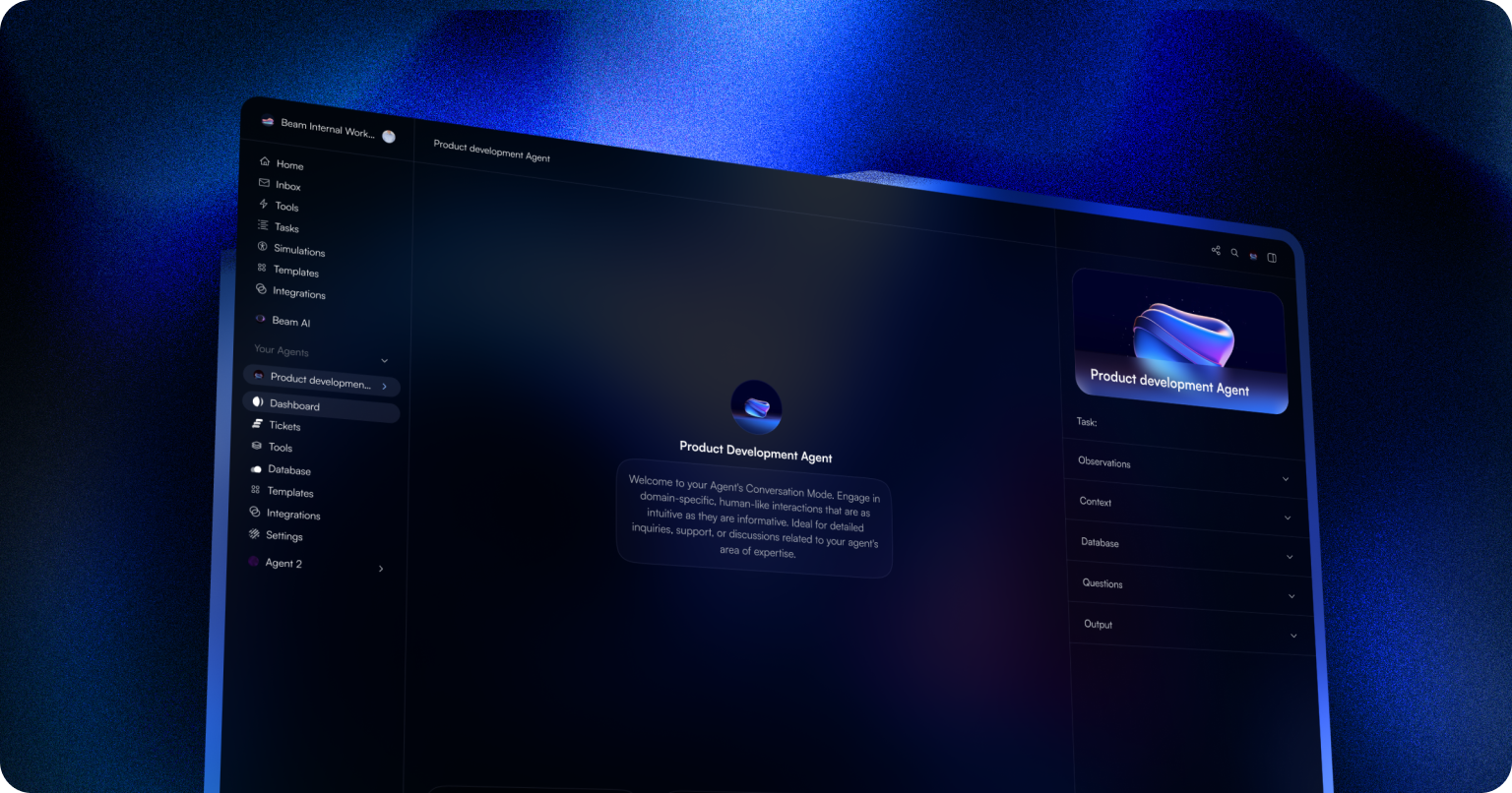

User reviews (0)