
 简体中文
简体中文
bugherd.com
BugHerd makes it easy for clients to give website feedback and bug reports. Clients just point-click-comment. Start a free trial.
At a glance
- Category
- Productivity
- Language
- English
- Paid-content signal
- Paid contentObserved
- Registered
- 2010
- Hosting
- CloudflareInferred
- HTTPS certificate trusted
- PassedObserved
- Last updated
Related questions
More questions →How Do Online Master's Courses in Europe Work?
Online master's courses in Europe are generally structured the same way as on-campus degrees: you complete a set number of credits (usually 60–120 ECTS), pass assessments, and receive the same degree title as campus students at that institution. What changes is the delivery mode. Programs range from fully online and asynchronous to hybrid formats that require short residencies, and recognition depends far more on the institution's accreditation than on whether you studied from home or on campus.
The main formats you'll encounter
Fully online, asynchronous
All coursework, lectures, and materials are delivered through a learning platform. You study on your own schedule within weekly or module deadlines. This is the most flexible option and the most common for working professionals.
Fully online, synchronous
You attend live seminars and lectures at fixed times, often via video conferencing. This mimics a campus timetable and works well for discussion-heavy subjects, but it requires you to be available in the institution's time zone.
Hybrid or blended
Most study is online, but you attend one or more short on-campus periods — typically a kick-off week, a lab-intensive block, or a final thesis defense. Some programs in fields like engineering, health, or business use this to cover practical components.
Online with optional campus tracks
A smaller number of programs let you switch between online and on-campus modules, or complete the degree online but attend electives in person.
Credits, ECTS, and what the degree is worth
European master's programs use the ECTS system:
| Program type | Typical credits | Typical duration (full-time) |
|---|---|---|
| Taught master's (MA, MSc, LLM) | 60–120 ECTS | 1–2 years |
| MBA | 60–90 ECTS | 1–2 years |
| Research master's (MPhil, MRes) | 120 ECTS | 2 years |
One ECTS credit represents roughly 25–30 hours of total student workload, including self-study. A 90-ECTS online master's therefore carries the same academic weight as a 90-ECTS on-campus master's at the same institution.
The key question is not "online or not" but who accredits the program. In most European countries, the national quality assurance agency or the state recognizes degrees from accredited institutions regardless of delivery mode. If you need the degree for a regulated profession, a visa, or a public-sector job, verify recognition with the relevant authority in your own country before enrolling — this is a general rule, not legal advice for your situation.
Admission requirements for international applicants
Requirements vary by country and institution, but online master's programs commonly ask for:
- A completed bachelor's degree (or equivalent) in a relevant field.
- A minimum grade or GPA, sometimes expressed as a class of degree.
- English proficiency — IELTS, TOEFL, or an equivalent, unless your previous degree was taught in English. Some programs accept a waiver or an internal test.
- A motivation letter or statement of purpose.
- A CV, especially for MBA and executive programs.
- Letters of recommendation (often 1–2).
- Work experience for MBA and some professional master's degrees.
- Specific prerequisites such as statistics, programming, or a portfolio for design and technical fields.
Typical application steps
- Shortlist 3–5 programs and check each one's accreditation and recognition in your country.
- Confirm the language of instruction and whether your proficiency test meets the threshold.
- Prepare documents early — transcripts, translations, and credential evaluations can take weeks.
- Check application deadlines; many European programs have rolling admissions, but some have fixed intakes.
- Submit the application and any application fee.
- If admitted, complete enrollment, pay any deposit, and set up your student account and platform access.
How exams, thesis work, and support are handled remotely
- Assessment: written assignments, online proctored or open-book exams, group projects, presentations, and participation. Some programs use timed take-home exams instead of invigilated ones.
- Thesis or capstone: usually supervised remotely via video calls and email, with milestones and a final written submission. Some institutions require an oral defense by video; a few require it on campus.
- Support: academic advisors, library access (often digital), technical helpdesk, and career services. Quality varies widely, so ask current students or check program pages for what is actually provided.
- Interaction: discussion forums, cohort groups, and live sessions. Asynchronous programs can feel isolating if you don't build in regular contact.
Practical considerations before you commit
- Time zones: synchronous programs may schedule classes in the institution's local time. Check whether live sessions fall at workable hours for you.
- Language of instruction: many European master's programs are taught in English, but not all. Confirm the language for lectures, exams, and thesis supervision.
- Tuition structure: online programs are often priced per credit or per year, and may differ from on-campus rates. Public universities in some countries charge modest fees; private and executive programs cost more. Ask for a full breakdown of tuition, platform fees, and any residency costs.
- Recognition and mobility: if you plan to work in a regulated profession or apply for a visa, confirm in advance that the specific degree is accepted where you intend to use it.
- Time commitment: expect 15–20 hours per week for a full-time online master's, or roughly half that for part-time study.
Online vs. on-campus: a quick comparison
| Factor | Online | On-campus |
|---|---|---|
| Flexibility | High; study around work | Fixed timetable |
| Networking | Digital, sometimes weaker | In-person, stronger |
| Cost | Often lower tuition, no relocation | Tuition plus living costs |
| Practical/lab work | Limited or via short residencies | Full access |
| Recognition | Depends on accreditation, not mode | Depends on accreditation |
| Campus experience | Minimal | Full |
A simple decision checklist
- Is the program accredited and recognized in the country where you plan to use the degree?
- Does the format (async, sync, hybrid) fit your schedule and time zone?
- Are the language requirements realistic for you?
- Can you meet the prerequisites and admission documents?
- Does the total cost — tuition plus any residency travel — fit your budget?
- Does the program offer the support you'll need to finish a thesis remotely?
If you can answer yes to all six, an online master's from a European institution is a credible route to the same degree title as campus study. If any answer is uncertain, resolve that point before you apply rather than after you enroll.
Which Tools Does BugHerd Integrate With?
BugHerd connects to 21 integrations across project management, communication, development/QA, time tracking, and CMS platforms. The most commonly used are Asana, ClickUp, Monday.com, Trello, Jira, Slack, and MS Teams. If your team already works in one of these tools, you can push BugHerd feedback tasks directly into your existing workflow rather than managing them in two places.
Project management integrations
These let you sync BugHerd tasks into the boards and lists your team already uses:
- Asana
- ClickUp
- Monday.com
- Trello
- Productive.io (marked as new)
- Teamwork (marked as new)
The practical benefit: when a client drops a pin and leaves feedback on a live site, that item can appear as a task in your project management tool, so developers and designers don't need to check a separate dashboard.
Communication integrations
- Slack
- MS Teams (marked as new)
These are useful for notifications — for example, alerting a channel when new client feedback arrives, so nothing sits unseen.
Development and QA integrations
- Jira (flagged as popular on the site)
- Linear
- GitHub
- FullStory
- LogRocket
- TestMu AI (formerly LambdaTest)
Jira is the standout here for teams running sprint-based development, since bug reports captured in BugHerd can flow into the same tracker engineers already use.
Time tracking
- Harvest
- Time Doctor
Relevant if you bill clients for feedback rounds or want to measure how long fixes take.
CMS integrations
- WordPress
- Drupal
Helpful for agencies maintaining client sites on these platforms.
Other / automation
- Zapier
- Make
- Integrately
- Firmao
These act as bridges — if your tool isn't on the native list, an automation platform like Zapier or Make can often connect it anyway.
How to decide
| Your situation | Best-fit integrations |
|---|---|
| Agency managing client feedback in a PM tool | Asana, ClickUp, Monday.com, Trello |
| Dev team running sprints | Jira, Linear, GitHub |
| Need real-time alerts | Slack, MS Teams |
| Client site on WordPress or Drupal | WordPress, Drupal |
| Tool not natively supported | Zapier, Make, Integrately |
BugHerd also lists two beta features worth noting: BugHerd AI for AI-assisted feedback management, and BugHerd MCP for connecting BugHerd to your preferred AI tool. These are marked as beta, so treat them as in-progress rather than stable.
If your stack isn't covered natively, check the automation platforms first — they extend reach without switching tools.
What Is Project Management and How Do You Actually Run a Project?
Project management is the discipline of planning, executing, and closing a temporary effort that produces a specific outcome—distinct from ongoing operations, which repeat indefinitely. You "run" a project by moving it through five phases (initiation, planning, execution, monitoring, closure), maintaining four core artifacts (scope, schedule, budget, risk register), and choosing a methodology (waterfall, agile, or hybrid) that matches how much uncertainty you face. This guide explains each piece and where projects typically break.
Project vs. operations: the line that matters
A project has a defined start and end, a unique deliverable, and a temporary team. Operations are continuous and repeatable—processing payroll, running a support desk, maintaining a production line.
The distinction changes how you manage:
| Dimension | Project | Operations |
|---|---|---|
| Duration | Temporary, ends at delivery | Ongoing |
| Output | Unique deliverable | Consistent, repeatable service |
| Success measure | Delivered on scope, time, budget | Stable throughput and quality |
| Team | Assembled, then disbanded | Stable, role-based |
| Change | Expected and managed | Minimized |
If the work never "finishes," you are managing operations and should use process-improvement methods instead of project controls.
The five phases, and what each produces
Initiation
Define why the project exists and who owns it. Outputs: a project charter (problem, goal, sponsor, high-level constraints) and a stakeholder list. Without a named sponsor with authority to remove blockers, projects stall at the first conflict.
Planning
Turn the goal into a workable plan. Outputs: scope statement, work breakdown structure (WBS), schedule, budget, resource plan, and risk register. Planning is where scope creep is prevented—or invited—by how precisely you define what is out of scope.
Execution
The team does the work. Your job shifts to coordination: assigning tasks, unblocking people, and keeping communication flowing. Most of the project manager's time is spent here.
Monitoring and controlling
Runs alongside execution. You compare actual progress against the plan and correct course. Outputs: status reports, change requests, updated risk register. This is not a separate phase in time—it is a parallel activity.
Closure
Deliver, get formal acceptance, release the team, and capture lessons learned. Skipping closure means the next project repeats the same mistakes.
The four artifacts that hold a project together
- Scope — what is included and explicitly excluded. The WBS decomposes scope into deliverable-sized chunks.
- Schedule — tasks, dependencies, durations, and milestones. Critical-path tasks have zero slack; delay them and the whole project slips.
- Budget — estimated cost by category, with contingency for known risks.
- Risk register — each risk with likelihood, impact, owner, and a response (avoid, mitigate, transfer, accept).
A change to any one of these usually affects the others. That relationship is the "triple constraint": scope, time, and cost trade off against each other, with quality as the outcome.
Waterfall, agile, or hybrid: pick by uncertainty
| Methodology | Best when | Weakness |
|---|---|---|
| Waterfall | Requirements are stable and known; regulatory or contractual gates | Poor at absorbing change late |
| Agile | Requirements will evolve; frequent feedback is available | Harder to forecast fixed cost/date |
| Hybrid | Some phases are fixed (compliance), others exploratory | Requires discipline to avoid the worst of both |
Choose waterfall when change is expensive and requirements are clear. Choose agile when you can deliver in increments and learn as you go. Choose hybrid when a fixed milestone (e.g., a compliance review) must coexist with iterative build work.
Documenting current state and keeping people aligned
Before you can plan change, you need a shared picture of how things work today. Teams often map the current state—processes, systems, dependencies—so that everyone, including new contributors, works from the same reference. Lucid positions its capabilities around documenting the current state of a business and keeping people and AI agents aligned as work moves forward, which fits the "shared reference" problem that derails projects when it is missing.
Practically, alignment requires:
- One source of truth for status, not five.
- A visible owner for every open risk and decision.
- A cadence (daily standup, weekly review) that matches the project's pace.
Where projects actually fail
- No sponsor authority — decisions stall; escalate early or the project drifts.
- Vague scope — "improve the portal" becomes infinite. Write exclusions.
- Optimistic estimates — no contingency, no buffer on critical-path tasks.
- Silent risks — a register nobody updates is decoration.
- No closure — lessons lost, team not released, benefits never measured.
Troubleshoot by returning to the artifact that is weakest: if dates keep slipping, re-examine dependencies and estimates; if scope keeps growing, reassert the change-control process; if the team is confused, the problem is usually communication cadence, not effort.
Getting started
Pick your methodology based on uncertainty, write a one-page charter, build a WBS before a schedule, and keep a live risk register. If you need a shared place to document current state and keep contributors aligned, Lucid offers a free sign-up and published pricing for its charting plans—check the current terms on its pricing page before committing a team.
What Is BugHerd and What Does It Help Teams Do?
BugHerd is a website feedback and bug-tracking tool that lets clients point, click, and comment directly on a live website. Instead of collecting feedback through emails or screenshots, it pins each comment to the exact page element, captures a screenshot and technical details automatically, and turns the comment into a task your team can manage. It's built for teams that regularly collect website feedback — marketing agencies, web-development agencies, and in-house teams — and is commonly used for website feedback, bug tracking, UAT testing, and online proofing.
How BugHerd works
The core loop is simple: a client opens the site, drops a pin on the element they want to change, and types a comment. BugHerd then:
- Grabs a screenshot of the page at that point
- Captures technical details so the team can resolve the issue
- Creates a task that your team manages from a board
Because feedback stays pinned to the exact page element, your team always knows precisely what to change — no back-and-forth about which button or paragraph the client meant.
Key features
| Feature | What it does |
|---|---|
| In-context feedback | Clients drop a pin to show feedback in context; no account or login required — you send a link and they comment |
| Suggest text edits | Clients highlight text and type the replacement on any content element |
| Actionable bug reports | Automatically captures the technical data needed to resolve bugs |
| Integrated kanban board | View and manage tasks in one place |
| Client collaboration | Work with clients across all projects |
| Feedback on designs & deliverables | Collect feedback beyond just live pages |
| Video feedback | Record and share interactive feedback sessions |
| Public feedback | Collect feedback from all website visitors |
| BugHerd AI (beta) | AI-assisted feedback management |
| BugHerd MCP (beta) | Connect BugHerd to your preferred AI tool |
Who it's for
BugHerd lists three main company types:
- Marketing agencies (its most popular segment)
- Web-development agencies (also most popular)
- In-house teams
Common use cases include UAT testing, bug tracking, website feedback, online proofing, online learning, eCommerce, and website QA.
Integrations
BugHerd connects to tools across several categories:
- Project management: Asana, ClickUp, Monday.com, Trello, Productive.io, Teamwork
- Communications: Slack, MS Teams
- Dev & QA: Jira (popular), Linear, FullStory, LogRocket, GitHub, TestMu AI (formerly LambdaTest)
- Time tracking: Harvest, Time Doctor
- CMS: WordPress, Drupal
- Other: Zapier, Make, Integrately, Firmao
There are 21 integrations in total.
Getting started
BugHerd offers a free trial, and signup can be done with Google or email. The site states no credit card is required and includes a 60-day money-back guarantee. For current plan details and pricing, check the pricing page directly.
When BugHerd is a good fit
Choose BugHerd if your main problem is collecting clear, actionable website feedback from clients or stakeholders who aren't technical — especially if you're tired of vague emails and screenshots. It fits agencies juggling multiple client sites and in-house teams running QA or UAT. If you mainly need internal developer issue tracking with no client-facing feedback layer, a standard issue tracker may be enough.
How Clients Give Website Feedback with BugHerd
Clients give feedback in BugHerd by opening a link you send them, then pointing, clicking, and commenting directly on the live website. They don't need an account or a login. Each comment is pinned to the exact page element it refers to, and BugHerd automatically captures a screenshot and technical details so your team can act on it. This works best when you want contextual feedback on a live site from clients, stakeholders, or testers who shouldn't have to learn a new tool.
The core workflow: point, click, comment
BugHerd's own description of the process is "clients just point, click & comment." In practice that breaks down into a short sequence:
- You send a link. The client opens the site through that link — no signup, no password.
- The client drops a pin. They click the element on the page they want to talk about.
- They type a comment. The feedback is attached to that specific element rather than floating in an email thread.
- BugHerd captures context automatically. It grabs a screenshot and the technical details behind the element, then creates a task your team can manage.
The result is that feedback stays pinned to the exact page element, so your team always knows what to change and where.
Why the "no login" detail matters
Most feedback friction comes from the step before the feedback: getting the client into the tool. BugHerd removes that step by letting you send a link and letting them comment immediately. For agencies and in-house teams working with non-technical clients, this is often the difference between feedback arriving and feedback stalling.
What gets captured with each comment
| What the client does | What BugHerd records |
|---|---|
| Clicks a page element | A pin anchored to that element |
| Types a comment | The comment itself, in context |
| (Automatic) | A screenshot of the page state |
| (Automatic) | Technical details to help resolve the issue |
That combination is what turns a casual remark into an actionable bug report or task.
From comment to task
Feedback doesn't sit in isolation. BugHerd turns it into tasks you manage on an integrated kanban board, so you can view and manage everything in one place. For teams already using other tools, BugHerd integrates with project management platforms including Asana, ClickUp, Monday.com, Trello, and Jira, among others.
Other ways clients can give feedback
Beyond pinning comments, BugHerd supports a few adjacent modes that fit different situations:
- Suggest text edits — a client highlights text on the page and types the replacement, which is useful for copy changes rather than layout or bug issues.
- Video feedback — record and share interactive feedback sessions.
- Public feedback — collect input from all website visitors, not just invited clients.
- Feedback on designs & deliverables — the same annotation approach applied beyond the live site.
Who this fits
BugHerd lists marketing agencies, web-development agencies, and in-house teams as its main audiences, with common use cases in UAT testing, bug tracking, website feedback, online proofing, and website QA. If your feedback process currently runs through email threads and screenshots pasted into documents, the point-click-comment model is the direct replacement.
Getting started
The site offers a free trial with no credit card required and a 60-day money-back guarantee. You can sign up with Google or with email. Pricing details are on the BugHerd pricing page.
If you want to see the flow before committing, the site provides a demo option alongside the free trial.
Website Overview
An established domain and managed infrastructure suggest continuity of operations and may support dependable delivery, although neither guarantees service quality. Page metadata, canonical configuration and social previews work together to provide more consistent search and sharing presentation.
Domain and Registration
Registered in 2010, this domain has about 16 years of history. That suggests continuity, although ownership and purpose may have changed. Transfer-protection status is present, helping reduce the risk of unauthorized domain transfers. The domain uses the common .com extension, which is not an independent safety signal.
DNS and Email
Nameservers are provided by Cloudflare, indicating managed DNS hosting. MX records point to the Google Workspace email service. No CNAME was found; the observed records resolve directly to addresses. SPF and DMARC are configured. DKIM status is unknown. TXT records include verification markers for Google. Such markers may also remain after a service stops being used.
TLS and Certificates
The public key uses EC with 256 bits. The server supplied a complete certificate chain. No organization name is present in the certificate; the available fields are consistent with domain validation. The certificate was issued within the Google Trust Services cloud or CDN ecosystem. The certificate's total validity is about 90 days, consistent with a short renewal cycle.
HTTP and Browser Security
The response lacks these common security headers: CSP, X-Content-Type-Options, Referrer-Policy, Permissions-Policy, clickjacking protection. No X-Powered-By header was found, reducing one common source of backend fingerprinting information. The cf-ray response header indicates a CDN or caching proxy in the delivery path. No obvious internal addresses or debug information were found in the headers. The Server header identifies cloudflare without an exact version.
Technology Stack Analysis
The public page identifies Webflow, Google Tag Manager, Intercom, Cloudflare without precise versions, leaving fewer clues for version-specific scanning.
Search and Social Sharing
The Generator tag identifies Webflow, making the publishing system easier to fingerprint. Twitter Card metadata is configured. JSON-LD includes Organization data, helping describe the organization as an entity. The title has 45 characters, within a common display range. A meta description is present, with 129 characters.
Hosting and Email
 Cloudflare
 Google Workspace
 United States
Inferred
198.202.211.1
United States
Inferred
198.202.211.1
Registration details
| Registrar | 1API GmbH |
|---|---|
| Registered | 2010-06-30 |
| Expires | 2027-06-30 |
| Domain status | client transfer prohibited |
| Nameservers | clark.ns.cloudflare.com、leah.ns.cloudflare.com |
| DNSSEC | unsigned |
DNS records
| Type | Name | Value | TTL | Priority |
|---|---|---|---|---|
| A | bugherd.com | 198.202.211.1 | 300 | — |
| AAAA | bugherd.com | 2620:cb:2000::1 | 300 | — |
| MX | bugherd.com | aspmx.l.google.com | 300 | 1 |
| MX | bugherd.com | alt1.aspmx.l.google.com | 300 | 5 |
| MX | bugherd.com | alt2.aspmx.l.google.com | 300 | 5 |
| MX | bugherd.com | alt3.aspmx.l.google.com | 300 | 10 |
| MX | bugherd.com | alt4.aspmx.l.google.com | 300 | 10 |
| NS | bugherd.com | clark.ns.cloudflare.com | 86400 | — |
| NS | bugherd.com | leah.ns.cloudflare.com | 86400 | — |
| TXT | bugherd.com | 1password-site-verification=QX4VPPV3BBFBLGSQFOFCCLVXQ4 | 300 | — |
| TXT | bugherd.com | ahrefs-site-verification_e68df3291c289bc2dd5334ce182adb478a0fce482fbc098633e86f5a76ba9fcf | 300 | — |
| TXT | bugherd.com | google-site-verification=05kKm3BjQD1b_Qoey1x3xHC89nHFOcb0dwb8Xoj7eoI | 300 | — |
| TXT | bugherd.com | google-site-verification=Ect8JW4FdfGSiVuue1DSC6fIGuc8OEfJAn1MTqeHvT0 | 300 | — |
| TXT | bugherd.com | google-site-verification=FOGpuyb-TUx4QuRduZZ8xB2k28VL6WgCE3JlFdZ6mAo | 300 | — |
| TXT | bugherd.com | google-site-verification=uEUgUimy8s6M-j8C6neXUU_QOKMhZChxa2cq40ltLds | 300 | — |
| TXT | bugherd.com | google-site-verification=xqr3Er9SJKE5gz_FtvyD-Oeyahm1qz_yYSeHuFqh-9o | 300 | — |
| TXT | bugherd.com | v=spf1 a include:_spf.google.com include:spf.mandrillapp.com ~all | 300 | — |
| DMARC | _dmarc.bugherd.com | v=DMARC1; p=quarantine; pct=100; rua=mailto:[email protected]; aspf=r | 300 | — |
TLS and certificates
HTTP response headers
| Header | Value |
|---|---|
| content-type | text/html; charset=utf-8 |
| server | cloudflare |
| strict-transport-security | max-age=31536000 |
Identified technologies
Pages, Search and Sharing
| Meta description | BugHerd makes it easy for clients to give website feedback and bug reports. Clients just point-click-comment. Start a free trial. |
|---|---|
| Canonical URL | https://bugherd.com |
| Language | English (default) |
| Twitter Card | summary_large_image |
Social Sharing Preview
8 fields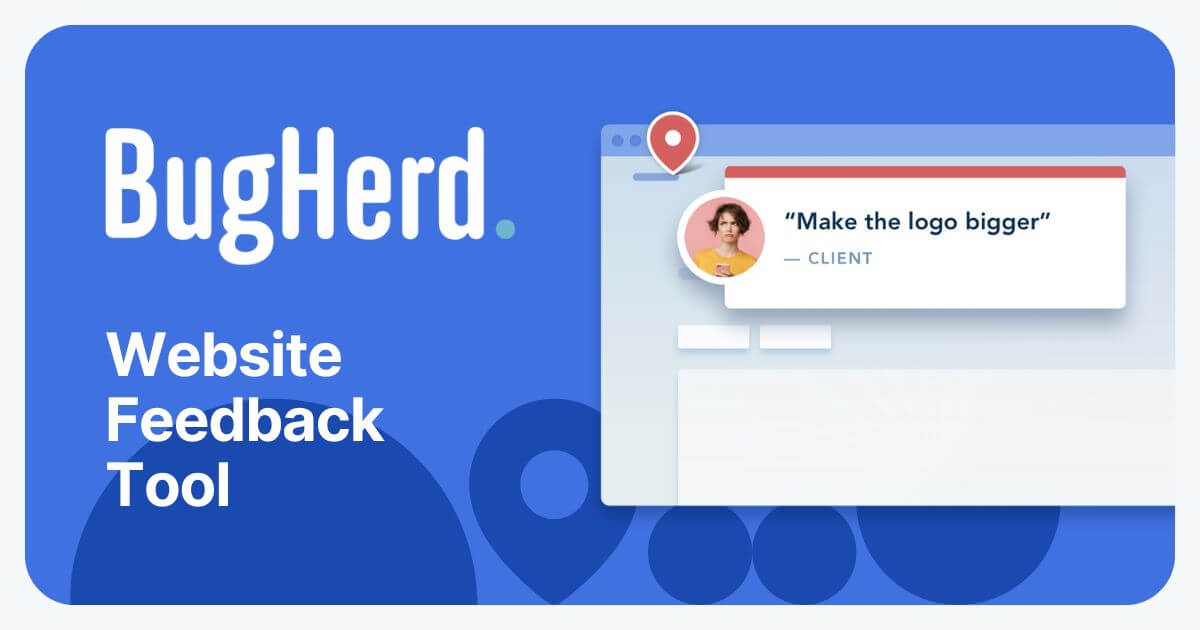

robots.txt (opens in a new tab)
4 rulesAll bots 1 allowed · 0 disallowed
- Allow
/
gptbot 1 allowed · 0 disallowed
- Allow
/
claudebot 1 allowed · 0 disallowed
- Allow
/
perplexitybot 1 allowed · 0 disallowed
- Allow
/
No matching rules.
Sitemaps
1Recent Updates
- Website images
- Screenshots
- Network details
- Website Technologies
- Pages and Search Information
- HTTP Response Information
- TLS and certificates
- DNS Information
- Domain Registration
- Website profile
- Website Description
- Website Name
- Website profile
- Website Description
- Website Name
User reviews (0)